GreenRope is a CRM tool focused on marketing automation, sales pipelines, and customer service. It includes advanced marketing automation capabilities, sales force automation, and a tool box of features to help manage and operate the business.
$149
Per Month [Unlimited Users]
Insightly
Score 7.7 out of 10
N/A
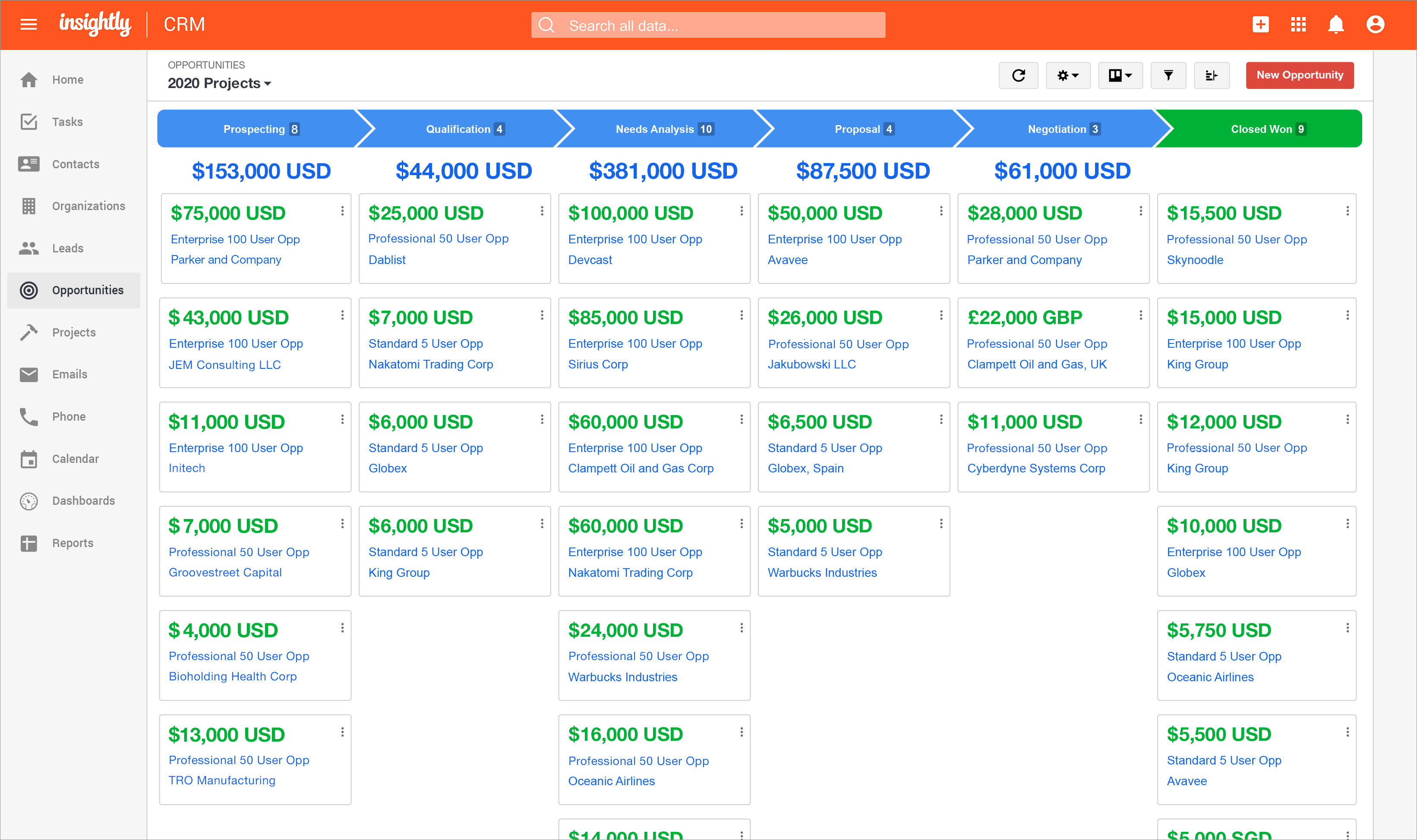
Insightly is presented as a modern, affordable CRM that is easy to use, simple to customize, and that scales with companies as they grow, designed to solve common pain points that legacy CRMs can't. Available in any vertical, Insightly CRM customers can add companion products for marketing automation, customer service, and integrations in the same platform. Insightly has more than a million users worldwide.
$29
per month (billed annually) per user
WebEngage
Score 4.2 out of 10
N/A
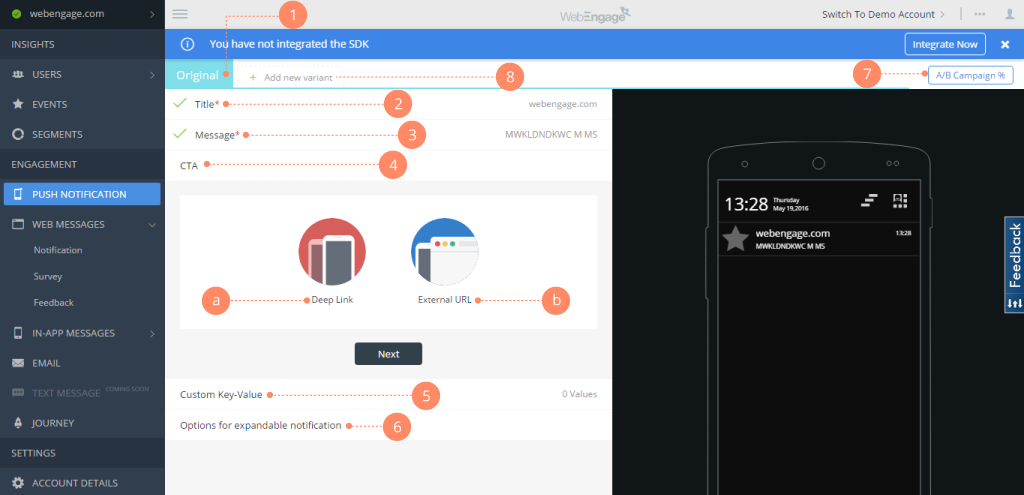
WebEngage calls itself a multi-channel user engagement platform. It automates communication across a user's lifecycle and helps companies send messages via these channels:
Web Messages
In-app Messages
Push Notifications Web Push Notification
Email Marketing
SMS Marketing Facebook Remarketing According to the vendor, cross-device tracking helps keep communication coherent and contextual, making the…
N/A
Pricing
GreenRope
Insightly
WebEngage
Editions & Modules
Starter
$149
Per Month [Unlimited Users]
Prime
$199
Per Month [Unlimited Users]
Pro
$249
Per Month [Unlimited Users]
Premium
$299
Per Month [Unlimited Users]
Powerhouse
$349
Per Month [Unlimited Users]
Supreme
$449
Per Month [Unlimited Users]
Ultimate
$699
Per Month [Unlimited Users]
Plus
$29
per month (billed annually) per user
Professional
$49
per month (billed annually) per user
Enterprise
$99
per month (billed annually) per user
No answers on this topic
Offerings
Pricing Offerings
GreenRope
Insightly
WebEngage
Free Trial
Yes
Yes
Yes
Free/Freemium Version
No
No
Yes
Premium Consulting/Integration Services
No
No
No
Entry-level Setup Fee
$399 Per Account
No setup fee
No setup fee
Additional Details
All price plans include unlimited users, unlimited emails, and all features.
—
Pricing is customised according to the customer usage and requirement. Contact support@webengage.com to know more about pricing plans.
We were looking something that could add value to our company at a competitive price and we found that GreenRope was best for us. There is other software that has greater functionality and can be more intuitive to use than GreenRope, but the price you are paying for this …
We were using Goldmine prior to transitioning to GreenRope. The cost of Goldmine was the main reason we went looking for another CRM software and discovered that Goldmine at the time did not have some of the features of GreenRope and the price was just right.
I use some of these softwares in conjunction with GreenRope. Simply put, one software cannot do everything. So I still like to use a combination of WordPress-centric software for my ecommerce. I use Edgar to schedule my social media only because it allows me to keep a library …
GreenRope really got our attention because it's a full featured system at every price point. We are a small business with a small budget - but we wanted a system that would still let us think BIG! The setup fee was within for our budget, and the monthly fee is very reasonable. …
I looked into both of the programs mentioned above and I truly appreciate the initial costs and training of GreenRope - the program is in my personal opinion much stronger that either of the two mentioned above and less threatening to get started with.
Verified User
Anonymous
Chose GreenRope
Much easier to use. I can do it myself and don't have to use experts. Finally the cost is perfect for my start up.
At the time I selected GreenRope for our business, Hatchbuck wasn't an option but Infusionsoft and HubSpot were. Since then, I have included Hatchbuck in my analyses for customers who are selecting new CRM/Marketing Automation software. Greenrope has all the functionality that …
We chose GreenRope.com because they were the best fit. We already had a marketing email strategy with Constant Contact so choosing a CRM with those capabilities was very important when making our decision. Everything we were already doing could be in 1 place instead of needing …
Verified User
Anonymous
Chose GreenRope
InfusionSoft was the only other system that I had looked at and really considered. In my opinion, GreenRope is very comparable with InfusionSoft, but better suited for new and/or growing businesses because it's easy to use, 3-hours of training is provided to help you customize …
GreenRope is not the top end of features however it does include a variety of great features across the board like CRM and auto marketing combined. Whereas the competition only concentrates on one or the other. Of course if you are looking for a high end product then this …
Greenrope is both easy to use and gave us ALL their software functionalities without having to pay to upgrade. Pricing is based on number of emails. Greenrope appears to have all what we're looking for, from setting up internal project tasks and todo's, accounting function with …
We looked at a number of other products, including Salesforce, Microsoft, and many others. None compared from a price to value perspective, especially taking into account all the other modules that are included...not just CRM.
I have used a large amount of CRMs in the past but many of them are not on your list. Most of them have been great but have not allowed us to have as much customization as we have had with Insightly. We chose Insightly because it had most of what we needed and a way for us to …
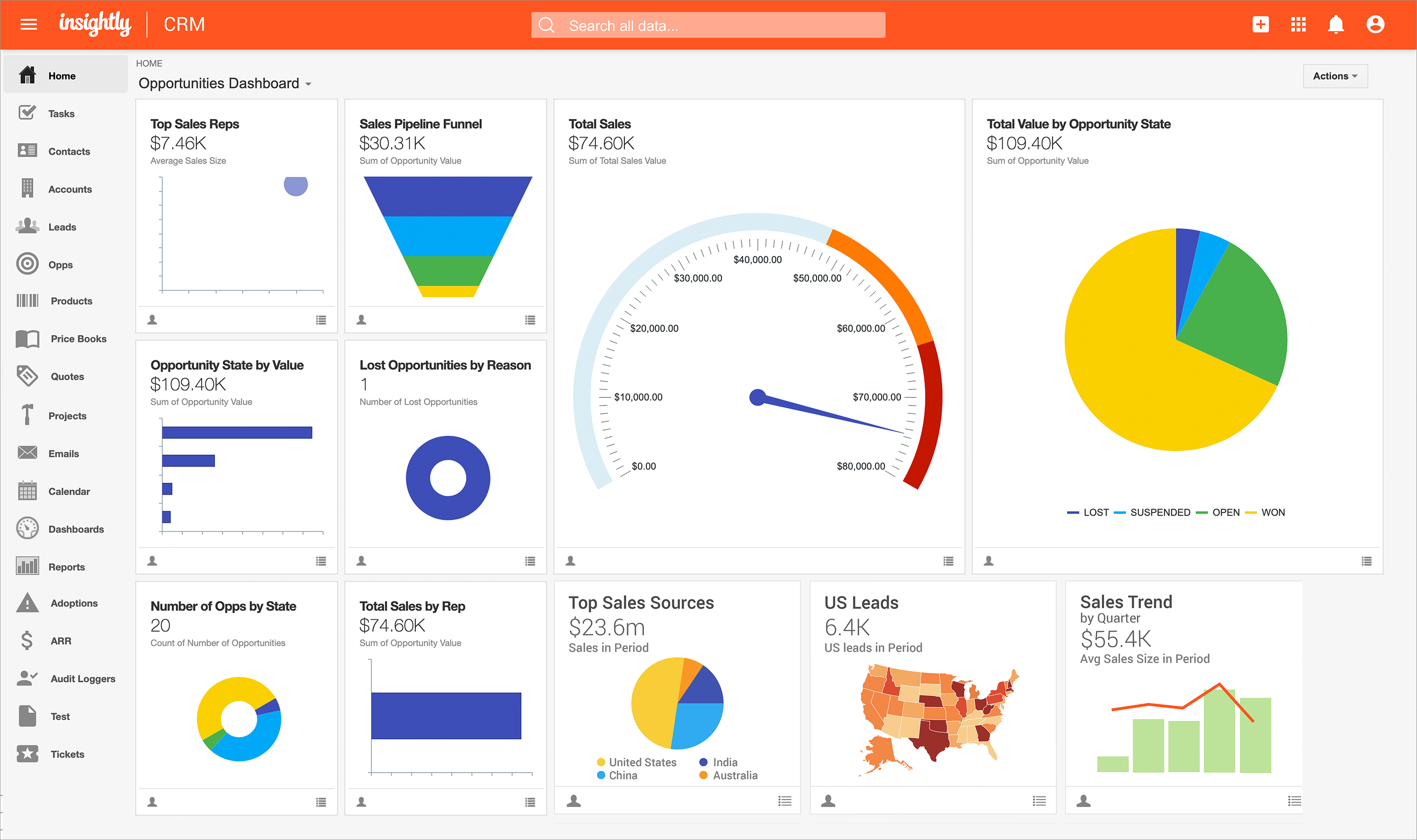
I chose Insightly because I loved the dashboards, but I couldnt do all the work required to get our info into their system for the dashboards to mean anything for me.
Blackbaud Raiser's edge is very robust and not as user friendly. Greenlight CRM is fine but doesn't have as many features as Insightly. Insightly seems to be a good inbetween.
Insightly had overall way more flexibility then I had with NetSuite. NetSuite didn't have the creative pipeline abilities that Insightly had. Insightly had better data manage and tracking clients were way better and efficient then what NetSuite could deliver. NetSuite was …
We transitioned away from NetSuite to Insightly and it was a significant upgrade as we do not have programming capabilities. Unfortunately, we need a document management system as we handle large volumes of all types of data and Insightly came up short. We switched to TaxDome …
Insightly actually have many different fields and customization options for data management. Other programs do not have the ability to organize data in this way. It is easy to manage customer contact information, phone call and email tracking, company management and many other …
There was a lot of flexibility and the cost factor was good, but I wasn't sure how comfortable the team felt with "Zia" the ai in the CRM. Zoho seemed like it was fully equipped for marketing automation and campaigns but there was a little confusion between this and the plus …
We swapped across from HubSpot as it was too difficult and over the top. Insightly had all the positive features from Hubspot, without the complications.
I did not select Insightly for our company as I am a user but not a decision maker, but compared to Chronus, Insightly is a much more organized CRM. Chronus also had technical issues that slowed or prevented our work, and I have rarely run into that in my time using Insightly.
Although the SFMC cost us very high, but we like the platform because it covers everything which we wants. Its different studios and builders helps us to create our own custom emails and automations.
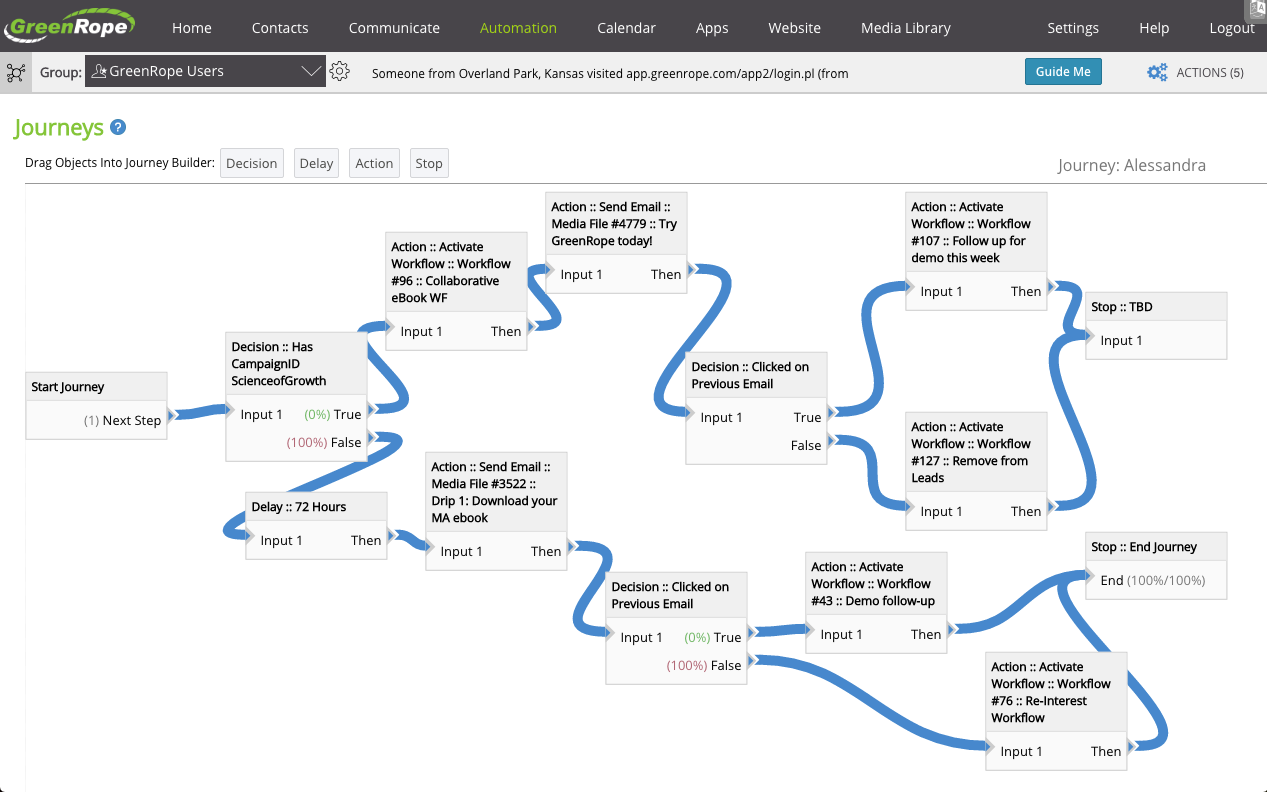
We also like its journey builder and mapping of customer data. Its something …
Insightly has just worked much better. The thing about Insightly that really sets it apart is the email linking. Having the ability to read all of the emails sent and received during the project let's you see the full story of the projects inception to its completion. …
I have forgotten the names of the softwares because we did the scoping over a year ago, but insightly was the best by far for our needs. The other two were focused on a different side of property services and had a lot of features that were not applicable. Without insightly, we …
Insightly is significantly better than Zendesk. It is easy to use, pleasant to look at, and makes sense. However, I don't think Insightly is fair now compared to Salesforce. Insightly can do many of the same things as Salesforce, but I've only started on some of these features. …
I did not select Insightly; my executive team selected Insightly. I would rate Insightly below any other CRM or marketing platform I've used based on its inefficiencies, lack of intuitive work processes, poorly functioning mobile app, and even the design, which is not appealing …
Insightly can be easily navigated and is straightforward. Based on my experience, it is more intuitive, and the menu buttons are self-explanatory, unlike the salesforce I have experienced. There are just a lot of buttons to click from, or sometimes, it could be a drop-down box …
WebEngage's dashboard is relatively more intuitive and easy to understand. Further in terms of cost as well it is value to money as it delivers excellent ROI. The after-sales support is also better in terms of responsiveness and helps in case of issues with the execution of …
Both WebEngage & Clevertap are equally good with some weighed advantages at both their ends. When it comes to an easy interface for user journey creation, Clevertap wins the race. When it comes to proper granularized segmentation skills, WebEngage takes a lead. I'd recommend …
The price point and full featured application of GreenRope makes it perfect for small and medium sized businesses. GreenRope is an excellent alternative to some of the higher priced, better known CRM systems (Infusionsoft, AWeber, Ontraport, etc.). If you have specific requirements for your industry or business, GreenRope support will help to ensure that you get set up properly with what you need
If a business has a simple workflow for purchasing a product or service for a customer and they want to keep track of this workflow then Insightly is very useful. The more complex a business operation is then Insightly starts to become difficult to use. I would recommend Insightly for small and medium sized businesses. Large businesses might have issues delegating tasks across many different users in a large company
When the business is expected to scale and expand, tools such as this proves very handy where it helps to target the correct segments or correct audiences with the right offerings, thereby increasing the chances of transaction or desired action from the user while saving pennies which could have been burnt if a blanket approach would have been used. Automation saves a lot of time and effort for the marketers and businesses boosted due to its operation.
Easy to get going with. They were great help in importing data from infusion soft. Great people to work with in training.
Low cost. This program is affordable for us little guys. Does what you need. Cost less than half of infusion soft for more.
Powerful. It lets me do all the things that I want. They are responsive to new feature requests too. When you make a suggestion you feel like it is heard and appreciated.
As mentioned, Insightly integrated with Google Suite so all of our communications, and especially our analytics and metrics, didn't miss a beat.
Slack integration was helpful too, as a number of tools I investigated prior to choosing Insightly, had third party apps used for integration. This is better than nothing, but Insightly's native integration was a real relief.
The project management feature was a life saver, not just for the DEV team, but also for the Sales team. This allowed us to skip service tickets and go right from us or a client, directly to DEV. The clients just got a much more personal touch and the turn around time was increased.
The only thing I can say is that it has so many features that I do not think I have had the time to use and evaluate. I think I am probably missing out of a lot of great features.
GreenRope has many email templates but seem to be directed to specific industries like retail, restaurants, etc. Would like to see more email templates.
Customization has both positive and negative aspects. Some fields cannot be customized, and I've run into some issues because of this.
Misleading features. I suppose it is the quickest way to describe it. I'm trying to get my team away from having five windows open simultaneously to go through one process, and Insightly's "reply to email" function is misleading. You can't reply to the email; it creates an entirely new email without the previous thread. Due to this feature not working as expected, my team has to return to their inbox and reply to the email.
They have monthly renewals, so at any time you can cancel and not feel like they are holding your money. Their customer support is easy to work with. Their ticketing system to communicate with you about service issues is fantastic(which is included in the monthly fee) allows you to track issues. We use the ticketing system and add it to our website. This gives people the ability to communicate with us 24/7.
Insightly offers a great product; it's the right fit for our company at this time. We were, however, considering moving to Contactually due to their cost effective automation features. However, they lacked the project management capabilities of Insightly. As our company grows, we would love to stay with Insightly - and if they can nail the automation and add the ability to customize a little bit more, it would be the perfect solution for us. For a larger company with a more involved sales team, you might find the metrics/reporting to be a bit basic. Insightly offers great customer service even to free customers
It takes time to learn this system. It is not going to happen over night, but once you master it it will be worth it. I am already seeing some great results, all I have to do is keep learning.
Some items are not easily accessible as an admin, and the number of available resources is outdated (video from 2017). For basic tasks such as updating prospects or contacts, it is fine. However, when you change the screen size, the system becomes less responsive, with tables often being difficult to read.
The provider is 100% available, with no downtime, maintenance, or unexpected outages. We have been able to perform solid continuous services for 12 months without any interruptions. We have backups as well, unlike the in-house backup that they keep on their end. I believe they have a very good redundancy and backup infrastructure in case they get any outages.
Pages normally load quickly, but every now and then, as entering updates to fields, it take a while to update. Sometimes even after refreshing the screen, we have to exit and go back in to get the fields or queries to update.
Many times I have to repeat the issue several times before the person understands correctly. There was also an instant where support was not available when help was needed, had to wait for a response and it was a business day.
We have used Insightly for almost 2 years now. We have always been able to get in touch with support for a variety of reasons and they have never disappointed us. The support staff have always been very understanding. They have assisted with answers to our questions and have provided great tech support. We would highly recommend them.
Well, we didn’t get the chance to do this in-person training but rather one-on-one online training with HR in-house. There were PowerPoints to discuss as well as video instructions on how to use the app, so it was okay. We were able to play around with it during the training or onboarding session.
I've used Insightly's online training &/ or learned as I went. I've found the blogs and online written material helpful. I've also attended a few webinars, which can be useful if you use a J-I-T approach so as not to overwhelm you (or your staff) with functionality that you are using just yet. The fact that it's all available on their website and you can learn at your own pace is invaluable
I think there are some cheat sheets and best practises lists that could be created that would save a business a lot of time and frustration. BUT, even as it is, the frustrations and challenges disappear as things start working. I am going to be offering up a few of the tricks I have learned to the team at GreenRope to share with other users because when customers offer valuable work arounds that they find helpful to others, we accomplish a few things. The coders get an idea of things that aren't working quite as expected so they can look into fixes, other customers get benefit and we all win
did not participate in the implementation of this product did not participate in the implementation of this product did not participate in the implementation of this product did not participate in the implementation of this product did not participate in the implementation of this product did not participate in the implementation of this product
I use some of these softwares in conjunction with GreenRope. Simply put, one software cannot do everything. So I still like to use a combination of WordPress-centric software for my ecommerce. I use Edgar to schedule my social media only because it allows me to keep a library of posts -- otherwise, GreenRope replaces HootSuite. Outlook integrates (and RingCentral will soon). My business is too big to not have separate accounting (Xero) but GreenRope would be adequate for solos. GreenRope reduced my software quite a bit. It replaced Zoho, Infusionsoft, Mail Chimp, Access, Wufoo, Basecamp and InstantCustomer. It's not a great project management software, but it serves my needs for managing the pre-engagement process and nurture processes. GreenRope is best as a CRM and it forms a central part of my overall business technology machine.
I have used a large amount of CRMs in the past but many of them are not on your list. Most of them have been great but have not allowed us to have as much customization as we have had with Insightly. We chose Insightly because it had most of what we needed and a way for us to customize the database as we needed it
WebEngage's dashboard is relatively more intuitive and easy to understand. Further in terms of cost as well it is value to money as it delivers excellent ROI. The after-sales support is also better in terms of responsiveness and helps in case of issues with the execution of campaigns. The account managers also ideate and help in the optimization and creation of new user journeys.
(+) Being able to download my LinkedIn connections was a huge benefit. (+) I use the task function to stay on top of my follow-up activity which is another positive feature. (+) The sorting capabilities also help me pinpoint the contacts that I need to stay on top of. (-) When I add a new lead from an existing organization, I would like the organization's information to automatically populate the fields like address, website, description. I enter all that information manually. (-) My mass mailing experience has been tedious due to the email function being interrupted and crashing due to bad email addresses in some of my records. (-) Many of my leads do not have current email addresses. I wish Insightly offered a tool to help find email addresses. I spend too much time researching to find email addresses.
GR has made our company much more organized from client details/history, sales work flow, email campaigns, website tracking and lead conversions.
We have grown our business 60% in the last 12 months. GR definitely helped us reach that growth.
Prior to GR we did everything the old fashioned way. I don't have anything to compare it to because we had no prior experience with another CRM provider. I can say that I am truly happy with our progress in GR and learning the program was pretty easy.
While I am working in a capacity that does not involve my input into the licensing or cost side of us having Insightly I can see that there is certainly a good ROI.
With 9 account managers utilising the system at any one time we can instantly keep track of our own sales and client data while also being able to see what others do.
Being able to track key KPIs as well with graphs and charts enables us to see where we sit within our targets and easily adapt to areas that need more attention.