
Heimdal Patch and Asset Management vs. ManageEngine Endpoint Central
| Product | Rating | Most Used By | Product Summary | Starting Price |
|---|---|---|---|---|
 Heimdal Patch and Asset Management | Score10 out of 10 | N/A | Heimdal Patch and Asset Management is a cloud-based tool that automates OS and third-party updates. The automated patch management solution delivers updates within 4 hours of vendor release, after scanning for malware, removing unwanted software, and checking that the patch installs and works correctly. Once installed, Heimdal’s lightweight agent is able to define granular group policies and orchestrate patching across Windows, macOS, and Linux - no extra… | N/A |
 ManageEngine Endpoint Central | Score9 out of 10 | N/A | Desktop Central from ManageEngine is a client desktop management with patching, remote control, and configuration. | $795 per year per user |
| Heimdal Patch and Asset Management | ManageEngine Endpoint Central | |||||||||||||||
|---|---|---|---|---|---|---|---|---|---|---|---|---|---|---|---|---|
| Editions & Modules | No answers on this topic | No answers on this topic | ||||||||||||||
| Offerings |
| |||||||||||||||
| Entry-level Setup Fee | No setup fee | No setup fee | ||||||||||||||
| Additional Details | — | — | ||||||||||||||
| More Pricing Information | ||||||||||||||||
| Heimdal Patch and Asset Management | ManageEngine Endpoint Central | |
|---|---|---|
| Considered Both Products | No answer on this topic | No answer on this topic |
| Key User Insights | ||
| Would buy again | ||
100% Would buy again 7 Answers | 98% Would buy again 193 Answers | |
| Delivers good value for the price | ||
100% Delivers good value for the price 6 Answers | 99% Delivers good value for the price 182 Answers | |
| Happy with the feature set | ||
71% Happy with the feature set 5 Answers | 97% Happy with the feature set 192 Answers | |
| Lived up to sales and marketing promises | ||
100% Lived up to sales and marketing promises 6 Answers | 95% Lived up to sales and marketing promises 144 Answers | |
| Implementation went as expected | ||
83% Implementation went as expected 5 Answers | 98% Implementation went as expected 163 Answers | |
| Heimdal Patch and Asset Management | ManageEngine Endpoint Central | |||||||||||||||||||||||||
|---|---|---|---|---|---|---|---|---|---|---|---|---|---|---|---|---|---|---|---|---|---|---|---|---|---|---|
| Threat Intelligence |
| |||||||||||||||||||||||||
| Vulnerability Management Tools |
| |||||||||||||||||||||||||
| Heimdal Patch and Asset Management | ManageEngine Endpoint Central | |
|---|---|---|
| Small Businesses | No answers on this topic |  Avast CloudCare Score10 out of 10 |
| Medium-sized Companies |  Tenable Nessus Score8.8 out of 10 |  Action1 Score9.4 out of 10 |
| Enterprises | Tenable Vulnerability Management Score8.9 out of 10 |  IBM MaaS360 Score8 out of 10 |
| All Alternatives | View all alternatives | View all alternatives |
| Heimdal Patch and Asset Management | ManageEngine Endpoint Central | |
|---|---|---|
| Likelihood to Recommend | 8.0 | 9.0 |
| Likelihood to Renew | - | 9.4 |
| Usability | - | 9.0 |
| Support Rating | - | 7.1 |
| Implementation Rating | - | 7.8 |
| Contract Terms and Pricing Model | - | 1.8 |
| Professional Services | - | 1.8 |
| Vendor post-sale | - | 1.8 |
| Vendor pre-sale | - | 1.8 |
| Heimdal Patch and Asset Management | ManageEngine Endpoint Central | |
|---|---|---|
| Likelihood to Recommend |
|
|
| Pros |
|
|
| Cons |
|
|
| Likelihood to Renew | No answers on this topic |
|
| Usability | No answers on this topic |
|
| Support Rating | No answers on this topic |
|
| Implementation Rating | No answers on this topic |
|
| Alternatives Considered |
|
|
| Return on Investment |
|
|
| ScreenShots | Heimdal Patch and Asset Management Screenshots    | ManageEngine Endpoint Central Screenshots 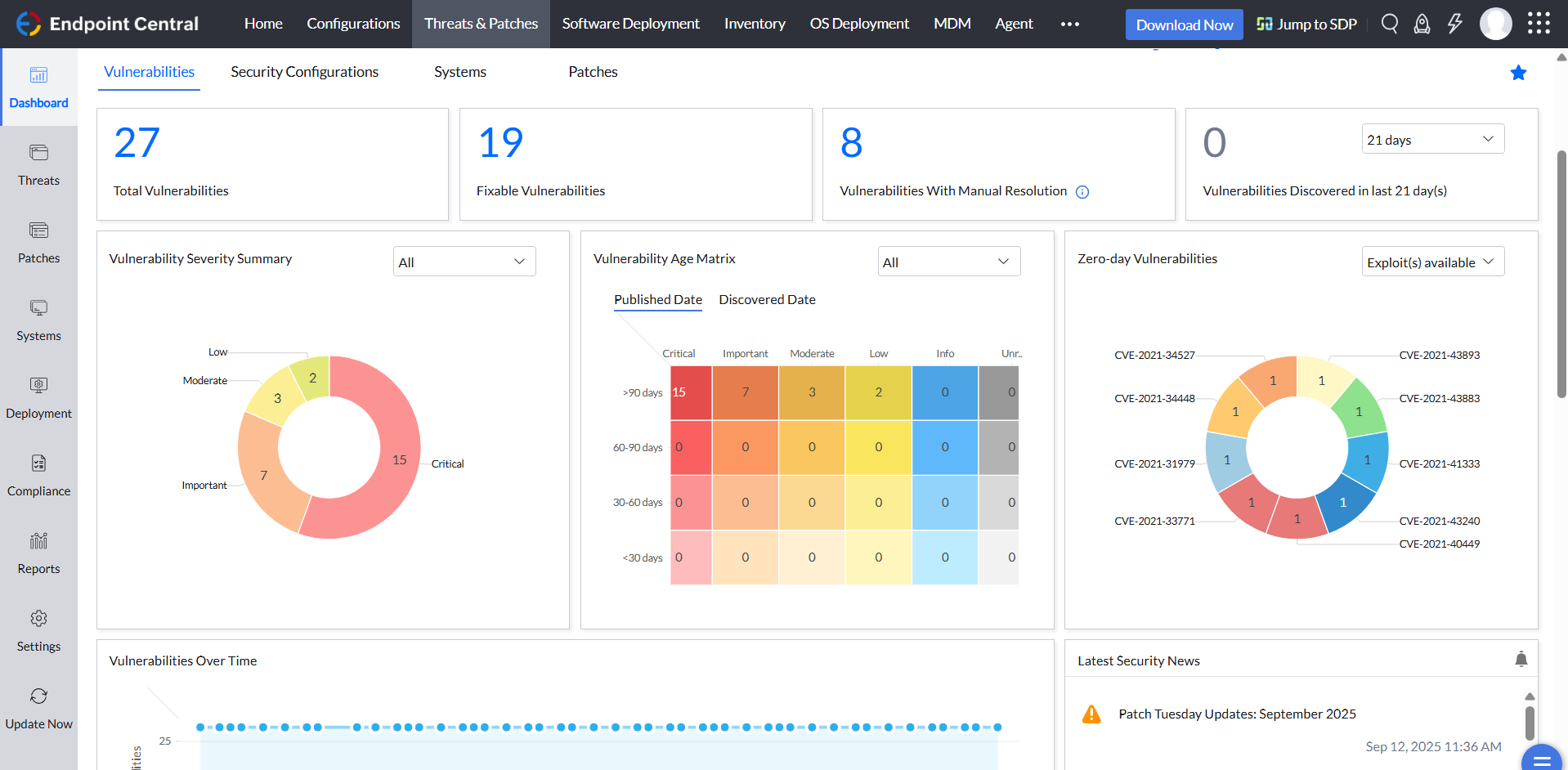   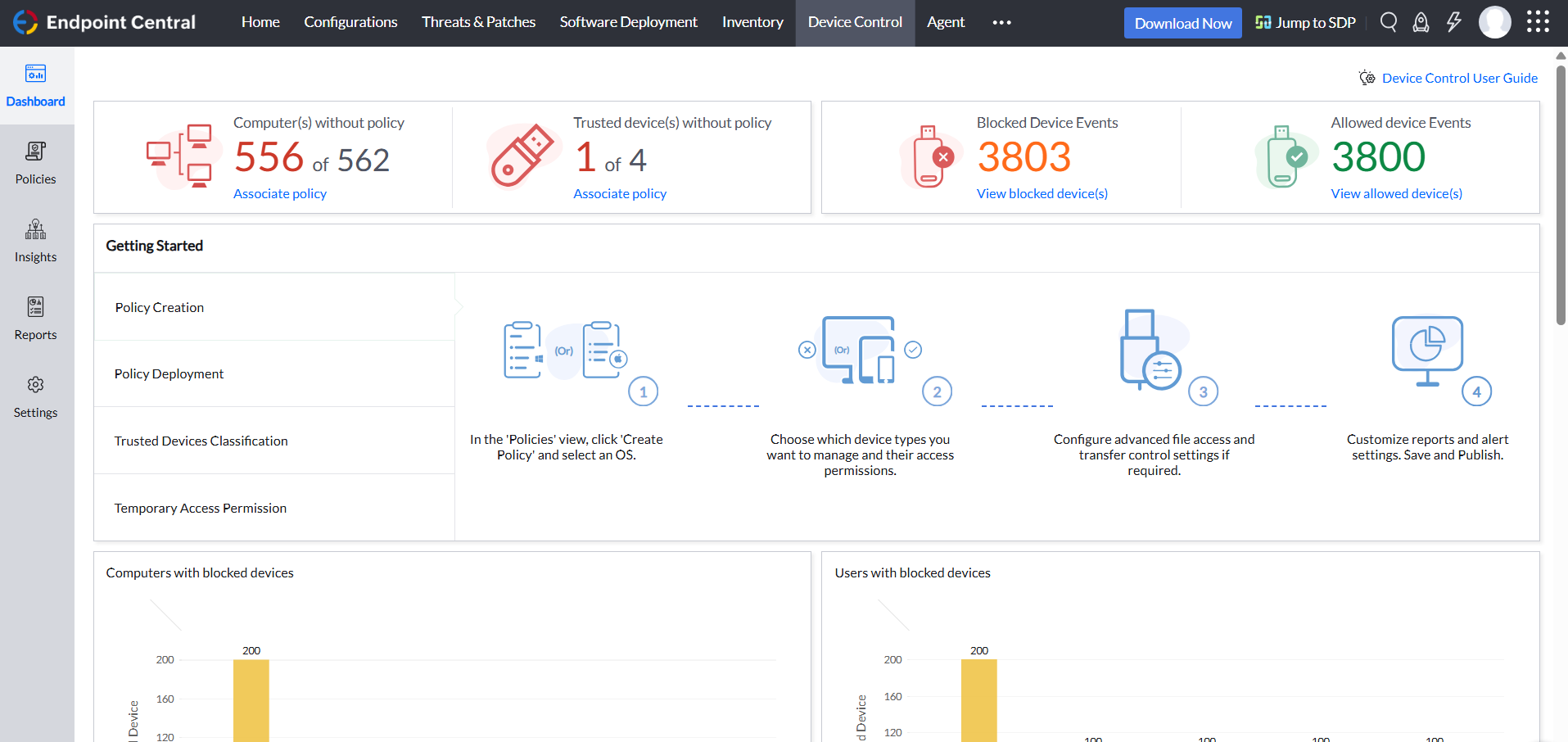 |


