Hiver is a customer service platform that brings together communication channels, apps, and data to improve customer support operations. Hiver enables real-time collaboration across every customer communication channel, offering AI and automation to resolve issues and help teams work faster. Hiver states that over 10,000 teams of all shapes and sizes globally from Flexport to Harvard University, Vacasa, and Epic Games rely on Hiver to deliver support that wins and retains customers for…
$24
per month per user
TeamSupport
Score8.4 out of 10
Mid-Size Companies (51-1,000 employees)
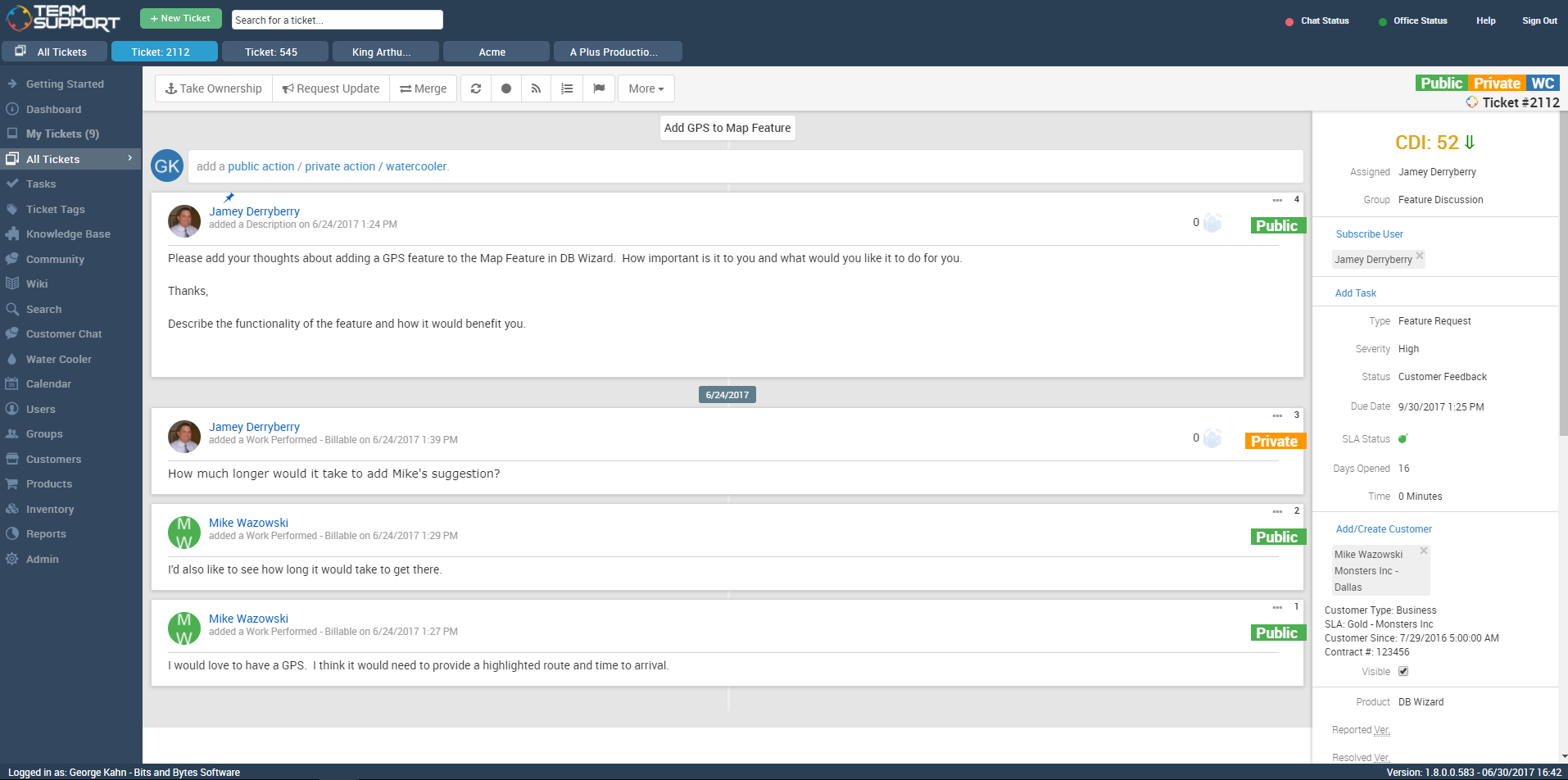
TeamSupport is customer support software built for B2B software and technology companies. The solution offers ticket management, a customer and contact database, reporting and analytics, multi-channel support, built-in collaboration tools, and many native integrations.
One scenario where Hiver works really well is in a shared support or billing inbox or anywhere multiple team members need access to the same messages. For example, when a customer emails about a billing question, we used to reply and manually loop in the billing team or forward the message. That often caused confusion, especially when someone forgot to “reply all” or responded only to the teammate instead of the customer.Now with Hiver, we just assign the conversation to the billing inbox, and whoever is available can respond. Everyone on the team can see the thread, status, and notes, which avoids duplicated efforts and missed replies. We also used to rely on Google Groups, but it wasn’t clear if someone had already replied, and there was no easy way to collaborate behind the scenes. Hiver completely solved that for us.As for situations where Hiver might be less ideal, I’d say if your team isn’t using Gmail or Google Workspace, then it’s probably not a good fit. It’s really designed for teams that live in Gmail so the team doesn't have to learn a new system. I'm sure some businesses will require a more robust ticketing solution but for our use case, this was a perfect option to improve outcomes, client service, and satisfaction.
A de minimis incentive was given to thank the reviewer for their time. The incentive was not used to bias or drive a particular response, nor was the incentive contingent on a positive endorsement. More Info
TeamSupport is a great ticketing/help desk platform for small companies. It gets the job done and allows for multiple teams to manage workloads. It is not best for bigger organizations as there are lots of lacking features (mobile app, integrations, robust Jira/Confluence like system). The support for TeamSupport is great too. They usually get in touch with customers quickly when the system is down and they resolve issues quickly as well.
A de minimis incentive was given to thank the reviewer for their time. The incentive was not used to bias or drive a particular response, nor was the incentive contingent on a positive endorsement. More Info
A de minimis incentive was given to thank the reviewer for their time. The incentive was not used to bias or drive a particular response, nor was the incentive contingent on a positive endorsement. More Info
There were other customer support software companies that I looked into at first, however TeamSupport provided exceptional customer service themselves. I paid close attention to how they handled me as a customer to see if they were a company that would understand my desire to give exceptional customer service to my clients and if they had the tools to make the experience easy. Every interaction with them was very positive.
Since we needed TeamSupport's software embedded into our software application to give our users easy access to the support tools, the staff at TeamSupport needed to answer many questions and work with our developers to make this possible. They were always willing to take the extra step to ensure a smooth set up.
As we continue with TeamSupport, I am especially impressed with the sincerity of the CEO, Robert C. Johnson, and his commitment to us so that together we can deliver exceptional customer support.
A de minimis incentive was given to thank the reviewer for their time. The incentive was not used to bias or drive a particular response, nor was the incentive contingent on a positive endorsement. TR verified that a representative sample of customers was invited. More Info
A de minimis incentive was given to thank the reviewer for their time. The incentive was not used to bias or drive a particular response, nor was the incentive contingent on a positive endorsement. More Info
We would like to see a structure to the ticket numbering system. In a previous system we had a numbering system like this mmddyy-xxxxxx This was very easy to see when a ticket was created based on just it's number. Currently with TeamSupport they assign a random number to tickets that is not very informative without a created date field.
Reports are nice but lack some rollup capabilities that are needed. Any given report can only work against two data tables at max. This is a limitation that we had to create custom contact fields to get around. They store phone, address and base contact info in separate tables. This makes it impossible with a standard system to create a report of all tickets along with the ticket and contact information in one report. The previous system we were on, allowed you to tie as many related data tables together that was needed to create one high level report.
Need Ability to notify external users of ticket activity in regions. So what I mean is we have FAE's in the field that want to know what their customers are asking for their region. They don't want or need a TeamSupport account but want simple e-mails of activity. This has been a lost feature for us going to a new system. I have to create a manual report each week and forward to the people that want this kind of information.
Ticket Automation rules will only run against a ticket one time. I understand why they did this to prevent uncontrolled loops but it would be nice to be able to set a limit that was greater than one. This limitation often causes us to have to write multiple rules to handle certain ticket cases.
A de minimis incentive was given to thank the reviewer for their time. The incentive was not used to bias or drive a particular response, nor was the incentive contingent on a positive endorsement. TR verified that a representative sample of customers was invited. More Info
We are very likely to renew. We have been using TeamSupport for years and have tested a few other ticketing software solutions. We utilize several project management solutions to date and are always looking for better more efficient ways. Team Support is great at working with us and allows us to report issues well.
A de minimis incentive was given to thank the reviewer for their time. The incentive was not used to bias or drive a particular response, nor was the incentive contingent on a positive endorsement. TR verified that a representative sample of customers was invited. More Info
I think some things could be a little more user-friendly: specifically the dashboard. Although it's fantastic and makes life so much nicer, I'd like to have more control on it's customization. I'd like to be able to default what's collapsed and what's expanded...instead of everything expanding by default each time I load it. But the portal offers great tools and guides on workarounds.
TeamSupport's ease of use and the way it benefited our company overall. From cost improvements, ROI, and overall management of team members it gets high marks. We are better able to support our customer base by providing improved support in a more timely fashion. The End User view of IT Support overall has improved just through using this platform in our company.
A de minimis incentive was given to thank the reviewer for their time. The incentive was not used to bias or drive a particular response, nor was the incentive contingent on a positive endorsement. More Info
Data import was the most difficult hurdle for us to get over. The mass import was handled through an Excel spreadsheet. TeamSupport doesn't use Microsoft Office products for the most part so they were relying on Google Docs which has limitations over Excel. Special characters and html in import cells can be a issue with importing. When creating a data export from your current system, special care needs to be taken so that the data is able to be processed into TeamSupport without issues.
A de minimis incentive was given to thank the reviewer for their time. The incentive was not used to bias or drive a particular response, nor was the incentive contingent on a positive endorsement. TR verified that a representative sample of customers was invited. More Info
True ticketing solutions are certainly more robust in that you can typically manage social media channels and phones, etc. But, in my opinion, when you don't have a team solely responsible for managing a ticketing system they can be complicated to implement. With HIVER, we're already all accustomed to managing our own G-Suite inbox, so it was simply a matter of teaching the team how to utilize the solution.
A de minimis incentive was given to thank the reviewer for their time. The incentive was not used to bias or drive a particular response, nor was the incentive contingent on a positive endorsement. More Info
TeamSupport is a much more modern, intuitive and user-friendly version of NetSuite with many additional bells and whistles. NetSuite has a business only facade with a rather clunky interface and system. TeamSupport compares favorably and meets business needs while being a much more advanced and modern solution.
A de minimis incentive was given to thank the reviewer for their time. The incentive was not used to bias or drive a particular response, nor was the incentive contingent on a positive endorsement. TR verified that a representative sample of customers was invited. More Info
TS keeps adding new features without making sure the program is reliable as-is. The program is frequently offline which makes for significant frustration on my part
The ROI on showing how many emails are being received and addressed in a timely manner are great for KPIs
the ability to search and ensure emails are not being deleted as an automatic report is sent out the following day saying if any emails were deleted by whom
the ability to automate who gets assigned what emails from specific vendors per entity
A de minimis incentive was given to thank the reviewer for their time. The incentive was not used to bias or drive a particular response, nor was the incentive contingent on a positive endorsement. More Info
A de minimis incentive was given to thank the reviewer for their time. The incentive was not used to bias or drive a particular response, nor was the incentive contingent on a positive endorsement. TR verified that a representative sample of customers was invited. More Info