IBM MaaS360 is a mobile security offering developed by Fiberlink, acquired and owned by IBM since early 2014.
$4
Per Client
TeamViewer
Score8.6 out of 10
N/A
Teamviewer offers secure remote access, IT support and device management on a scalable platform. It speeds up problem resolution, reduces downtime and enhances control through automation, unattended access and complete visibility of every device and location.
$299
per year
TeamViewer DEX
Score8.8 out of 10
N/A
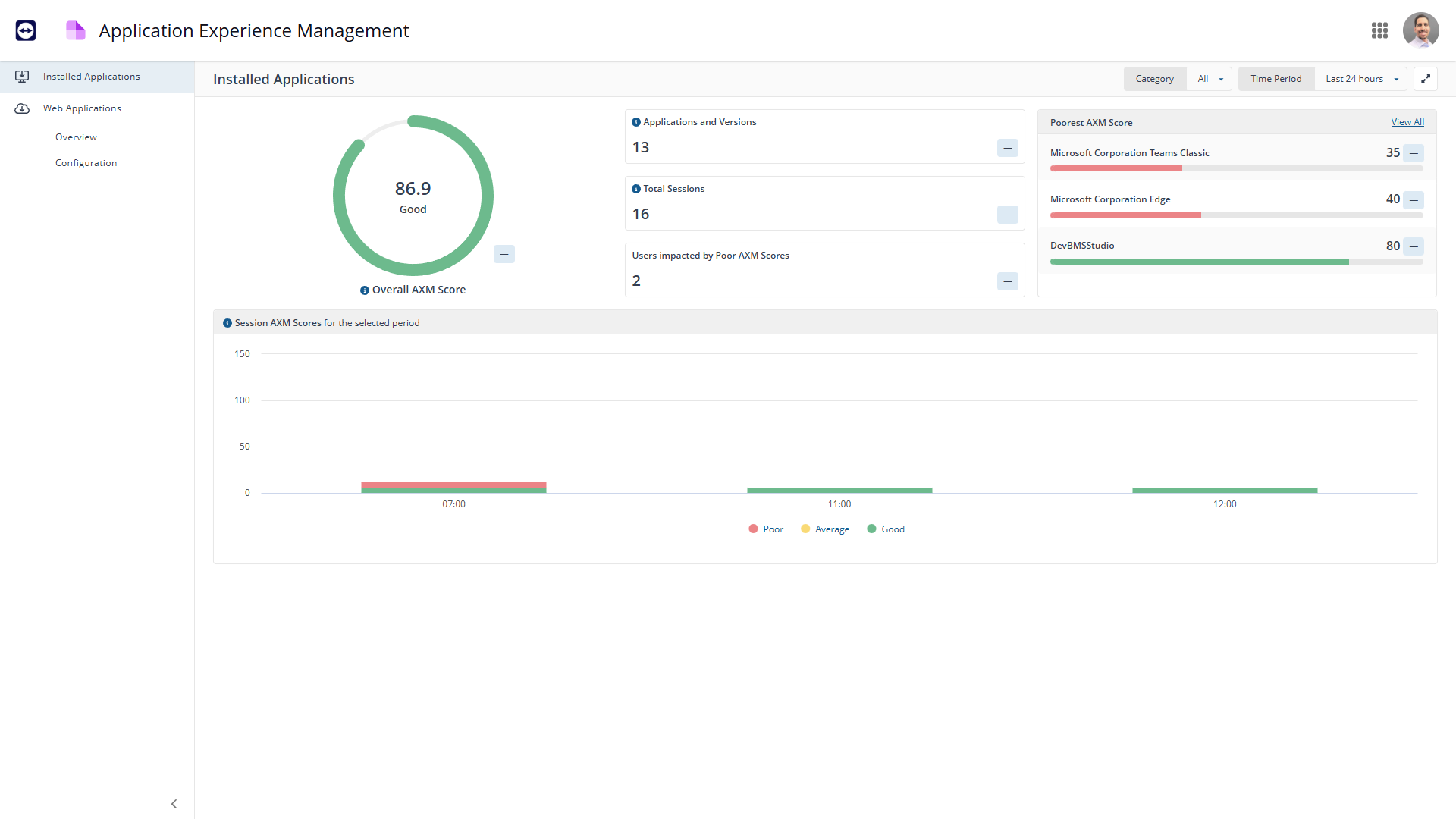
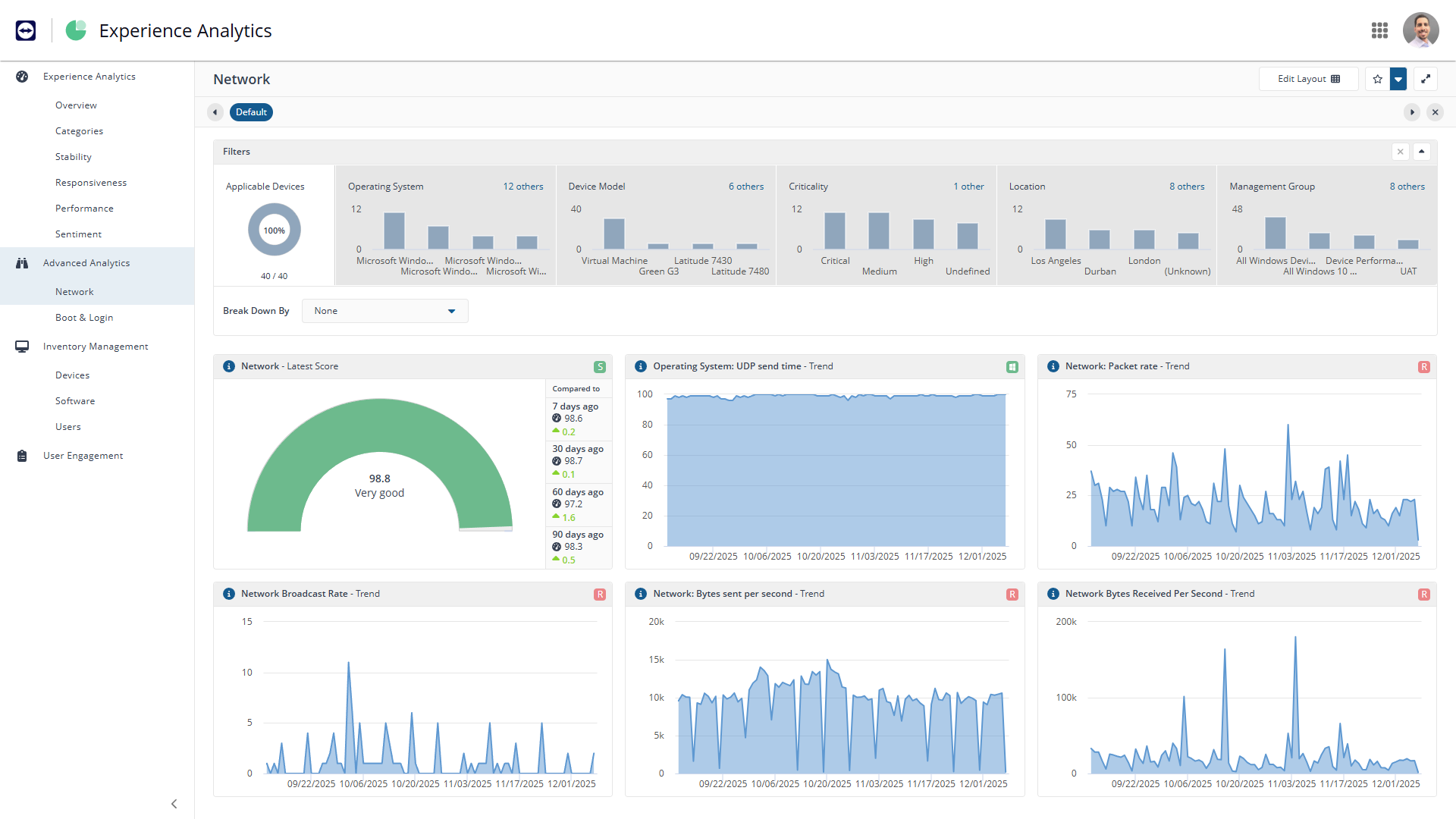
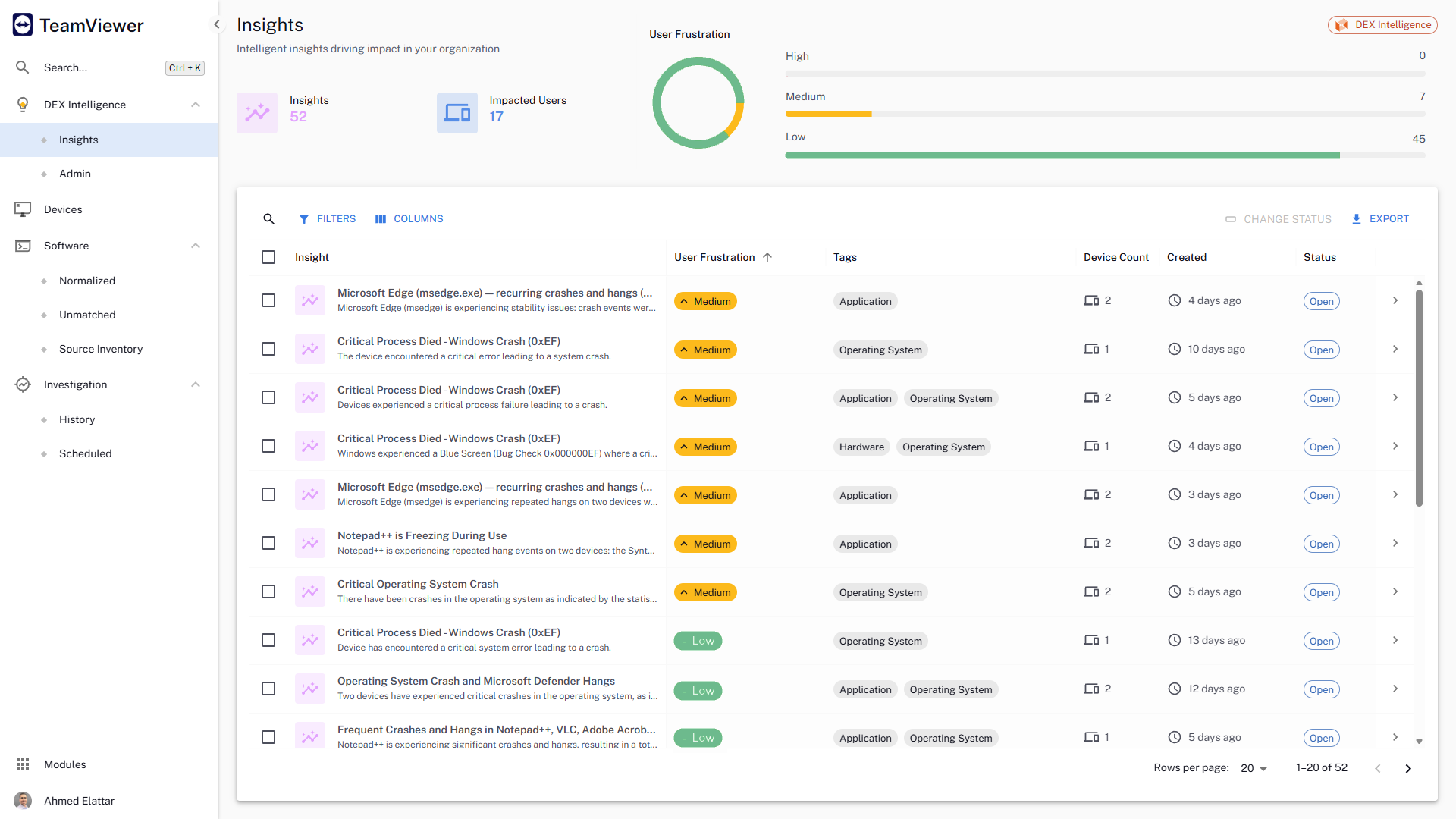
The TeamViewer DEX platform is a cloud-native, real-time, autonomous DEX solution that fixes digital worker experience issues before they impact users. It aims to remove friction from IT operations, improve compliance, and help IT deliver personalized digital experiences by bringing the user front and centre in the decision-making process.
Enrolling bulk devices through the Device Enrollment Program (DEP) is simple, straightforward, and quick. Multiple methods for device enrollment are available, including barcode scanning, email, and manual entry via the platform. App synchronization between Apple Business Manager (ABM) and the MaaS360 platform occurs swiftly. Additionally, app distribution and removal are efficiently managed on the platform.
A de minimis incentive was given to thank the reviewer for their time. The incentive was not used to bias or drive a particular response, nor was the incentive contingent on a positive endorsement. More Info
I would definitely recommend it, and that's why I've stuck with it so long: continuous improvement. Now AI has fully embraced it to help with faster monitoring and Troubleshooting, saving me a huge amount of time and effort. Affordable to use for both personal and Professional work to assist colleagues from different workstations.
When we are needing to patch workstations for zero-day vulnerabilities or security risks, Explorer is our go-to tool to push out those settings quickly. We have a TeamViewer DEX server stood up in our DMZ to communicate with the workstations outside of our VPN, so we can push those settings or patches to devices without needing them to attach to our network. It's really nice to be able to communicate with the computers that rarely connect to our corporate network and ensure that they are still protected. We do have the TeamViewer Client installed on all of our internal servers in order to get inventory and licensing information, but we don't typically utilize the TeamViewer software on the servers for much else. A different team handles those computers and often requires change management, so expedited changes don't happen often there. Standard deployment and patching tools do the job.
A de minimis incentive was given to thank the reviewer for their time. The incentive was not used to bias or drive a particular response, nor was the incentive contingent on a positive endorsement. More Info
A de minimis incentive was given to thank the reviewer for their time. The incentive was not used to bias or drive a particular response, nor was the incentive contingent on a positive endorsement. TR verified that a representative sample of customers was invited. More Info
A de minimis incentive was given to thank the reviewer for their time. The incentive was not used to bias or drive a particular response, nor was the incentive contingent on a positive endorsement. TR verified that a representative sample of customers was invited. More Info
A de minimis incentive was given to thank the reviewer for their time. The incentive was not used to bias or drive a particular response, nor was the incentive contingent on a positive endorsement. More Info
MaaS360 with Watson has a lot of features and capabilities, which can sometimes make it difficult for us to navigate. Improving the user interface and making it friendly could help make the platform easier to use.
Expanding integrations with other systems to provide better support for a wider range of systems and platforms.
A de minimis incentive was given to thank the reviewer for their time. The incentive was not used to bias or drive a particular response, nor was the incentive contingent on a positive endorsement. More Info
MFA could be a lot better when connecting to the remote device. If a phone is added to security for the remote worker, then the admin cannot use Easy Access to access the device without interaction with the remote worker. Admins should have access to remote devices via other MFA methods.
App updates sometimes cause unstable status and computer must be restarted.
OS updates often require additional user interaction before completing the sign-in process, leaving TeamViewer in an incomplete startup state and preventing the Remote Worker from accessing the device. An admin then has to remote into the device using another remote desktop access tool (Apple Remote Desktop, for instance) and bypass the user interaction screens, which allows the login process to complete and TeamViewer to start up fully. It would be best if the TeamViewer Host could connect even when the OS is prompting for user interaction (e.g., clicking OK on modal dialog boxes post-update).
A de minimis incentive was given to thank the reviewer for their time. The incentive was not used to bias or drive a particular response, nor was the incentive contingent on a positive endorsement. TR verified that a representative sample of customers was invited. More Info
They currently don't have all of their products incorporated into the web interface, meaning that we need a separate administration console for using their Shopping product.
The TeamViewer DEX Exchange is an online repository for common or useful instructions, but it is still a bit lacking. New instructions aren't published very often.
Writing your own custom instructions for Explorer has a bit of a learning curve if you aren't already familiar with SQL queries or their SCALE language. There is published documentation for SCALE, but I'd like to see them add a basic functionality course to their online training portal.
A de minimis incentive was given to thank the reviewer for their time. The incentive was not used to bias or drive a particular response, nor was the incentive contingent on a positive endorsement. More Info
I'll gave it a 10, because we have not come across any negative point with MaaS360. In a real comparison with other UEMs / MDMs you will find out that other providers that claim to be "free" or "included" don't have the capeabilities that MaaS360 has. Some features are just not available and others would require you to pay for them. In that case the product would not be "free" anymore.
A de minimis incentive was given to thank the reviewer for their time. The incentive was not used to bias or drive a particular response, nor was the incentive contingent on a positive endorsement. More Info
We need this tool in our day to day business. It is what we do all day remoting into clients devices. In this day and age we can access devices all over the world as long as we have secure internet connection. It certainly saves money in gas, and even if you are away you can help.
A de minimis incentive was given to thank the reviewer for their time. The incentive was not used to bias or drive a particular response, nor was the incentive contingent on a positive endorsement. TR verified that a representative sample of customers was invited. More Info
Having years of experience with MDM and experiencing the evolution of the granularity of the functionality MDM's have had to evolve, no MDM is ever "easy" to use. MaaS360 rises to the top however, because zero day changes are always ahead of the competition. A huge benefit with MaaS360 and IBM's approach to supporting these changes is that they seldom change configuration work flows. Competing Vendors always arbitrarily change workflows which requires a significnat ongoing learning curve in order to maintain technical competence
A de minimis incentive was given to thank the reviewer for their time. The incentive was not used to bias or drive a particular response, nor was the incentive contingent on a positive endorsement. More Info
TeamViewer is a reliable and really strong tool for accessing remote IT platforms secure and fast. We don't know any product that provide us such strong functionality to make our life as a internationally recognized MES provider with DIAMES with an international clientele so easy. We look forward for any new TeamViewer functionality that supports us even more.
A de minimis incentive was given to thank the reviewer for their time. The incentive was not used to bias or drive a particular response, nor was the incentive contingent on a positive endorsement. More Info
TeamViewer DEX has plenty of features and functionality right out of the box. They offer an Exchange web portal where you can go to download new product packs as they become available through consulting engagements and customer requests. Sometimes you might need to do something more specific or customized than what is available to everyone, and that's when your own knowledge is put to the test. Being able to write your own SCALE code would be invaluable, but takes a while to learn if you aren't already familiar with SQL, PowerShell, or a few other popular languages. Making it your own can definitely take some work, but it's worth it in the end.
A de minimis incentive was given to thank the reviewer for their time. The incentive was not used to bias or drive a particular response, nor was the incentive contingent on a positive endorsement. More Info
A de minimis incentive was given to thank the reviewer for their time. The incentive was not used to bias or drive a particular response, nor was the incentive contingent on a positive endorsement. More Info
TeamViewer has always been available when we needed to use it. We have not noticed any outages or periods where the software functions were unavailable.
A de minimis incentive was given to thank the reviewer for their time. The incentive was not used to bias or drive a particular response, nor was the incentive contingent on a positive endorsement. More Info
A de minimis incentive was given to thank the reviewer for their time. The incentive was not used to bias or drive a particular response, nor was the incentive contingent on a positive endorsement. More Info
TeamViewer performance has always been very good. Pages load quickly and we can see what the remote engineers are doing on the computer in real time. This is very beneficial for our own technicians and engineers and helps their learning curve. Troubleshooting is much easier with TeamViewer. We have not noticed and lagging of our computers while using TeamViewer.
A de minimis incentive was given to thank the reviewer for their time. The incentive was not used to bias or drive a particular response, nor was the incentive contingent on a positive endorsement. More Info
MaaS360's phone support has been decent the few times I have used it. In addition the person who on-boarded us has been available for additional questions after the process was over. However IBM could do a much better job in creating a user-friendly search engine and white-paper database to help people find topics. Right now finding info is more based on searching through white papers themselves.
A de minimis incentive was given to thank the reviewer for their time. The incentive was not used to bias or drive a particular response, nor was the incentive contingent on a positive endorsement. More Info
the few times i have had to contact teamviewer support, they were very responsive and give me quick answers and seemed to understand my problems quickly and easily. I did not have to sit on the phone for hours on hold or get passed around to multiple phone support techs before finding a solution to my issues, so i would rate their support very highly.
A de minimis incentive was given to thank the reviewer for their time. The incentive was not used to bias or drive a particular response, nor was the incentive contingent on a positive endorsement. More Info
As expected without any problem! Alternate in-person training is another efficient way to learn how a product works. There are many third party supporters for TeamViewer courses available that can give additional ideas how to use TeamViewer for specific functions and features as we did require in respect of our usage.
A de minimis incentive was given to thank the reviewer for their time. The incentive was not used to bias or drive a particular response, nor was the incentive contingent on a positive endorsement. More Info
A de minimis incentive was given to thank the reviewer for their time. The incentive was not used to bias or drive a particular response, nor was the incentive contingent on a positive endorsement. More Info
I have never used the online training either. I have watched a few informational videos that were helpful when learning how to do a specific procedure within TeamViewer and get the most out of the software by utilizing one of the many features that are available with the software. Again, 5 if for neutral.
To implement IBM Security MaaS360 with Watson, follow these steps: Set up the platform, enroll devices, configure policies and settings, monitor and manage devices. Implementing it can help organizations to securely manage and monitor the use of mobile devices and related resources in their networks, improving security and productivity for their users.
A de minimis incentive was given to thank the reviewer for their time. The incentive was not used to bias or drive a particular response, nor was the incentive contingent on a positive endorsement. More Info
TeamViewer installation and deployment to other devices is pretty straightforward and does not require much technical know-how. This makes ease of use attractive when supporting both new and existing clients with limited technical knowledge. I think ease of use is a huge factor in getting new clients. TeamViewer handles that extremely well.
A de minimis incentive was given to thank the reviewer for their time. The incentive was not used to bias or drive a particular response, nor was the incentive contingent on a positive endorsement. TR verified that a representative sample of customers was invited. More Info
Ease of use and management of mobile devices are easier and has protection against the Cyber threats. The security controls implementation on our devices are perfect and in one place. I love the responsiveness and prosctivenes of the support. Seamless integration with all security devices. The ability to wipe and control days remotely is perfect easy to control all our company information by locking down lost and stolen devices.
A de minimis incentive was given to thank the reviewer for their time. The incentive was not used to bias or drive a particular response, nor was the incentive contingent on a positive endorsement. More Info
TeamViewer's cost is much lower than that of other solutions, and its security is far superior to RemotePC's. TeamViewer is also a request-based remote session manager, unlike other software that allows indefinite connection time. TeamViewer's free version makes it even better for one end of the group to find support, while the other end has the paid version.
A de minimis incentive was given to thank the reviewer for their time. The incentive was not used to bias or drive a particular response, nor was the incentive contingent on a positive endorsement. TR verified that a representative sample of customers was invited. More Info
Microsoft has good intentions, but they are often late to the table. On more than one occasion, we have seen Microsoft incorporate a new feature into their own products, but it's something that TeamViewer had already been offering for a year or more. By the time Microsoft adds a new feature, it has already been in our toolbox and even then doesn't seem to have all of the additional functionality that we get from the TeamViewer software. Currently, we're starting to see Microsoft's push for endpoint performance analytics, which TeamViewer DEX has already done impressively for some time now.
A de minimis incentive was given to thank the reviewer for their time. The incentive was not used to bias or drive a particular response, nor was the incentive contingent on a positive endorsement. More Info
IBM Congos Analytics has a steep learning curve, but once mastered, Congos can handle massive datasets and complex, multi-tiered reporting. Thousands of users are no problem. A downside is the complexity of the inital setup of this "all in one" tool, what might affect the deployment time.
A de minimis incentive was given to thank the reviewer for their time. The incentive was not used to bias or drive a particular response, nor was the incentive contingent on a positive endorsement. More Info
A de minimis incentive was given to thank the reviewer for their time. The incentive was not used to bias or drive a particular response, nor was the incentive contingent on a positive endorsement. More Info
We worked with an IBM SE who was incredibly competent and extremely professional in handling our questions in addition to ensuring the Knowledge Transfer was completed properly
A de minimis incentive was given to thank the reviewer for their time. The incentive was not used to bias or drive a particular response, nor was the incentive contingent on a positive endorsement. More Info
A de minimis incentive was given to thank the reviewer for their time. The incentive was not used to bias or drive a particular response, nor was the incentive contingent on a positive endorsement. More Info
A de minimis incentive was given to thank the reviewer for their time. The incentive was not used to bias or drive a particular response, nor was the incentive contingent on a positive endorsement. TR verified that a representative sample of customers was invited. More Info
Being able to deploy configuration changes while devices are off-network was a real-life-saver for us during the sudden work-from-home scenarios we faced during the pandemic.
Reclaiming unused software licenses has provided some additional budget to use towards other products, and helps us to justify the cost of what we already have.
Using Experience to proactively troubleshoot performance issues not only reduces the number of help desk tickets but also provides a better work environment for our employees.
A de minimis incentive was given to thank the reviewer for their time. The incentive was not used to bias or drive a particular response, nor was the incentive contingent on a positive endorsement. More Info