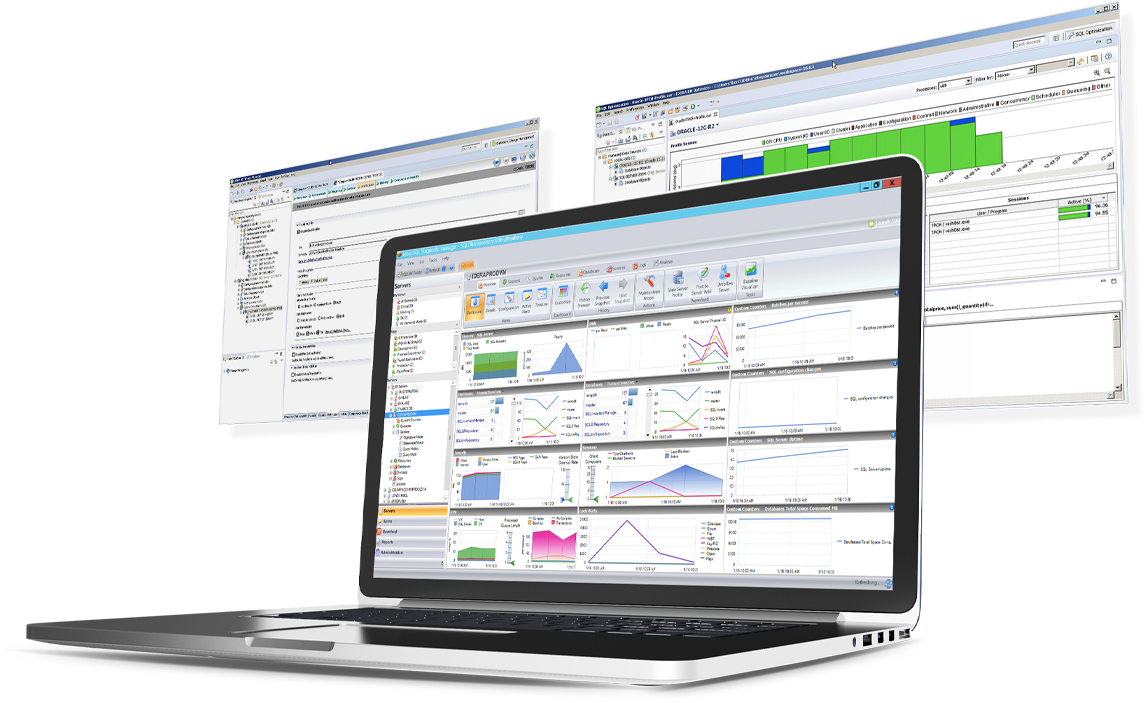
SQL Diagnostic Manager for Microsoft SQL Server helps database administrators to find and fix Microsoft SQL Server performance problems in physical, virtual, and cloud environments. Unlike its competition, it provides effective scalability, advanced SQL query analysis and optimization, prescriptive analysis with corrective SQL scripts, powerful automated alert responses, broad PowerShell integration, complete customization, and extensive support for current and legacy Microsoft SQL Server and…
$1,996
per instance with first year maintenance included
OpsGenie
Score 7.7 out of 10
N/A
OpsGenie is an IT monitoring and incident response platform for development and operations teams, providing alerts and schedule management escalations. OpsGenie is now part of Atlassian since the late 2018 acquisition.
$0
up to 5 users
xMatters
Score 10.0 out of 10
N/A
xMatters is an IT alert management solution for enterprises. It is cloud-based incident management software that enables business processes or applications to trigger two-way communications (text, voice, email, SMS, etc.) during time-sensitive events.
$9
per month
Pricing
IDERA SQL Diagnostic Manager
OpsGenie
xMatters
Editions & Modules
Standard via eCommerce
1,996.00
per instance with first year maintenance included
Free
$0.00
up to 5 users
Essentials
$9.00
per user/per month
Standard
$19.00
per user/per month
Enterprise
$29.00
per user/per month
Starter
$9
per user/per month
Base
$39
per user/per month
Free
Free
Advanced
Contact for quote
Offerings
Pricing Offerings
IDERA SQL Diagnostic Manager
OpsGenie
xMatters
Free Trial
Yes
Yes
No
Free/Freemium Version
No
Yes
Yes
Premium Consulting/Integration Services
No
No
No
Entry-level Setup Fee
No setup fee
No setup fee
No setup fee
Additional Details
—
—
—
More Pricing Information
Community Pulse
IDERA SQL Diagnostic Manager
OpsGenie
xMatters
Features
IDERA SQL Diagnostic Manager
OpsGenie
xMatters
SQL Performance Monitoring
Comparison of SQL Performance Monitoring features of Product A and Product B
SQL Server [Business Intelligence] Manager is useful for tracking performance across SSIS, SSRS and SSA and have the data represented in dashboards. It helps improve performance and helps end users. However, several features are redundant for smaller organization that can use the tools that comes with existing Microsoft products. These features also takes time to learn and use.
Incident response is well suited to OpsGenie, and this is where it really shines—whether it's an outage, a security incident, or similar. My experience is mostly with security, and it offers a great audit trail. It minimises the need to cut and paste from different platforms when creating reports and ensures that what was said and what was done (along with any evidence) is persisted and reflected in the incident detail.
We use xMatters for our alerting on critical matters. ServiceNow is our incident management system and it ties into xMatters. When a critical alert is generated it will notify the appropriate party. I'm trying to see if two other departments can use it. We are looking for a refrigeration system and for weather alerts when bad storms are coming
SQLdm does a good job of providing information at a high level, but also allows me to drill down to specific queries and events if needed. I don't always need to sift through tons of details to get the information I need. It also gives a very wide range of information from SQL specific metrics, to OS metrics, to VM metrics, all the way up to host server metrics.
I like how the alert and notification system can be customized. For example, if you know a certain server regularly has long-running queries, you can adjust the alert to not fire unless a query has been running for 30 minutes while the rest of the servers fire after 30 seconds. That is very helpful in not being bombarded at dinner with alerts from a server similar to, "I've been at 90% cpu for 26 milliseconds!!!!!!!...and now it's back down to 30%" Good information to know, but not something you need to literally lose sleep over.
I like how you can configure different servers to be monitored differently. For example, you can have a group of servers called DEVELOPMENT that you can turn on heavier monitoring on so you can test how changes in applications might affect the SQL environment, but in the PRODUCTION group, you may only want to enable the heavier analysis and logging when performance issues are actively being reported.
Windows client has some issues. When you have small time intervals for your data collection, it can cause the client to become unresponsive and require you to restart it.
It takes more time to get the web client running than it does to get the windows client running.
The visualizations have been the same for the last eight years--could use a little bit of a refresh.
OpsGenie New Jira design has made it difficult for those not familiar with that style.
OpsGenie could benefit from nested escalation flows for team schedules. Creating a product alert that uses and Tech Schedule as well as an Incident Manager Schedule that already exists would create less overhead and ease management.
In general terms OpsGenie is a well done tool for solving the alert incident management, the usability is super ok during the configuration and during the alert. The main opportunity I found is the reporting and analytics section which is a little difficult to understand at a first sight and the refresh is not automatic, some little frictions but frictions at all
xMatters has a pretty good UI. However, its versatility does get in the way a little as the number of options can be overwhelming, and it sometimes takes a while to find the place you want, or get the result you want. I don't have any suggestions on how to fix this, it's just a side effect of the complexity that xMatters offers.
Working with xMatters support has been fantastic! Our support rep is very friendly, helpful, and knowledgeable. We get quick response times when asking questions, and when we have more complex problems, it's easy to schedule a call and spend some time working through our issues together. Every time we've had a problem we've been able to get the info we need and get a resolution easily.
IDERA SQL Diagnostic Manager for SQL, Redgate SQL, and MonitorLogicMonitor are similar products to each other. We decided on IDERA SQL Diagnostic Manager for SQL because our experience with locating heavy queries has been very good and it provides real-time monitoring of all servers and databases. It also allows you to have a large volume of historical data which allows you to analyze trends in the databases.
We also looked at PagerDuty but decided to go with OpsGenie as it had more features on the plan we needed compared to PagerDuty which would have required us to spend a lot more for what we felt were non-premium features. Everything felt like an add-on - automation for an additional $20 a user per month seemed like a lot on top of the base plan
xMatters is a market leader among many new burgeoning products in the stakeholder notification space. They are historically one of two original enterprise products in this space. Great client base of large companies and good reputation. xMatters offers flexible licensing models, depending on functional needs. It's easy to learn and use but slightly more difficult to administer.
Helped us track bugs and issues that came up during product launch periods which reduced overhead that normally came with needing to manually contact the right team members
Prevented last minute breaking issues from falling through the cracks, decreased time to fix by automatically alerting the team members and allowing the product and project teams to easily see what active alerts are in progress
Managers are able to pull reports faster for any incidents escalated to their team.
When needing to contact another on-call associate from another team, xMatters provides conference bridge lines. You don't have to set up meetings through Outlook or Skype.