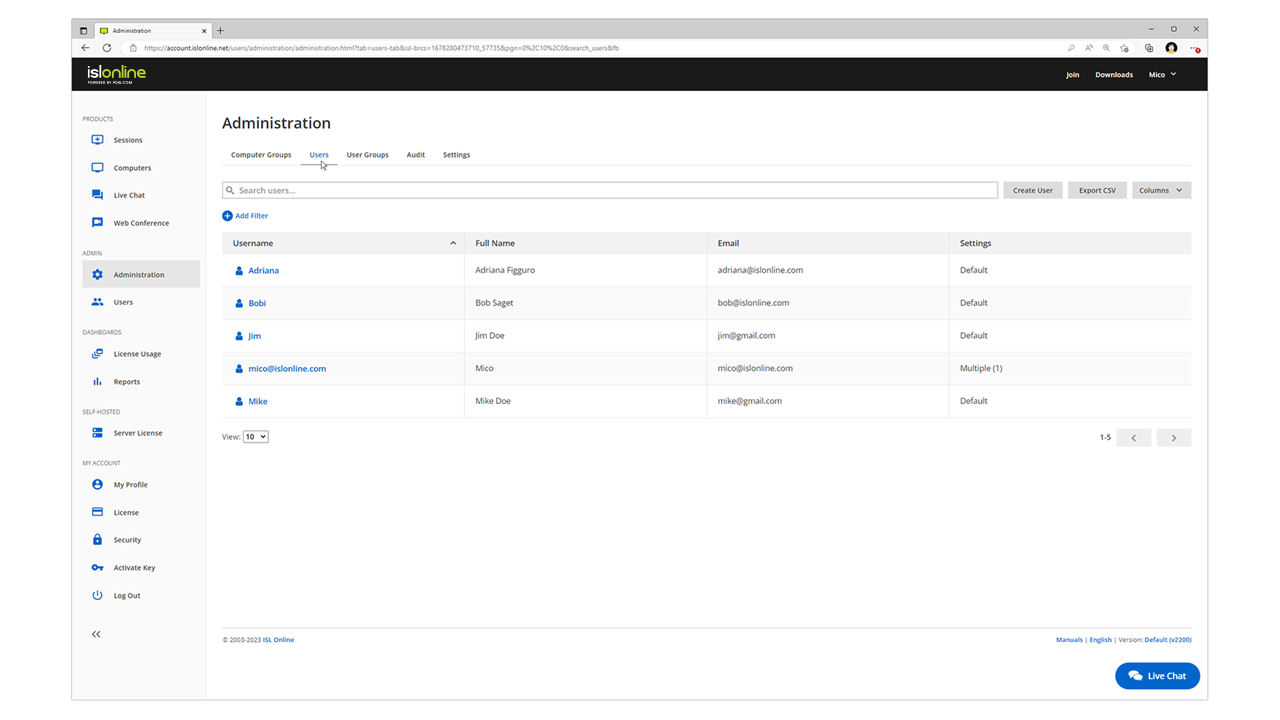
ISL Light is remote support and remote access software that enables SMBs and large enterprises to offer fast and efficient support and maintenance for Windows, Mac and Linux computers as well as mobile device support for Android and iOS.
$16.90
per month (1 concurrent user)
RDCMan
Score7 out of 10
N/A
RDCMan, or Remote Desktop Connection Manager from Microsoft, is a utility for managing multiple remote desktop connections. Once shut down due to a vulnerability in version 2.7, RDCMan is now updated and part of the Sysinternals family of tools. The 2.8 release fixes CVE-2020-0765, the XML parsing vulnerability. As of May, 2025, RDCMan is in version 3.1.
$0
Pricing
ISL Light
RDCMan
Editions & Modules
Starter
$16.90
per month
Standard
$34.90
per month
Self-Hosted
$44.90
per month
Premium
$54.90
per month
No answers on this topic
Offerings
Pricing Offerings
ISL Light
RDCMan
Free Trial
Yes
No
Free/Freemium Version
No
Yes
Premium Consulting/Integration Services
Yes
No
Entry-level Setup Fee
No setup fee
No setup fee
Additional Details
ISL Online's pricing model considers the number of licenses purchased, which determines the maximum number of concurrent users within the organization. A concurrent user is defined as anyone running one or more sessions simultaneously from any device. There are no restrictions on the number of ISL Light users within a company or the remote devices managed.
For example, with three licenses, an unlimited number of people in a company can use ISL Light and can access an unlimited number of remote devices, but only three users can use it concurrently. When one of these three users ends their session, a fourth user can begin their session, and so on.
A de minimis incentive was given to thank the reviewer for their time. The incentive was not used to bias or drive a particular response, nor was the incentive contingent on a positive endorsement. TR verified that a representative sample of customers was invited. More Info
Verified User
Chose ISL Light
Much more intuitive when compared to remote desktop and as no changes are required on the firewall on the server side, it's a much more secure connection.
A de minimis incentive was given to thank the reviewer for their time. The incentive was not used to bias or drive a particular response, nor was the incentive contingent on a positive endorsement. More Info
Verified User
Chose ISL Light
Multi-monitor handling is super easy with ISL Light. The licensing model of ISL Light's self-hosted version is unbeatable. Great technical support, which often used before I purchased. The unbelievable price increase during and after the covid time of remote tools, has ended, …
A de minimis incentive was given to thank the reviewer for their time. The incentive was not used to bias or drive a particular response, nor was the incentive contingent on a positive endorsement. More Info
Verified User
Chose ISL Light
None of these work when trying to connect from my personal computer. Guys in our IT offered to use ISL Light and it worked without a glitch ever since.
A de minimis incentive was given to thank the reviewer for their time. The incentive was not used to bias or drive a particular response, nor was the incentive contingent on a positive endorsement. More Info
CEO in Information Technology at GRID d.o.o. Ljubljana (Information Technology & Services, 1-10 employees)
Chose ISL Light
Much cheaper licence then TeamViewer and much more user friendly than UltraVNC for example. Better performance then AnyDesk or Chrome Remote Desktop. It has simple user interface which can be immediatly understood. But if you dig deeper you see there is in depth capabilites for …
A de minimis incentive was given to thank the reviewer for their time. The incentive was not used to bias or drive a particular response, nor was the incentive contingent on a positive endorsement. More Info
CCO (Chief Contracting Officer) in Engineering at COLCIBER S.A.S (Information Technology & Services, 11-50 employees)
Chose ISL Light
ISL light is a corporate tool that takes security into account first and foremost and that is something that these tools do not really take into account. The control of users, the reports and the roles that can be assigned definitely led us to make the decision.
A de minimis incentive was given to thank the reviewer for their time. The incentive was not used to bias or drive a particular response, nor was the incentive contingent on a positive endorsement. More Info
ISL light is suitable for anyone who plans to provide remote assistance services on a medium to large scale. Due to the high entry price, it is less suitable for consultants with a smaller number of clients or remote stations that need management. Their smallest package in which minutes are rented does not seem suitable for most cases.
A de minimis incentive was given to thank the reviewer for their time. The incentive was not used to bias or drive a particular response, nor was the incentive contingent on a positive endorsement. More Info
As a IT specialist we have some servers we need acces to. I like to use Remote Desktop Connection Manager because it feel like you are on the computer. Is feel very trusted. Some colleagues use the Azure remote desktop version but I always recommend the windows integrated option. We also have our primary business application running on a server so they use a remote desktop connection too to log on to the server.
A de minimis incentive was given to thank the reviewer for their time. The incentive was not used to bias or drive a particular response, nor was the incentive contingent on a positive endorsement. More Info
A de minimis incentive was given to thank the reviewer for their time. The incentive was not used to bias or drive a particular response, nor was the incentive contingent on a positive endorsement. More Info
Need a control toggle at least on AlwaysOn. User moves the mouse and you lose all control instantly.
Clipboard features are a bit wonky still, and your clipboard seems to get emptied a lot. So if you're trying to copy and paste you might lose something
Passwords for the systems are saved per machine, so if you work from multiple devices it can be tricky if you have complex passwords
A de minimis incentive was given to thank the reviewer for their time. The incentive was not used to bias or drive a particular response, nor was the incentive contingent on a positive endorsement. More Info
When trying to connect to a server/machine, and it doesn't connect, there is a "Disconnected" message that is displayed in the thumbnail. There is no information beyond this that explains why the server/machine did/could not connect. It would be helpful to the IT Administrator to know this information, even if Microsoft Remote Desktop Connection Manager (RDCMan) kept a log somewhere where this information can be analyzed.
There doesn't seem to be an option for connecting to a server that is usually only able to be accessed from a jump server. This will not connect if the server is set up as a server/machine within RDCman. This would be a beneficial feature to have within RDCman. Maybe one of the missing options is to be able to set this in the prospects for the jump server (within the Microsoft Remote Desktop Connection Manager (RDCMan) window).
A de minimis incentive was given to thank the reviewer for their time. The incentive was not used to bias or drive a particular response, nor was the incentive contingent on a positive endorsement. More Info
Everything works well and quickly, and that's all we need. ISL Light always works, and we've never had a situation where the server was inaccessible or the website was down. It simply gives us a 100% guarantee that we can always log in to our customers' systems. We can install the ISL Light client at our customers' sites without any problems, even though security is high.
A de minimis incentive was given to thank the reviewer for their time. The incentive was not used to bias or drive a particular response, nor was the incentive contingent on a positive endorsement. More Info
As alluded to in previous responses it is a very functional tool. It allows me to do my job quickly and efficiently every single day. There are little to no issues using the connection on a day to day basis. It handles everything you need from a remote connection perspective.
A de minimis incentive was given to thank the reviewer for their time. The incentive was not used to bias or drive a particular response, nor was the incentive contingent on a positive endorsement. More Info
A de minimis incentive was given to thank the reviewer for their time. The incentive was not used to bias or drive a particular response, nor was the incentive contingent on a positive endorsement. More Info
We had issues with mouse skipping on mobile devices. Support is immediatly availabe, they examined our case and in one of the new versions of the app this problem was gone.
Plenty of information and support online, and with many things it's pretty straight forward for the average tech to navigate and work with. But with most things online you're not the only person that's had the issue before, and using a search engine you should be able to figure it out.
A de minimis incentive was given to thank the reviewer for their time. The incentive was not used to bias or drive a particular response, nor was the incentive contingent on a positive endorsement. More Info
A de minimis incentive was given to thank the reviewer for their time. The incentive was not used to bias or drive a particular response, nor was the incentive contingent on a positive endorsement. More Info
The main reason was price initially, after TeamViewer jacked up the price 3 fold come covid in start of 2020, told them to get stuffed and went elsewhere, back then they had a good reliable product, then after I switched to another provider, the came crawling back and offer me the same price I was paying before the COVID tax (3 times increase in price) like I said, told them to get stuffed, ISL on the other hand didn’t increase their price when covid started, so have been with them ever since.
A de minimis incentive was given to thank the reviewer for their time. The incentive was not used to bias or drive a particular response, nor was the incentive contingent on a positive endorsement. More Info
RDCMan outshines TeamViewer in every possible way. It’s fast, more reliable, and easier to use. I have had frequent crashes and issues when using TeamViewer, while none with RDCMan. Screen responsiveness also seems much better with RDCMan versus TeamViewer. I would often experience lag issues when using TeamViewer.
A de minimis incentive was given to thank the reviewer for their time. The incentive was not used to bias or drive a particular response, nor was the incentive contingent on a positive endorsement. More Info
A de minimis incentive was given to thank the reviewer for their time. The incentive was not used to bias or drive a particular response, nor was the incentive contingent on a positive endorsement. More Info
A de minimis incentive was given to thank the reviewer for their time. The incentive was not used to bias or drive a particular response, nor was the incentive contingent on a positive endorsement. More Info
A de minimis incentive was given to thank the reviewer for their time. The incentive was not used to bias or drive a particular response, nor was the incentive contingent on a positive endorsement. More Info
A de minimis incentive was given to thank the reviewer for their time. The incentive was not used to bias or drive a particular response, nor was the incentive contingent on a positive endorsement. More Info