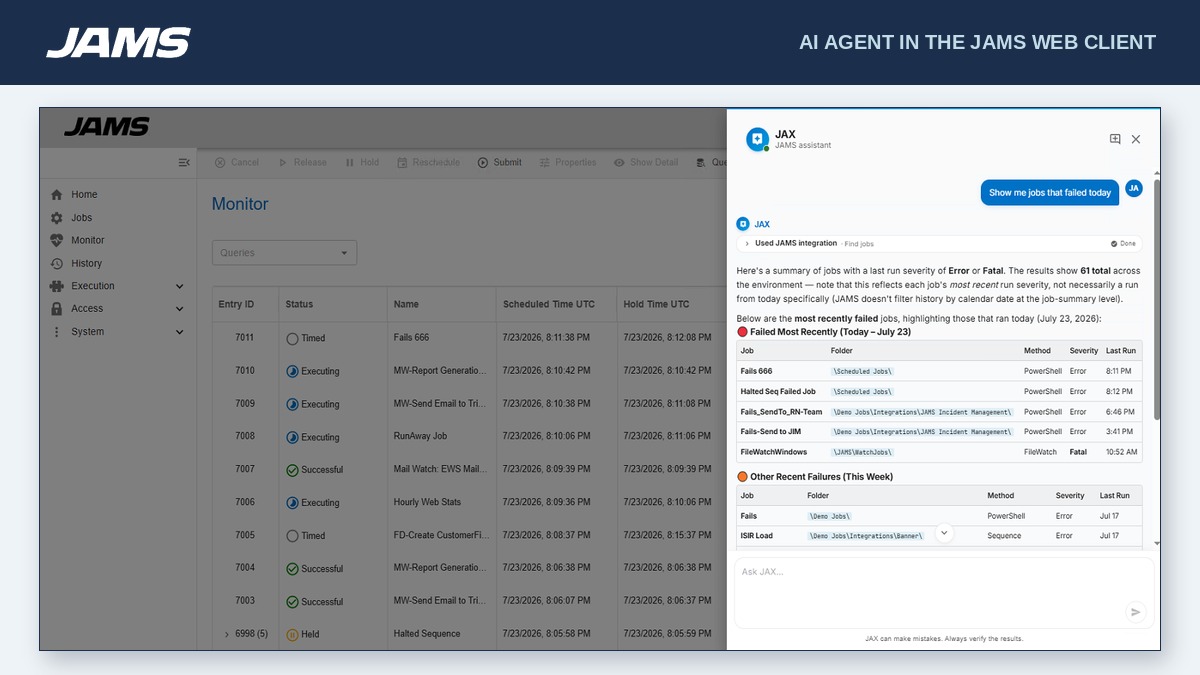
JAMS is a centralized workload automation and job scheduling solution that runs, monitors, and manages jobs and workflows. Reliably orchestrate the critical IT processes that run your business from a single pane of glass.
$9,996
per year
TeamViewer
Score8.6 out of 10
N/A
Teamviewer offers secure remote access, IT support and device management on a scalable platform. It speeds up problem resolution, reduces downtime and enhances control through automation, unattended access and complete visibility of every device and location.
$299
per year
Pricing
JAMS
TeamViewer
Editions & Modules
Core
9,996.00
per year
Advanced
Customized Pricing
per year
Remote Access
$24.90
per month (billed annually) 1 Licensed User
Business
$50.90
per month (billed annually) 1 Licensed User
Premium
$102.90
per month (billed annually) 15 Licensed Users
Corporate
$206.90
per month (billed annually) 30 Licensed Users
Offerings
Pricing Offerings
JAMS
TeamViewer
Free Trial
Yes
Yes
Free/Freemium Version
No
Yes
Premium Consulting/Integration Services
Yes
Yes
Entry-level Setup Fee
No setup fee
Optional
Additional Details
- Core: For small teams getting started with automation. Core Integrations: PowerShell, SQL, Azure Data Factory, Python, 20+ others.
- Advanced: Comprehensive solution for large-scale operations. Core Integrations: SAP, JDE, Ellucian Banner, Informatica, Mainframe and Power Systems.
There's probably better schedulers out there. JAMS is good for an on-premises/classic IT implementation. JAMS is well-suited for use cases such as collecting a file from a shared location and uploading it to an API, running scripts on servers, and handling middleware tasks that process files or data between handoffs across different locations. JAMS is best suited to environments with IT staff who can develop, test, implement, maintain, and troubleshoot scripts; it does not use natural language processing (so it requires in-depth knowledge of the scripting language in use), and it does not appear to offer native dashboarding or reporting that is easily accessible to all users.
A de minimis incentive was given to thank the reviewer for their time. The incentive was not used to bias or drive a particular response, nor was the incentive contingent on a positive endorsement. More Info
I would definitely recommend it, and that's why I've stuck with it so long: continuous improvement. Now AI has fully embraced it to help with faster monitoring and Troubleshooting, saving me a huge amount of time and effort. Affordable to use for both personal and Professional work to assist colleagues from different workstations.
A de minimis incentive was given to thank the reviewer for their time. The incentive was not used to bias or drive a particular response, nor was the incentive contingent on a positive endorsement. More Info
A de minimis incentive was given to thank the reviewer for their time. The incentive was not used to bias or drive a particular response, nor was the incentive contingent on a positive endorsement. TR verified that a representative sample of customers was invited. More Info
A de minimis incentive was given to thank the reviewer for their time. The incentive was not used to bias or drive a particular response, nor was the incentive contingent on a positive endorsement. More Info
MFA could be a lot better when connecting to the remote device. If a phone is added to security for the remote worker, then the admin cannot use Easy Access to access the device without interaction with the remote worker. Admins should have access to remote devices via other MFA methods.
App updates sometimes cause unstable status and computer must be restarted.
OS updates often require additional user interaction before completing the sign-in process, leaving TeamViewer in an incomplete startup state and preventing the Remote Worker from accessing the device. An admin then has to remote into the device using another remote desktop access tool (Apple Remote Desktop, for instance) and bypass the user interaction screens, which allows the login process to complete and TeamViewer to start up fully. It would be best if the TeamViewer Host could connect even when the OS is prompting for user interaction (e.g., clicking OK on modal dialog boxes post-update).
A de minimis incentive was given to thank the reviewer for their time. The incentive was not used to bias or drive a particular response, nor was the incentive contingent on a positive endorsement. TR verified that a representative sample of customers was invited. More Info
JAMS is a critical resource free up people to do other things and ensuring that processes and tasks are run consistently. We are also confident that procedures are run consistently and on time or as soon as the necessary data is available. With automated job failure notification, we are not required to check that jobs are running correctly.
A de minimis incentive was given to thank the reviewer for their time. The incentive was not used to bias or drive a particular response, nor was the incentive contingent on a positive endorsement. More Info
We need this tool in our day to day business. It is what we do all day remoting into clients devices. In this day and age we can access devices all over the world as long as we have secure internet connection. It certainly saves money in gas, and even if you are away you can help.
A de minimis incentive was given to thank the reviewer for their time. The incentive was not used to bias or drive a particular response, nor was the incentive contingent on a positive endorsement. TR verified that a representative sample of customers was invited. More Info
JAMS is very user friendly; you hardly need to do coding. The only thing that I would say a challenge is setting it up, but that's because you barely know the product yet and, in every processing, setting up is the difficult part. But once you've set it up and you are going to use it, you will really feel that it is worth to invest in this kind of software solution, it really does it job very well.
A de minimis incentive was given to thank the reviewer for their time. The incentive was not used to bias or drive a particular response, nor was the incentive contingent on a positive endorsement. More Info
TeamViewer is a reliable and really strong tool for accessing remote IT platforms secure and fast. We don't know any product that provide us such strong functionality to make our life as a internationally recognized MES provider with DIAMES with an international clientele so easy. We look forward for any new TeamViewer functionality that supports us even more.
A de minimis incentive was given to thank the reviewer for their time. The incentive was not used to bias or drive a particular response, nor was the incentive contingent on a positive endorsement. More Info
We didnt really encounter any downtime, no issues encountered during 2 years of use of JAMs also our client barely raise an issue with JAMS, mostly the issues is on the batch jobs that jams executes. So I would gave it a perfect 10, very reliable hardly encounters any error and bug
A de minimis incentive was given to thank the reviewer for their time. The incentive was not used to bias or drive a particular response, nor was the incentive contingent on a positive endorsement. More Info
TeamViewer has always been available when we needed to use it. We have not noticed any outages or periods where the software functions were unavailable.
A de minimis incentive was given to thank the reviewer for their time. The incentive was not used to bias or drive a particular response, nor was the incentive contingent on a positive endorsement. More Info
JAMS performance is very great, there are no issues raised with the performance, it just like nothing happens on the job after integration it gives you this monitoring capability, no reports and bugs raised on the performance, we didnt do integration with other software only database and with use of JAMS agent to different servers
A de minimis incentive was given to thank the reviewer for their time. The incentive was not used to bias or drive a particular response, nor was the incentive contingent on a positive endorsement. More Info
TeamViewer performance has always been very good. Pages load quickly and we can see what the remote engineers are doing on the computer in real time. This is very beneficial for our own technicians and engineers and helps their learning curve. Troubleshooting is much easier with TeamViewer. We have not noticed and lagging of our computers while using TeamViewer.
A de minimis incentive was given to thank the reviewer for their time. The incentive was not used to bias or drive a particular response, nor was the incentive contingent on a positive endorsement. More Info
I've never had to wait more than a day for a response to any email queries submitted. We had a very positive experience using support hours during out migration process from v6 to v7. We've also recently had a weeklong group training course where all attendees were positive about the learning outcomes, a shoutout to Jose who did both the migration and the weeklong course!
A de minimis incentive was given to thank the reviewer for their time. The incentive was not used to bias or drive a particular response, nor was the incentive contingent on a positive endorsement. More Info
the few times i have had to contact teamviewer support, they were very responsive and give me quick answers and seemed to understand my problems quickly and easily. I did not have to sit on the phone for hours on hold or get passed around to multiple phone support techs before finding a solution to my issues, so i would rate their support very highly.
A de minimis incentive was given to thank the reviewer for their time. The incentive was not used to bias or drive a particular response, nor was the incentive contingent on a positive endorsement. More Info
People that were involved in the POC found the training a lot easier to follow. I think most people would have preferred to just get the training material and run through themselves.
A de minimis incentive was given to thank the reviewer for their time. The incentive was not used to bias or drive a particular response, nor was the incentive contingent on a positive endorsement. More Info
As expected without any problem! Alternate in-person training is another efficient way to learn how a product works. There are many third party supporters for TeamViewer courses available that can give additional ideas how to use TeamViewer for specific functions and features as we did require in respect of our usage.
A de minimis incentive was given to thank the reviewer for their time. The incentive was not used to bias or drive a particular response, nor was the incentive contingent on a positive endorsement. More Info
I have never used the online training either. I have watched a few informational videos that were helpful when learning how to do a specific procedure within TeamViewer and get the most out of the software by utilizing one of the many features that are available with the software. Again, 5 if for neutral.
I Was not part of the original Implementation, and the persons did that are no longer with the Organization. But I was part of the recent Upgrade process a year ago and I am the JAMS admin and was very pleased
A de minimis incentive was given to thank the reviewer for their time. The incentive was not used to bias or drive a particular response, nor was the incentive contingent on a positive endorsement. More Info
TeamViewer installation and deployment to other devices is pretty straightforward and does not require much technical know-how. This makes ease of use attractive when supporting both new and existing clients with limited technical knowledge. I think ease of use is a huge factor in getting new clients. TeamViewer handles that extremely well.
A de minimis incentive was given to thank the reviewer for their time. The incentive was not used to bias or drive a particular response, nor was the incentive contingent on a positive endorsement. TR verified that a representative sample of customers was invited. More Info
JAMS is WAY more advanced, it isn't a fair comparison. The history is easy to get through. It is easy to get alerts of complete to failed and with a log. Adding jobs is extremely easy that even my teammates who do not manange the software are able to set them up. With the new web component we are very excited for the future of JAMS advancements.
A de minimis incentive was given to thank the reviewer for their time. The incentive was not used to bias or drive a particular response, nor was the incentive contingent on a positive endorsement. More Info
TeamViewer's cost is much lower than that of other solutions, and its security is far superior to RemotePC's. TeamViewer is also a request-based remote session manager, unlike other software that allows indefinite connection time. TeamViewer's free version makes it even better for one end of the group to find support, while the other end has the paid version.
A de minimis incentive was given to thank the reviewer for their time. The incentive was not used to bias or drive a particular response, nor was the incentive contingent on a positive endorsement. TR verified that a representative sample of customers was invited. More Info
The product is quite flexible. There are a number of features and functions that we use on a daily basis, and there are many features that are available that we have not yet needed or explored (like setting up jobs with the ability to do FTP or Sftp file transfers).
A de minimis incentive was given to thank the reviewer for their time. The incentive was not used to bias or drive a particular response, nor was the incentive contingent on a positive endorsement. More Info
A de minimis incentive was given to thank the reviewer for their time. The incentive was not used to bias or drive a particular response, nor was the incentive contingent on a positive endorsement. More Info
Our company depends on the JAMS Scheduler in executing a large number of SAP Jobs. In never having had a true Enterprise Scheduler such as JAMS before now, we are very happy with the results.
There a number of features in JAMS for setting up schedules and dependencies on other jobs. This helps our company achieve the necessary workflows for Job execution. This optimization saves on system resources and keeps Jobs flowing smoothly.
We are very happy that JAMS is a robust solution with High Availability. This is necessary for Enterprise products, to reduce downtime, which we have not had as a result. This feature definitely saves our company money by reducing or eliminating unexpected downtime.
A de minimis incentive was given to thank the reviewer for their time. The incentive was not used to bias or drive a particular response, nor was the incentive contingent on a positive endorsement. TR verified that a representative sample of customers was invited. More Info