
Ben Blissett
Managing Director
Chose Kaseya VSA

| Product | Rating | Most Used By | Product Summary | Starting Price |
|---|---|---|---|---|
 Kaseya VSA | N/A | Kaseya Virtual System Administrator (VSA) is a cloud-based Remote Monitoring and Management software. VSA unifies the monitoring of system infrastructure and endpoints and is designed for use by IT teams and MSP’s. It offers a robust crowd-source automation scripts library, as well as antivirus and malware capabilities with real-time threat alerts. | N/A | |
 N-able N-central | N/A | MSPs and IT professionals use N-able™ N-central® to monitor and manage devices and complex networks remotely. N-central provides visibility and efficiency as the user's needs scale. N-central can help users: 1. Proactively monitor everything on a customer network—not just servers and workstations—and troubleshoot. 2. Stay on top of threats with features like MFA, antivirus, integrated endpoint detection and response, data backup, disk encryption, email protection,… | N/A |
| Kaseya VSA | N-able N-central | |||||||||||||||
|---|---|---|---|---|---|---|---|---|---|---|---|---|---|---|---|---|
| Editions & Modules | No answers on this topic | No answers on this topic | ||||||||||||||
| Offerings |
| |||||||||||||||
| Entry-level Setup Fee | No setup fee | No setup fee | ||||||||||||||
| Additional Details | — | — | ||||||||||||||
| More Pricing Information | ||||||||||||||||
| Kaseya VSA | N-able N-central | |
|---|---|---|
| Considered Both Products |  Kaseya VSA Ben Blissett Managing Director Chose Kaseya VSA  Derek Schroeder Service Manager Chose Kaseya VSA VSA is easily on par with SolarWinds N-central but ConnectWise Automate is the best tool out there for RMM. Automate shares some of the clunky interface that VSA has, but it is extremely fast and reliable. N-Central has the best organization of the three, it is very easy to … | N-able N-central  Chris Wilkinson Director of Technology and Operations Chose N-able N-central N-able N-central was cheaper than ConnectWise RMM as the poor NOC monitoring inflated costs but was not useful. Kaseya VSA was terrible contracts and poor product all around. Derek Schroeder Service Manager Chose N-able N-central Automate has the best scripting engine. There is no conversation there, the scripting is taken to another level. N-central and VSA both have the ability to run scripts, but Automate runs away with it. Automate also has the best remote access tool. VSA and N-central remote … |
| Kaseya VSA | N-able N-central | ||||||||||||||||||
|---|---|---|---|---|---|---|---|---|---|---|---|---|---|---|---|---|---|---|---|
| Application Performance Management |
| ||||||||||||||||||
| Monitoring Tasks |
| ||||||||||||||||||
| Management Tasks |
| ||||||||||||||||||
| Remote Access |
|
| Kaseya VSA | N-able N-central | |
|---|---|---|
| Small Businesses |  Action1 Score 9.6 out of 10 |  Avast CloudCare Score 10.0 out of 10 |
| Medium-sized Companies | Action1 Score 9.6 out of 10 | Action1 Score 9.6 out of 10 |
| Enterprises |  TeamViewer Score 8.6 out of 10 |  ManageEngine Endpoint Central Score 9.0 out of 10 |
| All Alternatives | View all alternatives | View all alternatives |
| Kaseya VSA | N-able N-central | |
|---|---|---|
| Likelihood to Recommend | 8.0 (30 ratings) | 8.7 (25 ratings) |
| Likelihood to Renew | 10.0 (1 ratings) | 9.1 (2 ratings) |
| Usability | 8.0 (1 ratings) | 7.3 (7 ratings) |
| Support Rating | 5.5 (8 ratings) | 1.0 (8 ratings) |
| Implementation Rating | - (0 ratings) | 8.4 (2 ratings) |
| Kaseya VSA | N-able N-central | |
|---|---|---|
| Likelihood to Recommend | Kaseya
Ben Blissett Managing Director | N-able
 Joe Cullen Technical Manager |
| Pros | Kaseya
| N-able
 Nicolas Poague NOC Supervisor |
| Cons | Kaseya
 Richard Trivedi IT Director | N-able
|
| Likelihood to Renew | Kaseya
| N-able
|
| Usability | Kaseya
| N-able
|
| Support Rating | Kaseya
| N-able
|
| Implementation Rating | Kaseya No answers on this topic | N-able
|
| Alternatives Considered | Kaseya
 Racey Cave IT Manager | N-able
|
| Return on Investment | Kaseya
| N-able
|
| ScreenShots | N-able N-central Screenshots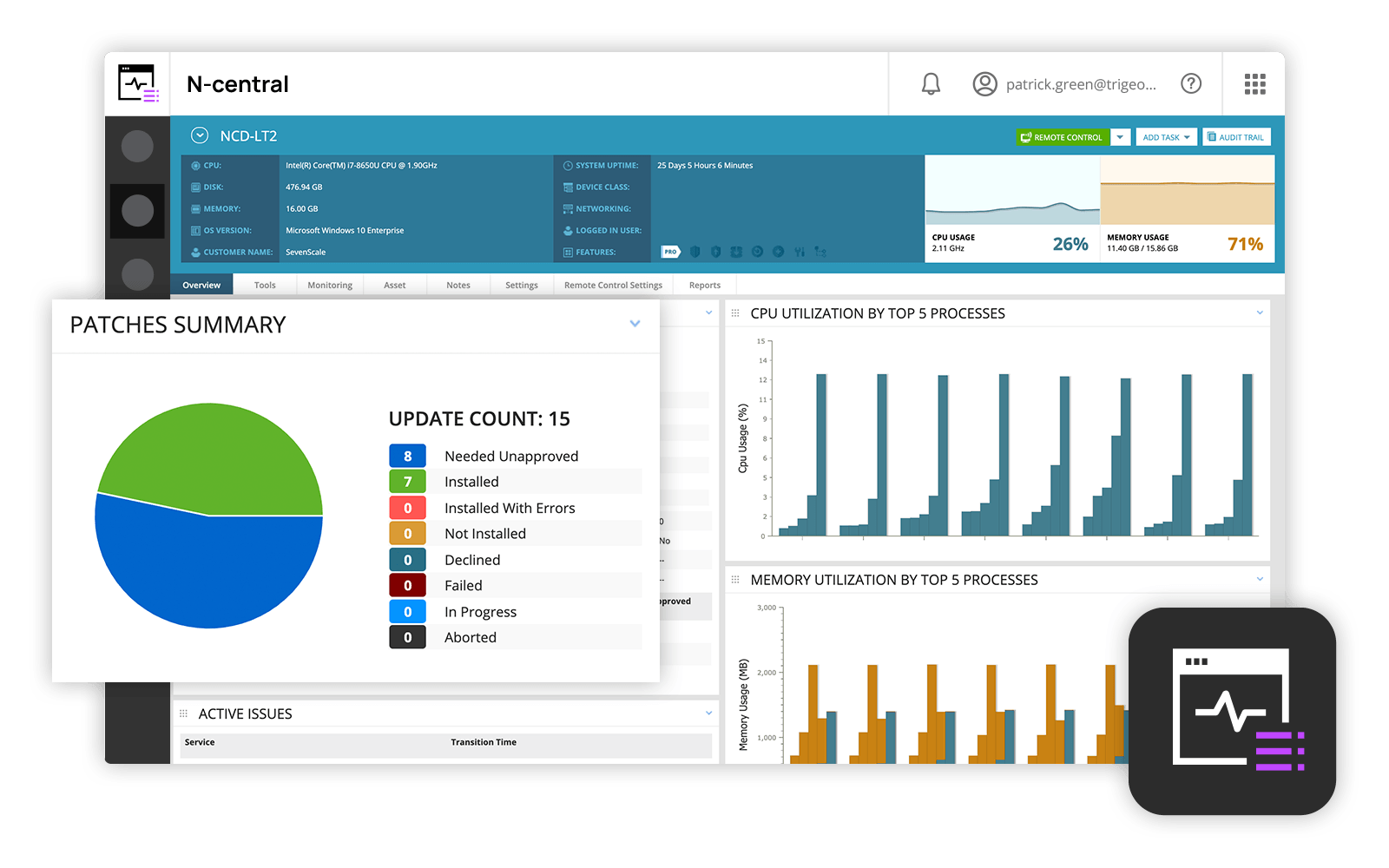  |