Kaspersky Small Office Security (formerly Kaspersky Work Space Security) is antivirus / endpoint security software from Russian company Kaspersky.
$29.99
per month
Malwarebytes
Score 8.8 out of 10
N/A
Malwarebytes is a antimalware application for home and small businesses, which blocks viruses, malware, hackers, viruses, and malicious websites.
$119.99
per year 3 devices
Sophos Intercept X
Score 8.7 out of 10
N/A
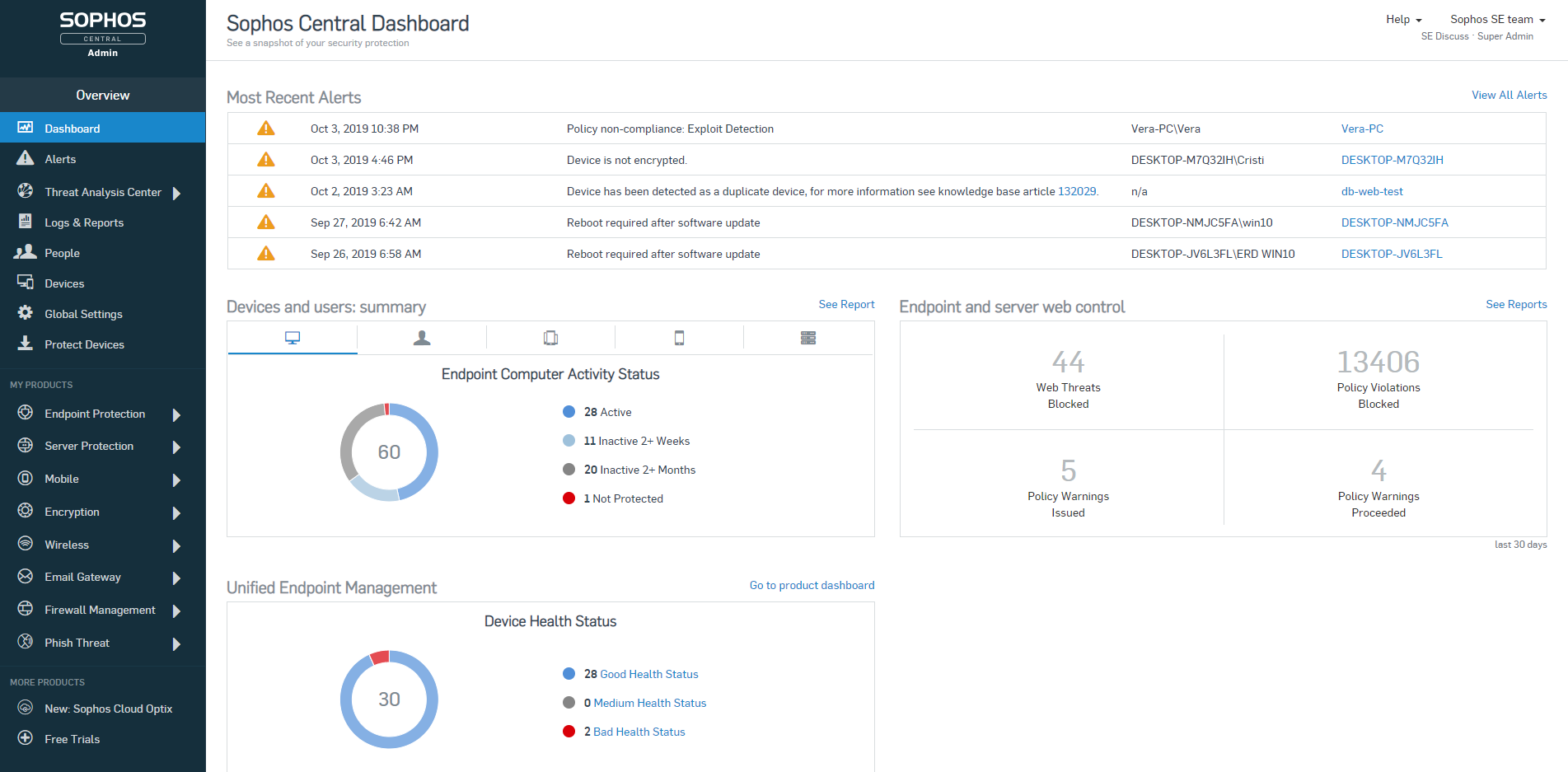
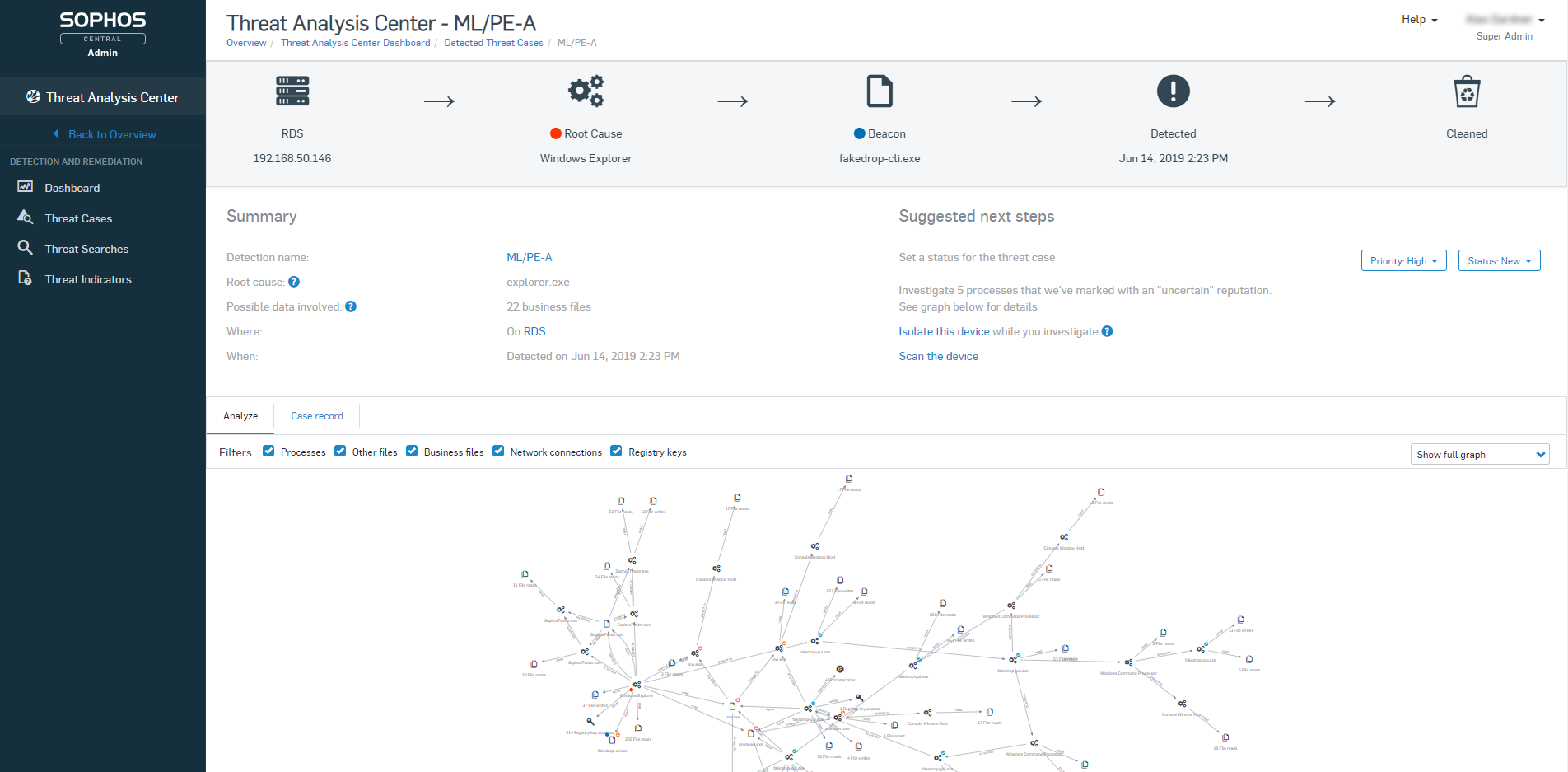
Sophos Endpoint Protection (Sophos EPP) with Intercept X is an endpoint security product providing an antivirus / antimalware solution that when upgraded with Intercept X or Intercept X Advanced provides advanced threat detection and EDR capabilities.
$28
per year per user
Pricing
Kaspersky Endpoint Security
Malwarebytes
Sophos Intercept X
Editions & Modules
Essential Suite
$29.99
per month
Advanced Suite
$39.99
per month
Premium Suite
$44.99
per month
Teams - Sole proprietor
$119.99
per year 3 devices
Teams - Boutique business
$399.99
per year 10 devices
Teams - Small office
$799.99
per year 20 devices
Intercept X Advanced
$28
per year per user
Intercept X Advanced with XDR
$48
per year per user
Sophos Managed Threat Response
$79
per year per user
Offerings
Pricing Offerings
Kaspersky Endpoint Security
Malwarebytes
Sophos Intercept X
Free Trial
No
No
No
Free/Freemium Version
No
No
No
Premium Consulting/Integration Services
No
No
No
Entry-level Setup Fee
No setup fee
No setup fee
No setup fee
Additional Details
—
All plans include a 60-day money back guarantee. 1st year discount available for the Small office plan.
Pricing is for a 3-year commitment. Government and Education pricing available.
Kaspersky is a leader in endpoint protection, but its ties to potential adversaries are unsettling. Kaspersky has a great threat research team and quickly identifies malicious software and its signature. Its web-based protection is also top notch. This is a great product but as …
McAfee usually takes a long time to scan each system as we usually have scheduled systems scan every weekend. But if we want to scan a particular system in minimal time we usually go with Malwarebytes to get the job done.
I found Sophos to be more resource intensive, scans take longer and affect the end user experience more. Building policies and customizations is not as intuitive with Sophos.
Malwarebytes is much better at detecting and mitigating non-traditional or virus-like attack vectors than any of the frontline anti-virus programs that we evaluated. As such, we chose to use Malwarebytes in tandem with a frontline anti-virus solution, providing us with two …
We found Malwarebytes to be much easier to use than Kaspersky. I also think that Malwarebytes is better supported and has a better reputation for protecting its clients. We found the interface of Malwarebytes to be more intuitive. We also liked the central server software to …
When compared to Microsoft built-in Windows Defender, Malwarebytes edges it out because it's in the business of detecting malware and not working with the operating system. Malwarebytes is constantly updating its definition files to make sure all potential worms are caught …
Malwarebytes has an effective free version (some of the others do, some don't). Malwarebytes has a slightly different focus on the type of malware it looks for. As opposed to picking one winner, I would suggest selecting a well-reviewed paid AV, and possibly supplementing …
I preferred the management console of Malwarebytes Endpoint Protection and the deployment capabilities of both were very similar. However, it was not my decision to make on which product to implement. I was only a tester of the product and reported back my preferences. …
Sophos Intercept X is one of the industry leaders for a reason. Apart from integration issues, Sophos Intercept X stands above the rest when it comes to protection and usability. I have used at least 30 different antiviruses, antimalware, and antiransomeware programs and none …
Sophos Intercept X is easy to manage and deploy under your business. I think it is comparable to BitDefend with the ability to send out deployment via email or directly add it to the computer. I have noticed that Bitdefender seems to eat a lot of resources during its scans …
Verified User
Team Lead
Chose Sophos Intercept X
Sophos is much more user friendly and scalable for partners who wish to [centralize] all security across the IT industry, from email security, server security, phish threat management and more.
Trend Micro offered similar protection, however at the time did not offer EDR as a solution. The big benefit to Trend Micro was the capability to push out the installation of the agent to assets within the Trend Micro console, eliminating the need for a GPO or deployment …
In our analysis we discovered that for the price and feature set, Sophos was able to rise above the rest. Pricing is always a large consideration, however it isn't the only consideration - the feature set that Sophos Endpoint Protection provided over its competitors made the …
We used to use Symantec Endpoint Protection. At the time we were using it (it may very well be different by now), it required a bit more maintenance and we were constantly having issues with definitions not being downloaded as well as issues updating the software itself. We …
Sophos had the most mature cloud solution, mixing good work flows with strong capabilities. While many of the endpoint protection solution are very comparable when on-premise, it has been our experience that the cloud solutions can differ widely in terms of capabilities and …
Sophos has top of the line definitions, and support response for new threats (that goes undetected for days or even months with the competition). We selected Sophos, because they are aligned with our company objectives, we always look for NextGen Protection and tools, and …
Sophos's shields are more powerful than both McAfee's and Symantec's while using less system resources doing its active scans. It does use more power while performing a manual scan than either, but nothing that cripples the system or leaves it unusable while it is running. The …
I did not have an influence on the purchase of Sophos. However, from past experience with other antivirus products, Sophos doesn't seem to bog down the systems. It scans the second a file is touched, and is great at quarantining harmful files before they can become a problem. …
I think Kaspersky is well suited for large and small companies. Larger companies can take advantage of the KSC (Kaspersky Security Center) servers to help manage a large network. The KSC has many good features to help monitor the health of the organization. It does a good job with updating and deploying remotely. It has inventory features, and can even deploy non-Kaspersky software packages uploaded to the center. KSC can become a source of good information about [your] network that can be seen at a glance. IT departments are normally smaller than they need to be. KSC helps with larger and smaller companies because of this. A small company would appreciate the amount of information and management that can be done through KSC without needing extra help. If the company is small enough that they don't have servers on-site, there is a cloud version. I have not used that to know how it differs from the local KSC.
Now, I gave it that rating because it's a handy tool for diagnosing issues. Quarantining them, and most of the time, it does fix the problem. Though with rootkits, it's been hit or miss, and sometimes perfectly valid software gets flagged erroneously. However, once you've run it, it tends to run continuously, consuming far too many resources and being a real pain to uninstall, sometimes even causing issues.
To be frank, this product is fairly expensive. So I would recommend this to companies that are mid-sized or larger to condone the cost of the purchase. It does save me a significant amount of time in my day - being able to glance at the dashboard and see if there are any outstanding issues that require my attention, as not much digging must be done to accomplish this. So for our company, with a short-staffed IT department, it's incredibly helpful to us. We also qualify for Educational pricing which brings the cost down - which helps tremendously
The Security Center is laid out very well and makes it easy to install and manage the client endpoint protection on servers and workstations.
The way security policies are defined and managed is very easy to understand.
The client programs seem to be lighter and smaller on the client systems than others I have used in the past. Using fewer resources is always an advantage.
Low system resources, it does not slow down the whole computer when scanning or when real-time protection is enabled
Quick and frequent updates, usually people hate updating, but for malware/viruses, you want to be updated as possible. It takes less than 15 seconds and usually does it automatically. They usually send a few updates a day as they find more.
Protection features actually work when visiting known bad websites. The page will be blocked and nothing will be downloaded. It may not be what the user wants, but it's what the user needs (as the user can't know every bad website)
Sophos Intercept X is great at preventing malware infections and rolling back their effects. I have seen this happen hundreds of times since we installed it
When combined with Sophos Central, you have an easy to use dashboard where you can manage all installations from a single pane of glass.
It's easy to deploy on machines and stays updated.
Good reporting features including alerts sent to the admin if there's ever something wrong with it.
One of the main things that malwarebytes is missing as a company, is phone support for its clients. All support questions has to go thru email only. This is not acceptable for issues that needs to be resolved quickly.
There is an issue when installing the client on a machine, it has a set amount of time where the software can register with the management server. The issue with this is, with machines that are over a wide area network, slow connection speeds can cause the software not to register. When that happens, it never re attempts to register in the future.
Sophos OOTB policies are very strict and they don't offer anything less strict without you creating new custom policies. I'm sure this is deliberate because the product starts you out in the safest way possible but it means that you will have lots of calls to your tech support desk when you first deploy it unless you do somewhat extensive testing beforehand.
Sophos Intercept X is currently broken (at least the DLP component) by having secure boot turned on in the UEFI/BIOS. If any user wants to be able to write data to a USB drive or floppy from their PC (yes we still have a couple users who need to use floppies) we have to turn off secure boot on their PC, even if the DLP policy for that user/PC combination specifies that the user and PC are allowed to write to USB/floppy. This would be a very serious problem if it weren't for the fact that we have very few users who need to write files to USB. For us it's OK but I bet it would be a deal-breaker for others.
I don't see a whole lot of evidence that Intercept X is any different than any other anti-virus, so maybe their admin alerts just don't clearly identify when they have identified a zero-day threat or maybe we just haven't had any zero-day threats.
The product is stable and accurate in detecting security threats. There are very few or no false positives in detecting security threats or unusual behavior and has very sharp heuristics. The product does the job very well including saving us money in getting 3rd party patch management tools as the business is already using Microsoft System Center Configuration Manager which is Microsoft product specific and the product patches these third party products e.g Adobe Flash Player
The last time we renewed Malwarebytes, we renewed for a 3 year renewal. That should describe the confidence we have in the product. Plus the cost savings impact year after year.
I will give Kaspersky a score of 9 out of 10 for scalability, as it allows businesses to easily expand their security infrastructure. This means it won't cost them a lot to add further protection and security. It won't also require them to purchase other hardware and services for their required protection.
Usability-wise, it's pretty good, and it gets the job done. But once that's finished, the nags, the pop-ups, and the fact that it slows older systems down recklessly really cost it rating points. It becomes a clutter, and one of the first things we check when we receive reports that a PC is slow is whether it's running malware. Once we uninstall it, the PC is usually easily 40-50% faster. That's too much in the way of resources for something that wants to always run in the background.
The usability has never been a problem. Sophos Intercept X is a program you can install and let protect your company without much intervention. Apart from a few policies, Sophos will keep you protected better than most any product on the market. Sophos Intercept X works quite well when you are looking to "tighten your grip" on user's access to websites, programs, and add-ons.
I've used the on-premise server. I've only experienced one time that we couldn't open the console, and that was a server issue. It seems to be a dependable solution. It's there, and it's stable.
Users don't notice any slowdown with the antivirus running on their systems. There have been issues when the systems have missed a scheduled scan, and it was checked to run at [a] first available time, they will start a full scan at startup. This has caused some lag. Normally there are also some issues with the workstation, but it is something to note.
I give the maximum grade because we have no complaints; we never had any failure, serious error, and serious threat to the company. All of its features work very well. The great advantage of having a product supported by an industry-leading security company is that regularly updated security protocols will protect the system against all emerging threats.
The Malwarebytes customer support team is awesome! They really go above and beyond to help you with whatever issue you may experience. It is not that we need to contact their support team often, but the few times we did, we would speak to someone who knew what they were talking about and able to solve our problem. It is a comfort knowing that aside from a great product, you are getting a reliable support structure.
Most of the support reps are fantastic. There have been a few though that have had to be escalated via Account Manager when they haven't followed up but this is a rare instance, and often followed up by the Support Manager for APAC.
Make sure to provide awareness campaigns on changes that will be implemented and WHY the business is doing it and the benefits reaped. Benefits reaped is very important for the justification of why things have to change and emphasizing the importance of security. This will reduce user disgruntlement and total bitterness on use of their workstation or laptop
Kaspersky is a leader in endpoint protection, but its ties to potential adversaries are unsettling. Kaspersky has a great threat research team and quickly identifies malicious software and its signature. Its web-based protection is also top notch. This is a great product but as with everything has its place.
Avast and Norton's products were part of the testing for us but the cost was very high for them and the products were not light on the machine. They took up a lot of memory and slowed the computers down. Malwarebytes although may lack some feature, is a very light software.
Webroot Endpoint Protection is not even in the same league as Sophos Intercept-X. I have tested and compared both sides by side, run simulations and it's not even close. Plus the Sophos central management is so much better. Easier to view user activities and apply policies and remediate threats. Sophos is the clear winner between these two products.
You can create groups and create different policies for each group. You can customize many parts of the software before it is deployed. You can create different tasks and schedules based on the groups. It is customizable.
Positive Impact: Have not had to remediate malware/virus infections since installed.
Positive impact: As far as browsing goes, we can boldly go where no man has gone before. No, really, I am confident when I am clicking on search engine results that if something get past my trained eye, Malwarebytes will pick of the slack.
Once our technical and commercial areas got certified, the ROI over the time spent, is great. Actual customers, and/or new ones with other tools, feel safe and advised, once they get in touch with us.
When Sophos EndPoint is being compared against Web Management Tools (competitors), we have failed to deliver, nevertheless, there is a version of Sophos Central (Cloud) which achieves this requirement at 100% and more, since is Cloud Based (on AWS).
We are grateful to be on Sophos "Radar" as a Platinum Partner, and "The Americas" valued partner, we have seen our business grow, thanks to this kind of technology, throughout the years.