Keap vs. Wix

Overview
ProductRatingMost Used ByProduct SummaryStarting Price
Keap
Score 6.4 out of 10
N/A
Keap is a small business-focused, comprehensive sales and marketing platform which combines basic contact management, CRM, marketing automation, and e-commerce capabilities into a single, subscription-based SaaS product.
$199
per month
Wix
Score 8.2 out of 10
N/A
Wix is a website builder used to grown an online presence. The platform allows users to build their website from scratch, choose from designer-made templates, or use an AI website builder to add sections, images, and text.
$0
Pricing
KeapWix
Editions & Modules
Pro
$199.00
per month
Max
$289.00
per month
Max Classic
Contact Us
per year
Free
$0
Light
$17
per month
Core
$29
per month
Business
$39
per month
Business Elite
$159
per month
Offerings
Pricing Offerings
KeapWix
Free Trial
YesNo
Free/Freemium Version
NoYes
Premium Consulting/Integration Services
NoNo
Entry-level Setup FeeOptionalNo setup fee
Additional DetailsAll plans with 1 user and 500 contacts. The price is $30.00 for each additional user.
More Pricing Information
Community Pulse
KeapWix
Considered Both Products
Keap
Chose Keap
We didn’t select Keap, the company came with it and everyone new hates it and wants it gone.
Chose Keap
KEAP is far more simple. It’s made for the small business audience and it’s feature set caters well to that. HubSpot seems to be more intricate and have more bells and whistles than most small businesses need. Good news about KEAP, you don’t have to have what you don’t need as …
Chose Keap
Much better ESP over Keap. Intuitive with simplicity in setting up flows, segmentation, etc. Also, we're paying much less than we did for Keap. Overall, way better product.
Chose Keap
When choosing which CRM was right for our business, we looked at ActiveCampaign and Keap, as they are both greeat with automation campaigns. We decided that Keap was a better fit for our business, because Keap has a business phone line and native texting. Being able to accept …
Chose Keap
We went with Pipedirve because it is far easier to use and much cheaper. It also has a lot of useful addons that are reasonably priced.
Chose Keap
Fees in Honeybook are a lot compared to the fees in Keap. You have a better campaign development in Keap. Better landing pages in Keap as well.
Chose Keap
Keap is fast. The learning curve is shorter and they have an academy for learning with videos quite extensive that explain a lot of different scenarios, specially when you need to customize scenarios of automations and segments. Is cheaper if you consider that this services CRM …
Chose Keap
Systeme IO is a great software with a much lower cost, but it isn't nearly as robust and it doesn't meet HIPAA standards which are essential to our business.

Go High Level on the other hand is a powerful software that is limited by design and oversimplified. It really just cuts …
Chose Keap
First off the campaign builder has no equal, the price is competitive, and the Keap community is a phenomenal resource to learn new things.
Chose Keap
Keap is much more affordable than HubSpot, and while it perhaps does not provide quite as much detail, you can get all the detail you really need for a small to medium-sized business with Keap. It provides so many more options as a CRM than Constant Contact or MailChimp did …
Chose Keap
Keap, compared to MailChimp, Aweber, and Sendfox, is a complete solution. The latter 3 are primarily for email and don't have the same flexibility by themselves for a campaign or email automation. Keap, compared to Typeform, is similar, but Typeform does form building better. …
Chose Keap
HighLevel has a learning curve as well but it is way easier to get started than keap. It's definitely a Keap competitor and depending on business size, HighLevel can be a better alternative as compared to Keap on both a cost and application standpoint.
Chose Keap
Out of all the products we use I feel like Keap is the most feature-rich and most robust with the most tools out of the gate which allowed us to customize our campaigns more than ever, this also came with added difficulty in using keap which is something most businesses need to …
Chose Keap
Keap is an all-in-one platform for sending bulk emails, managing contacts, tasks management, creating workflows in email marketing, actions-based tasks, creating task reminders, managing tasks with team members, and better reporting with the analytics used in Keap. The landing …
Chose Keap
Outlook is great for those we contact every day for more decisive purposes, but not for marketing and specials we have. It is a more professional look to the market to our consumers and a great way to let our contacts know when we will be attending a trade show or offering new …
Chose Keap
Keap stacks up well against similar software I've used. They are definitely the most user-friendly platform I've encountered, but not at the loss of good functionality. All the processes we need to work on/automate are available to us in Keap, it has been a wonderful growth …
Chose Keap
Not as productive in tracking and creating large lists of emails to have sent out at a single time or for a certain group. I like that Keap continues to give insight into who is responding and who is not, without having to flag every email which was sent out.
Chose Keap
AWeber was too simple, and Salesforce was overkill and too expensive. To be fair, Salesforce is more oriented toward salespeople (which makes sense from the name). AWeber didn't have as robust of an API as Keap.
Chose Keap
I prefer Keap over Mailchimp for email marketing because I found it to be way more user-friendly. I'm not sure if I was just using an older and outdated version of Mailchimp at a prior company but I didn't like the software. All of my email campaigns were just in a list or …
Chose Keap
Keap is a cost-effective, powerful CRM and marketing automation tool for those who have the time and resources to learn all of its intricacies. For any other system, you will be paying for a better user interface, better reporting and visualizations, more intuitive everything, …
Chose Keap
Leadpages still has the best and easiest landing page integration. The landing page interface on Keap is clunky and outdated. Infusionsoft crushes against Active campaign and Mail chimp regarding campaign building, reporting, and emailing as well as making changes down the …
Wix
Chose Wix
Wix feels very similar to the experience I had with Squarespace some years ago. It far exceeds Drupal, which we found impossible to customize or integrate with things without the help of a professional developer. Wordpress, of course, offers infinite customization options for …
Chose Wix
Wix is very similar to Squarespace where they both have easy to use user interfaces, and both lack the ability to get cute with custom code when desired. That being said, for us Wix tends to deliver better overall value of options for the price. A lot of 3rd party apps …
Chose Wix
Wix is GREAT for a drag-and-drop website editor, but I prefer Squarespace. Squarespace has a lot more polished drag-and-drop modules. Squarespace feels more like a name-brand editor, as it's frequently discussed by many influencers online and has a high level of brand …
Chose Wix
Been using Wix for our digital platform for quite a while before the others. It's efficient, easy to use
Chose Wix
Wix is super easy and straightforward; in comparison to the competitors I've used, it eliminates a lot of stress and anxiety around creating and maintaining a website. The affordability of Wix in comparison to other website platforms is also something that I appreciate. I …
Chose Wix
I was pleasantly surprised at how much more complex Wix was a designing a website than WordPress was, and yet it maintained the same level of simply pleasing aesthetic quality. Whereas before, when I first use WordPress, it was simply just a tad more than a blog, Wix as allowed …
Chose Wix
easier and more efficient to manage than wordpress, but there are times when you are unable to customise things. Wix is sort of like canva compared to photoshop, it does what it needs to the vast majority of the time and actually quite well
Chose Wix
Zoho provides a free email account which can be coupled to your website. Wix does not provide this free option but rather tries to sell a professional account through google.
Chose Wix
Thanks to the intuitive interface that Wix has, we've been able to accelerate the speed of some of our projects, which is very important for us.

We find Wix easier and faster than WordPress or Squarespace, as these 2 are definitely more complex and hard to comprehend at some …
Chose Wix
We thought that the features in Wix were easier to use and were more suited to a less technical audience. As our organization has a lot of non-intern-native age individuals, we needed something that was very intuitive. Squarespace seemed like more work to manage and overall …
Chose Wix
Wix is way better as a user-friendly tool that extends its use to non-high technology skill people, that let other people administrate the site other than the IT expert.
Chose Wix
I appreciate this tool the way it is going is excellent. The website is the first basic thing that speaks of a company. During its purchasing, I faced no difficulty in terms of licensing and it provides me all the necessary tools by which I can easily create the HTML. In terms …
Chose Wix
On a scale of 1 to 10, where 10 is the highest, Wix is at a 3 based on the software listed.
Chose Wix
Wix is cleaner and easier to navigate. I'd go so far as to say something about it feels sleeker and almost "sexier," I may be so bold...
Chose Wix
I selected Wix as I have used it before. Wix is a website builder. It’s easy to use and offers lots of technical support. WordPress is a content management system, which is more scalable but also demands more technical know-how.
Chose Wix
I selected Wix because it is way more user friendly. With Wordpress, you need to either have advanced knowledge in coding and development, or you can hire someone to optimize your website for you. With Wix, you don't need to hire someone of have a lot of knowledge in coding - …
Chose Wix
Wix does not hold a candle to WP or Squarespace. We selected Wix because it was the cheapest option, and when working with nonprofits, cheap wins.
Chose Wix
Wix is a less aesthetically pleasing option in comparison to WordPress and Squarespace. WordPress is much more robust in regard to its capabilities, especially with SEO. Squarespace has better themes to use and is more pleasing to look at it however I think Wix's usability …
Chose Wix
Squarespace and wordpress are great options but both are more expensive options and they can be more complex for the beginner user. The thing I like about Wix is how easy to use it is and basically, you can drag and drop things that you need to make a great-looking website.
Chose Wix
Wix is a great starting platform for anyone looking to create a website. It definitely holds its own against any other all in one website creation platform. The one thing I would say is if your main focus is solely on eCommerce you may be better off using something like …
Chose Wix
We ultimately selected Wix Answers for the price and that we could localize the platform and articles. WIth WixAnswers the cost is based on users, since our users were low the price was very economical for our needs.
Chose Wix
Wix is easier to use and much more intuitive than WordPress.
Features
KeapWix
CRM Project Management
Comparison of CRM Project Management features of Product A and Product B
Keap
7.7
Ratings
7% below category average
Wix
-
Ratings
Task management8.80 Ratings00 Ratings
Billing and invoicing management7.40 Ratings00 Ratings
Reporting7.10 Ratings00 Ratings
Automated CRM activity logging6.40 Ratings00 Ratings
Sales pipeline management9.10 Ratings00 Ratings
Email & Online Marketing
Comparison of Email & Online Marketing features of Product A and Product B
Keap
5.9
Ratings
28% below category average
Wix
-
Ratings
WYSIWYG email editor9.00 Ratings00 Ratings
Dynamic content8.90 Ratings00 Ratings
Landing pages4.00 Ratings00 Ratings
A/B testing6.40 Ratings00 Ratings
Mobile optimization4.50 Ratings00 Ratings
Email deliverability reporting4.50 Ratings00 Ratings
List management4.50 Ratings00 Ratings
Triggered drip sequences9.00 Ratings00 Ratings
Lead Management
Comparison of Lead Management features of Product A and Product B
Keap
5.5
Ratings
34% below category average
Wix
-
Ratings
Lead nurturing automation5.00 Ratings00 Ratings
Lead scoring and grading4.00 Ratings00 Ratings
Data quality management4.50 Ratings00 Ratings
Automated sales alerts and tasks5.00 Ratings00 Ratings
Automated follow-ups9.10 Ratings00 Ratings
Campaign Management
Comparison of Campaign Management features of Product A and Product B
Keap
8.0
Ratings
8% above category average
Wix
-
Ratings
Calendaring9.00 Ratings00 Ratings
Reporting & Analytics
Comparison of Reporting & Analytics features of Product A and Product B
Keap
6.4
Ratings
6% below category average
Wix
-
Ratings
Dashboards7.20 Ratings00 Ratings
Standard reports4.00 Ratings00 Ratings
Custom reports8.00 Ratings00 Ratings
Platform & Infrastructure
Comparison of Platform & Infrastructure features of Product A and Product B
Keap
5.7
Ratings
34% below category average
Wix
-
Ratings
API8.00 Ratings00 Ratings
Role-based workflow & approvals4.50 Ratings00 Ratings
Customizability5.00 Ratings00 Ratings
Third-party software integrations7.30 Ratings00 Ratings
Mobile app for sales & marketing automation5.50 Ratings00 Ratings
Best Alternatives
KeapWix
Small Businesses
Salesmate
Salesmate
Score 10.0 out of 10
Ecwid by Lightspeed
Ecwid by Lightspeed
Score 10.0 out of 10
Medium-sized Companies
LocaliQ
LocaliQ
Score 8.7 out of 10
10Web
10Web
Score 5.5 out of 10
Enterprises
LeadSquared
LeadSquared
Score 7.6 out of 10
Adobe Experience Manager
Score 8.6 out of 10
All AlternativesView all alternativesView all alternatives
User Ratings
KeapWix
Likelihood to Recommend
5.5
(0 ratings)
7.6
(0 ratings)
Likelihood to Renew
9.0
(0 ratings)
7.0
(0 ratings)
Usability
5.4
(0 ratings)
7.7
(0 ratings)
Availability
9.1
(0 ratings)
10.0
(0 ratings)
Performance
9.1
(0 ratings)
10.0
(0 ratings)
Support Rating
9.0
(0 ratings)
6.0
(0 ratings)
In-Person Training
9.1
(0 ratings)
-
(0 ratings)
Online Training
8.6
(0 ratings)
-
(0 ratings)
Implementation Rating
8.0
(0 ratings)
8.0
(0 ratings)
Configurability
2.0
(0 ratings)
10.0
(0 ratings)
Ease of integration
1.0
(0 ratings)
9.0
(0 ratings)
Product Scalability
9.1
(0 ratings)
8.0
(0 ratings)
Vendor post-sale
6.0
(0 ratings)
-
(0 ratings)
Vendor pre-sale
1.0
(0 ratings)
10.0
(0 ratings)
User Testimonials
KeapWix
Likelihood to Recommend
Keap is very good at contact management and automation creation but weaker at email campaign creation. I was particularly interested in a function where when manually entering a new contact, you are then able to email that contact using a premade HTML template. It will currently not do this. There is a workaround, but it is unnecessarily ponderous.
Read full review
The fact of Wix moving away from their ADI web-building tool in favour of Editor, in my opinion, makes a huge mess of everything. I feel a lot of the ease and automation of designing my website has gone to such an extent that I now "recommend" Wix only for professional developers. Worse is that I have to redesign a big part of my website as items are now linked to each other in a different way than used to be the case. In my opinion, A big ZERO for Wix, who clearly should do their homework again.
Read full review
Pros
  • Pricing: Keap Max Classic (formerly Infusionsoft) is affordable for nonprofits and small businesses and includes all the automation features we need!
  • Customer Support: Our onboarding and success coaches have been so helpful, taking into account some unique processes we have and finding solutions.
  • Updates: Keap is constantly providing more and better solutions!
Read full review
  • User-Friendliness: Wix is a lot easier to navigate than other web-building sites. Oftentimes it's like Wix does the thinking for you instead of just throwing endless options at you and complicating the process.
  • Unique Content: Many services for generating websites, images, videos, etc. are starting to look the same and, for that matter, they're starting to look stale. What Wix offers feels fresher and cleaner.
  • Reliability & Respectfulness: We have yet to incur any issues that have affected our web properties or routine to this point. Furthermore, Wix does not constantly throw new offers or new pricing or new requirements at us. They value you where you are.
Read full review
Cons
  • More articles and videos on how to use the various functions of Keap
  • Having representatives designated to certain regions or companies for a point of contact when help is needed
  • More options when building the emails. While the click and drop options can be a plus, they can also be negative because you are limited to image and text sizing and positions
Read full review
  • One place where Wix falls short of other CMS's is with insights and analytics. On other platforms, I can instantly see how many page views I received, what time the pages were viewed, location, etc. But seeing this information on Wix requires a Google Analytics integration that is not automatically included when you make an account. You have to first go to Google Analytics to make an account, then come back to Wix to activate the integration, it's a little time-consuming for a feature that most CMS's come with instantly.
Read full review
Likelihood to Renew
We have invested a lot into Infusionsoft and are using it to automate our processes and marketing. Changing CRMs would have a HUGE cost for us and based on our evaluations, the grass isn't greener elsewhere. Infusiosoft fits most of our needs and is slowly getting better each year. Their support is great and we will continue to use them until something much better comes around or our company outgrows a small business CRM.
Read full review
I’m happy with Square space as of now, and right now I don’t also have a team that would be able to review for me whether it’s worth switching again. Wix was great in the beginning of my career, but I needed something different to support the release of my new music. I like the price for Square space more too!
Read full review
Usability
You do need to spend some time on-boarding and implementing the software in order to have full functionality. We were lucky - we had colleagues at the university with experience with Keap and then hired an intern familiar with the software to get us set up and ready to use it. We've had some functionality issues with it along the way and that has frustrated myself and the other uses in our department.
Read full review
Great customization, but a pain to backtrack. They recently added the ability to set fonts etc as headings, title, body etc, but if you did not begin your build with these presets you are screwed if you ever try to change font/ colors/layout etc.
Read full review
Reliability and Availability
There have been few outages since we became a customer, and when they have technical issues they are typically resolved rapidly.
Read full review
I never had an outage issue per say. I would say it was very reliable of a website building platform and as a marketing source there was never any issues connecting it to the server. I don’t recall there being any editing tools or hosting issues. Nothing went down when using it.
Read full review
Performance
I haven't had any performance issues with Infusionsoft. Every time I use the software everything seems to run quickly and smoothly.
Read full review
Not complex at all. It teaches you how to use their platform in a dynamic way. Each tutorial offers an explanation that can be reviewed later on. The connection speed of a web page has been smooth so far, with no major problems regarding this subject. Overall, Wix can manage 10+ pages with great connection speed.
Read full review
Support Rating
Generally, very responsive support for even our more complicated issues. We do have some open issues that we need resolutions on and that I understand are complicated and will take longer to resolve but the open issues are significantly impacting to our business.
Read full review
As stated before I didn’t use the support as I did not have the feature and did not often enough need the help. I was able to figure it out mostly on my own by exploring the site. I’ve found exploring and playing on it told me how to do most things.
Read full review
In-Person Training
This training is taught often to the lowest common denominator so as to help as many customers of theirs as possible. We do the training and coaching and implementations for our clients. But clients who I know who have been to their training get trained well. The gap that can exist lies in you doing your part and really investing in using and building out the application. The training and education is only as good as your willingness to apply it.
Read full review
No answers on this topic
Online Training
The results of training online are often based on how people learn. The training was great but with feature updates, you just have to get in there sometimes and do it! The training definitely lays a firm enough foundation for you to be successful even if its can't be updated with every feature update.
Read full review
No answers on this topic
Implementation Rating
If you do this by yourself it will likely take you 6-9 months to get it entirely set up, unless you have a full-time dedicated person handling it. I recommend hiring a prof service company to implement it for you. They should be able to do it all in 90 days or less.
Read full review
Like I said I was a beginner so it was fun to navigate and teach myself how to implement the features when building and maintaining my site. It was a fairly easy place to host my domain, and creat something simple.
Read full review
Alternatives Considered
Keap is fast. The learning curve is shorter and they have an academy for learning with videos quite extensive that explain a lot of different scenarios, specially when you need to customize scenarios of automations and segments. Is cheaper if you consider that this services CRM + Mailing don´t come often in one package and the realiability to send mails is quite good.
Read full review
Wix is GREAT for a drag-and-drop website editor, but I prefer Squarespace. Squarespace has a lot more polished drag-and-drop modules. Squarespace feels more like a name-brand editor, as it's frequently discussed by many influencers online and has a high level of brand awareness. Wix is more customizable and can create a more tailored end product than Squarespace. Additionally, it is cheaper, which is another advantage for Wix.
Read full review
Scalability
You get a lot of features included, but you don't need to use them all at once to start seeing an effect. When you are ready to use them, they are there. It also scales without costing too much money.
Read full review
I give this rating to Wix because it's a great content creator. It has a great platform and also offers great customer service. If you encounter any technical issues, with Wix you will find a solution. For premium members or domain holders, this is the same as for Trial members or non-domain holders.
Read full review
Return on Investment
  • Automation has allowed us to be more engaged and invested in our customers by reminding us about birthdays and other important events in their lives so that we can celebrate with them.
  • We lacked the manpower to sell and distribute orders online before setting up the payments and automation features. We now collect $5k+ a week in lost sales through online ordering.
  • List cleaning functionality and engagment settings have allowed us to run a 40-50% email open rate that allows us to create an engaged community around local events and opportunities as well as sales and special offerings.
Read full review
  • Affordable - for those on limited to zero budget it is easy to get started and getyour business online. I was able to create a portfolio website that I could direct my clients to in order to view my previous projects.
  • There is no need to pay a website designer (save on costs)- it is easy to get a website up and published on Wix that you save on not needing to pay a professional to do it for your start-up business.
Read full review
ScreenShots

Keap Screenshots

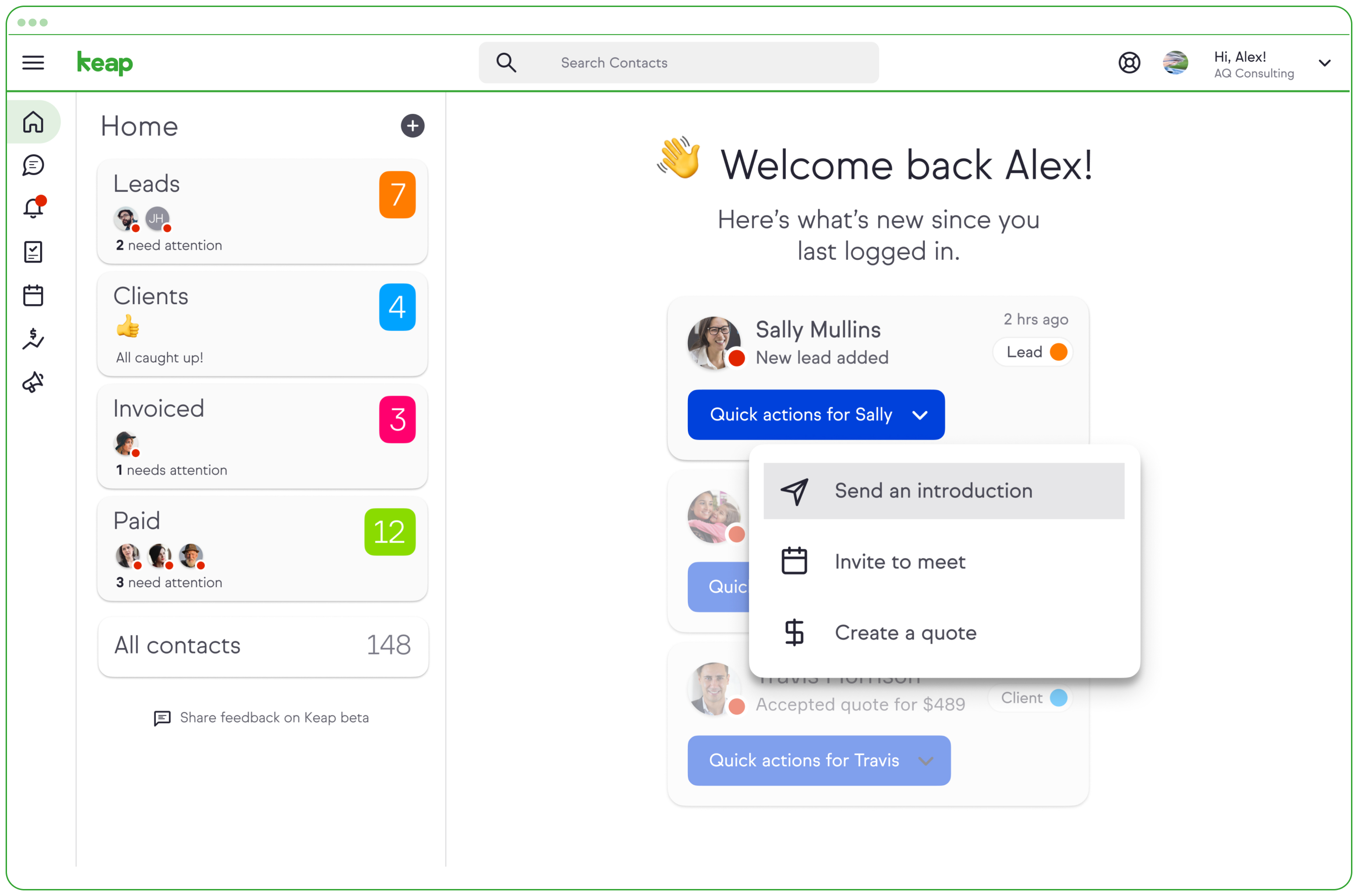
Screenshot of a Keap invoiceScreenshot of Screenshot of the entire sales pipeline displayed in one view.