Keap vs. WooCommerce

Overview
ProductRatingMost Used ByProduct SummaryStarting Price
Keap
Score 6.4 out of 10
N/A
Keap is a small business-focused, comprehensive sales and marketing platform which combines basic contact management, CRM, marketing automation, and e-commerce capabilities into a single, subscription-based SaaS product.
$199
per month
WooCommerce
Score 8.5 out of 10
N/A
WooCommerce is an eCommerce plugin for WordPress, developed by WooThemes (recently acquired by Automattic). Like WordPress, it is designed to be an extendable, adaptable, open-sourced platform. WooCommerce allows merchants to sell physical products, downloadables, or services.N/A
Pricing
KeapWooCommerce
Editions & Modules
Pro
$199.00
per month
Max
$289.00
per month
Max Classic
Contact Us
per year
Woo Enterprise
Contact Sales
Offerings
Pricing Offerings
KeapWooCommerce
Free Trial
YesYes
Free/Freemium Version
NoYes
Premium Consulting/Integration Services
NoNo
Entry-level Setup FeeOptionalNo setup fee
Additional DetailsAll plans with 1 user and 500 contacts. The price is $30.00 for each additional user.WooCommerce is a free and open-source plugin for WordPress. Merchants can host their WooCommerce store on any private hosting service, or with Automattic directly via WordPress.com. Some added features or services from the WooCommerce Official Marketplace may have one time or subscription pricing.
More Pricing Information
Community Pulse
KeapWooCommerce
Considered Both Products
Keap
Chose Keap
We didn’t select Keap, the company came with it and everyone new hates it and wants it gone.
Chose Keap
KEAP is far more simple. It’s made for the small business audience and it’s feature set caters well to that. HubSpot seems to be more intricate and have more bells and whistles than most small businesses need. Good news about KEAP, you don’t have to have what you don’t need as …
Chose Keap
Much better ESP over Keap. Intuitive with simplicity in setting up flows, segmentation, etc. Also, we're paying much less than we did for Keap. Overall, way better product.
Chose Keap
When choosing which CRM was right for our business, we looked at ActiveCampaign and Keap, as they are both greeat with automation campaigns. We decided that Keap was a better fit for our business, because Keap has a business phone line and native texting. Being able to accept …
Chose Keap
We went with Pipedirve because it is far easier to use and much cheaper. It also has a lot of useful addons that are reasonably priced.
Chose Keap
Fees in Honeybook are a lot compared to the fees in Keap. You have a better campaign development in Keap. Better landing pages in Keap as well.
Chose Keap
Keap is fast. The learning curve is shorter and they have an academy for learning with videos quite extensive that explain a lot of different scenarios, specially when you need to customize scenarios of automations and segments. Is cheaper if you consider that this services CRM …
Chose Keap
Systeme IO is a great software with a much lower cost, but it isn't nearly as robust and it doesn't meet HIPAA standards which are essential to our business.

Go High Level on the other hand is a powerful software that is limited by design and oversimplified. It really just cuts …
Chose Keap
First off the campaign builder has no equal, the price is competitive, and the Keap community is a phenomenal resource to learn new things.
Chose Keap
Keap is much more affordable than HubSpot, and while it perhaps does not provide quite as much detail, you can get all the detail you really need for a small to medium-sized business with Keap. It provides so many more options as a CRM than Constant Contact or MailChimp did …
Chose Keap
Keap, compared to MailChimp, Aweber, and Sendfox, is a complete solution. The latter 3 are primarily for email and don't have the same flexibility by themselves for a campaign or email automation. Keap, compared to Typeform, is similar, but Typeform does form building better. …
Chose Keap
HighLevel has a learning curve as well but it is way easier to get started than keap. It's definitely a Keap competitor and depending on business size, HighLevel can be a better alternative as compared to Keap on both a cost and application standpoint.
Chose Keap
Out of all the products we use I feel like Keap is the most feature-rich and most robust with the most tools out of the gate which allowed us to customize our campaigns more than ever, this also came with added difficulty in using keap which is something most businesses need to …
Chose Keap
Keap is an all-in-one platform for sending bulk emails, managing contacts, tasks management, creating workflows in email marketing, actions-based tasks, creating task reminders, managing tasks with team members, and better reporting with the analytics used in Keap. The landing …
Chose Keap
Outlook is great for those we contact every day for more decisive purposes, but not for marketing and specials we have. It is a more professional look to the market to our consumers and a great way to let our contacts know when we will be attending a trade show or offering new …
Chose Keap
Keap stacks up well against similar software I've used. They are definitely the most user-friendly platform I've encountered, but not at the loss of good functionality. All the processes we need to work on/automate are available to us in Keap, it has been a wonderful growth …
Chose Keap
Not as productive in tracking and creating large lists of emails to have sent out at a single time or for a certain group. I like that Keap continues to give insight into who is responding and who is not, without having to flag every email which was sent out.
Chose Keap
AWeber was too simple, and Salesforce was overkill and too expensive. To be fair, Salesforce is more oriented toward salespeople (which makes sense from the name). AWeber didn't have as robust of an API as Keap.
Chose Keap
I prefer Keap over Mailchimp for email marketing because I found it to be way more user-friendly. I'm not sure if I was just using an older and outdated version of Mailchimp at a prior company but I didn't like the software. All of my email campaigns were just in a list or …
Chose Keap
Keap is a cost-effective, powerful CRM and marketing automation tool for those who have the time and resources to learn all of its intricacies. For any other system, you will be paying for a better user interface, better reporting and visualizations, more intuitive everything, …
Chose Keap
Leadpages still has the best and easiest landing page integration. The landing page interface on Keap is clunky and outdated. Infusionsoft crushes against Active campaign and Mail chimp regarding campaign building, reporting, and emailing as well as making changes down the …
WooCommerce
Chose WooCommerce
WooCommerce has been here through many successes and failures for rivals but shopify has a ton of new features that, in my opinion, the WooCommerce team should take a look at. A modern facelift and a complete review of the systems and I think it'll get to where it needs to be.
Chose WooCommerce
WooCommerce is cheaper and more customizable, making it easy to create a great-looking product and a polished purchasing and checkout experience. Our BigCommerce site required significant custom coding to get the desired functionality. That said, BigCommerce has been a very …
Chose WooCommerce
They both are great in terms of usability, Adobe Commerce (Magento) is powerful but provides limited customization than the WooCommerce whereas shopify is not free and same it doesn't support the customization as much as other platforms do. WooCommerce is free and customizable …
Chose WooCommerce
In my opinion, Shopify is a much better option overall but perhaps more expensive then WooCommerce. I'd recommend Shopify for users with a higher budget as it will deliver a better website in the end
Chose WooCommerce
Initially due to budget i have selected the woo commerce but the they dont have customisation as we are need when our customer base is increasing thats why i shifted to big platform like shopify that give us alot of customisation but it comes with a price...but woo commerce is …
Chose WooCommerce
WooCommerce is great for customization and for customers whose needs grow with their business. With its add-ons, it works for customers of all sizes with a variety of e-commerce needs. It does need more technical development skills to set up compared to Wix or Shopify, which …
Chose WooCommerce
From a functional perspective this can do everything that the others can do and for many developers it is the preferred platform for online stores that require a high level of customisation. It is an open source platform with a strong community of developers behind it who have …
Chose WooCommerce
The level of customization and ease of integration with an existing WordPress website makes it a good choice. Snipcart is better for developers or small sites and Shopify is an amazing e-commerce-optimized platform but if you have an existing website on Wordpress, it is much …
Chose WooCommerce
We love the functionality of Wordpress itself, so that's why we ended up using WooCommerce to do checkout instead of going over to the Shopify platform. Wordpress allows us to do so much more with the backend code and customization of our website. We were not impressed with the …
Chose WooCommerce
They're very similar to be honest, but from our experience and what I've seen online, WooCommerce seems to have better performance and pricing. I think they probably match in quality for most other features
Chose WooCommerce
Since I don't use the e-commerce options constantly for my photography business, I didn't want to pay a monthly subscription and waste that budget during the months when I don't need any online booking options. WooCommerce allows me to install and uninstall plugins as needed to …
Chose WooCommerce
Woocommerce is a free option and since I work with mostly small businesses who do not have the budget to subscribe to an expensive product on a monthly basis, it makes it really easy to help these companies get set up with their e-commerce store. Plus, it offers all the …
Chose WooCommerce
We have used Shopify and definitely prefer it, since Shopify has been around longer and is more tailored to what we are trying to do.
Chose WooCommerce
We were pretty sure we wanted a WordPress site so that we had more control over the site itself, having been burned by third-party vendor sites before. The fact that WooCommerce integrates so well with WordPress was a big selling point for us. Magento would have been too heavy …
Chose WooCommerce
While I haven't tried other e-commerce plug-ins, WooCommerce satiates and satisfies all areas one could hope for and look to when shopping around. And in cross-referencing other reviews there is certainly enough to show that WooCommerce is an immensely powerful program that can …
Chose WooCommerce
WooCommerce is a good free version that's very customisable, but is not a smooth or polished platform. If you look at both dashboards between Shopify and WooCommerce you can see the difference is huge.

WooCommerce seems to be built for websites that aren't focused entirely on …
Chose WooCommerce
I have used WooCommerce longer than other products that I have tried. WooCommerce fits my requirements mainly for the value it offers based on the features available for the cost.
Chose WooCommerce
Platforms like Shopify are easier to set up and running and come with better default functionality. But if your business is successful you’ll quickly run into structural limitations: 1) can’t tweak the checkout flow 2) can’t make the site much faster or better for SEO 3) any …
Chose WooCommerce
There was no need to look further, woocommerce was the gold standard for a company our smaller size comapny
Chose WooCommerce
I like WooCommerce because it can be optimized, customized and adapted to every business needs. That's because it's WordPress core, it helps us customize stores in ways we can only imagine and also we can implement Google AMP and PWA easier and faster than with other platforms. …
Chose WooCommerce
Shopify is a premium e commerce platform tailored just for online shops. While WooCommerce is a plugin which has main platform as WordPress. Shopify is costly to have. Most of the basic shop functions that are offered in shopify can be achieved using WordPress + WooCommerce …
Features
KeapWooCommerce
CRM Project Management
Comparison of CRM Project Management features of Product A and Product B
Keap
7.7
Ratings
7% below category average
WooCommerce
-
Ratings
Task management8.80 Ratings00 Ratings
Billing and invoicing management7.40 Ratings00 Ratings
Reporting7.10 Ratings00 Ratings
Automated CRM activity logging6.40 Ratings00 Ratings
Sales pipeline management9.10 Ratings00 Ratings
Email & Online Marketing
Comparison of Email & Online Marketing features of Product A and Product B
Keap
5.9
Ratings
28% below category average
WooCommerce
-
Ratings
WYSIWYG email editor9.00 Ratings00 Ratings
Dynamic content8.90 Ratings00 Ratings
Landing pages4.00 Ratings00 Ratings
A/B testing6.40 Ratings00 Ratings
Mobile optimization4.50 Ratings00 Ratings
Email deliverability reporting4.50 Ratings00 Ratings
List management4.50 Ratings00 Ratings
Triggered drip sequences9.00 Ratings00 Ratings
Lead Management
Comparison of Lead Management features of Product A and Product B
Keap
5.5
Ratings
34% below category average
WooCommerce
-
Ratings
Lead nurturing automation5.00 Ratings00 Ratings
Lead scoring and grading4.00 Ratings00 Ratings
Data quality management4.50 Ratings00 Ratings
Automated sales alerts and tasks5.00 Ratings00 Ratings
Automated follow-ups9.10 Ratings00 Ratings
Campaign Management
Comparison of Campaign Management features of Product A and Product B
Keap
8.0
Ratings
8% above category average
WooCommerce
-
Ratings
Calendaring9.00 Ratings00 Ratings
Reporting & Analytics
Comparison of Reporting & Analytics features of Product A and Product B
Keap
6.4
Ratings
6% below category average
WooCommerce
-
Ratings
Dashboards7.20 Ratings00 Ratings
Standard reports4.00 Ratings00 Ratings
Custom reports8.00 Ratings00 Ratings
Platform & Infrastructure
Comparison of Platform & Infrastructure features of Product A and Product B
Keap
5.7
Ratings
34% below category average
WooCommerce
-
Ratings
API8.00 Ratings00 Ratings
Role-based workflow & approvals4.50 Ratings00 Ratings
Customizability5.00 Ratings00 Ratings
Third-party software integrations7.30 Ratings00 Ratings
Mobile app for sales & marketing automation5.50 Ratings00 Ratings
Online Storefront
Comparison of Online Storefront features of Product A and Product B
Keap
-
Ratings
WooCommerce
8.0
Ratings
3% above category average
Product catalog & listings00 Ratings8.00 Ratings
Product management00 Ratings8.00 Ratings
Bulk product upload00 Ratings7.30 Ratings
Branding00 Ratings7.30 Ratings
Mobile storefront00 Ratings9.30 Ratings
Product variations00 Ratings7.90 Ratings
Website integration00 Ratings9.40 Ratings
Visual customization00 Ratings7.20 Ratings
CMS00 Ratings7.90 Ratings
Online Shopping Cart
Comparison of Online Shopping Cart features of Product A and Product B
Keap
-
Ratings
WooCommerce
6.2
Ratings
21% below category average
Abandoned cart recovery00 Ratings5.50 Ratings
Checkout user experience00 Ratings6.90 Ratings
Online Payment System
Comparison of Online Payment System features of Product A and Product B
Keap
-
Ratings
WooCommerce
8.5
Ratings
2% above category average
eCommerce security00 Ratings8.50 Ratings
eCommerce Marketing
Comparison of eCommerce Marketing features of Product A and Product B
Keap
-
Ratings
WooCommerce
6.4
Ratings
18% below category average
Promotions & discounts00 Ratings7.50 Ratings
Personalized recommendations00 Ratings5.20 Ratings
SEO00 Ratings6.40 Ratings
eCommerce Business Management
Comparison of eCommerce Business Management features of Product A and Product B
Keap
-
Ratings
WooCommerce
7.9
Ratings
1% below category average
Multi-site management00 Ratings6.80 Ratings
Order processing00 Ratings8.40 Ratings
Inventory management00 Ratings8.20 Ratings
Shipping00 Ratings8.40 Ratings
Custom functionality00 Ratings7.60 Ratings
Best Alternatives
KeapWooCommerce
Small Businesses
Salesmate
Salesmate
Score 10.0 out of 10
Ecwid by Lightspeed
Ecwid by Lightspeed
Score 10.0 out of 10
Medium-sized Companies
LocaliQ
LocaliQ
Score 8.7 out of 10
Shopify Plus
Shopify Plus
Score 8.9 out of 10
Enterprises
LeadSquared
LeadSquared
Score 7.6 out of 10
IBM Digital Commerce
Score 9.0 out of 10
All AlternativesView all alternativesView all alternatives
User Ratings
KeapWooCommerce
Likelihood to Recommend
5.5
(0 ratings)
8.8
(0 ratings)
Likelihood to Renew
9.0
(0 ratings)
7.0
(0 ratings)
Usability
5.4
(0 ratings)
8.1
(0 ratings)
Availability
9.1
(0 ratings)
-
(0 ratings)
Performance
9.1
(0 ratings)
-
(0 ratings)
Support Rating
9.0
(0 ratings)
5.0
(0 ratings)
In-Person Training
9.1
(0 ratings)
-
(0 ratings)
Online Training
8.6
(0 ratings)
-
(0 ratings)
Implementation Rating
8.0
(0 ratings)
-
(0 ratings)
Configurability
2.0
(0 ratings)
10.0
(0 ratings)
Ease of integration
1.0
(0 ratings)
-
(0 ratings)
Product Scalability
9.1
(0 ratings)
-
(0 ratings)
Vendor post-sale
6.0
(0 ratings)
-
(0 ratings)
Vendor pre-sale
1.0
(0 ratings)
-
(0 ratings)
User Testimonials
KeapWooCommerce
Likelihood to Recommend
Keap is very good at contact management and automation creation but weaker at email campaign creation. I was particularly interested in a function where when manually entering a new contact, you are then able to email that contact using a premade HTML template. It will currently not do this. There is a workaround, but it is unnecessarily ponderous.
Read full review
WooCommerce is best suited to customers whose website is built on the WordPress platform, and whose development team has a good understanding of plug-in implementation. If your website is not built on WordPress, but on Laravel or React (or any other non WordPress technology), then WooCommerce is not for you. WooCommerce is also great for customers who just need a simple online shopping experience. If your needs involve more complex or immersive features such as timed discounts, pick up locations, delivery reminders, or post shopping feedback surveys, know that you will need to purchase additional add-ons to make to get these features using WooCommerce set up on WordPress.
Read full review
Pros
  • Pricing: Keap Max Classic (formerly Infusionsoft) is affordable for nonprofits and small businesses and includes all the automation features we need!
  • Customer Support: Our onboarding and success coaches have been so helpful, taking into account some unique processes we have and finding solutions.
  • Updates: Keap is constantly providing more and better solutions!
Read full review
  • Free base package means I can use it when I need to and not pay for it when I'm not using it
  • I can customize the e-commerce options and integrate the calendar booking
  • Payment processing is quick and easy and I can choose my provider
Read full review
Cons
  • More articles and videos on how to use the various functions of Keap
  • Having representatives designated to certain regions or companies for a point of contact when help is needed
  • More options when building the emails. While the click and drop options can be a plus, they can also be negative because you are limited to image and text sizing and positions
Read full review
  • Does not provide everything out of the box, for certain features you will have to install additional plugins.
  • Their own addon plugins are costly.
  • The Order table uses wp posts meta table, For those who have good amount of orders coming in, the table will keep getting larger by time that it might hog the server.
Read full review
Likelihood to Renew
We have invested a lot into Infusionsoft and are using it to automate our processes and marketing. Changing CRMs would have a HUGE cost for us and based on our evaluations, the grass isn't greener elsewhere. Infusiosoft fits most of our needs and is slowly getting better each year. Their support is great and we will continue to use them until something much better comes around or our company outgrows a small business CRM.
Read full review
Despite very rare glitches, more connected to an excessive number of plugins, that affect the speed of the site, we are extremely satisfied with the platform, the ability to import and export products, even though we just export them, as we have our proprietary system for updating inventories. We love the ease of upgrading, enhancing, innovating, and the freedom we have to do whatever we want, which is a plus, when you consider Shopify can take down your whole store as they please, if they think you aren't abiding to their TOS or their ever changing set of rules.
Read full review
Usability
You do need to spend some time on-boarding and implementing the software in order to have full functionality. We were lucky - we had colleagues at the university with experience with Keap and then hired an intern familiar with the software to get us set up and ready to use it. We've had some functionality issues with it along the way and that has frustrated myself and the other uses in our department.
Read full review
WooCommerce is highly customizable, feature rich, matured, ever evolving, and regularly updated plugin for WordPress. Since it is already extremely popular, you can find online tutorials to help you get started. Even if you face a problem, you can quickly get a solution from a helpful online community. You can use most of the popular payment gateways with WooCommerce. Besides that you have a full control over your website/shop.
Read full review
Reliability and Availability
There have been few outages since we became a customer, and when they have technical issues they are typically resolved rapidly.
Read full review
No answers on this topic
Performance
I haven't had any performance issues with Infusionsoft. Every time I use the software everything seems to run quickly and smoothly.
Read full review
No answers on this topic
Support Rating
Generally, very responsive support for even our more complicated issues. We do have some open issues that we need resolutions on and that I understand are complicated and will take longer to resolve but the open issues are significantly impacting to our business.
Read full review
not muh support
Read full review
In-Person Training
This training is taught often to the lowest common denominator so as to help as many customers of theirs as possible. We do the training and coaching and implementations for our clients. But clients who I know who have been to their training get trained well. The gap that can exist lies in you doing your part and really investing in using and building out the application. The training and education is only as good as your willingness to apply it.
Read full review
No answers on this topic
Online Training
The results of training online are often based on how people learn. The training was great but with feature updates, you just have to get in there sometimes and do it! The training definitely lays a firm enough foundation for you to be successful even if its can't be updated with every feature update.
Read full review
No answers on this topic
Implementation Rating
If you do this by yourself it will likely take you 6-9 months to get it entirely set up, unless you have a full-time dedicated person handling it. I recommend hiring a prof service company to implement it for you. They should be able to do it all in 90 days or less.
Read full review
No answers on this topic
Alternatives Considered
Keap is fast. The learning curve is shorter and they have an academy for learning with videos quite extensive that explain a lot of different scenarios, specially when you need to customize scenarios of automations and segments. Is cheaper if you consider that this services CRM + Mailing don´t come often in one package and the realiability to send mails is quite good.
Read full review
WooCommerce is cheaper and more customizable, making it easy to create a great-looking product and a polished purchasing and checkout experience. Our BigCommerce site required significant custom coding to get the desired functionality. That said, BigCommerce has been a very stable and reliable experience, whereas our WooCommerce site has had some security and reliability issues.
Read full review
Scalability
You get a lot of features included, but you don't need to use them all at once to start seeing an effect. When you are ready to use them, they are there. It also scales without costing too much money.
Read full review
No answers on this topic
Return on Investment
  • Automation has allowed us to be more engaged and invested in our customers by reminding us about birthdays and other important events in their lives so that we can celebrate with them.
  • We lacked the manpower to sell and distribute orders online before setting up the payments and automation features. We now collect $5k+ a week in lost sales through online ordering.
  • List cleaning functionality and engagment settings have allowed us to run a 40-50% email open rate that allows us to create an engaged community around local events and opportunities as well as sales and special offerings.
Read full review
  • Being so easy to implement, I can design client websites and get their e-commerce store up and running easily.
  • Because I turn over control of site management to my client after design is finished, WooCommerce is easy for them to learn and manage themselves.
  • The customization options have allowed me to find solutions for most every business need.
Read full review
ScreenShots

Keap Screenshots

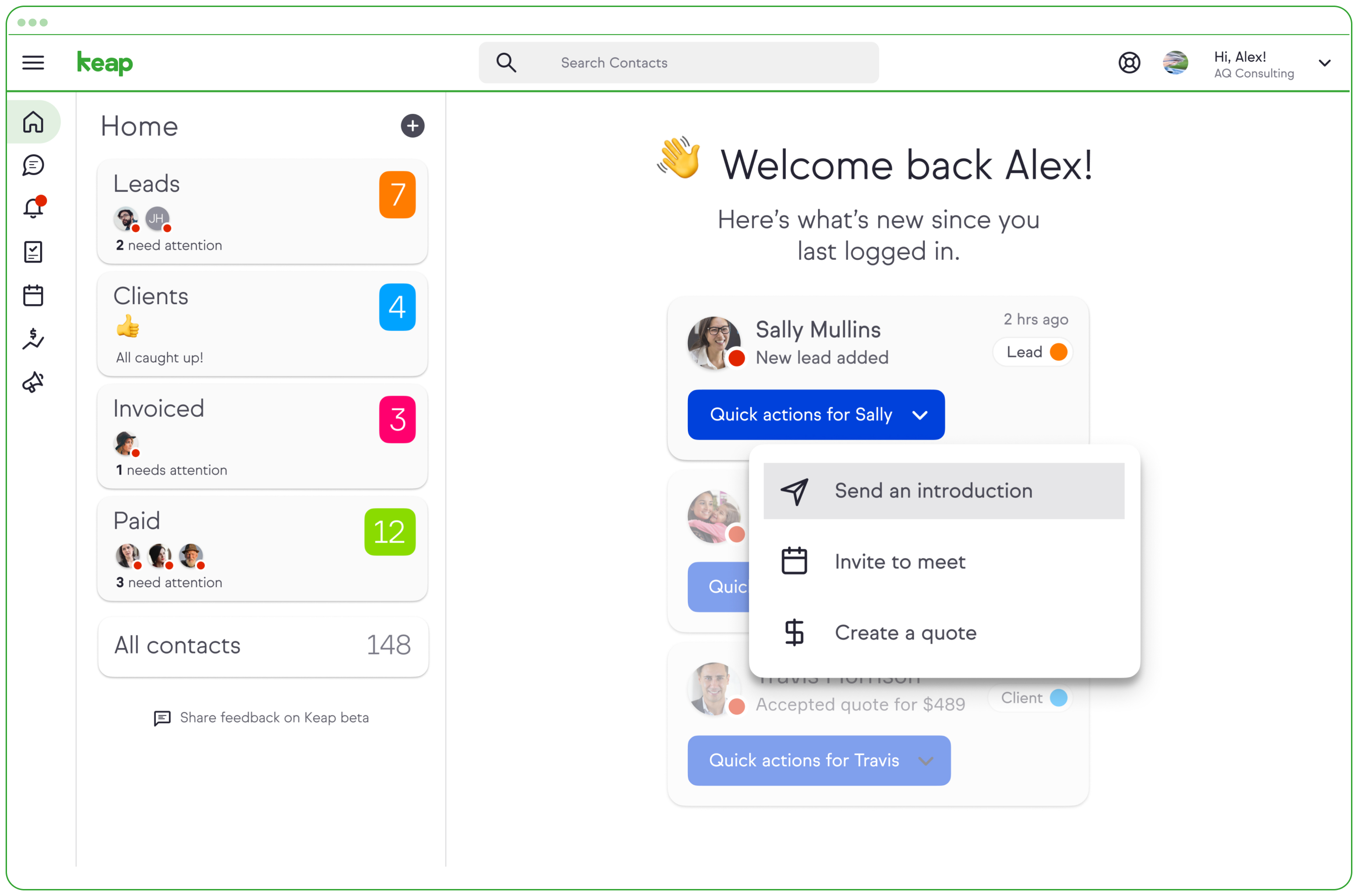
Screenshot of a Keap invoiceScreenshot of Screenshot of the entire sales pipeline displayed in one view.

WooCommerce Screenshots

Screenshot of a single product and description.Screenshot of WooCommerce checkout blocks.Screenshot of WooCommerce settings.Screenshot of WooCommerce product editing.Screenshot of WooCommerce products listing.