Overview
ProductRatingMost Used ByProduct SummaryStarting Price
Livestorm
Score 8.9 out of 10
N/A
French company Livestorm offers their webinar platform which integrates with many other enterprise applications via Zapier and features polling, session recording and sharing, and webinar data collection and tracking.
$0
A free plan to discover Livestorm. All features included, such as unlimited webinars and instant meetings. Up to 20 minutes per webinar and up to 10 registrants per webinar.
BeLIVE
Score 9.3 out of 10
Mid-Size Companies (51-1,000 employees)
BeLive is a brand produced by MultiTV. This is the company's live virtual and online events platform where attendees can learn, interact, and connect with people from anywhere in the world. It is presented as a quick to setup, affordable, and scalable live streaming solution.N/A
ON24
Score 7.5 out of 10
N/A
ON24 is an intelligent engagement platform, that enables customers to continuously engage audiences with AI-powered, hyper-personalized webinar, virtual event and content experiences.N/A
Pricing
LivestormBeLIVEON24
Editions & Modules
Webinar Basic
$0.00
A free plan to discover Livestorm. All features included, such as unlimited webinars and instant meetings. Up to 20 minutes per webinar and up to 10 registrants per webinar.
Meet Basic
$0.00
Limited Instant and Scheduled Meetings for up to four participants
Meet Premium
$31.00
Full features for Instant and Scheduled Meetings.
Webinar Premium
$99.00
A premium experience with removed limitations to get the full benefits of Livestorm for up to 100 seats. + $99 to add 250 seats, + $209 to add 1,000 seats.
Enterprise
Contact sales
An enterprise-grade experience with premium service.
No answers on this topic
Offerings
Pricing Offerings
LivestormBeLIVEON24
Free Trial
YesYesNo
Free/Freemium Version
YesNoNo
Premium Consulting/Integration Services
NoNoNo
Entry-level Setup FeeNo setup fee$1,500 one-time fee per installationNo setup fee
Additional Details
More Pricing Information
Community Pulse
LivestormBeLIVEON24
Considered Multiple Products
Livestorm

No answer on this topic

BeLIVE

No answer on this topic

ON24
Chose ON24
The user interface and functionality stacks in favor of ON24.
Chose ON24
We use different tools for different purposes. ON24 is definitely best for live and on-demand webinars where we want to offer some live engagement with speakers. However, it falls short when it comes to reporting.
Chose ON24
ON24 was a game changer for me after using GoTo Webinar. Not only from the capabilities but from the virtual event options available. The engagement capabilities and differences are massive with ON24 being way ahead of GoTo. I would also say the support from ON24, on-boarding …
Chose ON24
We previously used GoToWebinar, which was fit for purpose, but we would often need to cancel webinars or change presenters at the last minute due to unforeseen circumstances. There was also a bug in the system which meant 1/40 people or so just wouldn't be able to hear the …
Chose ON24
Marketo recently launched an interactive webinars feature, but we haven't explored it in too much depth since ON24 has worked out so well for us. The integration between ON24 and Marketo is also very seamless, so it doesn't feel like we are losing anything by handling webinars …
Chose ON24
In my opinion, there is no comparison as ON24 goes above and beyond microsoft teams.
Chose ON24
Superior AI capabilities, post-event analytics, and lead generation.
Chose ON24
We selected ON24 due to organizational alignment and tool consolidation but I am more than happy with the decision to move over to this tool. It has been by far the easiest and least frustrating webinar tool I have used in 5+ years of digital marketing. It allows me to bring …
Chose ON24
ON24 is better than Microsoft Teams in every way. Teams lets you down in so many areas, especially in the biggest way - human interaction. ON24 makes webinars fun, engaging, and each company can tailor them to their needs. Teams feels like the basic "budget" option, while ON24 …
Chose ON24
Zoom is limited on features and functions. In my opinion, a Zoom webinar just feels like a Zoom call. There isn't much to make it feel special, personal, or visually appealing. On24 makes it really easy to brand the console and the experience how you want users to see it.
Chose ON24
Based on Client requirements we have used Third party live event softwares. Since all those having similar functionality relating to Live event. But some have different and high features.
Some other software have easy navigation and Separate Hub for Some workspaces and some have …
Chose ON24
The best part in my view is running in a browser. This is such a great thing because you get around companies having firewall or security software that can block it from running properly.
Chose ON24
Adobe Marketo Engage and Zoom Events & Webinars
Chose ON24
From what I've seen, ON24 is built specifically to meet the needs of event marketing (or marketing generally), versus the other platforms which are more about simply providing a mechanism to hold virtual meetings. The integration with sales and marketing systems is really …
Chose ON24
ON24 is better than an average videoconference app because it's a holistic software that specializes in events in particular, so it's more engaging for the audience. It's different from Blackboard Collaborate because even though Blackboard Collaborate is great for college …
Chose ON24
ON24 is way better than BlueJeans and Live. We are happy that we found you!
Chose ON24
ON24 is a 3rd party virtual event integrated with Marketo Since we can not conduct event in Marketo ON24 full promo Marketo template clone ON24 URL, ON24 base link, event id and key tokens (event details given by marketer) ON24 Attendee Webhook trigger Once email is sent in …
Chose ON24
It is more expiensive but the easiest to use. I think once we get Hubspot integrated properly, we will like it the best! If you have the money I think it is the best choice!
Chose ON24
We selected ON24 because it offers a great experience for presenters and attendees of events.
Chose ON24
We have used In-expo way back in the day :) they did not provide the same support or confidence that ON24 has. We got with ON24 and have never looked back!
Chose ON24
ON24 provides way more opportunities for customization of the virtual spaces. ON24 has an efficient process for uploading resources and making them accessible to the attendees. ON24 has more protection measures to ensure only registered clients can attend the sessions. ON24 …
Chose ON24
Stream go is a smaller organisation but their ability to offer in event support as standard at no extra cost is to be applauded and very much essential when we have different people putting events on all of the time. ON24 may be better suited to large global organisations, …
Features
LivestormBeLIVEON24
Reporting & Analytics
Comparison of Reporting & Analytics features of Product A and Product B
Livestorm
10.0
Ratings
26% above category average
BeLIVE
-
Ratings
ON24
-
Ratings
Dashboards10.00 Ratings00 Ratings00 Ratings
Data exportability10.00 Ratings00 Ratings00 Ratings
Performance & Compatibility of Online Events Software
Comparison of Performance & Compatibility of Online Events Software features of Product A and Product B
Livestorm
9.5
Ratings
15% above category average
BeLIVE
-
Ratings
ON24
-
Ratings
High quality audio9.00 Ratings00 Ratings00 Ratings
Mobile support10.00 Ratings00 Ratings00 Ratings
Online Meetings / Events
Comparison of Online Meetings / Events features of Product A and Product B
Livestorm
9.4
Ratings
14% above category average
BeLIVE
-
Ratings
ON24
8.3
Ratings
2% below category average
Calendar integration10.00 Ratings00 Ratings8.10 Ratings
Record meetings / events7.50 Ratings00 Ratings7.10 Ratings
Slideshows10.00 Ratings00 Ratings7.20 Ratings
Event registration10.00 Ratings00 Ratings7.30 Ratings
Meeting initiation00 Ratings00 Ratings10.00 Ratings
Integrates with social media00 Ratings00 Ratings10.00 Ratings
Online Events Collaboration
Comparison of Online Events Collaboration features of Product A and Product B
Livestorm
10.0
Ratings
17% above category average
BeLIVE
-
Ratings
ON24
8.4
Ratings
3% above category average
Audience polling10.00 Ratings00 Ratings7.00 Ratings
Q&A10.00 Ratings00 Ratings8.20 Ratings
Live chat00 Ratings00 Ratings10.00 Ratings
Online Events Security
Comparison of Online Events Security features of Product A and Product B
Livestorm
10.0
Ratings
18% above category average
BeLIVE
-
Ratings
ON24
9.0
Ratings
6% above category average
Participant roles & permissions10.00 Ratings00 Ratings8.90 Ratings
Confidential attendee list10.00 Ratings00 Ratings8.00 Ratings
User authentication00 Ratings00 Ratings10.00 Ratings
Online Events Marketing
Comparison of Online Events Marketing features of Product A and Product B
Livestorm
10.0
Ratings
23% above category average
BeLIVE
6.0
Ratings
40% below category average
ON24
7.9
Ratings
4% below category average
Branding options10.00 Ratings6.00 Ratings8.50 Ratings
Integration to Marketing Automation10.00 Ratings00 Ratings7.90 Ratings
Attendee list export00 Ratings00 Ratings7.40 Ratings
Virtual Event
Comparison of Virtual Event features of Product A and Product B
Livestorm
-
Ratings
BeLIVE
7.3
Ratings
9% below category average
ON24
8.9
Ratings
10% above category average
Livestreaming00 Ratings9.00 Ratings10.00 Ratings
Audience engagement00 Ratings7.00 Ratings7.90 Ratings
Event recording00 Ratings8.00 Ratings10.00 Ratings
Event analytics00 Ratings5.00 Ratings7.40 Ratings
Registration, RSVP, and ticketing00 Ratings00 Ratings10.00 Ratings
Email marketing00 Ratings00 Ratings6.60 Ratings
Virtual booths00 Ratings00 Ratings10.00 Ratings
Networking00 Ratings00 Ratings9.00 Ratings
Mobile Capabilities
Comparison of Mobile Capabilities features of Product A and Product B
Livestorm
-
Ratings
BeLIVE
-
Ratings
ON24
9.7
Ratings
14% above category average
Responsive Design for Web Access00 Ratings00 Ratings10.00 Ratings
Mobile Application00 Ratings00 Ratings9.00 Ratings
Dashboard / Report / Visualization Interactivity on Mobile00 Ratings00 Ratings10.00 Ratings
Best Alternatives
LivestormBeLIVEON24
Small Businesses
BigMarker
BigMarker
Score 6.0 out of 10
Whova
Whova
Score 9.5 out of 10
Whova
Whova
Score 9.5 out of 10
Medium-sized Companies
Zoho Meeting
Zoho Meeting
Score 9.0 out of 10
Whova
Whova
Score 9.5 out of 10
Cvent Event Diagramming
Score 9.2 out of 10
Enterprises
ON24
ON24
Score 7.5 out of 10
Whova
Whova
Score 9.5 out of 10
Cvent Event Diagramming
Score 9.2 out of 10
All AlternativesView all alternativesView all alternativesView all alternatives
User Ratings
LivestormBeLIVEON24
Likelihood to Recommend
9.5
(0 ratings)
9.0
(0 ratings)
7.0
(0 ratings)
Likelihood to Renew
-
(0 ratings)
-
(0 ratings)
9.9
(0 ratings)
Usability
9.0
(0 ratings)
-
(0 ratings)
8.9
(0 ratings)
Availability
-
(0 ratings)
-
(0 ratings)
9.0
(0 ratings)
Performance
-
(0 ratings)
-
(0 ratings)
7.1
(0 ratings)
Support Rating
10.0
(0 ratings)
-
(0 ratings)
9.9
(0 ratings)
In-Person Training
-
(0 ratings)
-
(0 ratings)
9.0
(0 ratings)
Online Training
-
(0 ratings)
-
(0 ratings)
3.8
(0 ratings)
Implementation Rating
-
(0 ratings)
-
(0 ratings)
6.8
(0 ratings)
Configurability
-
(0 ratings)
-
(0 ratings)
7.5
(0 ratings)
Ease of integration
-
(0 ratings)
-
(0 ratings)
7.0
(0 ratings)
Product Scalability
-
(0 ratings)
-
(0 ratings)
6.6
(0 ratings)
Vendor post-sale
-
(0 ratings)
-
(0 ratings)
9.0
(0 ratings)
Vendor pre-sale
-
(0 ratings)
-
(0 ratings)
7.0
(0 ratings)
User Testimonials
LivestormBeLIVEON24
Likelihood to Recommend
Livestorm is well suited to use when you need to reach a group of more than ten people. It wouldn't be a good solution if you wanted interaction from the audience in more than the form of chat.
Read full review
Using be.live for video on YouTube, LinkedIn and Facebook both my page and group. Embeding a live video on my webiste. Having guests join my live video and also share information by using my computer screen.
Read full review
ON24 has upgraded our webinar game! We used to use Go-To Webinar, which can't even add text formatting to the webinar description, so we are thrilled to use all of the customization options to align our webinar closer with our brand. We have seen an increase in registrations and participants due to this more professionally packaged webinar offering.
Read full review
Pros
  • Easy to set up landing pages. Landing pages have great design and allow users to select which session they want to attend (if it's a recurring webinar)
  • The analytics is great and allows you to export everything, even all the info they enrich with Clearbit
  • The webinar room is super intuitive and I always feel like I have full control
Read full review
  • Going live on multiple platforms at the same time
  • Sharing my screen on those live sessions
  • Recording the sessions to be able to repurpose as a blog post or small video clips
  • Having guests join my live videos
  • Be.live support group is excellent
Read full review
  • Webinars hosted in ON24 run smoothly and never lag, and the help desk is very responsive.
  • Detailed analytics in every field include surveys, unique clicks, and downloads.
  • Registration details and multi-registration links in ON24 are very helpful and allow us to add additional registration fields and restrict certain domains.
Read full review
Cons
  • Getting a webinar started is not super intuitive.
  • The ability to switch which screen you're sharing without stopping the screen share.
  • No longer hosting the recorded webinars.
Read full review
  • Limited customisation choices of the overlays and background that are available.
  • Occasional delay between the audio and video
  • Limited to 4 guests at once
Read full review
  • There was a recent update within the past year where the UX designer or developer thought it would be best to wide all titles from the audience view until they placed their mouse on top of the window. That was the worst mistake, as we have a moderator script where we tell the audience what each of the tool bars are and they can’t grasp what the tool is without putting their mouse there. From an accessibility standpoint point, it’s back to 1999 when there was no laws about accessibility.
  • Number one above is a major pain point.
  • ON24 needs to do a better job of introducing features and soliciting feedback from their customers vs making a high impactful change like #1 described above.
Read full review
Likelihood to Renew
No answers on this topic
Our Marketing team has seen significant time savings with the number of webinars we produce since using ON24. It's very scalable, and the onboarding and training for a new team member is fairly easy. The customer support of the ON24 team has also been impressive. They also release new feature on a fairly regular basis, and the webinars they do focused on customers are beneficial.
Read full review
Usability
This platform is very user friendly. I had zero training and I was able to successfully create events, customize company emails, export data, navigate feature set, and enable integrations, etc... I had to do a little bit of research into how their on-demand events worked logistically but that took about 10 minutes
Read full review
No answers on this topic
97% of our attendees say it is the best trainings they have every attended. But they other 3% have a horrible experience (while watching the event live) interesting fact. On24 uses two different encoders for live vs OnDemand. I have never had issues with the On-Demand experience. My only complaints come during live events
Read full review
Reliability and Availability
No answers on this topic
ON24 is always available when I have a question about a new feature, if I'm having issues during a live webinar, or if I'm having issues with a webinar on the backend. Our client support specialist, Heather Haines, has always been incredibly consistent with getting me the answers I need when I need them.
Read full review
Performance
No answers on this topic
Loading depends on how large the files in the webinar for us - sometimes it takes up to an hour to upload and that impacts the loading when the webcast is playing. Overall I'm happy with the performance, however if integrated with other systems it does tend to slow down the process
Read full review
Support Rating
I haven't used it recently, so I couldn't definitively say
Read full review
No answers on this topic
ON24 support is really good with the 24/5 support chat line, where someone actually responds within 30 seconds. The customers success team is also really good and our rep is very helpful with all our questions. Whenever we have more technical questions, she will bring on a IT designer or a tech specialist on our calls for additional comments and help.
Read full review
In-Person Training
No answers on this topic
Most points of relevance were covered as far as I can remember.
Read full review
Online Training
No answers on this topic
On24 has amazing ON-Demand trainings that you can use at anytime and they walk you through step by step on different topics/ they are always updating and innovating and putting out new trainings. I would highly reccomend the trainings and reading the documents they have created. They also do live webinars on a rolling basis that are filled with so much knowledge and Information
Read full review
Implementation Rating
No answers on this topic
We had a few training's, which were broken up, and focused on specific areas of how to use the platform. Mostly though, a lot of it is just dedicating your time to learning and exploring what the possibilities are for enhancing your webinars
Read full review
Alternatives Considered
No answers on this topic
ON24 was a game changer for me after using GoTo Webinar. Not only from the capabilities but from the virtual event options available. The engagement capabilities and differences are massive with ON24 being way ahead of GoTo. I would also say the support from ON24, on-boarding was also miles ahead from what I have been used too
Read full review
Scalability
No answers on this topic
The ON24 platform is straightforward to use and train clients on, which is a huge plus. Clients appreciate its features and simplicity. Internally, we receive valuable analytical data from webinar events, enabling the organization to make data-driven decisions. This helps us optimize strategies and drive success for B2B businesses effectively.
Read full review
Return on Investment
  • Extend our reach with potential clients.
  • Platform to demonstrate our capabilities.
  • Grow our leads.
Read full review
  • Increased engagement with my audience
  • Saves time for creating live videos on various platforms.
Read full review
  • By holding more webinars (and promoting them beyond our existing client database), we have generated thousands of new contacts.
  • The ease of use has enabled us to add an additional tool to our marketing toolbox without having to hire deep webinar/events specialists.
  • The integration with Salesforce has enabled our relationship owners to see how engaged their client contacts are.
Read full review
ScreenShots

Livestorm Screenshots

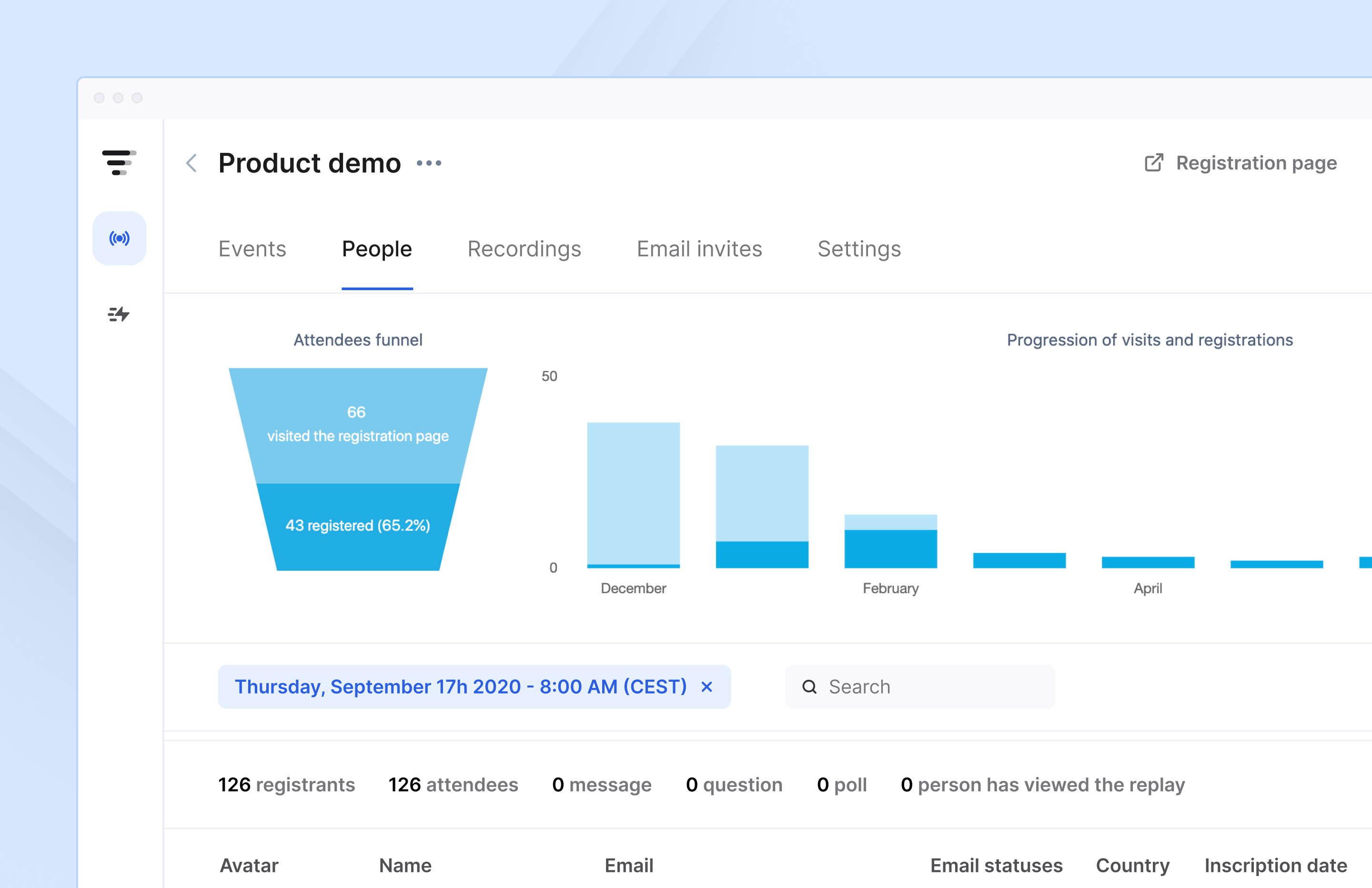
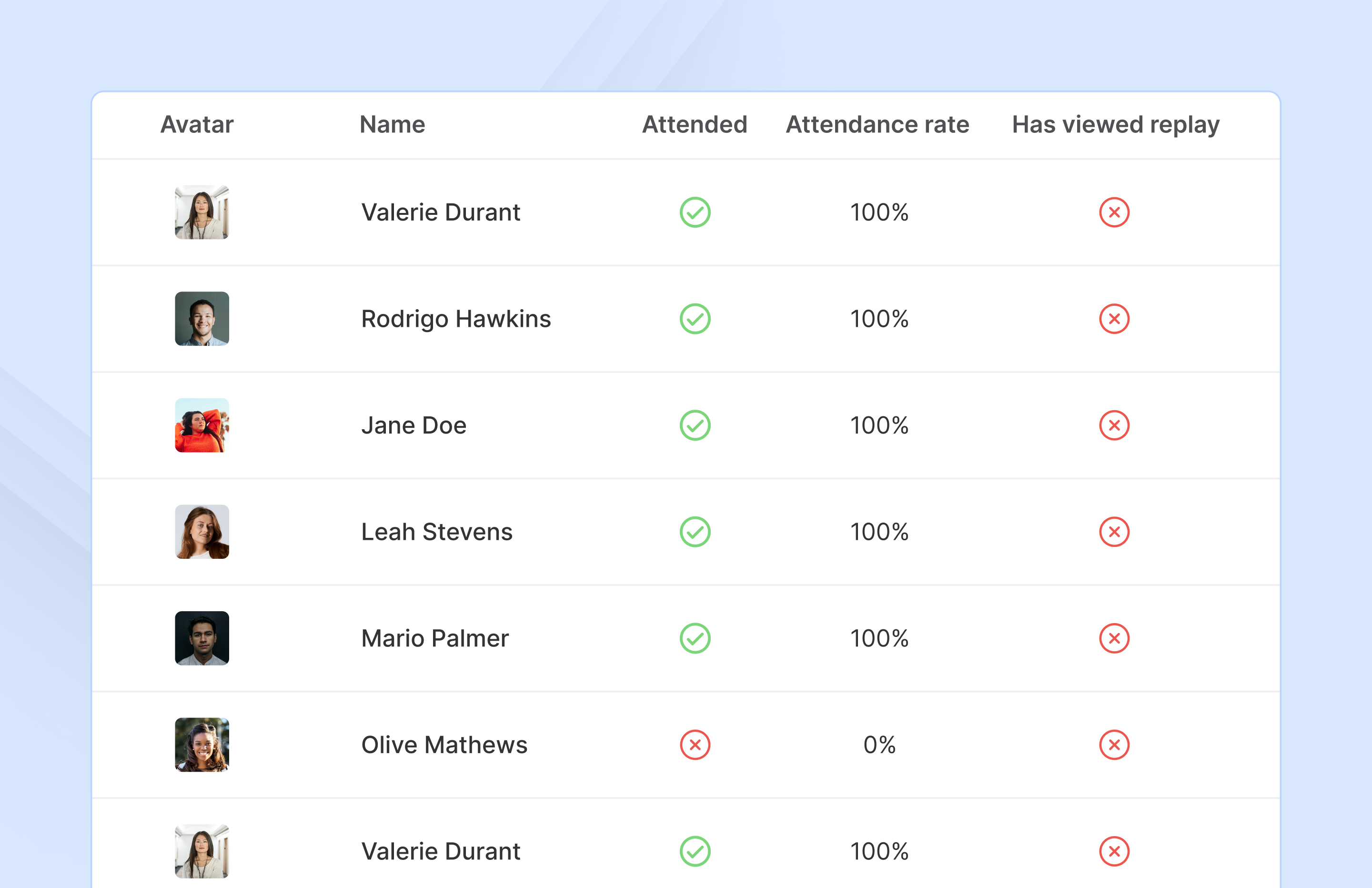
Screenshot of Access complete analytics in a built-in dashboard.Screenshot of Learn more about attendees with detailed participation reports.Screenshot of Engage with your audience in real-time with questions, chats, and polls.

BeLIVE Screenshots

Screenshot of Screenshot of

ON24 Screenshots

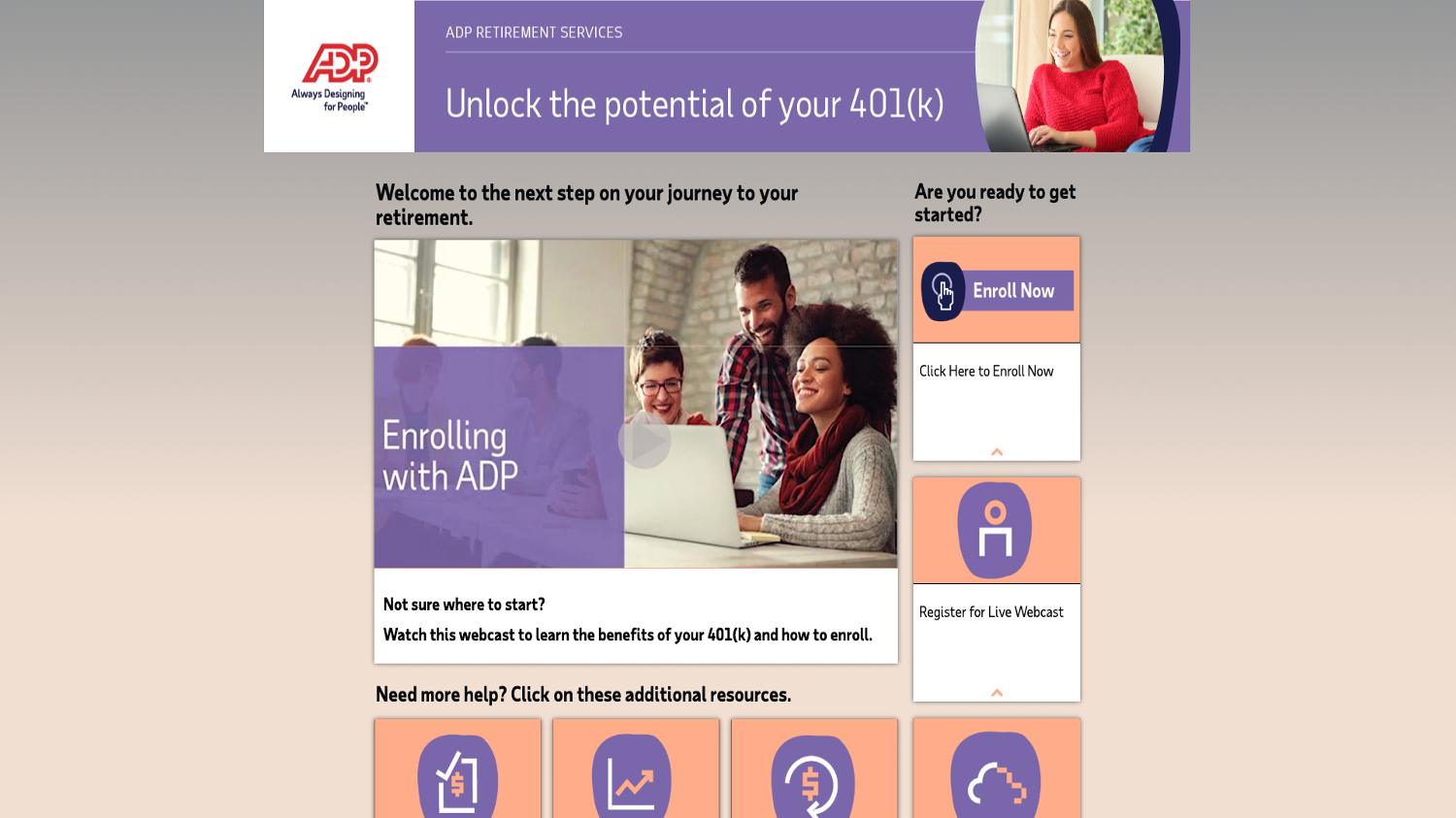
Screenshot of Red Whale creates webinar series, Deep Dives, to engage General Practitioners.Screenshot of SAP Concur takes its customer activation workshops virtual with ON24.Screenshot of Atheanhealth broadcasts an authentic conversation with industry thought leaders to its audience.Screenshot of SAS creates webinar series, Analytics in 20, to education product best practices in short amount of time.Screenshot of NVIDIA creates always-on content library filled with webinars with ON24 Engagement Hub, segmented by different languages and geo-locations.Screenshot of ADP, using ON24 Target, creates personalized landing pages to encourage and accelerate ADP benefit enrollment.  This resource page has on-demand webinars, help articles and ways to immediately enroll.