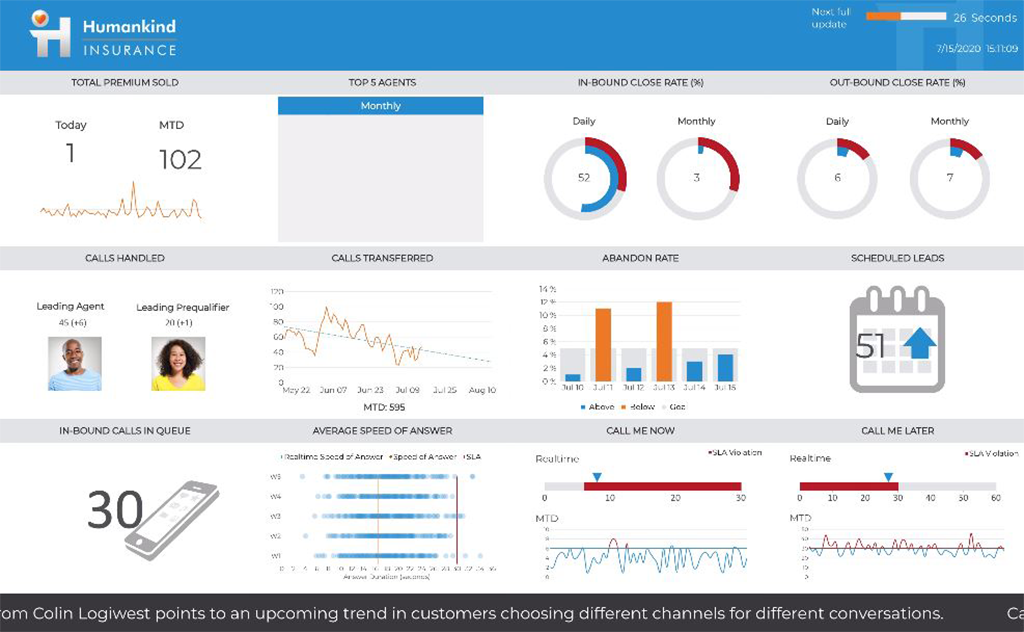
Logi Symphony is a business intelligence and data visualization software that includes customizable dashboards, reporting, and visual data analytics. It can be integrated into users’ existing business applications and its visualization and reporting tools can be customized.
N/A
SAS Visual Analytics
Score 7.6 out of 10
Enterprise companies (1,001+ employees)
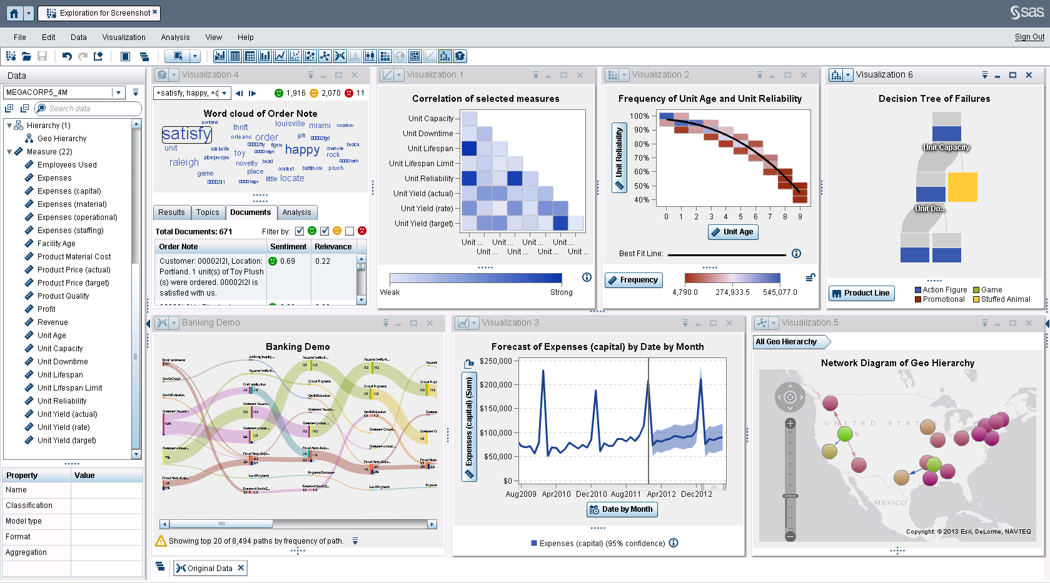
SAS Visual Analytics provides a complete platform for analytics visualization, enabling users to identify patterns and relationships in data that weren't initially evident. Interactive, self-service BI and reporting capabilities are combined with out-of-the-box advanced analytics so everyone can discover insights from any size and type of data, including text.
$0
Annual By Users: 5, 10, 20
Xactly
Score 8.6 out of 10
N/A
The Xactly platform is a revenue intelligence ecosystem that by consolidating forecasting, incentive compensation, and sales engagement workflows into a single source of truth, provides high-fidelity visibility into the revenue lifecycle.
N/A
Pricing
Logi Symphony
SAS Visual Analytics
Xactly
Editions & Modules
No answers on this topic
SAS Visual Analytics for SAS Cloud
Annual By Users: 5, 10, 20
No answers on this topic
Offerings
Pricing Offerings
Logi Symphony
SAS Visual Analytics
Xactly
Free Trial
Yes
Yes
No
Free/Freemium Version
No
No
No
Premium Consulting/Integration Services
Yes
Yes
Yes
Entry-level Setup Fee
No setup fee
No setup fee
Required
Additional Details
—
SAS Visual Statistics and SAS Office Analytics are also available as add-ons.
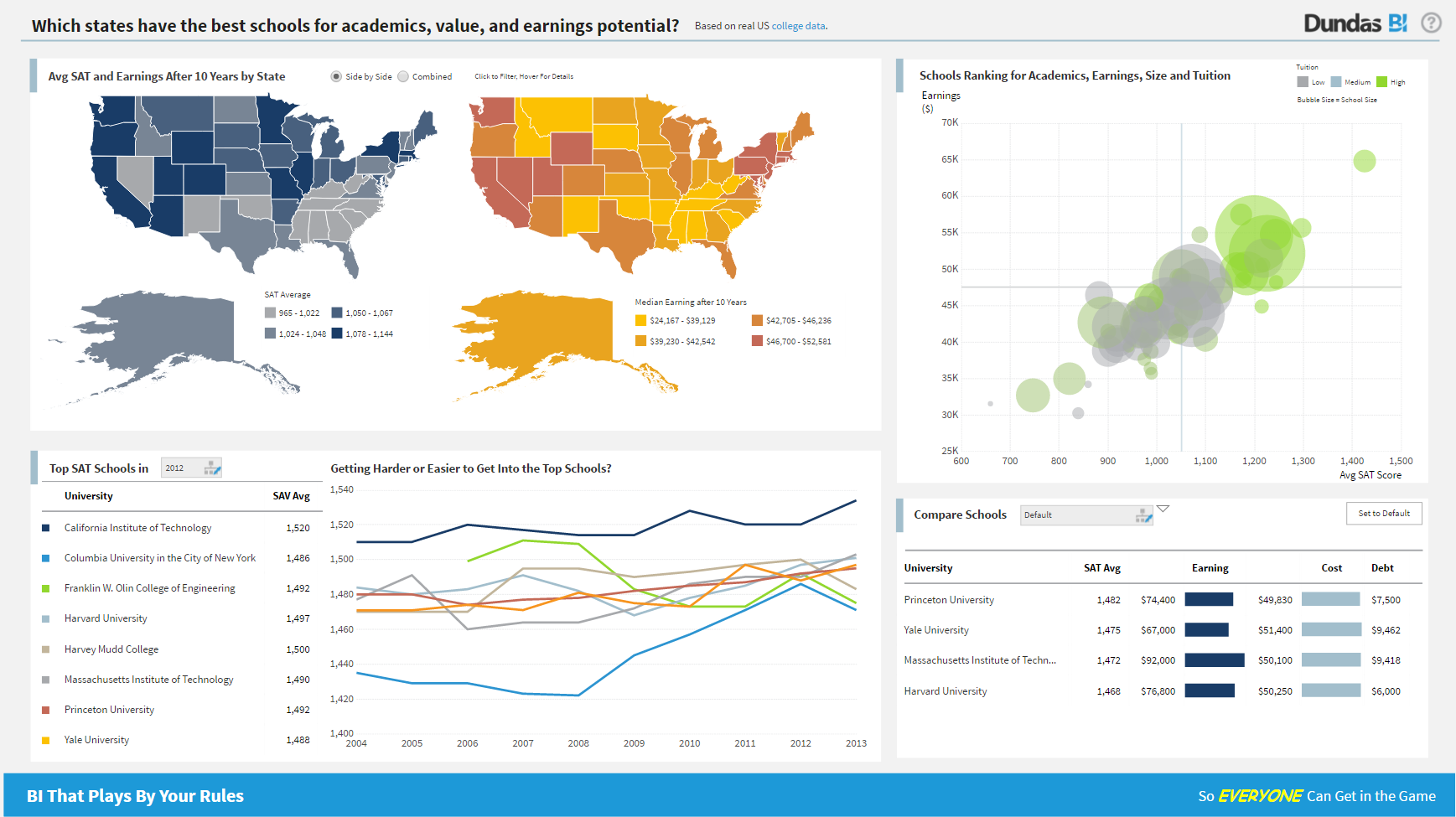
For all the scenarios I have so far worked on or I am currently working on, Dundas BI has proved to be more than adequate and apt to handle all of those. It is a very easy-to-use tool with quick shortcuts enabling you to prepare ad-hoc reports or dashboards in a matter of minutes.
I was in a meeting with the client and there I have to show them some analytic data to them. But I was confused about how I will manage to show big data to clients with accuracy. But then the SAS Visual Analytics software helps me in presenting accurate data at the moment and it was very presentable and through that, I got the deal for that business.
Being that Xactly Incent is custom built to meet our specific plan requirements, it has been well suited for almost everything. One scenario where we could use some improvement is manager reporting. Better visibility into the roll up of any team goals and team actuals. Also some of the incentive payment information is a bit clunky. We calculate incentives each quarter on a YTD basis and then subtract was has already been paid. Sometimes this creates a shortfall for the sales rep that needs to carry forward. Reporting for this doesn't flow easily.
Project organization from Development to Production, you get a production and development license but I think the best way to do it is with DEV and Prod project in the Production box. Use the development box for testing updates and really crazy things. With the Dev and Prod projects on the same box, you just publish from Dev to Prod and you are done. Users only have access to the Prod projects so no one can mess up what you are working on.
Security - If you have a hierarchy (subsidiaries, divisions, department, teams) and you want each group to see only their data, then Security hierarchies are for you!
Dependent filters! What's this you ask? Here is an example of how it can be used, in your company you have departments and who works for what department is in your database. You make a dashboard that has a department filter (only show these departments), a managers filter, and employee filter. Not every manager or employee is in multiple departments usually only one. With dependent filters you can say that the manager and employee filter are dependent on what is selected in the departments filter so when you go to filter them they only show the managers or employees that are part of that department, and you can even it do so employees are not only dependent on department but on manager as well. Then it gets even better as it can be done in reverse as well so when you select a manager then go to the department it only shows the departments he works for (there are better situations where this is more useful).
It is scriptable! From calculate columns, null replacements, button actions, load actions, hover over events there a way to do what you want.
They are constantly improving and listens to your suggestions.
Provides the flexibility to the end user to slice and dice the data.
Anyone can make predictive models with the help of in-built algorithms without the need to write a single line of code or knowledge of what's under the hood of algorithms.
The feature to simply ask a question related to data and getting a response in form of text, chart or graph is amazing.
Not too many cons for how we use the application. It really is easy and powerful. Very powerful.
Licensing is one thing that could be looked into. It is simple, but a little confusing. For example, if I get a license today, but a new release comes out tomorrow, it seems that the license doesn't work with the new release. Maybe that is by design, but it would be nice to clearly understand.
SAS is relatively expensive when compared to other BI tools and requires a large amount of upfront fee which becomes an issue for smaller organizations.
UI for the dashboards looks a little date in comparison to competitors like Tableau and Microstrategy.
Integration with other open source software like Python needs to be built in.
When clearing out or deleting the data in Incent, certain areas allow deletion only one by one. Eg position, people etc. Would be great if this can be done in bulk.
Could improve in the style/view/functioning of Incent user interface
Can implement more features for end users interface to keep them more engaged and ignoring a feel of boring UI
SAS really is the cutting edge in Business Intelligence. That is all they do! They are constantly coming out with new products, product upgrades, and their tech support is second to none. In addition, their support of Education has made our ability to acquire their product possible.
As an admin and compensation expert, I'd rate it a 10 as it solves for the majority of our needs and the complexity of our plans is easier to manage via Incent. While I wasn't part of the implementation, I did hear feedback that the initial setup required a high level of precision and technical coordination. From a user's perspective, our Sellers have ranked the tool at a 7,5-8 rating throughout the years, mostly because the system feels "clunky".
We are still in the implementation phase, but so far we are finding it to be easy to use and learn. The eLearning courses that they have made available for free, as well as User Forums and other training videos have made even difficult concepts easier to understand.
SAS BI is good for creating reports and dashboards and then sharing it with the users. It also has ability to manage access to the reports and dashboards but somehow with most of the world moving to open source languages R, Python and Julia, SAS BI feels to be archaic in terms of feature set and integrations it allow[s]. Also, comparing it with other Business Intelligence tools like Tableau and Microsoft BI, the functionality of SAS BI is very limited and doesn't justify the pricing.
From an admin perspective, the software's usability is high. The different components are organized in a way that is easy to figure out, for example, all elements of a plan are under the Plan Design section. There are some areas where searching within the system is a bit cumbersome because after clicking into a result and back out it clears your filter. I found the software easy to navigate when I first started and the amount of documentation and helpful videos they have on the community and within the University make the system even easier to learn.
In general the system is nearly always available. But the daily achievement calculation takes a hugh amount of time. therefore it was in the past month sometimes only from midday onwards completely updated and usable for Sales employees. Xactly support was and still is working hard to get it available early mornings. Availablility time has increased a lot. It's now down to around 10 am in the moring
Xactly Incent performs extremely well. I have not experienced it "slowing down" when usage is heavy. This is particularly true when it comes to the regular recalculation of credits and commissions. It is not uncommon for Xactly to be dealing with hundreds of thousands of orders/credits in a pay period, but the system handles it well. Xactly recently changed their calculation engine and the speed for regular refreshes increased significantly.
We have bi-weekly calls with our Success Manager, as well as access to support as needed. Any question that I have had, multiple people have been willing and able to jump on a call to talk me through it, or send an email with the solution
When you call tech support, you are immediately routed to a person who can answer your question. Often they can answer on the spot. However, if they cannot, you are given a track number and then followed up with. There have been times when I have had multiple track numbers open and they will actually TRACK YOU DOWN to ensure that your problem has been resolved. Issues do not fall into black holes with SAS. They are also willing to do a WebEx with you to diagnose the problem by seeing your environment, which is always helpful.
They take the time to understand the system. They keep us updated on the status of our cases. Finally, their continued follow up ensuring the initial issue was resolved is very nice. They will not close the case out until they have confirmed that our issue has been completely resolved and fixed.
Awesome product, easy to use during daily activities. Reporting and user experience are very well organised. The sales team also likes this tool for reviewing their commissions at any time, which provides real-time updates. For new hires or mid-hires, the commission calculation is working very efficiently. Every sales-side organisation must have this tool.Awesome product, easy to use during daily activities. Reporting and user experience are very well organised. The sales team also likes this tool for reviewing their commissions at any time, which provides real-time updates. For new hires or mid-hires, the commission calculation is working very efficiently. Every sales-side organisation must have this tool.
Xactly offers training on new releases on a monthly basis and training on basic principles regularly via registration. My experience with both is that they do not provide the in-depth knowledge necessary to truly master the system and advanced courses still do not go to the level needed to autonomously manage the system and plans. Professional services are a large part of any cloud based service such as Xactly and I feel a reliance on such paid consulting services is a great money-maker for Xactly.
Go into implementation knowing how you will handle churn, if there are claw backs, treatment for every type of commission payment (i.e. new business, renewals, etc.) and know your average customer life. You'll also want details by customer for as far back as you can go (within reason).
Per dollar spent, it offers the widest range of features of the tools that we evaluated. It offers lots of options for how to configure your environment, though they are not always intuitive to figure out. Having an ETL layer was a must have for us, as well as the ability to host to secure HIPAA compliance. It is not a replacement for ad hoc reporting, but does a great job of creating parameterized reports and dashboards that look great.
I have used Crystal Reports, Jaspersoft and SQL Server Reporting Services (SSRS). I would recommended Business Intelligence over SSRS and Crystal Reports. SSRS is very SQL-centric and Crystal Reports is more of an end-user tool. I would recommend Jaspersoft over Business Intelligence for developing a seamless web-based reporting interface but I highly recommend Business Intelligence for end-user ad-hoc reporting.
Ignoring the contractual issues that we had, Optymyze is very different from Xactly Incent. I would say that both offer high degrees of flexibility, but Xactly requires greater technical knowledge to customize. Optymyze allows administrators to manipulate data in a way similar to Domo or Tableau, allowing someone who is less technical to customize it. Xactly's connect module, on the other hand, requires strong knowledge of SQL to be able to manipulate data. I've been looking to take the training for Connect, so I can't comment on the limitations or flexibility beyond that.
It's very flexible. In most cases it can be adapted to your needs by programming which may cost extra money. We have a lot of different complans and close to 1.000 employees using Xactly in EMEA. It's mainly used by Sales and Finance
I am not aware of the company investment, but the overall result is fantastic. Employees visibility to commissions and components of their commissions is great. They have much more accessibility to their numbers and better understanding of how commissions are calculated. They can also review commissions at their convince on the application.
There seems to be more employee engagement and satisfaction with the overall commission process and reporting with Xactly Incent.