Okta is an enterprise grade identity management service, built in the cloud. IT can manage access across any application, person or device. Whether the people are employees, partners or customers or whether the applications are in the cloud, on premises or on a mobile device, Okta helps IT become more secure and maintain compliance. The Okta service provides directory services, single sign-on, authentication, provisioning, workflow, and built in reporting. ment systems.
$6
per month per user
SAP Access Control
Score8.8 out of 10
N/A
SAP Access control streamlines the process of managing and validating user access to applications and data with minimal support from IT, with the goal of giving employees the applications and services they need without exposing data and processes to unauthorized use.
N/A
Teams Manager
Score8 out of 10
Mid-Size Companies (51-1,000 employees)
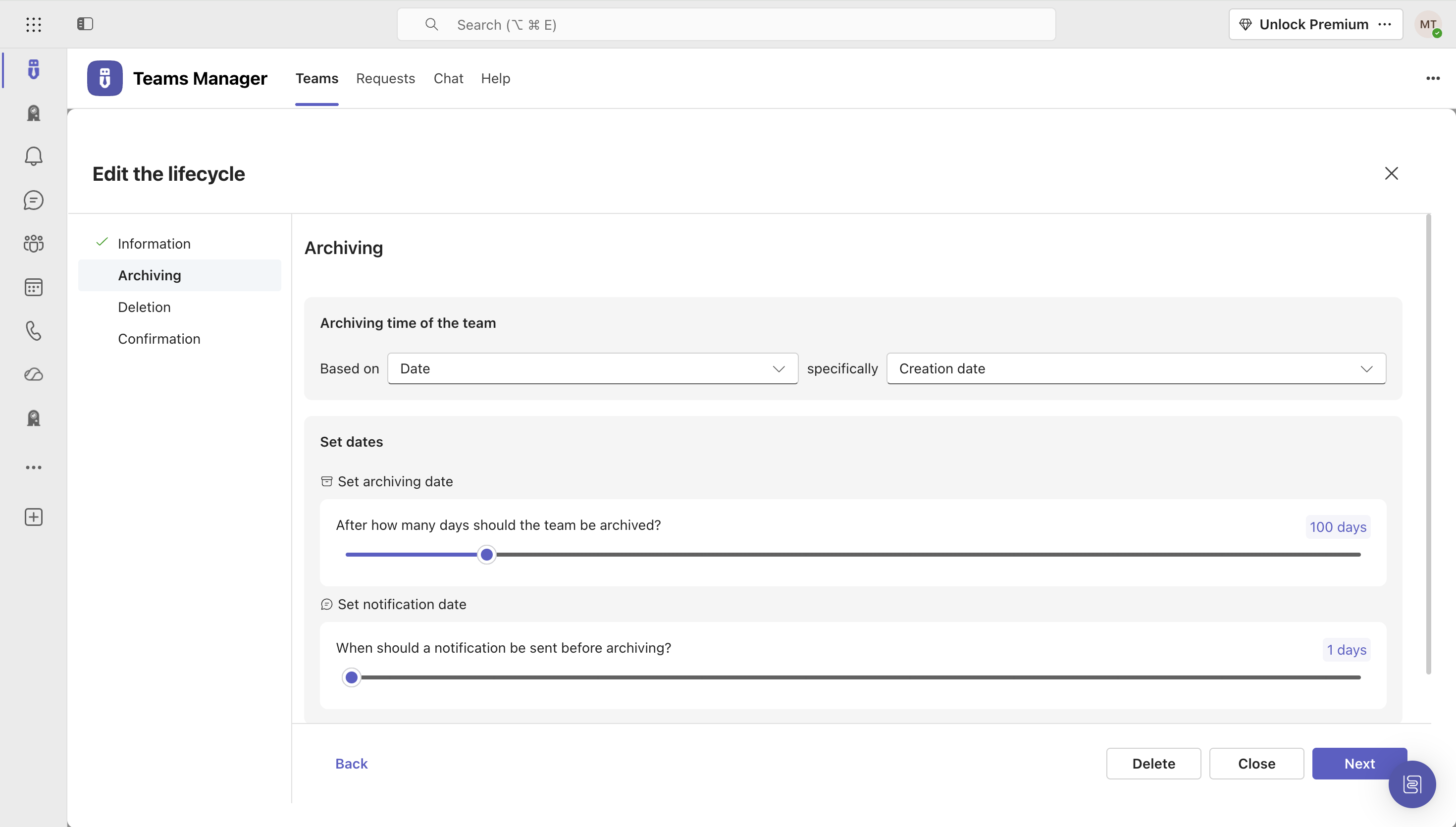
IT administrators can keep control of their Microsoft 365 environment with Teams Manager. Teams Manager is used to prevent the uncontrolled creation of Teams and Groups and automate governance processes. Key Features: • Governance Dashboard and Reports – provides an overview of the M365 environment (inactive or ownerless teams, teams with guests etc.) • Provisioning of new teams & SharePoint sites – with channels,…
$1.60
per year
Pricing
Okta
SAP Access Control
Teams Manager
Editions & Modules
Starter
$6.00
per month per user
Essentials
$17.00
per month per user
Professional
Inquire for pricing
Per User Per Month
Enterprise
Inquire for pricing
Per User Per Month
No answers on this topic
Extra Large (4,000+ users)
$1.60
per year per user
Small (up to 249 users)
1,599
per year per installation
Medium (up to 999 users)
4,049
per year per installation
Large (up to 4000 users)
6,499
per year per installation
Offerings
Pricing Offerings
Okta
SAP Access Control
Teams Manager
Free Trial
Yes
No
Yes
Free/Freemium Version
No
No
No
Premium Consulting/Integration Services
Yes
No
Yes
Entry-level Setup Fee
No setup fee
No setup fee
Optional
Additional Details
—
—
Prices are starting prices. Not listed here are the different support and service packages.
Should be well-suited for a SaaS business organisation as they have a lot of internal applications and need a role-based authentication system between the various teams, improving security and audit log system to account for any breaches. It integrates well with internal applications such as Salesforce and Oracle. Best when need of SSO.
A de minimis incentive was given to thank the reviewer for their time. The incentive was not used to bias or drive a particular response, nor was the incentive contingent on a positive endorsement. TR verified that a representative sample of customers was invited. More Info
Appropriate for SAP hrs hierarchy integration and can have multiple hierarchies of org structures adopted as alternative workflow support. Cons of access control are the logs of firefighter usage are still limited in depth and does not evolve to adop more cloud products which are coming at a plaster pace than the ac product as such.
It's well suited if you or your organization performs tasks incorporating other Microsoft programs such as OneNote or Planner. Teams Manager allows for easy management of that software usage; if you do not use any of those, I'm not sure if there is much advantage in using it to manage workflow.
A de minimis incentive was given to thank the reviewer for their time. The incentive was not used to bias or drive a particular response, nor was the incentive contingent on a positive endorsement. More Info
A de minimis incentive was given to thank the reviewer for their time. The incentive was not used to bias or drive a particular response, nor was the incentive contingent on a positive endorsement. TR verified that a representative sample of customers was invited. More Info
SAP Access Control ensures that our services are accessed by the right users since it send me alerts when an employee tries to access any application. That way, I am able to either authorize or cancel the request to safeguard of company data.
With SAP Access Control, it is easy to automate and monitor how our team access services and applications. SAP Access Control has an automatic feature that notifies me when employees access applications and services and the issues they are encountering.
In addition, SAP Access Control add security on employees login to ensure that their data on the applications are encrypted to never leak to cyber attackers.
A de minimis incentive was given to thank the reviewer for their time. The incentive was not used to bias or drive a particular response, nor was the incentive contingent on a positive endorsement. More Info
A de minimis incentive was given to thank the reviewer for their time. The incentive was not used to bias or drive a particular response, nor was the incentive contingent on a positive endorsement. More Info
I do have to reset my password quite frequently. However, I don't think there is really a way to improve this, as it's a good security measure.
It makes me re-sign in a couple of times a day, sometimes if I haven't used my laptop for a couple of hours, and sometimes just randomly throughout the day.
It doesn't remember my devices, either my laptop or phone. so it always calls that out.
A de minimis incentive was given to thank the reviewer for their time. The incentive was not used to bias or drive a particular response, nor was the incentive contingent on a positive endorsement. TR verified that a representative sample of customers was invited. More Info
A de minimis incentive was given to thank the reviewer for their time. The incentive was not used to bias or drive a particular response, nor was the incentive contingent on a positive endorsement. More Info
user interface can be enhanced to seperate the color coding for different channels
It would be great to receive notifications in Outlook for Shifts and be able to approve/deny requests and schedule changes there while it's synced with the Outlook calendar.
A de minimis incentive was given to thank the reviewer for their time. The incentive was not used to bias or drive a particular response, nor was the incentive contingent on a positive endorsement. More Info
Okta has a passion to provide secure and scalable identity solution. Their passion has come across as advocacy in a way that has deepened my knowledge of the field of authentication. I took identity for granted before but after seeing features such as external authentication I know that Okta can enable my business to reach new heights
A de minimis incentive was given to thank the reviewer for their time. The incentive was not used to bias or drive a particular response, nor was the incentive contingent on a positive endorsement. More Info
This is a great tool for a medium to large sized company. SAP Access Control requires a great deal of SAP knowledge to use, but it is certainly information that can be learned. Their customer support is wonderful and easy to work with. The overall usability is great. I greatly recommend this software.
A de minimis incentive was given to thank the reviewer for their time. The incentive was not used to bias or drive a particular response, nor was the incentive contingent on a positive endorsement. More Info
It is a well-designed and polished application on Teams. Most of its issues stem from Teams UI and UX, which could be improved further. However, if you can fit the team manager to your needs, it can become a very powerful tool to manage data flow.
A de minimis incentive was given to thank the reviewer for their time. The incentive was not used to bias or drive a particular response, nor was the incentive contingent on a positive endorsement. More Info
The Okta Identity Cloud advertises 4 9's of reliability and I would go as far to say that it may even do better than that. As a true Global organization that operates in just about every region of the world, we have yet to have an issue with The Okta Identity Cloud that has impacted our business operations.
A de minimis incentive was given to thank the reviewer for their time. The incentive was not used to bias or drive a particular response, nor was the incentive contingent on a positive endorsement. TR verified that a representative sample of customers was invited. More Info
From my perspective, for the things that my group uses it for, Okta is very fast. It is as least as fast as the local password database methods that it replaces on our campus enterprise services. I do not believe that it slows anything down at all. In fact, not having to think too much about the login, because they all look the same, probably speeds things up somewhat.
A de minimis incentive was given to thank the reviewer for their time. The incentive was not used to bias or drive a particular response, nor was the incentive contingent on a positive endorsement. TR verified that a representative sample of customers was invited. More Info
We've had a few support cases over the years and every case has been handled by the Okta support team beautifully. We received clear answers to questions we had regarding setup and even were provided simple to follow guides on how to setup their product to use with custom applications.
A de minimis incentive was given to thank the reviewer for their time. The incentive was not used to bias or drive a particular response, nor was the incentive contingent on a positive endorsement. More Info
This product fulfills all our requirements. We can use this for user management, role management, risk analysis, business role management, workflow management. Initial configuration takes a lot of effort. Otherwise it's a great product for the end user. SAP Access Control tool performance needs improvement, sometimes it slows down the processing time for requests.
A de minimis incentive was given to thank the reviewer for their time. The incentive was not used to bias or drive a particular response, nor was the incentive contingent on a positive endorsement. More Info
Okta is far superior in terms of integrations, user interface, automation, and connectivity. Additionally, Okta offers better support and availability, and a more robust solution across every capacity Entra competes in. Okta simply works, whereas Microsoft Entra has a large overhead that is difficult to use when configuring things.
A de minimis incentive was given to thank the reviewer for their time. The incentive was not used to bias or drive a particular response, nor was the incentive contingent on a positive endorsement. TR verified that a representative sample of customers was invited. More Info
Pricing was higher for the cloud version of the BTP service - IAG. SAP Access Control pretty much facilitates everything we are looking for as an enterprise with an efficient dollar cost ROI for the services we are looking for. Also, there were many features on the cloud version which came bundled with the license and we had to pay for them even though we did not actually use these products.
A de minimis incentive was given to thank the reviewer for their time. The incentive was not used to bias or drive a particular response, nor was the incentive contingent on a positive endorsement. More Info
We still use it for our one-off situations, but mostly stick to Teams as it is much more user-friendly and allows better sharing capabilities through virtual meetings. Skype is not as easily customized, so it's a no-brainer to use Microsoft Teams and Team Manager for all of our instant messaging and virtual meeting needs.
A de minimis incentive was given to thank the reviewer for their time. The incentive was not used to bias or drive a particular response, nor was the incentive contingent on a positive endorsement. More Info
Being a cloud native application, The Okta Identity Cloud is extremely scalable and easy to setup. By integrating into existing directories and applications via standard techniques and protocols, it is very easy to both initially setup and add additional users as required. Once all the necessary integrations are setup, it's a simple rinse and repeat process to onboard additional users (which can be automated with imports as well)
A de minimis incentive was given to thank the reviewer for their time. The incentive was not used to bias or drive a particular response, nor was the incentive contingent on a positive endorsement. TR verified that a representative sample of customers was invited. More Info
Increased user productivity - not fighting with IT all the time!
Though there could be a bit more on the 'lost/broken phone' front, the self-service eliminates time that would typically be spent waiting for IT support/admins.
An Okta account under a certain domain allows proper access from the get-go, and under certain apps (such as our HRIS), adding members is easy.
Improved security - deactivating Okta removes all account access across multiple platforms instantly for leavers.
A de minimis incentive was given to thank the reviewer for their time. The incentive was not used to bias or drive a particular response, nor was the incentive contingent on a positive endorsement. TR verified that a representative sample of customers was invited. More Info
Reducing risk of fraud. Implementing SAP Access Control allows analysis of every role assigned to a job on the organization. Through this analysis, weakness on roles are detected, corrected and monitored. As the users feel the change, they also feel that they are being monitored, preventing any intent to use his position and privileges to take personal advantage. So a major impact to organizations is to reduce the financial lost due to frauds.
Reducing cost for monitoring. Another positive impact is lowering the cost of monitoring. This is twofold: First, a rather small team can manage access management. Second, through the use of SAP Access Control the complete universe of roles and users can be monitored without increasing the cost for the continuous monitoring.
During transactions. The use of SAP Access Controls allows detection of transactions that, from an information security point of view, require some redesign. When SAP GCR is implemented, you make some discoveries such as: obsolete transactions, transactions with no authorization objects and the like. The transactions with these problems can be left out of the active roles, waiting for remediation of the issues found.
A de minimis incentive was given to thank the reviewer for their time. The incentive was not used to bias or drive a particular response, nor was the incentive contingent on a positive endorsement. TR verified that a representative sample of customers was invited. More Info
A de minimis incentive was given to thank the reviewer for their time. The incentive was not used to bias or drive a particular response, nor was the incentive contingent on a positive endorsement. More Info