Overview
ProductRatingMost Used ByProduct SummaryStarting Price
Paypro Workforce Management
Score 9.1 out of 10
N/A
Paypro is offered as an all-in-one HR solution that makes the day-to-day better for a company's people. Paypro support teams average 5+ years at Paypro and 10+ years in the industry creating an industry-leading service experience that has led to a 95% client retention rate and an unheard of average customer relationship approaching a decade. • Paypro aims to help organizations become a great place to work by building people-centric, life-work technology that meets every employee where…N/A
Resource Guru
Score 8.0 out of 10
N/A
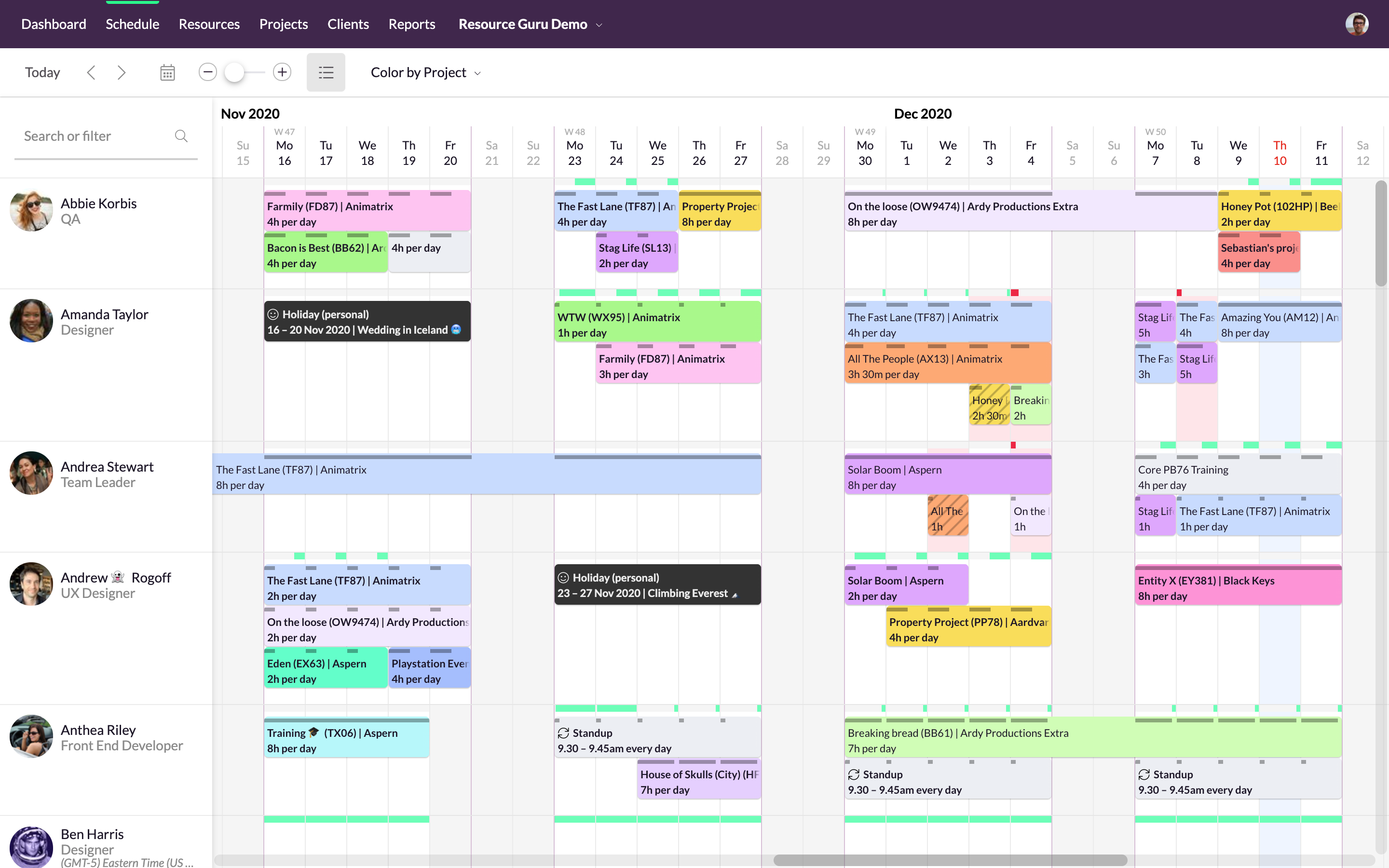
Resource Guru is presented as a fast, flexible way to schedule teams and projects. It enables users to: Manage people, equipment, and meeting rooms in one place Assign work, book time off, and edit schedules in seconds Track availability in real-time and avoid unrealistic workloads Keep a team up-to-date with personal dashboards and daily schedule emails Analyze utilization rates, clients, and projects for more accurate project forecasts and…
$6
per month
Trello
Score 8.4 out of 10
N/A
Trello from Atlassian is a project management tool based on a Kanban framework. Trello is ideal for task-management in a to-do list format. It supports sharing boards and cards across users or teams. The product offers a free version, and paid versions add greater automation, collaboration, and administrative control.
$6
per month per user
Pricing
Paypro Workforce ManagementResource GuruTrello
Editions & Modules
No answers on this topic
Grasshopper Plan
$6
per month
Blackbelt Plan
$9.60
per month
Master Plan
$14.40
per month
Standard
$6
per month per user
Premium
$12.50
per month per user
Enterprise
$17.50
per month per user
Free
Forever Free
Offerings
Pricing Offerings
Paypro Workforce ManagementResource GuruTrello
Free Trial
NoYesNo
Free/Freemium Version
NoNoYes
Premium Consulting/Integration Services
NoNoNo
Entry-level Setup FeeNo setup feeNo setup feeNo setup fee
Additional DetailsDiscount available for annual billing.A discount is offered for annual billing and for larger numbers of users.
More Pricing Information
Community Pulse
Paypro Workforce ManagementResource GuruTrello
Considered Multiple Products
Paypro Workforce Management
Chose Paypro Workforce Management
Paypro Workforce Management does stack up to other companies because of the customer service and the user-friendly, accessible website.
Chose Paypro Workforce Management
Paypro Workforce Management has much better reporting and data storage than Adams Keegan.
Chose Paypro Workforce Management
Better customer service.
Better understanding of my corporate environment.
More knowledgeable staff.
Chose Paypro Workforce Management
We used to use PayChex which we were not satisfied with and did not meet our needs.
Chose Paypro Workforce Management
Our company only uses the payroll and the time and attendance .
Chose Paypro Workforce Management
Payroll was a horror with ADP. There was never a smooth processing of data. It was almost impossible to get a rep on the phone and when I did - it took no less than an hour (or more) to get the issue resolved. Paypro is a smooth process from beginning to end. If I have a …
Chose Paypro Workforce Management
We investigated some lower-cost SMB solutions but for the most part, the absence of a strong support team just wasn’t worth it.
Chose Paypro Workforce Management
We looked at a number of solutions. To us, Paypro simply had everything we needed at a fair price, and they've been easy to deal with from the sale, implementation and customer service.
Chose Paypro Workforce Management
We have used in-house systems, ADP Total Source, and Valiant Services. This system, in my opinion, is more user-friendly and faster than others. We have more control on our end to process with flexibility that other systems just did not offer.
Chose Paypro Workforce Management
PayPro is very good at customer service. I love the one to one relationship I have with PayPro. When it comes to dealing with Vendors relationships are tricky. Customer service is a HUGE factor and PayPro excels at that! Previous Vendors could care less about our needs. We …
Chose Paypro Workforce Management
Used ADP TotalSource prior to Workforce. Customer service was not ideal and nickle and dimed everything. I used Paychex Flex at my previous location. Report writing was much easier and less cumbersome with Paychex.
Chose Paypro Workforce Management
Paypro is a million times better in every way than Paychex. I think ADP is more widely used. I had only ever used it for payroll and timesheets, so I think Paypro is equal to ADP in regards to those components. The positive of using Paypro over ADP, I think, would be the …
Resource Guru
Chose Resource Guru
Other software are not very good when we need to check which resource spent how much time on which project, we can use this single tool for resource management as well as event scheduling. At the end of the year, we can evaluate resources based on who worked on which technology …
Chose Resource Guru
Resource Guru is the only product of it's kind that I have used regularly. Slack is comparable in allowing communication between teams, but doesn't have nearly the functionality of Resource Guru. Resource Guru is the only product that I am aware of that manages tasks and …
Trello
Chose Trello
I've tried using an agenda, making tasks in the Google Calendar, copy the Trello organization in Notion. But I can say confidently, that nothing beats how nicely and attractive Trello looks. It's not only visually appealing, but it's super easy to use and great to have a follow …
Chose Trello
Our business ended up using Monday due to the holistic nature of the tool. It allows us to collaborate amongst teams and see the project as a whole easier. Trello is for personal usage and task management. I use Monday to organize my overarching needs, and then put specific …
Chose Trello
I don't feel that Trello stacks up to these other tools as well. I used to use Trello much more in the past and, over the last 5 years, have consistently used it less and less because it is easier to stay within the workflow of the tools I listed above.
Chose Trello
Okay, I have to say that at the organization where I work, we completely switched from Trello to Monday.com, and it wasn't an easy decision. As I've mentioned throughout this review, I think Trello works perfectly for small and medium-sized businesses and/or entrepreneurs …
Chose Trello
We actually use both in our company. I personally prefer Slack just because I feel like it gives me more avenues of communication with my peers and coworkers then Trello does.
However, Slack would fail to meet our business requirements for what we need to succeed with new …
Chose Trello
Ease of adaption for small startups.
Chose Trello
Trello is more visual than Todoist and MS To Do. For me, the major advantage of Trello is its functionality around creating Kanban Boards—there is not the same flexibility or options in either of the other two products. I was also able to seek advice from colleagues who were …
Chose Trello
Asana is awesome but it comes with a price. For a startup pricing hurts. ClickUp is so vast and has a lot of areas to get lost in, if you don't set some standards there are many ways to do it wrong. Slack is just a communication platform, you can collaborate and stuff but not …
Chose Trello
Trello is more simple and not as "robust" as the other tools, but it's easier to use and manage and understand and ACTUALLY get stuff done with. It's simplicity is part of the beauty of using it. You don't need a million options that nobody uses, you just need to get stuff done.
Chose Trello
We found that those software, while they included Kanban boards, offered a lot more features. Our tickets tended to get lost and it was harder to navigate through. Our Product team didn't particularly like how they functioned as much.
Chose Trello
Trello won becuase of the easy drag and drop feature that makes it simple for team members to jump on and use from day one. That said, Asans has way more features and for a tech-savvy person it would be the choice; it is still user-friendly. While it has a steeper learning …
Chose Trello
Trello provides precise goal setting, targets, and activity tracking with minimal human intervention, while Trello provides tags and tasks to add users and communicate visual task organization. Trello also offers real-time updates, team collaboration, and project progress …
Chose Trello
Easier to use and easier to integrate with 3rd party software. Better design and we don't need to build everything from scratch.
Chose Trello
For our purposes and my role in the business, Trello is simpler and easier to use. I found Jira very hard to navigate to individual projects, and the process of creating a card was very time-consuming. That said, I think Jira performs a number of roles that Trello doesn't, and …
Chose Trello
Trello offers wide range of features even for free users which other vendors rarely offers.
Chose Trello
I have been able to use the free version of Trello for many years and for the free version, this platform offers incredible value. I have not yet found such value in other free versions of similar platforms. This platform is also very easy to use as a first time user.
Chose Trello
Trello is more in-depth and task-driven, whereas 15Five is more accountable and has personal weekly goals and accomplishments. Trello can be divided up to allow others to do the listed task, and all employees work together to accomplish and complete each required ticket/card …
Chose Trello
We are still transitioning into using Trello but used ActiveCollab in the past for our website management and projects. I do like the layout of Trello better and feel that the notifications work well.
Chose Trello
I also use Whatsapp chat as a task management tool. Whatsapp group chat is very convenient for assigning tasks and making follow-ups. Trello currently lacks here. Whatsapp chat is also way more handy and user-friendly than Trello, because of its better interface and engagement. …
Chose Trello
Atlassian Jira Align (formerly AgileCraft)
Chose Trello
Trello offers more functionality and features for use before forcing you to purchase.
Chose Trello
Trello is convenient for tasks management of the team, there are columns, additional tools, and integrations. Regular to-do lists are better to add routine tasks that you need to do daily. In Trello, It is convenient to add small projects or add smaller tasks for a big project …
Chose Trello
Trello is better than Gitlab CI and other tools because it provides a very simple way of managing project with just lists and draggable components. Also, thanks to Mobile version, it is really easy for a team lead to manage his projects at anytime of a day. So I widely …
Chose Trello
Trello has a better and easy UI, very quick learning curve. Flexibility to add plugins.
Features
Paypro Workforce ManagementResource GuruTrello
Project Management
Comparison of Project Management features of Product A and Product B
Paypro Workforce Management
-
Ratings
Resource Guru
8.8
Ratings
13% above category average
Trello
8.5
Ratings
10% above category average
Resource Management00 Ratings8.90 Ratings9.20 Ratings
Scheduling00 Ratings8.60 Ratings8.90 Ratings
Team Collaboration00 Ratings9.00 Ratings8.90 Ratings
Task Management00 Ratings00 Ratings9.50 Ratings
Gantt Charts00 Ratings00 Ratings7.30 Ratings
Workflow Automation00 Ratings00 Ratings8.10 Ratings
Support for Agile Methodology00 Ratings00 Ratings8.90 Ratings
Support for Waterfall Methodology00 Ratings00 Ratings7.70 Ratings
Document Management00 Ratings00 Ratings8.20 Ratings
Email integration00 Ratings00 Ratings7.50 Ratings
Mobile Access00 Ratings00 Ratings9.20 Ratings
Timesheet Tracking00 Ratings00 Ratings9.00 Ratings
Change request and Case Management00 Ratings00 Ratings8.60 Ratings
Budget and Expense Management00 Ratings00 Ratings7.40 Ratings
Professional Services Automation
Comparison of Professional Services Automation features of Product A and Product B
Paypro Workforce Management
-
Ratings
Resource Guru
8.0
Ratings
4% above category average
Trello
6.5
Ratings
17% below category average
Project & financial reporting00 Ratings8.00 Ratings6.80 Ratings
Quotes/estimates00 Ratings00 Ratings7.00 Ratings
Invoicing00 Ratings00 Ratings6.40 Ratings
Integration with accounting software00 Ratings00 Ratings5.80 Ratings
Best Alternatives
Paypro Workforce ManagementResource GuruTrello
Small Businesses
When I Work
When I Work
Score 6.0 out of 10
Stackby
Stackby
Score 8.9 out of 10
Stackby
Stackby
Score 8.9 out of 10
Medium-sized Companies
When I Work
When I Work
Score 6.0 out of 10
InEight
InEight
Score 8.2 out of 10
InEight
InEight
Score 8.2 out of 10
Enterprises
Hubstaff
Hubstaff
Score 9.4 out of 10
InEight
InEight
Score 8.2 out of 10
InEight
InEight
Score 8.2 out of 10
All AlternativesView all alternativesView all alternativesView all alternatives
User Ratings
Paypro Workforce ManagementResource GuruTrello
Likelihood to Recommend
9.0
(0 ratings)
8.0
(0 ratings)
9.3
(0 ratings)
Likelihood to Renew
10.0
(0 ratings)
-
(0 ratings)
10.0
(0 ratings)
Usability
9.0
(0 ratings)
-
(0 ratings)
9.3
(0 ratings)
Availability
-
(0 ratings)
-
(0 ratings)
10.0
(0 ratings)
Performance
-
(0 ratings)
-
(0 ratings)
10.0
(0 ratings)
Support Rating
8.0
(0 ratings)
-
(0 ratings)
9.9
(0 ratings)
In-Person Training
-
(0 ratings)
-
(0 ratings)
10.0
(0 ratings)
Implementation Rating
10.0
(0 ratings)
-
(0 ratings)
8.0
(0 ratings)
Configurability
-
(0 ratings)
-
(0 ratings)
5.0
(0 ratings)
Product Scalability
-
(0 ratings)
-
(0 ratings)
10.0
(0 ratings)
Vendor post-sale
-
(0 ratings)
-
(0 ratings)
10.0
(0 ratings)
User Testimonials
Paypro Workforce ManagementResource GuruTrello
Likelihood to Recommend
Paypro Workforce Management has custom report building that is easy to use and manipulate for data you need to pull. The onboarding system is overly complicated and not user friendly. Workflows are overly complicated and a workflow for PAFs is non-existent, causing our company to have to use paper PAF forms.
Read full review
We can efficiently use available resources by scheduling them on resource Guru for the successful completion of a project. We can check resource, project, and client-wise reports to see statistics. Sometimes it feels like we are micromanaging the things that can have a negative impact on the overall team, they can do integration with advanced communication tools like teams and zoom to make things easy.
Read full review
Trello is great for cross-team communication and intra-team organization. It's simple to get setup, with flexible tools that give businesses control over how to make Trello work the best for them. It is an amazing platform for operations tracking, project management, and even organizing customer service requests for a smaller business.
Read full review
Pros
  • Reports, building/adding to reports, and exporting to Excel was a plus
  • The search bar was always on the screen to search any employee--very accessible
  • Viewing employee information and pay history was very accessible and can be customized
  • Entering payroll was very user friendly, easy, and had warnings--different reports to view before sending
Read full review
  • Task tracking: allows user to input tasks which may be marked off as finished by other members of the team.
  • Time tracking: allows users to log the amount of time spent on particular tasks.
  • Cross team management: allows users from different locations and time zones to view the same page and relevant tasks.
Read full review
  • Helps track employees "to do before hire", "to do after hired," and "to do when employee leaves"
  • Provides important information on each employee like personal information along with data collected during the time of hire and during employment time
  • Allows more than one person to be assigned to a task per employee and will remain open until everyone involved has completed their task
Read full review
Cons
  • Report Writing: Canned reports are antiquated like a dinosaur. Users should be able to design their own reports like all other systems. Click and it's there. Currently, it's not at all what it can be.
  • Very rigid with contract: meaning when a rule change and/or policy has changed the company is charged in order to make the change.
  • Integration within the system. There are times when you change the information in the system then it randomly changes another section.
Read full review
  • They can have integration with MS teams, zoom, etc
  • Can provide facility to send email to the group
  • Can provide facility to arrange events according to priority
Read full review
  • I use colour coding a lot so I would like a wider range of colour options.
  • Also as a visual thinker I would like to be able to easily add images to cards.
  • I would like to be able to attach a wider range of file formats to cards.
Read full review
Likelihood to Renew
We are very happy with the product, our experiences using the product, and the continued support that we have received from the Paypro staff. We fully intend to keep our relationship with Paypro on solid ground. We are not considering replacing this product.
Read full review
No answers on this topic
I am very likely to renew Trello, because it doesn't cost anything to do so. I am also very likely to use Trello's upgraded features in the future because a lot of my team's data is stored on there and they have already gotten used to the platform. Trello is very easy for new team members to pick up, making the onboarding and usability very streamlined.
Read full review
Usability
The system is very thorough, has an efficient layout, and is very user-friendly. It can handle massive amounts of data and spit it out in manageable and useful chunks. We obtain tons of workable data from the various reports that the system can provide us. When it comes to payroll and HR, it can handle everything that you need.
Read full review
No answers on this topic
I am technology illiterate, it's my Achilles heel and this program is so easy to use. I have been utilizing it for a decade now. It makes organizing and prioritizing my life, my work, my business, my kids life, etc so much more manageable and without having to hold on to a bunch of into in my head. I can find it and locate it quickly and easily in Trello.
Read full review
Reliability and Availability
No answers on this topic
yes always support available when I need it!
Read full review
Performance
No answers on this topic
Never experienced issues with the above!
Read full review
Support Rating
Support has been amazing from day one! As an organization, we have challenged PayPro with some unique requests and every time they have figured out how to accommodate the request and make it work. Not to say they get it right on the first try but they work any issues all the way through until they get it right.
Read full review
No answers on this topic
I haven't had much need to contact their support because the product is easy to use and pretty bug-free. I did reach out to them about swimlanes and I was able to find the information I needed very quickly and it was thorough and accurate information about current functionality. I love that they use their own product. That's always a good sign.
Read full review
In-Person Training
No answers on this topic
It was helpful and informative! It was back before the pandemic in 2019 so I'm not sure if they still do it but I really enjoyed the experience
Read full review
Implementation Rating
The Paypro team was organized, professional, kept you on the budgeted timeline, followed up, was patient, experienced and truly cared. You would never think there were understaffed!
Read full review
No answers on this topic
For our small business, getting a few of us started well on Trello was the key, I think. As long as a couple of us were really comfortable with the interface, we could lead others and help them with any questions. From now on, anyone who works with us just naturally uses Trello for information sharing - it's just part of what we do.
Read full review
Alternatives Considered
Payroll was a horror with ADP. There was never a smooth processing of data. It was almost impossible to get a rep on the phone and when I did - it took no less than an hour (or more) to get the issue resolved. Paypro is a smooth process from beginning to end. If I have a problem I send an email or call a member from out dedicated team and the issue is taken care of quickly.
Read full review
Resource Guru is the only product of it's kind that I have used regularly. Slack is comparable in allowing communication between teams, but doesn't have nearly the functionality of Resource Guru. Resource Guru is the only product that I am aware of that manages tasks and deadlines between various team members, and can be accessed by all members.
Read full review
Our business ended up using Monday due to the holistic nature of the tool. It allows us to collaborate amongst teams and see the project as a whole easier. Trello is for personal usage and task management. I use Monday to organize my overarching needs, and then put specific tasks into Trello to stay organized.
Read full review
Scalability
No answers on this topic
Feels like anyone across the org (no matter their location) can use the tool easily!
Read full review
Return on Investment
  • Workforce save time in processing . The company can manage the payroll , process by one employee. The company used to have two employees to split the whole company dept; now one employee can manage the whole process.
  • It's cheaper than other payroll company.
Read full review
  • Seamless scheduling of people and meetings.
  • Missing deadlines at work is a thing of the past.
  • Easier management of workloads and projects.
Read full review
  • It's been an essential tool for our onboarding team. We wouldn't be able to operate without it.
  • It's been a very affordable investment for our team as well since we still use the free version.
  • We have had a negative return in the fact that there aren't any reporting tools within the app. We have to spend time tracking certain elements manually.
Read full review
ScreenShots

Resource Guru Screenshots

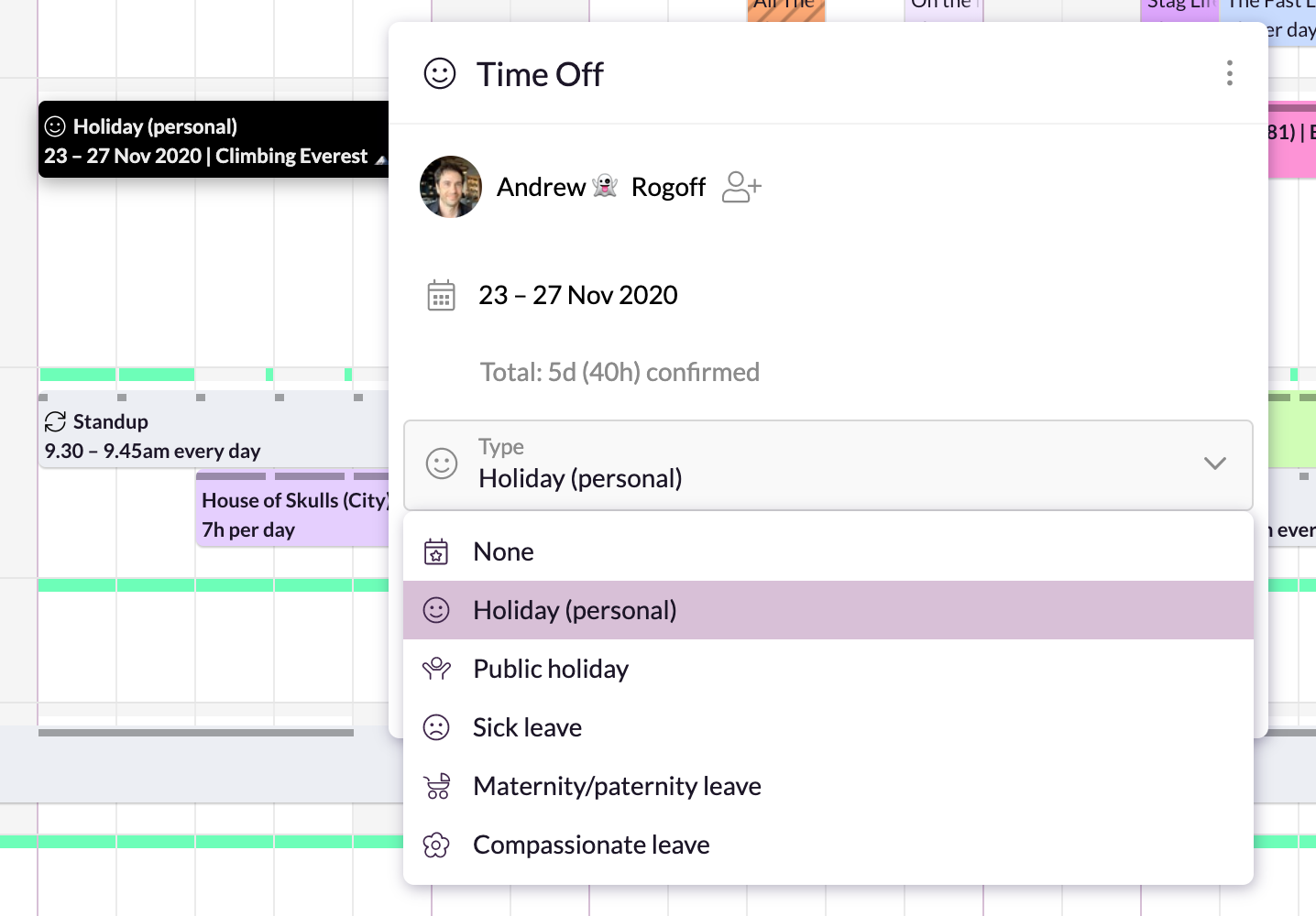
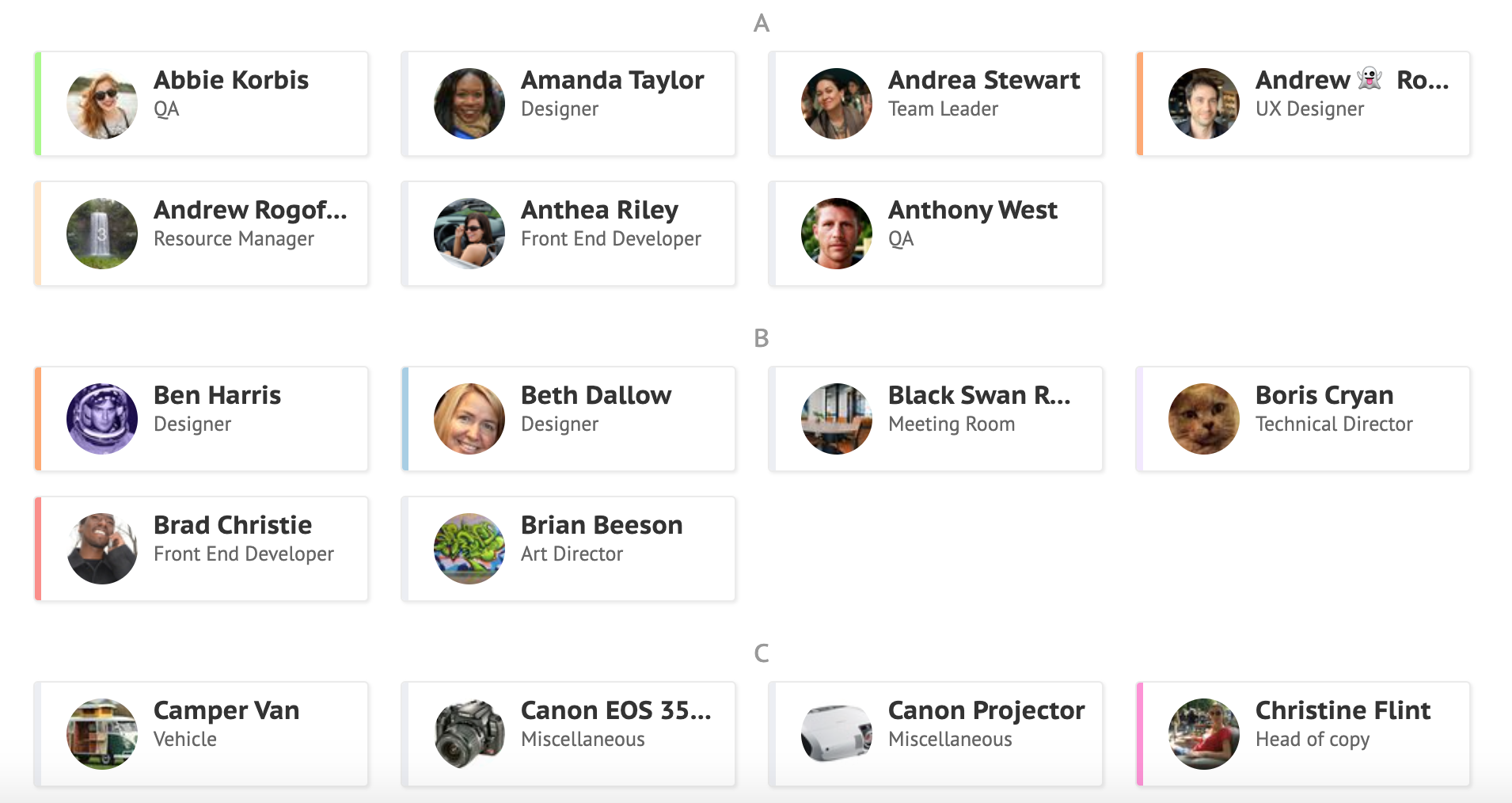
Screenshot of Simple, drag-and-drop schedulingScreenshot of Focus in on specific groups of resourcesScreenshot of Helps with utilization and capacity managementScreenshot of Manages sick days, holidays, and any other types of time off.Screenshot of A single resource poolScreenshot of Repeats weekly, fortnightly, monthly and yearly