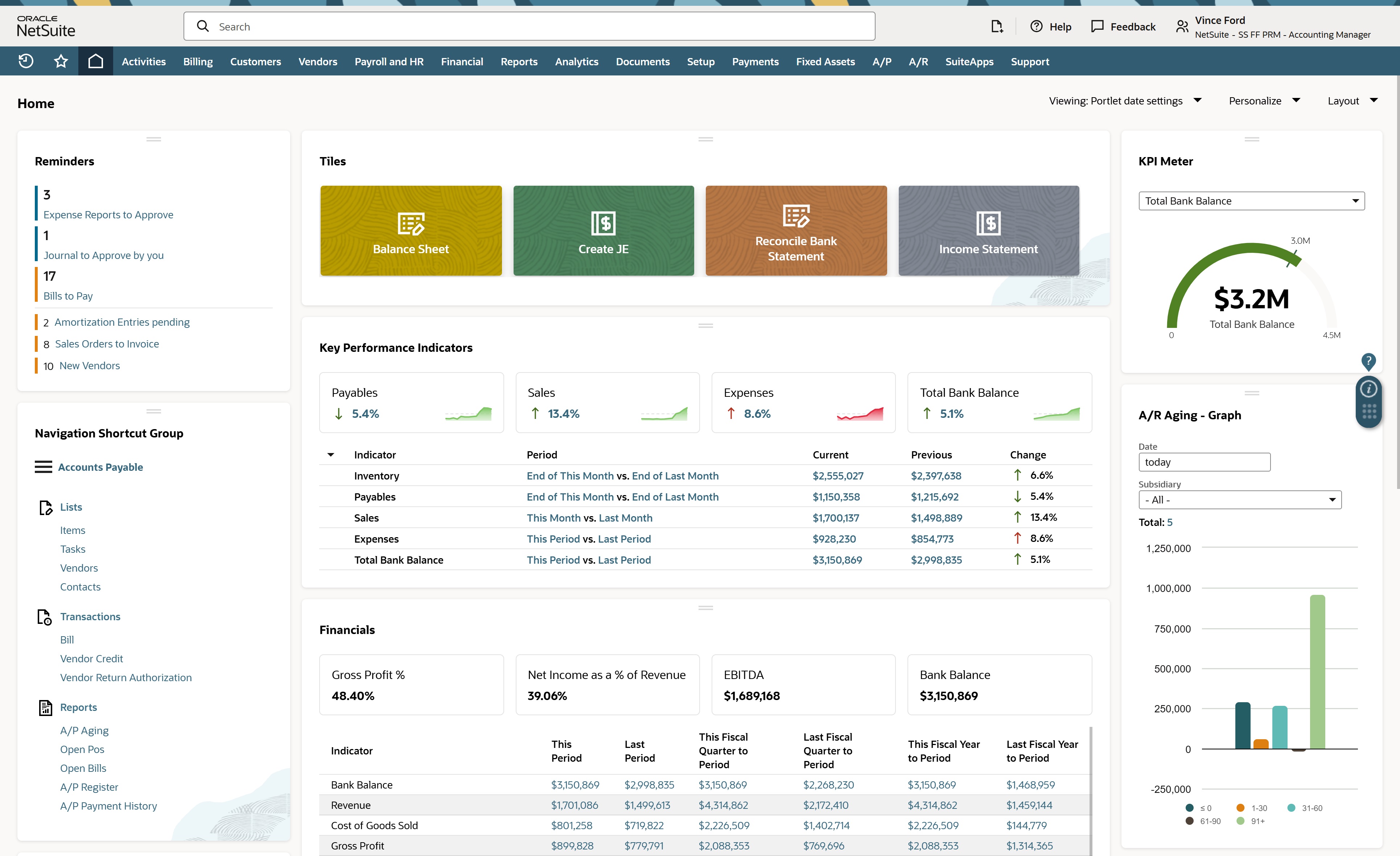
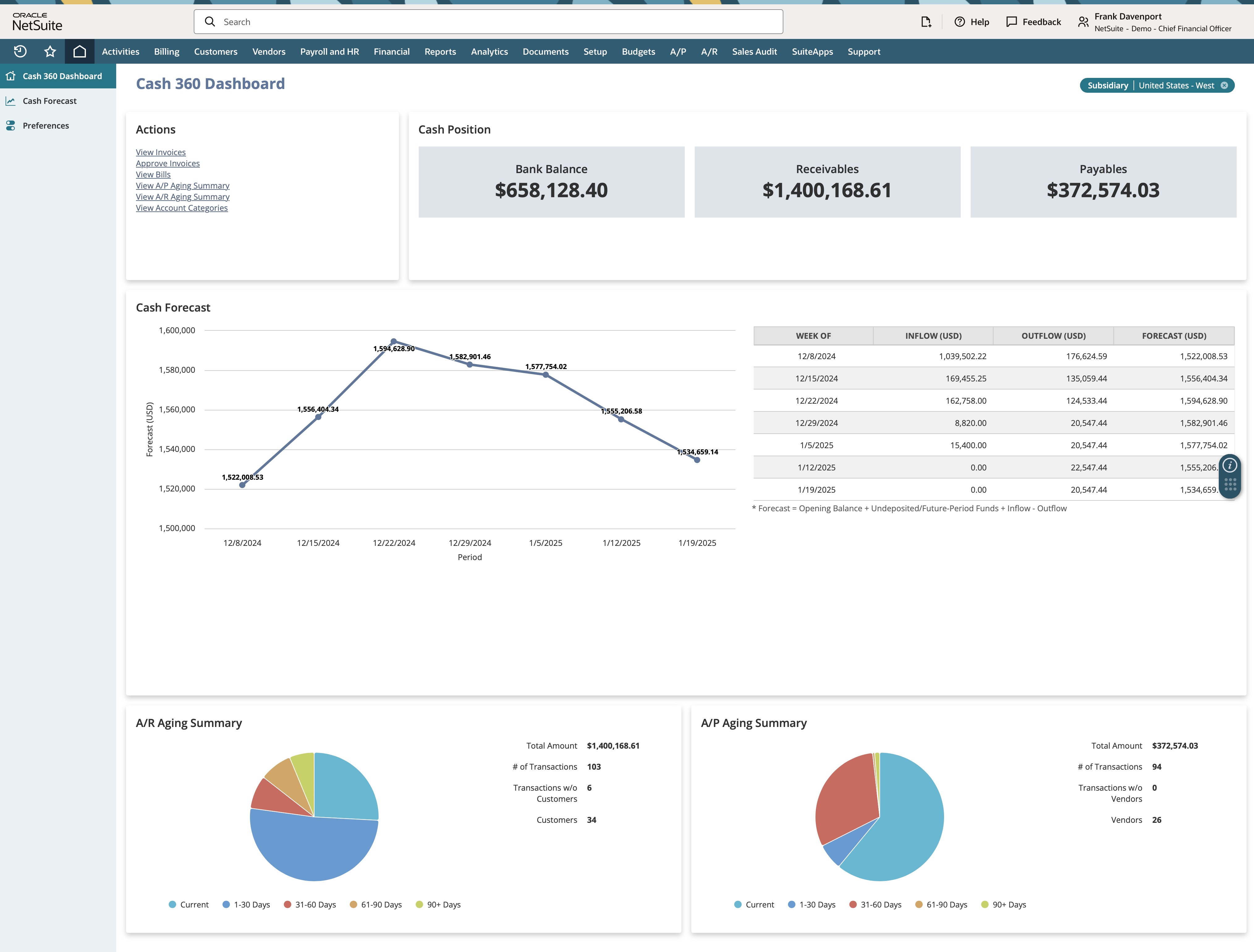
NetSuite is a suite of ERP and accounting modules which is sold in various editions aimed at different size customers. The multi-country, multi-currency version is an additional module called OneWorld. Netsuite is a SaaS system and is not offered in an on-premise edition.
N/A
QuickBooks Desktop Enterprise
Score7.8 out of 10
N/A
QuickBooks Desktop Enterprise is a widely-used accounting package designed for small to mid-sized businesses. It is the top of the QuickBooks line. Pricing starts at $3,000 for five users, and goes up depending on the number of additional users. They also offer an Advanced Inventory module for $999 / year.
$1,703
per year per user
Pricing
NetSuite ERP
QuickBooks Desktop Enterprise
Editions & Modules
No answers on this topic
Diamond
$447
per month per user
Diamond with Remote Access
$513
per month per user
Gold
2,210.00
per year per user
Platinum
2,717.00
per year per user
Gold with Remote Access
3,000.00
per year per user
Platinum with Remote Access
3,504.00
per year per user
Offerings
Pricing Offerings
NetSuite ERP
QuickBooks Desktop Enterprise
Free Trial
No
No
Free/Freemium Version
No
No
Premium Consulting/Integration Services
No
No
Entry-level Setup Fee
No setup fee
No setup fee
Additional Details
Users subscribe to NetSuite for an annual license fee. The license is made up of three main components: core platform, optional modules and the number of users. There is also a one-time implementation fee for initial setup. New modules and users and can be added as a business grows.
Controller in Finance and Accounting at Sunset Technologies (Computer Networking, 51-200 employees)
Chose NetSuite ERP
In my opinion, QuickBooks Desktop Enterprise edition has better accounting functionality than NetSuite ERP and can handle both cash and accrual reporting on even the most basic edition. I think NetSuite ERP provides some better functionality than Intacct but again doesn't …
A de minimis incentive was given to thank the reviewer for their time. The incentive was not used to bias or drive a particular response, nor was the incentive contingent on a positive endorsement. TR verified that a representative sample of customers was invited. More Info
Verified User
Chose NetSuite ERP
In my prior positions, I used several Sage and QuickBooks products, and NetSuite is head and tail above them. If you are an accountant, you really get what you pay for. You can build a lot of control around users and locking periods, plus you have the flexibility to easily …
A de minimis incentive was given to thank the reviewer for their time. The incentive was not used to bias or drive a particular response, nor was the incentive contingent on a positive endorsement. More Info
Verified User
Chose NetSuite ERP
There comes a point where companies outgrow QuickBooks due to the lack of dimensions, limited reporting, data integrity on prior periods, controls over user access and manipulation levels. However, Oracle and SAP type solutions are likely in the millions of dollars to acquire …
A de minimis incentive was given to thank the reviewer for their time. The incentive was not used to bias or drive a particular response, nor was the incentive contingent on a positive endorsement. TR verified that a representative sample of customers was invited. More Info
Verified User
Chose NetSuite ERP
QuickBooks Online is, by far, a better and easier-to-use product for smaller companies. Only switch to Netsuite if you have to. We switched to NetSuite because we have numerous subsidiaries, and QuickBooks would not be able to handle the complexity.
A de minimis incentive was given to thank the reviewer for their time. The incentive was not used to bias or drive a particular response, nor was the incentive contingent on a positive endorsement. TR verified that a representative sample of customers was invited. More Info
Assistant Manager F &A in Finance and Accounting at Escalon Business Services LLC (Accounting, 501-1000 employees)
Chose NetSuite ERP
NetSuite ERP is one of the big player in accounting software. I have good working experience with this software. it helps us to do more smart work instead of hard work. Provide more features and making business numbers easy and accurate. Along with that if helps us in many ways …
A de minimis incentive was given to thank the reviewer for their time. The incentive was not used to bias or drive a particular response, nor was the incentive contingent on a positive endorsement. TR verified that a representative sample of customers was invited. More Info
Verified User
Chose NetSuite ERP
NetSuite ERP was built to be cloud based which was very important for my team working remotely. The ability to customize how it tracked inventory across as many locations as you want was also a big improvement. I also really appreciated the bank integration, when it worked, …
A de minimis incentive was given to thank the reviewer for their time. The incentive was not used to bias or drive a particular response, nor was the incentive contingent on a positive endorsement. TR verified that a representative sample of customers was invited. More Info
Verified User
Chose NetSuite ERP
While I wasn't directly involved in decision-making when our company selected NetSuite ERP (I was not yet with the company), I can provide insight into why it was chosen over other options. NetSuite ERP stood out from others at the time due to its comprehensive nature and …
A de minimis incentive was given to thank the reviewer for their time. The incentive was not used to bias or drive a particular response, nor was the incentive contingent on a positive endorsement. TR verified that a representative sample of customers was invited. More Info
Director of Finance and Business Operations in Finance and Accounting at Techbrew Robotics Inc (Industrial Automation, 11-50 employees)
Chose NetSuite ERP
Well, the reason why I'm with NetSuite is because obviously it beats out those other options quite considerably. It gave us the whole ecosystem that gave us everything we needed. I didn't need a dedicated administrator whose full-time job is to deal with it like our current …
A de minimis incentive was given to thank the reviewer for their time. The incentive was not used to bias or drive a particular response, nor was the incentive contingent on a positive endorsement. More Info
Manager, Financial Systems in Finance and Accounting at SageView Advisory Group (Financial Services, 201-500 employees)
Chose NetSuite ERP
for the price point and that would handle our usage billing needs Sage Intacct was the only option that competed -- visually and some key feature like saved searches/export, reporting and NSPB pushed NetSuite about Sage -- but overall we liked and trusted the sales team at …
A de minimis incentive was given to thank the reviewer for their time. The incentive was not used to bias or drive a particular response, nor was the incentive contingent on a positive endorsement. More Info
ERP Admin in Information Technology at Monolith materials (Mechanical Or Industrial Engineering, 201-500 employees)
Chose NetSuite ERP
Happy with the switch from QB to NetSuite, way better experience, NetSuite was selected by our compAny prior to starting so I didn't have a say in that. NetSuite is a much better solution than fish bowl which we have had a bad experience with. Zoho CRM hasn't been replaced yet …
A de minimis incentive was given to thank the reviewer for their time. The incentive was not used to bias or drive a particular response, nor was the incentive contingent on a positive endorsement. More Info
Verified User
Chose NetSuite ERP
NetSuite is a good source of information and holds its own with the other ERP systems I have used. There are some advantages and some disadvantages, but being able to grow our company using NetSuite has been very helpful and we will continue to use the software and implement …
A de minimis incentive was given to thank the reviewer for their time. The incentive was not used to bias or drive a particular response, nor was the incentive contingent on a positive endorsement. More Info
Verified User
Chose NetSuite ERP
NetSuite ERP is user friendly and allows for us to implement and deploy solutions without much help from the IT department. It also is a "fluid" solution that utilizes a relational database which allows for transactions and records to be connected.
A de minimis incentive was given to thank the reviewer for their time. The incentive was not used to bias or drive a particular response, nor was the incentive contingent on a positive endorsement. TR verified that a representative sample of customers was invited. More Info
Controller in Finance and Accounting at Libertana (Health, Wellness and Fitness, 501-1000 employees)
Chose NetSuite ERP
Really a game changer when it comes to simplifying our accounting process. The ability to handle multi subsidiary and do consolidated reporting on those as well has been a huge life saver for my accounting team and our company as a whole. We really outgrew quickbooks and look …
A de minimis incentive was given to thank the reviewer for their time. The incentive was not used to bias or drive a particular response, nor was the incentive contingent on a positive endorsement. More Info
A de minimis incentive was given to thank the reviewer for their time. The incentive was not used to bias or drive a particular response, nor was the incentive contingent on a positive endorsement. TR verified that a representative sample of customers was invited. More Info
Verified User
Chose NetSuite ERP
SyteLine is actually worse -- that's what you get for HTML1 based systems. We outgrew QuickBooks, so NetSuite is more comprehensive.
A de minimis incentive was given to thank the reviewer for their time. The incentive was not used to bias or drive a particular response, nor was the incentive contingent on a positive endorsement. More Info
Accountant/Billing/ERP System Admin in Finance and Accounting at SentriLock, LLC (Real Estate, 51-200 employees)
Chose NetSuite ERP
NetSuite solved a lot of issues we had with Quickbooks but also took away some functionality as well.
Intuit
Verified User
Chose QuickBooks Desktop Enterprise
NetSuite ERP is a nice system since it is cloud-based. Although the reporting capabilities for NetSuite ERP are much for robust, it can be very daunting to use since there are so many fields to choose from, many of which are hard to distinguish. Having 6 memo fields to choose …
A de minimis incentive was given to thank the reviewer for their time. The incentive was not used to bias or drive a particular response, nor was the incentive contingent on a positive endorsement. More Info
A de minimis incentive was given to thank the reviewer for their time. The incentive was not used to bias or drive a particular response, nor was the incentive contingent on a positive endorsement. TR verified that a representative sample of customers was invited. More Info
A de minimis incentive was given to thank the reviewer for their time. The incentive was not used to bias or drive a particular response, nor was the incentive contingent on a positive endorsement. TR verified that a representative sample of customers was invited. More Info
Verified User
Chose QuickBooks Desktop Enterprise
This is a long list, and every program has it's pros and cons. Ultimately we chose Quickbooks because of simplicity, 3rd party integrations, and cost.
A de minimis incentive was given to thank the reviewer for their time. The incentive was not used to bias or drive a particular response, nor was the incentive contingent on a positive endorsement. TR verified that a representative sample of customers was invited. More Info
Accountant in Finance and Accounting at Brooklyn Bedding (Furniture, 201-500 employees)
Chose QuickBooks Desktop Enterprise
Both platforms were pretty similiar, I liked that QuickBooks seems to have a longer customer base, so I think it was more thought out in terms of functionality.
A de minimis incentive was given to thank the reviewer for their time. The incentive was not used to bias or drive a particular response, nor was the incentive contingent on a positive endorsement. TR verified that a representative sample of customers was invited. More Info
Controller in Finance and Accounting at Sunset Technologies (Computer Networking, 51-200 employees)
Chose QuickBooks Desktop Enterprise
Quickbooks Desktop Enterprise is much better than either Intacct or NetSuite. The only issue is the lack of Multi-entity support with QB, and needing a better inventory solution. if you don't need that, stick with Quickbooks.
A de minimis incentive was given to thank the reviewer for their time. The incentive was not used to bias or drive a particular response, nor was the incentive contingent on a positive endorsement. More Info
Verified User
Chose QuickBooks Desktop Enterprise
Quickbooks was chosen as it provided the best features yet affordable prices. I, however, was not the person in charge of choosing Quickbooks. I would have chosen the software for the company if I were given the choice. We were previously a software company that sold …
A de minimis incentive was given to thank the reviewer for their time. The incentive was not used to bias or drive a particular response, nor was the incentive contingent on a positive endorsement. More Info
A de minimis incentive was given to thank the reviewer for their time. The incentive was not used to bias or drive a particular response, nor was the incentive contingent on a positive endorsement. More Info
Quickbooks Desktop Enterprise and NetSuite both provide a mix of accounting and resource planning capabilities. However, each product specializes in a distinct area. QuickBooks’s core function is an accounting product that offers additional ERP capabilities like inventory management, cost management, and some industry-specific capabilities. In contrast, NetSuite’s core identity is as an ERP product with a strong platform for accounting as well.
These specializations make each product ideal for unique company segments. QuickBooks Desktop Enterprise is better suited for smaller companies that have a greater need for accounting and payroll capabilities, with some lighter inventory management or other Enterprise Resource Planning (ERP) requirements. On the other hand, NetSuite serves as the go-to product for midsize businesses and small enterprises that want to centralize their accounting functions within their core ERP platform.
Features
Both QuickBooks Desktop Enterprise and NetSuite have strengths that speak to their target clients’ needs. These strengths further differentiate the two products.
NetSuite excels as a centralized ERP platform for SMBs who need to over-index on their resource planning capabilities. In particular, it gives midsize businesses order processing, inventory management, and other ERP functions that would otherwise be inaccessible to smaller organizations. It also has excellent customizable reporting capabilities that can be tailored to each organization’s needs.
QuickBooks Desktop Enterprise stands out for its core accounting and payroll capabilities. These features are very user friendly and accessible, lowering the management burden on smaller or less-specialized teams. Its payroll function in particular is beneficial for businesses that are labor-intensive, such as construction or manufacturing. The reporting on the platform is very easy to manage and customize as needed.
Limitations
Each product’s specialization also trades off with limitations in other areas.
NetSuite has been criticized for a more costly pricing structure for small businesses. It also requires more customization, which is a higher burden on less specialized teams. The payroll module is also not a native capability, but is instead outsourced to a Ceridian engine. The 3rd-party integration can add inefficiencies to payroll management.
In contrast, QuickBooks Desktop Enterprise has fewer features to serve ERP needs than some other products. Specifically, users have criticized the inventory management for not being as robust as they need. Some industry-specific features, such as job costing in construction, have also been glitchy or inconsistent for some users.
Pricing
QuickBooks Desktop Enterprise has 3 packages, each of which are sold either as a local license or through a cloud-based subscription. The Silver plan, at $1091.70/yr for local or $134/month for the hosted version, offers the core software, customer support, online backup storage, automatic upgrades, and reporting. The Platinum package, at $1746/yr for the local version or $189.80/month for the hosted version, adds on Inventory management, pricing, and bundled payroll. The Diamond package, at $3442.88/yr for the local version and $311.91/month for the hosted version, adds timesheets and a CRM connector.
NetSuite is priced by quote from the vendor.
Features
NetSuite ERP
QuickBooks Desktop Enterprise
Payroll Management
Comparison of Payroll Management features of NetSuite ERP and QuickBooks Desktop Enterprise
Feature
NetSuite ERP
1.1
15 Ratings
149% below category average
QuickBooks Desktop Enterprise
8.6
128 Ratings
13% above category average
Pay calculation
1.013 Ratings
9.0121 Ratings
Benefit plan administration
1.010 Ratings
7.873 Ratings
Direct deposit files
1.39 Ratings
9.0104 Ratings
Salary revision and increment management
00 Ratings
8.495 Ratings
Reimbursement management
00 Ratings
8.696 Ratings
Customization
Comparison of Customization features of NetSuite ERP and QuickBooks Desktop Enterprise
Feature
NetSuite ERP
9.2
74 Ratings
19% above category average
QuickBooks Desktop Enterprise
7.1
87 Ratings
6% below category average
API for custom integration
9.264 Ratings
8.269 Ratings
Plug-ins
9.947 Ratings
6.078 Ratings
Security
Comparison of Security features of NetSuite ERP and QuickBooks Desktop Enterprise
Feature
NetSuite ERP
9.7
81 Ratings
14% above category average
QuickBooks Desktop Enterprise
8.7
182 Ratings
6% above category average
Single sign-on capability
9.762 Ratings
9.0142 Ratings
Role-based user permissions
9.880 Ratings
8.3180 Ratings
Reporting & Analytics
Comparison of Reporting & Analytics features of NetSuite ERP and QuickBooks Desktop Enterprise
Feature
NetSuite ERP
9.9
72 Ratings
27% above category average
QuickBooks Desktop Enterprise
8.0
201 Ratings
2% above category average
Dashboards
9.971 Ratings
7.6171 Ratings
Standard reports
9.970 Ratings
8.7199 Ratings
Custom reports
9.970 Ratings
7.8191 Ratings
General Ledger and Configurable Accounting
Comparison of General Ledger and Configurable Accounting features of NetSuite ERP and QuickBooks Desktop Enterprise
Feature
NetSuite ERP
7.9
323 Ratings
2% above category average
QuickBooks Desktop Enterprise
7.8
206 Ratings
2% above category average
Accounts payable
8.4317 Ratings
8.7199 Ratings
Accounts receivable
8.4293 Ratings
8.1198 Ratings
Global Financial Support
9.926 Ratings
5.738 Ratings
Primary and Secondary Ledgers
9.928 Ratings
8.374 Ratings
Journals and Reconciliations
9.341 Ratings
9.0154 Ratings
Configurable Accounting
9.935 Ratings
8.3102 Ratings
Standardized Processes
9.937 Ratings
8.2114 Ratings
Cash management
00 Ratings
8.7181 Ratings
Bank reconciliation
00 Ratings
9.3194 Ratings
Expense management
00 Ratings
7.6182 Ratings
Time tracking
00 Ratings
6.794 Ratings
Fixed asset management
00 Ratings
7.3138 Ratings
Multi-currency support
00 Ratings
6.566 Ratings
Multi-division support
00 Ratings
7.7110 Ratings
Regulations compliance
00 Ratings
7.580 Ratings
Electronic tax filing
00 Ratings
7.2103 Ratings
Self-service portal
00 Ratings
7.380 Ratings
Intercompany Accounting
00 Ratings
8.296 Ratings
Localizations
00 Ratings
8.055 Ratings
Enterprise Accounting
00 Ratings
8.3103 Ratings
Centralized Rules Framework
00 Ratings
8.063 Ratings
Inventory Management
Comparison of Inventory Management features of NetSuite ERP and QuickBooks Desktop Enterprise
Feature
NetSuite ERP
9.1
48 Ratings
13% above category average
QuickBooks Desktop Enterprise
7.3
120 Ratings
0% above category average
Inventory tracking
10.047 Ratings
8.1116 Ratings
Automatic reordering
8.928 Ratings
7.961 Ratings
Location management
9.635 Ratings
6.876 Ratings
Manufacturing module
00 Ratings
6.660 Ratings
Order Management
Comparison of Order Management features of NetSuite ERP and QuickBooks Desktop Enterprise
Feature
NetSuite ERP
9.4
261 Ratings
17% above category average
QuickBooks Desktop Enterprise
7.6
150 Ratings
3% above category average
Pricing
9.953 Ratings
7.2111 Ratings
Order entry
8.1257 Ratings
7.5116 Ratings
Credit card processing
8.937 Ratings
7.1106 Ratings
Cost of goods sold
9.548 Ratings
8.0133 Ratings
Order Orchestration
9.921 Ratings
7.366 Ratings
End-to-end order visibility
00 Ratings
8.164 Ratings
Order exception Resolution
00 Ratings
8.150 Ratings
Subledger and Financial Process
Comparison of Subledger and Financial Process features of NetSuite ERP and QuickBooks Desktop Enterprise
Feature
NetSuite ERP
7.9
259 Ratings
5% above category average
QuickBooks Desktop Enterprise
-
Ratings
Billing Management
8.5248 Ratings
00 Ratings
Cash and Asset Management
9.927 Ratings
00 Ratings
Travel & Expense Management
9.831 Ratings
00 Ratings
Budgetary Control & Encumbrance Accounting
8.927 Ratings
00 Ratings
Period Close
9.935 Ratings
00 Ratings
Project Financial Management
Comparison of Project Financial Management features of NetSuite ERP and QuickBooks Desktop Enterprise
Feature
NetSuite ERP
6.6
32 Ratings
14% below category average
QuickBooks Desktop Enterprise
-
Ratings
Budgeting and Forecasting
6.026 Ratings
00 Ratings
Project Costing
6.023 Ratings
00 Ratings
Cost Capture
6.022 Ratings
00 Ratings
Capital Project Management
4.014 Ratings
00 Ratings
Customer Contract Compliance
9.913 Ratings
00 Ratings
Project Revenue Recognition
6.922 Ratings
00 Ratings
Project Execution Management
Comparison of Project Execution Management features of NetSuite ERP and QuickBooks Desktop Enterprise
Feature
NetSuite ERP
4.1
17 Ratings
53% below category average
QuickBooks Desktop Enterprise
-
Ratings
Project Planning and Scheduling
8.914 Ratings
00 Ratings
Task Insight for Project Managers
3.311 Ratings
00 Ratings
Project Mobile Functionality
3.010 Ratings
00 Ratings
Definable Resource Pools
3.68 Ratings
00 Ratings
Grants Management
Comparison of Grants Management features of NetSuite ERP and QuickBooks Desktop Enterprise
Feature
NetSuite ERP
3.1
12 Ratings
82% below category average
QuickBooks Desktop Enterprise
-
Ratings
Award Lifecycle Management
3.57 Ratings
00 Ratings
Procurement
Comparison of Procurement features of NetSuite ERP and QuickBooks Desktop Enterprise
Feature
NetSuite ERP
3.3
19 Ratings
73% below category average
QuickBooks Desktop Enterprise
-
Ratings
Bids Analyzed and Compared
3.58 Ratings
00 Ratings
Contract Authoring
1.910 Ratings
00 Ratings
Contract Repository
3.58 Ratings
00 Ratings
Requisitions-to-Purchase Orders Integrated
3.613 Ratings
00 Ratings
Supplier Management
9.913 Ratings
00 Ratings
Risk Management
Comparison of Risk Management features of NetSuite ERP and QuickBooks Desktop Enterprise
Feature
NetSuite ERP
3.1
11 Ratings
74% below category average
QuickBooks Desktop Enterprise
-
Ratings
Risk Repository
3.58 Ratings
00 Ratings
Control Management
1.911 Ratings
00 Ratings
Control Efficiency Assessments
3.57 Ratings
00 Ratings
Issue Detection
3.58 Ratings
00 Ratings
Remediation and Certification
3.58 Ratings
00 Ratings
Logistics
Comparison of Logistics features of NetSuite ERP and QuickBooks Desktop Enterprise
Feature
NetSuite ERP
3.1
17 Ratings
77% below category average
QuickBooks Desktop Enterprise
-
Ratings
Transportation Planning and Optimization
2.89 Ratings
00 Ratings
Transportation Execution Management
2.88 Ratings
00 Ratings
Trade and Customs Management
2.88 Ratings
00 Ratings
Fulfillment Management
9.914 Ratings
00 Ratings
Warehouse Workforce Management
2.511 Ratings
00 Ratings
Manufacturing
Comparison of Manufacturing features of NetSuite ERP and QuickBooks Desktop Enterprise
Feature
NetSuite ERP
9.4
16 Ratings
23% above category average
QuickBooks Desktop Enterprise
-
Ratings
Production Process Design
8.912 Ratings
00 Ratings
Production Management
8.914 Ratings
00 Ratings
Configuration Management
9.910 Ratings
00 Ratings
Work Execution
9.912 Ratings
00 Ratings
Manufacturing Costs
8.914 Ratings
00 Ratings
Supply Chain
Comparison of Supply Chain features of NetSuite ERP and QuickBooks Desktop Enterprise
Feature
NetSuite ERP
8.3
177 Ratings
12% above category average
QuickBooks Desktop Enterprise
-
Ratings
Forecasting
8.817 Ratings
00 Ratings
Inventory Planning
7.6174 Ratings
00 Ratings
Performance Monitoring
8.914 Ratings
00 Ratings
Product Lifecycle Management
Comparison of Product Lifecycle Management features of NetSuite ERP and QuickBooks Desktop Enterprise
NetSuite ERP is a very robust ERP. For a small business, it might be overkill and even too expensive. What I mean by this is that there are advanced functionalities that NetSuite ERP has, such as forecasting, warehouse management, and custom workflows, that are not necessary for a small business. However, as a business starts to grow, NetSuite ERP provides endless growth opportunity to meet a companies needs. We are still technically a small company of only 15 employees, but NetSuite ERP has the ability to help us grow and we will not outgrow NetSuite ERP. NetSuite ERP can handle financial tracking with P&L, tax calculations, shipping, vendor management, and so much more.
A de minimis incentive was given to thank the reviewer for their time. The incentive was not used to bias or drive a particular response, nor was the incentive contingent on a positive endorsement. More Info
QuickBooks Enterprise is great for managing our inventory, purchases and income as we receive it. We use it to help budget and plan our monthly purchases, as well as keep each location on track when it comes to their expenses. It's also used for payroll and timekeeping at each store.
A de minimis incentive was given to thank the reviewer for their time. The incentive was not used to bias or drive a particular response, nor was the incentive contingent on a positive endorsement. More Info
A de minimis incentive was given to thank the reviewer for their time. The incentive was not used to bias or drive a particular response, nor was the incentive contingent on a positive endorsement. TR verified that a representative sample of customers was invited. More Info
Updating as each transaction is posted means, in the event of a crash, power failure, whatever; all the posted transactions are securely in the data file and can be pulled up on another computer, if the computer being used crashes.
Reporting is generally user friendly, in that one can see the desired results by setting a few parameters for the report.
A de minimis incentive was given to thank the reviewer for their time. The incentive was not used to bias or drive a particular response, nor was the incentive contingent on a positive endorsement. TR verified that a representative sample of customers was invited. More Info
Wish we had the ability to track gallons. We are a truck stop and need to know how many gallons we buy and sell.
Matching up credits in Pay Bills can be challenging, especially if you make a mistake.
Wish in some of the reporting that it would automatically total some columns.
Downloading from the bank wish it would tell you the last time you downloaded and the dates you put in so you don't download the same information twice.
A de minimis incentive was given to thank the reviewer for their time. The incentive was not used to bias or drive a particular response, nor was the incentive contingent on a positive endorsement. TR verified that a representative sample of customers was invited. More Info
NetSuite is able to cover all of our needs, spanning multiple departments and managerial levels. We use it daily for a multitude of functions, including creating promotions, estimating inventory, pulling historical reports, forecasting sales, and more. Overall, we're very satisfied with NetSuite as an ERP solution and recommend it to medium to large businesses.
A de minimis incentive was given to thank the reviewer for their time. The incentive was not used to bias or drive a particular response, nor was the incentive contingent on a positive endorsement. TR verified that a representative sample of customers was invited. More Info
While QuickBooks Desktop Enterprise has been an amazing tool for many years, it seems it is getting phased out for QuickBooks Online. Intuit is decreasing the level of support it offers for QuickBooks Desktop in lieu of stronger support for QuickBooks Online. Although the desktop version is robust and helpful, it seems QBO is the way of the future for bookkeeping with QuickBooks.
A de minimis incentive was given to thank the reviewer for their time. The incentive was not used to bias or drive a particular response, nor was the incentive contingent on a positive endorsement. More Info
NetSuite is a cloud tool, and is easy to implement for mid-sized organizations. It comes with standard forms/ printing layouts, and financial reporting (both summary and detailed), which are very handy for business users. In addition to these, with 99.99% service availability, NetSuite makes it one of the most reliable ERP tools available on the market.
A de minimis incentive was given to thank the reviewer for their time. The incentive was not used to bias or drive a particular response, nor was the incentive contingent on a positive endorsement. More Info
QuickBooks provides all staff immediate access to the data in whatever form each person wants it. The balancing on entries prevents incorrect data entry on payables/receivables. Reports are easy to customize and save for future use. The records are easy to audit.
A de minimis incentive was given to thank the reviewer for their time. The incentive was not used to bias or drive a particular response, nor was the incentive contingent on a positive endorsement. TR verified that a representative sample of customers was invited. More Info
It has been very reliable. I can only think of 1-2 times in 4.5 years that we have had issues getting in, and in each case were able to get back in within 1 hour. There has not been a major downtime
Rating: 7 out of 10 We rate QuickBooks Desktop Enterprise's availability a 7 out of 10. For the most part, the software is dependable and available when we need it. When hosted on a properly managed local server or through a reputable third-party cloud provider, uptime is generally consistent, and routine day-to-day operations run smoothly. However, availability challenges do arise, particularly when accessing QuickBooks remotely or during periods of high system demand. Because it's a desktop-based solution, availability is highly dependent on our internal IT infrastructure. If our network goes down, a server needs maintenance, or if there’s an issue with a remote desktop connection, access to QuickBooks can be temporarily disrupted. These outages aren’t necessarily caused by QuickBooks itself, but they do impact our experience with availability. Additionally, we’ve occasionally experienced application errors, especially after updates or when working with large company files. While Intuit support is usually helpful in resolving these issues, they can still lead to frustrating delays—especially during critical periods like month-end closing or grant reporting deadlines. Planned maintenance, while infrequent, also affects availability, especially when using a hosted environment. Coordination with IT or hosting providers is sometimes needed to minimize downtime. Overall, QuickBooks Desktop Enterprise is a reliable tool, but its dependence on local infrastructure introduces more potential points of failure compared to cloud-native solutions. Enhancements in cloud-based access or hybrid models could significantly improve both accessibility and uptime. That said, with strong internal IT support or a reliable cloud hosting provider, the availability can easily rise to an 8 or 9.
A de minimis incentive was given to thank the reviewer for their time. The incentive was not used to bias or drive a particular response, nor was the incentive contingent on a positive endorsement. TR verified that a representative sample of customers was invited. More Info
Most of the time the performance is very good. Pages load in a few seconds; financial reports take less than 5 seconds; basic searches take a few seconds. But performance can be sporadic throughout the day and cause the run time to triple.
A de minimis incentive was given to thank the reviewer for their time. The incentive was not used to bias or drive a particular response, nor was the incentive contingent on a positive endorsement. More Info
I rate QuickBooks Desktop Enterprise's performance a 5 out of 10, mainly because while it’s functional for most routine tasks, it can lag significantly when handling complex operations, large data files, or during multi-user sessions. As our organization has grown, we’ve noticed that report generation—especially for customized or multi-dimensional reports—can be slow, sometimes taking several minutes to load or refresh. This impacts productivity, particularly during key financial cycles like audits, monthly closings, or grant reporting. Performance degradation is especially noticeable when multiple users are active in the system at the same time. Even with a solid server setup, there’s often a drop in responsiveness when more than a handful of users are generating reports or entering transactions concurrently. We’ve also experienced some slowdowns in third-party integrations, particularly when syncing with Vena Solutions or exporting data for use in external tools. While the integrations are valuable, they occasionally stall or require workarounds, adding friction to our workflows. In short, QuickBooks Desktop Enterprise delivers the basics well, but its performance limitations become more apparent in high-volume or complex use cases. It would benefit from better optimization for large datasets and faster processing for advanced reporting. Upgrades in system architecture—such as deeper support for cloud hosting or more efficient data handling—could significantly improve the user experience and move this rating closer to an 8.
A de minimis incentive was given to thank the reviewer for their time. The incentive was not used to bias or drive a particular response, nor was the incentive contingent on a positive endorsement. TR verified that a representative sample of customers was invited. More Info
I would like to give 8 rating for NetSuite support and reason for that is below: Whenever we faced any technical or functional issues we tried to reach out to NEtSuite support but response was not immediate. We told them about the urgency of the issue but still we were not getting response on time. Then, we have to reach out to AE to get things resolved.
A de minimis incentive was given to thank the reviewer for their time. The incentive was not used to bias or drive a particular response, nor was the incentive contingent on a positive endorsement. More Info
It takes a long time to get through to customer support. And sometimes you have to explain the situation multiple times before the rep actually understands the issue, but that's usually because the issue is complex and out of the ordinary. However, the rep is always patient, and will take as much time and effort as necessary to resolve whatever issue you're having. It's nice that they can "take over" your computer rather than having to talk you through the solution over the phone.
A de minimis incentive was given to thank the reviewer for their time. The incentive was not used to bias or drive a particular response, nor was the incentive contingent on a positive endorsement. More Info
I had in person training for a day when first got the software. The training was good. The challenge was that there was a large gap between training and when we went live so we forgot quite a lot
It is a very easy system to learn, so with the help it was even easier. QB is a good solid system, but it lacks some of the complexity other systems have. with QB you need to get additional modules to get the same functionality that other systems offer standard
A de minimis incentive was given to thank the reviewer for their time. The incentive was not used to bias or drive a particular response, nor was the incentive contingent on a positive endorsement. More Info
easy to learn system, specially with some kind of support. Just like with any other system, things get lot easier if you have guidance to lead you in your search for answers. having said that, QB is very easy to use and very easy to teach. you wont spend much time memorizing where to click.
A de minimis incentive was given to thank the reviewer for their time. The incentive was not used to bias or drive a particular response, nor was the incentive contingent on a positive endorsement. More Info
I felt NetSuite Professional Services did an excellent job of guiding us in the implementation. I also felt our internal teams were a little resistant to the change and engagement of new software. Had we performed better engaging and buying into the new software, I would be able to rate the implementation better. Therefore, the lower number should not be viewed as a deficiency with the software or the professional services teams, but as an reminder of how important complete buy-in from the local users is.
A de minimis incentive was given to thank the reviewer for their time. The incentive was not used to bias or drive a particular response, nor was the incentive contingent on a positive endorsement. More Info
If you're loading QuickBooks Enterprise Solutions onto a computer that you're going to directly log into, you should be able to do it yourself. If you are going to connect to a server through a network or remote connection, you should probably have a professional IT person set it up for you.
A de minimis incentive was given to thank the reviewer for their time. The incentive was not used to bias or drive a particular response, nor was the incentive contingent on a positive endorsement. More Info
NetSuite by far is the most expensive; However, compared to the 3 systems notated, the overall functionality, capability and reporting advantages make it my top choice for companies experiencing exponential growth across all departments. Its a best in class solution for just about any user.
A de minimis incentive was given to thank the reviewer for their time. The incentive was not used to bias or drive a particular response, nor was the incentive contingent on a positive endorsement. TR verified that a representative sample of customers was invited. More Info
We have selected this product as it is affordoable in terms of pricing and features too. Our clients is geeting lots of benefits by using this product. By using QuickBooks desktop client also manage the information realted to financials and also get the clear picture for the future by using the accounting information from this product.
A de minimis incentive was given to thank the reviewer for their time. The incentive was not used to bias or drive a particular response, nor was the incentive contingent on a positive endorsement. TR verified that a representative sample of customers was invited. More Info
We have been able to scale our business 25X without any major overhaul with Netsuite. Its dashboard setup makes onboarding new employees very easy and allows data to be shared across multiple offices. Its cloud setup does not put any pressure on IT to scale servers or other infrastructure. We have been able to become much more efficient in all aspects of the business.
I would rate QuickBooks Desktop Enterprise a 7 out of 10 for overall scalability. The product offers solid scalability features, particularly for small to mid-sized organizations like ours that are growing and need reliable multi-user access, enhanced data capacity, and cross-departmental functionality. It handles increasing transaction volumes and user growth quite well, especially with its support for up to 40 users and the ability to manage large lists (customers, vendors, accounts, etc.)—a significant improvement over QuickBooks Pro or Premier. Its role-based permissions system also allows us to assign tailored access by department or user level, which is essential for maintaining control and security across teams like finance, HR, and program management. Additionally, features like advanced reporting, inventory management, and class tracking have helped us better manage multiple programs or sites within one system. That said, the scalability still has some limits. For example, deploying the software across multiple physical locations or for remote teams requires additional IT infrastructure—such as hosting it on a third-party cloud server or setting up a VPN—which introduces cost and complexity. Also, while QuickBooks Desktop Enterprise can technically handle a high volume of data, performance can decline as the file size grows over time unless regular maintenance and optimization are done. In summary, QuickBooks Desktop Enterprise scales well within its designed range, particularly for growing nonprofits and NGOs. However, organizations with distributed teams or very large, complex operations may eventually find the system’s desktop-based architecture less agile compared to cloud-native ERP platforms. With enhancements to cloud integration and remote accessibility, this rating could easily increase.
A de minimis incentive was given to thank the reviewer for their time. The incentive was not used to bias or drive a particular response, nor was the incentive contingent on a positive endorsement. TR verified that a representative sample of customers was invited. More Info
NetSuite software has improved our process controls and enhanced cash management, especially in huge projects.
The software has helped us with budgeting, forecasting, and real-time financial reporting.
Introduction of NetSuite ERP into our organisation has completely changed the way we do things by enhancing compliance, ensuring real-time project milestone tracking, and enabling portfolio management.
Good value for the price. The initial setup was quick and easy.
When properly set up and processes are followed it's decent at managing inventory which is something we had problems with. Have to have a dedicated employee to builds.
Rolling up costs in multi-level BOM's is a project each time we have to review costs, it's very time consuming to manually update all assemblies.
A de minimis incentive was given to thank the reviewer for their time. The incentive was not used to bias or drive a particular response, nor was the incentive contingent on a positive endorsement. More Info