Chose SAP Datasphere
Unlike SAP Data Warehouse Cloud, Snowflake does not offer tons of pre-integrated services which makes it overwhelming to model and visualize data from on-premise platforms.

| Product | Rating | Most Used By | Product Summary | Starting Price |
|---|---|---|---|---|
 SAP Datasphere | N/A | SAP Datasphere, the next generation of SAP Data Warehouse Cloud, is a comprehensive data service that enables data professionals to deliver seamless and scalable access to mission-critical business data. It provides a unified experience for data integration, data cataloging, semantic modeling, data warehousing, data federation, and data virtualization. SAP Datasphere enables users to distribute mission-critical business data — with business context and logic preserved — across the data… | N/A | |
 Snowflake | N/A | The Snowflake Cloud Data Platform is the eponymous data warehouse with, from the company in San Mateo, a cloud and SQL based DW that aims to allow users to unify, integrate, analyze, and share previously siloed data in secure, governed, and compliant ways. With it, users can securely access the Data Cloud to share live data with customers and business partners, and connect with other organizations doing business as data consumers, data providers, and data service providers. | N/A | |
 Tableau Desktop | N/A | Tableau Desktop is a data visualization product from Tableau. It connects to a variety of data sources for combining disparate data sources without coding. It provides tools for discovering patterns and insights, data calculations, forecasts, and statistical summaries and visual storytelling. | $1,380 per year (purchased via a Creator license) |
| SAP Datasphere | Snowflake | Tableau Desktop | ||||||||||||||||||||||
|---|---|---|---|---|---|---|---|---|---|---|---|---|---|---|---|---|---|---|---|---|---|---|---|---|
| Editions & Modules | No answers on this topic | No answers on this topic |
| |||||||||||||||||||||
| Offerings |
| |||||||||||||||||||||||
| Entry-level Setup Fee | No setup fee | No setup fee | No setup fee | |||||||||||||||||||||
| Additional Details | SAP Datasphere is available as a subscription or consumption-based model. The SAP Datasphere capacity unit (CU) offers an adaptable approach to pricing that enables any workload on any hyperscaler. The number of CUs required is determined by the unique workload, with the ability to tailor the combination of required services within SAP Datasphere utilizing a flexible tenant configuration. The services that contribute to CU consumption are the core application (compute and storage), data lake, BW bridge, data integration, and data catalog (crawling and storage). | — | All pricing plans are billed annually. A Creator license includes Tableau Desktop, Tableau Prep Builder, and Tableau Pulse. Discounts sometimes available for volume. | |||||||||||||||||||||
| More Pricing Information | ||||||||||||||||||||||||
| SAP Datasphere | Snowflake | Tableau Desktop | |
|---|---|---|---|
| Considered Multiple Products | SAP Datasphere |  Snowflake  Martin Haw Business Intelligence Analyst Chose Snowflake  Yogesh Kulkarni Principal Consultant Chose Snowflake While Snowflake is more open to cloud eco system, SAP integrated well with SAP eco system products like SAP ECC or SAP S/4. So for people who have invested heavily in SAP eco system including SAP ECC or S/4, it makes sense to go with SAP DWC which is also evolving very rapidly. …  Sudarshan Kothari Lead Analyst Chose Snowflake Accommodates future data types such as JSON and XML. Scalability is another advantage. Pay per use is beneficial for organizations like yours. Direct connectors with AWS help us to go with it. No limit on user creation and clone data not eating up extra disk space are a few … |  Tableau Desktop  Jannika Rasi Senior Business Analyst Chose Tableau Desktop Tableau is more flexible than these - I liked QlikView old version a lot but have not used the Qlik Sense etc new ones. Tableau user logic is harder to understand than Looker Studio. However it's more trust worthy. Connecting internet sources to Tableau Desktop is much harder. …  Abanish Mishra Business Intelligence Analyst Chose Tableau Desktop My current work environment uses both Tableau Online, MicroStrategy & SSRS in parallel. Tableau is much closer to the SSRS in terms of visualization tool where as MicroStrategy is an enterprise data modeling and reporting tool. Based on the use case we use different tools. Here … |
| SAP Datasphere | Snowflake | Tableau Desktop | |||||||||||||||||||||||||||
|---|---|---|---|---|---|---|---|---|---|---|---|---|---|---|---|---|---|---|---|---|---|---|---|---|---|---|---|---|---|
| BI Standard Reporting |
| ||||||||||||||||||||||||||||
| Ad-hoc Reporting |
| ||||||||||||||||||||||||||||
| Report Output and Scheduling |
| ||||||||||||||||||||||||||||
| Data Discovery and Visualization |
| ||||||||||||||||||||||||||||
| Access Control and Security |
| ||||||||||||||||||||||||||||
| Mobile Capabilities |
| ||||||||||||||||||||||||||||
| Application Program Interfaces (APIs) / Embedding |
|
| SAP Datasphere | Snowflake | Tableau Desktop | |
|---|---|---|---|
| Small Businesses |  Google BigQuery Score 8.8 out of 10 | Google BigQuery Score 8.8 out of 10 |  Yellowfin Score 8.7 out of 10 |
| Medium-sized Companies | Snowflake Score 8.7 out of 10 | Google BigQuery Score 8.8 out of 10 |  Reveal Score 10.0 out of 10 |
| Enterprises | Snowflake Score 8.7 out of 10 | Google BigQuery Score 8.8 out of 10 |  Kyvos Semantic Layer Score 9.5 out of 10 |
| All Alternatives | View all alternatives | View all alternatives | View all alternatives |
| SAP Datasphere | Snowflake | Tableau Desktop | |
|---|---|---|---|
| Likelihood to Recommend | 8.5 (101 ratings) | 9.0 (43 ratings) | 8.8 (203 ratings) |
| Likelihood to Renew | 6.7 (2 ratings) | 10.0 (2 ratings) | 7.5 (41 ratings) |
| Usability | 7.2 (47 ratings) | 9.3 (19 ratings) | 8.3 (73 ratings) |
| Availability | - (0 ratings) | - (0 ratings) | 10.0 (11 ratings) |
| Performance | - (0 ratings) | - (0 ratings) | 8.0 (10 ratings) |
| Support Rating | 9.0 (21 ratings) | 9.9 (8 ratings) | 1.0 (57 ratings) |
| In-Person Training | - (0 ratings) | - (0 ratings) | 9.4 (4 ratings) |
| Online Training | - (0 ratings) | - (0 ratings) | 8.0 (5 ratings) |
| Implementation Rating | - (0 ratings) | - (0 ratings) | 8.0 (34 ratings) |
| Configurability | - (0 ratings) | - (0 ratings) | 7.0 (3 ratings) |
| Contract Terms and Pricing Model | 8.4 (8 ratings) | 8.0 (1 ratings) | - (0 ratings) |
| Ease of integration | - (0 ratings) | - (0 ratings) | 10.0 (1 ratings) |
| Product Scalability | - (0 ratings) | - (0 ratings) | 9.0 (4 ratings) |
| Professional Services | 8.8 (4 ratings) | - (0 ratings) | - (0 ratings) |
| Vendor post-sale | - (0 ratings) | - (0 ratings) | 10.0 (1 ratings) |
| Vendor pre-sale | - (0 ratings) | - (0 ratings) | 10.0 (1 ratings) |
| SAP Datasphere | Snowflake | Tableau Desktop | |
|---|---|---|---|
| Likelihood to Recommend | SAP
| Snowflake Computing
| Tableau
 Karol Kozłowski Project manager |
| Pros | SAP
| Snowflake Computing
 Harvey Wyche Director of Technical Product Management | Tableau
 Afia Tamanna Information Technology Business Consultant |
| Cons | SAP
| Snowflake Computing
| Tableau
|
| Likelihood to Renew | SAP
| Snowflake Computing
| Tableau
|
| Usability | SAP
 Nitesh Kumar Manager Marketing | Snowflake Computing
| Tableau
 Al Mubassir Muin Software Engineer |
| Reliability and Availability | SAP No answers on this topic | Snowflake Computing No answers on this topic | Tableau
 Brad Llewellyn Associate Data Analytics Consultant |
| Performance | SAP No answers on this topic | Snowflake Computing No answers on this topic | Tableau
|
| Support Rating | SAP
 faith kelsie Information Technology Support Specialist | Snowflake Computing
 David Williams Head of Engineering | Tableau
|
| In-Person Training | SAP No answers on this topic | Snowflake Computing No answers on this topic | Tableau
 Jon Boeckenstedt Associate Vice President |
| Online Training | SAP No answers on this topic | Snowflake Computing No answers on this topic | Tableau
|
| Implementation Rating | SAP No answers on this topic | Snowflake Computing No answers on this topic | Tableau
 David Fickes Decision Sciences - Modeling, Simulation & Analysis |
| Alternatives Considered | SAP
| Snowflake Computing
| Tableau
|
| Contract Terms and Pricing Model | SAP
| Snowflake Computing No answers on this topic | Tableau No answers on this topic |
| Scalability | SAP No answers on this topic | Snowflake Computing No answers on this topic | Tableau
|
| Professional Services | SAP
 Anilkumar Patel Information Security Manager | Snowflake Computing No answers on this topic | Tableau No answers on this topic |
| Return on Investment | SAP
 Heather Mckenzie Information Technology Administrator | Snowflake Computing
 Sahil Khan Data Analyst | Tableau
|
| ScreenShots | Snowflake Screenshots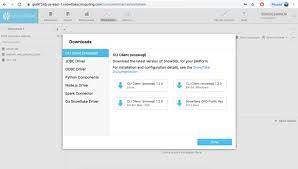 |