Snap Surveys offers both Survey Software and Feedback Management Solutions, including desktop survey software, online feedback management solutions, and survey research services. Snap Surveys offers complete tools for survey design, administration, data collection, and analysis. Snap Surveys supports all survey modes, including: Online, Mobile (including iPad/iPhone/Android), Paper, Kiosk, Phone, Scanning, and Tablet PC, in any language with robust analysis and reporting capabilities,…
$695
per year
WalkMe
Score 6.7 out of 10
N/A
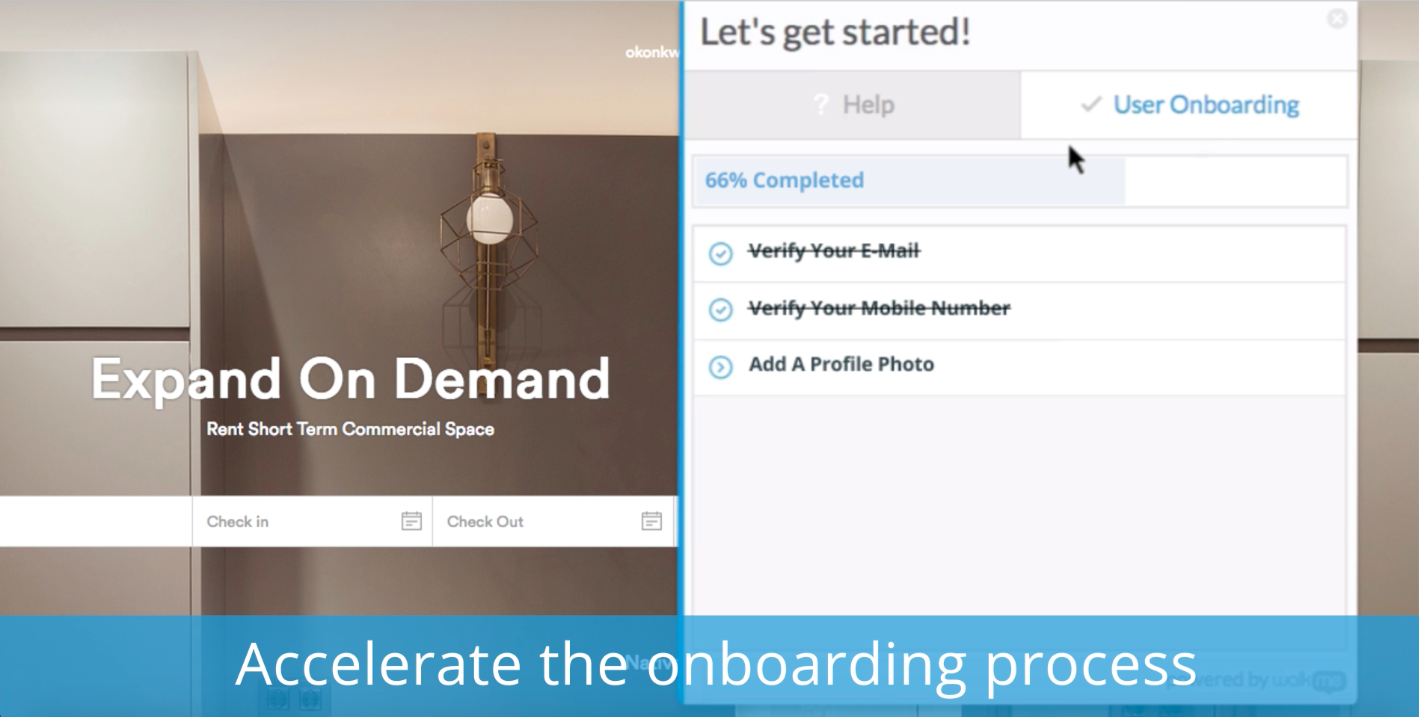
WalkMe is a Digital Adoption Platform (DAP) that promises to transform the user experience in "today’s overwhelming digital world." Using artificial intelligence, analytics, engagement, guidance and automation, WalkMe offers a transparent overlay that assists users to complete tasks easily within any enterprise software, mobile application or website. Founded in 2011, WalkMe software is used by more than 1,500 enterprises globally, including over 30 percent of Fortune 500 companies.…
N/A
Whatfix
Score 9.9 out of 10
N/A
Whatfix is advancing the "userization" of application technology, by empowering companies to maximize the ROI of digital investments across the application lifecycle. Powered by GenAI, Whatfix’s product suite includes a digital adoption platform, simulated application environments for hands-on training, and no-code application analytics. Whatfix enables organizations to drive user productivity, ensure process compliance, and improve user experience of internal and customer-facing…
N/A
Pricing
SnapSurveys
WalkMe
Whatfix
Editions & Modules
Online/Mobile
$695
per year
Paper Scanning
$2,395
per year
Paper Scanning - Perpetual License
3,995
Online/Mobile - Perpetual License
5,995
No answers on this topic
No answers on this topic
Offerings
Pricing Offerings
SnapSurveys
WalkMe
Whatfix
Free Trial
Yes
No
Yes
Free/Freemium Version
No
Yes
Yes
Premium Consulting/Integration Services
Yes
No
Yes
Entry-level Setup Fee
No setup fee
No setup fee
Optional
Additional Details
—
—
All Pricing models are customized and tailor-made according to the customer's requirement.
I couldn't successfully implement this product for trial and found support help was delayed. In comparison, despite also being based in another country, WalkMe's support was quick to help with queries and always eager to address the issue and go above and beyond to make sure I …
WalkMe was much better in terms of features, implementation, and analytics. It's a market leader in the Digital Adoption space so it made sense to begin our digital adoption journey with this tool. The sales team also spent a lot of time with us in understanding our …
I have realized WalkMe is a great product with a lot of features and so far is the best product adoption and user onboarding tool compared to its alternatives. WalkMe is specialized in the field of product tours and walkthroughs hence making it the pioneer in the user …
Our organization reviewed several products before selecting WalkMe as the primary tutorial platform. We chose WalkMe because our primary business tutorial need is for Salesforce. WalkMe offers an incredibly easy-to-use and understandable walk-through and integrates incredibly …
Whatfix and WalkMe offered a very similar solution at the time of evaluating both platforms almost 4 years ago.
We selected Whatfix as they represented better value and the flow creation process was a lot quicker and easier, meaning getting to grips with everything and …
Verified User
Employee
Chose Whatfix
Cost. Whatfix was the cheapest of them all, but not better in functionality or usability.
The support from Whatfix is very good. It has better features than others. It has very few bugs. Whatfix is very user friendly. It meets all the requirements. They will quickly respond to all the queries and questions of users or your clients if they face any issues. Their …
Great quality of support provided by Whatfix as I already mentioned. Looking at all the features it’s headed to the right direction. Very delightful in terms of the ease of use and setup. Meets all the requirements. Quick to respond to all the queries and questions whenever …
There is no comparison - Whatfix is the clear winner with us from the very beginning. As Whatfix continues to grow and innovate their product, engage with it's customers on a level beyond any I have every seen. They work as Partners with us, their teams from bottom to top are …
I think it is very important to go through their training videos and user guides. Devote the time to learning it correctly from the beginning. In the long run you will enjoy it much more than plowing right into it and then trying to find out if you did it right. Also, while you are not required to buy the annual maintenance contract, I think if you are going to use the program, don't skimp, buy the annual maintenance contract. The free technical support is necessary, especially when you are up against deadlines.
New system implementation - if you're switching or upgrading systems, you can ease users through the transition by providing in-system contextual guidance, extra tips, and automating clicks they don't need to worry about.
Data integrity - if you have users making mistakes in the system, you can add validation with WalkMe without the need for developer time and reduce those errors and upstream problems, and related costs
Reducing support tickets - if you have support tickets coming through about how to do tasks in a system, you can reduce the time and cost of your support staff answering these tickets by addressing the queries with WalkMe content
Change management - ease users through change with guidance and provide in-system surveys
Onboarding - bring new users quickly up to speed with onboarding tasks
Automation - automate your regular processes and cut system time, freeing users up for more important tasks
Process/system analysis - use the analytics to track where users are dropping off in processes and making errors and address these with WalkMe content
User experience - make your system more user friendly
Currently, we are only using Whatfix with Salesforce but are in the process of implementing on other systems. It is an excellent tool to organize and provide in-app access to training materials already created. It excels at providing guidance about tasks users don't complete often and, therefore, forget what they were trained about the process. The only sort of system it might not work well is one that provides its own robust in-app assistance. More than one type of tip icon being displayed, for instance, could be confusing.
Ease of use and getting up-to-speed in a few days only. WalkMe can be used by new users easily and quickly, yet provides a many advance features for power users to keep exploring and creating innovative solutions--there are always some things that you have not used earlier
Great analytics on our platform, usage and adoption by users, and surveys
Very friendly community of users who help each other all the time and structured upskilling programs, weekly tips keep the learning going
Firefox plugin: The only time I use Firefox is when building a walk-thru. I would like to be able to use Chrome to build the walk-thrus.
Logic: Walk-thrus, Launchers, Shoutouts and walk-thru steps use different logic. I can't always fire something based on a click or URL when sometimes I would like to.
Design: You can use CSS to customize the look of your walk-thrus, but there isn't a way to remove the sidebar color of the walk-thrus.
The possibility to select content/widgets at the time for "push to production" (some we would like to p2p for one single content, that is not possible at the moment).
I wish the filters in the dashboard would stay when you choose a content, currently you have to filter again and again.
In the analytics area, I would like the system to remember this for a certain time window after selecting the start date.
[We feel like] even though Whatfix has its flaws, we are impressed by the speed of development [and] their openness about their future improvements, [but] most important their proactive customer service and customer success team. Whatfix acts more like a partner than a supplier of a 3rd party tool, and we welcome that experience.
I think as an organization there is always room to grow, however, this application has really helped us with our dilemma with offline, online, and paper surveys. We are able to make our surveys fun and engaging and the interface for the person creating the survey is user-friendly. Customer service is very helpful if you need additional support.
WalkMe has done a great job of making their tool easy to use. However because it is a Firefox plugin it causes me to need another browser and sacrifice the left 2 - 3 inches of my display, when working on a laptop this makes it a bit painful. Also when publishing you can organize your list of walk-thrus, the window size is small and limited to the constraints of the WalkMe tool.
While they've made a lot of improvements in the last year, there are still challenges with walkthroughs and how beacons can be created. They are aware of these limitations and are actively soliciting customer feedback to help them remedy these shortcomings.
The WalkMe Support Team was phenomenal. My support rep made a genuine effort to ensure my success with using the WalkMe Software. She was kind, patient, and very knowledgeable on the software. If there was a question she did not know the answer too, she would find the answer and get back to me as soon as possible
Whatfix is THE best vendor I've ever worked with when it comes to supporting their customers. The support team is friendly, helpful and always willing to listen to your suggestions and ideas. This also applies to the Engineering team who I've spent several hours on calls with debugging a few of the more challenging scenarios we have in place. Nothing is ever too much trouble for Whatfix and they are truly best-in-class when it comes to their support model.
While helpful, the feedback from our employee was, that [they felt] the training was very high-level - sometimes confusing. It would be great to have some kind of sandbox environment for new users to train certain scenarios.
Although Whatfix make the process relatively straightforward (they will provide Group Policy Scripts to install a Google Chrome extension specific to your organisation) its important to ensure your network deployment teams (if you have more than one) understand their role and what they need to do to test deployment once they undertaken the work.
It is an in between option. The options we evaluated were Qualtrics and SurveyGizmo. It's cheaper than Qualtrics and easier to design surveys than SurveyGizmo. Nonetheless it's not the worst option out there like SurveyMonkey.
My understanding is that WalkMe was selected based on its capability to support our requirements for our enterprise software. We wanted a product that allows us to provide help at the point of need, provide as little or as much help to guide the user to successfully use the product, and a product that is scalable and can support our growing capabilities.
There is no comparison - Whatfix is the clear winner with us from the very beginning. As Whatfix continues to grow and innovate their product, engage with it's customers on a level beyond any I have every seen. They work as Partners with us, their teams from bottom to top are incredible - Customer Service, Collaboration Teams, Innovation, Sales, Success Mangers and everyone I missed are incredible. One team in particular I want to call out for there outstanding service, care and innovation to help us launch one of our systems is the Professional Services Team. Ganish, Joel, and everyone else who has been on our calls and worked behind the scenes to hit our incredible tight deadline in August - KUDOs for a job well done, You ROCK, THANK YOU words cannot describe how great you guys have been with us on this project, but on all of them. Whatfix's team definitely understands, the customer is first, they align with our values and we will continue to grow with them
With a promise to help onboard, we found that as people interacted with the walk throughs they didn't get any significant value. Self-service wasn't improved, in fact, we got more complaints from the walk throughs than help from them.
NPS surveys were a nightmare to try and integrate with our CRM so we could action the results. Lost time and energy without much support from the WalkMe team
No improvement to our Product Adoption, so all cost and time and energy spent on implementation was a loss.
Reduced Training Costs: By cutting traditional training time by 40%, Whatfix has saved significant resources while increasing learning efficiency.
Improved User Productivity: Faster onboarding and fewer errors have led to a 25% improvement in user performance metrics, directly contributing to operational efficiency.
Decreased Support Requests: Self-service guidance has reduced support tickets by 30%, freeing up teams to focus on strategic initiatives and cutting support costs.