Vidyard is an enterprise video platform built to turn viewers into customers with in-depth insights and robust integrations with different customer relationship management (CRM) and marketing automation platforms.
$0
Vimeo
Score8.9 out of 10
N/A
Vimeo is a video experience platform. They enable anyone to create high-quality video experiences to connect and bring ideas to life. They proudly serve their growing community of nearly 300 million users — from creative storytellers to globally distributed teams at the world's largest companies.
$9
per month
Pricing
Vidyard
Vimeo
Editions & Modules
Free
$0
per month per user
Starter
$59
per month per user
Enterprise
Custom Pricing
per year
Teams
Contact Sales
per month per user
Starter
$9
per month
Standard
$25
per month
Advanced
$65
per month
Enterprise
Contact sales
Offerings
Pricing Offerings
Vidyard
Vimeo
Free Trial
Yes
Yes
Free/Freemium Version
Yes
No
Premium Consulting/Integration Services
Yes
No
Entry-level Setup Fee
No setup fee
No setup fee
Additional Details
—
—
More Pricing Information
Community Pulse
Vidyard
Vimeo
Considered Both Products
Vidyard
Verified User
Chose Vidyard
I have previously dabbled in Loom and Vimeo, which have slightly different use cases. Overall I think Vidyard provides the beauty and ease of being able to record your screen directly and can host those videos too.
A de minimis incentive was given to thank the reviewer for their time. The incentive was not used to bias or drive a particular response, nor was the incentive contingent on a positive endorsement. More Info
Production Specialist in Corporate at Motion Glass Studios (Media Production, 11-50 employees)
Chose Vidyard
I will again disclaim that Vidyard was used before I started with the company. But during my introduction to Vidyard, I did ask what other video hosting services they had looked at having had experience with Vimeo and Sprout Video. Vidyard was the one they chose. I have been …
A de minimis incentive was given to thank the reviewer for their time. The incentive was not used to bias or drive a particular response, nor was the incentive contingent on a positive endorsement. More Info
Account Executive in Sales at Zen Planner (Computer Software, 51-200 employees)
Chose Vidyard
Vidyard seems to be the easiest to use especially for our sales teams. Our Customer Advocate and Implementation Teams do use CloudApp. It seems similar, but less applicable for sales. Vidyard has awesome Salesforce and HubSpot integrations!
A de minimis incentive was given to thank the reviewer for their time. The incentive was not used to bias or drive a particular response, nor was the incentive contingent on a positive endorsement. TR verified that a representative sample of customers was invited. More Info
A de minimis incentive was given to thank the reviewer for their time. The incentive was not used to bias or drive a particular response, nor was the incentive contingent on a positive endorsement. More Info
Owner in Professional Services at Aperto (Accounting, 1-10 employees)
Chose Vidyard
First of all, Vidyard is generally easier to use. I found BombBomb to be more customizable, but that came with a cost of time. Plus Vidyard is more economical.
A de minimis incentive was given to thank the reviewer for their time. The incentive was not used to bias or drive a particular response, nor was the incentive contingent on a positive endorsement. More Info
Verified User
Chose Vidyard
I wanted to experiment and try Vidyard mainly for the unlimited upload option. That's the best part.
A de minimis incentive was given to thank the reviewer for their time. The incentive was not used to bias or drive a particular response, nor was the incentive contingent on a positive endorsement. More Info
Verified User
Chose Vidyard
Perhaps, these competitors have upped their game since I last used them, but I find Vidyard to be quicker to integrate into websites in that it takes less troubleshooting overall. Also, I'm not sure if these companies have quite the same ease of use when it comes to screen cap …
A de minimis incentive was given to thank the reviewer for their time. The incentive was not used to bias or drive a particular response, nor was the incentive contingent on a positive endorsement. More Info
Lead Designer at DSG Consulting (Professional Training & Coaching, 11-50 employees)
Chose Vidyard
We wanted a platform that would host our videos securely without any of their branding. We wanted the videos to be seamless on the website, but also to have a dashboard for the engagement and analytics for each video. Vidyard was the best option for video embeds that we could …
A de minimis incentive was given to thank the reviewer for their time. The incentive was not used to bias or drive a particular response, nor was the incentive contingent on a positive endorsement. More Info
Director of Marketing & Business Relations in Marketing at Larue Pest Management, Inc. (Consumer Services, 11-50 employees)
Chose Vidyard
I decided to go with Vidyard because it delivered exactly what I was looking for in that I could embed and send videos without fear of suggested videos or ads popping up from competitors.
A de minimis incentive was given to thank the reviewer for their time. The incentive was not used to bias or drive a particular response, nor was the incentive contingent on a positive endorsement. TR verified that a representative sample of customers was invited. More Info
Co-Founder/Product at RouteThis (Computer Software, 11-50 employees)
Chose Vidyard
Youtube and Vimeo, no comparison. Analytics and CRM integration just aren't there. Obviously not focused on businesses and the customer support isn't there even though they do technically host videos. They just do a way worse job.
A de minimis incentive was given to thank the reviewer for their time. The incentive was not used to bias or drive a particular response, nor was the incentive contingent on a positive endorsement. More Info
Verified User
Chose Vidyard
We selected Vidyard over Vimeo as our primary video hosting solution as we found it more secure and the analytics were much more detailed (i.e. seeing exactly who is watching our videos).
A de minimis incentive was given to thank the reviewer for their time. The incentive was not used to bias or drive a particular response, nor was the incentive contingent on a positive endorsement. More Info
Verified User
Chose Vidyard
Vidyard has its pros and cons. Vimeo has name recognition and security features we like but Vidyard has a great set of tools for analyzing user interactions. I have a feeling we'll be using Vidyard for our media hosting and analytics for the foreseeable future.
A de minimis incentive was given to thank the reviewer for their time. The incentive was not used to bias or drive a particular response, nor was the incentive contingent on a positive endorsement. More Info
Vidyard and Vimeo are both video platforms for business. Vidyard is a specialized video marketing platform built to deliver video marketing campaigns while Vimeo is a video platform built to host high-quality videos for marketing or internal training purposes. While the tools have slightly different purposes, they are both used by many businesses for video hosting. Both Vimeo and Vidyard are used by businesses of all sizes, and both are slightly more popular with mid-sized businesses.
Features
Both Vimeo and Vidyard offer video hosting and analytics features, but since they are were designed with slightly different purposes in mind they each have several features that set them apart.
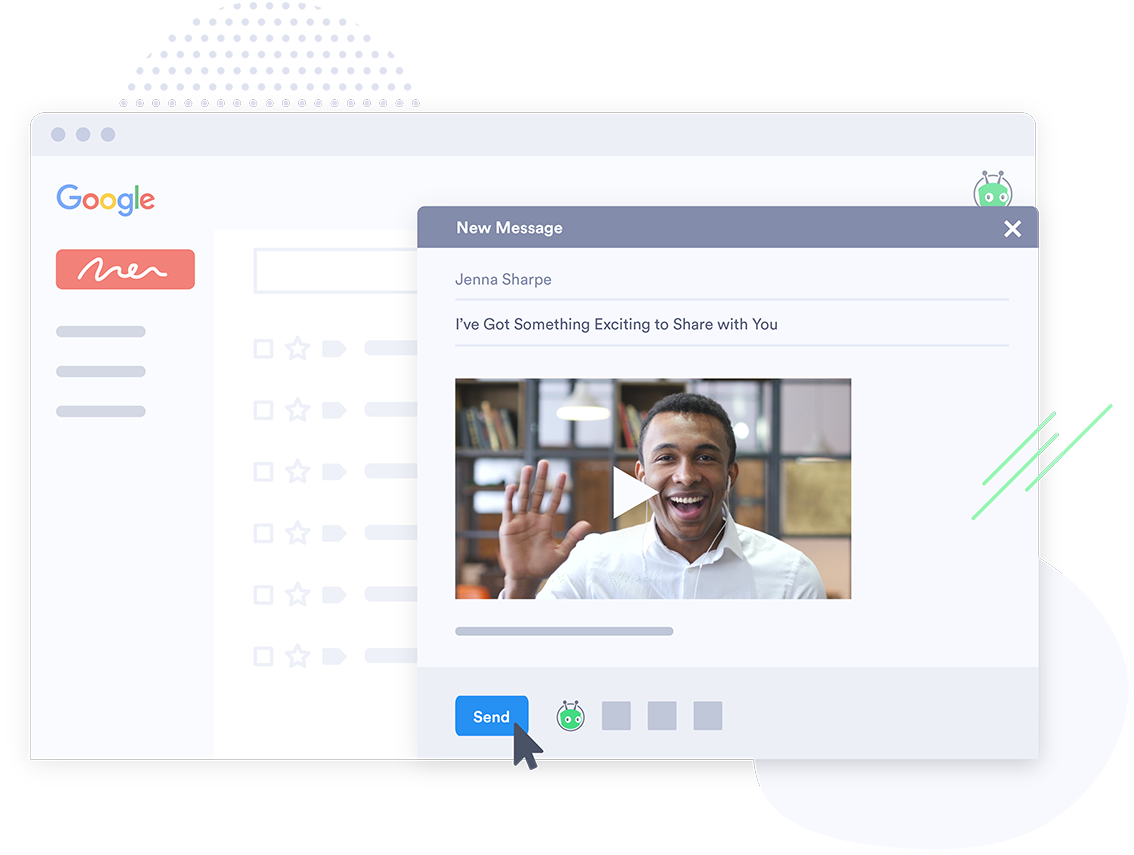
Vidyard includes marketing tools to help businesses create and schedule video marketing campaigns. Using Vidyard, marketing teams can create branded videos and embed them in emails or websites so users can view them without clicking a link or downloading a file. Additionally, Vidyard provides analytics tools that track user behavior so marketing teams know who to follow up with. Vidyard also has integrations with email applications and provides a Google Chrome extension for creating marketing videos on the fly.
Vimeo provides a large amount of storage with each of their plans, allowing users to host many videos at once, though there is a weekly limit on uploads. Vimeo also includes in-video CTAs, custom branded video players, and playlists businesses can use to group related video content. Vimeo also has integrations with popular marketing software at most price points.
Limitations
Though both Vimeo and Vidyard have robust features for hosting videos, they also have some limitations that are important to consider.
Vimeo has some analytics features, but doesn’t have the detailed user tracking or campaign analytics features that Vidyard offers. Additionally, Vimeo has limits on the amount of data that can be uploaded per week, so businesses that generate a lot of content may be limited. Vimeo also has limited native integrations, though it does offer some through Zapier.
Vidyard has limitations on the amount of videos that can be embedded at most price points. For businesses that want to keep old videos active while producing new ones, Vimeo may be a more affordable option with it’s less limited storage. Additionally, Vidyard’s video player isn’t as highly customizable as Vimeo’s, so businesses with complex branding needs may consider other options.
Pricing
Both Vimeo and Vidyard include a free version, but they have limitations that make them limited for businesses. Vimeo’s free accounts can’t be used commercially, and Vidyard only allows for 5 hosted videos at a time for free users. These free versions can still be useful for trialing the programs you are considering before buying.
Vimeo offers three tiers of pricing. Vimeo Pro costs $20.00 per month and provides access to 20GB of video upload per week and three users. The next tier, Vimeo Business costs $50.00 per month and provides integrations, ten users, and unlimited weekly uploads up to a total storage of 5TB. Lastly, Vimeo Premium costs $75.00 per month and includes unlimited live streaming and 7TB of total video storage.
Vidyard’s Pro package costs $15.00 per month and includes unlimited video uploads, though only 20 can be embedded at once. The Starter package costs $150.00 per month and includes video analytics, social media syncing, and a more customizable video player. The Plus package costs $850.00 per month and includes A/B testing for thumbnails, SEO features, and advanced analytics. Vidyard also offers custom pricing for enterprises that have unique needs not included in the other packages.
Features
Vidyard
Vimeo
Video Marketing
Comparison of Video Marketing features of Vidyard and Vimeo
Feature
Vidyard
6.1
49 Ratings
22% below category average
Vimeo
5.3
39 Ratings
36% below category average
Lead generation
7.938 Ratings
6.022 Ratings
Video personalization
9.145 Ratings
6.635 Ratings
eCommerce
2.82 Ratings
3.013 Ratings
Support for advertisements
5.51 Ratings
2.914 Ratings
Video SEO
6.331 Ratings
6.629 Ratings
Integration to Marketing Automation
5.337 Ratings
7.022 Ratings
Video Platform Integrations
Comparison of Video Platform Integrations features of Vidyard and Vimeo
Feature
Vidyard
5.1
36 Ratings
19% below category average
Vimeo
2.8
11 Ratings
75% below category average
Integration to Salesforce.com
2.921 Ratings
1.06 Ratings
Integration to Marketo
5.011 Ratings
1.06 Ratings
Integration to HubSpot
5.121 Ratings
1.06 Ratings
Integration to Eloqua
7.31 Ratings
1.04 Ratings
Integration to LMS
00 Ratings
10.08 Ratings
Video Security
Comparison of Video Security features of Vidyard and Vimeo
Feature
Vidyard
8.3
47 Ratings
3% below category average
Vimeo
9.0
40 Ratings
5% above category average
Video access controls
8.437 Ratings
8.640 Ratings
User management
6.141 Ratings
8.937 Ratings
Video link sharing
10.047 Ratings
10.038 Ratings
Internal video
8.439 Ratings
8.636 Ratings
External video
8.442 Ratings
8.637 Ratings
Video Player
Comparison of Video Player features of Vidyard and Vimeo
Feature
Vidyard
5.9
47 Ratings
33% below category average
Vimeo
8.3
41 Ratings
1% above category average
Player customization
5.539 Ratings
7.433 Ratings
Embedded videos
5.742 Ratings
8.440 Ratings
Video quality / Bandwidth controls
4.944 Ratings
8.639 Ratings
Mobile compatibility
7.737 Ratings
8.940 Ratings
Video Analytics
Comparison of Video Analytics features of Vidyard and Vimeo
Feature
Vidyard
8.0
48 Ratings
2% above category average
Vimeo
9.0
36 Ratings
13% above category average
A/B testing
6.32 Ratings
7.914 Ratings
Streaming quality reports
9.031 Ratings
9.018 Ratings
Per viewer tracking
9.242 Ratings
9.525 Ratings
Per video tracking
9.245 Ratings
9.531 Ratings
Video analytics dashboard
6.145 Ratings
9.029 Ratings
Video Hosting, Management & Storage
Comparison of Video Hosting, Management & Storage features of Vidyard and Vimeo
Feature
Vidyard
6.1
37 Ratings
34% below category average
Vimeo
9.2
40 Ratings
7% above category average
On-Demand video
6.128 Ratings
10.024 Ratings
Live streaming
5.39 Ratings
10.015 Ratings
Impact of streaming on network
7.31 Ratings
10.020 Ratings
Video upload & format support
6.134 Ratings
9.537 Ratings
Video library / File management
5.63 Ratings
7.136 Ratings
Video portal
6.129 Ratings
9.026 Ratings
Video Engagement
Comparison of Video Engagement features of Vidyard and Vimeo
Vidyard has been critical for our team in many ways. One way that we didn't realize how much we'd be using it is for training new teammates while we're all working remotely. I frequently use the chrome extension to record a video of how to do something to send to our whole team or certain teammates. There are other products that do that, but this seems to be the most efficient, easiest, and quickest. Vidyard is incredibly useful for both inbound, and outbound sales and marketing strategies. It helps us increase our open and click rate for emails and overall engagement for our customer journey.
A de minimis incentive was given to thank the reviewer for their time. The incentive was not used to bias or drive a particular response, nor was the incentive contingent on a positive endorsement. TR verified that a representative sample of customers was invited. More Info
For an overall professional appearance of Vimeo, I think it looks fabulous for the clients we work with. I think it works extremely well to host videos for courses and training that can be paid training. The privacy feature is great for that. I've never used it for going LIVE and wonder if that might be a good option for businesses but since I haven't tried it, I'm not of the capabilities. And I'm not sure how the clients are able to get on the LIVES. It does have so many new features since I started 4 years ago, and that means that there is a higher learning curve if you want to make full use of this platform.
A de minimis incentive was given to thank the reviewer for their time. The incentive was not used to bias or drive a particular response, nor was the incentive contingent on a positive endorsement. More Info
A de minimis incentive was given to thank the reviewer for their time. The incentive was not used to bias or drive a particular response, nor was the incentive contingent on a positive endorsement. More Info
User-friendly interface for administrators of the account and external viewers. Being able to easily navigate a new platform or software is ideal for anyone.
Seamless sharing and embedding across many platforms. Vimeo is well-recognized so it makes it easy for other platforms to recognize Vimeo. The compatibility is outstanding.
As an administrator of the account, being able to select viewing privileges may seem like a basic function, but it's so necessary right now with how heavy our organization is utilizing the platform. We can mass upload content early and only release it for the public over time by simply changing it to a public video.
A de minimis incentive was given to thank the reviewer for their time. The incentive was not used to bias or drive a particular response, nor was the incentive contingent on a positive endorsement. More Info
A de minimis incentive was given to thank the reviewer for their time. The incentive was not used to bias or drive a particular response, nor was the incentive contingent on a positive endorsement. More Info
Price - For the full featureset of Vimeo, you will be paying $900 a year as of 2020, and this is expected to only go up over time. Thankfully, Vimeo offers lower tiers with less functionality, and most people will not need the unlimited streaming viewers or whopping 7 TB of storage that you get for the highest level of membership. But it is still a premium price for a premium service.
"Suggested" Algorithm - The equivalent of YouTube's suggested videos feature is the Vimeo Staff Picks, which recommends curated content from their team of editors. While this content generally has a high level of production, it is not especially relevant to the video you are watching, or to your watch history as a user. I rarely watch suggested videos in Vimeo.
Search - The Vimeo search page is beautiful, having huge thumbnails of videos with a clean, visually-appealing layout. However, the results themselves leave much to be desired. When I search for "jung" to try to find videos on Swiss psychologist C. G. Jung, of the first 18 results, not a single result is actually about C. G. Jung. On Youtube, the first 14 results are all about Jung. When I search for "c. g. jung" on Vimeo I find a number of relevant results, so it's not that the videos are not available in Vimeo. Rather, the search algorithm is not returning relevant results.
A de minimis incentive was given to thank the reviewer for their time. The incentive was not used to bias or drive a particular response, nor was the incentive contingent on a positive endorsement. More Info
Vidyard has truly become an essential part of our organization. It's useful for our day to day communication internally amongst departments and externally with our customers. This platform has allowed us to create knowledge base articles, training portals, webinars and communicate effectively with our customers. We receive raving feedback from customers on how helpful the videos are that they receive. We also like the ability to view metrics, insights, etc. of the videos. Always allows us to pivot accordingly based on the feedback we receive
A de minimis incentive was given to thank the reviewer for their time. The incentive was not used to bias or drive a particular response, nor was the incentive contingent on a positive endorsement. More Info
I usually extract the links of all lectures from the embed code, but now Vimeo is not allowing that feature. Instead, I have to copy the whole embed code and then extract the URL from the embed code separately. This process has become cumbersome and a bit of hassle since I don't need the whole embed code.
A de minimis incentive was given to thank the reviewer for their time. The incentive was not used to bias or drive a particular response, nor was the incentive contingent on a positive endorsement. More Info
Vidyard is super easy for new people to pick up - I've never had to spend time explaining the UI or menu, which is a testament so how easy it is. The plugin also makes it quite user-friendly. There's no need to go anywhere else - it's all on the browser.
A de minimis incentive was given to thank the reviewer for their time. The incentive was not used to bias or drive a particular response, nor was the incentive contingent on a positive endorsement. More Info
The design is clean and intuitive for the most part, which allows for ease of use by both novice and experience users. We are grateful for the ways that the front-end video player is easy to navigate and intuitive to use, and the backend is generally designed the same way. Tools and options are where you expect to find them, and it was easy to navigate the storage on the backend through folders and content filters
A de minimis incentive was given to thank the reviewer for their time. The incentive was not used to bias or drive a particular response, nor was the incentive contingent on a positive endorsement. More Info
Absolutely, the unpredictable nature of technology always keeps us on our toes. However, I'm pleased to share that my experience with Vidyard has been remarkably consistent and reassuring. To date, I haven't encountered any instances of service outages. This unparalleled reliability and dependability have instilled a high level of confidence in the platform, making it a stalwart companion in our digital endeavors. While the tech landscape can be uncertain, Vidyard's track record of steadfast performance has truly set it apart.
A de minimis incentive was given to thank the reviewer for their time. The incentive was not used to bias or drive a particular response, nor was the incentive contingent on a positive endorsement. More Info
A de minimis incentive was given to thank the reviewer for their time. The incentive was not used to bias or drive a particular response, nor was the incentive contingent on a positive endorsement. More Info
It performs very well. I have never had any bugs while recording, and none of the videos have been impaired or corrupted. I don't believe it integrates with any other software but you could contact the company to learn more. I am not sure if it is only available on Chrome.
A de minimis incentive was given to thank the reviewer for their time. The incentive was not used to bias or drive a particular response, nor was the incentive contingent on a positive endorsement. TR verified that a representative sample of customers was invited. More Info
Vimeo does well in performance with systems with ease. I have not encountered any issues with loading pages or slowing down in other software or systems.
A de minimis incentive was given to thank the reviewer for their time. The incentive was not used to bias or drive a particular response, nor was the incentive contingent on a positive endorsement. More Info
Customer support at Vidyard has always been good. When I first looked into the product, the salesperson took a consultative approach that allowed me to see how Vidyard would benefit our specific use case. Since coming on board, the customer service team has been quick to respond if I have any questions.
A de minimis incentive was given to thank the reviewer for their time. The incentive was not used to bias or drive a particular response, nor was the incentive contingent on a positive endorsement. More Info
Terrible support. When I subscribed to Premium we were guaranteed support. However, after the first e-mail I received from them, I never heard from them again. I sent several emails over the course of a couple of weeks acknowledging that due to covid, I did not expect a miracle overnight and that I was keen to work on the issue with them. I have not heard from customer service at all. This is very disappointing. We lost customers due to the poor quality of the livestreams and were left to sort the issue out without their help.
The training experience proved to be tremendously valuable. Our dedicated representative exhibited an exceptional level of helpfulness and patience as she skillfully addressed all of our inquiries. Notably, she went beyond merely answering questions, providing us with a wealth of resources and sharing best practices that are pivotal for our success in utilizing the software.Her guidance transcended the boundaries of a conventional training session, empowering us with insights that extend far beyond the immediate
A de minimis incentive was given to thank the reviewer for their time. The incentive was not used to bias or drive a particular response, nor was the incentive contingent on a positive endorsement. More Info
The online training experience proved to be incredibly valuable. Our dedicated representative demonstrated exceptional patience and unwavering support in addressing our queries and requests, which greatly contributed to our learning process. Their guidance was pivotal in helping us navigate the intricacies of the training, ensuring that we absorbed the material effectively.
A de minimis incentive was given to thank the reviewer for their time. The incentive was not used to bias or drive a particular response, nor was the incentive contingent on a positive endorsement. More Info
It's pretty straightforward. The bulk of the work goes on outside of Vidyard - it's the time required to add different videos to your website - that was probably the only difficult part and had nothing to do with Vidyard.
A de minimis incentive was given to thank the reviewer for their time. The incentive was not used to bias or drive a particular response, nor was the incentive contingent on a positive endorsement. More Info
Vimeo does provide the legwork of content curation and management of sources. The quality of content is not bad from a viewer's point of view. I think the analytics could use a little bit of improvement, only because my department has a lot of users.
A de minimis incentive was given to thank the reviewer for their time. The incentive was not used to bias or drive a particular response, nor was the incentive contingent on a positive endorsement. More Info
I've never evaluated another product like Vidyard. I just used screen recordings with RingCentral before, and I remember the file size being very large and having to add the video as an attachment. So this was a major improvement to be able to shoot videos and easily share with my clients.
A de minimis incentive was given to thank the reviewer for their time. The incentive was not used to bias or drive a particular response, nor was the incentive contingent on a positive endorsement. More Info
YouTube was the platform we primarily used previously, after having restrictions and having locked out of a couple of accounts we needed a better platform. We also lost some of our videos. We also have an internal app to track client videos and Vimeo supported it better. With the increased storage and the number of videos we create, we decided Vimeo would be better.
A de minimis incentive was given to thank the reviewer for their time. The incentive was not used to bias or drive a particular response, nor was the incentive contingent on a positive endorsement. More Info
A de minimis incentive was given to thank the reviewer for their time. The incentive was not used to bias or drive a particular response, nor was the incentive contingent on a positive endorsement. More Info
The product exhibits an exceptional degree of scalability, accommodating diverse usage scenarios across various departments within our organization. This remarkable flexibility has enabled us to harness the software's potential in ways tailored to the unique needs of each team.In particular, the impact on our communication efforts with both potential and existing customers has been truly transformative.
A de minimis incentive was given to thank the reviewer for their time. The incentive was not used to bias or drive a particular response, nor was the incentive contingent on a positive endorsement. More Info
A de minimis incentive was given to thank the reviewer for their time. The incentive was not used to bias or drive a particular response, nor was the incentive contingent on a positive endorsement. More Info
Everything works fine in Vimeo, and the users like the quality and sound of the lectures when viewed on Absorb LMS. They can view the lectures on the desktop and mobile devices.
A de minimis incentive was given to thank the reviewer for their time. The incentive was not used to bias or drive a particular response, nor was the incentive contingent on a positive endorsement. More Info
We save hundreds of dollars a month because we don't have to send out nearly as many physical samples for customers to review. We can send them a video that shows off the product and they love it!
We have improved conversion rates as a result of using Vidyard to communicate with new leads.
Our sales reps are clearly more engaged in the sales process. Each week we discuss how Vidyard helped them win a deal.
A de minimis incentive was given to thank the reviewer for their time. The incentive was not used to bias or drive a particular response, nor was the incentive contingent on a positive endorsement. More Info
A de minimis incentive was given to thank the reviewer for their time. The incentive was not used to bias or drive a particular response, nor was the incentive contingent on a positive endorsement. More Info