Adobe Acrobat DC is the current version of the well-established document / PDF management solution, part of the Adobe Document Cloud (the other part being Adobe's eSign services based on technology acquired with EchoSign in 2011).
$29.99
per month per seat
Laserfiche
Score9.1 out of 10
N/A
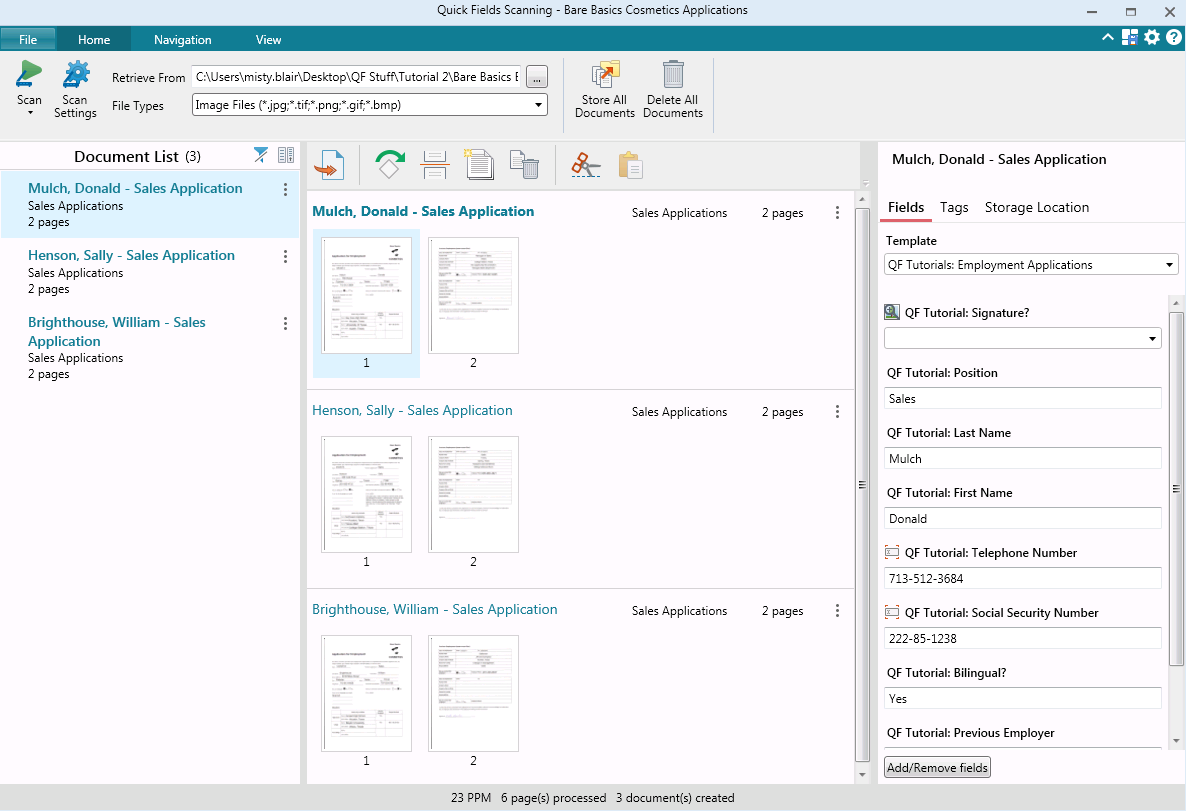
Laserfiche has two main editions: Rio and Avante: Laserfiche Rio is designed to meet the needs of large organizations that have more than 100 users. It combines content management functionality with business process management (BPM), security and auditing, unlimited servers and a thin-client interface. Add-ons include records management functionality, public Web portals and production-level document capture and processing.
Laserfiche Avante is an ECM suite for small to medium organizations with…
Finance Clerk in Finance and Accounting at City of Oak Forest (Government Administration, 51-200 employees)
Chose Laserfiche
Laserfiche is much faster and the optical character recognition is more accurate than Adobe Acrobat Capture. It took approximately 4 times as long to scan and store a document in Acrobat Capture as in Laserfiche. Reviewing every scan was essential in Adobe Acrobat Capture …
A de minimis incentive was given to thank the reviewer for their time. The incentive was not used to bias or drive a particular response, nor was the incentive contingent on a positive endorsement. More Info
Accreditation Manager at Department of Public Safety, Police Technical Services Division (Law Enforcement, 51-200 employees)
Chose Laserfiche
Laserfiche is a much more focused product that simply and accurately fills our need for routine reporting and record keeping. By taking time to work on the design of the form you can anticipate the user's needs and possible areas where further explanation may be required. By …
A de minimis incentive was given to thank the reviewer for their time. The incentive was not used to bias or drive a particular response, nor was the incentive contingent on a positive endorsement. More Info
Records Management Technician, Public Works and Utilities at City of Westminster, Colorado (Government Administration, 1001-5000 employees)
Chose Laserfiche
Alaris is efficient for scanning and editing, but does not provide all of the advanced capabilities that Laserfiche offers. Laserfiche also provides top-notch training to users. Alaris is a more simple software that can be easily self-taught. Laserfiche has more than just …
A de minimis incentive was given to thank the reviewer for their time. The incentive was not used to bias or drive a particular response, nor was the incentive contingent on a positive endorsement. More Info
Sales Manager in Customer Service at .. (Information Technology and Services, 11-50 employees)
Chose Laserfiche
Laserfiche is much simpler to implement and use. Its interface much more friendly, allowing our implementation time was much shorter. Hyland OnBase is much more complex and requires a much greater investment in the cost of licenses and hardware requirements.
A de minimis incentive was given to thank the reviewer for their time. The incentive was not used to bias or drive a particular response, nor was the incentive contingent on a positive endorsement. More Info
In my opinion there isn't a better document program that works with everyone. In a previous role; I had advocated for staff across departments to get Adobe Acrobat licenses because they kept sending every little thing to me since I had the main Adobe license. It really made their departments (sales & finance) run much smoother for a very minimal cost.
A de minimis incentive was given to thank the reviewer for their time. The incentive was not used to bias or drive a particular response, nor was the incentive contingent on a positive endorsement. More Info
Laserfiche is well suited to the submission of simple routine reports to create a record repository. We use it for routine transport reports, audit reports, and anonymous citizen complaints. It creates a simple chronological record of routine events that can be reviewed and easily stored and recalled. Because the reports are in PDF format, it is not well suited to anything that needs to be imported into a common database or amended after submission.
A de minimis incentive was given to thank the reviewer for their time. The incentive was not used to bias or drive a particular response, nor was the incentive contingent on a positive endorsement. More Info
A de minimis incentive was given to thank the reviewer for their time. The incentive was not used to bias or drive a particular response, nor was the incentive contingent on a positive endorsement. TR verified that a representative sample of customers was invited. More Info
A de minimis incentive was given to thank the reviewer for their time. The incentive was not used to bias or drive a particular response, nor was the incentive contingent on a positive endorsement. More Info
I wish the backward compatibility was a little more friendly. PDFLyer had to be updated sooner that we would like when we updated from Adobe 2017 to Adobe 2026.
I wish it had list processing like Excel where it could remove duplicates, change formatting, etc.
Sometimes after an update we lose our plugins and have to restablish the connection to the plugin or reinstall.
A de minimis incentive was given to thank the reviewer for their time. The incentive was not used to bias or drive a particular response, nor was the incentive contingent on a positive endorsement. TR verified that a representative sample of customers was invited. More Info
While Laserfiche has some powerful development tools, it is difficult to manage configurations while promoting code across environments. For example, SQL connections and other environment specific resources have to be manually configured in each environment.
Laserfiche forms are a newer addition to the product family and could use some product maturity. While easy to use for simple forms, once your forms become more complex, you need to accomplish tasks by heavy JavaScript coding.
A de minimis incentive was given to thank the reviewer for their time. The incentive was not used to bias or drive a particular response, nor was the incentive contingent on a positive endorsement. More Info
Adobe Acrobat works seamlessly with the other Adobe products we use that are industry-standard. We will certainly continue to use Adobe InDesign, Photoshop, and Illustrator, meaning it will always be convenient to work seamlessly with Adobe Acrobat for our organization. We are happy with the performance of Acrobat and it's meets our expectations.
A de minimis incentive was given to thank the reviewer for their time. The incentive was not used to bias or drive a particular response, nor was the incentive contingent on a positive endorsement. TR verified that a representative sample of customers was invited. More Info
We plan on renewing Laserfiche for the coming year but also have been considering a scanning and document management solution that can be purchased from our new accounting system company, we are implementing the accounting system this year. It will be a couple years before we make a decision to stay with Laserfiche or change.
A de minimis incentive was given to thank the reviewer for their time. The incentive was not used to bias or drive a particular response, nor was the incentive contingent on a positive endorsement. More Info
I would say overall, the product is great and as someone who has used it for many years now, I'm quite familiar with the ins and outs of the application. However, we found that when users were shown it for the first time and a bit after, they would feel a bit overwhelmed by the options and what everything meant. I think the UI could be simplified or an option to have a simplified mode and an advanced mode added.
A de minimis incentive was given to thank the reviewer for their time. The incentive was not used to bias or drive a particular response, nor was the incentive contingent on a positive endorsement. TR verified that a representative sample of customers was invited. More Info
It has an intuitive design that feels very natural to any user that has ever used Outlook or Windows Explorer. There are multiple ways to perform every action in order to help users with various software experiences find the shortcuts and actions they seek quickly and effectively.
A de minimis incentive was given to thank the reviewer for their time. The incentive was not used to bias or drive a particular response, nor was the incentive contingent on a positive endorsement. More Info
We have not had availability issues with Adobe Acrobat, or at least none that I am personally aware of. Some may encounter crashes of the software during outages of electricity in their city or neighborhood, which no one can plan for, but with generators in our organization, we have been lucky not to have outages
A de minimis incentive was given to thank the reviewer for their time. The incentive was not used to bias or drive a particular response, nor was the incentive contingent on a positive endorsement. More Info
I am very satisfied with Laserfiche. I have found that certain larger jobs may are slow. This may also be related to our infrastructure environment. We have been able to tune Laserfiche to increase performance on larger jobs.
A de minimis incentive was given to thank the reviewer for their time. The incentive was not used to bias or drive a particular response, nor was the incentive contingent on a positive endorsement. More Info
One of the best features of Adobe Acrobat is its speed and stability. When dealing with massive multi-page files, having to reload a crashed program over and over again would slow down progress unnecessarily. And expanding on that, having the table of contents generated allows me to skip to different pages with ease, a necessary feature with exceptionally long files. word searches are even more helpful with text recognition.
A de minimis incentive was given to thank the reviewer for their time. The incentive was not used to bias or drive a particular response, nor was the incentive contingent on a positive endorsement. More Info
Performance, of course, is largely dependent on the underlying environment. Laserfiche does its part with multi-threading, taking advantage of multi-core servers on scanning, workflows, and bots. A SQL-Server back-end is suitable for small to medium-sized company, but may not scale to large, where Oracle would be the better choice. Workflows can be poorly written and perform recursive work slowing down the system. It's better to run batch type workflows at night when possible.
A de minimis incentive was given to thank the reviewer for their time. The incentive was not used to bias or drive a particular response, nor was the incentive contingent on a positive endorsement. More Info
For a while, Acrobat DC crashed pretty frequently. I contacted Adobe Acrobat support about the problem. At first support was unable to provide a solution. After about a month Adobe's software engineers provided a fix. I just wish it had taken less than a month to solve the problem.
A de minimis incentive was given to thank the reviewer for their time. The incentive was not used to bias or drive a particular response, nor was the incentive contingent on a positive endorsement. More Info
I have never had to wait for help from Laserfiche. If I cannot find the answer online, I can easily send an email to a customer support representative. I have always been helped the same day and my questions have always been resolved. The Empower conference is always a great learning opportunity and the online resources and webinars are top-notch.
A de minimis incentive was given to thank the reviewer for their time. The incentive was not used to bias or drive a particular response, nor was the incentive contingent on a positive endorsement. More Info
A de minimis incentive was given to thank the reviewer for their time. The incentive was not used to bias or drive a particular response, nor was the incentive contingent on a positive endorsement. More Info
Easily accessible 24/7 so am able to complete courseware whenever time allows: Commute to work; waiting for friends or family; at night while relaxing [with a delicious glass of wine!]; whenever and wherever time and circumstances permit. Courseware is well written and presented in an easy to follow and understand format.
A de minimis incentive was given to thank the reviewer for their time. The incentive was not used to bias or drive a particular response, nor was the incentive contingent on a positive endorsement. More Info
I was not involved with the implementation process, so I cannot answer this question. However, when it was installed on my computer system, they did so virtually. I just sat there while they took control of my computer over the network and watch them install it, lickety split
A de minimis incentive was given to thank the reviewer for their time. The incentive was not used to bias or drive a particular response, nor was the incentive contingent on a positive endorsement. More Info
Adobe Acrobat has the most premium features that other software can't offer. The seamless UI is consistent on any device, and the ease of use. The security and the advanced AI features are what you won't get on any other platforms or apps.
A de minimis incentive was given to thank the reviewer for their time. The incentive was not used to bias or drive a particular response, nor was the incentive contingent on a positive endorsement. TR verified that a representative sample of customers was invited. More Info
The core infrastructure of Laserfiche, and the end user experience, is vastly superior. OnBase has a TERRIBLE UI and administration console by comparison. The core architecture of OnBase is also more scattered, while all Laserfiche processes go through a single service. Overall, the Laserfiche product is easier and more intuitive to install, maintain, and use.
A de minimis incentive was given to thank the reviewer for their time. The incentive was not used to bias or drive a particular response, nor was the incentive contingent on a positive endorsement. More Info
A de minimis incentive was given to thank the reviewer for their time. The incentive was not used to bias or drive a particular response, nor was the incentive contingent on a positive endorsement. TR verified that a representative sample of customers was invited. More Info
I find that many users aren't aware of many features of the software they use, nor may they be comfortable with learning multiple-step processes. For the simplest of PDF purposes (scanning, downloading, exporting), it gets a thumbs-up. For anything involving electronic signatures, meh--causes eyes to glaze over, or forgetting what all is involved.
A de minimis incentive was given to thank the reviewer for their time. The incentive was not used to bias or drive a particular response, nor was the incentive contingent on a positive endorsement. TR verified that a representative sample of customers was invited. More Info
Definitely a positive ROI when I can receive clear notes/direction on edits for a PDF via Acrobat's comment system, rather than chicken scratch on a printed document.
The ability to password-protect my PDFs so I can make sure only the workforce I want to see the information has been priceless!
As I mentioned before, a huge positive impact is the ability to edit PDFs without having to return to the original file's native software.
A de minimis incentive was given to thank the reviewer for their time. The incentive was not used to bias or drive a particular response, nor was the incentive contingent on a positive endorsement. More Info
Laserfiche has increased the efficiency of our sales reps by giving making all of the historical sales deal information very simple and fast to retrieve.
Laserfiche has increased our efficiency with our AP department and gave department heads the ability to approve invoices where ever they are.
I would say the biggest ROI came with the transparency of the order process for new deals. Before there would be numerous phone calls made daily to find out where an order was within the process, and now you can simply look at all deals at any time.
A de minimis incentive was given to thank the reviewer for their time. The incentive was not used to bias or drive a particular response, nor was the incentive contingent on a positive endorsement. More Info