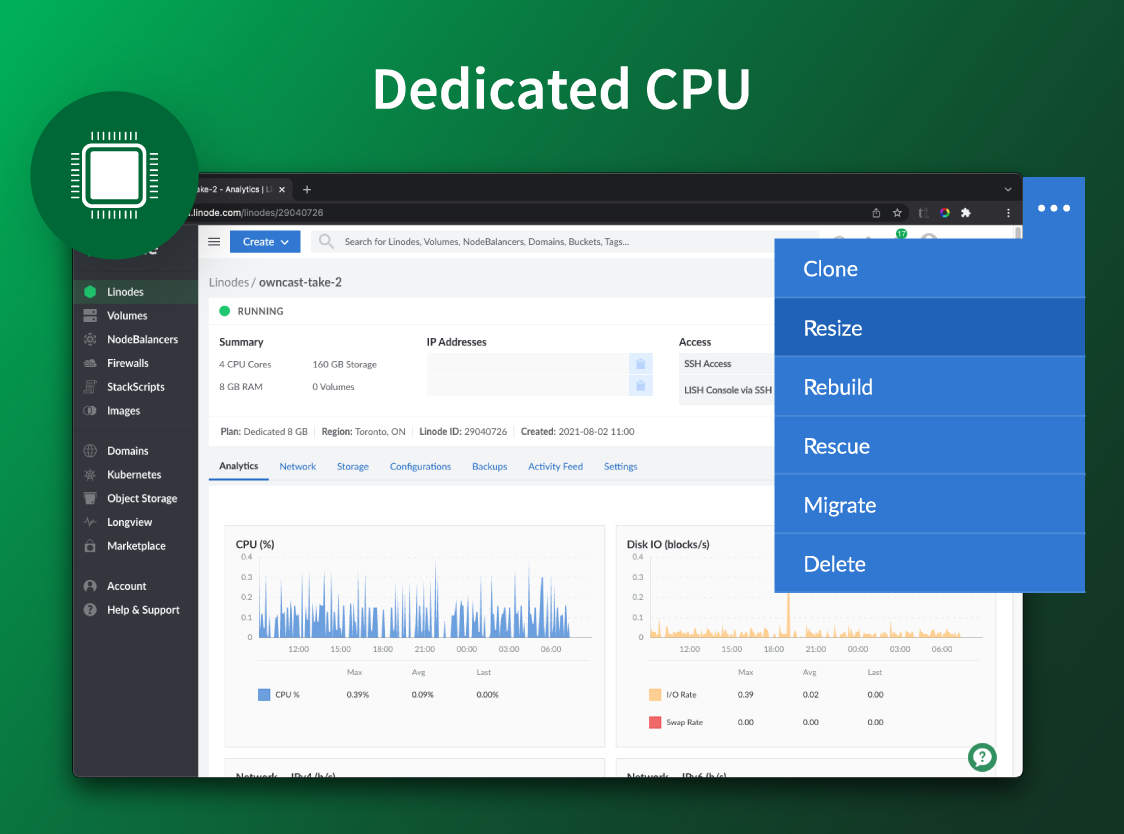
Akamai Cloud Computing (formerly Linode) include scalable and accessible Linux cloud solutions and services. These products and services support developers and enterprises as they build, deploy, secure, and scale applications.
$5
per month
Amazon Web Services
Score 8.5 out of 10
N/A
Amazon Web Services (AWS) is a subsidiary of Amazon that provides on-demand cloud computing services. With over 165 services offered, AWS services can provide users with a comprehensive suite of infrastructure and computing building blocks and tools.
$100
per month
Google Compute Engine
Score 8.6 out of 10
N/A
Google Compute Engine is an infrastructure-as-a-service (IaaS) product from Google Cloud. It provides virtual machines with carbon-neutral infrastructure which run on the same data centers that Google itself uses.
$0
per month GB
Pricing
Akamai Cloud Computing
Amazon Web Services
Google Compute Engine
Editions & Modules
No answers on this topic
Free Tier
$0
per month
Basic Environment
$100 - $200
per month
Intermediate Environment
$250 - $600
per month
Advanced Environment
$600-$2500
per month
Preemptible Price - Predefined Memory
0.000892 / GB
Hour
Three-year commitment price - Predefined Memory
$0.001907 / GB
Hour
One-year commitment price - Predefined Memory
$0.002669 / GB
Hour
On-demand price - Predefined Memory
$0.004237 / GB
Hour
Preemptible Price - Predefined vCPUs
0.006655 / vCPU
Hour
Three-year commitment price - Predefined vCPUS
$0.014225 / CPU
Hour
One-year commitment price - Predefined vCPUS
$0.019915 / vCPU
Hour
On-demand price - Predefined vCPUS
$0.031611 / vCPU
Hour
Offerings
Pricing Offerings
Akamai Cloud Computing
Amazon Web Services
Google Compute Engine
Free Trial
Yes
Yes
Yes
Free/Freemium Version
No
Yes
Yes
Premium Consulting/Integration Services
Yes
No
No
Entry-level Setup Fee
Optional
No setup fee
No setup fee
Additional Details
CPU, transfer, storage, and RAM are bundled into one price. Storage capacity can be increased with additional Block Storage or S3-compatible Object Storage. Instant Backups can be added with complete independence to the stack. Linode NodeBalancers ensure applications are available.
AWS allows a “save when you commit” option that offers lower prices when you sign up for a 1- or 3- year term that includes an AWS service or category of services.
Prices vary according to region (i.e US central, east, & west time zones). Google Compute Engine also offers a discounted rate for a 1 & 3 year commitment.
More Pricing Information
Community Pulse
Akamai Cloud Computing
Amazon Web Services
Google Compute Engine
Considered Multiple Products
Akamai Cloud Computing
Verified User
Engineer
Chose Akamai Cloud Computing
Google Computer Engine: it is too expensive. You have to pay for computing resources (CPU, memory), storage, network traffic individually. While the quality of service is good, it's still with the same level of Linode.
I have used Amazon Web Services (AWS) before this and both are reliable. AWS is just as easy to use, but the costs are harder to understand, because they are not fixed, they are dependent on usage. If you have a low usage but an abnormal process the costs can spiral without …
Compared to the big cloud players like Amazon Web Services, Google Cloud Platform, MS Azure, Oracle Cloud, and co., Linode's product is simpler and cheaper. For quick and straightforward client engagements, the power and flexibility afforded by the previously mentioned vendors …
Setup and management of Linode services were just simpler than similar services from Rackspace or Amazon Web Services, both of which are cumbersome and confusing to the point of frustration.
It is more user-friendly than the big three cloud providers like AWS and GCP. The interface blows them out of the water; pricing is so much more competitive—no egregious bandwidth fees like AWS. As a small startup, cutting out the overhead of ultra-complex UI and pricing …
Information Technology Specialist, Digital Strategist
Chose Akamai Cloud Computing
There are a lot of very good cloud operations. Linode, for us represents a good offering. It offers a simple way to control infrastructure, without being overly simplified. For us, it was a good median giving us the flexibility to explore, experiment and still build for scale. …
Linode's price for performance is unmatched. The scalability and customizability of their offerings is likewise superlative. Uptime is great and they have servers in all of the places we need them. Security is on par with the rest. Their web interface is useful. Their …
Linode ultimately has better value for money. Not as many features/services as AWS but they do cloud computing very well. Managed databases are something we’d like to see and it’s on Linode’s roadmap. AWS nickels and dimes you for everything. We’ve also considered UpCloud, …
Linode offers a fairly specialized subset of cloud services, which makes the dashboard interface a million times easier to use than both GCP and AWS. In addition, their VPS offerings give you a broader range of control with (thankfully) fewer options. This makes it easier to …
Linode's offering is almost identical to DigitalOcean's, but I find Linode's customer service better AWS, Azure and Google Cloud provide all services Linode does, but provides a much large set of other features and customizations.
Linode delivers higher performance cloud servers, within an easier web interface, simpler API, and better cost-benefit. Amazon has a complex interface that many times make the customers spend much more time in order to finish simple tasks and use "AWS-terms" so even if you need …
While SiteGround, GoDaddy, and DreamHost all offer ease of use and work OK when they're working, their performance is not consistent. All three can become very slow for even very low traffic sites. Linode, in comparison, offers much more consistent performance and any issues …
I am still evaluating DigitalOcean Droplets as their pricepoint has moved more towards Linode, but so far I am leaning back towards Linode. They also don't have the GPU machines. But they do have a wider range of options for CPU. At present if you do lscpu on Linode it lists …
Verified User
Administrator
Chose Akamai Cloud Computing
I don't have extensive experience with VPS services, but I steered away from Amazon and toward Linode specifically because the latter was easier to use. Amazon offered a lot of flexibility, but it was geared to meet the needs of experienced developers. Linode's package deals …
For other jobs I worked with both AWS and GCP and they both are mind-boggling complex in comparison. You have a running machine on Linode by the time you just started reading what services you need to activate for your project in AWS / GCP. This also makes the pricing of Linode …
Linode is far simpler to use than AWS. Digital Ocean is roughly comparable but the simplicity and customer support of Linode along with roughly equivalent cost kept me with Linode vs. going to Digital Ocean.
Linode provides easier and more understandable pricing and value. I never have to wonder or estimate the month's costs or have any surprises. Linode also is more logically laid out and easy to get things set up and running quickly.
DigitalOcean had very bad communication both internally and externally. Vultr had good features but could not answer questions about Spectre/Meltdown with any specificity. EC2 and GCE's unpredictable costs and higher bandwidth fees make them annoying or expensive for most of my …
For simple VMs or Kubernetes, Linode is cheaper and it also has consistently good performance. As long as this is what you need, you get all you'd want. AWS and GCP shine when you need their other services. Oracle Cloud was bare bone and expensive. Droplets are easy to start …
Red Hat OpenShift was the first product I used and it was fantastic--until they changed to a container model and kicked everyone of the previous model. From there I moved to Linode and haven't looked back. You have much more control but it does mean you need to keep on top of a …
OCI and Google Compute Engine are a bit cheaper than AWS but AWS has better chargeback and more granular monitoring of various KPIs. But at the same time, AWS has a learning curve while GCE especially is much easier to use. Microsoft Azur has a much better partner and developer …
The decision was made to go with AWS because of name recognition and familiarity by contractors we hired. I checked out Google Compute Engine a few years ago, and it did have similar option set, however Google in general was behind Amazon's offerings.
Amazon Web Services is much more mature than all of the cloud service providers out in the market. It has 300+ services that solve almost all of your cloud problems.
As far as user-friendliness is concerned, I personally rank Google Cloud above both AWS and Azure. Their user interface makes it easy to manage, which is important.
Google Compute Engine provides on-demand computing resources that are easy to scale up or down according to my organization needs. This allows our business to quickly adapt to changes in demand without having to invest in additional hardware. It also offers a very competitive …
Verified User
Professional
Chose Google Compute Engine
Google Cloud lacks the features and compatibility of the other cloud providers. It makes up for that with highly specialized and perfected services like their Big Data and Query features.
After all the discounts, GCE is a bit cheaper with much less incidental expenses to deploy and maintain compared to Amazon, Microsoft Azur and Oracle (OCI). It is also easy to manage as the interface is simpler compared to AWS or Azur.
AWS's UI could use a lot of work, and their API documentation was much worse compared to Google's, which was already tough to read and figure out. Google's free trial of their services through a platform credit (which AWS doesn't offer), also helped us test their compute …
I've used Rackspace, AWS, and Digital Ocean to host virtual environments. In my opinion, GCE has a robust feature set on par with any other mainstream virtual hosting company. I would say AWS and Digital Ocean are comparable, and Rackspace would be slightly less robust than …
AWS has a ton of options in terms of tools that you can use. It's pricing model is hit or miss (some offerings are simply unaffordable). Some of the API design is questionable at best and frustrating at worst. Microsoft Azure is a newcomer in the market with focus on enterprise …
For this particular use-case Google Compute Engine was the better platform as this was a focused development and did not require bespoke infrastructure to support it. The service offered allowed the opportunity to embed core Google apps and services to deliver a quality service …
Akamai Connected Cloud Linode would be a good service to host a content delivery network (CDN) because of its edge network but I'd prefer not to use Akamai Connected Cloud Linode for tasks that need GPU power such as Machine Learning or Artificial Intelligence (AI) because Akamai Connected Cloud Linode lacks deep GPU compute compared to AWS or Google Cloud or Microsoft Azure
This is something that is actually common across most cloud providers. A comprehensive understanding of one's use cases, constraints and future directions is key to determining if you even need a cloud solution. If you are a 2-person startup developing something with a best-scenario audience of 1k DAU in a year, you would very likely best served by a dirt-cheap dedicated Linux server somewhere (and your options to graduate to a cloud solution will still be open). If, however, you are a bigger fish, and/or you are actively considering build-vs-buy decisions for complicated, highly-loaded, six-figure requests per minute systems, global loadbalancing, extreme growth projections - then MAYBE you solve all or part of it with a cloud provider. And depending on your taste for risk, reliability, flexibility, track record - it might be AWS.
You can use Google Cloud Compute Engine as an option to configure your Gitlab, GitHub, and Azure DevOps self-hosted runners. This allows full control and management of your runners rather than using the default runners, which you cannot manage. Additionally, they can be used as a workspace, which you can provide to the employees, where they can test their workloads or use them as a local host and then deploy to the actual production-grade instance.
Scaling - whether it's traffic spikes or just steady growth, Google Compute Engine's auto-scaling makes sure we've got the compute power we need without any manual juggling acts
Load balancing - Keeping things smooth with that load balancing across multiple VMs, so our users don't have to deal with slow load times or downtime even when things get crazy busy
Customizability - Mix and match configs for CPU, RAM, storage and whatnot to suit our specific app needs
I've been with them a long time. They provide me with the capabilities I need coupled with knowledgeable support that's not pay-for-extra. However, if I move to a non-Linux OS, the level of support by necessity will drop off. I can still ask questions about the infrastructure but I my ability to ask about OS features will decrease.
We are almost entirely satisfied with the service. In order to move off it, we'd have to build for ourselves many of the services that AWS provides and the cost would be prohibitive. Although there are cost savings and security benefits to returning to the colo facility, we could never afford to do it, and we'd hate to give up the innovation and constant cycle of new features that AWS gives us.
Its pretty good, easy and good performance. Also, interface is very good for starters compared to competitors. Infra as Code (IaC) using Terraform even added easiness for creation, management and deletion of compute Virtual Machines (VM). Overall, very good and very easy cloud based compute platform which simplified infrastructure, very much recommend.
Simple and clear, no BS interface. From a design perspective it's no Apple or Stripe, but it does what it needs without making me want to stick a fork in my eyes, like when being forced to use Azure, AWS or GCP.
AWS offers a wide range of powerful services that cater to various business needs which is significant strength. The ability to scale resources on-demand is a major advantage making it suitable for businesses of all sizes. The sheer volume of options and configurations can be overwhelming for new users leading to a steep learning curve. While functional the AWS management console can feel cluttered and less intuitive compared to some competitors which can hinder navigation. Although some documentation lacks clarity and practical examples which can frustrate users trying to implement specific solutions.
Having interacted with several cloud services, GCE stands out to me as more usable than most. The naming and locating of features is a little more intuitive than most I've interacted with, and hinting is also quite helpful. Getting staff up to speed has proven to be overall less painful than others.
There is very little planned downtime. Whenever planned downtime is necessary I'm always given lots of advanced notice and an explanation that I can pass along to my users that they'll understand. I really appreciate that Linode appreciates my commitment to reliable service to my users. It shows that they believe they've been successful when I'm successful.
Google Compute Engine works well for cloud project with lesser geographical audience. It sometimes gives error while everything is set up perfectly. We also keep on check any updates available because that's one reason of site getting down. Google Compute Engine is ultimately a top solution to build an app and publish it online within a few minutes
Servers are well dimensioned and price performant. Of course one always wants more, so if they were to upgrade their hardware for the same price I'd consider moving more workloads. Networking - never had an issue. Hardware speeds - disks are fast and can grow to great size.
AWS does not provide the raw performance that you can get by building your own custom infrastructure. However, it is often the case that the benefits of specialized, high-performance hardware do not necessarily outweigh the significant extra cost and risk. Performance as perceived by the user is very different from raw throughput.
It works great all the time except for occasional issues, but overall, I am very happy with the performance. It delivers on the promise it makes and as per the SLAs provided. Networking is great with a premium network, and AZs are also widespread across geographies. Overall, it is a great infra item to have, which you can scale as you want.
Support was excellent and fast. The documentation is extensive and helpful. I learned many things from their online documentation. I did not contact them by phone, but email took a day or less. Complex problems would probably need a service contract. I liked the friendly and polite tone of the support.
The customer support of Amazon Web Services are quick in their responses. I appreciate its entire team, which works amazingly, and provides professional support. AWS is a great tool, indeed, to provide customers a suitable way to immediately search for their compatible software's and also to guide them in a good direction. Moreover, this product is a good suggestion for every type of company because of its affordability and ease of use.
The documentation needs to be better for intermediate users - There are first steps that one can easily follow, but after that, the documentation is often spotty or not in a form where one can follow the steps and accomplish the task. Also, the documentation and the product often go out of sync, where the commands from the documentation do not work with the current version of the product.
Google support was great and their presence on site was very helpful in dealing with various issues.
We got kick started with an initial walkthrough along with some free credits. The initial walkthrough helped us to understand Linode's ecosystem and start our hands on with Linode. We tried out some apps from Marketplace initially with the free credits, which not only helped us understand Linode better, but also those apps. We had implemented many such apps to our customers with Linode
We're a small organization. The implementation of our Linode solution was trivial. Once I justified a cloud server to my bosses over a co-location -- the co-lo wasn't as fast as our linode server in load tests -- it was a matter of moving one Linux implementation to another. Trivial.
We switched to Linode from Namecheap due to poor uptime, and never had any issues with stability ever again after switching. We also cut our costs in half by switching. We compared Linode to DigitalOcean and Vultr, with the primary factor that caused us to go with Linode initially being their documentation. After using Linode for 3 years, their amazing support is another reason why we wouldn't consider anyone else at this point.
Amazon Web Services fits best for all levels of organisations like startup, mid level or enterprise. The services are easy to use and doesn't require a high level of understanding as you can learn via blogs or youtube videos. AWS is Reasonable in cost as the plan is pay as you use.
Google Compute Engine provides a one stop solution for all the complex features and the UI is better than Amazon's EC2 and Azure Machine Learning for ease of usability. It's always good to have an eco-system of products from Google as it's one of the most used search engine and IoT services provider, which helps with ease of integration and updates in the future.
Although I use only a fraction of their product offerings, the total set makes scalability an easy goal to shoot for. As I said, I have a few customers that use the services my Linode provides...and I like it that way. However, should I need to scale up, I can...without incurring any more cost than I need to.
Using Amazon Web Services has allowed us to develop and deploy new SAAS solutions quicker than we did when we used traditional web hosting. This has allowed us to grow our service offerings to clients and also add more value to our existing services.
Having AWS deployed has also allowed our development team to focus on delivering high-quality software without worrying about whether our servers will be able to handle the demand. Since AWS allows you to adjust your server needs based on demand, we can easily assign a faster server instance to ease and improve service without the client even knowing what we did.