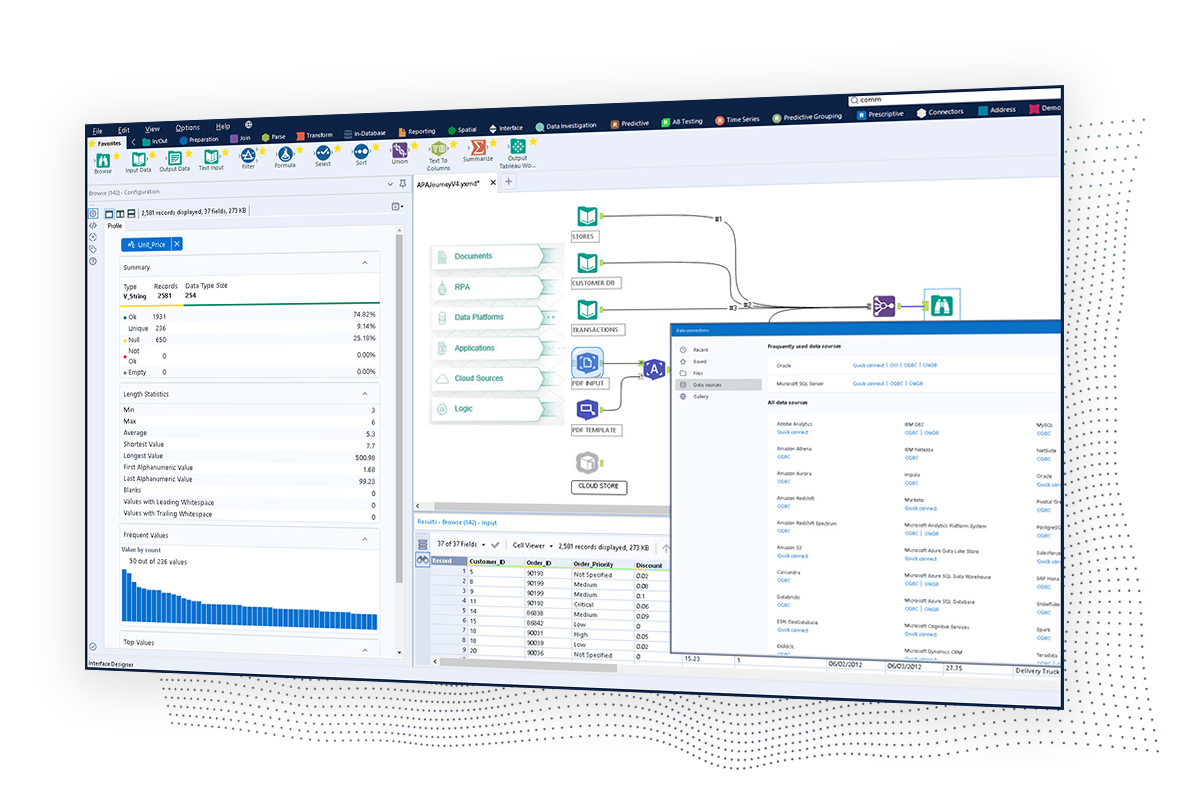
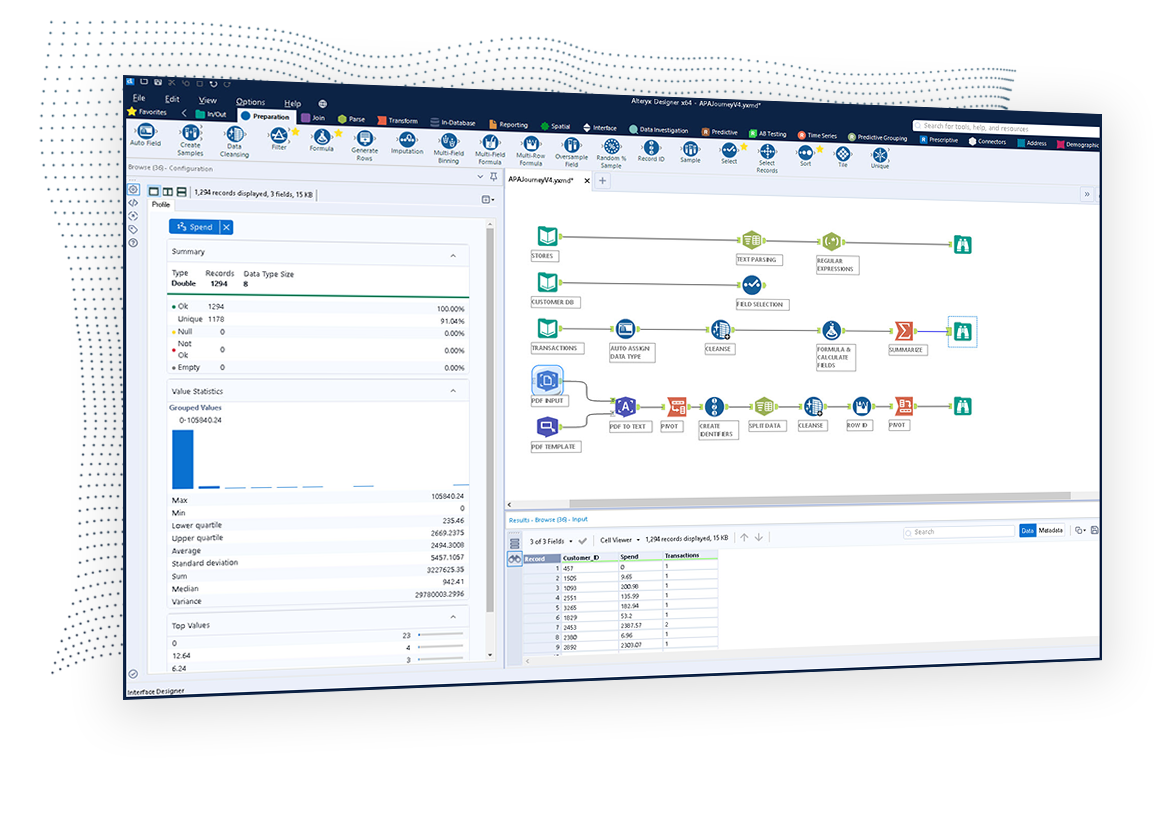
The Alteryx AI Platform gives organization automated data preparation, AI-powered analytics, and machine learning with embedded governance and security. Its self-service functionality, with self-service data prep, machine learning, and AI-generated insights, gives enterprise teams with a simplified user experience allowing everyone to create analytic solutions that improve productivity, efficiency, and the bottom line. Alteryx Designer can be used to automate every analytics step…
$14,850
per year 3 users (minimum), cloud edition
Anaplan
Score 8.5 out of 10
Enterprise companies (1,001+ employees)
Anaplan is a scenario planning and analysis platform designed to optimize decision-making in complex business environments so that enterprises can outpace their competition and the market. By building connections and collaboration across organizational silos, the Anaplan platform surfaces key insights.
N/A
Microsoft Excel
Score 8.9 out of 10
N/A
Microsoft Excel is a spreadsheet application available as part of Microsoft 365 (Office 365), or standalone, in cloud-based and on-premise editions.
Alteryx serves as a complementary product, performing all the data wrangling for the likes of Tableau Desktop and Microsoft PowerBI for visualization. Microsoft Excel serves as an easier means of automation for tasks that previously would have involved a lot of manual …
Alteryx is way better than Microsoft Excel. It visually lets you do things to the data, one tool at a time. And, you can just delete the tool if it did not do what you were wanting it to do. Excel is a nice app, but Alteryx expands the capability so much more, especially …
I prefer Alteryx Platform to all the above products. In my opinion, the Microsoft products (Excel, Power BI) are inferior, cheaper alternatives to Alteryx Platform.
I still use SQL, Python, and Excel when I have to - but alteryx has largely replaced all three of these. Every operation I need to do in any of these I can do in alteryx and see what I'm doing each step of the way - so problem solving is also easier.
Verified User
Analyst
Chose Alteryx Platform
IMHO KNIME is not user friendly as much as Alteryx. Learning curve is long. Regardless is Open Source, the GUI is awful. To do same job in Alteryx you need to add many components and the configuration is very complex. Although the application is free, the server side is not. I …
Knime is open source and free. It also positions itself a little on machine learning. But the user experience and the features available are far less powerful than Alteryx. I was a former user of Lavastorm (ancestor of Infogix Data360) and got acquainted with the low-code …
Verified User
Professional
Chose Alteryx Platform
Alteryx has many connectors that allow it to bring data in from various systems and export it to various formats and systems (SQL Server, Oracle DB, ODBCs, etc.) There are also additional connectors available provided by third parties that can help with connecting to other …
Global Strategic Sourcing Manager - New Product Introduction
Chose Alteryx Platform
Alteryx is feature-rich and allows our team to blend multiple data sources and types together with ease. We are able to really speed through workflow development while strengthening the quality of the output. I would say that Alteryx is able to outdo the other products in the …
Verified User
Consultant
Chose Alteryx Platform
Alteryx is basically a packaged version of Excel, which potentially less functionality but much 1) easier to learn and 2) greater power to process larger datasets.
Anaplan system/structure is not a far departure from Microsoft Excel which many people are most familiar with - this allowed for an easy transition during our first implementation as well as onboarding new users. Anaplan presents itself in a somewhat familiar structure while …
Creating financial forecasts in Anaplan was a big improvement over doing the same activity in Microsoft Excel. The main difference is that Anaplan makes it easier to build models based on large amounts of data and to forecast concurrently with many users across your …
Anaplan is a superior product for planning purposes. Ease of use is key and intuitive UX makes driving adoption less difficult
Verified User
Vice-President
Chose Anaplan
Anaplan outclasses Power BI across modelling capability and data integrations. However, whilst Anaplan has a robust UI and dashboarding, Power BI remains the best-in-class dashboarding experience. Power BI is best suited for dashboarding-only use cases. Anaplan offers a more …
Previously, our planning processes relied heavily on Excel spreadsheets, which presented several challenges, including slow performance, complex data consolidation, multiple disconnected sheets, lack of real-time reporting, and limited access control. With Anaplan, we’ve …
Verified User
Consultant
Chose Anaplan
Anaplan offers faster performance. The modelling tool is user oriented.
Verified User
Consultant
Chose Anaplan
Anaplan vs Oracle Hyperion - Anaplan is far better calculation engine and way more modern. However, Anaplan still struggles to provide reporting, especially adhoc reporting in excel based off a data model.
Anaplan vs Pigment - Anaplan is a more proven product, however, Pigment …
Verified User
Analyst
Chose Anaplan
Anaplan is cloud based which automatically removes the pain and risk that comes along with emailing around different versions of spreadsheets. Concurrent users can interact with different parts of the model at the same time greatly improving time spent adding inputs to the …
Anaplan is a cloud-based, real-time planning tool that offers more flexibility and scalability, making it suitable for various business functions. It emphasizes collaborative planning and provides a user-friendly interface. Hyperion Essbase, now part of Oracle, is a more …
Easy of use is Anaplan's main advantage. As Anaplan is code-less configuration, and the logic for model building is by far the simplest, it would make the learning curve less steep. This is very important when we are showing our clients that, their complicated planning scenario …
Verified User
Employee
Chose Anaplan
Scalability, Performance and UX is key from above two tools versus Anaplan.
Verified User
Consultant
Chose Anaplan
Anaplan provided a much more flexible backend that allows for modeling out any use case.
Verified User
Professional
Chose Anaplan
Anaplan has already been used in the company for several years and Pigment has only been evaluated to see what other technologies have emerged on the market since. Pigment is worth considering for business still not using any technology and seems easier to set up and run …
The tools generally fill different niches, Anaplan is the best for corporate and enterprise planning, OneStream's strengths are in Consolidations and working with large data sets by IT, and Pigment is a strong contender for finance teams at small organizations with less-defined …
Compared to OneStream and Venna Anaplan offers a more modern look and feel of the platform. It is better situated and maintained in regards of platform updates as it's a full SaaS software there are never any issues with the system version as it's always automatically up to …
Verified User
Engineer
Chose Anaplan
Managing spreadsheets in Excel or Google Sheets becomes too time consuming as the business and team grows so transitioning to a tool like Anaplan is a natural evolution. I have used Power BI as a complement to Anaplan in the past in order to make the data that was consolidated …
We selected Anaplan because of the breadth of their vision and their approach to tackle "planning" of all kinds and integrate planning processes into a true Connected Planning ecosystem. We found that their flexibility and ease of use ultimately provided a better avenue to …
Anaplan is leaps and bounds beyond Excel with versioning, multiple models linking to one data set giving one source of truth, and full audit history of changes available in the system. It enables you to fully trust the numbers you're seeing and working with and [give you] the …
Verified User
Employee
Chose Anaplan
Anaplan is a cloud-based tool that can store billions of data records. It can be accessed by any web browser and even mobile devices and significantly reduces version control issues that users run into with Excel. Anaplan is extremely customizable and can cater to any planning …
Verified User
Manager
Chose Anaplan
Anaplan has a clear advantage comparing to Excel when it comes to complex planning and forecasting, especially for bigger companies. Anaplan can perform much smoother but still is giving the same amount of flexibility.
SAC is much more analytical comparing to Anaplan. SAC can …
Microsoft Excel is legacy software and no one till now had matched the functionality of Excel. We can even automate daily tasks easily with help of macros. Also one can connect various data base to it and you are good to go without any other hassle. Google Sheets is …
We utilize Tableau and Alteryx in addition to Excel. We use Excel since we have a data dump that could be utilized in feeding for these two solutions. We select Excel for some manual work then plug the data into the other two tools for further analysis around text analytics …
I would 100% recommend Alteryx to a friend, for me its friendly interface is the best, it has all the tools I need without the headache that programming is. It can be used for simple or complex analysis, so honestly, I don’t see a scenario where it wouldn’t suit. I’ve used Alteryx to make simple things I could do in Excel, for example, but it was less complex and faster to do in Alteryx, so why not? Its a very versatile tool.
With its versions and native time features Anaplan is well suited for all activities around planning in time and scenarios. Tasks involving calculating across multiple dimensions make Anaplan shine - the easiness to build complex calculation and present results on customizable pages. With its access restrictions it's well suited also for working with sensitive data (employee and customers personal data).
I don't really know another program as powerful as Excel. I've used Google Doc programs but do not feel they come close. So far, anytime I've needed a table of some sort for data, whether it's budget oriented or information off a survey, the best system has been Excel. We do web audits on occasion and we create an Excel worksheet featuring every URL of the pages we're auditing, notes, data about the content, information about files attached to the page and other information to help us determine what pages need updating, deleting or otherwise. We also use Excel primarily to export our Google Analytics to in order for us to create reports for clients that need to see specific information about their traffic.
Pulling data from multiple disparate data sources.
Allows users to see the data at every step of the workflow to be able to cleanse, analyze, and optimize the data.
Provides an analytics platform that is easy for users of all levels to thrive in whether they are just starting out in their analytics journey or they have a master's degree in Data Science.
Anaplan removes the time consuming process of integrating the results of individual spreadsheets.
Anaplan facilitates the standardization of assumptions across all sub-processes
Anaplan provides full transparency of the calculations and source inputs
Anaplan allows us to automate certain planning processes that would have been impossible when relying on the computational capabilities of an individual computer.
It is very good at embedded formulas and tying cells to one another
It allows me to compare deals terms on a side-by-side basis and talk my clients through it easily.
It is very helpful as well in terms of allowing me to filter/sort results in many different ways depending on what specific information I am most interested in prioritizing.
Steeper Learning Curve: Alteryx can have a steep learning curve for users who are new to the platform or have limited experience with data analytics. Enhancements to the user interface and user onboarding resources could help make the learning process more intuitive and accessible to a wider range of users.
Enhanced Data Visualization Capabilities: Alteryx offers basic data visualization capabilities, but there is room for improvement in terms of advanced visualizations and interactive dashboarding features. Adding more sophisticated chart types, interactive widgets, and customization options would enhance the data visualization capabilities within the platform.
Improved Error Handling and Debugging: Alteryx provides error handling mechanisms, but enhancing the error reporting and debugging capabilities would be beneficial. Improved error messages, better visibility into data flow, and debugging tools could help users troubleshoot and resolve issues more efficiently.
Excel offers collaboration features that allow multiple users to work on the same spreadsheet, but managing changes made by different users can be challenging. Excel could improve its features by offering more granular control, better tracking of changes, and more robust conflict resolution tools.
Itcan be a barrier to productivity when importing and exporting data from other applications or file formats. To improve its features, it should offer better support for standard file formats and more robust error handling and reporting tools.
Excel can be challenging for finance students and working professionals, but it can be improved by offering more robust tutorials, better documentation, and more user communities and support forums.
We've developed a working partnership with Alteryx. As an enablement suite, we're continuing to innovate and deliver great products with use of Alteryx in our solutions. Alteryx use expands to our global product development teams and is in use in multiple parts of our organization. Alteryx also delivers Experian demographic content to other clients in their product offering. We're highly likely to renew, but that decision is way above my pay grade.
Anaplan is a very strong multi-dimensional modeling tool that provides a calculation engine to empower a complex planning process. It is fairly easy to learn for those with experience in similar tools, or excel. It forces structure and auditability that spread sheets do not have, along with extensive security capabilities
Excel remains the industry standard for spreadsheets and has maintained simple and straight-forward formula writing methods. Although there is a learning curve to do more complex calculations, there are countless help sites and videos on the Internet for almost any need.
I've found that while some things might take a little longer to create, the flexibility of Alteryx allows you to perform any function needed. I haven't found a use that was not available in Alteryx yet. APIs and XMLs can be created to perform certain functions. In addition, CMD line commands can be sent using Alteryx to perform certain functions as well.
Anaplan's usability is dependent on who is implementing the project and how clear business processes are at the beginning of the implementation. Complex business processes with many inputs and reviews will still be complicated in Anaplan; however, the UX is very flexible in how to help people through the process and there are also other items such as Workflow that can help people move through the system.
I'm giving it a 7 because it is my go to. But the fact other prefer Google Sheets when working with a team does get irritating. I've used the online version of Microsoft Excel that other teams can get into and it still seems behind Google Sheets. It's a little clanky and slow? If that's even a term.
I use many programs and compared to others, Alteryx virtually never goes down, freezes up or gives an application error. Over a 4 year time period that I have used this program, any of these may have happened 3 times. It is an incredibly stable program that I feel completely confident in.
There are very few outages. Maintenance is scheduled on two or three Saturdays per month, so as not to affect businesses. When there is an outage, users are kept informed of progress to restore the platform and typically this takes no more than an hour. Anaplan customer support is very responsive if we ever have questions about platform issues
I already gave the example of journal entries created in less than a second. What else can I tell you about.... I can tell you those 2 journal entries have historically had to be split into separate accounting systems so the outputs had to be very different (D365 vs Intacct) such that they are exactly ready for uploading. I can tell you I used to have some tire and battery queries hitting a line item detail table and they took hours to run UNTIL I asked IT for a view in SQL and now they're ready in about 5 minutes total. I guess I'd say if anything does take a long time - do some research with others and figure out what would speed them up
Everything is calculated in memory in the cloud. It's nearly instantaneous updates when you make changes. The only time things get a little slow is when you have a massive model with very intricate calculations...but "slow" for Anaplan is not what I would call "slow" for something like Hyperion. We used to have Hyperion calcs that ran for 60 mins before you could use data. The equivalent would be 60 seconds in Anaplan.
Stellar, bar-none. Some of the best support folks of any vendor. The Alteryx Community is the most responsive and supportive. On the rare occasion of a release issue or bug, we've been able to get quick help to solve the core problem. Alteryx does not play the blame game. They genuinely help the users solve their issues or respond to questions
Support quality has dropped since Thoma Bravo has taken over. I think some serious re-focus needs to happen here -- part of the beauty of being in the Anaplan community was how involved you felt in it before. Before I didn't dread sending a support ticket, now I am starting to.
1st level of trainings which I've attended in Paris was easy and I was already knowing %90, that learning could have been an e-learning instead of in-person
In my opinion, in-person training is always the best if you have the option to do so. This allows real-time interactions with the instructions, whereas the online training I took required me to write-down questions, email them, and wait for responses. This slows down the process, as you can imagine. That said, in-person training is an extra cost and it likely isn't needed for everyone. I would suggest selecting a small number of people to take in-person training and then having them act as mentors to the rest of your team. That way, as the rest of the team takes the online training, they have a resource to help them in real time.
Very good, detailed online trainings which you can take at your own pace, and strong certifications exists, certifications are extremely detailed and hard...
Anaplan training materials are clear, simple, easy to understand and to follow. Visuals are excellent. The vendor is good at updating training materials in a timely manner and encouraging users and administrators to keep coming back to Academy site for refresher courses or new feature courses. I really like their interactive diagrams
There is really not much to it (the installation, that is). Once you get it installed, along with any of the add-ons (demographics, R, etc.), you are up and running almost immediately. There is really no additional setup. You can immediately begin blending data, running demographics, performing spatial queries, running predictive analysis, etc. And for many of these functions, the learning curve is quite easy.
One key insight from implementing Anaplan is that success comes from focusing on designing the process, not just building the model. Anaplan is extremely flexible—there are very few planning scenarios it cannot support—but that flexibility means the project needs strong governance, clear ownership of requirements, and a well-defined data model. When those foundations are in place, implementations are fast, iterations are easy, and users can quickly see value. In our projects, both Financial Planning and Integrated Business Planning models were adopted smoothly because we involved business users early, kept the model design intuitive, and leveraged Anaplan’s Excel-like syntax and user-friendly dashboards. The result was more efficient day-to-day work, reduced manual tasks, and increased collaboration across teams. In short: when you combine Anaplan’s flexibility with a structured implementation approach, adoption and value realization happen quickly.
Alteryx is MUCH more user friendly. both provide the ability to code within them, but Alteryx has much nicer interface. The formula tools have a more simple language that is easier to learn than formulae in SSIS. Alteryx is easy to read with multi colored tools identifying what each one does. It also allows for macros. You can build your own tool to process records of data or batch records together.
Anaplan is more powerful than Pigment considering that it is an Enterprise class system and is able to manage bigger data sets. Anaplan allows for advanced scenario modeling and formula capabilities along with custom reporting functionalities. Anaplan has proven its capabilities and stability across various use cases and across bigger enterprises when compared to Pigment which is still in earlier phases of its development
Out of Microsoft Excel, Microsoft Power BI, IBM SPSS, and Google Sheets, Microsoft Excel is by far the most common tool used for anything data-related across organizations. Accordingly, our organization has also implemented Microsoft Excel as a first-step tool. We recently adopted Microsoft Power BI (the free version), and use it occasionally (mostly for creating dashboards), but it is less commonly understood by stakeholders across our organization and by our clients. Accordingly, Microsoft Excel is more user-friendly and because of its popularity, we can easily look up how to do things in the program online. Google Sheets is a comparable alternative to Microsoft Excel, but because it's cloud-based and we have sensitive data that needs to be protected, we chose against using this software. Finally, a few users (including myself) have access to and utilize IBM's SPSS. For my role, it's a helpful tool to do more rigorous analyses. However, because of its cost and limited functionality as a simple spreadsheet, we only use it for more complex analyses.
Individual analysts can quickly generate results using their own copy of Alteryx Designer. But using the Server and developing macros for more complex needs can be time consuming.
We have managed to leverage Anaplan for financial planning and forecasting across the business. It is now used by almost every department, with more than 50 users (but I know of companies that have hundreds of users) and still the platform is quick and reliable. It is easy to make changes to divisions and departments or add users and apply different user settings - the core part of the model is not affected and end users can continue their work without any disruption
Each user can use it to whatever level of expertise they have. It remains the same so users can contribute to another's work regardless of whether they have more or less expertise
Error handling - allows controls to be built into workflows easily and allows them to be isolated and spat into control reports that can be easily reviewed and audited, thanks to the ability to create multiple outputs in one go.
Time-saving - saved huge amounts of time, especially when moving Excel processes into Alteryx.
Product development - allowed my firm to create products that we have been able to market and sell to clients.
Anaplan's implementation led to a significant reduction in planning cycle errors and bugs, streamlining processes and improving overall accuracy in data inputs
Standardizing the planning process and enabling cross-functional collaboration through Anaplan enhanced our ability to adapt swiftly to changing business needs, resulting in improved agility in decision-making
The platform's capabilities, especially in Demand Planning and Supply Chain, positively impacted our ROI by optimizing resource allocation and solving complex business problems efficiently across multiple functions