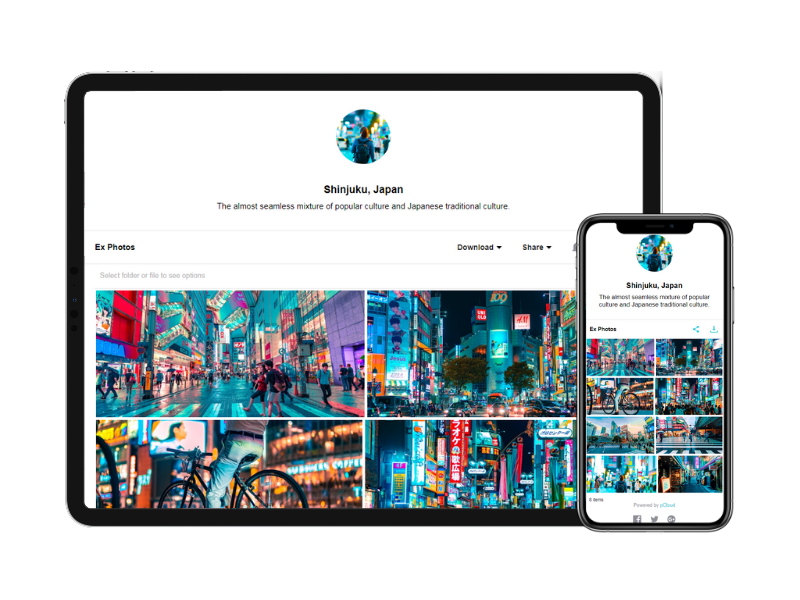
Amazon Drive allows users to aggregate all of their digital content, including photos and videos, in one place. The Cloud Drive is build in to Amazon devices. Users have secure access from any computer, or via their free mobile apps. Amazon Drive offers a free 3-month trial, and pricing packages based on what type of storage users seek. For $11.99/yr, users can store unlimited photos plus 5GB of videos and other files. For $59.99/yr, users can upgrade to unlimited everything (photos, videos,…
$1.99
per month
Google Drive
Score 8.6 out of 10
N/A
Google Drive is a cloud file storage, synchronization, and collaboration platform and service, that features Google Docs, Sheets, and Slides for document editing and presentation.
$6
per month
pCloud
Score 6.9 out of 10
N/A
pCloud is a cloud- based digital asset management platform that provides access to all digital content including images,video, audio, documents, and more, anytime, anywhere, on any device. Users can keep important files safe and centralized in one place, and share with team members, clients, etc. across the globe with controlled access and permissions to the digital library. The vendor says that the product has a user-friendly interface that clearly shows where everything is located and…
$29.97
per month 3 users
Pricing
Amazon Drive (discontinued)
Google Drive
pCloud
Editions & Modules
100 GB
$1.99
per month
1 TB
$6.99
per month
2 TB
$11.99
per month
3 TB
$179.97
per year
4 TB
$239.96
per year
5 TB
$299.95
per year
6 TB
$359.94
per year
7 TB
$419.93
per year
8 TB
$479.92
per year
9 TB
$539.91
per year
10 TB
$599.90
per year
20 TB
1,199.80
per year
30 TB
1,799.70
per year
Basic
$6.00
per month
Business
$12.00
per month
Enterprise
Contact Vendor for Quote
per month
pCloud Business
$9.99
per month per user (1 TB storage per user, 3+ users)
Business Pro
$19.98
per month per user (2 TB storage per user, 3+ users)
Offerings
Pricing Offerings
Amazon Drive (discontinued)
Google Drive
pCloud
Free Trial
No
Yes
No
Free/Freemium Version
No
Yes
Yes
Premium Consulting/Integration Services
No
No
No
Entry-level Setup Fee
No setup fee
No setup fee
Optional
Additional Details
—
Discounts are available for students, educators, and non profit organizations.
If you compare based on functionality and user-friendliness, other services like Google Drive and Dropbox are better options. However, if you are simply looking for somewhere to securely and reliably host your digital files, Amazon Cloud Drive is a great option. Adding to that …
This is about the same as Google Drive except I don't feel it's as organized or looks as nice as Google Drive does. It could do a lot more in terms of making it more visually pleasing and make it look more organize. It doesn't stack up to GitHub in the sense that it's not good …
The well organized version of Amazon Cloud wins over both Google Drive and Dropbox. Better accessibility compared to Google Drive and faster access speed compared to Dropbox. Won over the both of them overall except for the pricing case.
Less costly compared to other cloud storage providers available in the market. Amazon Drive gives us [the] option to store and backup data with less or minimal effort from dev side. [Therefore,] we don't need to hire a specific developer for that. As we plan to extend or …
Verified User
Executive
Chose Amazon Drive (discontinued)
Actually I think both Box and Dropbox are easier to use and have better features for sharing files, especially if you need password security on those files, but Amazon is better for storing tons of data. Box and Dropbox are much more expensive to store a lot of files.
We're already inside the Amazon portal so often for sourcing, the cloud storage was an easy extension. It is included in our Prime membership so it was an easy option. Furthermore, the functionality is beyond simple, helping to sell the software internally and gain support …
When compared to other solutions, Amazon is the dominant household name. With that said it is a bit more expensive than the competition. Namely, Google and their entry into the cloud solutions game is being priced very aggressively and in certain cases much cheaper than Amazon. …
I use this product in conjunction with other products to store information. As a storage solution it performs as expected, it's use as a business application could be open to improvement mainly due to the lack of collaboration, lock off of files, etc. However, its photo storage …
Amazon Cloud drive stacks up poorly against the other products with less number of options and features while having costlier plans. I would not substitute any of the other products with Amazon Cloud drive as it still has a long way to go when it comes to better features and …
Honesty.. I would rather choose Dropbox or OneDrive over Amazon Cloud due to no mobile application or file sync. Amazon does not offer folder sharing but does offer file sharing. The only way for me to use amazon cloud drive over others is music. Amazon Cloud Drive is ideal for …
We selected Amazon due to the large reliable brand name behind ACD and the ability of it to be nested within other services. While Microsoft and Google were strong options, we decided that ACD had a better cost and availability uptime compared to other services. Dropbox has …
Since this was used for a class, it was mandatory to use amazon. I have not used any other cloud storage spaces for the same purpose that i have used amazon cloud for, so the comparison might not be valid. The other two services i have used from google and apple are free of …
The other services have a better computer syncing software, but the unlimited photo and video space for a small annual fee is unsurpassed by the competition.
Google Drive and Dropbox have better accessibility compared to Amazon Cloud Drive but Amazon Cloud Drive and Dropbox have better file management features. But for performance, Google Drive outperforms both of them easily. As someone who appreciates good performance storage …
I feel that using google drive is much simpler compared to the Amazon Cloud Drive. Mastering the usage of the google drive will take much less effort and time as compared to that of Amazon cloud. Though I have never crossed the free storage limit, I know that Amazon charges …
I really like to use all of them together in order to achieve different goals in my job, hobbies, and other personal activities like sharing trip photos, backing up videos, and important job data. My main cloud services tool for work is OneDrive, but when something comes up I …
Manager of Personalized Learning and Dean of Instruction
Chose Google Drive
Google Drive is far and away better than other products in cost and ease of use. When you add access to tools and easy collaboration, there really is no competition. Others are good for storage and sharing but not easy to collaborate in. Given the number of users Google has, …
Coordinador Maestría Historia Regional de Venezuela
Chose Google Drive
The ease with which allows the user to manipulate their files and share them, in addition to its simple but efficient interface makes it the preferred option.
The Google Drive facility has no comparison. It's free, you can have it on your cell phone and you only need a connection to the internet. Everything is saved and safe in your Gmail email address. That is an advantage that other programs do not offer. That is why Google Drive …
Verified User
Partner
Chose Google Drive
I prefer Google for price, speed, and brand recognition.
Google drive effectively stands out against Amazon's cloud storage solution due to the easy to use interface, easy file management software and integration with other products. Google Drive is also effective against Amazon in terms of price, and performance reliablitiy due to …
pCloud has a wonderful UI that is very simple for anyone to use as compared to another device. It also has crypto technology which makes it highly secure and efficient. Other platform doesn't have that level of security in them. It also has great features to use like pCloud …
pCloud has a virtual drive which Google Drive does not offer. Sharing links using a custom page is much more professional than Google Drive. I feel pCloud is more value for money than paying for the upgraded Google Drive plan. If pCloud has its own built-in app …
The reason why we love pCloud over similar tools is because of its neat and clean interface. We also love options for file encryption through pCloud Crypto, which is unavailable on Google Drive, Dropbox, or OneDrive. Also, the upload speed on pCloud is fantastic and it is a lot …
Verified User
Director
Chose pCloud
pCloud offers much of the same for online storage but with super deals and valuable upgrades.
When compared to other devices, pCloud offers a superb user interface that is incredibly simple for anyone to navigate. It also incorporates cryptographic technology, which makes it extremely safe and efficient. Other platforms do not have the same level of protection as ours, …
pCloud's pricing is cheaper than alternatives. pCloud is modern and easy to understand.pCloud has mobile sync which is an amazing feature for me. Even it allows me to upload from a direct download link! pCloud has every feature that an average user required as a cloud backup or …
pCloud is miles away from the competition. We chose it because of their flexible pricing and great support. Plus the feature set is really tough to beat.
Amazon Cloud Drive is a fantastic backup solution for storing your digital files on the web, but if you want to manage, tweak, organize or otherwise maintain those files after they have reached the cloud, the experience immediately begins to suffer. This is especially noted when major competitor products like Microsoft and Dropbox offer similar services at similar prices, but offer far better interfaces for file management.
It is possible to share files and folders with up to 200 email addresses, as well as with persons outside the company.Use the drop-down arrow to select who may see, comment on, or change the file or folder before sending out an invitation.I am very much impressed with this feature
I need to store and share a lot of files. These include videos and other documents. Before using pCloud, I constantly had to clean up and delete files from my hard drive to free up space for new files. Sharing files and also using files on my website is now easier with pCloud's public folder.
Any user with access can store a file using different platforms like Android, IOS, Windows, or Ubuntu (Desktop version)
You can share files with any number of different users with different access rights or you can even keep it public by providing the access link and assign different rights for public access
You can open Excel/Word files using google software Sheets/Docs in the browser environment without having to install software like Microsoft Office etc on your Windows OS
pCloud helps us to store data very well and it is accessible from anywhere. It makes it easy for anyone to use it and secure the data. It is easy to upload data and access it while having a meeting with our client.
pCloud easily stores files from another platform as well like Google Drive or Dropbox. It easily exchanges information like images, videos, and documents. This feature is amazing as it gives access to files from other storage.
It had one feature known as pCloud Crypto which gives high-end security to the data when stored. It is highly secure and encrypted. It uses blockchain technology which requires a key to use called Crypto Pass to unlock your data. Really like it.
Having a little bit more control and clarity over what is shared and how it is shared would be a useful improvement.
Could be more robust and flexible as far as assigning restrictions.
Google Sheets could be enhanced because Excel really is not there yet as a product with equal capabilities as there are still quite a few limitations to the functionality.
It's perfect for me. It keeps things saved and is easy to remove items if needed. Also, I very much enjoy the formatting options. Along with the integrations it has for SSO. Overall, this is the most user friendly system I have ever come across.
The system is very easy to use and it's use of apps for almost all devices and hardware makes it even easier to manage and store photos and documents. I highly recommend this as an easy to use solution for novices!
It's easy enough to use for computer users of all ages and skill levels. I am an advanced user, and I think the hardest part might be showing someone how to download and set up the app on their device if they weren't too familiar with computers, but overall it is very easy to understand.
It is very easy to use, fast loading and the product team keeps adding updates. Like now I can listen to all my audiobooks from a playlist in pCloud. I am ask for files or send files easier than ever before. I also have access to all my files whereever I am.
The documents load fairly quickly and also update in real time, especially given the fact that multiple people can be using it at once. The "Offline" feature works great to allow the user to make edits and access the document without access to the internet, and then sync changes later once they're back.
Overall great software to use for file share, storage, and collaboration. Its security is great and the user management is spot on. The only thing that makes me dock it a point is that the device management as a subset of user management is kind of clunky. It hasn't been an issue yet, but it could compromise security in the future. Overall, would recommend
It takes a few days for customer support to get back to you. Although, I have not had to use support too often. Once you get an email back, they are very thorough and work hard to fix the problem quickly. It is a really great resource and a great way to get the help you need if you're stuck. A phone call also works quickly but you have to call during specific times.
The effective google workspace using training that my organization received and was conducted by me (as a team lead of the ICT team) was mind-blowing and as a result, our staff is performing well in terms of using the application for their daily jobs than before. Now, in my institution, all teachers and all the administrative personnel are very much interested in cloud storage facilities, in previous my institution was afraid of losing all important documents in the cloud storage. But, after having received the training they are now realized that if anyone has only one google account then he or she can use 15GB of cloud storage freely and they are now happy because now it is not necessary for anyone to carry the traditional pen drive.
It's an extremely easy software to implement, once you sign up for a google account you automatically have access to google drive with a set amount of storage space. The business or Google Suite accounts have more storage space than a regular free account, but setting up and accessing google drive is very easy in both cases
Amazon Drive Cloud has the advantage of being backed by one of the companies that has had the highest growth in recent years: Amazon. That gives us security and has been the main reason for us to trust this product. We believe that the security systems of this company are good enough to be quiet while our files are stored on their servers
In short, Google Drive is better for independent users who store a normal amount of stuff. OneDrive makes more sense for businesses and teams that are doing heavy-duty storage or large-scale syncing. Realistically, though, most users will fall somewhere in between the two, where either platform would meet their needs.
The reason why we love pCloud over similar tools is because of its neat and clean interface. We also love options for file encryption through pCloud Crypto, which is unavailable on Google Drive, Dropbox, or OneDrive. Also, the upload speed on pCloud is fantastic and it is a lot better than Dropbox or Google Drive
pCloud had worked very well for us. It had given the best service and features to us whenever we needed our data. It was there safe and secure.
The Synchronization issue is there with pCloud Data Storage. It needs to be updated by the developers if possible.
pCloud has helped us with the improvement of our business requirements, as it makes our work easier and fast enough to deliver the project details on time to clients.