Appian is a low-code development and business process management platform. It features drag-and-drop design for app building, automated work processes, unified data management, and cloud-based deployment.
$0
Google Chrome
Score 9.0 out of 10
N/A
Google Chrome is a web browser with features like password saving, synced settings across devices, dark mode, and the ability to keep accounts separate using different profiles. For enterprises, Chrome has built-in and added browser controls to protect your business for external and internal threats.
N/A
Kissflow
Score 8.2 out of 10
Enterprise companies (1,001+ employees)
Kissflow is a low-code platform for custom application development tailored to business operations. Kissflow empowers process owners and IT developers to automate and build processes and applications for internal business operations.
$1,500
per month
Pricing
Appian
Google Chrome
Kissflow
Editions & Modules
Appian Community Edition
$0
Application - Input-Only
$2
per month per user
Application - Infrequent
$9
per month per user
Application - Standard
$75
per month per user
Platform
Custom Quote Priced per user with unlimited apps.
minimum 100 users, no maximum
Unlimited
Custom Quote Priced per development with unlimited apps.
I am a user of Appian, where we have a data connector application built in Appian that is integrated with various systems, and provide a summary in Appian UI. We as a user can initiate new requests to extract, Transform and Load data on a specific or selected system with just …
There are a lot of reasons to select Appian the first is low code. We can create various interactive data connectors applications also it is best in terms of security with an interactive user interface which makes it unique from the other platforms.
Appian's pricing model and co-selling is more interesting than that of Power platform. We used Appian because of its better case management and the learning curve is also not that huge. Power platform says it is Low code no code but it still requires certain some coding …
Appian compares favorably with other vendors in the space. It is strongest with business workflow automation and to create custom business applications. The tool base for coding is extremely straightforward and allows for faster coding and deployment. Handles very complex …
Have not used many BPM tools but we are using RPA to automate many technologies and business processes. We are also using Servicenow for incidents and change management.
Java is much more customizable but it is also a lot more work developing apps and setting up infrastructure. Appian is much easier to learn and code in. Also, apps are able to be built much quicker. This helps when time and money are an issue.
In the BPM space, there are a few areas that IBM BPM gives the flexibility to integrate different systems. Whereas in Cloud space [through] Appian has picked up, there are lot of features that Salesforce provide can be put in Appian
It has reduced our time to market because of the feedback we got early on. The smooth movements and easy flow create a vast difference. The team gets ample time to innovate and increase performance. Tasks are well performed in sprints and ready to release with fewer errors and …
I personally think Appian will win the discussion of pricing between itself and Microsoft Power Automate currently, but since I don't feel as though the average person would be able to learn how to automate processes on Appian, I have to give the nod to Microsoft Power Automate …
To be honest, I have not used any other software that is similar to Appian. I am used to just using raw code when it comes to creating an application. I find Appian very useful to use in this fast-paced industry, and when the client wishes to see the iteration of the project. …
I am not involved in evaluating different products. We have a specific team that is tasked with the responsibility of evaluating various products and choosing the one that is most appropriate for the organization. My team and I are the users of the products. Appian was the best …
We used custom BPM solutions in the past and find greater value in using Appian. I was not a part of the architecture team that reviewed other BPM solutions when Appian was selected.
Appian has a lesser learning curve than Pega. Pega uses a combination of directed and pattern inheritance and architects need to design bearing these in mind. While the intent behind this approach is to allow for reuse of rules to allow for efficient enterprise-wide design, …
I did not get chance to work on the other BPM tools but I am pretty sure that Appian will outstrip others in terms of Process Designing and Management, Scalability, Security, Performance and ease of use.
The main product that my company uses is Microsoft Teams. I think that Appian is far superior to Microsoft Teams in many aspects but the most significant is the ability to use easily and move from reports to reports. I far prefer Appian to Teams. The design is much better and …
Appian surpasses Microsoft PowerApps because of how much easier it is to code. I found Appian easier to code than the competitor because of how you could access the code behind the scene (SAIL). This allowed for even greater customization and helps with debugging when you have …
i am still using those software as well but i use Google Chrome more because it supports a huge extension pool that makes day-to-day life convenient for me. I use lots of analytics extensions for tracking activity and performance of the day, others lag here, so I prefer Chrome.
I think they need to work on color pallet and ai mode very well because world is changing too fast for the things people want. People don't want to write full request he need accurate response with half request.
I have used all these and i would recommend Chrome based on overall feasibility and keeping in mind the user friendly interface. which increase adaptability for new employees and customers and have them easily run the system and web based tools seamlessly. Most common features …
Google Chrome is the most widely used, user-friendly (especially in overall navigation), visually appealing, and easy to initially set up (unlike Edge, or even the 'blankness' that Safari often provides). It is simple for the less tech savvy, and its huge array of downloadable …
Because the SaaS integrations on Google Chrome are top notch. A lot of SaaS applications are first tested on Google Chrome and are almost always advised by the developers to use it in Google Chrome if another browser doesn't work well.Because Google Chrome is not bound to an OS …
Google Chrome is much better designed than Microsoft Edge-- it is faster, smarter, more intuitive, and less burdened with bloatware. Google Chrome is considerably easier to use than Opera, which is not intuitive and has many difficult rabbit holes to fall down. Google Chrome is …
Chief GTM - Go-To-Market and Strategy Officer & Manager - SEO & SMM
Chose Google Chrome
I repeat again: It is a worldwide standard. It matches both the Platforms - Windows and iOS. Pages load quickly, and the website's presentation is impeccable. It needs to seamlessly integrate Google Gemini into Google Chrome. Overall, I will give 10/10 to the designer of Google …
Only Firefox comes close. Google Chrome is leaps and bounds above anything Microsoft has ever done in the browser space. Microsoft has lagged behind with Edge for years and continues to supply a subpar browsing experience. Google Chrome has the speed and the features to make it …
Google Chrome is a platform that Microsoft has been trying to catch up to for years. Despite Microsoft having the initial vision of everyone being connected and having a PC many years ago, Google Chrome has truly helped to solidify that vision into reality. They have also made …
I'd say Google Chrome and Safari are my favorite browsers. I mainly selected Google Chrome because it seamlessly saves all my information across different browsers (unlike Safari).
Firefox has a bulky and clunky design over Chrome. I didn't do a comparative test but it felt like Chrome was faster and I've never seen/ tested android compatibility from firefox. Safari seems to want to control my browsing activity as opposed to allowing me to control my …
Firefox has a clunky update mechanism. Although Firefox was pretty quick, I did not care for the look of it. Opera was not as compatible nor as fast as Google Chrome. Tor is slow but is used only for private browsing as needed.
Stitch Labs was way better with easy of setting up and editing. However the system could handle large amounts of data and syncing it with other systems was a nightmare. Netsuite ERP and Sage Intacct are full robust systems that when setup properly can handle any volume and has …
I like Asana because it's free to use. While it's well suited for simple task management, it doesn't work well if you need a more formalized approval process or if you need to maintain an ongoing dialogue about the task. With a previous organization I utilized KACE, which I …
The process mapping allowed by KiSSFLOW, combined with automatic task assignments by email, made Kissflow the winner for task management. We still use Basecamp for other project management.
KiSSFLOW wants you to be able to increase productivity, make it possible to "manage the chaos" (their own words) and simply make things better. It is exactly what it sounds like. For a visual learner, KiSSFLOW is perfect. It really does make good on its promise to help you …
I've received a wealth of support and interaction from KiSSFLOW right off the bat. As soon as we reached out for a demo, KiSSFLOW was communicative above and beyond what I ever got from ProcessMaker. They gladly extended my KiSSFLOW demo for another week so I could test …
KiSSFLOW is much easier to set up, less coding and easier to explain to those that are being trained. The company already had SharePoint, but it is a very difficult system to set up. A class had to be taken, along with getting books in order to understand the process of the …
There is not a whole lot to write here. I can simply say that KiSSLFLOW is a great process management tool that can be used very easily used. Here at our organization we use JIRA\, Atlassian, Office365, however these tools are used in a different capacity. KiSSLFOW has been …
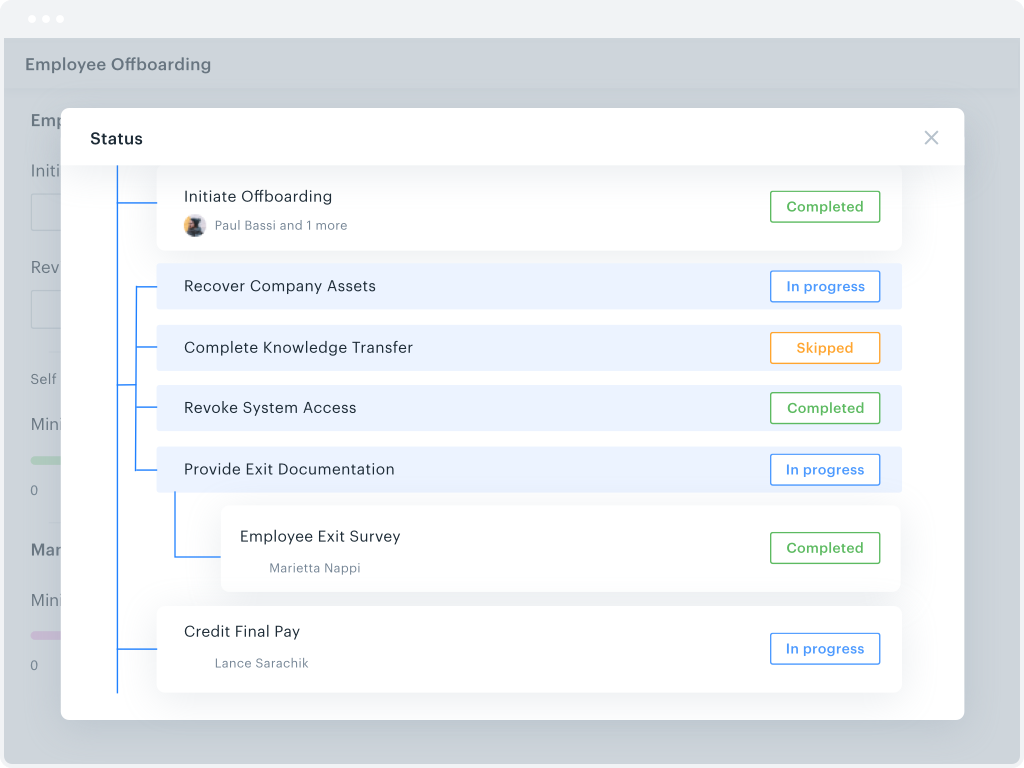
Appian is well suited for the areas which involve a workflow. For Example: Consider there is a task and 3 teams are required to work on the task, with Appian we can create tasks for each team and monitor the comments and completion. Together with the integration capabilities, this tool can function in many areas. In our firm, we are using it to automate the workflows for our business teams and help them in capturing the OLA's and SLA's.
It is easy to use, easy to move between devices, and great for browsing with incredible speeds as long as the internet connection can keep up. There is a feature called 'Resume Browsing' that is unhelpful, and I am not too sure about the data they keep on you.
KiSSFLOW is well suited for any information heavy paperwork that multiple people approve and have access to complete work. It is less suited for processes that require a lot of back and forth with a form initiator. The workflows like to be very linear without much back tracking. It can do that but it prefers to be forward linear.
Allows at a glance workflow documentation which assists in the need we have for information readiation.
Drag and drop interface for workflow development greatly speeds our apps time to market.
Using the advanced features of Appian, we are able to create working sites in a fraction of the time it would take to do so using "traditional" development.
Security: Google Chrome is constantly updated to resolve any interoperability and or security issues.
Full App Integration: Apps and services can be quickly and easily pushed out to all users. Uniformity across Chrome ensures a repeatable user experience.
Portability and consistent environment: By hosting all services and apps remotely, users can have access to their information and communication from almost any device that has internet connectivity.
I appreciate the automatic email notifications when it is your turn to complete a task. This keeps everyone on track.
I appreciate being able to "reassign" a task as well--leaving flexibility for some folks to cover for others when needed.
I appreciate the personal check-ins from our rep, asking how things are going. That makes me feel like someone is paying attention and wants me to be happy with the product.
Search issues when type ahead and database search are used in the same field.
Buttons implementation where user is require[d] to click on the button description - if clicks on the button outside that text - button will not work.
Problems with using certain off-the-shelf performance tools like WebLoad or Neoload. That is because of different dynamic variables being used internally in Appian - which these tools are unable to correlate. We are still investigating using other tools like Jmeter to overcome dynamic correlation problem for performance testing.
Better themes; there's great groundwork, but horribly barren and lack of quality options
Better tracking/security transparency with its users
Alert when cache slowing down performance, and quick navigation to clear this for the less tech-savvy.
Allowing file name edits within the quick-access download dropdown, without having to have this fully on or off, or having to navigate outside of Google Chrome
Embedded suggestion for quick-access extensions on homepage (with option to remove suggestions easily), for ad-blocking, accessibility, etc.
Learning. If you are coming from a 100% paper process and have employees who know nothing more, then there is definitely a learning curve. You will need to bring someone in to help you train employees on the core concept of the change (the "Why are we doing this" questions). KiSSFLOW does have support, but this is more getting down to the details in your own work environment.
Visual learners will love it, but not non-visual. If you are an accountant, and your brain works like an accountant, then this program will be difficult to learn. It is very visual, and I have seen more success with visual learners than any others.
Bugs. A few years ago, there were a lot of bugs. There are not that many anymore. This is to be expected with any program, so if you are training an impatient staff who doesn't do well with error messages, you will want to be sure to pad the training sessions. I have not seen error messages in a long time; however, the nature of the beast is that you won't see one until you actually find one...
We recently renewed our license with Appian. We are convinced that its flexibility, relative ease of use, the support they provide, there mobile advancements and their general willingness and desire to see us succeed all contributed to our reason to renew our agreement with Appian
There are many differences between using Appian and using other programming languages. Additionally, there are many trade offs that have to be made and that have to be accepted for using Appian. In some cases, you give up control of one small area, but in others, it may open settings that are unavailable to a developer when using other program languages.
As mentioned earlier, it is a worldwide standard. It matches both the Platforms - Windows and iOS. Pages load quickly, and the website's presentation is impeccable. It needs to seamlessly integrate Google Gemini into Google Chrome. Overall, I will give 10/10 to the designer of Google Chrome.
The system has room to grow as it's limited by not being able to edit POs after they've been approved. The system is great for registrations and syncing to other systems while including the attachments. The reporting from Kissflow is also easy to setup to link to other platforms such as Looker
Appian is one of the leading low code business automation platforms that support RPA, decision rules, case management, workflow automation, and machine learning all in a single bundle. But it is also harder to implement and replace the traditional business process.
I haven't encountered a need for support with KiSSFLOW. It's not a perfect platform, but it's functional, dependable, and reasonably intuitive. I can't fault a support team just because their product works!
As analyst I participated in a developer boot camp. At times it was hard to keep up but most of the time it made sense. Trainer took the time to explain and slowed pace down to answer questions etc.
Appian compares favorably with other vendors in the space. It is strongest with business workflow automation and to create custom business applications. The tool base for coding is extremely straightforward and allows for faster coding and deployment. Handles very complex process flows and has the ability to discover new opportunities for automation.
Google Chrome is much better designed than Microsoft Edge-- it is faster, smarter, more intuitive, and less burdened with bloatware. Google Chrome is considerably easier to use than Opera, which is not intuitive and has many difficult rabbit holes to fall down. Google Chrome is easier and more straightforward than Mozilla Firefox, especially for a beginner.
KiSSFLOW wants you to be able to increase productivity, make it possible to "manage the chaos" (their own words) and simply make things better. It is exactly what it sounds like. For a visual learner, KiSSFLOW is perfect. It really does make good on its promise to help you manage the chaos, and it makes it easy for your employees to understand how your business works. More specifically, I recommended this program for a small school that had never automated anything. They knew nothing about the process. Bringing in KiSSFLOW allowed them to not only refine their process, but it gave awareness to other employees and ensure that they could work as a team, knowing the intricacies of how each department works (so, the Director would understand the many steps of Admissions before taking over after enrollment -- they would know what each family experienced).
Our IT automated procurement process has sped up time to get paid by a few days on every transaction
Our approvals are more organized as a result of being put in digitally
Managing our own tenant requires more than we have available, given the quarterly updates
Since we have business-critical functions running in the platform, we have to thoroughly review every note of every update. Because of this we skip half of the updates since we don't have enough time to review these changes four times a year.
Somewhat expensive compared to other cheap (or free) task management alternatives. ROI depends on your specific needs and the size of your organization.
ROI can be ambiguous since KiSSFLOW is primarily for internal company use. A simple email thread could accomplish many of the same things, but with less efficiency.