Asana is a web and mobile project management app. With tasks, projects, conversations, and dashboards, Asana lets an entire team know who's doing what by when, enabling workload balancing. Users can also add integrations for GANTT charts, time tracking and more.
$13.49
per month per user
ClickUp
Score8.8 out of 10
Small Businesses (1-50 employees)
ClickUp is a productivity platform that brings together work apps, data, and workflows. Also presented as a Converged AI Workspace, ClickUp eliminates work sprawl to provide context and a single place for humans and agents to work together. The platform currently boasts over 20 million users worldwide. ClickUp Brain² is deeply embedded into the workspace, offering conversational intake for project scoping and autonomous task generation. It can transform brainstorming docs…
$0
per month per seat
Kintone
Score9.7 out of 10
N/A
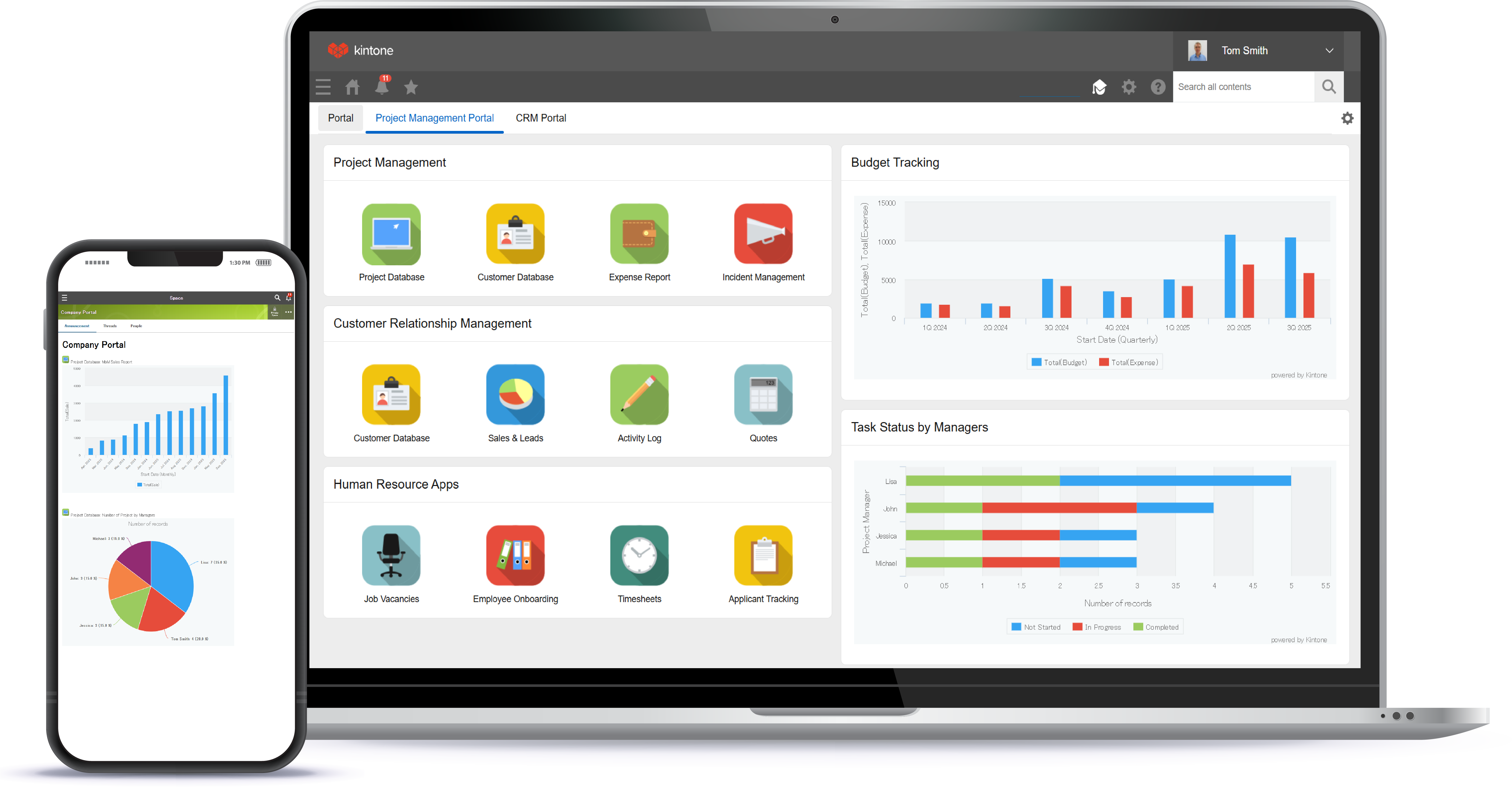
Kintone is a customizable digital workplace platform used to manage data, tasks, and communication. The no-code drag-and-drop interface can be used to create custom applications.
$120
per month for 5 users (minimum)
Pricing
Asana
ClickUp
Kintone
Editions & Modules
Starter
$13.49
per month per user
Advanced
$30.49
per month per user
Enterprise
Contact Sales
Personal
Free
Unlimited
$10
per month per user
Business
$19
per month per user
Enterprise
Custom
Professional Subscription
$24
per month per user
Offerings
Pricing Offerings
Asana
ClickUp
Kintone
Free Trial
Yes
Yes
Yes
Free/Freemium Version
Yes
Yes
No
Premium Consulting/Integration Services
Yes
Yes
Yes
Entry-level Setup Fee
Optional
No setup fee
Optional
Additional Details
A discount is offered for annual billing.
Discount available for annual billing.
Minimum requirement of 5 users. Kintone offers a free prototype to build with using existing process.
A de minimis incentive was given to thank the reviewer for their time. The incentive was not used to bias or drive a particular response, nor was the incentive contingent on a positive endorsement. More Info
Owner and CEO at Western Independent Media Developers/BKThemes (Internet, 1-10 employees)
Chose Asana
Side by side with the other two Asana by far beats monday.com and is comparable and slightly better than ClickUp. Monday is completely browser-based and is hard to navigate and figure out how to set up. Asana and ClickUp are the exact opposite. Both are easy to set up and …
A de minimis incentive was given to thank the reviewer for their time. The incentive was not used to bias or drive a particular response, nor was the incentive contingent on a positive endorsement. More Info
Verified User
Chose Asana
Asana generally takes less time to set up, so for my small team that has limited experience working with project management tools, Asana is great. We didn't need anything with lots of bells and whistles so Asana works well. ClickUp takes much more time to set up initially, but …
A de minimis incentive was given to thank the reviewer for their time. The incentive was not used to bias or drive a particular response, nor was the incentive contingent on a positive endorsement. More Info
CRM Project Manager in Marketing at 1-800 CONTACTS (Consumer Goods, 1001-5000 employees)
Chose Asana
Cost and the lowest ramp-up time is always factored in while still meeting the needs of a very fast-paced environment. Asana has more capability than Trello or ClickUp and is a more visual tool than JIRA.
A de minimis incentive was given to thank the reviewer for their time. The incentive was not used to bias or drive a particular response, nor was the incentive contingent on a positive endorsement. More Info
A de minimis incentive was given to thank the reviewer for their time. The incentive was not used to bias or drive a particular response, nor was the incentive contingent on a positive endorsement. More Info
A de minimis incentive was given to thank the reviewer for their time. The incentive was not used to bias or drive a particular response, nor was the incentive contingent on a positive endorsement. More Info
Interim Chief Executive Officer in Corporate at Maryland Coalition for Inclusive Education (Education Management, 1-10 employees)
Chose ClickUp
ClickUp is more robust and customizable than the ones we tried. I like Notion's user interface but seems more powerful to track progress. We didn't need the timetracker part of Monday and Asana seemed a little too cumbersome. So ultimately we went with ClickUp because it had …
A de minimis incentive was given to thank the reviewer for their time. The incentive was not used to bias or drive a particular response, nor was the incentive contingent on a positive endorsement. More Info
Founder in Marketing at Chrome Revival (Design, 1-10 employees)
Chose ClickUp
I used Asana before using ClickUp. Not only was it far more expensive, but the limitations were to a point that it was affecting our speed of fulfillment and requiring additional third-party tech stacks that cost more money at a higher price per user. There were so many …
A de minimis incentive was given to thank the reviewer for their time. The incentive was not used to bias or drive a particular response, nor was the incentive contingent on a positive endorsement. More Info
Owner in Information Technology at Unseth LLC (Information Technology & Services, 1-10 employees)
Chose ClickUp
Those are fine products, but you are more stuck in their views. Not nearly the same amount of customization. So if you just want the basic stuff, then great Asana will do a great job for you and is supported everywhere. But if you have different projects that need different …
A de minimis incentive was given to thank the reviewer for their time. The incentive was not used to bias or drive a particular response, nor was the incentive contingent on a positive endorsement. More Info
Operations Manager in Professional Services at Solomon Solution (Marketing & Advertising, 1-10 employees)
Chose ClickUp
I haven't used Asana very much at all but I wasn't any more impressed with it than ClickUp. However, I wasn't in it long enough to customize it to my liking so that could have been why.
A de minimis incentive was given to thank the reviewer for their time. The incentive was not used to bias or drive a particular response, nor was the incentive contingent on a positive endorsement. More Info
Marketing in Marketing at Ember (Hospitality, 1-10 employees)
Chose ClickUp
I have never been the decision maker on software like this. They are always decided by someone else before I start working for a company. ClickUp seems like the one with the most features though. My co-worker especially loves it and is the one who insisted we use ClickUp over …
A de minimis incentive was given to thank the reviewer for their time. The incentive was not used to bias or drive a particular response, nor was the incentive contingent on a positive endorsement. More Info
Verified User
Chose ClickUp
ClickUp is Asana on steroids! It's so much more powerful.
A de minimis incentive was given to thank the reviewer for their time. The incentive was not used to bias or drive a particular response, nor was the incentive contingent on a positive endorsement. More Info
Project Manager in Information Technology at Iotasol Technologies Pvt. Ltd. (Computer Software, 51-200 employees)
Chose ClickUp
Asana has a clean interface and is great for basic task management, but it lacks depth in custom workflows, advanced automation, and built-in documentation. ClickUp allows us to customize everything.
Jira is eccellent for technical teams, especially in software development, but …
A de minimis incentive was given to thank the reviewer for their time. The incentive was not used to bias or drive a particular response, nor was the incentive contingent on a positive endorsement. More Info
A de minimis incentive was given to thank the reviewer for their time. The incentive was not used to bias or drive a particular response, nor was the incentive contingent on a positive endorsement. TR verified that a representative sample of customers was invited. More Info
Marketing Director in Marketing at Alison Sullivan & Associates (Mental Health Care, 1-10 employees)
Chose ClickUp
ClickUp and other platforms do not even begin to compare, in my opinion. ClickUp is in a completely different league due its complexity and capability. ClickUp allows for so much more in a much more efficient and productive way than the other platforms I have used. You can do …
A de minimis incentive was given to thank the reviewer for their time. The incentive was not used to bias or drive a particular response, nor was the incentive contingent on a positive endorsement. More Info
Verified User
Chose ClickUp
None of the tools that I've used have come close to ClickUp's ability to tailor to a team or user's needs, nor have they come close to ClickUp's incredible customer support. None are even in the same ballpark when it comes to ClickUp's incredible implementation of not only …
A de minimis incentive was given to thank the reviewer for their time. The incentive was not used to bias or drive a particular response, nor was the incentive contingent on a positive endorsement. More Info
A de minimis incentive was given to thank the reviewer for their time. The incentive was not used to bias or drive a particular response, nor was the incentive contingent on a positive endorsement. More Info
Verified User
Chose ClickUp
It literally nests all platforms in one. It combines the best tools from each platform and simplifies them.
A de minimis incentive was given to thank the reviewer for their time. The incentive was not used to bias or drive a particular response, nor was the incentive contingent on a positive endorsement. More Info
Verified User
Chose ClickUp
I ended up picking ClickUp over other tools because it's very flexible. I could make what I wanted with the tool.
A de minimis incentive was given to thank the reviewer for their time. The incentive was not used to bias or drive a particular response, nor was the incentive contingent on a positive endorsement. TR verified that a representative sample of customers was invited. More Info
Verified User
Chose ClickUp
I've mentioned most of my thoughts in other comments, but in each of those listed softwares, I only get one main feature. In ClickUp, I consolidate all of the above into one. Pretty incredible.
A de minimis incentive was given to thank the reviewer for their time. The incentive was not used to bias or drive a particular response, nor was the incentive contingent on a positive endorsement. More Info
Web Developer in Engineering at Shipedge (Internet, 51-200 employees)
Chose ClickUp
Mejor integracion y visualizacion de tareas, la contabilidad del tiempo por tareas/tickets es una de las partes mas robustas de ClickUp, la integration con gitlab es una ventaja y ayuda mucho a la organizacion del trabajo, la posibilidad de agrupar tareas por grupos o tipos …
A de minimis incentive was given to thank the reviewer for their time. The incentive was not used to bias or drive a particular response, nor was the incentive contingent on a positive endorsement. More Info
Program & Administrative Coordinator in Product Management at Junior Achievement of Greater Kansas City (Education Management, 11-50 employees)
Chose ClickUp
The main reason I initially chose ClickUp over all of the others was price. Because we are a small nonprofit, our funds for this were basically $0. So the robust free version of ClickUp really sold me. Once I got in there and worked with it, I realized just how valuable this …
A de minimis incentive was given to thank the reviewer for their time. The incentive was not used to bias or drive a particular response, nor was the incentive contingent on a positive endorsement. More Info
Co Founder in Corporate at Benvenuto (Online Media, 1-10 employees)
Chose ClickUp
ClickUp has more features integrated and well organized. Especially the concept of having Spaces, folders and lists helps a lot in organizing the projects and each having its own workflows.
A de minimis incentive was given to thank the reviewer for their time. The incentive was not used to bias or drive a particular response, nor was the incentive contingent on a positive endorsement. More Info
Group Director, Client Operations in Marketing at Modifly (Marketing & Advertising, 11-50 employees)
Chose ClickUp
ClickUp had a more all-in-one solution for all the issues we have been trying to solve at the agency as well as an integration into our finance system (NetSuite) which helped adoption by our finance team.
A de minimis incentive was given to thank the reviewer for their time. The incentive was not used to bias or drive a particular response, nor was the incentive contingent on a positive endorsement. More Info
Verified User
Chose ClickUp
ClickUp is more visual and user-friendly, and also has the best customer service and webinars. The attention to clients is a huge differentiation between tools. The webinars are my favorite thing as they provide information, feature updates, and free templates.
A de minimis incentive was given to thank the reviewer for their time. The incentive was not used to bias or drive a particular response, nor was the incentive contingent on a positive endorsement. More Info
A de minimis incentive was given to thank the reviewer for their time. The incentive was not used to bias or drive a particular response, nor was the incentive contingent on a positive endorsement. More Info
Verified User
Chose ClickUp
ClickUp allows for a lot more customization, so power users will be happy. But with a lot of customization comes more options, so users have to be wary when setting up projects to not overcomplicate them.
A de minimis incentive was given to thank the reviewer for their time. The incentive was not used to bias or drive a particular response, nor was the incentive contingent on a positive endorsement. More Info
Marketing & Communications Manager in Marketing at WVIA Public Media (Media Production, 11-50 employees)
Chose ClickUp
Every other tool I have used has been for organizing tasks and work only. There were some of the other features, but none of them had the ability to do everything we need to manage a project from start to finish.
A de minimis incentive was given to thank the reviewer for their time. The incentive was not used to bias or drive a particular response, nor was the incentive contingent on a positive endorsement. More Info
Advisor in Professional Services at Prosumia (Market Research, 51-200 employees)
Chose ClickUp
I still use both. ClickUp is a little "bigger" and has some more tunning over details. When someone ask me about which to choose, my answer is "you must try them"... start using both and you'll find the best using them and asking users how they feel.
A de minimis incentive was given to thank the reviewer for their time. The incentive was not used to bias or drive a particular response, nor was the incentive contingent on a positive endorsement. More Info
Owner of Copper Cabbage Studios at Copper Cabbage Studios (Entertainment, 1-10 employees)
Chose ClickUp
I walked away from so many other products that I tried primarily because I wanted to have a task and productivity tool that allowed me to re-envision my 'data' at the task level. I wanted to be able to have Gantt views and dashboard views and then dive in deeper with comments …
A de minimis incentive was given to thank the reviewer for their time. The incentive was not used to bias or drive a particular response, nor was the incentive contingent on a positive endorsement. More Info
Verified User
Chose ClickUp
It combines them all with a user friendly interface and a really nice workflow. It keeps work in as less places as possible which makes it easy for new colleagues.
A de minimis incentive was given to thank the reviewer for their time. The incentive was not used to bias or drive a particular response, nor was the incentive contingent on a positive endorsement. More Info
Life Coach in Corporate at Self Employed (Management Consulting, 1-10 employees)
Chose Kintone
We selected Kintone because it was the best combination of price and function. We needed something that could grow and scale with the organization, and that included looking at future prices. We didn't want to invest in something if we would be priced out five new users later. …
A de minimis incentive was given to thank the reviewer for their time. The incentive was not used to bias or drive a particular response, nor was the incentive contingent on a positive endorsement. More Info
We were previously using a custom system that a designer was working on specifically for our organization and it just wasn't meeting our needs. Having the full staff power and experience of kintone Application Builder has been a huge upgrade in that sense and we are also saving …
A de minimis incentive was given to thank the reviewer for their time. The incentive was not used to bias or drive a particular response, nor was the incentive contingent on a positive endorsement. More Info
The usability of Asana is broad since it's available in a variety of platforms that are widely used nowadays. I think that it would be great for people who are constantly on the move and switching devices, since it has allowed me to work from my phone, too. I also think that Asana has proven itself to handle a large quantity of work
I think it is great for task management and project management. It allows for much easier cross-team collaboration. Personally, I found it useful as a project and team manager to better keep track of all the deliverables that have been assigned to various members of the team. It is less appropriate to use as a CRM even though the website mentions it can be used as one, it still lacks many features which a full-fledged CRM would provide.
A de minimis incentive was given to thank the reviewer for their time. The incentive was not used to bias or drive a particular response, nor was the incentive contingent on a positive endorsement. More Info
I recommend Kintone for companies that need the ability to customize standalone applications or to provide a 'hub' to employees as a jumping-off point. I also recommend Kintone for any company that is drowning in spreadsheets, or is using 10 apps for 10 different purposes - you can consolidate everything into one place. Kintone, I think, needs a larger team for customization as your company grows. If you are a small office of 20 people, using it out of the box will likely be just fine for your needs. If you're working with 200 people out of an office, it'd likely be good to have someone with a bit of CSS, Java, and API experience in order to maximize what you get out of it - though you won't need that if you're keeping it simple.
A de minimis incentive was given to thank the reviewer for their time. The incentive was not used to bias or drive a particular response, nor was the incentive contingent on a positive endorsement. TR verified that a representative sample of customers was invited. More Info
Through it, we were able to communicate and cooperate with the rest of the team to complete the work in the required manner and at the appropriate time.
Task Management - you can easily track details and notes of the tasks, deadlines and important dates, and notes and key links for the task. This has really leveled up how we manage projects and tasks.
Operational efficiency - by tracking where time goes the most or which tasks go the most, it enables you to identify areas where the most time is being spent and if that process needs to be improved or changed to streamline workflow.
SOP/Document storage - it is easy to create documents for standard operating procedures and processes and have a file to easily locate and reference them.
Files for projects or clients - ClickUp allows you to create separate files, folders, and subfolders to easily store and locate any corresponding tasks, projects, or important documents for that specific project or client.
AI overview - for tasks or documents with longer note sections or that have spanned more time and have more notes involved, ClickUp has an AI overview tool that helps with summarizing.
A de minimis incentive was given to thank the reviewer for their time. The incentive was not used to bias or drive a particular response, nor was the incentive contingent on a positive endorsement. More Info
A de minimis incentive was given to thank the reviewer for their time. The incentive was not used to bias or drive a particular response, nor was the incentive contingent on a positive endorsement. More Info
A de minimis incentive was given to thank the reviewer for their time. The incentive was not used to bias or drive a particular response, nor was the incentive contingent on a positive endorsement. More Info
A de minimis incentive was given to thank the reviewer for their time. The incentive was not used to bias or drive a particular response, nor was the incentive contingent on a positive endorsement. TR verified that a representative sample of customers was invited. More Info
A de minimis incentive was given to thank the reviewer for their time. The incentive was not used to bias or drive a particular response, nor was the incentive contingent on a positive endorsement. TR verified that a representative sample of customers was invited. More Info
A de minimis incentive was given to thank the reviewer for their time. The incentive was not used to bias or drive a particular response, nor was the incentive contingent on a positive endorsement. More Info
It has been a game-changer in terms of project tracking, as animation is a demanding product that requires multiple layers of analysis, revisions, tracking, scheduling, etc. ClickUp simplifies many approvals as anyone can easily add items, and you can tag the people who need to look at them.
A de minimis incentive was given to thank the reviewer for their time. The incentive was not used to bias or drive a particular response, nor was the incentive contingent on a positive endorsement. TR verified that a representative sample of customers was invited. More Info
We have been quite happy with our use of Kintone thus far. We looked at several options before choosing Kintone and believe it had the best value and best features, while allowing for complete customization, rather than being locked into preformatted apps that may not address exactly what we need or be more than what we need.
A de minimis incentive was given to thank the reviewer for their time. The incentive was not used to bias or drive a particular response, nor was the incentive contingent on a positive endorsement. TR verified that a representative sample of customers was invited. More Info
It is very user-friendly. Takes a new employee an hour to start figuring out how the system works. That's an important factor. You don't want to encounter the issue where employees need a week to understand how the system works. For example, JIRA, I tried using it for a week and I still don't understand the complicated layout. Asana has a simple interface. Once you see it, you get it type of program.
A de minimis incentive was given to thank the reviewer for their time. The incentive was not used to bias or drive a particular response, nor was the incentive contingent on a positive endorsement. More Info
ClickUp is generally very usable once the workspace is properly organized. The flexibility of views, custom fields, task structure, dashboards, and automations makes it easy to adapt the platform to different teams and workflows. The main reason I would no rate it a 10 is that the amount of functionality can make the interface overwhelming, specially for new users. large workspaces with many custom fields, notifications, views, and hierarchy levels can also require some training and ongoing governance.
A de minimis incentive was given to thank the reviewer for their time. The incentive was not used to bias or drive a particular response, nor was the incentive contingent on a positive endorsement. More Info
I love everything bout it. I love that if there is something I don't feel is working well enough, we are able to change it. The ONLY thing I would say is that if you were able to make it so every time I click on anything in the website/app it stayed in the same page, that would be great, but I don' think it is possible and I think this is due to using so many external APIs
A de minimis incentive was given to thank the reviewer for their time. The incentive was not used to bias or drive a particular response, nor was the incentive contingent on a positive endorsement. TR verified that a representative sample of customers was invited. More Info
For over a year ClickUp was unavailable to us just twice for a couple of hours. I would say for a system this big and working globally that was a minor issue. They managed to fix all the issues within a couple hours and then it was back up and running perfectly fine.
A de minimis incentive was given to thank the reviewer for their time. The incentive was not used to bias or drive a particular response, nor was the incentive contingent on a positive endorsement. More Info
A de minimis incentive was given to thank the reviewer for their time. The incentive was not used to bias or drive a particular response, nor was the incentive contingent on a positive endorsement. TR verified that a representative sample of customers was invited. More Info
The speed of ClickUp is average to be honest. This is one of the biggest flaws of the system, sometimes it's also lagging a little bit but we also have a lot of documents, lists etc. on our workspace. However, with the next version of ClickUp I've seen they are planning to increase the speed by almost 500%, probably by changing the technology, so I am more than looking forward to it.
A de minimis incentive was given to thank the reviewer for their time. The incentive was not used to bias or drive a particular response, nor was the incentive contingent on a positive endorsement. More Info
A de minimis incentive was given to thank the reviewer for their time. The incentive was not used to bias or drive a particular response, nor was the incentive contingent on a positive endorsement. TR verified that a representative sample of customers was invited. More Info
I haven't had to use their support so I can't rate it. The fact that I haven't needed them reflects the ease of use of the product. I would recommend that any new users schedule a complete demo of the product to ensure that they are using it to it's fullest (there's a lot of useful features).
A de minimis incentive was given to thank the reviewer for their time. The incentive was not used to bias or drive a particular response, nor was the incentive contingent on a positive endorsement. More Info
I started using ClickUp when it was what most would consider a baby company. There were the occasional bugs that made working in ClickUp a little bit of a headache, but the support feature allowed me to chat with a real persona and communicate my issues. I would always get prompt support and someone willing to really help me, not just point me to FAQ pages. Not feeling like a number really makes a difference.
A de minimis incentive was given to thank the reviewer for their time. The incentive was not used to bias or drive a particular response, nor was the incentive contingent on a positive endorsement. More Info
I am very happy with Kintone and support it fully. I think that it is a great place for any company that wants to create a platform for better management. It is easy to use and pretty affordable. It is straightforward and has many tools that can be used by anyone. There are many helpful tutorials available too to guide users
A de minimis incentive was given to thank the reviewer for their time. The incentive was not used to bias or drive a particular response, nor was the incentive contingent on a positive endorsement. More Info
There are multiple guides on literally all of the functions you can find within the system, therefore it's easy to learn anything you'd really like to use, starting from project and people management, down to Gantts, mind maps, time tracking, inviting Clients as guests to work with you on the projects and so much more.
A de minimis incentive was given to thank the reviewer for their time. The incentive was not used to bias or drive a particular response, nor was the incentive contingent on a positive endorsement. More Info
A de minimis incentive was given to thank the reviewer for their time. The incentive was not used to bias or drive a particular response, nor was the incentive contingent on a positive endorsement. TR verified that a representative sample of customers was invited. More Info
Start small. Don’t try to build the most elaborate plans first. Resist the urge to get into Gantt charts if no one is used to them. Just get work written, add dates and assignees, and start getting used to it. If you did not use a work management tool before, you need to be gracious with yourself about the fact that you likely do not have the muscle memory for working this way yet. But you will get there.
And leverage people who know it if possible. Look for ClickUp experts and vendors. They can really supercharge your effectiveness at building the tool out and speed up the process.
A de minimis incentive was given to thank the reviewer for their time. The incentive was not used to bias or drive a particular response, nor was the incentive contingent on a positive endorsement. More Info
Everyone has their own tastes of things and way they want to work. Asking them to adapt to the changes with the new tools or apps is always difficult. We would want to start with a very small but best example within the organization, which in our case was that the employees will not be bothered by the bosses by being asked to find the documents, status of the progresses, or major things/requests/projects.
A de minimis incentive was given to thank the reviewer for their time. The incentive was not used to bias or drive a particular response, nor was the incentive contingent on a positive endorsement. More Info
Asana is a top-tier project management software that helps us organize and track projects from start to finish. It allows us to apply tasks/to-dos to multiple projects without duplication, divide complex projects into smaller tasks, and track project progress. It also helps us organize work on Kanban boards or linear lists. It stands out from the crowd in a big way compared to the competition.
ClickUp is more robust and customizable than the ones we tried. I like Notion's user interface but seems more powerful to track progress. We didn't need the timetracker part of Monday and Asana seemed a little too cumbersome. So ultimately we went with ClickUp because it had the most potential... potential that we still have yet to harness.
A de minimis incentive was given to thank the reviewer for their time. The incentive was not used to bias or drive a particular response, nor was the incentive contingent on a positive endorsement. More Info
Kintone is the easiest product to create from and the cost is the lowest I believe. In addition, reconfigurability and extendability are great. If you look for a low code tool, you can try Kintone. But as same as another low code tool, don't expect too much.
A de minimis incentive was given to thank the reviewer for their time. The incentive was not used to bias or drive a particular response, nor was the incentive contingent on a positive endorsement. More Info
A de minimis incentive was given to thank the reviewer for their time. The incentive was not used to bias or drive a particular response, nor was the incentive contingent on a positive endorsement. TR verified that a representative sample of customers was invited. More Info
Scaling with ClickUp is superb. If you create a workflow best suited for your organization then it's all about creating new accounts and teaching the new employees the workflow you're using. It's that simple. There is no black magic when it comes to Clickup.
A de minimis incentive was given to thank the reviewer for their time. The incentive was not used to bias or drive a particular response, nor was the incentive contingent on a positive endorsement. More Info
A de minimis incentive was given to thank the reviewer for their time. The incentive was not used to bias or drive a particular response, nor was the incentive contingent on a positive endorsement. TR verified that a representative sample of customers was invited. More Info
A de minimis incentive was given to thank the reviewer for their time. The incentive was not used to bias or drive a particular response, nor was the incentive contingent on a positive endorsement. TR verified that a representative sample of customers was invited. More Info
A de minimis incentive was given to thank the reviewer for their time. The incentive was not used to bias or drive a particular response, nor was the incentive contingent on a positive endorsement. More Info
A de minimis incentive was given to thank the reviewer for their time. The incentive was not used to bias or drive a particular response, nor was the incentive contingent on a positive endorsement. More Info
A de minimis incentive was given to thank the reviewer for their time. The incentive was not used to bias or drive a particular response, nor was the incentive contingent on a positive endorsement. More Info