Overview
ProductRatingMost Used ByProduct SummaryStarting Price
BigTime Software
Score 6.3 out of 10
N/A
BigTime IQ is time and expense tracking software from Chicago-based BigTime Software.
$20
User per Month
Harvest
Score 9.0 out of 10
N/A
Harvest is used to track time, gain insights from past projects, and get paid for work. Dedicated apps and integrations with popular tools like Asana and Slack allow Harvest to fit into a team’s workflow. A selection of visual reports are offered to keep projects running smoothly and an organization's team supported. Harvest also helps to turn a team’s tracked time and expenses into professional nvoices and collect payment quickly with integrated online payments.
$13.75
per month per seat
Hubstaff
Score 9.4 out of 10
Small Businesses (1-50 employees)
Hubstaff is a workforce analytics software tailored to boost productivity in remote, hybrid, and in-house teams while fostering a positive employee experience. Integrating with over 30 apps, Hubstaff's key features include time tracking, screenshots, activity tracking, URL and app monitoring, workforce analytics, automatic payroll and invoicing, scheduling, GPS and location monitoring, and timesheets. Hubstaff is compatible with Mac, Windows, Linux, Chrome, iOS, and…
$7
per month per user (2 seat minimum)
Pricing
BigTime SoftwareHarvestHubstaff
Editions & Modules
Essentials
$20
User per Month
Advanced
$35
User per Month
Premier
$45
User per Month
Projector
$60
Harvest Pro
$13.75
per month per seat
Harvest Premium
$17.50
per month per seat
Starter
$7
per month per user (2 seat minimum)
Grow
$9
per month per user (2 seat minimum)
Team
$12
per month per user (2 seat minimum)
Enterprise
$300
per year per seat
Offerings
Pricing Offerings
BigTime SoftwareHarvestHubstaff
Free Trial
YesYesYes
Free/Freemium Version
NoYesYes
Premium Consulting/Integration Services
NoNoNo
Entry-level Setup FeeOptionalNo setup feeNo setup fee
Additional Details20% discount for annual billing on Pro and Premium plans.Discount available for annual pricing.
More Pricing Information
Community Pulse
BigTime SoftwareHarvestHubstaff
Considered Multiple Products
BigTime Software
Chose BigTime Software
I think BigTime Software has better invoice tracking and payment options but Monday offers better project tracking
Chose BigTime Software
After all the research and demos I watched, I had narrowed it down to BQE CORE & BigTime Software. We actually started w/ BQE CORE, which is an incredibly robust software with a lot of great abilities. It ended up being way more robust than we needed or wanted. We switched …
Chose BigTime Software
Many of those other softwares did not provide the detailed reporting capabilities that Big Time does. It was harder to get the data we needed out of those systems, and some just did not have it all together...
Chose BigTime Software
I didn't use the reporting features much on ClickTime, so I can't compare that. The previous company where I was that used ClickTime may have had just a basic subscription for timekeeping.
Chose BigTime Software
I liked the client management, but it didn't do time tracking, billing or syncing with quickbooks. It was too robust for my needs. I tried it for the client management and thought I might use it along with bigtime, but it was too cumbersome and would involve too much double …
Chose BigTime Software
BigTime Software blows Zoho out of the water because it's all in one place and the customer service is 1000x better than Zoho. It's easy to get answers and understand where the problem is and how to fix it. Zoho was confusing, didn't communicate well between modules, and the …
Chose BigTime Software
We selected BigTime [Software] because it had the most features that we needed in our company. It is lacking some features but overall it is a good fit for us.
Chose BigTime Software
I have used several custom products at various consulting forms that were clunky and difficult to work with.
Chose BigTime Software
The main reason why we have decided to change services [...] is because we have carried out an internal analysis to determine which tool [is the best], with the [most] appropriate functionalities to fulfill our labor proposal. [We] came to the conclusion that BigTime [Software] …
Chose BigTime Software
Customer Support; Ease of Platform Use; Product can and will do what it promises it will do!
Chose BigTime Software
While they have similar capabilities, our main reason for switching to BigTime Software was that Harvest could not reconcile expenses and labor hours into one budget line item, which threw off entire project budgets. In this regard, BigTime Software is more accurate and a much …
Chose BigTime Software
Ajera is not as user friendly and seems to be designed for larger corporations Does not have integrations with other software like QB
Chose BigTime Software
We looked at several different options, but most of them charge a percentage of the profits to use their service. BigTime is a flat rate for access/use and that works better with our business.
Chose BigTime Software
It’s a great alternative to other invoice software since it's easy for a quick Excel invoice or other timesheet for contracting work. It was easy to enter time and upload receipts as well. I uploaded a receipt for a software purchase when I had to add that to my billing as …
Chose BigTime Software
BigTime was recommended by enough people in our circle that we didn't even consider any other options. All other options were outside our price point as well.
Chose BigTime Software
We've been using BigTime exclusively since needing to incorporate a timesheet tracking for employees.
Chose BigTime Software
BigTime is much easier to use and available online and on mobile.
Chose BigTime Software
I have not used any other products like BigTime, but I know that our office was careful in selecting it and has been very pleased.
Chose BigTime Software
BigTime allows more detailed breakdowns by project than this software (though I used Kronos several years ago).
Harvest
Chose Harvest
Harvest is a bit more robust and offers additional related options such as invoicing (which Clockify does not have) though most people invoice through another system anyway.
Chose Harvest
The team collaboration in Harvest is the main reason this software was selected for our organization. Having the ability to assign projects to certain managers, while still having all the necessary information for the accounting and stakeholders in one place. Being able to work …
Chose Harvest
Asana, Pipedrive, Vena, Pigment and Alteryx
Chose Harvest
Everhour is just very rudimentary and ugly. It did the okay for time tracking and basic reports — but it wasn’t very intuitive and could’ve been a lot more elegant. You couldn’t edit other users time or make corrections it was just a data pull and that was it.

Open air is even …
Chose Harvest
Harvest had automated expense tracking features which neither had and more robust time tracking capability around client and project structuring.
Chose Harvest
Upwork works great at tracking time for projects, however it doesn't allow you to track your own time.
ADP is the opposite to Upwork, you can track personal time, but there's nothing to track for projects or other clients.
Overall, Harvest is better in every way.
Chose Harvest
I like Harvest because it is more simple, it's very easy for all employees to use as well and total up payment for pay periods.
Chose Harvest
Harvest Chrome extension is not as refined as Toggl but it integrates expenses which is a lot better. The reporting element of it is better than Toggl as well. With Toggl you don't have to confirm submission on a week by week basis which can be a little irritating. Toggle does …
Chose Harvest
They both had simple, easy to use interfaces but Harvest cannot even come close in completeness and usefulness and PROPER ACCESS capabilities, plus easy import and export of critical financial data when compared to Generations Homecare System.
I did not select Harvest. It was …
Chose Harvest
Other products that we've used did not show the projects that were being worked on during the employee's workday.
Chose Harvest
I've only used in-house time tracking/payroll systems or managed my own invoicing system. I have no opinion on how Harvest compares to other programs.
Chose Harvest
Like Asana, Harvest is great for project management, though it definitely skews more toward the time tracking rather than the step by step process. Some of our team members write out their to-do list as project tasks in Havest and start the tracker when they're ready to get to …
Chose Harvest
I currently use Daptiv PPM by Changepoint for time tracking and it is a much less enjoyable experience than using Harvest. It does allow some more customization but the user interface is much worse and it is difficult to search and organize based on projects. We used Harvest to …
Chose Harvest
Harvest tends to be a little bit more expensive than other options such as Clockify (depending on how many users you have) but it's more robust and includes additional features that, depending on your business, may be necessary. It's very reliable, user-friendly, and easy to …
Chose Harvest
Freshbooks is a great program and I used to use it before my needs changed and I needed different features. When I switched, Harvest had made the most progress versus other platforms of making time tracking easy. This is important for accuracy versus having team members forget …
Chose Harvest
Harvest has everything you need in one software, excellent support, and a simple and clean interface.
Chose Harvest
We already had Harvest implemented at my company, but the setup was lacking good structure. It was questioned if it was the appropriate tool and I determined that it just needed to be revamped to properly support the business. My recommendation is to set up Harvest however you …
Chose Harvest
Harvest is pretty darn good vs. these other options. I recommend trying it out on trial.
Chose Harvest
We have used multiple products that are similar. The main one we were using previously is called DeskTime. However, our team felt like DeskTime was a little bit creepy and didn't feel like we fully trusted them and their time. Thankfully Asana was able to integrate with …
Chose Harvest
Harvest is significantly better than Jira. I think Jira's is not originally intended to be used as a time logging/management system, but we had been previously using it as that. It was much clunkier, and many employees had a difficult time using it as a user interface goes.

Harve…
Chose Harvest
The Harvest UI was much simpler. The others felt like they had too much going on and setting up and maintaining was confusing. Harvest's interface is very straightforward and easy enough for a non-techie to set up for their business. Toggl was the closest competitor and looked …
Chose Harvest
We tried Quickbooks Online for project invoices and Harvest far exceeds its ability. QuickBooks did not allow us to easily track time or create easy to use line-item estimates. We have not been able to find a service that can offer everything Harvest can help with. Harvest …
Chose Harvest
I honestly cannot remember the name of the last time tracking system I used, but I personally prefer Harvest. The tracking software I used before forced users to schedule their services with a timestamp and felt that it was very difficult to maintain this system honestly. I …
Hubstaff
Chose Hubstaff
Not sure I'm the right person to answer this.
Chose Hubstaff
Because It enables you to get insights into team performance and productivity. It has user-friendly interface that is very easy to handle.
Chose Hubstaff
I used to use screenish. your interface was better and better price since I fluxuate # of employees often
Chose Hubstaff
I have personally explored that product. But Hubstaff gives more ease of use. It gives a free user access. Also live team support. Ease of deleting and adding users. They can negotiate on billing. Transparency of billing. More similar to HubStuff. But the team is more …
Chose Hubstaff
Hubstaff got ability to log time into different tasks and projects.
Chose Hubstaff
We used to work with Trejo in the past and although it worked it didn’t really track hours in real-time. You can write estimates but it doesn’t allow you to upload exact data regarding productivity, real worked hours, or reports. We tried Hubstaff and were amazed as to how well …
Chose Hubstaff
I feel that Hubstaff has a pretty straightforward way to set up and is not complicated for users. Hubstaff also offers a great and personalized easy to use intuitive interface where with the help of just one click you can start and stop tracking your daily project activities. …
Chose Hubstaff
Hubstaff is one of the most reliable and efficient tools. I personally feel that it is a very useful invention because it has been really helpful for my corporation. Other than that, the customizable approach that Hubstaff has is a great aspect. Also, Hubstaff has job site and …
Chose Hubstaff
Hubstaff is a better tool than Hubstaff. There are certain details which if present can enhance the overall user experience and I must mention that Hubstaff has carefully taken into account and has given
Chose Hubstaff
Compared to all these 3 products, Hubstaff would always be the winner. All these 3 products have certain limitations and restrictions which brings them down. The selection of functionality in these 3 softwares are very limited or sometimes none. Hubstaff acts as an all-in-one …
Chose Hubstaff
It easily gets integrated with all the management software and communication platforms that I was already using in the organization, it gave me the quick one-way platform to handle all of my operations very easily by just getting into the platform. The dashboard is also very …
Chose Hubstaff
Hubstaff is working outstandingly. It helps me to record the work that further helps my team members to engage more in work. It can easily handle big projects with full functionality and a modern, reliable UI. A clear template with
Chose Hubstaff
Hubstaff keeps interesting and smart features and functions. The most interesting feature is the reporting feature that has brought much convenience to me. It is no doubt a great tool for planning budgets, managing workflows, tracking time, and best supervision capabilities.
Chose Hubstaff
Hubstaff seemed best suited for large companies with many in-house employees, as well as many outsourced. Their customer service had excellent reviews, and our experiences have matched that. It's very easy to use the application, and it's payroll tracking features seemed the …
Chose Hubstaff
Upwork is just for people working in their platform. Anyone can joing Hubstaff, it even comes with several plans that allow you to track time. Once you choose the upgraded system, more benefits are added to your plan. Even though we don't use the upgraded plan at our company, …
Chose Hubstaff
Wrike has a task based system that you can clock time against, but it just wasn't flexible enough for the type of work we do, particularly the one offs. HubStaff is also really simple to use, so anyone can get started with it without any training or previous knowledge required. …
Chose Hubstaff
We started with Toggl, but it didn't work for us really.
Best Alternatives
BigTime SoftwareHarvestHubstaff
Small Businesses
HaloPSA
HaloPSA
Score 8.1 out of 10
Traqq
Traqq
Score 9.1 out of 10
Traqq
Traqq
Score 9.1 out of 10
Medium-sized Companies
Planview AdaptiveWork
Score 8.4 out of 10
TimeClock Plus
TimeClock Plus
Score 9.5 out of 10
TimeClock Plus
TimeClock Plus
Score 9.5 out of 10
Enterprises
Planview AdaptiveWork
Score 8.4 out of 10
Zoho People
Zoho People
Score 8.9 out of 10
Zoho People
Zoho People
Score 8.9 out of 10
All AlternativesView all alternativesView all alternativesView all alternatives
User Ratings
BigTime SoftwareHarvestHubstaff
Likelihood to Recommend
6.3
(0 ratings)
9.5
(0 ratings)
9.6
(0 ratings)
Likelihood to Renew
10.0
(0 ratings)
-
(0 ratings)
10.0
(0 ratings)
Usability
6.1
(0 ratings)
9.1
(0 ratings)
8.8
(0 ratings)
Availability
8.2
(0 ratings)
-
(0 ratings)
10.0
(0 ratings)
Performance
9.1
(0 ratings)
-
(0 ratings)
10.0
(0 ratings)
Support Rating
9.0
(0 ratings)
8.4
(0 ratings)
10.0
(0 ratings)
Implementation Rating
10.0
(0 ratings)
-
(0 ratings)
-
(0 ratings)
Configurability
-
(0 ratings)
-
(0 ratings)
10.0
(0 ratings)
Product Scalability
8.2
(0 ratings)
-
(0 ratings)
-
(0 ratings)
Vendor post-sale
-
(0 ratings)
-
(0 ratings)
10.0
(0 ratings)
Vendor pre-sale
-
(0 ratings)
-
(0 ratings)
10.0
(0 ratings)
User Testimonials
BigTime SoftwareHarvestHubstaff
Likelihood to Recommend
I believe it is well suited for our industry! We are professional services consulting firm and we need this! However if there is a smaller company who does not need to track these items, then they should not use this big of a platform
Read full review
Harvest is ideally suited for a variety of scenarios, particularly in the realms of freelance or consulting work, where accurate hour tracking for billing is crucial. It excels in small to medium businesses managing team projects, allowing for effective resource allocation and time management across multiple concurrent projects. For budgeting and forecasting, Harvest provides valuable data, aiding in accurately estimating the duration and cost of future projects based on past data. It's also highly beneficial for remote or distributed teams, thanks to its cloud-based platform that facilitates seamless coordination. Additionally, its detailed reporting features enhance client transparency, fostering trust through clear communication of time spent on projects. However, Harvest may be less suitable for larger enterprises with complex integration needs or specialized industries requiring more niche features. Small startups or individuals on tight budgets might find the cost challenging, especially if they don't fully utilize all its features. Lastly, for those needing only basic time tracking, simpler or free tools might be more appropriate, making Harvest an unnecessary expenditure for basic needs.
Read full review
It enables you to monitor workers' time on every project. It monitors productivity even if an internet connection is not available. It provides a customizable interface. Every task is customizable to suit project requirements. It allows you to track time from anywhere in the world. In this way, it provides powerful insights to determine how many hours are required to do a project.
Read full review
Pros
  • Invoice Style and detail..Bigtime allows the user the ability to choose more of what you need to appear on your invoice with its window options.
  • Phase/Percentage Billing; ease of adding additional phases to a project mid-project; clearly identifying Retainers
  • Support Team- In particular Melissa D and Lina Z...Par Excellent on the Teams
  • WHIP/Reports/Review of Invoices just make the entire billing process a BREEZE has cut my time frame in half, a Incredible help in this Season of Remote Work Environment that we are adapting to.
Read full review
  • Consistently making updates to better serve their wide variety of users
  • Allows for a decent amount of customization - you can put in different tasks for different departments, you can put in project costs on a one-time or recurring basis to compare time to money, etc.
  • It's pretty easy to pull customizable reports to fit what data you want to look at.
Read full review
  • It has all the features that need to have while managing the project like screen capturing, sending invoices, create and view reports, pay and quick insights.
  • It also gives me the reports of my team effectiveness.
  • It tracks all the project progress along with team effectiveness and productivity at the workplace, gives me all the insights into team performance, and also helps me to track team productivity easily.
  • Another great feature that Hubstaff has which is its integration module.
Read full review
Cons
  • For some types of projects, we are unable to use BigTime's invoicing feature. It would be nice if we could further customize invoices to fit our needs. We still have to use Quickbooks to complete certain invoices.
  • Being able to create Purchase Orders in BigTime would be extremely useful to us. We currently use Quickbooks for this.
Read full review
  • We would love to see Harvest build a feature for more detailed proposals that could be signed by the client and then automatically be turned into a billable invoice. The estimate falls short of this for larger projects.
  • Sending an invoice directly to the client from the Harvest dashboard can sometimes fail. Because it's coming from a spoofed email- some clients never get the invoice because it get's trapped in their spam folder.
Read full review
  • [Hubstaff] is limited to integrations, while working on the projects I face difficulty to drag the drop because sometimes the plan requires to be discussed and it becomes a necessity to insert various attachments on the spot so that we could achieve the maximum.
  • Further live chats should be made available.
Read full review
Likelihood to Renew
Its been a huge help in saving time and making billing more efficient. Would like to see the product grow and be able to continue to use it.
Read full review
No answers on this topic
Because it's easy to implement and use. It does not disrupt your work.
Read full review
Usability
Overall most areas of the software are easy to use. I tend to spend a lot of time in analytics and reports. Those are not as user friendly, in my opinion, and could use some improvements. I think it just takes time to get familiar with where items are stored in the program and what changes affect what.
Read full review
Again, just a minor compatibility issues using with other platforms such as Basecamp, but it does do everything promised. The only downfall we have found is having to create a job in both platforms and then connecting them later vs being able to create a project once and having them automatically connect.
Read full review
I give it 9 because it is really good for time tracking and managing remote teams. It helps me to manage my team very efficiently. Still, prices are high, so don't give 10. I need more discounts to add more team. Also need more accuracy as users are now fooling the tools with various cheats. Overall it is good and helfull
Read full review
Reliability and Availability
BigTime is available 99% of the time. At times there are bugs, but most are resolved quickly
Read full review
No answers on this topic
I've never had any issues and always received proper support. They let you know in advance when they'll be in maintenance and it's always in odd hours, so it's good. You still can use it when they are maintaining it.
Read full review
Performance
have not noticed a slow integration issue using QBO
Read full review
No answers on this topic
I've never had any issues. It loads correctly and works like a charm.
Read full review
Support Rating
The support is amazing! They are always available through the chat interface in the program. Each support person has fully answered my questions the first time. I have had a positive experience with each inquiry. It is very important to me that I am able to get instant access to help so that I can make the most of the software and all of its capabilities.
Read full review
I have not actually had any customer support issues as the product just works for me and I have not needed it. So using that as the basis of making my assessment on support I would reckon the team are pretty responsive and attentive to customer needs. I have only used the solution on Chrome and Android so have no idea what the experience is like on other browsers or phone operating systems.
Read full review
Hubstaff has always responded to support requests in a timely manner and has kept me in the loop of changes. When contacting them about future changes/features they've always been upfront on whether that is a change they are looking to make and when that change may occur. Finally, if the person I have communicated with was unable to resolve, they always escalated to the next best person who can answer/resolve.
Read full review
Implementation Rating
I touched on this briefly, in another survey section, but my implementation manager, Kevin, was exceptional. The actual implementation process took 3 months, not 1 before I was comfortable rolling it out to staff. We also had to wait/schedule time and coordinate for our custom xml. invoice to be generated and in a place we felt comfortable sending it out to clients. In the end I was very satisfied, but during the first few months it was challenging.
Read full review
No answers on this topic
None, everything went smoothly.
Read full review
Alternatives Considered
The main reason why we have decided to change services [...] is because we have carried out an internal analysis to determine which tool [is the best], with the [most] appropriate functionalities to fulfill our labor proposal. [We] came to the conclusion that BigTime [Software] is much more complete in terms of functionalities and even [at a] lower price.
Read full review
Everhour is just very rudimentary and ugly. It did the okay for time tracking and basic reports — but it wasn’t very intuitive and could’ve been a lot more elegant. You couldn’t edit other users time or make corrections it was just a data pull and that was it.
Open air is even worse. it’s like something out of 1985. Extremely ugly and not at all easy to use. It fulfilled the basic requirement of tracking time and we did not use it for anything else. When they raised the price to eight grand a year, despite our limited use of it’s functionality. We quickly dropped them.
Read full review
Hubstaff is a better tool than Hubstaff. There
are certain details which if present can enhance the overall user experience
and I must mention that Hubstaff has carefully taken into account and has given
attention to detail by even making easy to understand training videos available
for beginners that can further help and aid them in training.
Read full review
Scalability
The product is useful for faster billing and efficient timesheet logs. I do like the report features however there are many options and can be overwhelming for the user. It is most helpful to set up reports speaking to an agent to ensure the right fields are set, etc.
Read full review
No answers on this topic
Return on Investment
  • Before BigTime, we were using Excel to track everything, creating invoices, and run reports. Getting on BigTime has saved us tons of time and effort which equates to dollars saved on labor.
  • From a legal standpoint, BigTime has allowed us to be organized and prepared in the event we would need to present financial details to anyone.
Read full review
  • Better tracking of time for projects = better quotes for clients! In turn, they trust us more, because we're only billing for the time used and projects completed.
  • We can also have clear conversations with employees about productivity and provide feedback with real numbers that the employee has control over.
Read full review
  • The availability of the recording feature is the biggest plus of this software so that I can easily record things that can be proved helpful to me further.
  • It has replaced timesheets with spreadsheets and this is how it makes my work easier and interesting for me.
Read full review
ScreenShots

BigTime Software Screenshots

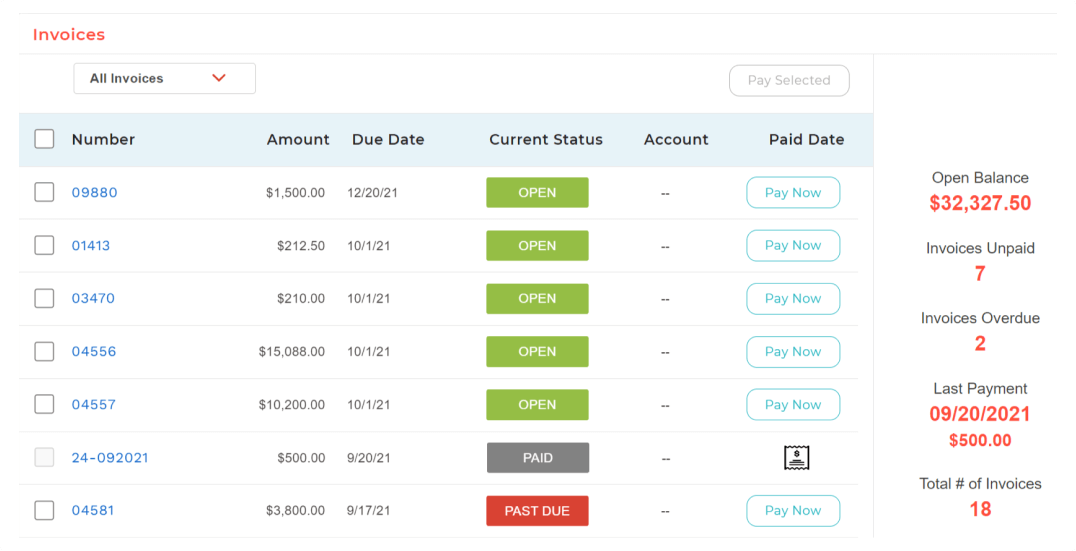
Screenshot of BigTime Wallet provides clients with a personalized experience to pay on time from anywhere, in one click.Screenshot of A big-picture view into operational insights to make adjustments to how resources are managed.Screenshot of Real-time, actionable insights for professional services firms.Screenshot of The platform is designed to work within existing workflows and software stack, acting as a single source of truth for data.Screenshot of BigTime's invoicing engine supports dozens of industry-standard billing scenarios and enough options to satisfy exacting customer needs.

Harvest Screenshots

Screenshot of the time tracking experience in HarvestScreenshot of project progress tracking, with budgets and costsScreenshot of team capacity trackingScreenshot of a visualization displaying where a team's time is goingScreenshot of Harvest invoicing, that turns tracked time and expenses into invoices so users can get paid online

Hubstaff Screenshots

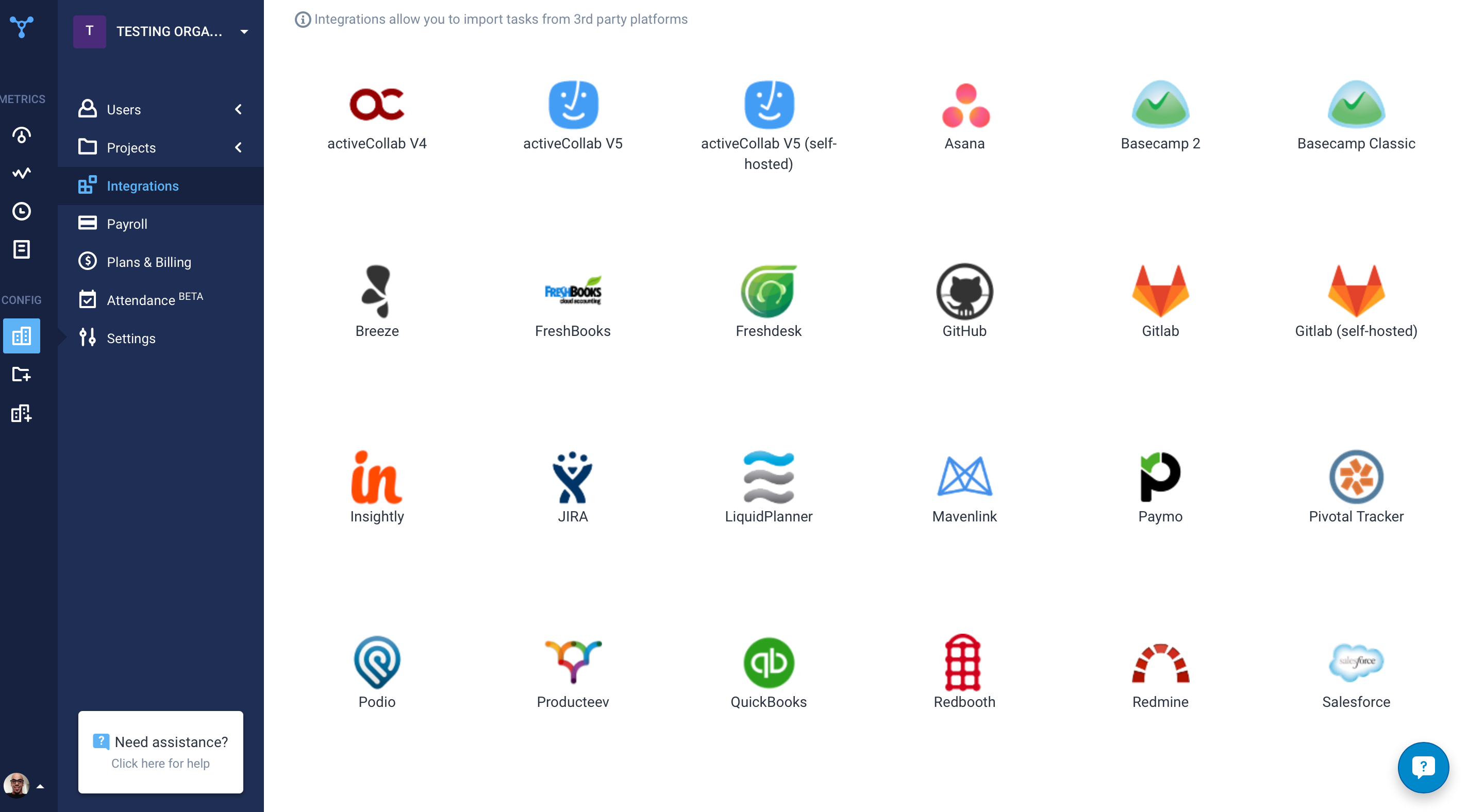
Screenshot of the time tracking interface, with screenshotsScreenshot of the remote work dashboardScreenshot of Hubstaff's 30 project management integrations