Brevo, formerly known as Sendinblue, is the leading customer relationship management (CRM) suite designed to fully cultivate long-term customer relationships and to empower businesses to expand in a fast changing digital world. With Brevo, businesses have a unified view of the customer journey in one easy-to-use platform thanks to intuitive and scalable marketing and CRM tools such as Email, SMS, WhatsApp, Chat, Marketing Automation, Meetings, and much more.
$0
per month
Google Tag Manager
Score 8.8 out of 10
N/A
From Google, the Google Tag Manager is a tag management application that facilitates creating, embedding, and updating tags across websites and mobile apps. It is a free option, vs. the company's enterprise-tier Google Tag Manager 360.
$0
Pricing
Brevo
Google Tag Manager
Editions & Modules
Free
$0
per month
Lite
$25
per month
Premium
$65
per month
Enterprise
Contact sales team
No answers on this topic
Offerings
Pricing Offerings
Brevo
Google Tag Manager
Free Trial
Yes
No
Free/Freemium Version
Yes
Yes
Premium Consulting/Integration Services
No
No
Entry-level Setup Fee
No setup fee
No setup fee
Additional Details
SendinBlue pricing is based on the number of email messages sent, rather than the number of contacts you keep in your account. Try SendinBlue with a free account and send up to 9,000 emails per month (300 emails per day). As your business grows, you can upgrade to a plan that meets your needs without breaking the bank! Send up to 40,000 emails per month for just $7.37 -- or send even more emails at great prices.
—
More Pricing Information
Community Pulse
Brevo
Google Tag Manager
Features
Brevo
Google Tag Manager
Email & Online Marketing
Comparison of Email & Online Marketing features of Product A and Product B
Brevo
8.0
211 Ratings
1% above category average
Google Tag Manager
-
Ratings
WYSIWYG email editor
8.3190 Ratings
00 Ratings
Dynamic content
8.1171 Ratings
00 Ratings
Ability to test dynamic content
7.9163 Ratings
00 Ratings
Landing pages
6.011 Ratings
00 Ratings
A/B testing
6.510 Ratings
00 Ratings
Mobile optimization
8.6189 Ratings
00 Ratings
Email deliverability reporting
9.0207 Ratings
00 Ratings
List management
8.9204 Ratings
00 Ratings
Triggered drip sequences
8.6120 Ratings
00 Ratings
Reporting & Analytics
Comparison of Reporting & Analytics features of Product A and Product B
Brevo
7.9
202 Ratings
4% above category average
Google Tag Manager
-
Ratings
Dashboards
8.019 Ratings
00 Ratings
Standard reports
8.9201 Ratings
00 Ratings
Custom reports
6.810 Ratings
00 Ratings
Pre-Send Testing
Comparison of Pre-Send Testing features of Product A and Product B
Brevo
9.4
141 Ratings
17% above category average
Google Tag Manager
-
Ratings
Link Tracking
9.4141 Ratings
00 Ratings
Security
Comparison of Security features of Product A and Product B
Brevo
-
Ratings
Google Tag Manager
6.4
56 Ratings
24% below category average
Role-based user permissions
00 Ratings
6.456 Ratings
Tag Management
Comparison of Tag Management features of Product A and Product B
Brevo
-
Ratings
Google Tag Manager
8.1
67 Ratings
0% above category average
Tag library
00 Ratings
8.062 Ratings
Tag variable mapping
00 Ratings
8.554 Ratings
Ease of writing custom tags
00 Ratings
5.766 Ratings
Rules-driven tag execution
00 Ratings
6.761 Ratings
Tag performance monitoring
00 Ratings
10.056 Ratings
Page load times
00 Ratings
8.148 Ratings
Mobile app tagging
00 Ratings
10.033 Ratings
Library of JavaScript extensions
00 Ratings
8.137 Ratings
Data Management & Integrity
Comparison of Data Management & Integrity features of Product A and Product B
Brevo is very suitable for companies and individuals who want to run email marketing campaigns, create a strong corporate image, manage customer relationships, and build customer loyalty. Like any application, there are areas for improvement, such as more templates and a simpler CRM application, but I believe it has more positive features than negative ones, and for us, it has become a strategic partner. Brevo es muy adecuado para empresas y personas que desean realizar campañas de mailing marketing, crear un sólida imagen corporativa, el CRM con los clientes y fidelizarlos. Hay puntos de mejora como toda aplicación como mas plantillas, mejor sencilles en su aplicativo de CRM pero considero que tiene mas funcionalidades positivas que negativas y para nosotros se ha convertido en un aliado estrategico This review was originally written in Spanish and has been translated into English using a third-party translation tool. While we strive for accuracy, some nuances or meanings may not be perfectly captured.
I use Google Tag Manager (GTM) daily and create tags/triggers for all of our client's websites. It is easy to set up but for some of my tasks, the process does get repetitive so it'd be nice to have a default setting I can use when I have to create accounts, and then tweak/add things to them as needed. It is a great way to collect data and have code on the site without having to log into the site builder all the time. It makes it convenient to make edits or add code after our client's sites go live with us.
Selecting elements on a site [object, class, cookie, etc] (to later fire an event, send some data, etc) is very easy with triggers. Want to add an event when someone clicks on a button? Super easy. It was many many DOM selectors and you can even add custom functions if you need to do something more specific
In general, firing events in different circumstances is very easy mixing triggers and tags. You can track almost any element of the DOM and do whatever you want with it.
Testing is a great functionality. Only you can see what's on the site and you can debug it easily by seeing which events or tags were triggered and all the DOM elements involved (and why they matched the trigger).
Working in environments (staging, production) and versioning is easy to do, deploying changes in 2 clicks.
Onboarding can be a bit tricky. As with most WordPress additions, different plugins will have different configurations. Don't expect to install and just click activate.
Online support is highly technical. Email is its own beast and even good digital may not know more than the basics.
The reporting is strangely not intuitive or even very end-user friendly even with the robust data being tracked.
Composing in their editor can sometimes sync differently. Just like a video game, it's helpful to save often despite the autosave.
There are several good integrations, but there can always be more. Native tracking for call tracking solutions, analytics providers, non-Google advertisers would be top of my list.
Documentation is just dreadful. Luckily there are some awesome folks out there doing crowdsourced tutorials (shout out to Simo Ahava) but by and large the Google Tag Manager instructions are worth what you pay for them.
Google Tag Manager makes tracking traffic to our websites effortless, which enables our developers to focus on other tasks. Setting up a new instance takes only minutes and additional scripts can be added/modified without touching the source code of a site in production. This enables our marketing directors to coordinate tests and experiments with minimal effort.
Very user-friendly. I don't know how to code, but the program allows me to create visually appealing things with numerous options. Fairly intuitive. I have used it for a few years and have been happy. Works well for what we need.
No difficult obstacle to overcome but Google Tag Manager can still be difficult for many users to deploy. Sure the basic HTML script can be deployed quite easily, but when you start to require triggers, variables, etc, it can be a little daunting.
Everything loads very quickly, it saves as you go along so you're unlikely to loose work if your computer fails. Reports are there immediately too so you're able to act quickly on customer engagement.
These people helped me identify errors when setting up DKIM and were more than helpful in trying to diagnose low open rates with a few campaigns identifying where improvement can be made and how to more effectively manage contact lists. The support is excellent.
GTM does not provide support. This is one of GTM's biggest issues but it's due to the level of customization for each website. If your team thinks they would heavily rely on the need for a support staff it is probably better to invest in a paid service with a team that can support your needs.
Planning and communication will help greatly with an in-house implementation. If there are large teams, try to limit the number of people involved to 1-2 developers (back-end dev may be necessary depending on your platform), one analytics marketer and one project manager.
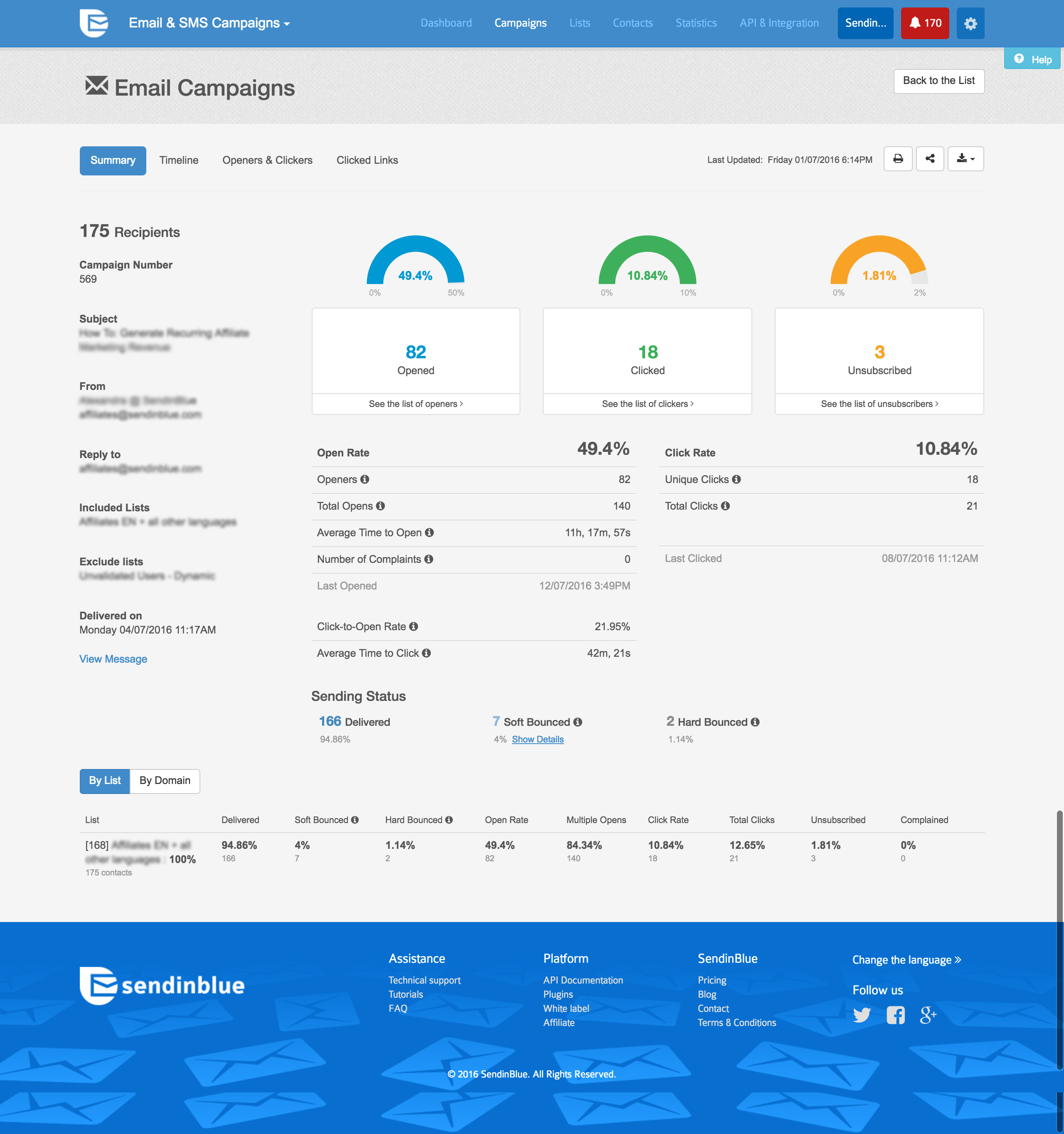
Sendinblue not stacking up so great unfortunately. We are considering going back to Constant Contact because of ongoing issues we are having with Sendinblue. We have however just upgraded to Premium with Sendinblue, mainly so we can get Telephone Support. But now it seems Sendinblue do not call you, you have to call them. With Constant Contact they would phone us and talk us through any issues we were having.
We selected Sendinblue initially because of price.
Also, our average Open rate over the last few months we were with Constant Contact was about 20%. Our Open rate - to exactly the same database, has dropped to under 10% with Sendinblue. We can't understand this. Doesn't make sense.
The Click Rate has stayed about the same - averaging about 2-3% on both platforms.
We moved to GTM from a standard Google Analytics implementation. GTM is much more flexible and easier to make changes, especially as the changes relate to multiple sites and environments. While there is a learning curve when figuring out how to use GTM, I believe the change has been worth it because it helps us understand at a more fundamental level how our tracking works and gives us a lot more control over what we track and how.
GTM is very useful to determine if a particular element on the site is useful (i.e. is it being watched, is it being clicked, does it help customers navigate through more pages). As an SEO person, I can use this information to decide what to optimize for but also to track progress and see improvements in engagement.
With the use of Google Tag Manager, I was able to easily inject an A/B testing tool which lead to several improvements in lead generation.