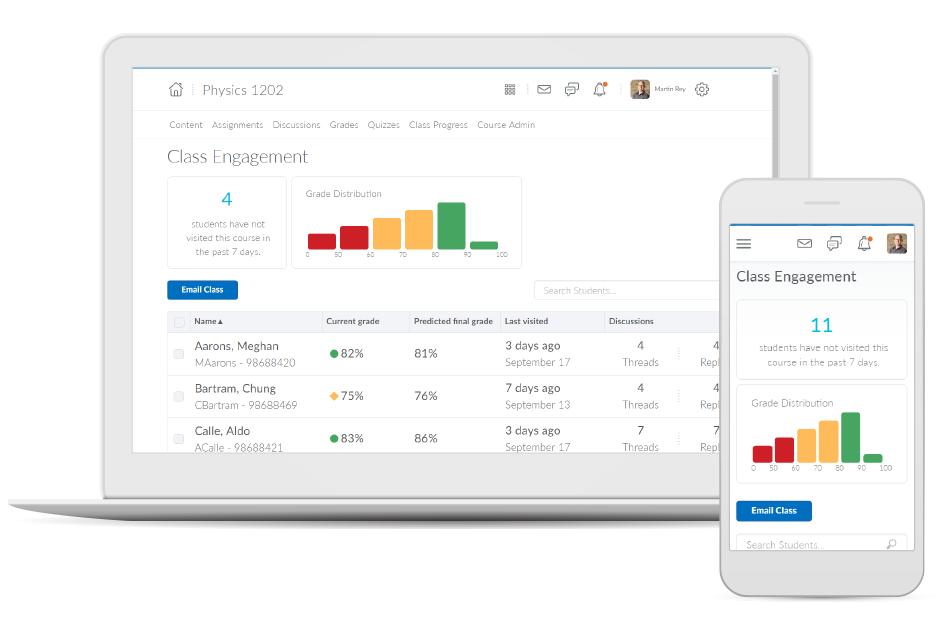
Brightspace is an academic and corporate learning management platform. It provides core e-learning features, as well as mobile accessibility and granular personalization and analytics insights.
N/A
Canvas
Score 8.6 out of 10
N/A
Instructure is an educational software company based in Sandy, Utah. It is the developer of the Canvas learning management system, which is a comprehensive software package that competes with such systems as Blackboard Learning System, SumTotal and Saba.
N/A
Paycom
Score 8.5 out of 10
N/A
Paycom is an automated HCM platform, built on a single database that eliminates redundant data entry through automation. A payroll and HR software solution, Paycom is used by organizations of all sizes to access employee data without navigating multiple systems.
N/A
Pricing
D2L Brightspace
Canvas
Paycom
Editions & Modules
No answers on this topic
No answers on this topic
No answers on this topic
Offerings
Pricing Offerings
D2L Brightspace
Canvas
Paycom
Free Trial
Yes
Yes
No
Free/Freemium Version
No
Yes
No
Premium Consulting/Integration Services
Yes
No
No
Entry-level Setup Fee
No setup fee
No setup fee
No setup fee
Additional Details
Must contact vendor for pricing information. 30-day free trial is available.
Blackboard and Desire2Learn offer good products, but are almost too large and not as intuitive to implement, learn, and support. Canvas offers a simpler product that is just as powerful.
Vice President for Technology Innovation and Consumer Experience
Chose Canvas
Canvas does not compare well against Corporate Learning LMSs like HealthStream and Absorb Anywhere LMS, but it does well against Blackboard, WebCT (no longer around), Desire2Learn, etc. It also does well against MOODLE, but MOODLE is very versatile - can be used as a corporate …
Canvas's ease of use and ease of administration were huge deciding factors in the decision to use Canvas as our preferred LMS. We found that on average Canvas took 1/3 the clicks to accomplish the same tasks as Blackboard, and the structure of data in Canvas is far superior to …
Canvas was the very first cloud-based Learning Management System. This was one of the key factors in our selection of Canvas. Canvas’s open platform and out-of-the-box ability to integrate with 3rd party vendors was also critical to its success on our campus.
Canvas is easier to use, navigate, and explain. Most of our customers prefer Canvas over the other learning management systems. The only challenge they find is linking non-app integrated content. Thus we set this up for them.
Canvas provides a nice blend of intuitive, simple interfaces with strong functionality. Other products will often try to do too much and become bloated (e.g., BB) or are not mature enough to provide reliable functionality in key areas without extensive support (e.g., Moodle). …
We felt that Canvas had the most modern interface, was the simplest to use, offered the best support, and offered the most features. The others products are all very good, but for our needs Canvas offered the most value for an institution our size and with our set of needs.
Executive Director of Adult Education, Online Learning, and Learning Architecture
Chose Canvas
I have evaluated Blackboard, Desire to Learn, Moodle, and Canvas. I felt that Canvas provides the best overall experience for all users with its ease of use, ease of learning the new system, and customer support.
I have used many other Learning Management Systems as an online instructor, including Angel, Blackboard, Desire2Learn, and Moodle, but Canvas is by far the most faculty-friendly and student-focused. With an array of technology tools available to incorporate for stronger and …
Paycom
No answer on this topic
Features
D2L Brightspace
Canvas
Paycom
Learning Management
Comparison of Learning Management features of Product A and Product B
D2L Brightspace
7.4
11 Ratings
10% below category average
Canvas
9.8
41 Ratings
18% above category average
Paycom
-
Ratings
Course authoring
3.011 Ratings
9.941 Ratings
00 Ratings
Course catalog or library
8.07 Ratings
9.738 Ratings
00 Ratings
Player/Portal
9.08 Ratings
9.832 Ratings
00 Ratings
Learning content
9.010 Ratings
9.834 Ratings
00 Ratings
Mobile friendly
8.910 Ratings
9.940 Ratings
00 Ratings
Progress tracking & certifications
9.010 Ratings
9.837 Ratings
00 Ratings
Assignments
5.911 Ratings
9.941 Ratings
00 Ratings
Compliance management
8.01 Ratings
9.732 Ratings
00 Ratings
Learning administration
7.910 Ratings
9.836 Ratings
00 Ratings
Learning reporting & analytics
7.911 Ratings
9.838 Ratings
00 Ratings
Social learning
5.010 Ratings
9.833 Ratings
00 Ratings
Gamification
00 Ratings
9.52 Ratings
00 Ratings
Single Sign On (SSO) Enabled Learning
00 Ratings
9.72 Ratings
00 Ratings
Human Resource Management
Comparison of Human Resource Management features of Product A and Product B
D2L Brightspace
-
Ratings
Canvas
-
Ratings
Paycom
7.9
452 Ratings
3% below category average
Employee demographic data
00 Ratings
00 Ratings
8.9409 Ratings
Employment history
00 Ratings
00 Ratings
7.8393 Ratings
Job profiles and administration
00 Ratings
00 Ratings
8.0396 Ratings
Workflow for transfers, promotions, pay raises, etc.
00 Ratings
00 Ratings
7.5396 Ratings
Organizational charting
00 Ratings
00 Ratings
7.3309 Ratings
Organization and location management
00 Ratings
00 Ratings
7.6347 Ratings
Compliance data (COBRA, OSHA, etc.)
00 Ratings
00 Ratings
8.3330 Ratings
Payroll Management
Comparison of Payroll Management features of Product A and Product B
D2L Brightspace
-
Ratings
Canvas
-
Ratings
Paycom
8.3
460 Ratings
2% above category average
Pay calculation
00 Ratings
00 Ratings
8.7447 Ratings
Support for external payroll vendors
00 Ratings
00 Ratings
6.447 Ratings
Off-cycle/On-Demand payment
00 Ratings
00 Ratings
9.115 Ratings
Benefit plan administration
00 Ratings
00 Ratings
8.2388 Ratings
Direct deposit files
00 Ratings
00 Ratings
9.3447 Ratings
Salary revision and increment management
00 Ratings
00 Ratings
8.2372 Ratings
Reimbursement management
00 Ratings
00 Ratings
8.4254 Ratings
Leave and Attendance Management
Comparison of Leave and Attendance Management features of Product A and Product B
D2L Brightspace
-
Ratings
Canvas
-
Ratings
Paycom
8.4
405 Ratings
3% above category average
Approval workflow
00 Ratings
00 Ratings
8.6386 Ratings
Balance details
00 Ratings
00 Ratings
8.2385 Ratings
Annual carry-forward and encashment
00 Ratings
00 Ratings
8.4320 Ratings
Employee Self Service
Comparison of Employee Self Service features of Product A and Product B
D2L Brightspace
-
Ratings
Canvas
-
Ratings
Paycom
8.5
461 Ratings
4% above category average
View and generate pay and benefit information
00 Ratings
00 Ratings
9.0452 Ratings
Update personal information
00 Ratings
00 Ratings
8.8457 Ratings
View company policy documentation
00 Ratings
00 Ratings
8.0405 Ratings
Employee recognition
00 Ratings
00 Ratings
8.7221 Ratings
View job history
00 Ratings
00 Ratings
7.9366 Ratings
Asset Management
Comparison of Asset Management features of Product A and Product B
D2L Brightspace
-
Ratings
Canvas
-
Ratings
Paycom
4.9
26 Ratings
49% below category average
Tracking of all physical assets
00 Ratings
00 Ratings
4.926 Ratings
HR Reporting
Comparison of HR Reporting features of Product A and Product B
D2L Brightspace
-
Ratings
Canvas
-
Ratings
Paycom
7.1
399 Ratings
6% below category average
Report builder
00 Ratings
00 Ratings
7.8392 Ratings
Pre-built reports
00 Ratings
00 Ratings
7.7389 Ratings
Ability to combine HR data with external data
00 Ratings
00 Ratings
5.855 Ratings
Onboarding
Comparison of Onboarding features of Product A and Product B
D2L Brightspace
-
Ratings
Canvas
-
Ratings
Paycom
8.1
396 Ratings
2% above category average
New hire portal
00 Ratings
00 Ratings
8.1393 Ratings
Manager tracking tools
00 Ratings
00 Ratings
8.1341 Ratings
Performance and Goals
Comparison of Performance and Goals features of Product A and Product B
D2L Brightspace
-
Ratings
Canvas
-
Ratings
Paycom
6.1
230 Ratings
27% below category average
Corporate goal setting
00 Ratings
00 Ratings
4.236 Ratings
Individual goal setting
00 Ratings
00 Ratings
7.8213 Ratings
Line-of sight-visibility
00 Ratings
00 Ratings
4.835 Ratings
Performance tracking
00 Ratings
00 Ratings
7.6225 Ratings
Performance Management
Comparison of Performance Management features of Product A and Product B
D2L Brightspace
-
Ratings
Canvas
-
Ratings
Paycom
7.6
287 Ratings
4% below category average
Performance plans
00 Ratings
00 Ratings
7.7266 Ratings
Performance improvement plans
00 Ratings
00 Ratings
7.4250 Ratings
Review status tracking
00 Ratings
00 Ratings
7.8258 Ratings
Review reminders
00 Ratings
00 Ratings
7.8264 Ratings
Multiple review frequency
00 Ratings
00 Ratings
7.3236 Ratings
Succession Planning
Comparison of Succession Planning features of Product A and Product B
D2L Brightspace
-
Ratings
Canvas
-
Ratings
Paycom
8.7
46 Ratings
11% above category average
Create succession plans/pools
00 Ratings
00 Ratings
9.125 Ratings
Candidate ranking
00 Ratings
00 Ratings
9.131 Ratings
Candidate search
00 Ratings
00 Ratings
8.344 Ratings
Candidate development
00 Ratings
00 Ratings
8.241 Ratings
Recruiting / ATS
Comparison of Recruiting / ATS features of Product A and Product B
If you're an educational institution (K-12, Higher Ed, etc.), this is an amazing tool, and it will provide you all the functionality to support anything you may want and need it to do. If you are looking at Brightspace as a tool for corporate training, I'm not sure exactly how good or bad it will be for you. My guess would be that it likely depends on your organization's size. Along that line, what I can speak to is how we use it for our customized training and in-house professional development/training, and it works fantastically for that. While we primarily use it for normal higher ed coursework, we regularly do training and professional development for all of our employees and I manage those along with our HR department. Because we use it for many other things as well, all of our employees are familiar with the product, which makes our trainings go that much smoother and makes my job that much easier.
It is really well suited for school situations like knowing what [assignments] need to be done when, getting feedback, getting points, finding the slides that the teacher used for explaining an [assignment] or theory. I think It would be less suited in business situations because it's [primarily] made to be a [one-way] communication tool for schools. Businesses need more control on individual levels I think[.]
well suited for smaller businesses. most of our functions are housed in the payroll system, so that makes things easier. Not sure how sophisticated the labor allocation and job costing system would work with a large organization. We have to closely monitor tax profiles and multi-state things. Hard to follow and understand at times.
Allowing users to embed content links from YouTube or Google Drive enables learners to experience a richer lesson.
Providing a powerful editor that allows developers to also include content from Adobe Stock as well as textbook publishers and cloud storage companies gives more power and creative ability to instructors.
Providing scaling for mobile and traditional computer systems ensures students will not have issues on the go.
The customization of home pages and groups enable courses to be used for small training sessions with breakout groups, large courses with separate sections, and even just more engaging courses that present themed icons and logos.
Creativity options for teachers to create a virtual space that still has fun graphics and accessibility options.
Canvas has versatility in viewing options for assignment due dates such as the calendar built in feature as well as the dashboard options to display upcoming and due assignments.
Allowing teachers to create community with each other and collaborate in each-other's space.
Discussion platforms within classrooms for students to communicate with each-other and with their teachers.
Easy messaging portal within each virtual classroom.
Before Paycom we were using Paylocity and in about six months of running payroll with Paylocity, we never once had 100% accuracy from a payroll standpoint. So we had disgruntled employees because either their time was off or their pay was off. With Paycom, we've never had a case where our payroll was not 100% accurate.
One can feel a bit rushed on the Brightspace platform during the log-out period. Security requirements may require this, but it makes end-users more conscious about getting through content than taking notes.
From my experience, there is not a direct connection between the platform and Outlook.
I think that when we do need a response back, which is very unlikely from the contact about something that's happening or going on, it can take a little long to get back to us. Longer than we would like because obviously it's an emergency to us, but we understand they have tons of emergencies they have to solve. But I think that's the only aspect.
I know from a payroll standpoint, which I'm not really privy to because I don't work on the payroll side, there have been some little hiccups that about certain formulas used, certain credits being issued that we've already filed for tax credits that we filed for. So I know that my CFO's already on top of it and pay comes on top of it as well and it's getting resolved, but obviously that's a big issue that needs some work there.
I would never give any system a perfect score. In the technology environment today we need to be constantly looking at ways to improve the user experience and LMS companies like Desire2Learn need to know that we have options today with other systems and they need to stay current with features and listen to their customers.
The other LMS tools have fallen behind. One reason is they are not able to update their systems, features, toolsets in a timely manner. While other LMS providers release bug fixes and new features several times a year, schools struggle to install and implement them in a timely manner. It is not uncommon for a school to take 6 months to a year to fully install and implement new releases on other LMS platforms. With Canvas, those features are released every 3 weeks, and there is nothing for a school to do other than choose to turn them on once released. This has allowed Instructure to innovate faster, and get new features and tools to customers quicker. Other factors include great pricing, customer support, and the innovative way in which LTI is implemented in the tool.
Because it has everything that we need and as we grow, we are learning how robust Paycom can actually be but we need to be willing to spend the money. It's not expensive but we, as a company, are not used to spending that much on a system for HR and payroll.
Overall, the learning environment works as expected. However, there are plenty of bugs. For example, for a few versions, trying to print out a PDF from the Content screen in several browsers would produce a blank page. We inform D2L support about these issues, most of which are known issues. However, they are very slow to respond. D2L seems to spend more time selling than actually coding and testing their product. Most of the issues are not major -- however, there have been a few that are unbelievable. In fact, this past week we had a sudden issue where the "Submit" button in quizzes would not appear if users had a certain browser/operating system combination. This is a major problem, if students cannot submit their exams! D2L is slow to respond to these kinds of situations, which do occur more often than I would like.
The functions in Canvas are well integrated and consistent across the application, and mostly intuitive. Overall navigation and setup is streamlined through integrated features and navigation. The feedback we've gotten from our program participants is that it is easy to learn to use. It also integrates well with third party software like Google Docs and Blackboard Collaborate web conferencing software
The interface is very intuitive, you can navigate it pretty well. Everything's pretty much spelled out and the features just flow really well. They make it easy for you to go back and forth with the UX/UI type of interface. So I think it was built pretty well.
Both students and instructor enjoy the 24-hoiur access. After, all isn't that the point of online learning. As an instructor located in an Eastern time zone state it is great to connect with students located in a Pacific time zone state. I have gotten comments about the early hours I am in the course room grading assignments . . . 4:00 a.m. PST; 7:00 a.m. EST So, it's sleep time for my students and "first cup of coffee" time for me.
I have had excellent support from Desire2Learn. Any ticket that I submit is acknowledged immediately and the correction is usually almost as quick. We use this for thousands of classes and it is pretty well liked by both faculty and students. We have been using it for almost 4 years now and most of our instructors have become pretty proficient with it.
I do not personally use Canvas support since we have a central office that helps us. However, our central office always has the answers we need and are always able to solve our issues - so I would assume that get great support from the Canvas team on their end. They also offer great training, which uses materials directly from Canvas
Our TSR has been wonderful to work with. Every step of the way he was quick to respond and answer any questions we had. I knew I could reach him at any time (day or night) and he would be available to assist. Implementing a new HRIS system is obviously a huge task and I contribute all our success to our rep Kurt! Of course, with any implementation, there were bumps along the way and issues. But I always knew we would work as a team to get those issues figured out. Working in the Paycom system has been smooth and easy to learn and I enjoy the employee self-service interface. Our managers have had positive things to say and are all excited about the changes we have been able to make to our organization due to Paycom being implemented.
The training provided online did not, necessarily, fit the version of the system that I was using. Screens were somewhat different and not all options were readily available. This could have been due to customization on the part of my institution however, I rather believe it was due to version changes and training materials not yet being updated.
All the online training modules were short and straight to the point. Every module teach you how to use the system. If there is one thing they know how to do is training. We did implementation during the pandemic so all had to be done online or via zoom meetings.
Once you purchase and sign the contract there is nothing to install or hardware to buy. You can almost immediately start using it and have courses up and going within weeks. We signed in December and had pilot courses online ready to go for the start of school in January
Not at all satisfied it was a nightmare we spent over 8 months with the implementation team having issues after issues all related to the Puerto Rico regulations (half my employees are in Puerto Rico) and at the end we were moved over from the implementation team to the production team without all the issues being resolved
I have used Blackboard Learn 8 and 9. I am currently learning about Canvas. Blackboard is overall much clunkier and lacks the intuitive feel in some parts of D2L. Its grade book is much harder to control and manipulate than D2L's. Its navigation menu can be more radically modified from the default than D2L's, but this doesn't seem that useful to me. Discussions in Blackboard can be more easily reorganized than in D2L, but no grading of discussions is possible. Blackboard Assignments is a good innovation which allows markup directly in the students' submissions, but it displays student work in a confusing manner that doesn't allow for any customization, and its markup options need further tweaking. Furthermore, no rubrics can be used in Blackboard in any way to grade any kind of work (that I am aware of). Overall, I would choose D2L over Blackboard.
Canvas is more secure, has a cleaner design, and has more features. For the features, they have in common canvas still stacks up against [Smart school] by going for the extra mile. Besidfor e that, [the] canvas looks a lot more [professional] than [Smart school]. I didn't make the decision myself to get canvas instead of [Smart school] but I'm happy they did.
We really only had Paychecks and that was our biggest problem is that with several different companies, it was very hard If you had a salary employee and didn't terminate them in the prior company, they get paid twice, so this has really been definitely a big help for us.
During my first semester working with Desire2Learn the integrated learning management system was more down than up. This meant reconfiguring assignment due dates, frustration for both the instructor, students, and help desk staff. After an upgrade, Desire2Learn has been reliable.
I cannot speak to whether this system is less expensive than the more fully featured Blackboard, but employees are far less efficient, frustrated, and require frequent calls to the help center to set up fairly simple course templates.
I have been asked to consider teaching courses which will be completely online at my current institution. I have done such online courses several times at other universities, but I have decided Desire2Learn is too frustrating and cumbersome to do so. I am now exploring using Google Drive to teach a course online. Otherwise, I will not teach online until required or I find an alternate system.
I would think the most time would come from applicant tracking and I don't think that's a Paycom issue necessarily. I think it was a training issue during implementation. I would say that that has improved now that we had onsite training. But initially the applicant tracking piece can be difficult when you're used to just using an ATS. That's specifically for talent acquisition because there's a lot of nuances that goes into the system that Paycom bills.