CallFire is a VoIP and messaging solution designed for both external B2C interactions and internal company use. It includes features such as text messaging, call tracking, voice broadcasting, and an interactive voice response (IVR) system. Subscription pricing starts at $99 per month.
$99
per month
EZ Texting
Score9.1 out of 10
N/A
EZ Texting provides businesses and organizations with a text marketing solution, including features and integrations to keep conversations going. The solution can be used by businesses to connect with their audiences. It can be used to send promotions, promote a new product, build brand awareness, or drive traffic to websites or storefronts. EZ Texting Key Features EZ Texting's features are designed to enhance the effectiveness of text marketing efforts.…
$25
per month
Pricing
CallFire
EZ Texting
Editions & Modules
Lite
$99.00
per month
Startup
$199.00
per month
Grow
$299.00
per month
Pro
$599.00
per month
Launch
Starting at $25
per month
Boost
Starting at $75
per month
Scale
Starting at $125
per month
Enterprise
Starting at $3,000
per month
Offerings
Pricing Offerings
CallFire
EZ Texting
Free Trial
No
Yes
Free/Freemium Version
No
No
Premium Consulting/Integration Services
No
No
Entry-level Setup Fee
No setup fee
No setup fee
Additional Details
—
LAUNCH PLAN: Recommended for up to 500 contacts. Local EZ Textable Number. Max Speed: up to 500/day. Cost Per Msg:$0.030. Delivery Rate: 95%
Includes 500 free msg/mo or 6k annually.
BOOST PLAN: Recommended for 501-2,000 contacts. Local EZ High-Volume Number. Max Speed: up to 2,000/day. Cost Per Msg: $0.025. Delivery Rate: 95%
Includes 500 free msg/mo or 6k annually.
SCALE PLAN: Recommended for 2,000-50,000 contacts. Local EZ High-Volume, High-Speed Number. Max Speed: up to 50,000/day. Cost Per Msg: $0.020. Delivery Rate: 95%. Includes 500 free msg/mo or 6k annually.
ENTERPRISE PLAN: Recommended for 50,000+ contacts. This Plan offers. Dedicated Short Codes. Max Speed: up to 1 MM/day. Cost Per Msg: $0.010. Delivery Rate: 99%. Includes 200k msg/mo.
Pricing information for EZ Texting is supplied by the software provider or retrieved from publicly accessible pricing materials. Final cost negotiations to purchase EZ Texting must be conducted with the seller.
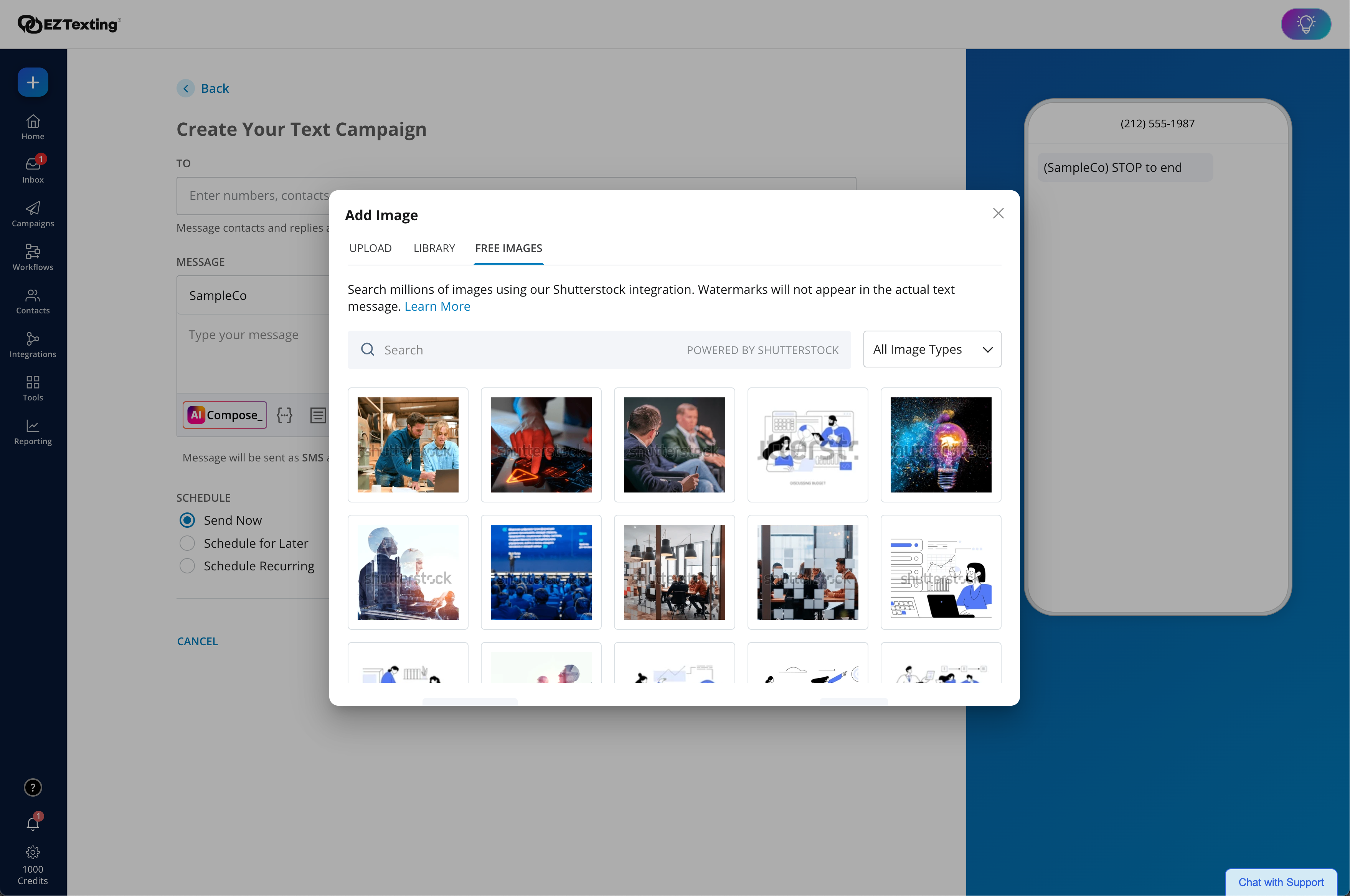
Included in All Plans: Unlimited Incoming Messages, Contacts, & Keywords. New Features: Realize ROI faster with AI Compose & Team Inbox with AI Reply. Live Support Chat: Monday-Friday 8am-8pm ET and Saturday-Sunday 9am-5pm ET. Growth Tools: QR Codes, Keywords & Signup Forms. MMS Edge: Enhanced Image Library + Editor powered by Shutterstock. CRM-Lite: Upload, Management, Groups & Personalization.
A de minimis incentive was given to thank the reviewer for their time. The incentive was not used to bias or drive a particular response, nor was the incentive contingent on a positive endorsement. TR verified that a representative sample of customers was invited. More Info
If you need to find a test candidate for your client quickly, this is one of the best ways. Pull yourself a hot list of a couple hundred potential candidates and load them in to CallFire. Then get ready to hit about 50-60 calls per hour. You should have a great test candidate for your client in about 24 hours! It's amazing how quickly you can show your clients the true speed of your company.
A de minimis incentive was given to thank the reviewer for their time. The incentive was not used to bias or drive a particular response, nor was the incentive contingent on a positive endorsement. More Info
EZ Texting would be well suited for a small business that doesn't have the man power to be able to contact all of the leads they have coming in or who struggles to maintain communication with current clients at times. It would not be appropriate for a business who is looking to send phishing texts out to a large group of people.
A de minimis incentive was given to thank the reviewer for their time. The incentive was not used to bias or drive a particular response, nor was the incentive contingent on a positive endorsement. TR verified that a representative sample of customers was invited. More Info
CallFire provides detailed analytics that show what/when callers select within the phone system
The text message broadcast feature is a game changer. This allows a company to dispatch text campaigns with specific calls-to-action, with tracking analytics.
The voice broadcast feature allows a mass automated message to be sent to client phones. This saves a lot of time when the same notification needs to go out to multiple clients.
A de minimis incentive was given to thank the reviewer for their time. The incentive was not used to bias or drive a particular response, nor was the incentive contingent on a positive endorsement. More Info
A de minimis incentive was given to thank the reviewer for their time. The incentive was not used to bias or drive a particular response, nor was the incentive contingent on a positive endorsement. TR verified that a representative sample of customers was invited. More Info
The services are easy to use and robust, but there is room for improvement. Unfortunately, not much has changed over the last 2 years of use. There haven't been any new features or innovations in that time.
API integration and automation is not easy for most folks to jump into and there is very little technical support or documentation to take advantage of such features.
The standard reports are generally sufficient, but there isn't any customization or intelligence available.
A de minimis incentive was given to thank the reviewer for their time. The incentive was not used to bias or drive a particular response, nor was the incentive contingent on a positive endorsement. More Info
A de minimis incentive was given to thank the reviewer for their time. The incentive was not used to bias or drive a particular response, nor was the incentive contingent on a positive endorsement. TR verified that a representative sample of customers was invited. More Info
We're excited about EZ Texting and what it does for us. We want to get more into automation with campaigns dealing directly with web sales so a more robust solution will likely leave EZ Texting as our event activation partner and only be used during select times of the year.
A de minimis incentive was given to thank the reviewer for their time. The incentive was not used to bias or drive a particular response, nor was the incentive contingent on a positive endorsement. TR verified that a representative sample of customers was invited. More Info
EZ Text was very easy to set up and very intuitive. It does not take long at all to add your contact lists or to set up templates. It takes a second to get used to when it comes to sending mass group texts, but all in all, it does what we need to do and was easy to implement. We were able to do it ourselves.
A de minimis incentive was given to thank the reviewer for their time. The incentive was not used to bias or drive a particular response, nor was the incentive contingent on a positive endorsement. TR verified that a representative sample of customers was invited. More Info
A de minimis incentive was given to thank the reviewer for their time. The incentive was not used to bias or drive a particular response, nor was the incentive contingent on a positive endorsement. TR verified that a representative sample of customers was invited. More Info
A de minimis incentive was given to thank the reviewer for their time. The incentive was not used to bias or drive a particular response, nor was the incentive contingent on a positive endorsement. More Info
EZ Texting "gets it"! When I have had something I needed customer service to help me with, they returned my emails and calls promptly. I have a smaller business and they came through as if I was a huge corporate entity. They really care about all sizes of customers!
A de minimis incentive was given to thank the reviewer for their time. The incentive was not used to bias or drive a particular response, nor was the incentive contingent on a positive endorsement. More Info
The most important aspect of implementation was selecting a valuable keyword. When we first started using EZ Texting, we were able to grab a simple, easy word to use to connect people to our texts. That proved invaluable in our marketing and selling people on using the service. If we didn't have a good word, I would imagine it wouldn't have been as successful.
A de minimis incentive was given to thank the reviewer for their time. The incentive was not used to bias or drive a particular response, nor was the incentive contingent on a positive endorsement. TR verified that a representative sample of customers was invited. More Info
CallFire has a pricing structure that is attractive to us as a small business. The "pay as you use" options helps us keep our overhead low, especially with so many softwares already in our tech stack. It's a tremendous value for the cost!
A de minimis incentive was given to thank the reviewer for their time. The incentive was not used to bias or drive a particular response, nor was the incentive contingent on a positive endorsement. More Info
We chose EZ Texting over enterprise solutions because of it's ease of set up, ease of use, and low barrier to entry. We had discussions with other companies, and it seemed very complicated and would require a lot of set up on our end. We don't have a dedicated IT or marketing team. We are a small business. So those barriers were just too complicated and we decided to go with an easier solution.
A de minimis incentive was given to thank the reviewer for their time. The incentive was not used to bias or drive a particular response, nor was the incentive contingent on a positive endorsement. TR verified that a representative sample of customers was invited. More Info
A de minimis incentive was given to thank the reviewer for their time. The incentive was not used to bias or drive a particular response, nor was the incentive contingent on a positive endorsement. More Info
A de minimis incentive was given to thank the reviewer for their time. The incentive was not used to bias or drive a particular response, nor was the incentive contingent on a positive endorsement. More Info
A de minimis incentive was given to thank the reviewer for their time. The incentive was not used to bias or drive a particular response, nor was the incentive contingent on a positive endorsement. TR verified that a representative sample of customers was invited. More Info
A de minimis incentive was given to thank the reviewer for their time. The incentive was not used to bias or drive a particular response, nor was the incentive contingent on a positive endorsement. More Info
Customers, as well as potential customers, do not seem to have any issue, providing their phone numbers for text messages as opposed to receiving countless emails.
Upselling items has improved considerably due to our ability to notify customers of new products and specials that we are offering in the store.
A de minimis incentive was given to thank the reviewer for their time. The incentive was not used to bias or drive a particular response, nor was the incentive contingent on a positive endorsement. TR verified that a representative sample of customers was invited. More Info