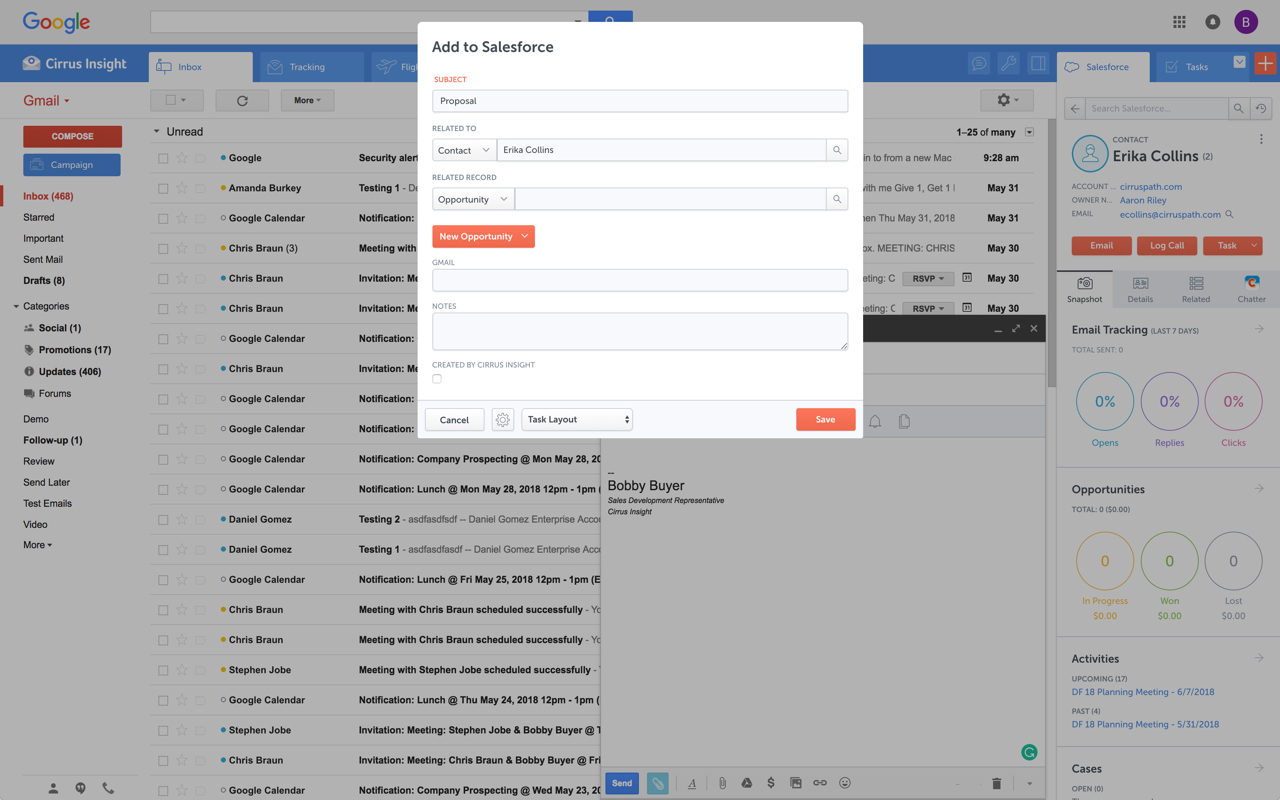
Cirrus Insight integrates Salesforce with Gmail, Google Calendar, and Google Contacts. Instantly View Contextual Salesforce Information in Your Inbox. Save Emails & Attachments to Salesforce with a Click. Sync Your Google & Salesforce Calendars. Create & Edit Salesforce Records on the Fly. Customize Your Salesforce Workflow in Gmail. Add Google Contacts to Salesforce. Salesforce Tasks Integration. Salesforce Templates Integrated with Gmail.
$15
per month
Shift
Score 9.1 out of 10
N/A
The Shift browser merges web apps into a single window, streamlining work online and providing access to thousands of apps without leaving the browser.
$0
Superhuman
Score 9.0 out of 10
N/A
Superhuman for Business is an email management solution that helps to enhance team collaboration and help users maintain focus. Some features include timed sent, Unsend, conversation snooze, support for offline actions, Gmail shortcuts, etc.
$30
per month per user
Pricing
Cirrus Insight
Shift
Superhuman
Editions & Modules
Starter
$27
per user/month
Closer
$45
per user/month
Rainmaker
$72
per user/month
Free
$0
per year
Advanced
$199
per year
Starter
$30
per month per user
Business
$40
per month per user
Enterprise
Contact for pricing
Offerings
Pricing Offerings
Cirrus Insight
Shift
Superhuman
Free Trial
Yes
Yes
No
Free/Freemium Version
No
Yes
No
Premium Consulting/Integration Services
Yes
No
No
Entry-level Setup Fee
$500 per installation
No setup fee
No setup fee
Additional Details
Pricing based on annual billing.
—
Up to 18% discount for annual billing on Starter and Business plans.
For someone who uses both Gmail and Salesforce as part of their main role, this software is an invaluable connector for them both. Some of the features are also not Salesforce specific - such as the Meeting Scheduler, which has proved invaluable to me, and I would recommend to any Gmail user who frequently set up meetings (either internally or externally).
I believe that Shift is suitable for everyone, even those with only one email account. Just being able to group email, along with Messenger, WhatsApp, and other apps, together is, in itself, a productivity hack. I have already recommended it to some of my other business owner friends.
1. Inbox management 2. Saving time 3. For CXOs, it can save a lot of time. 4. Superhuman AI is very good, optimized for the use case. 5. UI/UX is to notch, the team has really put in some effort here. 6. Although there's a learning curve but the onboarding makes it very simple.
Log email to Salesforce. You click one button and it logs for you. This is easier than adding the BCC email address that Salesforce provides as a way to log email.
Track views and engagement on these emails. It's nice to know if the email was opened and if links were clicked.
Update quick fields in Salesforce directly from their inbox using Cirrus. This prevented reps from needing to click into Salesforce, wait for it to load, then update fields like the phone number or name.
If the rep did need to open Salesforce, Cirrus provides a quick button to navigate to the Lead/Contact/Opportunity page quickly.
Outlook for Mac could use some work as an add-on because it's hard to read sometimes on my laptop. It's not a sidebar, like the Windows functionality, so it's harder to read.
Doesn't always find an opportunity, even though I know it's in our Salesforce system.
Randomly shuts down and doesn't log in properly at times. I've had to remove and re-download more than once.
When I started adopting it, it was VERY Apple-focused. I could not get access to Android and Windows. They are not releasing an Android version, and there is web access for Windows, which I use with an iPhone.
Built-in calendar, while nice, could be a little more functional.
It is the best google to salesforce integration on the market. support is incredibly responsive and very helpful. They are constantly adding new features, and the current feature set is well beyond anything else that is currently offered in the market
Shift has significantly streamlined your daily operations by bringing together all your tools, accounts, and workflows into one platform. This has reduced context-switching and improved overall productivity across Bamboo Orchard’s Innovation Studio and Venture Studio operations.The ability to create custom workspaces tailored to different projects, clients, and teams ensures that each aspect of your business is optimized for performance. This flexibility supports the unique, bespoke solutions Bamboo Orchard is known for delivering. Shift has enhanced collaboration by integrating communication tools like Slack, Zoom, and email with task management platforms. This has allowed teams to work together seamlessly, even in remote or hybrid environments. By eliminating the need for constant tab-switching and manual management of accounts, Shift has saved considerable time and effort for the team, allowing you to focus more on strategic innovation and client support. Shift’s functionality aligns perfectly with Bamboo Orchard’s mission to deliver bold, transformative innovation and tailored solutions. It supports your ability to execute efficiently and maintain focus on reshaping industries for your clients.
Very easy to use. Everything opens in a familiar interface right inside the google apps sidebar. It brings in salesforce records, so as long as you know google apps / gmail and salesforce you'll be all set. It's point and click.
Setting up Shift is very simple and highly intuitive, making it easy to use. Once you set up the accounts and program integrations, you can easily click on precisely what you need, requiring barely any thought or effort. It feels truly seamless and straightforward to use. I have no issues with use, and I use it every day.
Its basically been great. In 3 years I had one issue of repeated crashes which was fixed with a version change and an issue where slack wouldn't load after a slack update but that fixed within a few weeks
Its pretty performant on my GPU based laptop as it can use the hardware to accelerate processing. However it is memory hungry. If I had a normal amount of RAM on my laptop I wouldn't imagine it would be a little slower
I have only had to use their support a couple of times, but was able to get an answer and things resolved within a couple of hours. There was no issue with contacting them, received responses and updates in a timely manner and they were able to resolve the small issues we had. It was a pleasure to work with them
The plugin is installed inside your internet browser as an extension/add-on. It can be found in most add on stores and is easy to install. Usually just a few clicks. It handles authorization for you once you sign in, and then takes care of all the rest. It couldn't be easier to get working right out of the box. You're up in running in less than 5 minutes.
I was completely satisfied with the implementation of Shift, rating it a 10. The process was straightforward and required minimal effort to get started. Key insights include the importance of pre-configuring the app with essential tools and accounts for the team to ensure a smooth transition. Shift’s intuitive setup and integration process allowed us to onboard quickly without disrupting workflows. Additionally, its user-friendly design made it easy for team members to adapt without extensive training.
Yesware regularly sent me alerts that my emails had been opened by someone who I hadn't sent them to, from locations they couldn't possibly have been. I also don't recall its Salesforce activity logging working as smoothly, though I last used Yesware more than 12 months ago so my memory isn't as fresh as it could be
I used to use a similar product called Station. In all honesty, Station was better but was discontinued. Shift is the nearest equivalent and works just as well. Station was free, Shift is an annual payment so I have peace of mind it's more likely to be around for the long term.