Overview
ProductRatingMost Used ByProduct SummaryStarting Price
ClickUp
Score 8.6 out of 10
Small Businesses (1-50 employees)
ClickUp is a productivity platform that brings together work apps, data, and workflows. Also presented as a Converged AI Workspace, ClickUp eliminates work sprawl to provide context and a single place for humans and agents to work together. The platform currently boasts over 20 million users worldwide.
$0
per month per seat
MangoApps
Score 8.0 out of 10
Mid-Size Companies (51-1,000 employees)
MangoApps is a unified workforce platform designed to help organizations inform employees, align teams, and run daily work—especially across frontline and distributed environments where execution happens shift by shift. MangoApps brings together employee communications, intranet, collaboration, workforce operations, and HR support. Instead of relying on disconnected tools for messaging, knowledge, scheduling, tasks, and employee support, organizations can use MangoApps…
$299
per month 25 users included
Nifty
Score 8.7 out of 10
N/A
Nifty consolidates projects, work, and communications in one place. Nifty simplifies and automates the tracking of project milestones, communications with teammates and clients, collaborative document creation, and more in a centralized workspace! Nifty enables organizational oversight across projects and teammates with project & team workload overviews. With communications, project management, and workflow collaboration centralized in one place, teams can consolidate their workday as well…N/A
Pricing
ClickUpMangoAppsNifty
Editions & Modules
Unlimited
$10
per month per user
Business
$19
per month per user
Enterprise
Custom
Pro
$299
per month 25 users included
Basic
$990
per year 25 Users Included
Standard
$1,490
per year 25 Users Included
Pro
$2,990
per year 25 Users Included
Enterprise (Self-Hosted)
Contact Sales
for 2000+ users
Enterprise
Contact Sales
per year per user
No answers on this topic
Offerings
Pricing Offerings
ClickUpMangoAppsNifty
Free Trial
YesYesYes
Free/Freemium Version
YesNoYes
Premium Consulting/Integration Services
YesYesYes
Entry-level Setup FeeNo setup feeOptional$89 simple flat-rate pricing
Additional DetailsDiscount available for annual billing.Volume discounts apply for large enterprise organizations. Non-profit organization discounts also available.
More Pricing Information
Community Pulse
ClickUpMangoAppsNifty
Features
ClickUpMangoAppsNifty
Project Management
Comparison of Project Management features of Product A and Product B
ClickUp
8.3
717 Ratings
7% above category average
MangoApps
-
Ratings
Nifty
9.6
3 Ratings
21% above category average
Task Management9.3717 Ratings00 Ratings8.83 Ratings
Resource Management8.4567 Ratings00 Ratings9.43 Ratings
Gantt Charts8.0520 Ratings00 Ratings10.03 Ratings
Scheduling8.5595 Ratings00 Ratings10.03 Ratings
Workflow Automation8.2568 Ratings00 Ratings9.43 Ratings
Team Collaboration9.2685 Ratings00 Ratings10.03 Ratings
Support for Agile Methodology8.6480 Ratings00 Ratings10.01 Ratings
Support for Waterfall Methodology8.5401 Ratings00 Ratings10.03 Ratings
Document Management7.9617 Ratings00 Ratings9.43 Ratings
Email integration7.6501 Ratings00 Ratings10.02 Ratings
Mobile Access7.3575 Ratings00 Ratings10.03 Ratings
Timesheet Tracking8.1479 Ratings00 Ratings8.53 Ratings
Change request and Case Management00 Ratings00 Ratings9.03 Ratings
Budget and Expense Management00 Ratings00 Ratings10.02 Ratings
Professional Services Automation
Comparison of Professional Services Automation features of Product A and Product B
ClickUp
7.7
367 Ratings
1% below category average
MangoApps
-
Ratings
Nifty
9.3
2 Ratings
18% above category average
Project & financial reporting7.7367 Ratings00 Ratings10.02 Ratings
Quotes/estimates00 Ratings00 Ratings8.62 Ratings
Best Alternatives
ClickUpMangoAppsNifty
Small Businesses
Stackby
Stackby
Score 8.9 out of 10
HCL Connections
HCL Connections
Score 9.0 out of 10
Stackby
Stackby
Score 8.9 out of 10
Medium-sized Companies
InEight
InEight
Score 8.4 out of 10
RWS Tridion Sites
RWS Tridion Sites
Score 9.0 out of 10
InEight
InEight
Score 8.4 out of 10
Enterprises
InEight
InEight
Score 8.4 out of 10
RWS Tridion Sites
RWS Tridion Sites
Score 9.0 out of 10
InEight
InEight
Score 8.4 out of 10
All AlternativesView all alternativesView all alternativesView all alternatives
User Ratings
ClickUpMangoAppsNifty
Likelihood to Recommend
8.8
(678 ratings)
9.0
(2 ratings)
9.0
(3 ratings)
Likelihood to Renew
8.0
(33 ratings)
-
(0 ratings)
-
(0 ratings)
Usability
8.1
(30 ratings)
-
(0 ratings)
-
(0 ratings)
Availability
9.5
(6 ratings)
-
(0 ratings)
-
(0 ratings)
Performance
8.0
(5 ratings)
-
(0 ratings)
-
(0 ratings)
Support Rating
9.3
(46 ratings)
-
(0 ratings)
-
(0 ratings)
Online Training
10.0
(2 ratings)
-
(0 ratings)
-
(0 ratings)
Implementation Rating
7.9
(7 ratings)
-
(0 ratings)
-
(0 ratings)
Configurability
8.0
(2 ratings)
-
(0 ratings)
-
(0 ratings)
Contract Terms and Pricing Model
5.0
(1 ratings)
-
(0 ratings)
-
(0 ratings)
Ease of integration
7.0
(2 ratings)
-
(0 ratings)
-
(0 ratings)
Product Scalability
8.9
(6 ratings)
-
(0 ratings)
-
(0 ratings)
Professional Services
5.0
(1 ratings)
-
(0 ratings)
-
(0 ratings)
Vendor post-sale
5.0
(2 ratings)
-
(0 ratings)
-
(0 ratings)
Vendor pre-sale
5.0
(2 ratings)
-
(0 ratings)
-
(0 ratings)
User Testimonials
ClickUpMangoAppsNifty
Likelihood to Recommend
ClickUp
ClickUp is well suited to organize projects and communicate internally with teams members and externally with clients or vendors. If you need to track emails, any emails responded to from an email sent within ClickUp is automatically tracked within the task where it originated. It also works great for storing document files within projects and tasks and tracking multiple versions of documents created or copied within ClickUp
Read full review
MangoApps
The ability to create optional interest groups for users to join if they like is a great way brings users together, and promote group meet ups and events. The polls ability is always great for taking a quick check of people's availability, we've used it to gauge interest in events and dates. One thing that could be improved is that there is both a messaging and an instant message functionality which seems a little redundant having users being able to message you from different places in separate inboxes, however this may be due to our set up.
Read full review
Nifty
I've found myself recommending Nifty to other business owners as well as for personal use. I've personally found it to be invaluable when it comes to:
  • Daily / Weekly / Monthly / Quarterly recurring tasks
  • Creating templates for company processes such as new product creation, marketing strategy, on-boarding, quarterly goals, content management
  • Having forms zapped into a new task from multiple locations ensuring they're never overlooked
  • Having clear milestones and timelines for projects
  • Communicating on projects, tasks, and just in general
  • Assigning different components of projects to different people
  • Creating prior requirements that must be completed before completing the task
Read full review
Pros
ClickUp
  • Customization is huge for us! We do not have the aspects of standard project management, so having the ability to customize basically everything in ClickUp is amazing.
  • An outstanding free version of the software! We are a small nonprofit organization that cannot afford the robust levels of other software, so having access to SO MUCH for free is incredible.
  • The layout and organization of tasks, Spaces, folders, etc. is perfect. I love how I can see which task all of my subtasks belong to on my dashboard. And the option to change colors and icons for everything also really appeals to my obsessive brain.
Read full review
MangoApps
  • MangoApps provide a large number of options to interact within a community. People can post updates, ask questions, create polls, quizzes, wiki, surveys, chats, or forms.
  • The Web interface is a modern application (Facebook inspired). The navigation (although not the most efficient) is overall quite intuitive.
  • MangoApps has a web interface, and apps for desktop (Windows, Mac), and mobile.
  • MangoApps features a centralized notification system. Unread messages are notified from the Web app, the mobile, or the desktop app. The synchronization status is synchronized.
  • MangoApps integrates with Active Directory.
Read full review
Nifty
  • An overview of project timelines and milestones.
  • One-on-one or group conversations.
  • Tracking the status of projects and tasks.
Read full review
Cons
ClickUp
  • I would like to see when scheduling a task for someone, their available hours, as I am scheduling instead of having to go back to the workload view
  • I'd like easier UX and understanding of what all of the different levels of folders, lists, tasks, can do and what they should be used for
  • Notifications can be cleaned up
Read full review
MangoApps
  • The messaging system is quite new and doesn't always clear down when read
  • The mentions tab can get very busy if you're added to groups
  • Lots of customisation can make it overwhelming when editing
Read full review
Nifty
  • Time Expense could be improved since we cannot edit the previous/past time logs entered.
  • Lacks expense management and Purchase order management functionality
  • Newest product updates are not always stable and I had to reach Nifty's support team a couple of times in the past to fix the issues with new updates e.g. our document management and meeting integrations had to be re-authorized
Read full review
Likelihood to Renew
ClickUp
It has been a game-changer in terms of project tracking, as animation is a demanding product that requires multiple layers of analysis, revisions, tracking, scheduling, etc. ClickUp simplifies many approvals as anyone can easily add items, and you can tag the people who need to look at them.
Read full review
MangoApps
No answers on this topic
Nifty
No answers on this topic
Usability
ClickUp
Because for me, working with teams, ClickUp has provided a service that we longed for. Something that is non-complicated and easy to maneuver. We understand the learning curve can be steep, but we are willing to give the software a chance because it is everything we hoped it would be. However, leadership found the project works for our organization at this time. Moreover, we can customize to our needs.
Read full review
MangoApps
No answers on this topic
Nifty
No answers on this topic
Reliability and Availability
ClickUp
For over a year ClickUp was unavailable to us just twice for a couple of hours. I would say for a system this big and working globally that was a minor issue. They managed to fix all the issues within a couple hours and then it was back up and running perfectly fine.
Read full review
MangoApps
No answers on this topic
Nifty
No answers on this topic
Performance
ClickUp
The speed of ClickUp is average to be honest. This is one of the biggest flaws of the system, sometimes it's also lagging a little bit but we also have a lot of documents, lists etc. on our workspace. However, with the next version of ClickUp I've seen they are planning to increase the speed by almost 500%, probably by changing the technology, so I am more than looking forward to it.
Read full review
MangoApps
No answers on this topic
Nifty
No answers on this topic
Support Rating
ClickUp
I started using ClickUp when it was what most would consider a baby company. There were the occasional bugs that made working in ClickUp a little bit of a headache, but the support feature allowed me to chat with a real persona and communicate my issues. I would always get prompt support and someone willing to really help me, not just point me to FAQ pages. Not feeling like a number really makes a difference.
Read full review
MangoApps
No answers on this topic
Nifty
No answers on this topic
Online Training
ClickUp
There are multiple guides on literally all of the functions you can find within the system, therefore it's easy to learn anything you'd really like to use, starting from project and people management, down to Gantts, mind maps, time tracking, inviting Clients as guests to work with you on the projects and so much more.
Read full review
MangoApps
No answers on this topic
Nifty
No answers on this topic
Implementation Rating
ClickUp
Start small. Don’t try to build the most elaborate plans first. Resist the urge to get into Gantt charts if no one is used to them. Just get work written, add dates and assignees, and start getting used to it. If you did not use a work management tool before, you need to be gracious with yourself about the fact that you likely do not have the muscle memory for working this way yet. But you will get there.
And leverage people who know it if possible. Look for ClickUp experts and vendors. They can really supercharge your effectiveness at building the tool out and speed up the process.
Read full review
MangoApps
No answers on this topic
Nifty
No answers on this topic
Alternatives Considered
ClickUp
I used Salesforce at my last job and would recommend ClickUp if utilizing the product for more than just sales. My last company tried using Salesforce for a number of other actions, such as department project tracking, client documentation, and outbound communication which did not work well. ClickUp is far better at managing multiple levels of organization within a company.
Read full review
MangoApps
Although, Facebook at Work featured a very modern interface and was praised by many of the beta testers, we primarily didn't choose Facebook at Work due to data security reasons.
Read full review
Nifty
There's no comparison. Nifty does what all of these do all in one place (with the exception of Slack's community aspect with hashtagging - not sure if Nifty can do this, never tried) Nifty even has the ability to import directly from many other platforms - I've personally imported projects from Trello and Asana, saving tons of time in migration.
Read full review
Scalability
ClickUp
Scaling with ClickUp is superb. If you create a workflow best suited for your organization then it's all about creating new accounts and teaching the new employees the workflow you're using. It's that simple. There is no black magic when it comes to Clickup.
Read full review
MangoApps
No answers on this topic
Nifty
No answers on this topic
Return on Investment
ClickUp
  • Reduced walk-up work and miscommunications
  • We have been able to actually document time spent doing specific tasks, when before we were just guessing
  • We have been able to implement a rating system for projects that allows us to prioritize work more effectively
Read full review
MangoApps
  • Users can connect from all over the business, especially useful when working from home
  • A friendly informal communication method outside of teams/slack/emails
  • A way to communicate events to the whole business
Read full review
Nifty
  • Consistent communications.
  • Staying on project schedule.
  • Aligned projects with business strategies.
Read full review
ScreenShots

ClickUp Screenshots

Screenshot of Screenshot of Screenshot of Screenshot of Screenshot of

MangoApps Screenshots

Screenshot of the MangoApps Unified Intranet & Employee App. The intranet helps organizations overcome scattered communications and low engagement.

 - AI search delivers faster information access.
 - Targeted communications reaching 100% of workforce.
 - Mobile-first platform, for a higher adoption rate.
 - Social tools to drive an increase in engagement.Screenshot of the MangoApps Employee App, for reaching frontline employees, including those who don’t sit at a desk, use a company email, or have regular access to internal systems. Bring frontline teams in the loop, speed up operations, increase engagement, and reduce risk with a branded mobile experience.Screenshot of MangoApps News & Announcement Posts, used to schedule and publish important updates, from executive messages to departmental news, in a central location that’s easy to access from desktop or mobile.

Key Capabilities:
 - Increases visibility of key messages.
 - Mobile-friendly announcements.
 - Includes images, attachments, and video.Screenshot of the file sharing, sync, management and file versioning interface.Screenshot of the knowledge base, accessible from any device.Screenshot of an online web form, with trackers used to track and co-ordinate anything.

Nifty Screenshots

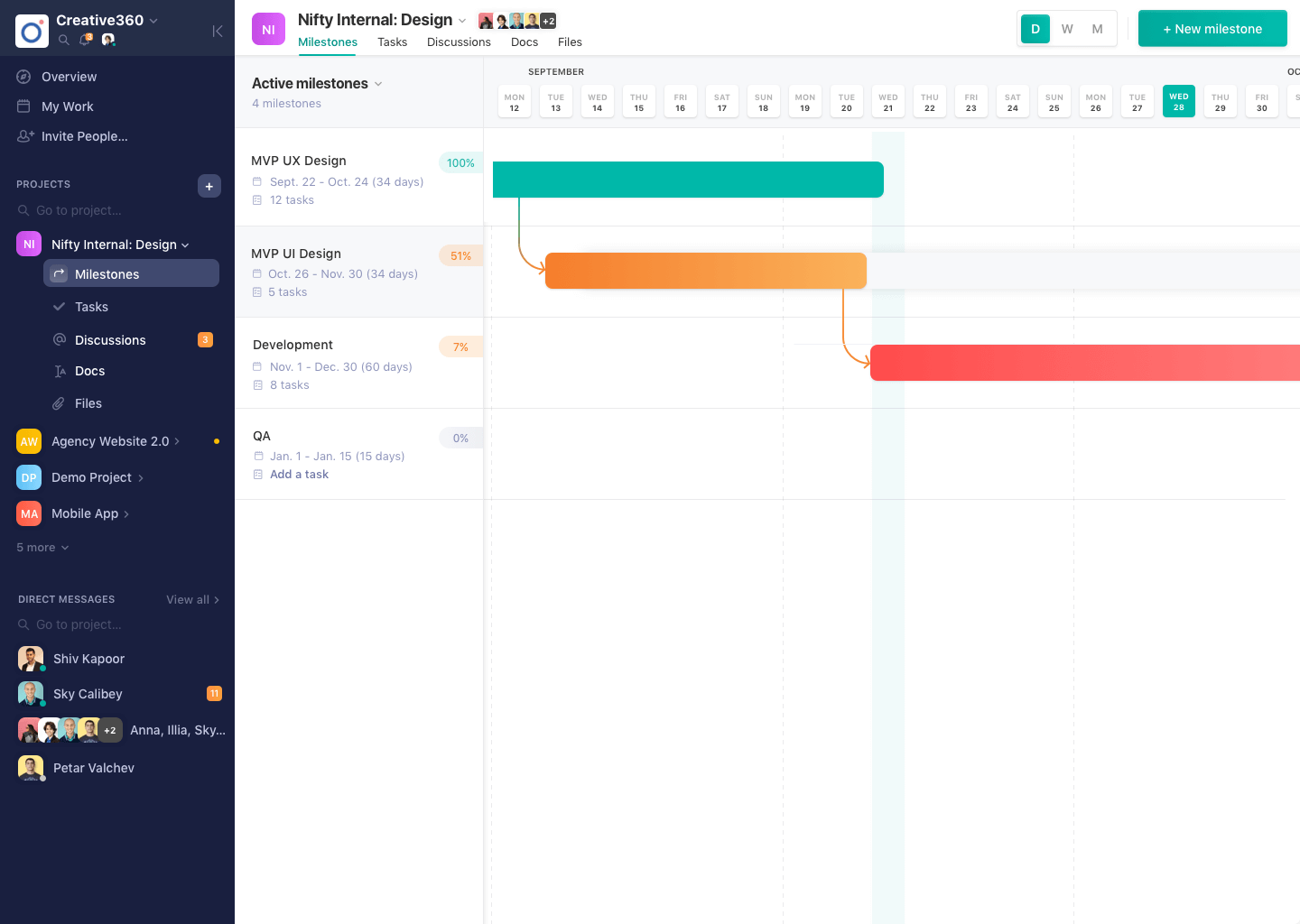
Screenshot of Project DiscussionsScreenshot of Project MilestonesScreenshot of Project Overview