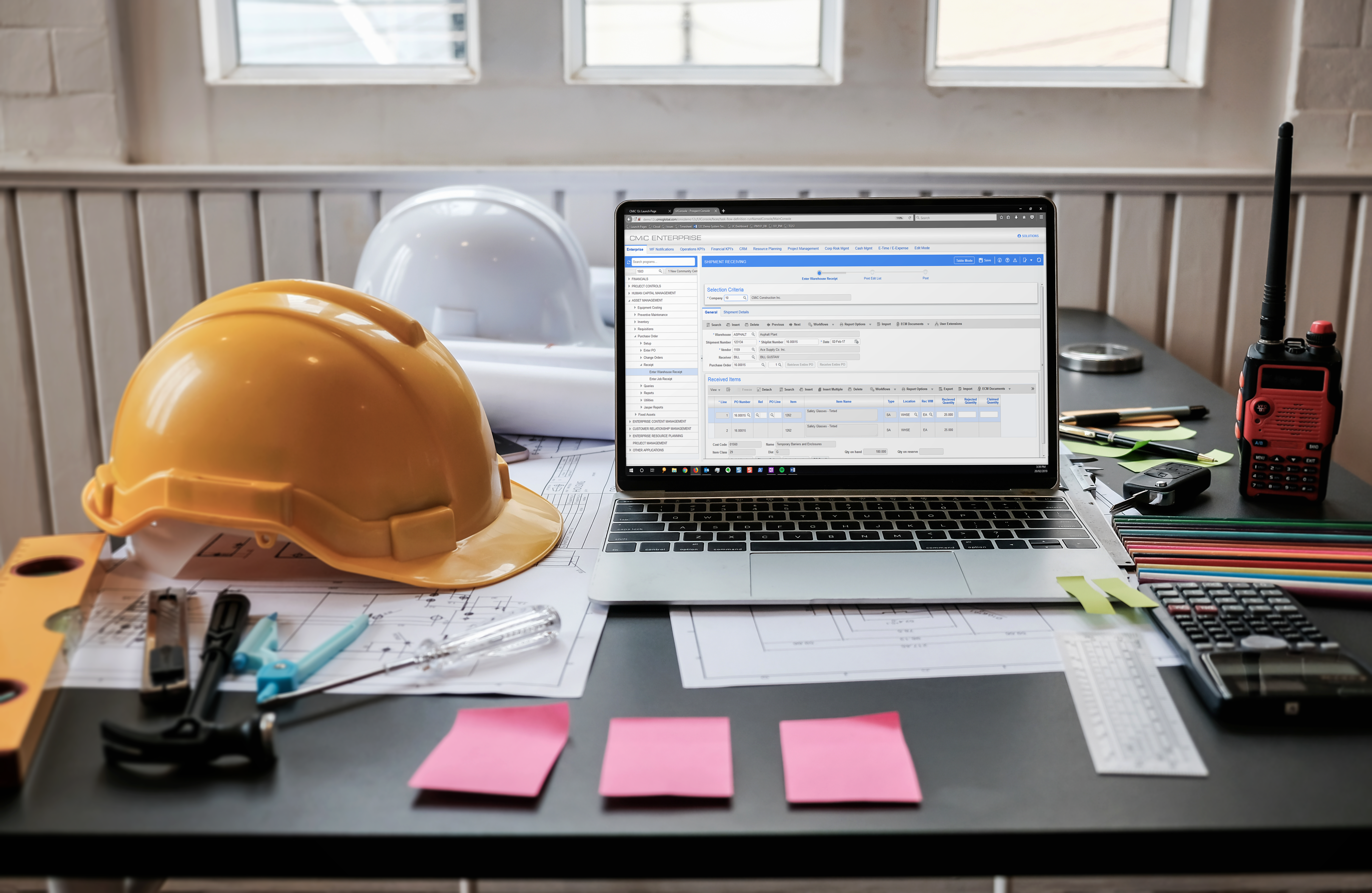
CMiC Project Management is a construction project collaboration and management solution. It centralizes project-related communications and documents onto one platform, and connects the job site with the back-end office.
N/A
e-Builder
Score 7.3 out of 10
N/A
e-Builder is a cloud-based construction program management solution that manages capital program cost, schedule, and documents. It allows owners to measure and manage the capital project delivery process from planning, design, procurement, construction and operations.
N/A
Jira Align
Score 7.9 out of 10
N/A
A solution to bridge the gap between strategy and execution for portfolio, product, and program management teams, used to manage idea intake, prioritize your feature backlog, and track progress with live roadmaps.
$27,000
per year
Pricing
CMiC Construction Platform
e-Builder
Jira Align
Editions & Modules
No answers on this topic
No answers on this topic
Starting Price
$27,000.00
per year
Maximum Price
$3,987,600.00
per year
Offerings
Pricing Offerings
CMiC Construction Platform
e-Builder
Jira Align
Free Trial
No
No
No
Free/Freemium Version
No
No
No
Premium Consulting/Integration Services
No
No
No
Entry-level Setup Fee
No setup fee
Required
No setup fee
Additional Details
—
—
—
More Pricing Information
Community Pulse
CMiC Construction Platform
e-Builder
Jira Align
Features
CMiC Construction Platform
e-Builder
Jira Align
Human Resource Management
Comparison of Human Resource Management features of Product A and Product B
CMiC Construction Platform
8.0
30 Ratings
13% above category average
e-Builder
-
Ratings
Jira Align
-
Ratings
Employee demographic data
8.020 Ratings
00 Ratings
00 Ratings
Employment history
8.024 Ratings
00 Ratings
00 Ratings
Job profiles and administration
8.020 Ratings
00 Ratings
00 Ratings
Workflow for transfers, promotions, pay raises, etc.
8.019 Ratings
00 Ratings
00 Ratings
Organizational charting
8.014 Ratings
00 Ratings
00 Ratings
Organization and location management
8.014 Ratings
00 Ratings
00 Ratings
Compliance data (COBRA, OSHA, etc.)
8.019 Ratings
00 Ratings
00 Ratings
Payroll Management
Comparison of Payroll Management features of Product A and Product B
CMiC Construction Platform
8.0
24 Ratings
17% above category average
e-Builder
-
Ratings
Jira Align
-
Ratings
Pay calculation
8.024 Ratings
00 Ratings
00 Ratings
Support for external payroll vendors
8.015 Ratings
00 Ratings
00 Ratings
Off-cycle/On-Demand payment
8.015 Ratings
00 Ratings
00 Ratings
Benefit plan administration
8.017 Ratings
00 Ratings
00 Ratings
Direct deposit files
8.021 Ratings
00 Ratings
00 Ratings
Salary revision and increment management
8.020 Ratings
00 Ratings
00 Ratings
Reimbursement management
8.015 Ratings
00 Ratings
00 Ratings
Asset Management
Comparison of Asset Management features of Product A and Product B
CMiC Construction Platform
7.9
19 Ratings
15% above category average
e-Builder
-
Ratings
Jira Align
-
Ratings
Tracking of all physical assets
7.919 Ratings
00 Ratings
00 Ratings
Reporting & Analytics
Comparison of Reporting & Analytics features of Product A and Product B
CMiC Construction Platform
8.0
56 Ratings
4% above category average
e-Builder
-
Ratings
Jira Align
-
Ratings
Dashboards
8.043 Ratings
00 Ratings
00 Ratings
Standard reports
7.955 Ratings
00 Ratings
00 Ratings
Custom reports
7.946 Ratings
00 Ratings
00 Ratings
Data exportability
8.153 Ratings
00 Ratings
00 Ratings
Construction Project & Field Management
Comparison of Construction Project & Field Management features of Product A and Product B
CMiC Construction Platform
8.0
106 Ratings
8% above category average
e-Builder
7.4
11 Ratings
0% below category average
Jira Align
-
Ratings
Plan distribution & viewing
7.967 Ratings
7.710 Ratings
00 Ratings
Plan markups & sharing
7.963 Ratings
8.810 Ratings
00 Ratings
Issue tracking & punchlists
7.981 Ratings
8.011 Ratings
00 Ratings
Photo documentation
7.977 Ratings
5.410 Ratings
00 Ratings
Jobsite reports
7.988 Ratings
8.010 Ratings
00 Ratings
Document sharing
7.989 Ratings
8.011 Ratings
00 Ratings
RFI tools
8.090 Ratings
7.48 Ratings
00 Ratings
Collaboration & approvals
8.995 Ratings
7.411 Ratings
00 Ratings
As-built drawings
7.954 Ratings
7.99 Ratings
00 Ratings
Mobile app
8.064 Ratings
5.97 Ratings
00 Ratings
Submittal design and management
8.085 Ratings
00 Ratings
00 Ratings
Checklists
7.847 Ratings
00 Ratings
00 Ratings
Meeting Minutes
7.951 Ratings
00 Ratings
00 Ratings
Specifications
7.939 Ratings
00 Ratings
00 Ratings
Change orders
8.160 Ratings
00 Ratings
00 Ratings
Estimating
Comparison of Estimating features of Product A and Product B
CMiC is a robust platform best suited for large companies with resources for implementation and management of the program. One analogy is CMiC is like a droid phone where the user must decide how to use all the features of the program (as opposed to an iPhone where most configuration decisions are made for the user). Smaller companies with limited resources can struggle with CMiC both with the expense and configuration.
Well suited for the owner's side of managing multiple projects as it allows for all aspects of a project from development to closeout to be managed on one platform. Not as appropriate for a general contractor as there is better software out there. e-Builder's app is not as effective as others.
The Atlassian Jira Align (formerly AgileCraft) tools help keep our scrum teams moving in the right direction. It gives Sr. Executives visibility into the progress of our digital transformation efforts. It provides information to our program manager to create the necessary artifacts to justify continued funding of our initiatives. It also supports the SAFe framework, along with some others. And the Atlassian Jira Align (formerly AgileCraft) tools provide integration to other tools that we use in our portfolio.
The user interface is similar to that of other project management software applications so folks in our company that had previously used other applications have been able to switch over fairly easily.
I really like the software and it was much less expensive than other applications.
I like the mobile application so that our superintendents can view the documentation on their phones.
I really like the punch list capability mobile field, however, we have a hard time getting our superintendents to use it for some reason.
Provide a document structure that is easy to navigate. All documents, even within a process, are stored in the document structure and easily accessed by those with the correct permissions.
Scheduling, especially with the new module is easy. It is helpful with a large organization where many hands touch projects to be able to forecast workloads (we have an in house engineering team who reviews all projects during their design phase)
Allows for easy interface with contractors and makes the submittal process more straightforward.
Effective Sprint planning : Sprint planning can be done using Planning Poker in AgileCraft by clicking Team > Manage > Other > Estimation Games very effectively for distributed teams.
Team Capacity Allocation Report: After tasks are created at team or program level, the report from AgileCraft cab be pulled and can be verified that no team member is under or over allocated. A report can be generated by navigating to Team > Manage > Assign Tasks.
Effective Requirement trace-ability: To maintain requirements trace-ability follow the steps below:
Upload test cases against the story/requirement. once uploaded test cases will be visible under that story
Execute Test cases in AgileCraft and mark them as Pass/Fail based on the actual outcome
Based on test results, The acceptance criterion's can be marked as “Pass” or “Fail” & if marked failed corresponding defect can be logged & can be attached with the story
So against each story we can easily see whether all test cases been executed or not & which acceptance criterion's are failed & how many defects are in open or close state.
Daily Scrum: In AgileCraft, the option to run a daily stand-up is available from Team > Manage > Daily Standups. Selecting the sprint number opens the daily stand-up meeting window in which each team member's tasks are visible and hours can be burned against them. Conduct Scrum meetings in AgileCraft, and burn each associate hour against the tasks created during the meeting. The burn-down chart can be generated & viewed during the stand-up to check whether the team is on track.
Needs to be more user friendly on the mobile side of the platform. Ease of use is key here.
There is not much instruction or support in standing up some programs like deploying ECM for outlook, making Collaboration Gateway work, or setting up the system for getting Plans available on the mobile devices.
Security configuration is extremely detailed and spread throughout the system. It is extremely hard to make adjustments to a person's security unless you know exactly where to look, which requires years of experience but shouldn't.
The restrictions in formatting, and sorting of information rendered, in a way, affects the reporting output.
At certain times of day, e-Builder traffic causes the loading of filtered searches to take a while. This is probably common regardless of the site or software used.
More complicated reporting has some limitation, though the program is highly efficient in assisting with simple format reports.
The initial ticket creation screen lacks some important features, such as assigning "point values" (a measure of effort needed for the ticket).
The browser needs to be manually refreshed to see new tickets, which can make things confusing when several people in a meeting are simultaneously creating tickets.
The interface on some smaller portions of the software are sometimes difficult to understand.
This is a platform that would continue to be in the best interest for our company. I just hope that CMiC support removes the gaps between the enhancements that they create to better the system to what they currently have
I believe it isn't easy to use and is unintuitive. Undecipherable error messages appear throughout the application without indicating what is wrong or how to correct it, in my experience. The terminology on the screens is specific to Canada, which adds to the confusion.
Simple, because have a used it for the past two years, so i'm very familiar with the particular aspects of its program that I need to accomplish my tasks.
As I have mentioned, some older, less tech savvy, team members have not found it as intuitive. I found it the same when I started using it although it quickly made sense. I think this is because there are lots of features we do not use so this can get in the way of what we do use
Sometimes since this is a cloud based product the system can become slow but we haven’t had any issues of availability without CMiC first letting us know it would be down
The support team [has] been in touch with our deployment team and has given them effective guidance up to completion. It has helped us in [the] best methods of resource allocation and secure record-keeping process. We have tracked all our billing information and made the right payments with documentation and avoided [unnecessary losses]. [The] support team has [to] lead our teams to the right channels and empowering our team with the right skills for maximum production.
Again, because our technical support is great. He doesn't always answer the phone but he definitely responds to emails fairly quickly. In addition, I like that he actually resolves an issue and I have yet to encounter the same issue twice. Actually, I haven't encountered many issues at all in the two years I have used the software.
Overall support from Jira team is good. It comes at an additional price but it is very efficient. There are no long wait times, you get a dedicated team to look into your issues. The support is available throughout the year and they keep a record of your issues. Overall we are very satisfied with the support they have provided us over the years, it has been very effective for the price that we pay.
The training was on system functions and not really how best to use it for our business. It would have been nice to be provided recommendations for use rather than just a blank slate of functionality.
Lots of confusion between sales and implementation regarding what was included and not included...the security encountered a "bug" and made it extremely difficult to set up roles and individual responsibilities
1. Set up the time to get training on the sytem before you go all in.
2. Listen, ask questions and actually practice using the tools and features while in class. It helps tremendously with becoming comfortable and remembering how things work.
3. Don't be afraid to mess up. They are helpful and will help resolve your issue in a timely manner
CMiC Construction Platform is the best price point in the market. Others are revenue-based billings, and the annual fees reflect as such. CMiC Construction Platform support staff is generally amazing and offers real-time support on critical issues. The imaging and workflow functions are real-time savers. CMiC Construction Platform is generally a smaller and in touch organization that treats your team like their own and stays with you after the purchase.
We have not compared other plans since the boss prefers this program from personal experience. But from using this program for 2 years I can see why we don't need to compare. Why fix something that isn't broken? It gets the job done, yes we might run into some issues but I feel like with all companies that can happen
Microsoft Azure Devops won't have the major functionality of software management like Jira. The customization provided by Jira is having a cutting edge over any project management tool. Adds-on and Plugins feature in the Jira Tool make it as perfect as desired task management tool for any company. One of the best Agile based Project Management Tools.
It has positively impacted our tech teams, allowing them to better organize the tasks and items they are working on and has greatly improved their ability to communicate & review these tasks with other teams.
I believe it negatively impacted other departments as lengthy training was required by many associates to attempt using the tool, only to find out it didn't meet our needs, therefore much time was wasted.