Chose Conductor
Our company has only used Conductor for the past 2 years.

| Product | Rating | Most Used By | Product Summary | Starting Price |
|---|---|---|---|---|
 Conductor | N/A | Conductor is an enterprise AEO platform that provides unified AEO & SEO intelligence, scaled AI content generation, and real-time website monitoring. From tracking visibility in LLMs to technical health and content optimization, Conductor’s platform empowers teams to increase authority and visibility in AI and traditional search and accelerate digital growth. Conductor states its current customers include global brands such as SAP, e.l.f Cosmetics, FedEx, and Mastercard. | N/A | |
 Lumar | N/A | DeepCrawl is a search engine optimization software solution offered by DeepCrawl. | N/A | |
 Screaming Frog | N/A | N/A | $149 per year |
| Conductor | Lumar | Screaming Frog SEO Spider | ||||||||||||||||||||||
|---|---|---|---|---|---|---|---|---|---|---|---|---|---|---|---|---|---|---|---|---|---|---|---|---|
| Editions & Modules | No answers on this topic | No answers on this topic |
| |||||||||||||||||||||
| Offerings |
| |||||||||||||||||||||||
| Entry-level Setup Fee | Optional | No setup fee | No setup fee | |||||||||||||||||||||
| Additional Details | — | — | — | |||||||||||||||||||||
| More Pricing Information | ||||||||||||||||||||||||
| Conductor | Lumar | Screaming Frog SEO Spider | |
|---|---|---|---|
| Considered Multiple Products | Conductor  Christopher Johnston 👨💻 Search Engine Optimization Specialist Chose Conductor We switched to Conductor from BrightEdge because the team at BrightEdge didn't seem very helpful during our weekly calls, and the platform was tough to use. The features were not laid out in a very logical or user-friendly fashion, and it was often difficult to accomplish even …  Nathan Richardson SEO Manager Chose Conductor We moved to Conductor because the functionality matched what we were looking for. Price was not as much of a factor, thankfully, because Conductor is expensive.  Rachael R. Galloway Brand Marketing Director Chose Conductor Prior to using Conductor we were not using anything really, just basing our research on google search and the analytics we get from Google analytics, our website. This has been a game changer for us.  Thomas Owens Organic Search Manager Chose Conductor Agency Analytics did not have the full fledged functionality that Conductor did. It's keyword rank tracking capabilities were decent but not anywhere near what Conductors do. It also did not have any functionality in ideating content. The similarities stand in the integrations …  Keith Shively SEM & Digital Ad Manager Chose Conductor I still regularly use other SEO platforms along with Conductor, which each have their own unique advantage. I think in terms of overall SEO strategy and measurement of SEO health, Conductor does the best job at providing helpful reports and bringing multiple data sources …  Dawn Smith Digital Marketing Manager Chose Conductor Conductor is our first enterprise-level SEO platform. We also evaluated BrightEdge and Searchmetrics.  Amy Bishop Director: Digital Marketing & Marketing Technology Chose Conductor We also evaluated BrightEdge, which also looked like a good tool. Conductor seemed more user-friendly.  Joe Leyba Marketing Manager, SEO Chose Conductor I actually love the competition between BrightEdge and Conductor. Once one tool gets ahead in an area, the other will quickly improve and surpass. For us, the relationships that we've built up at Conductor made the difference. They'll bend over backwards to help us out. Moz is …  Jeanette Crawford Digital Content Manager Chose Conductor Way more robust. | Lumar  Billy Heany Organic Search Manager Chose Lumar Lumar is great for what it does - tracking technical changes and opportunities for a site. It does so affordably as well. In my opinion it would be best compared to Screaming Frog as it does essentially the same thing but with less flexibility on the backend and a much cleaner …  Katie Goh SEM/SEO Analyst Chose Lumar Personally I prefer seoClarity's crawler and it's built into their all in one platform. Deepcrawl has a nice interface though  Jane Phelps CEO Chose Lumar They have a technical component to their software, but DeepCrawl is more detailed.  James Egan Data and Insight Consultant Chose Lumar All of the products I have used have been amazing in their own way, but DeepCrawl makes it easier to put it into visuals. Sometimes when you look at results, it can be quite difficult to get something easy to understand. DeepCrawl gets rid of that, the results are so easy to … |  Screaming Frog  Cole Watts Digital Marketing Manager Chose Screaming Frog SEO Spider  Chris Coultas SEO Specialist Chose Screaming Frog SEO Spider  Scott Walker Director of Digital Marketing Chose Screaming Frog SEO Spider Screaming Frog has a free version, so it competes with the paid programs (like Moz) solely in the fact that it can be used without incurring a budget line item. Compared to many other programs that also offer free scans, Screaming Frog is fast and much more customizable. Since …  Frank Watson CEO Chose Screaming Frog SEO Spider A highly competent tool that leads in some areas and not in others. Katie Goh SEM/SEO Analyst Chose Screaming Frog SEO Spider We have a deep crawl integration with another tool and still find the information on DeepCrawl valuable because this tool is better at listing out reccomendations. However, Screaming Frog is easier to use, doesn't have limits on how many crawls it can run (on the Pro plan we …  Anthony Daronzio SEO Director Chose Screaming Frog SEO Spider Screaming Frog is a desktop application that uses your own resources to crawl a site (Processing, RAM, Connection speed). Deep Crawl is a cloud-based crawler, and probably the best cloud based crawler out there. DeepCrawl can gather A LOT of data, but it becomes expensive. The …  Ari Roth Senior Account Manager Chose Screaming Frog SEO Spider Jane Phelps CEO Chose Screaming Frog SEO Spider We actually use both other options, but screaming frog provides a great download of all pages in an easy format. It is more of a complimentary tool.  Jeremy Waszak Senior SEO Manager Chose Screaming Frog SEO Spider  Joseph Miller Senior SEO Manager Chose Screaming Frog SEO Spider  Sungwan Jo SEO Analyst Chose Screaming Frog SEO Spider We have accounts for both. We use DeepCrawl to hum in the background to check for tech issues over time. Screaming Frog is used more on a regular basis. I use Screaming Frog more but I understand the benefits that each has. |
| Conductor | Lumar | Screaming Frog SEO Spider | |||||||||||||||||||||||||||||||||||
|---|---|---|---|---|---|---|---|---|---|---|---|---|---|---|---|---|---|---|---|---|---|---|---|---|---|---|---|---|---|---|---|---|---|---|---|---|---|
| SEO |
| ||||||||||||||||||||||||||||||||||||
| SEO Channels |
| ||||||||||||||||||||||||||||||||||||
| SEO Platform & Account Management |
|
| Conductor | Lumar | Screaming Frog SEO Spider | |
|---|---|---|---|
| Small Businesses |  Nozzle Score 10.0 out of 10 | Nozzle Score 10.0 out of 10 | Nozzle Score 10.0 out of 10 |
| Medium-sized Companies |  Advanced Web Ranking Score 8.2 out of 10 | Advanced Web Ranking Score 8.2 out of 10 | Advanced Web Ranking Score 8.2 out of 10 |
| Enterprises |  Dupli Checker (DupliChecker.com) Score 8.5 out of 10 | Dupli Checker (DupliChecker.com) Score 8.5 out of 10 | Dupli Checker (DupliChecker.com) Score 8.5 out of 10 |
| All Alternatives | View all alternatives | View all alternatives | View all alternatives |
| Conductor | Lumar | Screaming Frog SEO Spider | |
|---|---|---|---|
| Likelihood to Recommend | 8.5 (283 ratings) | 8.0 (7 ratings) | 8.8 (55 ratings) |
| Likelihood to Renew | 8.7 (15 ratings) | - (0 ratings) | 10.0 (3 ratings) |
| Usability | 6.4 (155 ratings) | 6.0 (1 ratings) | 7.9 (5 ratings) |
| Availability | 10.0 (1 ratings) | - (0 ratings) | - (0 ratings) |
| Performance | 7.0 (1 ratings) | - (0 ratings) | - (0 ratings) |
| Support Rating | 8.8 (236 ratings) | 7.0 (1 ratings) | 7.9 (18 ratings) |
| In-Person Training | 10.0 (1 ratings) | - (0 ratings) | - (0 ratings) |
| Implementation Rating | 3.7 (8 ratings) | - (0 ratings) | 7.0 (1 ratings) |
| Configurability | 9.0 (1 ratings) | - (0 ratings) | - (0 ratings) |
| Ease of integration | 9.0 (1 ratings) | - (0 ratings) | - (0 ratings) |
| Product Scalability | 9.0 (1 ratings) | - (0 ratings) | - (0 ratings) |
| Vendor post-sale | 9.6 (2 ratings) | - (0 ratings) | - (0 ratings) |
| Vendor pre-sale | 7.8 (2 ratings) | - (0 ratings) | - (0 ratings) |
| Conductor | Lumar | Screaming Frog SEO Spider | |
|---|---|---|---|
| Likelihood to Recommend | Conductor
| Lumar (formerly Deepcrawl)
Billy Heany Organic Search Manager | Screaming Frog
Chris Coultas SEO Specialist |
| Pros | Conductor
Christopher Johnston 👨💻 Search Engine Optimization Specialist | Lumar (formerly Deepcrawl)
| Screaming Frog
Ari Roth Senior Account Manager |
| Cons | Conductor
| Lumar (formerly Deepcrawl)
| Screaming Frog
 Justin Roodman Product Marketing Manager |
| Likelihood to Renew | Conductor
 Joe Preston SEO Lead | Lumar (formerly Deepcrawl) No answers on this topic | Screaming Frog
Anthony Daronzio SEO Director |
| Usability | Conductor
| Lumar (formerly Deepcrawl)
Billy Heany Organic Search Manager | Screaming Frog
|
| Reliability and Availability | Conductor
| Lumar (formerly Deepcrawl) No answers on this topic | Screaming Frog No answers on this topic |
| Performance | Conductor
| Lumar (formerly Deepcrawl) No answers on this topic | Screaming Frog No answers on this topic |
| Support Rating | Conductor
| Lumar (formerly Deepcrawl)
Katie Goh SEM/SEO Analyst | Screaming Frog
Scott Walker Director of Digital Marketing |
| In-Person Training | Conductor
| Lumar (formerly Deepcrawl) No answers on this topic | Screaming Frog No answers on this topic |
| Implementation Rating | Conductor
 Chris Hall Senior Manager, Technology and Online Media | Lumar (formerly Deepcrawl) No answers on this topic | Screaming Frog
Anthony Daronzio SEO Director |
| Alternatives Considered | Conductor
| Lumar (formerly Deepcrawl)
James Egan Data and Insight Consultant | Screaming Frog
 Scott Richardson Co Founder and SEO Consultant |
| Scalability | Conductor
| Lumar (formerly Deepcrawl) No answers on this topic | Screaming Frog No answers on this topic |
| Return on Investment | Conductor
 Charles Gosselin Digital Marketing | Lumar (formerly Deepcrawl)
| Screaming Frog
 Brynna Baldauf SEO Strategist |
| ScreenShots | Conductor Screenshots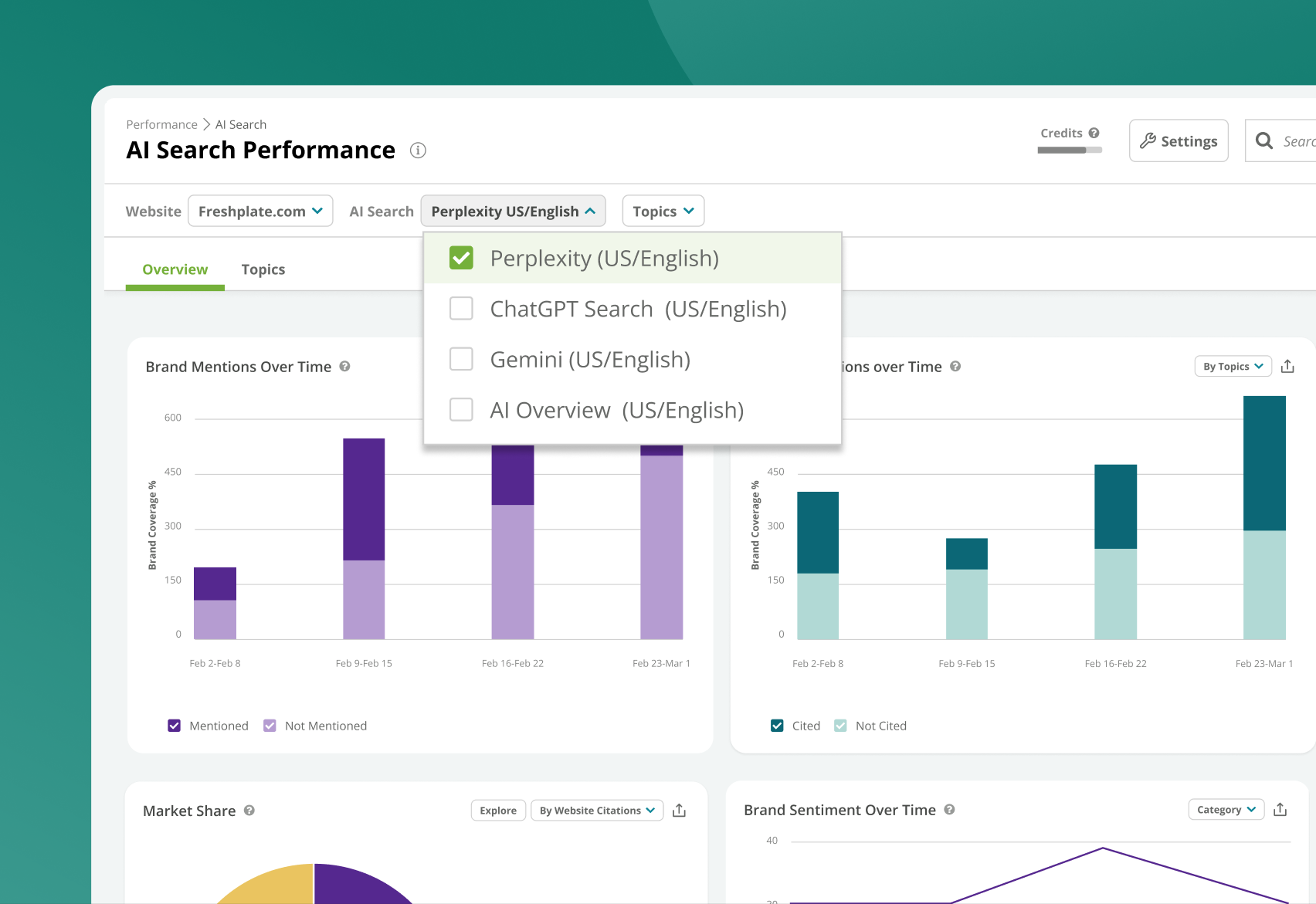 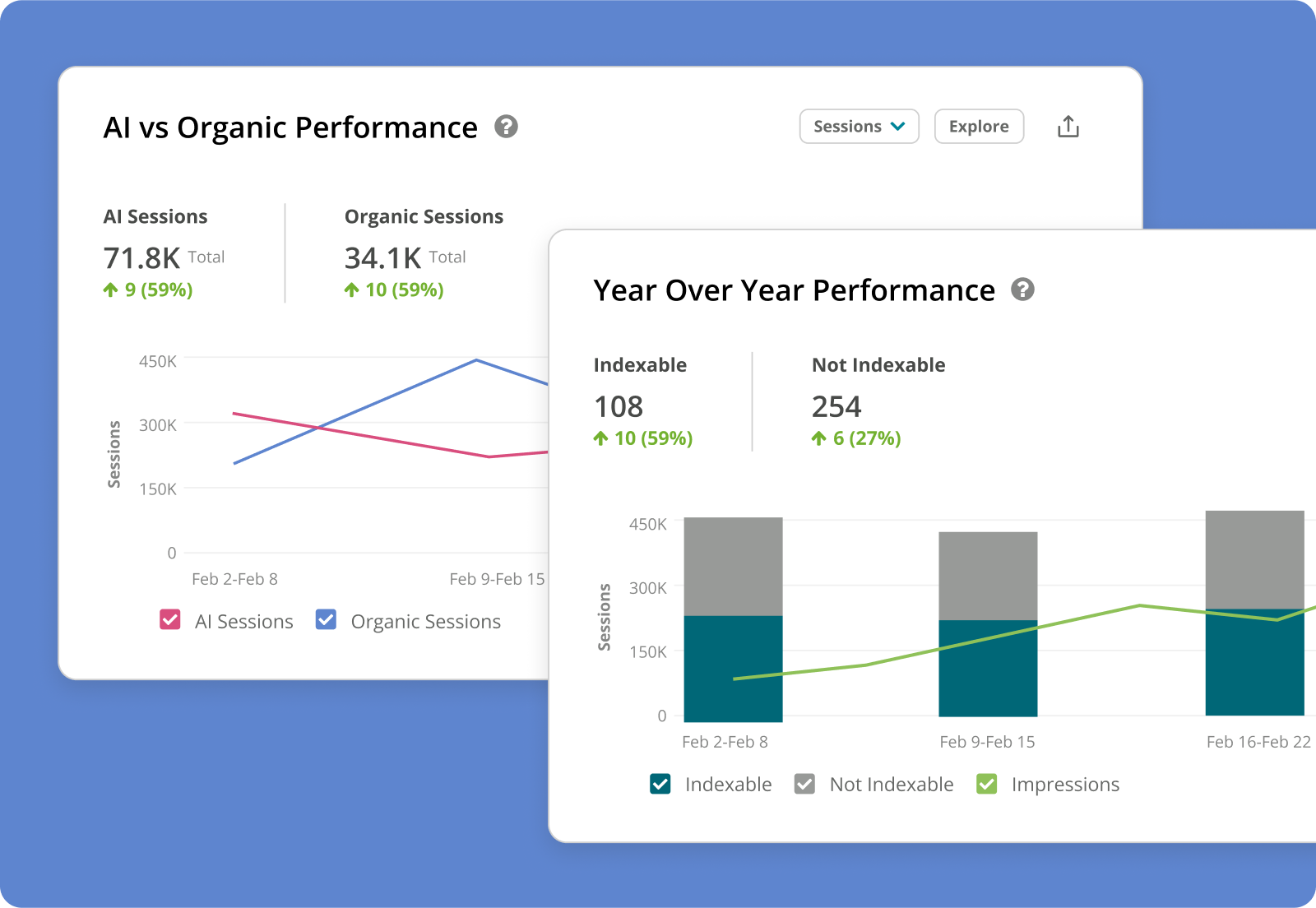 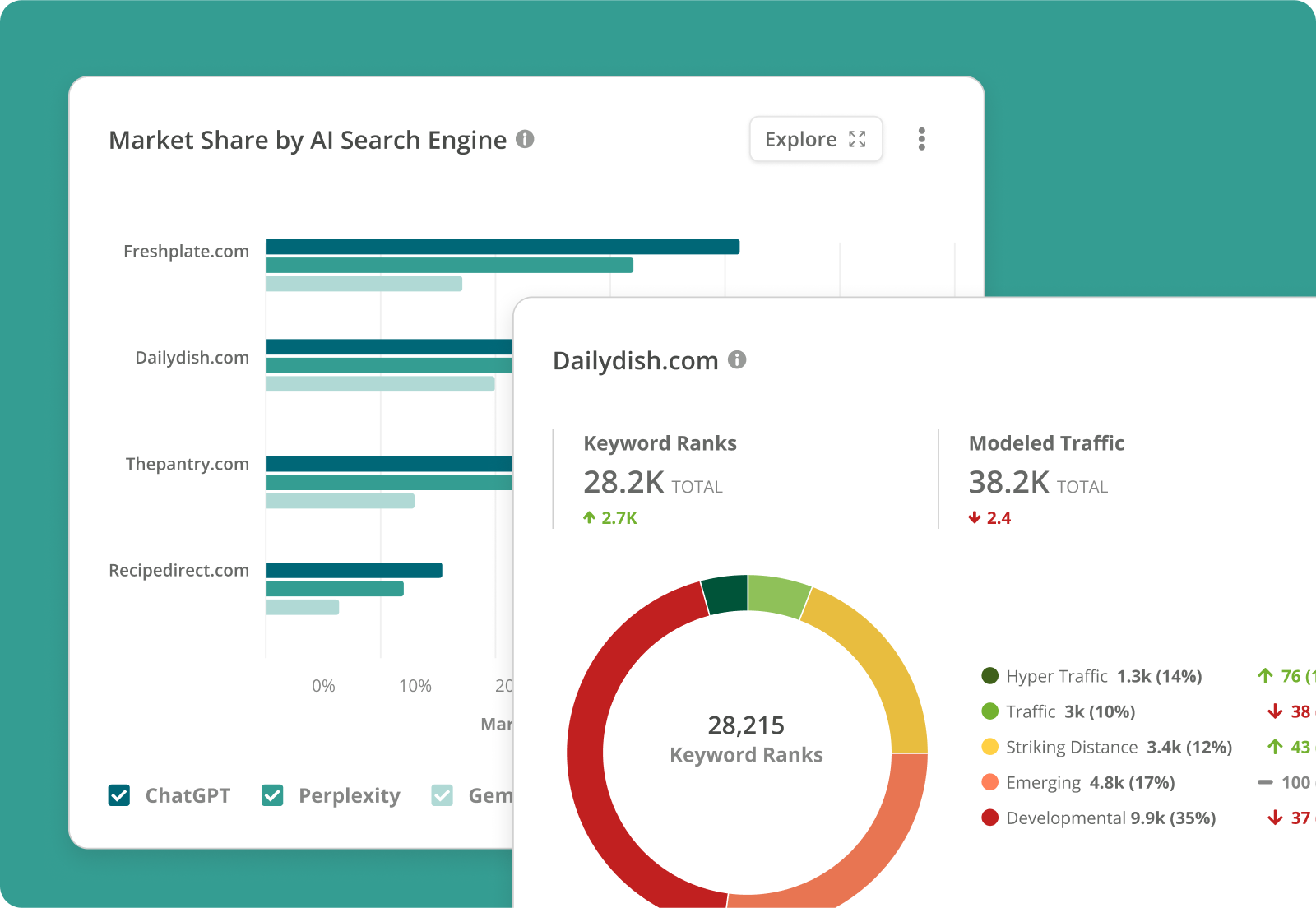 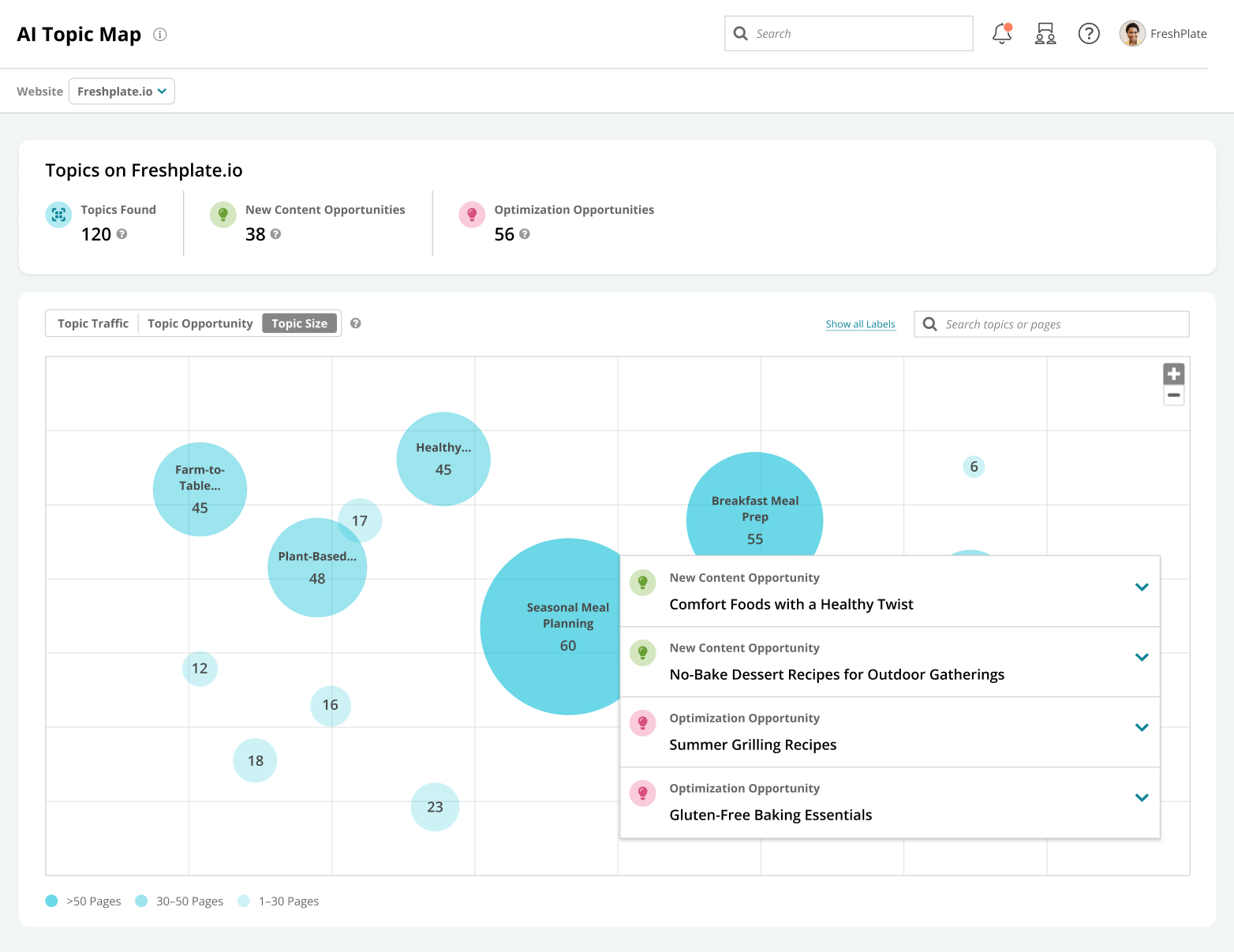  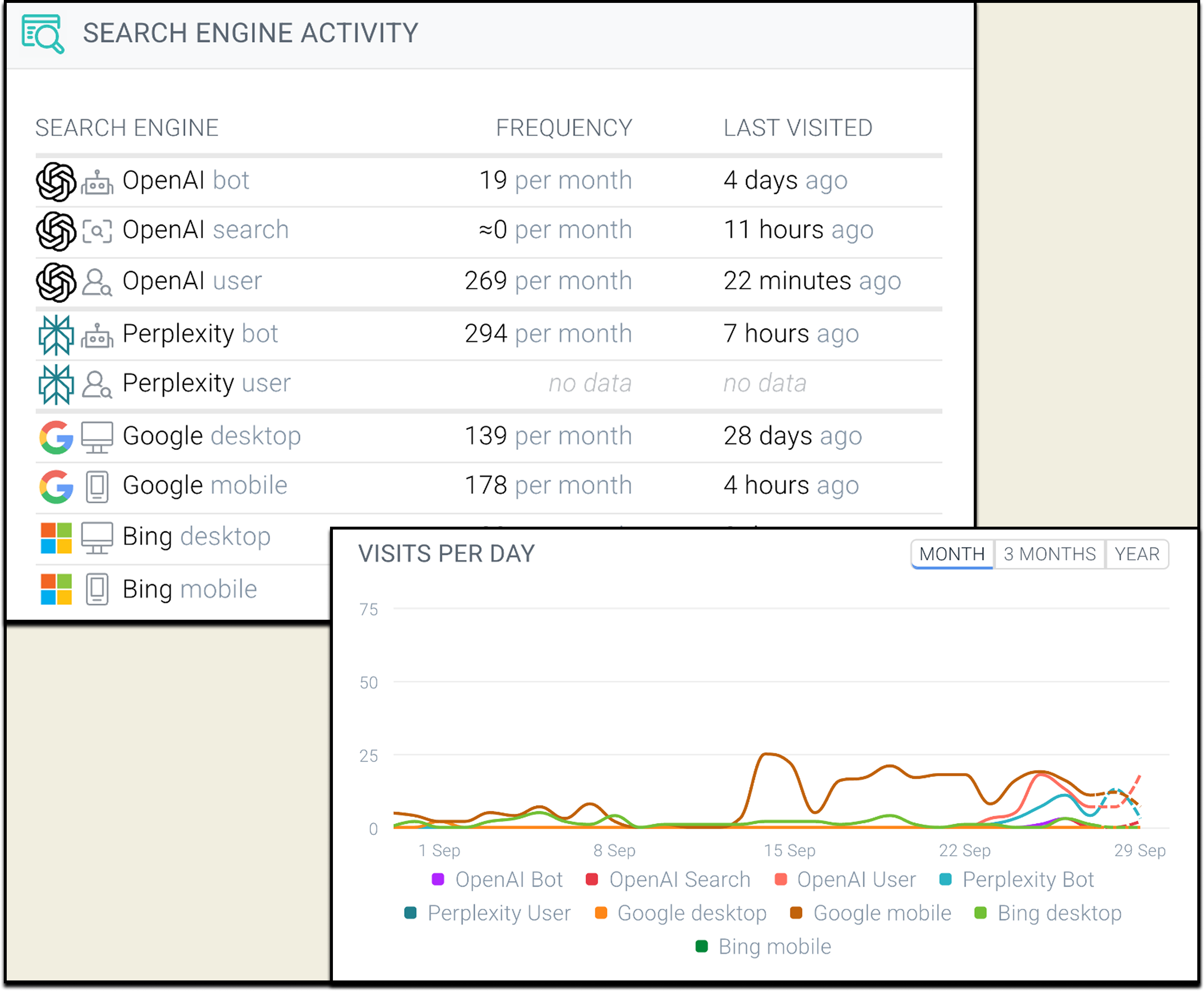 |