Dealfront vs. LinkedIn Sales Navigator

Overview
ProductRatingMost Used ByProduct SummaryStarting Price
Dealfront
Score 8.9 out of 10
Mid-Size Companies (51-1,000 employees)
Formed from the merger of Leadfeeder and Echobot, Dealfront is a Go-to-Market Platform for Europe used by businesses to find leads and close deals.N/A
LinkedIn Sales Navigator
Score 8.6 out of 10
N/A
LinkedIn Sales Navigator is a sales intelligence software solution offered by LinkedIn.
$79.99
per month
Pricing
DealfrontLinkedIn Sales Navigator
Editions & Modules
No answers on this topic
Professional
$79.99
per month
Team
$134.99
per license
Enterprise
Contact sales team
Offerings
Pricing Offerings
DealfrontLinkedIn Sales Navigator
Free Trial
YesNo
Free/Freemium Version
YesNo
Premium Consulting/Integration Services
YesNo
Entry-level Setup FeeNo setup feeNo setup fee
Additional Details
More Pricing Information
Community Pulse
DealfrontLinkedIn Sales Navigator
Features
DealfrontLinkedIn Sales Navigator
Lead Management
Comparison of Lead Management features of Product A and Product B
Dealfront
7.7
1 Ratings
0% above category average
LinkedIn Sales Navigator
-
Ratings
Data quality management7.01 Ratings00 Ratings
Automated sales alerts and tasks6.01 Ratings00 Ratings
Lead segmentation and distribution10.01 Ratings00 Ratings
Lead Management Integrations
Comparison of Lead Management Integrations features of Product A and Product B
Dealfront
9.3
1 Ratings
22% above category average
LinkedIn Sales Navigator
-
Ratings
Integrations with advertising platforms7.01 Ratings00 Ratings
Integrations with CRMs10.01 Ratings00 Ratings
Integrations with data storage tools10.01 Ratings00 Ratings
Integrations with lead automation tools10.01 Ratings00 Ratings
Conversion Rate Optimization
Comparison of Conversion Rate Optimization features of Product A and Product B
Dealfront
8.5
1 Ratings
3% above category average
LinkedIn Sales Navigator
-
Ratings
KPI analytics10.01 Ratings00 Ratings
Drop-off analytics7.01 Ratings00 Ratings
Form Building
Comparison of Form Building features of Product A and Product B
Dealfront
10.0
1 Ratings
18% above category average
LinkedIn Sales Navigator
-
Ratings
Conditional logic paths10.01 Ratings00 Ratings
Web embedding10.01 Ratings00 Ratings
Date picker10.01 Ratings00 Ratings
Prospecting
Comparison of Prospecting features of Product A and Product B
Dealfront
-
Ratings
LinkedIn Sales Navigator
7.7
182 Ratings
1% below category average
Advanced search00 Ratings9.0182 Ratings
Identification of new leads00 Ratings8.8180 Ratings
List quality00 Ratings8.0176 Ratings
List upload/download00 Ratings5.3121 Ratings
Ideal customer targeting00 Ratings8.2175 Ratings
Load time/data access00 Ratings6.8162 Ratings
Sales Intelligence Data Standards
Comparison of Sales Intelligence Data Standards features of Product A and Product B
Dealfront
-
Ratings
LinkedIn Sales Navigator
7.8
180 Ratings
0% above category average
Contact information00 Ratings7.4159 Ratings
Company information00 Ratings7.9180 Ratings
Industry information00 Ratings8.0175 Ratings
Data Augmentation & Lead Qualification
Comparison of Data Augmentation & Lead Qualification features of Product A and Product B
Dealfront
-
Ratings
LinkedIn Sales Navigator
7.8
177 Ratings
5% above category average
Lead qualification process00 Ratings7.3136 Ratings
Smart lists and recommendations00 Ratings7.5159 Ratings
Salesforce integration00 Ratings7.4130 Ratings
Company/business profiles00 Ratings8.6173 Ratings
Alerts and reminders00 Ratings8.1154 Ratings
Data hygiene00 Ratings7.5155 Ratings
Automatic data refresh00 Ratings6.9135 Ratings
Tags00 Ratings8.0129 Ratings
Filters and segmentation00 Ratings9.1163 Ratings
Sales Intelligence Email Features
Comparison of Sales Intelligence Email Features features of Product A and Product B
Dealfront
-
Ratings
LinkedIn Sales Navigator
6.5
79 Ratings
14% below category average
Sales email templates00 Ratings6.972 Ratings
Append emails to records00 Ratings6.167 Ratings
Best Alternatives
DealfrontLinkedIn Sales Navigator
Small Businesses
Lead Forensics
Lead Forensics
Score 9.0 out of 10
Lead411
Lead411
Score 8.3 out of 10
Medium-sized Companies
Lead Forensics
Lead Forensics
Score 9.0 out of 10
Lead411
Lead411
Score 8.3 out of 10
Enterprises
DiscoverOrg (discontinued)
Score 5.0 out of 10
TechTarget Priority Engine
Score 9.9 out of 10
All AlternativesView all alternativesView all alternatives
User Ratings
DealfrontLinkedIn Sales Navigator
Likelihood to Recommend
1.2
(14 ratings)
8.4
(183 ratings)
Likelihood to Renew
10.0
(1 ratings)
8.0
(3 ratings)
Usability
10.0
(1 ratings)
7.2
(11 ratings)
Support Rating
-
(0 ratings)
9.0
(3 ratings)
Implementation Rating
-
(0 ratings)
8.0
(2 ratings)
User Testimonials
DealfrontLinkedIn Sales Navigator
Likelihood to Recommend
Leadfeeder
If you're looking to find new sales/customer contacts and are not a fan of complete "cold calling", Leadfeeder is a great source for finding those contacts or companies which may benefit you as they're clearly already looking at you. It weeds out half of the footwork for you.
Read full review
LinkedIn
LinkedIn Sales Navigator is hands down the best tool for identifying targeted contacts or leads. You can drill down on a company and look at its entire workforce, or search by the exact title that is your key target. The information is up to date, as people tend to keep their LinkedIn profiles current. In terms of other marketing functions LI Sales Navigator is extremely limited. BUT if you are looking to identify contacts for prospecting purposes, then this tool is what you need.
Read full review
Pros
Leadfeeder
  • Research Quality versus invested Time is absolutely efficient and motivating. Quick Research or Standard Alerts, both are done easily with instant results.
  • Usability of the User Interface in any of the modules is very supportive. New Team members are trained in short time. Very much self-explaining.
  • The connectivity between the modules is great and saves time. Each module has its key topic, but in Connection with the other modules this practical tool turns out to be even smarter more and powerful.
Read full review
LinkedIn
  • Search Functionality: LinkedIn Sales Navigator has one of the most powerful search functions. The filters are not unnecessary and some are very well thought of. You can drill down to finding a needle in a haystack of 20000 employee company when it comes to using LinkedIn Sales Navigator if done in the right manner.
  • Smart Links: Gone are the days of attached Decks. One can simply create their deck online using this feature on LinkedIn Sales Navigator, or even upload an existing ppt. A smart link is shareable as well as trackable for opens and clicks.
  • Fewer Clicks: With a single click, I can filter out decision-makers in any company. With a single click, I can import contacts from LinkedIn Sales Navigator to Salesforce. Lesser clicks are actually less stressful if you think.
Read full review
Cons
Leadfeeder
  • Leadfeeder has basic lead Tagging capabilities and some native integrations. It would be great to see more lead Activity Tracking and integration capabilities that sync with sales tools so a team could hypothetically keep their eyes on Leadfeeder-only while updating the CRM/sales tool.
Read full review
LinkedIn
  • Inbox needs work - too much confusion around your LinkedIn inbox and Sales Nav inbox
  • Sorting - need a better, faster way to sort by for prospect lists and account lists
  • Only voluntarily shared information. No cross checking or using API’s like a ZoomInfo
Read full review
Likelihood to Renew
Leadfeeder
Leadfeeder is the best anonymous visitor tracking software platform that I've ever used. Sitting as a layer on top of Google Analytics, the tool consistently provides us with accurate intelligence of what our hottest prospects are looking at while visiting our site. The Leadfeeder customer support is top notch and the company is always coming out with new updates that further improve the technology. On top of all of this, Leadfeeder integrates with Slack and our CRM, allowing me to continue to do my job without having to switch between various platforms throughout the day.
Read full review
LinkedIn
This question is a no-brainer. The tool is the industry standard for anyone tied to sales and marketing. The name "LinkedIn Sales Navigator" is synonymous with streamlining relevant customer and account data in an easy to use format that is actionable and intelligent. The focus on continuous improvement and richer means of communicating with customers and prospects is evident each time new features are rolled out. The social component of the tool even includes a gamification component to ensure that peers remain relevant among each other, which is refreshing and enjoyable for those who engage the tool on a daily basis.
Read full review
Usability
Leadfeeder
Always found the system super intuitive to use. I've never been stuck finding what I'm looking for and the team has some very clear and easy to understand documentation online.
Read full review
LinkedIn
Overall, it's very user-friendly. It's hard for a tool to make sorting through loads of data easy, but Sales Nav does this very well. Its advanced search features enable us to be selective in finding the right people to talk to and connect with.
Read full review
Support Rating
Leadfeeder
No answers on this topic
LinkedIn
I would recommend LinkedIn Sales Navigator entirely. It has been the most user-friendly tool to use starting off in a sales role. I genuinely enjoy the navigation of the tool and how easy it is to save lists and see job changes within those lists. Generating leads and finding the most up to date information on prospects is all housed within this tool.
Read full review
Implementation Rating
Leadfeeder
No answers on this topic
LinkedIn
I am unsure of the rollout, as I was not involved. I was an early adopter, and I have had a lot of success with the tool personally at multiple organizations, but I have no idea whether the implementation process encountered any errors. I can personally say that it works, and that I have not encountered significant issues with the tool since adoption, although a few issues like messages showing up as being unread even though they have been opened have been an on-again/off-again issues throughout the past few years. Overall, the company is doing a great job, and our implementation seems to have been effective.
Read full review
Alternatives Considered
Leadfeeder
Leadfeeder is very easy to set up, use, and maximize functionality. It is also easy to train. Other tools have a higher cost of acquisition and ownership. Plus, the customer support and training are helpful and very accessible! It's great for small to mid-market businesses.
Read full review
LinkedIn
LinkedIn Sales Navigator is much more valuable than Dice or Cognism, as we do most of our prospecting on LinkedIn. Therefore, it means we can build lists of our prospects based on activity, connections, and buying intention. With Cognism and Dice, you cannot do this as they do not work alongside the LinkedIn platform and, therefore, lack the functionality that is essential to what we are using the platform for.
Read full review
Return on Investment
Leadfeeder
  • It has helped support us to understand our market and if our website is properly communicating to and providing value to that market
  • We currently do not have the sales staff to go after potentially qualified organizations that visit the site but don't convert but it is a strategy we will employ at some point.
Read full review
LinkedIn
  • Helped warm up a few leads that I was having trouble getting in touch with via phone and email
  • Allowed me to better identify the key stakeholders at companies I was targeting
  • Kept me up to date on what was happening with my prospects and their companies.
Read full review
ScreenShots

Dealfront Screenshots

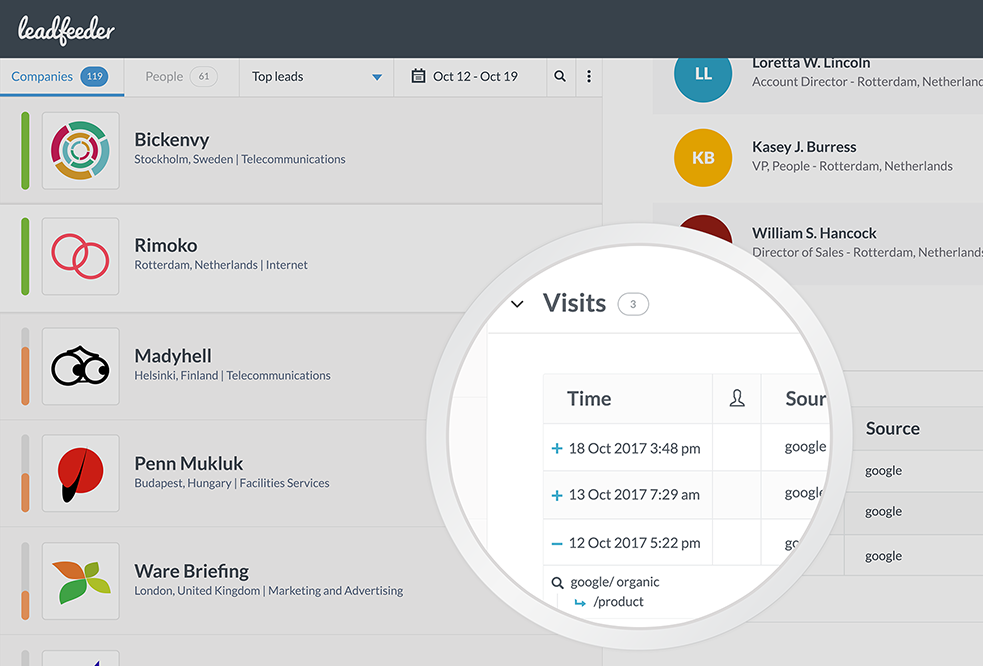
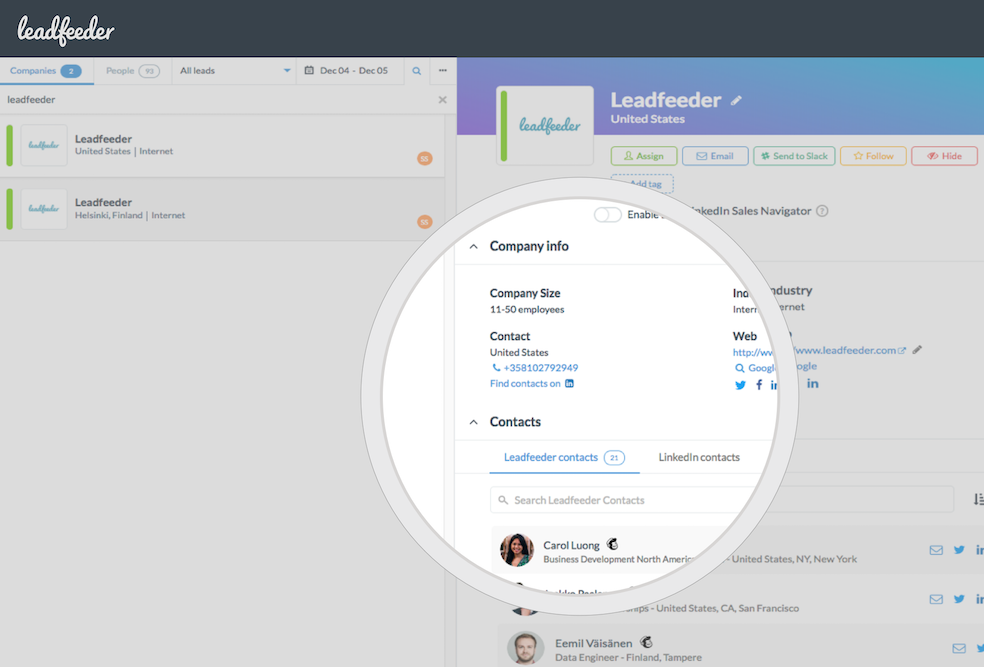
Screenshot of Leadfeeder shows you the names of companies visiting your website.Screenshot of Leadfeeder prioritizes companies based on how active they've been on your website.Screenshot of Leadfeeder enriches your leads with company and contact information.Screenshot of Automatically update your CRM or get emails with lead data.