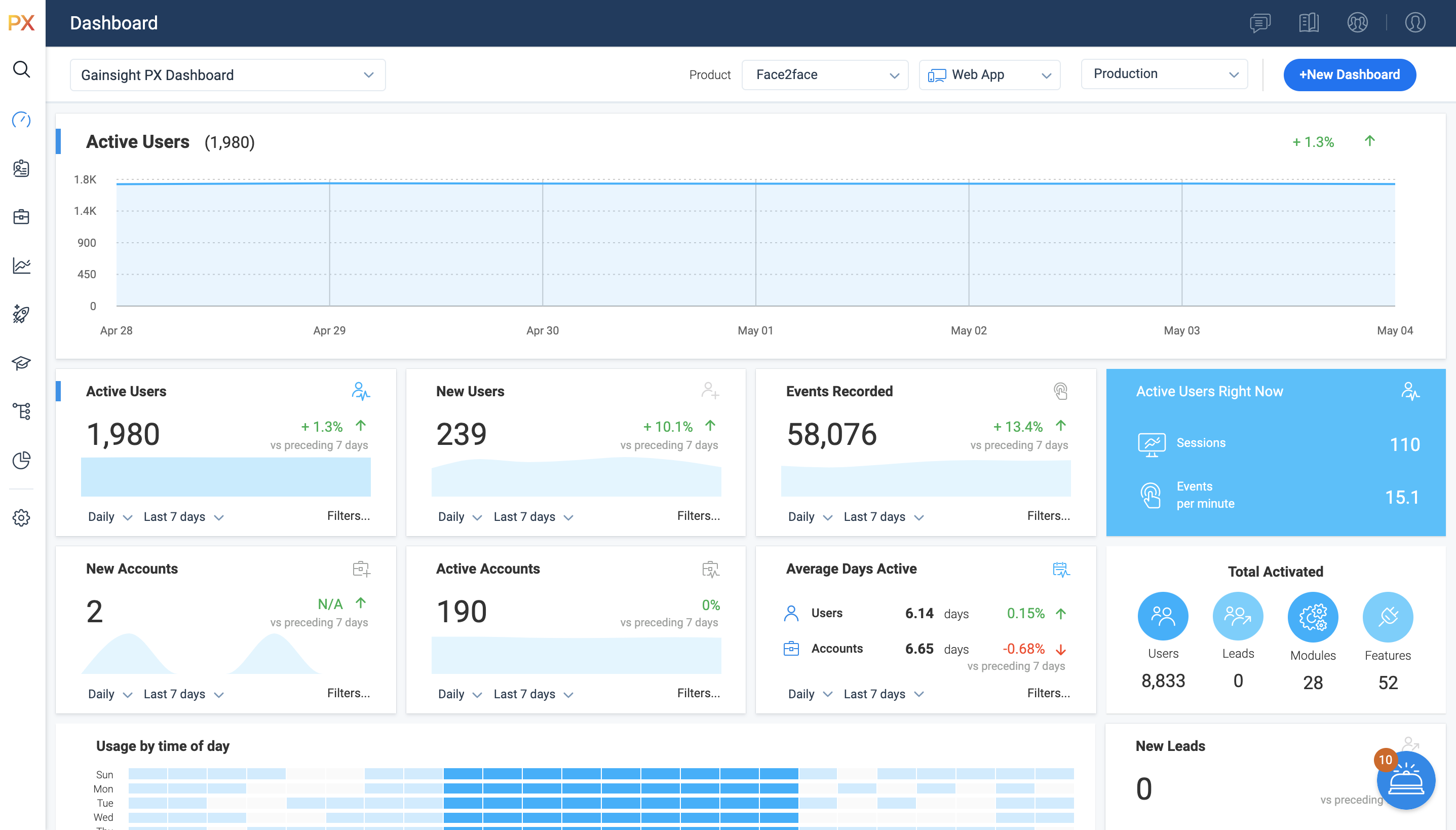
For SaaS products, Gainsight's product experience software enables companies to track every step of their user's journey and fully understand how they're interacting with a product over time.
$0
100 or less MAUs (Monthly Active Users)
Pendo.io
Score8.5 out of 10
N/A
Pendo.io is a product engagement platform with features for in-app analytics, surveys and feedback, and guidance.
Director of Product Management in Product Management at Certain (Computer Software, 51-200 employees)
Chose Gainsight PX
We leaned towards Gainsight PX because of the tight integration with Gainsight. Implementations were somewhat similar but the ease of mapping for all features and modules was superior for PX.
A de minimis incentive was given to thank the reviewer for their time. The incentive was not used to bias or drive a particular response, nor was the incentive contingent on a positive endorsement. More Info
Verified User
Chose Gainsight PX
Because of better UI then the competitors. Also the usage statistics were well drafted in graphs and were easy to understand.
A de minimis incentive was given to thank the reviewer for their time. The incentive was not used to bias or drive a particular response, nor was the incentive contingent on a positive endorsement. More Info
Product Operations Manager in Product Management at eVisit (Hospital & Health Care, 51-200 employees)
Chose Gainsight PX
It's been a couple years since I've used Pendo and admittedly we were not set up in the best way for Pendo to work like we have PX. Specifically I am referring to how our elements were tagged.
That being said, here is what I recall as main differences:
A de minimis incentive was given to thank the reviewer for their time. The incentive was not used to bias or drive a particular response, nor was the incentive contingent on a positive endorsement. More Info
Verified User
Chose Gainsight PX
I did not select Gainsight and we recently switched some of our products to other software which give us better targeting options but are more difficult to implement.
A de minimis incentive was given to thank the reviewer for their time. The incentive was not used to bias or drive a particular response, nor was the incentive contingent on a positive endorsement. TR verified that a representative sample of customers was invited. More Info
Verified User
Chose Gainsight PX
We have explored a few options this year and found that Gainsight PX was still the best option for us.
A de minimis incentive was given to thank the reviewer for their time. The incentive was not used to bias or drive a particular response, nor was the incentive contingent on a positive endorsement. More Info
Verified User
Chose Gainsight PX
Between the products analyzed, Pendo and Gainsight PX were most complete/mature. At the time, Pendo's UI seemed more intuitive than Gainsight PX. Chameleon and Appcues seemed easiest to use, but were lacking some of the functionality we were looking for. Ultimately chose …
A de minimis incentive was given to thank the reviewer for their time. The incentive was not used to bias or drive a particular response, nor was the incentive contingent on a positive endorsement. More Info
A de minimis incentive was given to thank the reviewer for their time. The incentive was not used to bias or drive a particular response, nor was the incentive contingent on a positive endorsement. More Info
Product Marketing Manager for Growth in Product Management at Infobip (Computer Software, 1001-5000 employees)
Chose Gainsight PX
The main reason is that Gainsight PX offers a perfect combo - analytics and customer engagement. That allows us to make the engagement contextual, based on real-time analytics results.
A de minimis incentive was given to thank the reviewer for their time. The incentive was not used to bias or drive a particular response, nor was the incentive contingent on a positive endorsement. More Info
A de minimis incentive was given to thank the reviewer for their time. The incentive was not used to bias or drive a particular response, nor was the incentive contingent on a positive endorsement. More Info
Verified User
Chose Pendo.io
Pendo.io had the full suite of solutions for product management, customer success and UX. The other solutions seemed to be good solutions but Pendo solved a lot more range of proplems for our teams. Pricing was all about the same as well so it didn't really factor into the …
A de minimis incentive was given to thank the reviewer for their time. The incentive was not used to bias or drive a particular response, nor was the incentive contingent on a positive endorsement. More Info
It’s a robust tool that allows you to easily map and track key features and actions within your products. It also allows for in app communications to help guide the user through the path you want them to follow. The ability to connect with Gainsight CS also allows you to leverage that data to drive actions for the account team, incorporate it in health scoring, and use it to trigger digital programs. You do need a well thought out strategy for management of the platform, the data and how you will use it.
Pendo.io is useful in generating great dashboards that present user analytics in the best possible view that could be used for analysis & derive key insights on what could be done if there's a feature that's not being recognized by end users or if there are any pain points where users are struggling more around a workflow which is technically not that difficult. Pendo.io also can be used to create impactful guides where intercatoin of a user with the Guide can be created in less steps & have relevant information about that workflow that the user is completing. Pendo.io's resource center can act as a one stop hub to present any sidewide updates which could be information of Prod releases, New KB Articles, Register to any event, & much more. Segments can be created in as many variation as one can. In fact, Segments are the ruling property or feature that works so handy, which reduces a lot of iterative work.
A de minimis incentive was given to thank the reviewer for their time. The incentive was not used to bias or drive a particular response, nor was the incentive contingent on a positive endorsement. More Info
Gainsight PX provides powerful segmentation capabilities to help marketers target the right customers with the right message. Through its segmentation capabilities, Gainsight PX enables marketers to create custom segments based on user behavior, demographics, and other criteria to ensure that the right message is delivered to the right customer.
Gainsight PX offers robust analytics capabilities to help marketers gain insights into customer behavior and engagement. Through its analytics capabilities, Gainsight PX enables marketers to track user engagement, identify customer trends, and gain insights into customer behavior.
Gainsight PX provides an intuitive user interface to help marketers quickly and easily create and manage campaigns. Through its user interface, Gainsight PX enables marketers to create and manage campaigns with ease, allowing them to quickly launch campaigns and track their progress.
A de minimis incentive was given to thank the reviewer for their time. The incentive was not used to bias or drive a particular response, nor was the incentive contingent on a positive endorsement. More Info
A de minimis incentive was given to thank the reviewer for their time. The incentive was not used to bias or drive a particular response, nor was the incentive contingent on a positive endorsement. More Info
Dashboards. There is no way to provide notes to others which would be very beneficial in consuming data across a team. Lacking functionality - no resizing, no organization options, run into bugs when using it frequently, overall hard to design a layout that is easy to follow.
No way to identify what features/elements are being used but aren't tagged. This would be a huge value add.
Retention Analyzer. Default view doesnt allow for filtering and includes test data. In our case this doesnt allow for a true comparison between two segments.
Segments. You can't use segments in areas you should be able to. I shouldnt have to recreate a segment as a saved filter.
A de minimis incentive was given to thank the reviewer for their time. The incentive was not used to bias or drive a particular response, nor was the incentive contingent on a positive endorsement. More Info
Preview is problematic if the Pendo.io user doesn't have access to the target environment or application where the guide is going to display
It would be ideal to have a gallery of thumbnail images of previously used guides to select from, either to pull a screen capture or to use as a template. It's cumbersome to go to the guides, find the one you want, click on Preview, etc.
A de minimis incentive was given to thank the reviewer for their time. The incentive was not used to bias or drive a particular response, nor was the incentive contingent on a positive endorsement. More Info
A de minimis incentive was given to thank the reviewer for their time. The incentive was not used to bias or drive a particular response, nor was the incentive contingent on a positive endorsement. More Info
We have had an excellent experience with Pendo. When we've had questions or concerns, Pendo is very quick to respond and communicate with us. We have experienced top-notch customer support and customer engagement. We have actually modeled some of our implementation and product processes after Pendo's examples.
It is a good product, but like with every product, there is room for improvement or even just things I, as a user, would prefer, such as the ability to click on a company and have it go to Salesforce instead of Insight. It can also be difficult to find certain reports.
A de minimis incentive was given to thank the reviewer for their time. The incentive was not used to bias or drive a particular response, nor was the incentive contingent on a positive endorsement. More Info
It is intuitive for core tasks like tracking feature usage, building Guides, and viewing dashboards. The interface is clean and well structured, making it easy for product managers and operational teams to get value quickly without heavy technical support. However, there is a noticeable learning curve when setting up advanced custom events, reports, or integrations, which can take some time and internal knowledge-sharing to master.
A de minimis incentive was given to thank the reviewer for their time. The incentive was not used to bias or drive a particular response, nor was the incentive contingent on a positive endorsement. More Info
Every time I have logged into Pendo, the service has been available for me to use. The page has never been down when I am trying to get info from there.
A de minimis incentive was given to thank the reviewer for their time. The incentive was not used to bias or drive a particular response, nor was the incentive contingent on a positive endorsement. More Info
A de minimis incentive was given to thank the reviewer for their time. The incentive was not used to bias or drive a particular response, nor was the incentive contingent on a positive endorsement. More Info
I have not had to contact support frequently but when I have I used the chat and my questions were answered immediately. I've also used their knowledge center, help documentation and training videos which are all very thorough. The support we've received from our Customer Success Manager has been helpful as well.
A de minimis incentive was given to thank the reviewer for their time. The incentive was not used to bias or drive a particular response, nor was the incentive contingent on a positive endorsement. More Info
They've been great anytime that we have needed help with something. They also have some really great help articles. We're able to figure most things out through their articles, but when we've had to call in they've been very helpful and we haven't had any problems. I'd highly recommend working with them.
A de minimis incentive was given to thank the reviewer for their time. The incentive was not used to bias or drive a particular response, nor was the incentive contingent on a positive endorsement. More Info
The training schedule was well thought out and tailored to meet our needs. Chantelle stayed with us through the whole implementation and made sure that we were good to go.
A de minimis incentive was given to thank the reviewer for their time. The incentive was not used to bias or drive a particular response, nor was the incentive contingent on a positive endorsement. More Info
Heap has a great value proposition and very nice user experience. But it lacks the clear funnel analysis that Gainsight PX provides. Plus Heap also does not have integration with a lot of CRMs and Customer data platforms. Also, Additionally if you go in the market to find Heap implementors or SI vendors, you won't find any.
A de minimis incentive was given to thank the reviewer for their time. The incentive was not used to bias or drive a particular response, nor was the incentive contingent on a positive endorsement. More Info
I have just very superficial experience with Google Analytics but I do believe that Pendo.io is a much much better tool in pretty much all aspects of it. It has a ton more features and capabilities and even for the capabilities where there is overlap, Pendo seems to come out ahead easily. There are aspects that Pendo could improve for sure such as what metadata it captures from the users; an example of this is screen resolution which Google Analytics captures but Pendo does not.
A de minimis incentive was given to thank the reviewer for their time. The incentive was not used to bias or drive a particular response, nor was the incentive contingent on a positive endorsement. More Info
A de minimis incentive was given to thank the reviewer for their time. The incentive was not used to bias or drive a particular response, nor was the incentive contingent on a positive endorsement. More Info
Allow us to integrate actual product usage with Salesforce.
Too much developer time went into it, especially when the premise was that this was mostly going to be handled by the Product team. This was mostly because the Gainsight PX event editor doesn't support more complex querying on events.
A de minimis incentive was given to thank the reviewer for their time. The incentive was not used to bias or drive a particular response, nor was the incentive contingent on a positive endorsement. More Info
Reducing development time with in-app guides and resource center, with product management being able to agilely create guides in real time, this could be as much as 1 full time developer in savings.
Reducing business time scoping "rock fetches" than are proven to be invaluable based on analytics, each time 1 single piece of analtical data saves around ~20 hours across multiple resources.
Increasing user satisfaction with in-app guides and resource center
Increasing usage of key features through targetted messaging, those key features either drive costs ou of our business or add value to customers business.
A de minimis incentive was given to thank the reviewer for their time. The incentive was not used to bias or drive a particular response, nor was the incentive contingent on a positive endorsement. More Info