GiveSmart is a fundraising, event, and donor management platform. GiveSmart helps organizations to connect more with donors through engaging auctions, events, and digital campaigns.
$2,395
per year
Zoom Workplace
Score8.6 out of 10
N/A
Zoom Workplace, Zoom’s open collaboration platform with an AI Companion, empowers teams to be more productive, and strengthen customer relationships throughout the customer lifecycle with Zoom’s Business Services for sales, marketing, and customer experience teams, including Zoom Contact Center.
GiveSmart changed the game for us in registration and bidding for our annual fundraising gala. We had tried several different software options and GiveSmart is far and away the best. It's AWESOME for our silent auction in particular, easy to upload items and helpful minimum bid and bid increment suggestions.
A de minimis incentive was given to thank the reviewer for their time. The incentive was not used to bias or drive a particular response, nor was the incentive contingent on a positive endorsement. More Info
In most cases, and I mean almost all, Zoom is vastly superior to Teams in terms of functionality and ease of use. Case in point: I recently tried to join a Teams meeting in the web browser, and it took me multiple attempts to access it. This NEVER happens with a Zoom link.
A de minimis incentive was given to thank the reviewer for their time. The incentive was not used to bias or drive a particular response, nor was the incentive contingent on a positive endorsement. TR verified that a representative sample of customers was invited. More Info
GiveSmart is a very easy-to-use platform that provides robust instruction on use but is so user-friendly that the instructions are mostly not necessary. I find it easy to update, change, and create all aspects of our page. For example, I first used GiveSmart without any instruction from a manager. She instructed me to look around and see what was going on. I was able to navigate the site effectively, and only found a few pieces for which I needed more instruction.
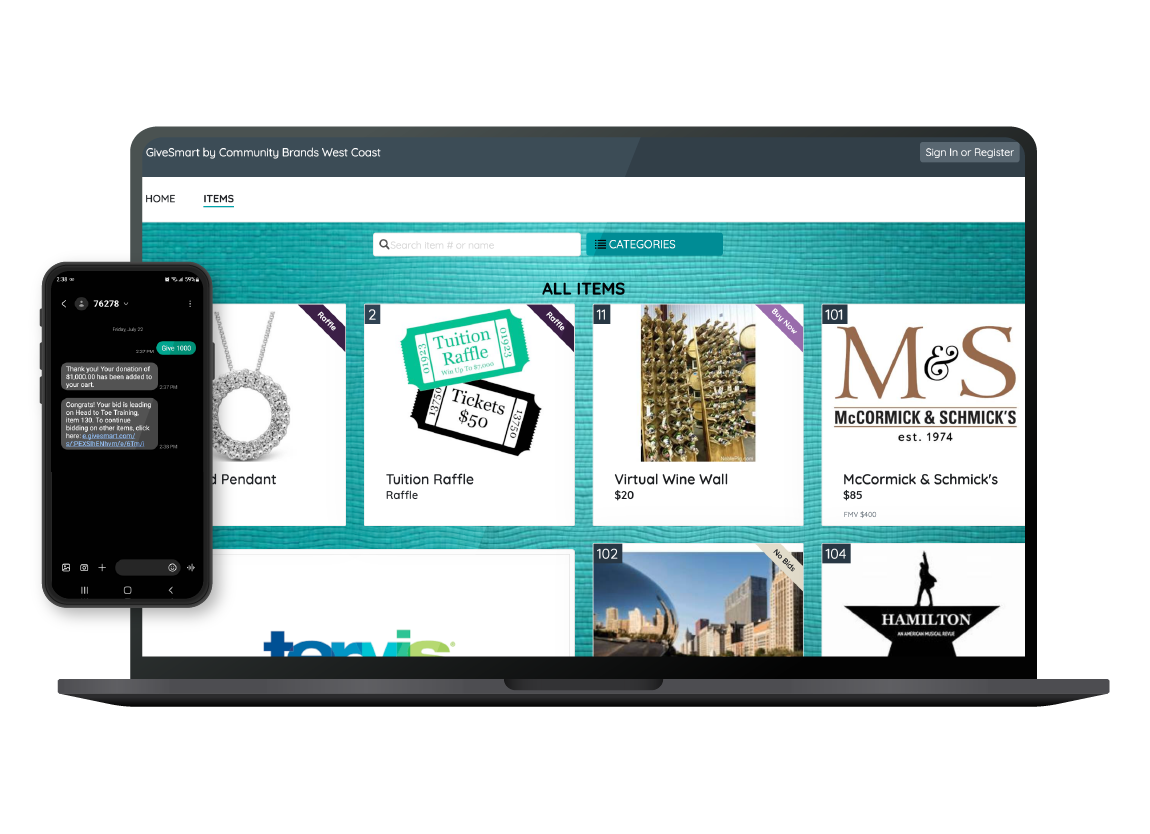
GiveSmart offers a well-made item section. Our gala has a silent auction made up of more than 170 items, and GiveSmart makes it easy to upload those items in bulk or add them individually. It offers every field I would want to have for an item and provides a comprehensive and adjustable front-facing-view for donors that is easy to manipulate.
GiveSmart's main page creator is easy to navigate and create the site you want. They provide helpful details like sizing for images and the ability to create buttons and links and different sections as our needs dictate. It's easy to adjust the colors and design to reflect our branding.
A de minimis incentive was given to thank the reviewer for their time. The incentive was not used to bias or drive a particular response, nor was the incentive contingent on a positive endorsement. More Info
Audio quality of phone calls is spot on. Calls are clear and crisp.
Video quality of video meetings are clear and there aren't any pixelization artifacts that some systems can have.
Having AI summaries have been life changing for us. We no longer have to concentrate on note taking, like we did in the past. The summaries are accurate and enable us to put our efforts in the meeting or conversation. Plus, we can save them into our practice management system as required.
A de minimis incentive was given to thank the reviewer for their time. The incentive was not used to bias or drive a particular response, nor was the incentive contingent on a positive endorsement. More Info
Lack of customization options when building each page. The website winds up not looking all that professional.
The reporting functionality is not very helpful at all. This is a main area of improvement we've asked for.
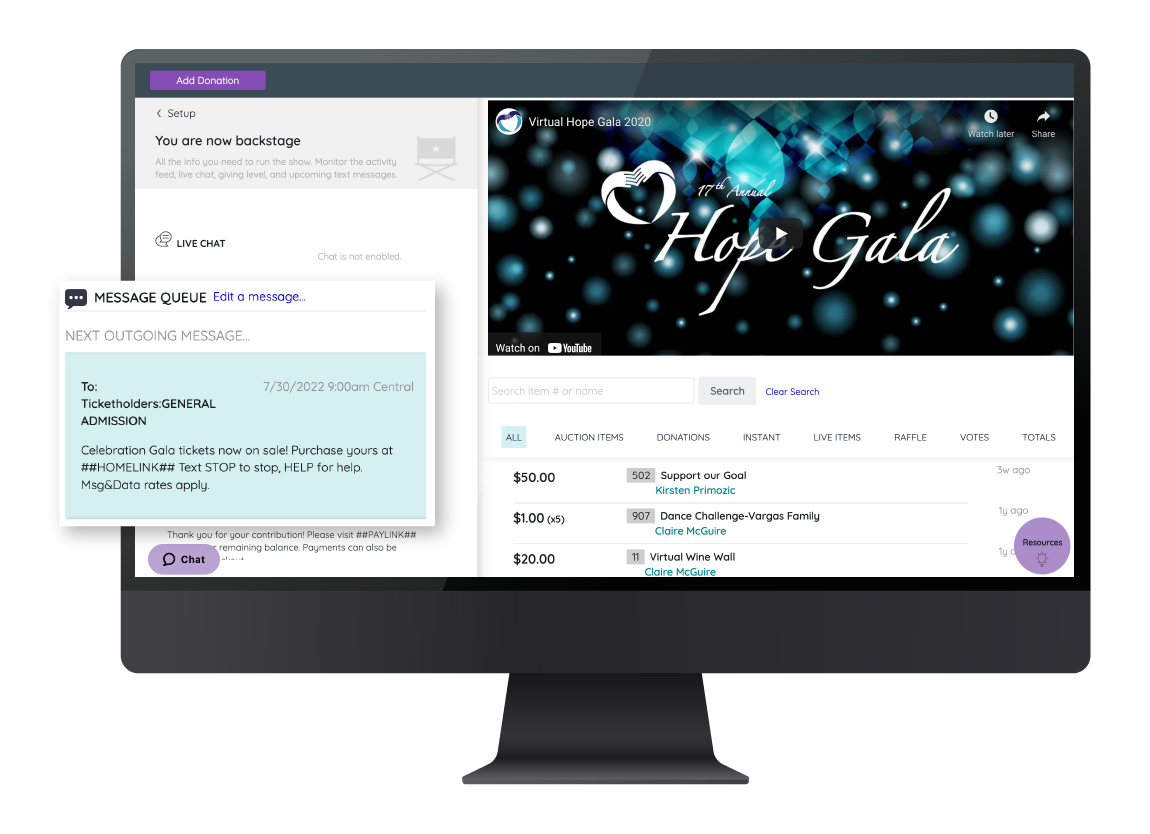
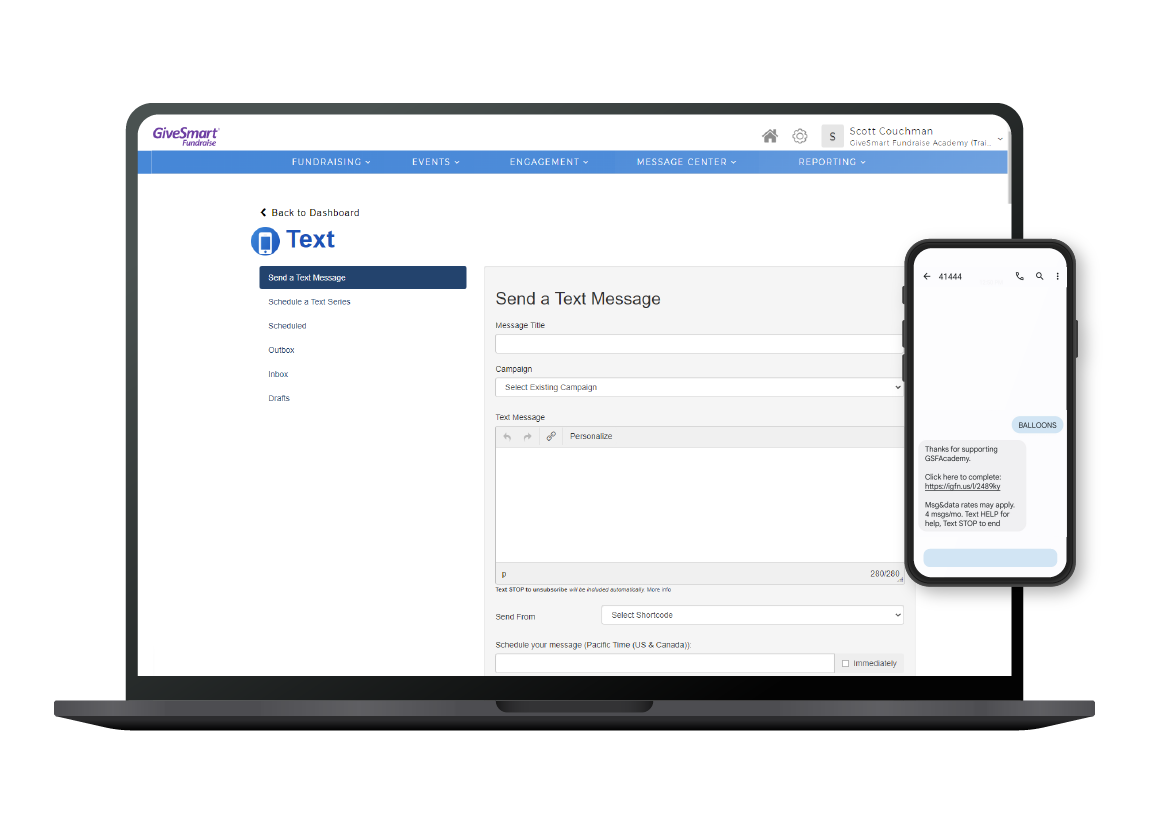
Better customization of emails and texts through GiveSmart. Right now, they are limited, and you can't make them look very nice.
The process of logging back into your account as a ticket purchaser or donor is very confusing. Most guests don't even know they can log in to access their tickets, make another donation, etc.
A de minimis incentive was given to thank the reviewer for their time. The incentive was not used to bias or drive a particular response, nor was the incentive contingent on a positive endorsement. TR verified that a representative sample of customers was invited. More Info
Allow a way to group individual people chats - not channels just individual peeps into groups for ease of finding - like how you can group shared calendars into sections in Outlook
A de minimis incentive was given to thank the reviewer for their time. The incentive was not used to bias or drive a particular response, nor was the incentive contingent on a positive endorsement. More Info
For us, we have a very dissatisfying donor database solution right now, but we have built the hacks we need in order to manually integrate data we pull out of GiveSmart with the system. None of us are trying to reinvent that particular wheel, so for now, until the organization decides to upgrade the useless database we've been saddled with, we are satisfied to maintain our GiveSmart subscription. Might this change if we acquire a more sophisticated donor solution? Maybe. But we will also be looking for options that will integrate smoothly with GiveSmart. What we like about GiveSmart, we really like. GiveSmart is great at what it does really well, namely event management. Yes, they need to address the inflexibility issues that make customization and some report features particularly frustrating, but for our organization the benefits are outweighing the drawbacks at this time. Their customer service is top-notch, and they have done an admirable job of creating an extensive Help section and responsive Support department that can assist with how-to's for various tasks within the system
A de minimis incentive was given to thank the reviewer for their time. The incentive was not used to bias or drive a particular response, nor was the incentive contingent on a positive endorsement. More Info
We're sticking with Zoom for the foreseeable future--given its compelling feature set, ease of use, and advanced technology, there's just no other competition to be excited about. Plus it's a Gartner-recognized industry leader, so it's a rather easy choice.
For the most part, GiveSmart serves our organization's needs for creating fundraising forms. It is especially useful for our peer-to-peer fundraising and event planning and registration efforts. The dashboard is relatively intuitive, and there have been improvements in creating forms and managing campaigns since shifting from Mobile Cause to GiveSmart Fundraise.
A de minimis incentive was given to thank the reviewer for their time. The incentive was not used to bias or drive a particular response, nor was the incentive contingent on a positive endorsement. More Info
Zoom is made for the non tech office. It has features that can be made to do what you need to run things on a day to day basis. Immediately we we able to get meetings going with remote employees. The ability to be able to add smartphone connected people was a big plus. Zoom met our needs at the time.
We never experienced any issues with outages, the system being down, etc. It's extremely reliable. That's very important when you're dealing with financial and personal information! We want to make it easy for people to give, and it's great that we've never had to worry about service issues making that more challenging/
A de minimis incentive was given to thank the reviewer for their time. The incentive was not used to bias or drive a particular response, nor was the incentive contingent on a positive endorsement. More Info
There have been less than a handful of outages during our two years with Zoom, and whenever there was one, an email informing us of the outage went out immediately, and they had the issue resolved shortly thereafter.
We haven't had any issue regarding performance or reliability with GiveSmart. We don't integrate it with any other software so that issue isn't relevant. The pages load quickly and reports are completed almost as soon as you hit the "run" button. Overall, the system works as designed and is pretty quick when people use it.
A de minimis incentive was given to thank the reviewer for their time. The incentive was not used to bias or drive a particular response, nor was the incentive contingent on a positive endorsement. More Info
Zoom has among the best performance of any video conference platform, as I've mentioned several times. Besides that, their Chat platform works great, and their back end always runs smooth. It's unfortunate that reporting can now only be done by one month at a time, but nonetheless, it only takes a second to run any kind of Zoom report, whether it's an attendee report, Poll results, a user report, a list of meetings from the past month, etc.
We contacted support for clarification on distributions and reporting, and we continued to get escalated. However, we never had our questions answered or resolved, which was a bummer. Other members have contacted support for other reasons and received the help they needed.
A de minimis incentive was given to thank the reviewer for their time. The incentive was not used to bias or drive a particular response, nor was the incentive contingent on a positive endorsement. More Info
Because I got a response right away, and was assigned one specific individual to work with me from the beginning to the resolution. I had an actual email address and direct contact with this person without having to start over and over every time I contacted Zoom - this singular individual remained attentive and was well informed on the subject matter and quite able to resolve my needs.
A de minimis incentive was given to thank the reviewer for their time. The incentive was not used to bias or drive a particular response, nor was the incentive contingent on a positive endorsement. More Info
GiveSmart provides great training videos on their system. Not everything is covered with their videos but their support staff are very friendly and knowledgeable. I would have given them a ten but not everything is covered in their videos and sometimes you have to find the right word to search for in able to find the right training video.
A de minimis incentive was given to thank the reviewer for their time. The incentive was not used to bias or drive a particular response, nor was the incentive contingent on a positive endorsement. More Info
We just made the change using the band-aid approach. In other words, we just went for it and taught the users how to do it at our first event and went from there. 90-95% of people haven't used a mobile bidding software so most everyone was on the same stage of knowledge so implementing it was easy as people didn't have to re-learn anything.
A de minimis incentive was given to thank the reviewer for their time. The incentive was not used to bias or drive a particular response, nor was the incentive contingent on a positive endorsement. More Info
If you receive any pushback from higher ups, point to any of the various positive reviews like this one. Or show Zoom's excellent Gartner report, or articles describing Zoom's partnership with Sequoia capital. It's not difficult to show how Zoom is a trustworthy industry leader with best-in-class technology.
I have been a guest at other non-profit events that utilized similar software, and I feel that the GiveSmart platform seems more user-friendly. I cannot speak to the efficiency on the administrative side because I have solely used GiveSmart, but I don't find GiveSmart lacking in any particular areas for our needs.
A de minimis incentive was given to thank the reviewer for their time. The incentive was not used to bias or drive a particular response, nor was the incentive contingent on a positive endorsement. More Info
Zoom Workplace is typically on the more expensive end against other options, but it's the industry leader for a reason. It has the most brand credibility by far, but that doesn't mean it's perfect. There are limitations when it comes to technical performance, customization and video/audio quality. I prefer Slack myself for communication apps, but Zoom Workplace is a good alternative.
A de minimis incentive was given to thank the reviewer for their time. The incentive was not used to bias or drive a particular response, nor was the incentive contingent on a positive endorsement. TR verified that a representative sample of customers was invited. More Info
The billing and price model is really fair for so many functions that they offer, our remote work requires each of the features that Zoom offers, so accepting payment for a tool like this is the least we can do. I like that billing arrives on time and that they offer opportunities and payment times.
We are a small, independent, private, nonprofit school. GiveSmart is very flexible and works extremely well for us. But I could also see it being equally efficient for larger school systems, large or small nonprofit organizations, etc. I never feel like the product is too "big" for us to use.
A de minimis incentive was given to thank the reviewer for their time. The incentive was not used to bias or drive a particular response, nor was the incentive contingent on a positive endorsement. More Info
Because the Basic licenses are completely free, and because it's very easy to configure and install Zoom, and because anyone can join Zoom from a link without needing an account, scaling is a Breeze. There are absolutely no roadblocks. My company keeps adding more Zoom Pro license every week since it's so in demand. We were able to convert users from several different platforms onto Zoom with no trouble at all.
Zoom is perfect for our business. We use it to video chat with prospective clients. The name recognition alone gives us credibility and it is very easy to screen share and send content out.
We have not used the database to its full extent, so I do not have specific examples as we have not used the donor insights very much
I appreciate that the events information is now transferring to the donor database so those contributions and people are being included in the master database.
Certainly much more efficient for a one-staff person organization as all of the information is in one place!
A de minimis incentive was given to thank the reviewer for their time. The incentive was not used to bias or drive a particular response, nor was the incentive contingent on a positive endorsement. More Info
We have not lost much productivity in our teamwork during the pandemic because of the ability to have Zoom video calls and keep everyone in touch. This is definitely a positive.
We are able to have more people participate in coaching sessions (described earlier) because we don't have room space limitations. This is a big positive.
Being able to start a meeting instantly is great when we are doing support and/or training with a client over the phone and need to be able to share a visible
A de minimis incentive was given to thank the reviewer for their time. The incentive was not used to bias or drive a particular response, nor was the incentive contingent on a positive endorsement. More Info