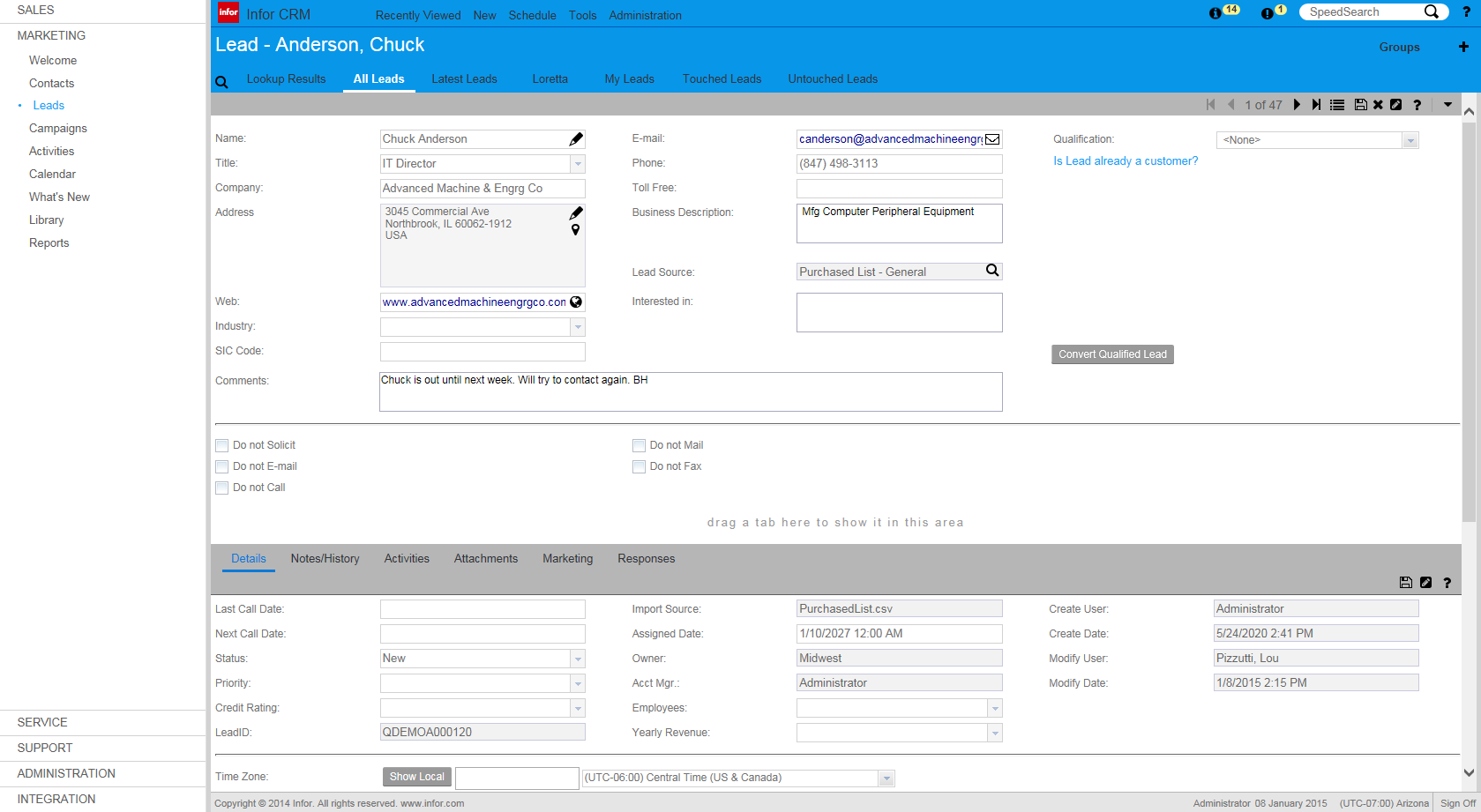
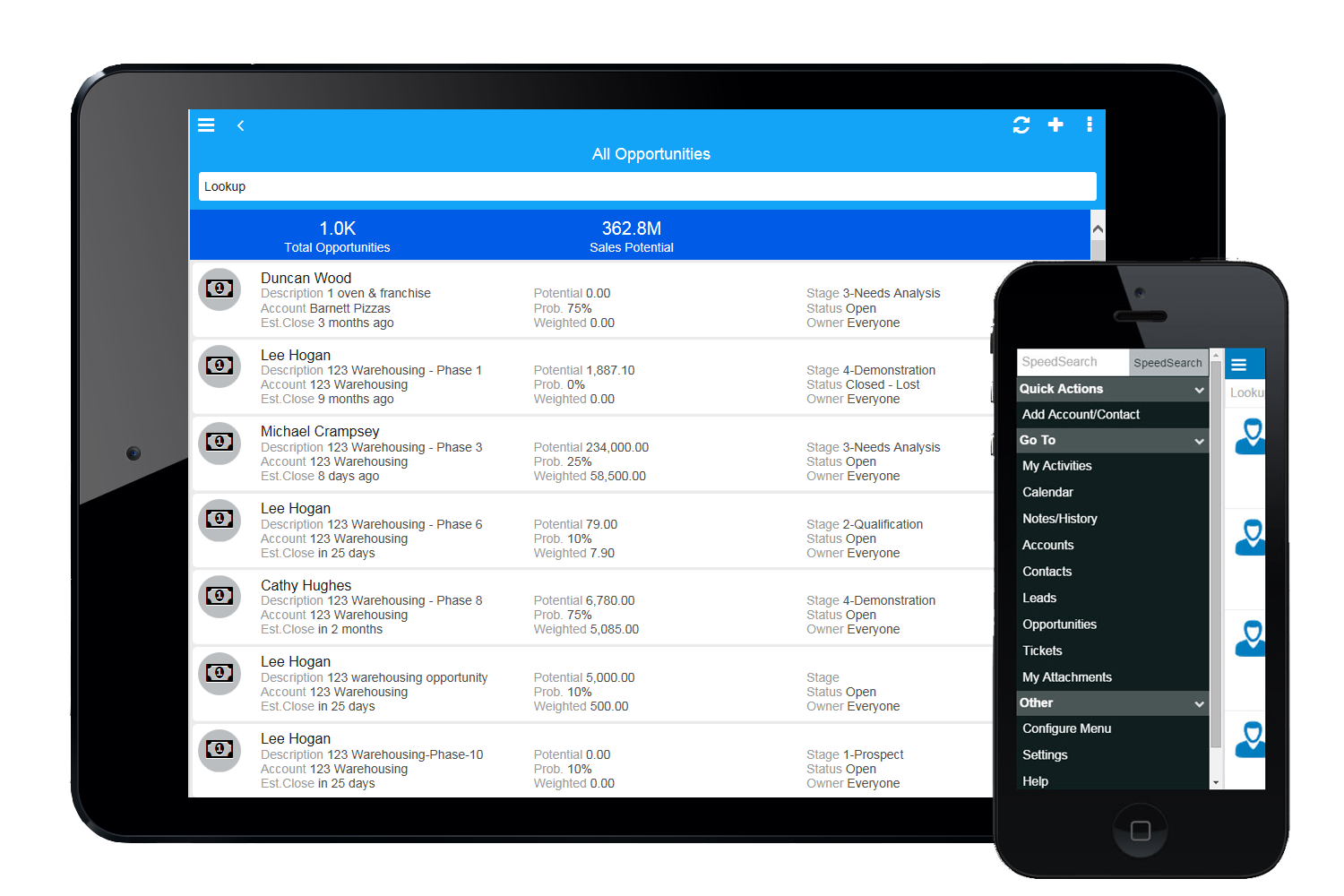
Infor CRM delivers tools for individuals, teams, and companies focused on increasing sales performance and the insights to optimize sales, marketing, and service strategy and execution. Infor CRM provides sales teams with rich customer information from interactions and transactions across the business and accommodates the modern flexible workforce with multiple access methods. Robust process automation capabilities enable efficiencies and the application of best practices across sales…
N/A
LeadSquared
Score7.4 out of 10
N/A
LeadSquared is a unified Sales Force Automation and Marketing Automation platform designed for high-velocity sales environments. The system utilizes machine learning (ML) models to automate lead distribution and prioritize customer interactions across sales, marketing, and field operations teams.
$50
per month per user
Pricing
Infor CRM
LeadSquared
Editions & Modules
No answers on this topic
Sales Super
$50
per month per user
LeadSquared Sales Pro
$60
per month per user
Offerings
Pricing Offerings
Infor CRM
LeadSquared
Free Trial
Yes
Yes
Free/Freemium Version
No
No
Premium Consulting/Integration Services
Yes
Yes
Entry-level Setup Fee
No setup fee
Optional
Additional Details
—
Additional add-ons and modules available for expanded functionality.
More Pricing Information
Features
Infor CRM
LeadSquared
Sales Force Automation
Comparison of Sales Force Automation features of Infor CRM and LeadSquared
Feature
Infor CRM
7.8
9 Ratings
0% below category average
LeadSquared
-
Ratings
Customer data management / contact management
8.48 Ratings
00 Ratings
Workflow management
10.07 Ratings
00 Ratings
Territory management
5.46 Ratings
00 Ratings
Opportunity management
8.46 Ratings
00 Ratings
Integration with email client (e.g., Outlook or Gmail)
5.48 Ratings
00 Ratings
Contract management
5.74 Ratings
00 Ratings
Quote & order management
7.34 Ratings
00 Ratings
Interaction tracking
10.08 Ratings
00 Ratings
Channel / partner relationship management
10.08 Ratings
00 Ratings
Customer Service & Support
Comparison of Customer Service & Support features of Infor CRM and LeadSquared
Feature
Infor CRM
8.3
4 Ratings
8% above category average
LeadSquared
-
Ratings
Case management
10.03 Ratings
00 Ratings
Call center management
5.03 Ratings
00 Ratings
Help desk management
10.03 Ratings
00 Ratings
Marketing Automation
Comparison of Marketing Automation features of Infor CRM and LeadSquared
Feature
Infor CRM
2.5
8 Ratings
102% below category average
LeadSquared
-
Ratings
Lead management
3.97 Ratings
00 Ratings
Email marketing
1.06 Ratings
00 Ratings
CRM Project Management
Comparison of CRM Project Management features of Infor CRM and LeadSquared
Feature
Infor CRM
4.2
7 Ratings
59% below category average
LeadSquared
-
Ratings
Task management
7.17 Ratings
00 Ratings
Billing and invoicing management
3.61 Ratings
00 Ratings
Reporting
2.15 Ratings
00 Ratings
CRM Reporting & Analytics
Comparison of CRM Reporting & Analytics features of Infor CRM and LeadSquared
Feature
Infor CRM
4.2
8 Ratings
58% below category average
LeadSquared
-
Ratings
Forecasting
3.64 Ratings
00 Ratings
Pipeline visualization
7.05 Ratings
00 Ratings
Customizable reports
2.18 Ratings
00 Ratings
Customization
Comparison of Customization features of Infor CRM and LeadSquared
Feature
Infor CRM
8.6
9 Ratings
12% above category average
LeadSquared
-
Ratings
Custom fields
10.09 Ratings
00 Ratings
Custom objects
7.07 Ratings
00 Ratings
Scripting environment
7.24 Ratings
00 Ratings
API for custom integration
10.06 Ratings
00 Ratings
Security
Comparison of Security features of Infor CRM and LeadSquared
Feature
Infor CRM
10.0
8 Ratings
17% above category average
LeadSquared
-
Ratings
Single sign-on capability
10.06 Ratings
00 Ratings
Role-based user permissions
10.06 Ratings
00 Ratings
Social CRM
Comparison of Social CRM features of Infor CRM and LeadSquared
Feature
Infor CRM
3.5
2 Ratings
73% below category average
LeadSquared
-
Ratings
Social data
4.02 Ratings
00 Ratings
Social engagement
3.02 Ratings
00 Ratings
Integrations with 3rd-party Software
Comparison of Integrations with 3rd-party Software features of Infor CRM and LeadSquared
Feature
Infor CRM
2.9
4 Ratings
89% below category average
LeadSquared
-
Ratings
Marketing automation
3.04 Ratings
00 Ratings
Compensation management
2.71 Ratings
00 Ratings
Platform
Comparison of Platform features of Infor CRM and LeadSquared
If you have a mobile workforce, it likely wouldn't be as appropriate (keep in mind we're using the desktop client, and have very limited experience with the web app). It is well suited if your business needs lots of custom processes- find a good vendor. We utilize SimpleSoft out of Ohio, and they have been excellent. Key question: think about where your business is going to be in 5-10 years, and will this CRM solution be able to grow with us?
A de minimis incentive was given to thank the reviewer for their time. The incentive was not used to bias or drive a particular response, nor was the incentive contingent on a positive endorsement. More Info
1. Very suitable for an omnichannel business, as it can capture both online and offline lead sources and allows for follow ups. 2. Very suitable for call centers as lead and call tracking can be done very easily using LeadSquared. 3. Not very suitable for on field sales. Even though the mobile app does facilitate portability, the overall experience does not come close to the desktop version which is not feasible for an on field sales representative to use.
Saleslogix functionality can be managed to a very granular level for each individual using it. Within the users profile you can restrict access to modules, remove write permission, remove export privileges, etc.
Saleslogix has one of the best sync engines I have ever seen. If you allow your outside sales reps to have their own database, they can modify customer record while off line and when they do have internet access they can sync changes in both directions. This functionality works great when you have inside and outside sales staff covering the same territory.
Saleslogix can be customized using Visual Basic Code syntax. This is a positive aspect as well as a negative. Our existing Saleslogix is so customized that if we were to upgrade to 8.0 it would cost us over $20k to redo some of the customizations. Upgrades are frequently incompatible with customizations.
Call history is recorded like dialed calls, connected calls, total talktime in a daily, weekly, monthly, yearly, and on a custom basis.
The activity history of both customers, and employees are shown clearly, which help us a lot in understanding the interest of the customer, and their communication history with the organization.
Daily attendance history and man-days management can be done.
Sales performance and their values are mapped clearly.
InforCRM has made dramatic improvements in the web client though in some cases it has been painfully slow to get the most needed things updated. An example is the slow speed of the web client. The newest update is supposed to fix this.
The web client does not autosave, so users have to remember to hit the 'save' button at each screen. This is the biggest complaint of users going from the desktop client to the web client.
I personally would like to see data panes (account, contact, etc.) with the capability to set up a different view for each team and/or security level that would access the data.
A de minimis incentive was given to thank the reviewer for their time. The incentive was not used to bias or drive a particular response, nor was the incentive contingent on a positive endorsement. More Info
A de minimis incentive was given to thank the reviewer for their time. The incentive was not used to bias or drive a particular response, nor was the incentive contingent on a positive endorsement. More Info
Because we've already made the investment in the original on-premise version, the cost per user is relatively low. The product has grown with us and we can now choose a LAN or Web client version and host the site internally, giving us total control of our data. The iPhone and iPad versions allow the sales team quick access in the field and the voice-to-text option is quite handy. SalesLogix doesn't require that our technology stack be constantly up to date which again, keeps our cost down. They are always making enhancements to the product and we can choose to update/upgrade when those enhancements appeal to us enough to justify adding the service pack.
It is an excellent value for money solution and is fulfilling all our needs quite efficiently. They keep working on the product and each month sees an update allowing for a bug free experience and faster incorporation of newer tools. I see no reason why I would not like to renew the subscription for this fabulous product.
A de minimis incentive was given to thank the reviewer for their time. The incentive was not used to bias or drive a particular response, nor was the incentive contingent on a positive endorsement. More Info
Having talked about all other things in detail in my previous responses, this question I feel is redundant but then I will highlight the points again - Easy to Use - Flexible - Robust System - Ever-evolving - Support & Service - Integrations with third party tools & technologies - LMS - Data Management & Reports - Landing Page Options
A de minimis incentive was given to thank the reviewer for their time. The incentive was not used to bias or drive a particular response, nor was the incentive contingent on a positive endorsement. More Info
Great to work with and also Easy to work with Do not just listen to the problem but provide upfront solutions Always available and are ready to support on holidays Considerate of user's knowledge and always ready to explain the smallest / dumbest doubt a user can ask Always available to help with the internal tasks as well like creating automations, drip creations etc
We selected INFOR CRM over Salesforce simply because it was affordable and didn't have so many 'bells & whistles' that Salesforce has that we were not using. We didn't realize that the compatibility with upgrades were going to be such an issue.
A de minimis incentive was given to thank the reviewer for their time. The incentive was not used to bias or drive a particular response, nor was the incentive contingent on a positive endorsement. More Info
I looked closely at Infusionsoft. While the nurturing/decision tree tool of Infusionsoft was far more sophisticated, the many negative reviews of Infusionsoft lead me to look elsewhere. Leadsquared had very positive reviews and aggressive pricing. It has less features, but the features they have were the ones I wanted to focus on.
A de minimis incentive was given to thank the reviewer for their time. The incentive was not used to bias or drive a particular response, nor was the incentive contingent on a positive endorsement. More Info
Automated Lead Nurturing helps reduce a lot of manual work.
A lot of our time goes into creating custom reports. Making the reporting feature more flexible and robust will help in saving a lot of time and energy.