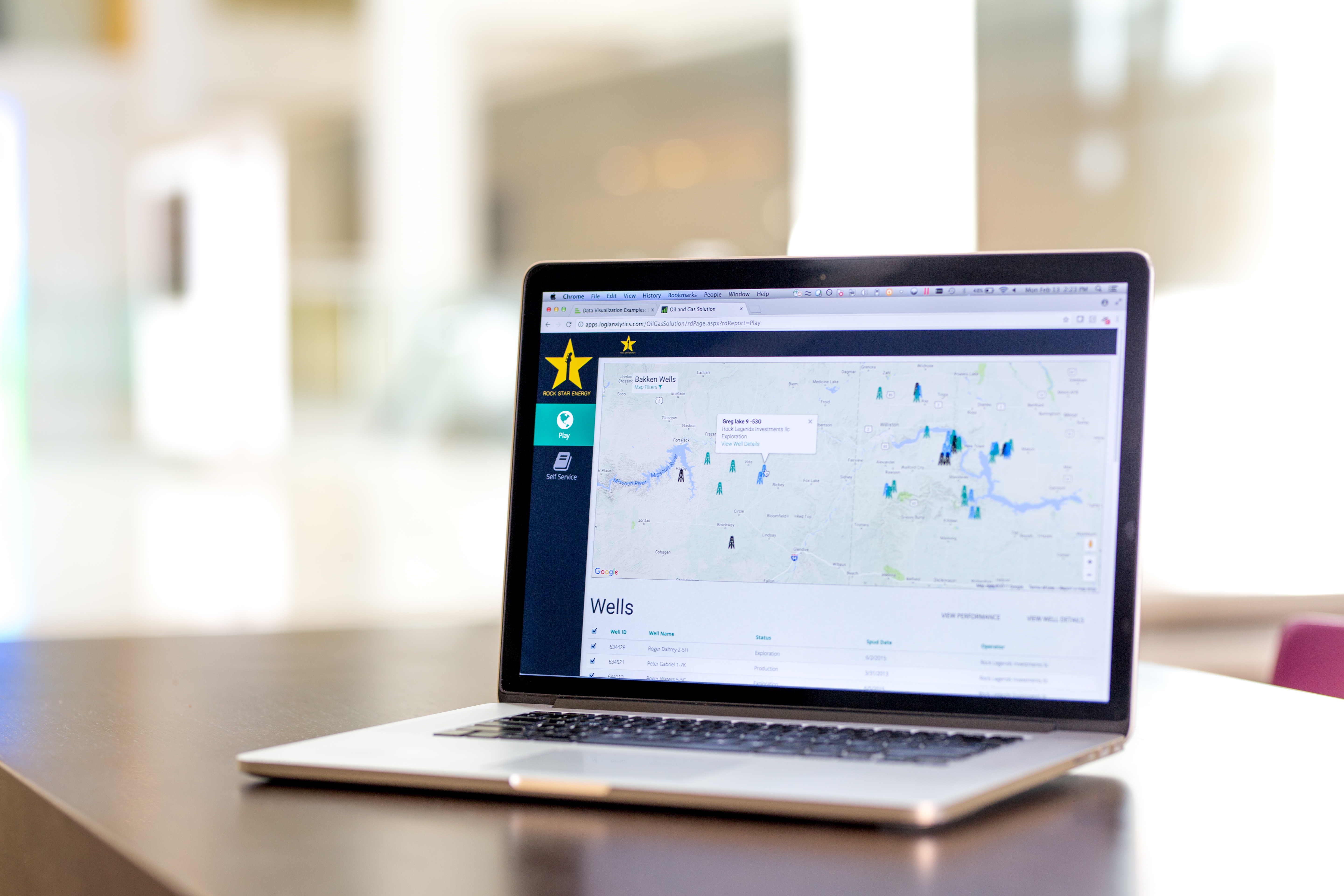
Logi Info (or the Logi Analytics Platform) is a developer-grade analytics platform designed for application teams needing to rapidly build, deploy, and maintain mission-critical applications. Logi serves the embedded model, so companies increase the
likelihood of building valuable, long lasting applications. The vendor focuses on enriching embedded analytics
capabilities so that their customers' applications become more valuable, faster. According to the vendor, Logi allows customers to…
N/A
Microsoft Power BI
Score 8.5 out of 10
N/A
Microsoft Power BI is a visualization and data discovery tool from Microsoft. It allows users to convert data into visuals and graphics, visually explore and analyze data, collaborate on interactive dashboards and reports, and scale across their organization with built-in governance and security.
$168
per year per user
Sigma
Score 8.2 out of 10
N/A
Sigma Computing headquartered in San Francisco provides a suite of data services such as code free data modeling, data search and explorating, and related BI and data visualization services.
N/A
Pricing
Logi Info
Microsoft Power BI
Sigma Computing
Editions & Modules
No answers on this topic
Power BI Pro
$14
per month (billed annually) per user
Power BI Premium
$24
per month (billed annually) per user
No answers on this topic
Offerings
Pricing Offerings
Logi Info
Microsoft Power BI
Sigma
Free Trial
Yes
Yes
Yes
Free/Freemium Version
No
Yes
No
Premium Consulting/Integration Services
Yes
No
No
Entry-level Setup Fee
No setup fee
No setup fee
Optional
Additional Details
Logi's pricing was developed with software vendors in mind and as such, we offer flexible, custom pricing aligned with your go-to-market approach and long-term growth plans. Our pricing objective is to ensure our partners can rapidly scale their analytics.
Power BI Desktop is the data exploration and report authoring experience for Power BI, and is available as a free download.
To be honest, Logi Info (Logi Analytics Platform) is the weakest of all these products BUT it can offer value if you have a team of web developers who want to add BI widgets, vs. having a BI team who are focused on making great visualisations. Our company made the decision …
Easy console and a well-defined large number of prebuilt data models made this product easy for business customers to produce really quick and useful insights in a very short time. Quick and fast data insights outcome in the well-defined data model with minimal support from …
It can be embedded on top of a website for direct analysis. I feel this is a way faster and a better solution. This is like an integrated solution. That's why the firm selected Logi Analytics for quick insights on customer behavior and data.
I believe that LOGI is a better tool than SAP's Business Objects. I say this because LOGI has provided the customer support to help figure out how to use the tool to jump through hoops, and I did not have a similar support system to use SAP's Business Objects. I just wish LOGI …
Logi info gives you way more flexibility when creating custom reports. You can better include different sources and integrate multiple variables in a unique way that Power BI doesn't quite offer. I do think power BI is quicker to learn and easier to use, but in the end Logi …
Microsoft Power BI is free. If I didn't want to create a custom platform (i.e. my organization insisted on an existing platform that I *had* to use), I'd use Microsoft Power BI. For any start-up or SMB, I'd just use Claude & Grok to build it quickly, also for free. Would …
I'd rate Sigma to be extremely similar to Sisense except it looks not as nice. I would say that as a tool, Sigma is more user-friendly than Tableau, Power BI, Trevor, and Metabase.
I do feel that Looker is far more powerful and looks great, but I also recognize that Looker does …
Sigma computing has better pricing than the competitors. We're always looking for what is good for the price but also gives us all we need to complete our reporting. It also brings about a lot of updates that are nice to see. The embedding helps other BI tools sometimes.
Sigma is the easiest to use from a workbook developer perspective, and from a non-technical end user perspective. Everything from administration, semantic layer setup, to creating dashboards is easier in Sigma than these other tools. Developing content in Sigma is enjoyable, …
I have found that Tableau can be used to create a greater variety of custom and complex visuals, though these visuals are far more difficult to create in a quick turnaround. While Sigma may be more limited in terms of what types of visuals can be create or how customized they …
Less visually appealing. Feels like fewer pixels. Harder to make graphs and visuals. Really good integration with Snowflake and intuitive usage for custom equations and filters.
sorta in the middle. One thing that differs than Domo or power bi, is that those softwares bring in the data into the platform, instead of how sigma runs a query against our data warehouse each time a user interacts with the dashboard (there is some small caching, so not always)
Sigma is by far the best. It is easiest to learn and easiest to use on a day to day basis. I never have to wait for dashboards to load and it's very easy to understand the variables that are going into my visualizations. Best of all I can manipulate the data within Sigma …
flexibility, works really well with Snowflake, export capability, level of support, the fact that Sigma Computing is a start up and improving so quickly. Web based software
Sigma is user-friendly and target non technical users as well. Sigma focuses on native cloud integration. Sigma Computing also emphasizes collaboration, enabling multiple users to work together on the same data sets and share insights.
microstrategy is too complex and expecting data warehouse in perfect Snowflake layout, otherwise all automated joins are getting messed up. Power BI requires to do tons of complex DAX transformations for even getting simple answers and has power limitations.
Sigma beats them all in terms of ease of use and interface. Tableau is more customizable than Sigma, particularly with custom graphics. Sigma is far more feature-rich than Metabase as a basic reporting tool. Sigma makes PowerBI look like a 1980s desktop tool. Dataiku is more …
ease of implementation , easy to train the resources to get used to the tool as it has very user friendly user interface, the 14 days trial where sales and sigma technical team helped us understand the advantages and the helpline chat which is always helpful . licensing when it …
We selected Sigma computing because it fully integrates with Snowflake (the platform our data currently sits on), and with Sigma, we don't need external technical resources. We have full control over our product development.
Sigma Computing is the best at adaptability in terms of how easy it is for an organization to adopt and derive value from without being technically apt.
Sigma was chosen for three reasons. 1. Excel-like workflow. Many of our researchers have a background in excel, and the excel-like workflow Sigma offers enabled them to get up and running quickly. 2. Embeds. We can easily embed dashboards into our SAS platform 3. Price. Sigma …
The decision to move to Sigma was mainly a business decision based on cost, as the vast majority of our users are external customers of ours. Sigma is basically on par with the others for its core functionality but still falls short in pure customization options. Additionally, …
Logi Composer is the best of the product range that Logi Analytics offers; Logi Info is, in my mind, a terrible experience and should be discontinued. Logi Info is not a BI tool and many CEOs and product managers believe it is. Instead, it is a tool for web developers to create IIS apps with a library of BI-type components, and with everything else having to be hand-coded in JavaScript and CSS. Maybe this was cool back in the early 2000s when Logi Info came about, but today I'd recommend using Visual Studio, C#, .NET, and finding a NuGet package for your visualisations if you wanted to go the route of making your own web app. This said, where it is suited is if you have a burning desire to make a stand-alone IIS-based web application and you don't need or want to leverage any existing skills in .NET or PHP or other frameworks/languages. Instead, you want to use the Logi Info XML-based BI widgets and you're happy to make something quick without needing it to look really awesome.
Has significantly improved collation of data and visualisation especially with business across Europe. Has given me the ability to see the Site availability at the click of a button to see which Site is in the "money" and seize opportunities based on Market data
We were able to set up client-facing embedded reports with ease and security. The interface is not difficult to learn, although we may not be aware of or lack the necessary expertise to utilize more advanced features that would likely benefit us.
Clear/Concise view of data. Easily intuitive, amazing drill down capability, fully user configurable panels and dashboards.
Self-Service is such a powerful tool for facilities that want to create/design their own reports/dashboards, it's instantly recognized as being very powerful and agile.
Logi software makes the designer realize that they should think outside the box and not stick with "it's how we have always done it limitation". It allows you to be very creative.
Options for data source connections are immense. Not just which sources, but your options for *how* the data is brought in.
Constant updates (this is both good and bad at times).
User friendliness. I can get the data connections set up and draft some quick visuals, then release to the target audience and let them expand on it how they want to.
It is not always intuitive to incorporate JavaScript into Logi Info. The tools are all available, but the process requires multiple resource in translating between Logi and JavaScript.
The toolbox is too vast for Logi to provide a 'quick implementation' or 'quick start guide'. There are so many tools that Logi expects the client to determine which fit their use case. There are purchasable 'Professional Services' options for implementation, but without these, the toolset is almost too big.
Sigma Computing does not allow custom ordering of pivot fields in pivot tables easily
Sigma Computing lacks functionality for creating tables or sections that dynamically adjust to the browser window's height while maintaining a fixed height textbox at the bottom
Sigma Computing does not provide straightforward options for formatting totals in tables, such as renaming 'Total' to 'Average', 'Team Total', etc
Sigma Computing does not support searching by individual tab names within a workbook
Logi Info is a very outdated, archaic product that tries to build .NET / Java web apps using an obscure XML-based markup language to implement BI widgets, with a lot of extra CSS/JavaScript needed on your own to make it do the best things. There are many other better tools. It is not a BI tool, and as a web development tool it's not great either. I'd recommend getting some good third-party .NET BI library if you want your web devs to make the reports, otherwise use a proper BI tool like Power BI or Tableau, or even Logi Composer (formerly ZoomData before Logi acquired it.)
Microsoft Power BI is an excellent and scalable tool. It has a learning curve, but once you get past that, the sky is the limit and you can build from the most simple to the most complex dashboards. I have built everything from simple reports with only a few data points to complex reports with many pages and advanced filtering.
Sigma has helped us a lot and has become an integral part of our daily workflow. It would be difficult to switch to another platform and have to rebuild the numerous metrics and performance reports that we have already established
I am giving 9 rating because the Logi Info still needs to improve on the tutorials part and make it easy for the beginners. Otherwise, it's a very good analytics tool which offers more than 20 types of visualization. It's predictive analysis feature and easy to embed with technologies make it stand out in the market.
Automating reporting has reduced manual data processing by 50-70%, freeing up analysts for higher-value tasks. A finance team that previously spent 20+ hours per week on Excel-based reports now does it in minutes with Microsoft Power BI's automated Real-time dashboards have shortened decision cycles by 30-40%, enabling leadership to react quickly to sales trends, operational bottlenecks, and customer behavior.
It has a clean and modern interface. However, it is not completely intuitive. I think it would be better and easier to navigate with more Windows style drop down menus and/or tabls. There is a significant learning curve, but that may be due in part to the technical nature of this type of software tool.
The support process is bit slow and has a good scope improvement but overall it's good as team is very supportive. They generally take 1-2 days time to respond emails sent to them but some times a delay is also expected. Overall, I did not face any major issues using the service.
It is a fantastic tool, you can do almost everything related with data and reports, it is a perfect substitutive of Power Point and Excel with a high evolution and flexibility, and also it is very friendly and easy to share. I think all companies should have Power BI (or other BI tool) in their software package and if they are in the MS Suite, for sure Power BI should be the one due to all the benefits of the MS ecosystem.
They are very friendly and informative. They are quick in resolving our queries and help us understand very minute things as well. They are quick in creating feature tickets based on our custom requirements, and they would also create a bug ticket if there is any discrepancy and get that checked on time.
Logi gave us the flexibility we needed to meet the configurable nature of our product and for the need to create custom reports. Other products did not allow flexbility to generate reports via script as was one of our primary requirements.
Microsoft Power BI is free. If I didn't want to create a custom platform (i.e. my organization insisted on an existing platform that I *had* to use), I'd use Microsoft Power BI. For any start-up or SMB, I'd just use Claude & Grok to build it quickly, also for free. Would not pay for Tableau or Sigma anymore. Not worth it at all.
With Looker, to be effective, a substantial amount of coding & modeling needs to happen in LookML. Being another language to learn, users have to context switch again from at a minimum either SQL or Python into LookML. The concept of being able to source control, code review, and deploy your models is a plus though.
Tableau is the gold standard for data visualization, no question. Power users will be able to create dazzling content that Sigma won't necessarily be able to easily match. However, since development usually happens via an extract, helping other users troubleshoot is an arduous process. Trying to re-do or un-do all the transformations and calculations that cause a certain number is very difficult.
With Sigma, all the queries happen directly against Snowflake and you can see the query logs. The data modeling happens right in a tabular, spreadsheet-like manner, so within only a few minutes, substantial transformations can happen, with visualizations just a few more clicks away.
By embedding Logi in our solution and using the Logi Self-Service Module we can provide this flexibility to our users without requiring custom development work for each new request.
We succeeded in developing embedded self-service analytics at scale with a combination of Logi analytics as front-end and a Cassandra data lake with Spark aggregation algorithms as back-end.
We analyze the insurance industry and need to replicate different data formats across hundreds of databases to support multi-tenant (customer) BI reports and "ad hoc" data review on millions or hundreds of millions of records per customer.
Monitoring health of cloud platform has allowed the company to anticipate issues before they affect customers – Sigma prompted us building a canary monitoring process that provides customer container health.
Customer success has used an activity report to discover customers running runaway processes that they were unaware of, creating an alert to contact the customer and prevent an embarrassing situation.
Customer success uses the activity report to prompt conversations regarding increases or declines in behavior that led to increasing contract limits or addressing churn concerns.