LogMeIn Resolve is an IT management and support solution designed to help organizations take control of their IT infrastructure. The platform combines features like remote monitoring, access, and support with tools such as ticketing, AI-assisted task automation, and patch management.
$29
per month
RemoteCall PC/Mobile/Visual
Score 9.7 out of 10
Enterprise companies (1,001+ employees)
RemoteCall is a cloud based remote support solution bridging the agents and clients. Support client PCs, mobile devices and via camera using the cloud based service or in-house server solution. It is a solution for IT professionals and it can be used from PCs, mobile devices, websites and apps with 100% RSUPPORTs remote service technology. The vendor's flagship products, RemoteCall WebViewer boasts users among all types of companies, governments, public institutions, manufacturers, as well as…
$30
per installation
FixMe.IT by Techinline
Score 4.4 out of 10
N/A
Techinline Remote Desktop is a remote support application that is designed to enable instant, secure, and trouble-free connections between remote computers anywhere in the world. The vendor's value proposition is that with Techinline Remote Desktop, support teams can quickly and securely view, diagnose, and resolve technical issues on a remote computer without pre-installing software.
$39
per month per seat
Pricing
LogMeIn Resolve
RemoteCall PC/Mobile/Visual
FixMe.IT by Techinline
Editions & Modules
Remote Access
$29
per month
Remote Support Plus
$55
per month
Standard Endpoint Management
$70
per month
Premium Endpoint Management
$78
per month
Premium
Contact Sales
RemoteCall Server
30k+ USD
per installation
RemoteCall PC
59.90 / month
per seat
RemoteCall PC + visual
74.90 / month
per seat
RemoteCall PC + mobile
79.90 / month
per seat
RemoteCall PC + mobile + visual
129.90 / month
per seat
Monthly subscription
$39
per month per seat
Yearly subscription
$390
per year per seat
Offerings
Pricing Offerings
LogMeIn Resolve
RemoteCall PC/Mobile/Visual
FixMe.IT by Techinline
Free Trial
Yes
Yes
Yes
Free/Freemium Version
Yes
No
No
Premium Consulting/Integration Services
No
No
No
Entry-level Setup Fee
No setup fee
No setup fee
No setup fee
Additional Details
Discount available for annual pricing. MDM is available as a standalone or as an add-on. Additional endpoints and agents and save up to 20%
** RemoteCall Server pricing is calculated as [one-time server software fee] + [one-time per device license fee] + [optional yearly maintenance]
** SaaS plan's device can be Windows / Mac PC or Android / iOS mobile devices.
The fundamental problem we encountered with TeamViewer and GoToAssist back in 2009 was both required separate licenses for each system the software was installed on. Thus, for a small outfit like ours with two technicians, we'd require a total of 6 licenses (office, home, and …
LogMeIn Resolve has been useful in supporting users working on-site or remotely, and with the unattended agent, allows for a quick and easy way to start a support session. With the integrated Help Desk system, LogMeIn Resolve allows for a seamless support experience without having to bounce from a ticketing platform to a remote support platform, giving us the ability to reduce ticket sprawl and save time overall.
There was an engineer call due to an emergency failure at the customer. It took an hour for the engineer to move and get to the site. So, using RemoteCall, I immediately supported the problem while moving. The customer's problems were resolved before arriving on-site, and the customer was satisfied thanks to the quick handling and response. Without RemoteCall, the golden hour would have been missed.
FixMe.IT is an absolute price-performer. Far less expensive than many of its competitors, it offers all the major features small outfits like mine need. While not nearly as robust as other offerings such as TeamViewer and GoToAssist, its price point simply can't be beat. Thus, small consulting firms that primarily deal with Windows-based PCs will see a huge cost benefit. Larger MSPs are probably better off with a more expensive but flexible solution.
Allows easy, comprehensive access to Apple products via web-based applet. (It does require customer input and cooperation.)
It allows me to resolve issues remotely, most times within minutes instead of hours, without a physical location visit.
It allows the customer to view my activity, giving them peace of mind that nothing untoward occurs during my interaction. I also use the record feature so all sessions are recorded, especially on rare occasions when there is an issue or question from the session.
Option to follow users' mouse if they have more than one screen but you are only using one screen to display their computer. It allows them to show you things without fighting for the mouse or having our view of their screen be too small.
Lightweight. The app for on-demand remote controll, unattended access, and even the expert are all very small and not resource intentsive
The user interface is clunky and difficult to use in terms of CRITICAL functions that lie at the core of any remote access solution.
ctrl + key combos are currently terribly implemented and difficult to use - since this is one of the most common keys used in Windows - this presents MASSIVE usability issues that impede my workflow all day every single day.
And now - in a recent development - SHIFT + key combos are currently terribly implemented and difficult to use - since this is one of the most common keys used in Windows - this presents MASSIVE usability issues that impede my workflow all day every single day.
Things like frequently used key combos and shortcuts should work the same via remote access solutions as they do on a hardware keyboard. Anything else is an annoyance and an impediment to workflow and productivity.
Not sure if we are able to display multiple screens at the same time. For example the server and some workstations. I know we can click back and forth easily, but not sure if we can display them at the same time.
I would say yes, we would definitely renew, everyone likes it in the IT dept, and there are more features we have yet to put to use. I am expanding the Windows update / Endpoint features as I get time, and the remote PowerShell console is unbeatable for me at present when facing remote computers that are not letting create a new remote PSSession.
We were able to get up and running quickly after our initial implementation, and the monthly feature update webinars are a great way to keep up with new features and how we can use them to our benefit. We can also request features we would like to see in the future, and can vote on other users’ submittals.
Usually available without a problem, although sometimes calls get dropped or users sit in empty meeting rooms while waiting for an admin to arrive, while the call is actually going on.
If you are connected to someone with proper bandwidth, there are no issues at all. With all things, if you connect to someone with dial-up (yes, it still exists), the performance is terrible.
Ive used their tech support a handful of times, and each time they have been able to help me sort out any hiccups or kinks that arise. They have a resourceful knowledge base, and have experts available for training and troubleshooting. I often recommend them to my other coworkers and colleagues because of the ease of use and security
It is all just done through email so there is no tracking of tickets but there is not much need since they will respond multiple times a day if needed. I never have any issue with them though. They are very well trained.
GoToAssist SeeIt was very easy to implement. As long as your techs have a basic understanding of most remote support tools they will be able to understand this product easily.
Go to offer all-in-one functionalities without compromising organizational security and policy. Go-to is versatile compared to other systems like JIRA and is suitable for medium organizations. It has all the support options required. Like web meetings, conversational ticketing, etc., other software does not offer the combination of all, like video calls.
RemoteCall and TeamViewer are both good products. However, technical support for TeamViewer is difficult. When a problem occurred, it did not respond immediately and took a long time and it took too much time and money to customize it for the company. On the other hand, RemoteCall provided various services at a low cost. In particular, it was customized to satisfy 100% of our requirements with a demanding customer.RemoteCall is the best value for money.
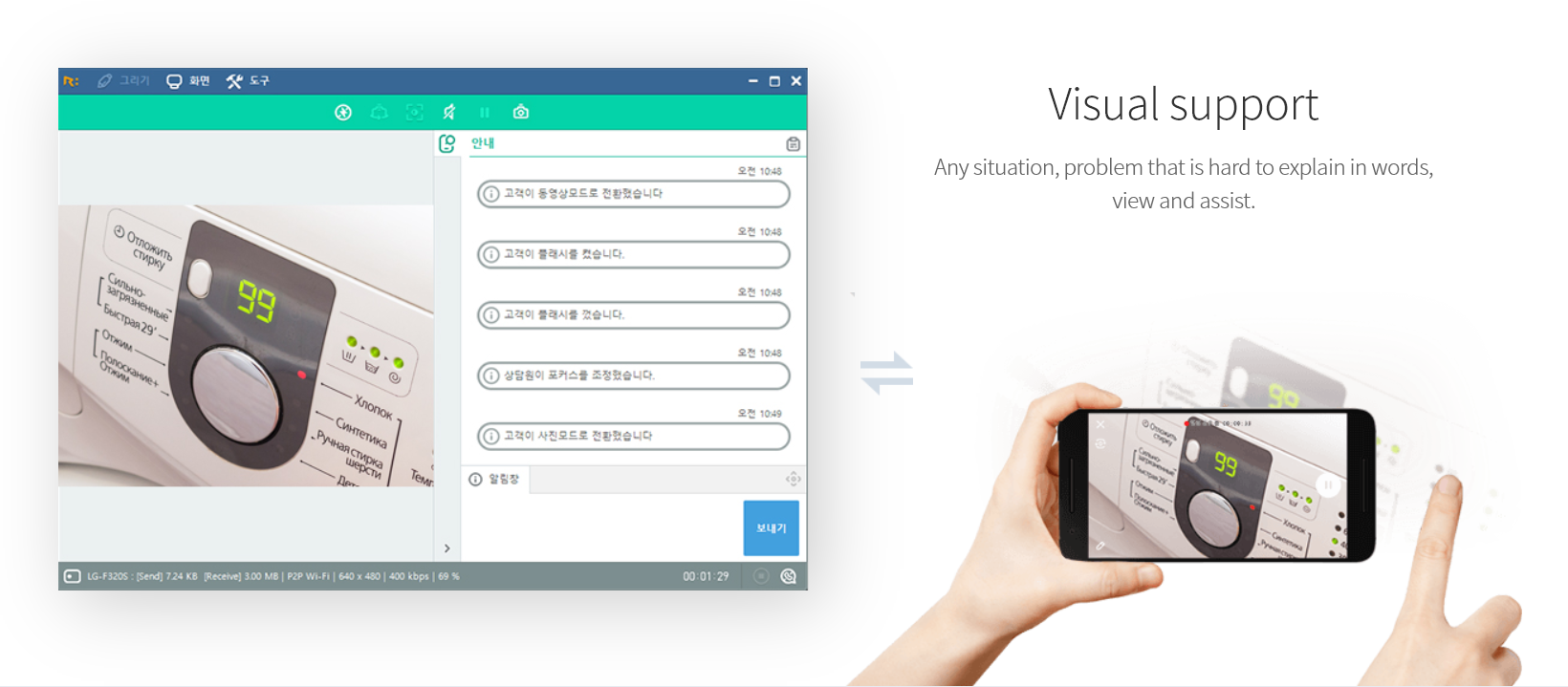
LogMeIn Resolve has increased productivity for our support teams with the addition of camera share. Not only are we able to remote into workstations, but with camera share we can utilize end user and customer phones to visually see physical setups to troubleshoot some situations on the fly.
Unattended support now requires the agent to enter in a signature key as an extra layer of security before accessing a device, which further improves the safety of all devices registered for unattended.