Chose ManageEngine OpManager
Very similar product but ManageEngine OpsManager provides a more intuitive interface and it's in general easier to understand and operate.

| Product | Rating | Most Used By | Product Summary | Starting Price |
|---|---|---|---|---|
 ManageEngine OpManager | N/A | ManageEngine's OpManager is network performance monitoring software. | $95 per year | |
 SolarWinds Network Configuration Manager (NCM) | N/A | SolarWinds Network Configuration Manager is network diagnostics and troubleshooting technology, from Austin-based SolarWinds. | N/A | |
 SolarWinds Server & Application Monitor | N/A | SolarWinds Server & Application Monitor (SAM) delivers application and server monitoring capabilities. SAM allows for self-service for easy setup, 1200+ monitoring templates, and customization options, as well as integrate with other SolarWinds products. | N/A |
| ManageEngine OpManager | SolarWinds Network Configuration Manager (NCM) | SolarWinds Server & Application Monitor | ||||||||||||||||||||||
|---|---|---|---|---|---|---|---|---|---|---|---|---|---|---|---|---|---|---|---|---|---|---|---|---|
| Editions & Modules |
| No answers on this topic | No answers on this topic | |||||||||||||||||||||
| Offerings |
| |||||||||||||||||||||||
| Entry-level Setup Fee | $245 per installation | Optional | No setup fee | |||||||||||||||||||||
| Additional Details | — | — | SAM pricing starts at $2,995. | |||||||||||||||||||||
| More Pricing Information | ||||||||||||||||||||||||
| ManageEngine OpManager | SolarWinds Network Configuration Manager (NCM) | SolarWinds Server & Application Monitor | |
|---|---|---|---|
| Considered Multiple Products |  ManageEngine OpManager |  SolarWinds Network Configuration Manager (NCM)  Shahab Razak Senior Network Architect Chose SolarWinds Network Configuration Manager (NCM) SolarWinds Network Configuration Manager (NCM) was by far the easiest to implement and it just started working right out of the box. Within a few hours were we populating our config backup repository and soon after that, we were writing scripts to audit our configurations. …  Dan Lepinski Systems Engineer Chose SolarWinds Network Configuration Manager (NCM) We haven't vetted out any other solutions for backing up our network devices. NCM does this job well, but isn't the most user friendly software out there. Our Ubiquiti networking hardware is managed through an admin console for all Ubiquiti devices. It manages our configs, and … | SolarWinds Server & Application Monitor  Jamie Webster Director of IT Chose SolarWinds Server & Application Monitor I love how the entire SolarWinds platform integrates with one another. There is no hard line drawn between the products I am using. For example, I jump between NetFlow Traffic Analyzer and Network Performance Monitor seamlessly when troubleshooting issues. Server & Application …  Paul Cardelli, CISSP Network Administrator Chose SolarWinds Server & Application Monitor I have used Nagios, Whats Up Gold, Manage Engine, and even help desk software such as SysAid. I found that Solarwind's Server and Application Monitor was the most feature rich and the wizards helped us to get up running quick each time we needed to monitor a new server …  David Asher Infrastructure Engineer Chose SolarWinds Server & Application Monitor We have looked at others but I do not recall who it was. If you use SAM, you can forget the rest! |
| ManageEngine OpManager | SolarWinds Network Configuration Manager (NCM) | SolarWinds Server & Application Monitor | |||||||||||||||||||||||||||||||||||||||||||||||||||
|---|---|---|---|---|---|---|---|---|---|---|---|---|---|---|---|---|---|---|---|---|---|---|---|---|---|---|---|---|---|---|---|---|---|---|---|---|---|---|---|---|---|---|---|---|---|---|---|---|---|---|---|---|---|
| Network Performance Monitoring |
| ||||||||||||||||||||||||||||||||||||||||||||||||||||
| Application Performance Management |
|
| ManageEngine OpManager | SolarWinds Network Configuration Manager (NCM) | SolarWinds Server & Application Monitor | |
|---|---|---|---|
| Small Businesses |  NinjaOne Score 9.1 out of 10 |  Auvik Score 8.5 out of 10 |  GitLab Score 8.8 out of 10 |
| Medium-sized Companies |  SolarWinds NetFlow Traffic Analyzer (NTA) Score 9.4 out of 10 |  PingPlotter Score 8.9 out of 10 |  ManageEngine Site24x7 Score 9.5 out of 10 |
| Enterprises | SolarWinds NetFlow Traffic Analyzer (NTA) Score 9.4 out of 10 | PingPlotter Score 8.9 out of 10 | ManageEngine Site24x7 Score 9.5 out of 10 |
| All Alternatives | View all alternatives | View all alternatives | View all alternatives |
| ManageEngine OpManager | SolarWinds Network Configuration Manager (NCM) | SolarWinds Server & Application Monitor | |
|---|---|---|---|
| Likelihood to Recommend | 8.5 (45 ratings) | 9.4 (141 ratings) | 8.8 (278 ratings) |
| Likelihood to Renew | 8.0 (3 ratings) | 8.1 (6 ratings) | 8.9 (10 ratings) |
| Usability | 9.0 (12 ratings) | 7.1 (8 ratings) | 8.6 (29 ratings) |
| Availability | - (0 ratings) | - (0 ratings) | 9.9 (3 ratings) |
| Performance | - (0 ratings) | - (0 ratings) | 6.0 (3 ratings) |
| Support Rating | 8.1 (7 ratings) | 7.7 (9 ratings) | 9.0 (21 ratings) |
| Online Training | - (0 ratings) | 10.0 (1 ratings) | 4.5 (1 ratings) |
| Implementation Rating | 9.0 (1 ratings) | 9.1 (2 ratings) | 4.5 (3 ratings) |
| Configurability | - (0 ratings) | - (0 ratings) | 1.0 (2 ratings) |
| Ease of integration | - (0 ratings) | - (0 ratings) | 4.5 (2 ratings) |
| Product Scalability | - (0 ratings) | - (0 ratings) | 9.9 (3 ratings) |
| Vendor post-sale | - (0 ratings) | - (0 ratings) | 4.5 (2 ratings) |
| Vendor pre-sale | - (0 ratings) | - (0 ratings) | 4.5 (2 ratings) |
| ManageEngine OpManager | SolarWinds Network Configuration Manager (NCM) | SolarWinds Server & Application Monitor | |
|---|---|---|---|
| Likelihood to Recommend | ManageEngine, A Div of Zoho Corporation Pvt Ltd
| SolarWinds
 Geoff Benedetti Network Analyst | SolarWinds
|
| Pros | ManageEngine, A Div of Zoho Corporation Pvt Ltd
| SolarWinds
| SolarWinds
|
| Cons | ManageEngine, A Div of Zoho Corporation Pvt Ltd
| SolarWinds
| SolarWinds
|
| Likelihood to Renew | ManageEngine, A Div of Zoho Corporation Pvt Ltd
| SolarWinds
| SolarWinds
 Derek Benson IT, Network Administrator |
| Usability | ManageEngine, A Div of Zoho Corporation Pvt Ltd
| SolarWinds
| SolarWinds
|
| Reliability and Availability | ManageEngine, A Div of Zoho Corporation Pvt Ltd No answers on this topic | SolarWinds No answers on this topic | SolarWinds
|
| Performance | ManageEngine, A Div of Zoho Corporation Pvt Ltd No answers on this topic | SolarWinds No answers on this topic | SolarWinds
|
| Support Rating | ManageEngine, A Div of Zoho Corporation Pvt Ltd
| SolarWinds
 Wyant Niswonger Network Engineer | SolarWinds
 Ryhlen Schoeberl System Administrator |
| Online Training | ManageEngine, A Div of Zoho Corporation Pvt Ltd No answers on this topic | SolarWinds
| SolarWinds
 Joe Parlett Programmer Analyst |
| Implementation Rating | ManageEngine, A Div of Zoho Corporation Pvt Ltd No answers on this topic | SolarWinds
 Aaron Coody Systems Administrator | SolarWinds
|
| Alternatives Considered | ManageEngine, A Div of Zoho Corporation Pvt Ltd
| SolarWinds
| SolarWinds
|
| Scalability | ManageEngine, A Div of Zoho Corporation Pvt Ltd No answers on this topic | SolarWinds No answers on this topic | SolarWinds
Joe Parlett Programmer Analyst |
| Return on Investment | ManageEngine, A Div of Zoho Corporation Pvt Ltd
 Matthias Boehm Head of IT | SolarWinds
| SolarWinds
|
| ScreenShots | ManageEngine OpManager Screenshots    | SolarWinds Network Configuration Manager (NCM) Screenshots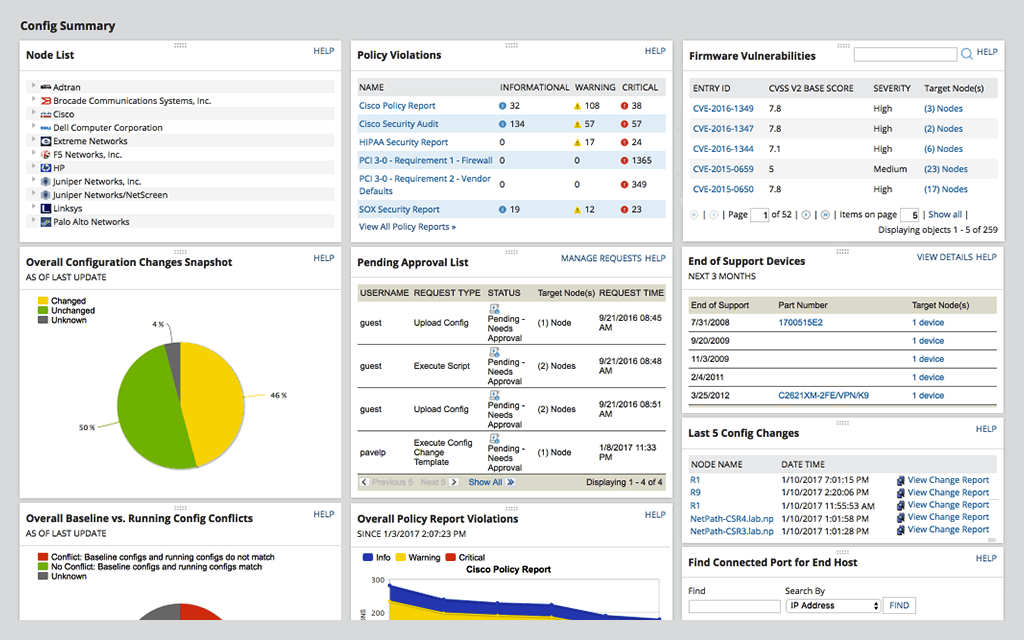      | SolarWinds Server & Application Monitor Screenshots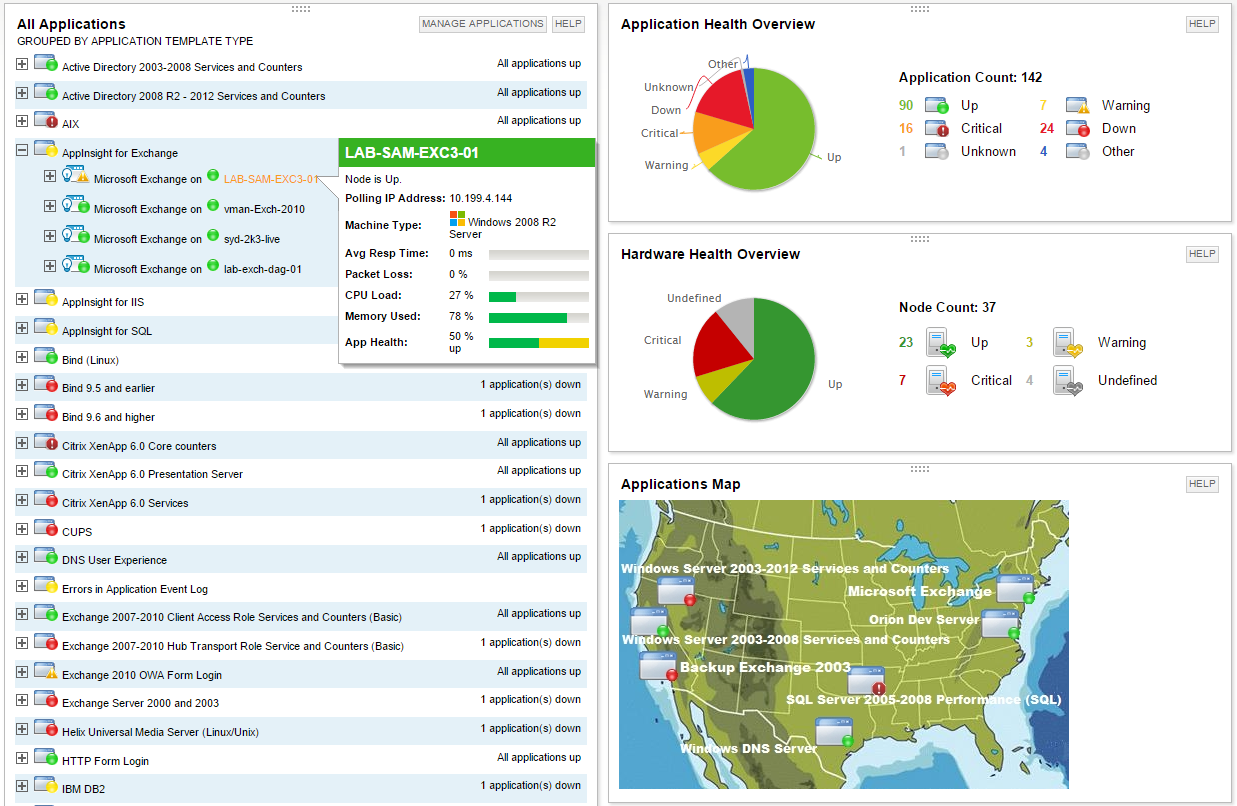      |