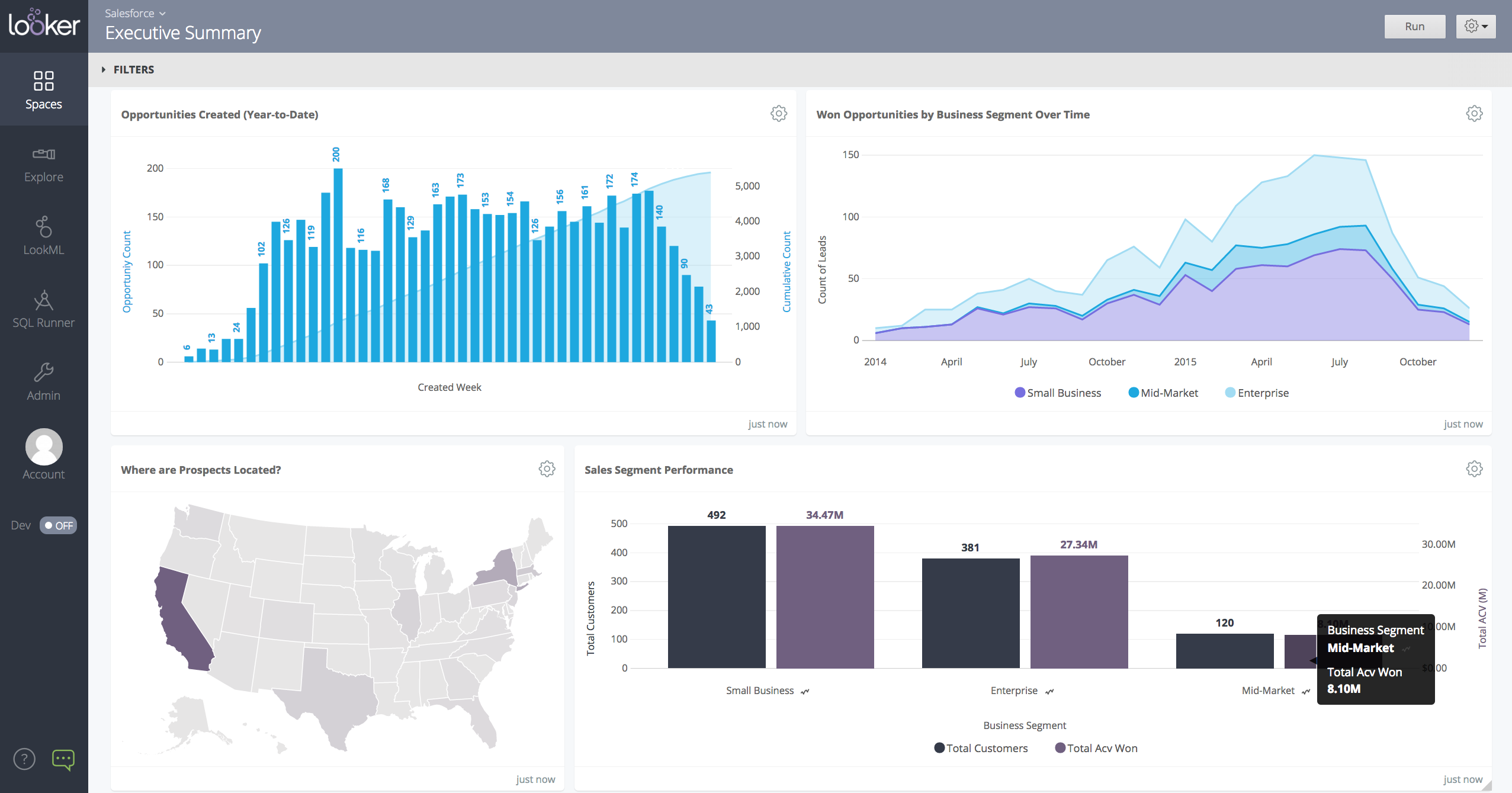
Looker is a BI application with an analytics-oriented application server that sits on top of relational data stores. It includes an end-user interface for exploring data, a reusable development paradigm for data discovery, and an API for supporting data in other systems.
N/A
Microsoft Power BI
Score8.5 out of 10
N/A
Microsoft Power BI is a visualization and data discovery tool from Microsoft. It allows users to convert data into visuals and graphics, visually explore and analyze data, collaborate on interactive dashboards and reports, and scale across their organization with built-in governance and security.
$168
per year per user
Pricing
Looker
Microsoft Power BI
Editions & Modules
No answers on this topic
Power BI Pro
$14
per month (billed annually) per user
Power BI Premium
$24
per month (billed annually) per user
Offerings
Pricing Offerings
Looker
Microsoft Power BI
Free Trial
Yes
Yes
Free/Freemium Version
No
Yes
Premium Consulting/Integration Services
Yes
No
Entry-level Setup Fee
Required
No setup fee
Additional Details
Must contact sales team for pricing.
Power BI Desktop is the data exploration and report authoring experience for Power BI, and is available as a free download.
A de minimis incentive was given to thank the reviewer for their time. The incentive was not used to bias or drive a particular response, nor was the incentive contingent on a positive endorsement. More Info
Verified User
Chose Looker
Looker was the most customizable option for our business and cost wise made the most sense. They do have a free tier option that some of the other weren't offering to us at the time. Looker has a great- mobile app solution while Tableau is a desktop-based platform. Tableau also …
A de minimis incentive was given to thank the reviewer for their time. The incentive was not used to bias or drive a particular response, nor was the incentive contingent on a positive endorsement. TR verified that a representative sample of customers was invited. More Info
Data Analyst in Information Technology at Oliver Gal (Arts & Crafts, 51-200 employees)
Chose Looker
The biggest advantage that Looker Studio has is that it's really easy to use and to distribute to other use. You can have a really complex report set up in a couple of minutes with an extract data source that enables Looker to update really fast.
A de minimis incentive was given to thank the reviewer for their time. The incentive was not used to bias or drive a particular response, nor was the incentive contingent on a positive endorsement. More Info
Verified User
Chose Looker
Looker is less complex to use and links directly to google suite which we use across the business and personally think is a better user experience than microsoft.
A de minimis incentive was given to thank the reviewer for their time. The incentive was not used to bias or drive a particular response, nor was the incentive contingent on a positive endorsement. TR verified that a representative sample of customers was invited. More Info
Verified User
Chose Looker
Looker stacks up well against other data providers for usability and friendly interfaces, plus the ability to customise. We actually integrate Looker with other analytics tools in the same sphere (power bi, Dreamdata and others) so that we can have one comprehensive dashboard …
A de minimis incentive was given to thank the reviewer for their time. The incentive was not used to bias or drive a particular response, nor was the incentive contingent on a positive endorsement. More Info
Verified User
Chose Looker
In my opinion, Looker is no Power BI. It is good, but I think Power BI is amazing. That said, in my experience, Power BI is nowhere near as easy to setup and report on Google services as Looker is. We plan to continue using Power BI for c-suite and corporate reporting, …
A de minimis incentive was given to thank the reviewer for their time. The incentive was not used to bias or drive a particular response, nor was the incentive contingent on a positive endorsement. More Info
Verified User
Chose Looker
If you company is using Google suite products, Looker is a no-brainer. Tableau is probably the most flexibly but as a result it has the least governance capabilities. Power BI is kind of old-school in terms of how it feels to use it. I think in general, Looker brings a lot of …
A de minimis incentive was given to thank the reviewer for their time. The incentive was not used to bias or drive a particular response, nor was the incentive contingent on a positive endorsement. TR verified that a representative sample of customers was invited. More Info
A de minimis incentive was given to thank the reviewer for their time. The incentive was not used to bias or drive a particular response, nor was the incentive contingent on a positive endorsement. TR verified that a representative sample of customers was invited. More Info
Verified User
Chose Looker
Better in terms of data configuration with slight harder learning curve, available help material is not that much and we usually have to connect with Looker Help with chat for our data and analysis questions. While Looker offers a wide range of visualization options, there were …
A de minimis incentive was given to thank the reviewer for their time. The incentive was not used to bias or drive a particular response, nor was the incentive contingent on a positive endorsement. More Info
Verified User
Chose Looker
Technically, Power BI is much more complete and powerful, but it's like an ocean liner. I didn't need all that equipment. In my case, I needed to move more quickly, like on a speedboat, to build a page with several data sources in a single source of truth that could be easily …
A de minimis incentive was given to thank the reviewer for their time. The incentive was not used to bias or drive a particular response, nor was the incentive contingent on a positive endorsement. More Info
A de minimis incentive was given to thank the reviewer for their time. The incentive was not used to bias or drive a particular response, nor was the incentive contingent on a positive endorsement. More Info
Senior PLM engineer in Manufacturing at IGW (Mechanical Or Industrial Engineering, 5001-10,000 employees)
Chose Looker
Looker is a great fit for our company because we have collaborative analytics workflows and complicated data ecosystems and because of its strengths in data modeling, integration, and collaboration. Brand name and peer recommendations also helps us to select Looker against …
A de minimis incentive was given to thank the reviewer for their time. The incentive was not used to bias or drive a particular response, nor was the incentive contingent on a positive endorsement. More Info
Verified User
Chose Looker
Our organization is going all in on Google products so switching out of the Microsoft suite of tools is a no brainer. All the Google tools work incredibly well together and once you transition it’s incredibly hard to be half in half out between Google and Microsoft. If you’re a …
A de minimis incentive was given to thank the reviewer for their time. The incentive was not used to bias or drive a particular response, nor was the incentive contingent on a positive endorsement. More Info
A de minimis incentive was given to thank the reviewer for their time. The incentive was not used to bias or drive a particular response, nor was the incentive contingent on a positive endorsement. More Info
Verified User
Chose Looker
We haven't had a proper benchmarking done. We might consider looking at other options, but this thing is deeply integrated into our platform, so not anytime soon.
A de minimis incentive was given to thank the reviewer for their time. The incentive was not used to bias or drive a particular response, nor was the incentive contingent on a positive endorsement. More Info
Verified User
Chose Looker
Looker works and exists in the Google ecosystem. If you are a Google Cloud Platform user, Looker is a no brainer. There is also Looker Studio, the small (free) brother with less features which is basically a report only viewer/creator. The reason we choose Looker is because can …
A de minimis incentive was given to thank the reviewer for their time. The incentive was not used to bias or drive a particular response, nor was the incentive contingent on a positive endorsement. TR verified that a representative sample of customers was invited. More Info
Business Analyst in Information Technology at ACE Ventures (Capital Markets, 51-200 employees)
Chose Looker
Actually, I use both power BI and Looker. Power BI has more data connectors and power query, one of the most important things that Looker does not have. You can customize the visuals in power bi in a higher level than Looker as well. Besides, Looker is much more advanced when …
A de minimis incentive was given to thank the reviewer for their time. The incentive was not used to bias or drive a particular response, nor was the incentive contingent on a positive endorsement. More Info
Verified User
Chose Looker
There are some specific use cases where other tools are not useful in our organization. Some software solutions are shared with other organizations inside the company and Looker is the only tool where we can collaborate good enough.
A de minimis incentive was given to thank the reviewer for their time. The incentive was not used to bias or drive a particular response, nor was the incentive contingent on a positive endorsement. TR verified that a representative sample of customers was invited. More Info
Verified User
Chose Looker
Legitimately, every other business solution is superior to Microsoft's product offerings. They are a business that doesn't listen to their customers because they know that they don't have to and that someone will always be a client. That being said, Looker does care about your …
A de minimis incentive was given to thank the reviewer for their time. The incentive was not used to bias or drive a particular response, nor was the incentive contingent on a positive endorsement. TR verified that a representative sample of customers was invited. More Info
Verified User
Chose Looker
The easy which with data and reports can be customized in Looker for adhoch or individual needs is amazing - Very easy to filter and save views.
A de minimis incentive was given to thank the reviewer for their time. The incentive was not used to bias or drive a particular response, nor was the incentive contingent on a positive endorsement. TR verified that a representative sample of customers was invited. More Info
Graduate Research Assistant in Research & Development at Western Kentucky University (Higher Education, 1001-5000 employees)
Chose Looker
Looker provides really excellent customer service in comparison to other similar products. The sharing aspect of Looker is also a big plus, which allows multiple users to access the data at the same time. We have also found it to stand out among competitors with its dashboard …
A de minimis incentive was given to thank the reviewer for their time. The incentive was not used to bias or drive a particular response, nor was the incentive contingent on a positive endorsement. More Info
Microsoft
Verified User
Chose Microsoft Power BI
After several years using Google Looker Studio and BigQuery, Microsoft Power BI is a step-up in terms of visualizations. It is also much more powerful, leading to less errors and has a more intuitive interface. Looker Studio has a focus on Google Analytics whereas Microsoft …
A de minimis incentive was given to thank the reviewer for their time. The incentive was not used to bias or drive a particular response, nor was the incentive contingent on a positive endorsement. More Info
Verified User
Chose Microsoft Power BI
I prefer Power BI because of its affordability and fewer complicated tools than Tableau. It's easy to use and compatible with other Microsoft products, which are mostly used in the IT industry. It's not limited to only one platform like Looker Studio, which is mostly used in …
A de minimis incentive was given to thank the reviewer for their time. The incentive was not used to bias or drive a particular response, nor was the incentive contingent on a positive endorsement. More Info
Business Analytics Analist in Human Resources at ACE (Financial Services, 51-200 employees)
Chose Microsoft Power BI
Complexity: Microsoft Power BI is more powerful and complex, Looker Studio is simpler and easier to use. Data: Microsoft Power BI handles complex data modeling and diverse sources, Looker Studio is better for simpler data and Google ecosystem sources. Analytics: Microsoft Power …
A de minimis incentive was given to thank the reviewer for their time. The incentive was not used to bias or drive a particular response, nor was the incentive contingent on a positive endorsement. More Info
A de minimis incentive was given to thank the reviewer for their time. The incentive was not used to bias or drive a particular response, nor was the incentive contingent on a positive endorsement. More Info
Verified User
Chose Microsoft Power BI
Some of the strengths are 1. User-Friendliness 2. Self-Service BI (Caters to all levels of the employees 3. Cost-effective. 4. Easy integration with Microsoft Suits. 5. DAX Calculations 6. Familiar Interface like traditional Excel. 7. Easier Self-Service platform for …
A de minimis incentive was given to thank the reviewer for their time. The incentive was not used to bias or drive a particular response, nor was the incentive contingent on a positive endorsement. More Info
Operations Manager, Customer Success in Corporate at SaltClick (Computer Software, 11-50 employees)
Chose Microsoft Power BI
Microsoft Power BI excels against its competition in being a great combination between feature set and scalability. Tableau is more integrated with Salesforce but it has a high starting price point whereas Microsoft Power BI can start out with a single license for less than $20 …
A de minimis incentive was given to thank the reviewer for their time. The incentive was not used to bias or drive a particular response, nor was the incentive contingent on a positive endorsement. TR verified that a representative sample of customers was invited. More Info
Verified User
Chose Microsoft Power BI
Microsoft PowerBI is easy to use, has leadership alignment, and is liked by everyone using it in the past and in the current setup. Thus, we decided to continue renewing Microsoft Power BI. We had also evaluated some competitors, but those platforms were not as easy to onboard. …
A de minimis incentive was given to thank the reviewer for their time. The incentive was not used to bias or drive a particular response, nor was the incentive contingent on a positive endorsement. More Info
Verified User
Chose Microsoft Power BI
Overall Microsoft Power BI has more capabilities, it is more customizable and it also has it's own query language DAX which is really powerful for complex calculations and that's something you just don't get in their competitors, also when integrated with the other power apps, …
A de minimis incentive was given to thank the reviewer for their time. The incentive was not used to bias or drive a particular response, nor was the incentive contingent on a positive endorsement. More Info
A de minimis incentive was given to thank the reviewer for their time. The incentive was not used to bias or drive a particular response, nor was the incentive contingent on a positive endorsement. More Info
Verified User
Chose Microsoft Power BI
Due to microsoft user and all the data into excel it was found more feasible from the organization to get Microsoft Power BI. Also due to access of microsoft licence we don't need to survey other vendors and feasibility. Also price wise it was more competitive then Tableau.
A de minimis incentive was given to thank the reviewer for their time. The incentive was not used to bias or drive a particular response, nor was the incentive contingent on a positive endorsement. More Info
Verified User
Chose Microsoft Power BI
I selected Power BI because it is the best in all because of its ecosystem and its ability to connect with multiple data source like Microsoft Excel, Microsoft SQL Server, web, analysis services etc. Moreover, its available on both Cloud and Desktop with some pro and cons …
A de minimis incentive was given to thank the reviewer for their time. The incentive was not used to bias or drive a particular response, nor was the incentive contingent on a positive endorsement. More Info
Director, eCommerce Analytics and Digital Marketing in Marketing at Franklin Sports (Sporting Goods, 201-500 employees)
Chose Microsoft Power BI
Power BI from a price perspective is the lowest cost (probably even from a total cost of ownership perspective) of all the offerings I have ever evaluated. The piece that really stands out for Power BI is the data transformation layer called Power Query. This section allows you …
A de minimis incentive was given to thank the reviewer for their time. The incentive was not used to bias or drive a particular response, nor was the incentive contingent on a positive endorsement. More Info
Verified User
Chose Microsoft Power BI
Microsoft Power BI is the leader of this category, but it is a little expensive. It could use some more customization features, but other than that, it gives stellar returns for your investment.
A de minimis incentive was given to thank the reviewer for their time. The incentive was not used to bias or drive a particular response, nor was the incentive contingent on a positive endorsement. More Info
Verified User
Chose Microsoft Power BI
We selected Microsoft Power BI because it was the easiest to integrate with our primary systems, allowed us to embed reports for our partners, allowed us to host our data and some reports on premise. It also provided the shortest route to production deployment allowing us to …
A de minimis incentive was given to thank the reviewer for their time. The incentive was not used to bias or drive a particular response, nor was the incentive contingent on a positive endorsement. More Info
Vice President, Mobile technology in Information Technology at Bank of America Merrill Lynch (Financial Services, 10,001+ employees)
Chose Microsoft Power BI
Microsoft BI tool does a better job than most of the other software. The reason is excellent visualizations and its capability to connect with various other software and data sources. Tableau does a better job when it comes to tutorials and being more user-friendly. Also …
A de minimis incentive was given to thank the reviewer for their time. The incentive was not used to bias or drive a particular response, nor was the incentive contingent on a positive endorsement. More Info
Vice President, Operations & Strategy in Information Technology at Headspring (Computer Software, 51-200 employees)
Chose Microsoft Power BI
We selected Power BI because it had more flexibility in modelling/measurement definition, excellent per-user pricing, easy self-implementation, integration with our other Office 365 tools, and easy distribution of content to others in the organization.
A de minimis incentive was given to thank the reviewer for their time. The incentive was not used to bias or drive a particular response, nor was the incentive contingent on a positive endorsement. More Info
Data Analytics Intern in Information Technology at University of Florida (Higher Education, 10,001+ employees)
Chose Microsoft Power BI
Power BI performs quite well in comparison to it's competitor's products. We compared it mainly to GoodData and Tableau. Power BI has a great pricing. It's affordable and efficient with mid-sized datasets. Hence many companies go for it. Competitive products like Tableau are …
A de minimis incentive was given to thank the reviewer for their time. The incentive was not used to bias or drive a particular response, nor was the incentive contingent on a positive endorsement. More Info
When data drives potential for new orders, Looker earns its place in our tech stack. If, on the other hand, we are hoping for pipeline generation, Looker is useful if you are willing to repeatedly go check customer utilizations .... it is not appropriate if you are hoping to automate data analysis for this purpose.
A de minimis incentive was given to thank the reviewer for their time. The incentive was not used to bias or drive a particular response, nor was the incentive contingent on a positive endorsement. TR verified that a representative sample of customers was invited. More Info
Has significantly improved collation of data and visualisation especially with business across Europe. Has given me the ability to see the Site availability at the click of a button to see which Site is in the "money" and seize opportunities based on Market data
A de minimis incentive was given to thank the reviewer for their time. The incentive was not used to bias or drive a particular response, nor was the incentive contingent on a positive endorsement. More Info
Show visited pages - sessions, pageviews - which programs are viewed the most.
Displays session source/medium views to see where users are coming from.
It shows the video titles, URLs, and event counts so we can monitor the performance of our videos.
It gives a graphic face to the numbers, such as using bar charts, pie graphs, and other charts to show user trends or which channels are driving engagement.
Our clients like to see the top pages visited for a month.
I like the drop-and-drag approach, and building charts is a little easier than it was before.
A de minimis incentive was given to thank the reviewer for their time. The incentive was not used to bias or drive a particular response, nor was the incentive contingent on a positive endorsement. More Info
Options for data source connections are immense. Not just which sources, but your options for *how* the data is brought in.
Constant updates (this is both good and bad at times).
User friendliness. I can get the data connections set up and draft some quick visuals, then release to the target audience and let them expand on it how they want to.
A de minimis incentive was given to thank the reviewer for their time. The incentive was not used to bias or drive a particular response, nor was the incentive contingent on a positive endorsement. More Info
A de minimis incentive was given to thank the reviewer for their time. The incentive was not used to bias or drive a particular response, nor was the incentive contingent on a positive endorsement. More Info
A de minimis incentive was given to thank the reviewer for their time. The incentive was not used to bias or drive a particular response, nor was the incentive contingent on a positive endorsement. More Info
I give it this rating because it deems as effective, I am able to complete majority of my tasks using this app. It is very helpful when analyzing the data provided and shown in the app and it's just overall a great app for Operational use, despite the small hiccups it has (live data).
A de minimis incentive was given to thank the reviewer for their time. The incentive was not used to bias or drive a particular response, nor was the incentive contingent on a positive endorsement. TR verified that a representative sample of customers was invited. More Info
Microsoft Power BI is an excellent and scalable tool. It has a learning curve, but once you get past that, the sky is the limit and you can build from the most simple to the most complex dashboards. I have built everything from simple reports with only a few data points to complex reports with many pages and advanced filtering.
Looker is relatively easy to use, even as it is set up. The customers for the front-end only have issues with the initial setup for looker ml creations. Other "looks" are relatively easy to set up, depending on the ETL and the data which is coming into Looker on a regular basis.
A de minimis incentive was given to thank the reviewer for their time. The incentive was not used to bias or drive a particular response, nor was the incentive contingent on a positive endorsement. More Info
Automating reporting has reduced manual data processing by 50-70%, freeing up analysts for higher-value tasks. A finance team that previously spent 20+ hours per week on Excel-based reports now does it in minutes with Microsoft Power BI's automated Real-time dashboards have shortened decision cycles by 30-40%, enabling leadership to react quickly to sales trends, operational bottlenecks, and customer behavior.
A de minimis incentive was given to thank the reviewer for their time. The incentive was not used to bias or drive a particular response, nor was the incentive contingent on a positive endorsement. More Info
A de minimis incentive was given to thank the reviewer for their time. The incentive was not used to bias or drive a particular response, nor was the incentive contingent on a positive endorsement. TR verified that a representative sample of customers was invited. More Info
Somehow resources heavy, both on server and client. I recommned at least 50Mbs data rate and high performance desktop comouter to be abke to run comolex tasks and configure larger amount of data. On the other hand, the client does not need to worry when viewing, the performance is usually ok
A de minimis incentive was given to thank the reviewer for their time. The incentive was not used to bias or drive a particular response, nor was the incentive contingent on a positive endorsement. TR verified that a representative sample of customers was invited. More Info
Never had to work with support for issues. Any questions we had, they would respond promptly and clearly. The one-time setup was easy, by reading documentation. If the feature is not supported, they will add a feature request. In this case, LDAP support was requested over OKTA. They are looking into it.
A de minimis incentive was given to thank the reviewer for their time. The incentive was not used to bias or drive a particular response, nor was the incentive contingent on a positive endorsement. More Info
It is a fantastic tool, you can do almost everything related with data and reports, it is a perfect substitutive of Power Point and Excel with a high evolution and flexibility, and also it is very friendly and easy to share. I think all companies should have Power BI (or other BI tool) in their software package and if they are in the MS Suite, for sure Power BI should be the one due to all the benefits of the MS ecosystem.
A de minimis incentive was given to thank the reviewer for their time. The incentive was not used to bias or drive a particular response, nor was the incentive contingent on a positive endorsement. TR verified that a representative sample of customers was invited. More Info
A de minimis incentive was given to thank the reviewer for their time. The incentive was not used to bias or drive a particular response, nor was the incentive contingent on a positive endorsement. TR verified that a representative sample of customers was invited. More Info
A de minimis incentive was given to thank the reviewer for their time. The incentive was not used to bias or drive a particular response, nor was the incentive contingent on a positive endorsement. More Info
Looker Studio, you can easily report on data from various sources without programming. Looker Studio is available at no charge for creators and report viewers. Enterprise customers who upgrade to Looker Studio Pro will receive support and expanded administrative features, including team content management. So it's good.
A de minimis incentive was given to thank the reviewer for their time. The incentive was not used to bias or drive a particular response, nor was the incentive contingent on a positive endorsement. TR verified that a representative sample of customers was invited. More Info
Microsoft Power BI is free. If I didn't want to create a custom platform (i.e. my organization insisted on an existing platform that I *had* to use), I'd use Microsoft Power BI. For any start-up or SMB, I'd just use Claude & Grok to build it quickly, also for free. Would not pay for Tableau or Sigma anymore. Not worth it at all.
A de minimis incentive was given to thank the reviewer for their time. The incentive was not used to bias or drive a particular response, nor was the incentive contingent on a positive endorsement. More Info
A de minimis incentive was given to thank the reviewer for their time. The incentive was not used to bias or drive a particular response, nor was the incentive contingent on a positive endorsement. TR verified that a representative sample of customers was invited. More Info
Looker has a poignant impact on our business's ROI objectives. As an advertising exchange we have specific goals for daily requests and fill, and having premade Looks to monitor this is an integral piece of our operational capability
To facilitate an efficient monthly billing cycle in our organization, Looker is essential to track estimated revenue and impression delivery by publisher. Without the Looks we have set up, we would spend considerably more time and effort segmenting revenue by vertical.
Looker's unique value proposition is making analytical tools more digestible to people without conventional analytical experience. Other competing tools like Tableau require considerably more training and context to successfully use, and the ability to easily plot different visualizations is one of its greatest selling points.
A de minimis incentive was given to thank the reviewer for their time. The incentive was not used to bias or drive a particular response, nor was the incentive contingent on a positive endorsement. TR verified that a representative sample of customers was invited. More Info
A de minimis incentive was given to thank the reviewer for their time. The incentive was not used to bias or drive a particular response, nor was the incentive contingent on a positive endorsement. More Info