mSalesApp vs. Salesforce Sales Cloud vs. Zendesk Suite

Overview
ProductRatingMost Used ByProduct SummaryStarting Price
mSalesApp
Score 8.1 out of 10
N/A
The ‘mSales App’ is a Sales Force Automation tool built on mobile and cloud technology. It is designed to be a Sales Rep’s companion and facilitates the Rep with all required information to complete a sales call effectively and efficiently. This Android application fuels business growth by increasing the productivity of your business’s front-line staff, the Sales people. mSales App comes with the best user experience in the market and therefore is loved by its users. The cloud-based…
$199
three users per month, full functionality
Salesforce Sales Cloud
Score 8.8 out of 10
N/A
Salesforce Sales Cloud is a platform for sales with a community of Sellers, Sales Leaders, and Sales Operations, who use the solution to grow sales and increase productivity. The AI CRM for Sales features data built right in, so that companies can sell faster, sell smarter and sell efficiently. Salesforce Sales Cloud is used for, and supports: Buyer Engagement Sales Engagement Enablement Sales AI Sales Analytics Team…
$25
per month
Zendesk Suite
Score 8.7 out of 10
N/A
Zendesk is a customer support solution with built-in ticketing, conversational messaging, and live chat, designed to help businesses of all sizes and industries deliver personalized service at scale. Zendesk's AI agents are trained in CX to help Service teams resolve customer issues faster and more accurately while still providing a human-centered experience. Zendesk ultimately aims to help businesses improve time to value, reduce effort per ticket, and keep costs low.
$69
per month per agent
Pricing
mSalesAppSalesforce Sales CloudZendesk Suite
Editions & Modules
Monthly
$199
three users per month, full functionality
Annual
$2,189
three users per month, full functionality
Starter
$25.00
per month per user
Professional
$80.00
per month per user
Enterprise
$165.00
per month per user
Unlimited
$330.00
per month per user
Agentforce 1 Sales
$550
per month per user
Suite Team
$69
per month per agent
Suite Growth
$115
per month per agent
Suite Professional
$149
per month per agent
Suite Enterprise
Contact Sales
Offerings
Pricing Offerings
mSalesAppSalesforce Sales CloudZendesk Suite
Free Trial
YesYesYes
Free/Freemium Version
NoNoNo
Premium Consulting/Integration Services
YesNoYes
Entry-level Setup FeeOptionalOptionalOptional
Additional Details*If you need integration with any other Systems Contact Us.20% discount available with annual pricing.
More Pricing Information
Community Pulse
mSalesAppSalesforce Sales CloudZendesk Suite
Considered Multiple Products
mSalesApp

No answer on this topic

Salesforce Sales Cloud
Chose Salesforce Sales Cloud
Salesforce is known in the software industry as being a leader and is revolutionizing SaaS. It's been around for many years and is used by a large percentage of companies.
Chose Salesforce Sales Cloud
Salesforce is the 800 pound gorilla in the CRM room so let's face it, they're the gold standard. For the most part, they're the best at what they do in their corner and the only way you can beat them is by having a prettier looking product or catering your product to a …
Chose Salesforce Sales Cloud
Salesforce.com is by far the most versatile solution in the market. There are many choices, but none of them are able to solve as many business problems in totality as Salesforce.com is. Our organization is very disciplined in the sense of governance which is absolutely …
Chose Salesforce Sales Cloud
It was implemented before I joined.
Zendesk Suite
Chose Zendesk Suite
To set up a service cloud for Salesforce, you need much more work and a dedicated person to do it. For Zendesk Suite, you just need a couple of hours and you are done, but again that really depends on where your customer data is stored, if your data is in Zendesk Suite, you are …
Chose Zendesk Suite
Zendesk Suite is way less complicated than Salesforce. The response from the team is prompt if the company is in need. It's all in one place. Commercial friendly as well. Cost effective to what we pay. Used by MNC's hence better clarity of the suite even brand wise. Zendesk …
Chose Zendesk Suite
We have a lot more integration with SFDC from other venues that might make the solution an option in the future. However, higher costs have always created challenges when an overall assessment is made.
Chose Zendesk Suite
We Initially started working the Zendesk Suite and it is more easier to understand all the functionalities and workflows. It is more secured and well managed platform
Chose Zendesk Suite
Here are the explanations for my preference of analysis Zendesk Suite to this end:

Power + Usability: Zendesk Suite has abundant omnichannel coverage, acceptable automation, and decent reporting but does not go all in to full-custom dev mode, so hangs nicely in the space of …
Chose Zendesk Suite
I used Remedi, but I didn't like it. I used Remedi, but I didn't like it.
Chose Zendesk Suite
I like the Zendesk Suite because it can run on any of most browser that is compatible. The navigational experience is better than most CRM tools I have encountered with and far more advance with the embedded UI and plugins. Back then, the dialer for calls we has to use a …
Chose Zendesk Suite
Hands down winner. Not even a competition.
Chose Zendesk Suite
The fact that Zendesk will allow us to integrate a lot of apps by our own, to create rules, triggers, automation and severall other features by our own was a great opportunity. - even in the situation we are, that we are not having the people available to adjust the support …
Chose Zendesk Suite
Although a bit pricey, it does the job well. We are happy with the results it provides; our team is also quite satisfied on how easy it is to use, login and start working. Compared to the other two we have tried, Zendesk takes the cake. It makes Customer Management much easier, …
Chose Zendesk Suite
Zendesk Suite comes with a complete package. Right from receiving customer calls to responding emails. Managing tickets and following up with customers for required information. This tool feels like the place where you can Manage more of the things
Chose Zendesk Suite
Create mobile-friendly, personalized support request forms with Formstack’s easy-to-use builder ,Auto-add new support tickets to Zendesk CRM and alert your first available team member Build better customer relationships by storing everything in one, secure place and improving …
Chose Zendesk Suite
Zendesk Suite is exceptionally user friendly and highly customisable. Free training for all levels and roles of users which is easy to follow and engaging for users is particularly helpful along with the added support behind the scenes from Zendesk support and the Zendesk …
Chose Zendesk Suite
What Zendesk lacks in databasing tools, it more than makes up for in ease of implementation and overall total cost of ownership. Implementation takes weeks, not months, and generally speaking, a non-technical person can manage the tool's day-to-day operations without too much …
Chose Zendesk Suite
I used Salesforce for opening and tracking customer support requests at another company. The key advantage Zendesk has over Salesforce is that Zendesk is designed specifically for customer support management and it's easy to get started right out of the box.
Chose Zendesk Suite
In my experience, I prefer Zendesk Support Suite over Salesforce. I feel that it's much more user friendly across the board. My biggest complaint is the user navigation frustrations that I run into with Salesforce. I feel like Zendesk Support Suite is much more intuitive on …
Chose Zendesk Suite
Salesforce is far more established but the price tag was too high for our small team. I would be surprised if we didn’t migrate to Salesforce when our team reaches a certain size
Chose Zendesk Suite
Zendesk has been easy to implement and evolve over time. They have launched more online Client learning sessions and occasionally offer in-person local client group sessions to aid in our learning. They offer their training modules for free. The key is we can create the needed …
Chose Zendesk Suite
We used Zendesk Support Suite for adding Customer Community to increase customer engagement and decrease company support costs by decreasing customer support executives. Zendesk is a great platform for community development and information circulation. It offers a lot of …
Chose Zendesk Suite

Zendesk offers an all-in-one solution and great analytics to analyze the ticketing in the company.

Zendesk seems to be more customizable than others and it seemed to be the best option for the price paid. It's secure and stable which is what we needed in the company.

Chose Zendesk Suite
We have switched from Zendesk to Service Cloud in order to align our support and Sales departments.
Chose Zendesk Suite
We were directed right to Zendesk for our size and price point. We chose it for its integrations and lower cost introduction. We didn't test other platforms as we knew we wanted this low-cost option.
Chose Zendesk Suite
Zendesk is the gold standard and Salesforce is lightyears behind. It is such an inferior product and it's only being used because SF ropes/tricks people into using it because their sales organization is already using SF. Zendesk is so easy to use and Salesforce requires …
Features
mSalesAppSalesforce Sales CloudZendesk Suite
Sales Force Automation
Comparison of Sales Force Automation features of Product A and Product B
mSalesApp
-
Ratings
Salesforce Sales Cloud
8.2
269 Ratings
5% above category average
Zendesk Suite
-
Ratings
Customer data management / contact management00 Ratings8.9269 Ratings00 Ratings
Workflow management00 Ratings8.4258 Ratings00 Ratings
Territory management00 Ratings7.7211 Ratings00 Ratings
Opportunity management00 Ratings8.9259 Ratings00 Ratings
Integration with email client (e.g., Outlook or Gmail)00 Ratings8.0244 Ratings00 Ratings
Contract management00 Ratings7.9215 Ratings00 Ratings
Quote & order management00 Ratings7.7198 Ratings00 Ratings
Interaction tracking00 Ratings8.6229 Ratings00 Ratings
Channel / partner relationship management00 Ratings8.0190 Ratings00 Ratings
Customer Service & Support
Comparison of Customer Service & Support features of Product A and Product B
mSalesApp
-
Ratings
Salesforce Sales Cloud
7.8
104 Ratings
2% above category average
Zendesk Suite
-
Ratings
Case management00 Ratings8.2102 Ratings00 Ratings
Call center management00 Ratings7.782 Ratings00 Ratings
Help desk management00 Ratings7.486 Ratings00 Ratings
Marketing Automation
Comparison of Marketing Automation features of Product A and Product B
mSalesApp
-
Ratings
Salesforce Sales Cloud
8.1
244 Ratings
5% above category average
Zendesk Suite
-
Ratings
Lead management00 Ratings8.2239 Ratings00 Ratings
Email marketing00 Ratings8.1206 Ratings00 Ratings
CRM Project Management
Comparison of CRM Project Management features of Product A and Product B
mSalesApp
-
Ratings
Salesforce Sales Cloud
8.1
248 Ratings
6% above category average
Zendesk Suite
-
Ratings
Task management00 Ratings8.3236 Ratings00 Ratings
Billing and invoicing management00 Ratings7.478 Ratings00 Ratings
Reporting00 Ratings8.5201 Ratings00 Ratings
CRM Reporting & Analytics
Comparison of CRM Reporting & Analytics features of Product A and Product B
mSalesApp
-
Ratings
Salesforce Sales Cloud
8.3
260 Ratings
9% above category average
Zendesk Suite
-
Ratings
Forecasting00 Ratings7.9228 Ratings00 Ratings
Pipeline visualization00 Ratings8.2247 Ratings00 Ratings
Customizable reports00 Ratings8.6257 Ratings00 Ratings
Customization
Comparison of Customization features of Product A and Product B
mSalesApp
-
Ratings
Salesforce Sales Cloud
8.6
252 Ratings
12% above category average
Zendesk Suite
-
Ratings
Custom fields00 Ratings9.0249 Ratings00 Ratings
Custom objects00 Ratings8.8239 Ratings00 Ratings
Scripting environment00 Ratings8.2176 Ratings00 Ratings
API for custom integration00 Ratings8.6209 Ratings00 Ratings
Security
Comparison of Security features of Product A and Product B
mSalesApp
-
Ratings
Salesforce Sales Cloud
9.0
253 Ratings
7% above category average
Zendesk Suite
-
Ratings
Single sign-on capability00 Ratings9.0221 Ratings00 Ratings
Role-based user permissions00 Ratings8.9225 Ratings00 Ratings
Social CRM
Comparison of Social CRM features of Product A and Product B
mSalesApp
-
Ratings
Salesforce Sales Cloud
8.2
160 Ratings
10% above category average
Zendesk Suite
-
Ratings
Social data00 Ratings8.4158 Ratings00 Ratings
Social engagement00 Ratings8.0156 Ratings00 Ratings
Integrations with 3rd-party Software
Comparison of Integrations with 3rd-party Software features of Product A and Product B
mSalesApp
-
Ratings
Salesforce Sales Cloud
8.1
217 Ratings
9% above category average
Zendesk Suite
-
Ratings
Marketing automation00 Ratings8.2213 Ratings00 Ratings
Compensation management00 Ratings8.1146 Ratings00 Ratings
Platform
Comparison of Platform features of Product A and Product B
mSalesApp
-
Ratings
Salesforce Sales Cloud
7.8
232 Ratings
4% above category average
Zendesk Suite
-
Ratings
Mobile access00 Ratings7.8232 Ratings00 Ratings
Incident and problem management
Comparison of Incident and problem management features of Product A and Product B
mSalesApp
-
Ratings
Salesforce Sales Cloud
-
Ratings
Zendesk Suite
8.8
172 Ratings
7% above category average
Organize and prioritize service tickets00 Ratings00 Ratings9.3171 Ratings
Expert directory00 Ratings00 Ratings8.2118 Ratings
Subscription-based notifications00 Ratings00 Ratings8.7119 Ratings
ITSM collaboration and documentation00 Ratings00 Ratings8.2122 Ratings
Ticket creation and submission00 Ratings00 Ratings9.4172 Ratings
Ticket response00 Ratings00 Ratings9.3171 Ratings
Self Help Community
Comparison of Self Help Community features of Product A and Product B
mSalesApp
-
Ratings
Salesforce Sales Cloud
-
Ratings
Zendesk Suite
8.4
156 Ratings
5% above category average
External knowledge base00 Ratings00 Ratings8.3150 Ratings
Internal knowledge base00 Ratings00 Ratings8.5143 Ratings
Multi-Channel Help
Comparison of Multi-Channel Help features of Product A and Product B
mSalesApp
-
Ratings
Salesforce Sales Cloud
-
Ratings
Zendesk Suite
8.8
168 Ratings
10% above category average
Customer portal00 Ratings00 Ratings9.1138 Ratings
IVR00 Ratings00 Ratings8.570 Ratings
Social integration00 Ratings00 Ratings8.4112 Ratings
Email support00 Ratings00 Ratings9.3165 Ratings
Help Desk CRM integration00 Ratings00 Ratings9.0128 Ratings
Best Alternatives
mSalesAppSalesforce Sales CloudZendesk Suite
Small Businesses
Lead411
Lead411
Score 8.3 out of 10
Salesmate
Salesmate
Score 10.0 out of 10
Agiloft Service Desk (discontinued)
Score 9.0 out of 10
Medium-sized Companies
Paperflite
Paperflite
Score 8.1 out of 10
Creatio
Creatio
Score 9.1 out of 10
Agiloft Service Desk (discontinued)
Score 9.0 out of 10
Enterprises
Paperflite
Paperflite
Score 8.1 out of 10
Creatio
Creatio
Score 9.1 out of 10
SysAid
SysAid
Score 8.9 out of 10
All AlternativesView all alternativesView all alternativesView all alternatives
User Ratings
mSalesAppSalesforce Sales CloudZendesk Suite
Likelihood to Recommend
8.2
(1 ratings)
9.0
(425 ratings)
9.0
(209 ratings)
Likelihood to Renew
-
(0 ratings)
10.0
(58 ratings)
10.0
(43 ratings)
Usability
-
(0 ratings)
8.4
(135 ratings)
8.8
(82 ratings)
Availability
-
(0 ratings)
9.8
(27 ratings)
9.1
(14 ratings)
Performance
-
(0 ratings)
9.0
(18 ratings)
9.1
(11 ratings)
Support Rating
-
(0 ratings)
8.9
(92 ratings)
5.6
(31 ratings)
In-Person Training
-
(0 ratings)
7.9
(11 ratings)
10.0
(1 ratings)
Online Training
-
(0 ratings)
9.1
(15 ratings)
6.4
(10 ratings)
Implementation Rating
-
(0 ratings)
2.2
(18 ratings)
9.1
(19 ratings)
Configurability
-
(0 ratings)
10.0
(2 ratings)
9.1
(4 ratings)
Contract Terms and Pricing Model
-
(0 ratings)
8.8
(9 ratings)
9.1
(1 ratings)
Ease of integration
-
(0 ratings)
-
(0 ratings)
9.1
(1 ratings)
Product Scalability
-
(0 ratings)
8.8
(83 ratings)
9.1
(1 ratings)
Professional Services
-
(0 ratings)
9.3
(8 ratings)
9.1
(1 ratings)
Vendor post-sale
-
(0 ratings)
-
(0 ratings)
9.1
(1 ratings)
Vendor pre-sale
-
(0 ratings)
-
(0 ratings)
9.1
(1 ratings)
User Testimonials
mSalesAppSalesforce Sales CloudZendesk Suite
Likelihood to Recommend
Peercore Australia
Very useful solution prior, during, and after meeting client
  • Prior--Useful to know everything about the client prior to meet up, including buying patterns, credit history, last order, etc.
  • During--Instant order undertaking, promote new or slow moving stock, collections on the go
  • After--Advantage of not having to duplicate entries (such as handwritten orders) reduces followup activity
Read full review
Salesforce
Obviously, for any business, there are two main areas to focus on — the sales path and the service path. Sales Cloud wouldn’t be suited for a company that’s primarily into support services. For those kinds of companies, Salesforce has a different product — Service Cloud. So, for anyone in the support or service space, Sales Cloud isn’t the right fit.
Read full review
Zendesk
Being a customer support agent, I found it very good when it comes to send an email or call or chat- with the user. I can do all that from the one single platform which is so easy and time saving for you. It does not take much time to use this, We can chat- with the user and at the same time we can send an email to them as well.
Read full review
Pros
Peercore Australia
  • Realtime access to inventory, including promotions and help to sell more and sell better
  • All customer information and history in the palm of your hand ensures better and more efficient service
  • Totally eliminates paperwork; sales team does not have to carry paperwork or duplicate entries
  • Immediate order undertaking with customer sign on glass confirmation
Read full review
Salesforce
  • The customizations - We have an organization that operates differently from most companies, so we’ve had to implement quite a few customizations — and Salesforce allows us to do that quite quickly. Most of the time, delays come from dependencies on other internal parties rather than the system itself.
  • From my perspective as a consultant, one of the biggest advantages is that everything is in Salesforce — all the details, all in one place. The ability to customize it easily is a big plus; there’s really a lot you can do with it.
Read full review
Zendesk
  • UI/UX; mature macros and automations, slick and well thought out UI.
  • Reporting, reporting, reporting. With user, org, and ticket level tags, we can track every aspect of our ticket flow.
  • Extensibility; the app marketplace is a great resource for expanding functionality from the baseline offering.
Read full review
Cons
Peercore Australia
  • Would like it to expand in to a mini ERP with other modules such as CRM, WMS, TMS
Read full review
Salesforce
  • We still need to include the production part. We started using Salesforce to sell the seeds — our inventory is in SAP — and from there we handle sales and track the process of planting, harvesting, selling, and then collecting payments. But we don’t yet manage the earlier production processes, like production planning. We handle allocation, but not full production planning, and that’s an area where we still have room for improvement.
Read full review
Zendesk
  • Is there a way for AEs and CSMs to be informed in a weekly summary of all their accounts and any tickets? Example: Disney submitted a ticket on XYZ. Google has an urgent issue on X still unresolved.
  • Is there a way for CSMs or AEs to have a Dashboard that's specific to their accounts instead of seeing all the tickets in the queue that are not relevant to them?
Read full review
Likelihood to Renew
Peercore Australia
No answers on this topic
Salesforce
There are days when I wish we hadn't switched, but I know that if we put in the time, we will get to where we want to be with the software and that it has many more capabilities than anything else we looked at. However, the amount of time and onboarding we need to do is also far greater than we realized/were told when we originally bought the product. They told us we should hire onboarding support, but at the end, after we had already reached our budget maximum for this, so it's been slower than we had hoped.
Read full review
Zendesk
Zendesk is an amazing tool for communicating with your customers easily. The communication tickets from sellers to us or from us to sellers are stored, and there are statuses used to make communication easy. We have internal conversations between departments, linked with useful software such as Zingtree, Talkdesk, and Webs.
Read full review
Usability
Peercore Australia
No answers on this topic
Salesforce
Because I think it could be easier. We have different standards today since we’re used to interacting with consumer apps like Starbucks, where all you do is scan your card. Then, when you use Sales Cloud, there are still a lot of manual inputs. So my mission with AI is really about figuring out how to make that easier.
Read full review
Zendesk
Pros: The agent interface is sleek, contemporary, and relatively easy to learn compared to many other enterprise tools. For common tasks, admins are given point-and-click options- adding fields, modifying workflows, constructing macros. The knowledge base (Guide) editor is easy to use for non-developers. Drawbacks: Once you move past the initial things - complex automations, reporting/analytics in Explore, and/or customizations integrating the API, it requires much more advanced training to use successfully. Navigating between the different modules (Support, Explore, Chat, Guide) can feel very disconnected; often you are reminded that it really is a "suite" of products brought together -not really one unified platform. If you're using multiple brands managing simultaneous support tickets, or heavily customizing workflows to meet your brand, you may run into a bit of struggle with usability. So: it's a lot more user friendly than the palaces (Salesforce Service Cloud, ServiceNow), but is not used as quickly or with as much streamlined flow as a product made for a small shop. So if you are looking for a great balance, this is a good option if you are a net new organization or an organization on their way to scaling from 15 - 50 employee. Expect some elbow grease from the admin team once learning, adapting, and working efficiently once you move past the basics with your support tickets and initial customizations.
Read full review
Reliability and Availability
Peercore Australia
No answers on this topic
Salesforce
Salesforce is always available securely from any internet-capable device anywhere in the world, UNLESS you choose to set security measures so that ONLY trusted IP ranges may access the system at certain times of the day. It's all about choice and flexibility with Salesforce products.
Read full review
Zendesk
In the past year, I'd say I have only noticed maybe two hours total of downtime in my own usage. Very minimal.
Read full review
Performance
Peercore Australia
No answers on this topic
Salesforce
Salesforce performance in general is excellent. "The cloud infrastructure beneath Force.com has been fine-tuned over the past 10 years. It powers nearly 100,000+ businesses running more than 185,000 applications that 3 million users count on every day."
Points per Salesforce -
1) Multitenant kernel - With a multitenant platform, each business that uses the app doesn’t have its own copy. Instead, all businesses share a single copy and then customize it for their specific needs.
2) ISO 27001 certified security - You can’t compromise when it comes to enterprise-level security. Force.com is road-tested and trusted by nearly 100,000+ companies, including many of the world’s most security-conscious organizations, such as banks and health care providers.
3) Proven reliability - All Force.com apps run on world-class data centers with backup, failover, and disaster-recovery facilities. Force.com has had a proven 99.9 percent uptime record for years.
4) Proven, real-time scalability - Force.com is used by many of the world's largest enterprises, including Cisco, Japan Post Network, and Symantec. Applications can automatically scale from a few users to millions of page views, as needed.
5) Real-time query optimizer - You need fast access to your data. The Force.com query optimizer delivers under 300ms response time, at a massive scale.
6) Real-time transparent system status - You can always see real-time system performance, availability, and security information at trust.salesforce.com.
7) Real-time upgrades - Unlike traditional software platforms, our upgrades never break your customizations, code, or integrations. We upgrade the platform for you 3 to 4 times each year. As a result, you’re always on the latest version, with access to the latest features, performance, and security enhancements.
8) Real-time sandbox environments - With a single click, you can create copies of your applications, configuration, and data in separate environments for development, testing, and training.
9) Three global production data centers and disaster recovery - Force.com runs on three geographically dispersed, mirrored data centers with built-in replication, disaster recovery, a redundant network backbone, and no single points of failure
Read full review
Zendesk
There has been minor performance degradation on a very few days out of the two years I have been using the product.
Read full review
Support Rating
Peercore Australia
No answers on this topic
Salesforce
The overall support has been good. More and more features are being released quite frequently. Very small features are also making big difference in how the tool can be adapted and used better. If there is anything we need or are stuck, the support team sets up a call and helps in resolving the issue/provides workarounds.
Read full review
Zendesk
We rarely need to contact their support team, but when we do they are responsive. However there have been notable times when communication between myself and the support rep was challenging despite me providing clear explanation of the issue, screenshots, and a thorough explanation of the goal we hope to achieve. It took several back and forth attempt, on a few occasions, to get resolution on an otherwise simple request
Read full review
In-Person Training
Peercore Australia
No answers on this topic
Salesforce
I attended two training sessions. I would rate them a 4 as an advanced user. It was very basic – great for someone new – would give 8+ for new person.

I had 3 years of experience at the time. I skipped basic and went onto advanced and still not helpful. A lot of it was best practices that didn’t feel relevant for our business
Read full review
Zendesk
No answers on this topic
Online Training
Peercore Australia
No answers on this topic
Salesforce
I have gone through multiple. The content that’s delivered is quite basic – I wish they had more advanced training.

We are grandfathered into premium support plus training. We get unlimited access to instructor led and online training for free. We have taken advantage of this
Read full review
Zendesk
Zendesk has tons of available material for training - videos, webinars, articles, etc. The only reason this is not a 10 is because it can be hard to figure out how to navigate to these things and find what you are looking for.
Read full review
Implementation Rating
Peercore Australia
No answers on this topic
Salesforce
Just from an organizational standpoint - we standardized our data prior to moving to Salesforce. But we essentially standardized it wrong. That's created a big disgusting mess for us know that I'll have to deal with as the Admin. Be sure you think through use cases prior to doing something like that - seek outside opinions on how the data will work best, especially depending on what else you're going to integrate with Salesforce.
Read full review
Zendesk
I was very satisfied. They have a free trial for 30 days and I recommend you do that and use it. It is very easy to get started with the basics and the build on over time.

The only thing technically complex was single sign-on and integration to Salesforce.com required some tweaks – otherwise setting up system was very easy
Read full review
Alternatives Considered
Peercore Australia
No answers on this topic
Salesforce
So I've evaluated, implemented Microsoft Dynamics in the past. I've used Oracle CRM solutions. I've used Daylight, which is a very niche CRM system the last couple of years. And I've evaluated a variety from Legacy Microsoft Ones to Zoho and Sugar when making implementation decisions at other companies. But usually I've gone with Salesforce. I'd say it's better than most. The only one that I generally prefer, and last time I chose an implementation from scratch, I did Microsoft Dynamics. And the reason is for small mid-size organization, Microsoft Dynamics, if you already have Microsoft Office products, it's much better integrated to all of the Excel, Word, OneNote, Outlook email than what you get from Salesforce. And so that's the only one that if someone's a Microsoft organization and small sized company, it'll save a lot of integration things, a lot of security, a lot of login and access and IT management by just sticking within the Microsoft ecosystem. But outside of that, if you don't use Microsoft or if you're a large organization or have other needs that you want, Salesforce I'd say is better than all of the other CRM offerings out there. It's the easiest to use and the most robust and the most vendors and products for the ecosystem.
Read full review
Zendesk
The customisable reporting every time. Our leadership reply on me to run my team and want to know what customers are telling us so they can elevate our products. We have extensive custom reports that tie up all aspects of our product and customer journeys. I've not found another product that allows me as much freedom as Zendesk Suite explore does, so far.
Read full review
Contract Terms and Pricing Model
Peercore Australia
No answers on this topic
Salesforce
Salesforce is the most widely used CRM system. Professionalism tends to increase when things go wrong for market leaders. Salesforce considers us as users because they own the market. Having all of our data in one place and all of our teams working within Salesforce. Anyone who uses Salesforce is impacted by it, even if they don't.
Read full review
Zendesk
No answers on this topic
Scalability
Peercore Australia
No answers on this topic
Salesforce
It's very scalable as it has a ton of features (but you do need an admin who understands how to leverage these features). Because of the various features, we've also needed to host onboarding sessions with our users so that they can familiarize themselves with the platform, which isn't always super user-friendly or intuitive.
Read full review
Zendesk
WHY we will use Zendesk in HR and PD internally
Read full review
Professional Services
Peercore Australia
No answers on this topic
Salesforce
Using Salesforce.com has made my daily routines more efficient and simplified the manual tasks I had to perform independently. I can now access data from any device, online or offline, and provide better guidance to my team about the forecasts provided by the built-in artificial intelligence (AI). A chat with a Salesforce support specialist would be great. The knowledge base has a community forum where Salesforce users can ask questions and learn more about the product.
Read full review
Zendesk
No answers on this topic
Return on Investment
Peercore Australia
  • Very positive and instant impact with accuracy and efficiency
  • Overall objective achieved with immediate increase in sales and revenue
  • We experienced ROI with three months
Read full review
Salesforce
  • It is easy for the sales team to track how well the dealers in their region are selling products.
  • It is easy to generate reports and see how well sales are each month compared to past months.
  • Quicker time to get products shipped to customers.
Read full review
Zendesk
  • Integrating other AI solutions for an organization with high volumes can cost about USD5000 monthly. With Zendesk AI and by building onto the same with AI powered apps built for Zendesk Suite we save a projected USD4000 monthly.
  • Robust Zendesk APIs have enabled us to integrate our internal system with a customized app saving us hundreds of hours every quarter spent loading customer profiles that are not loaded instantly from the app.
  • Plug and play apps like Round robin save us weeks of sprint delay timelines as they do not require additional coding or developer support to install and start using.
Read full review
ScreenShots

mSalesApp Screenshots

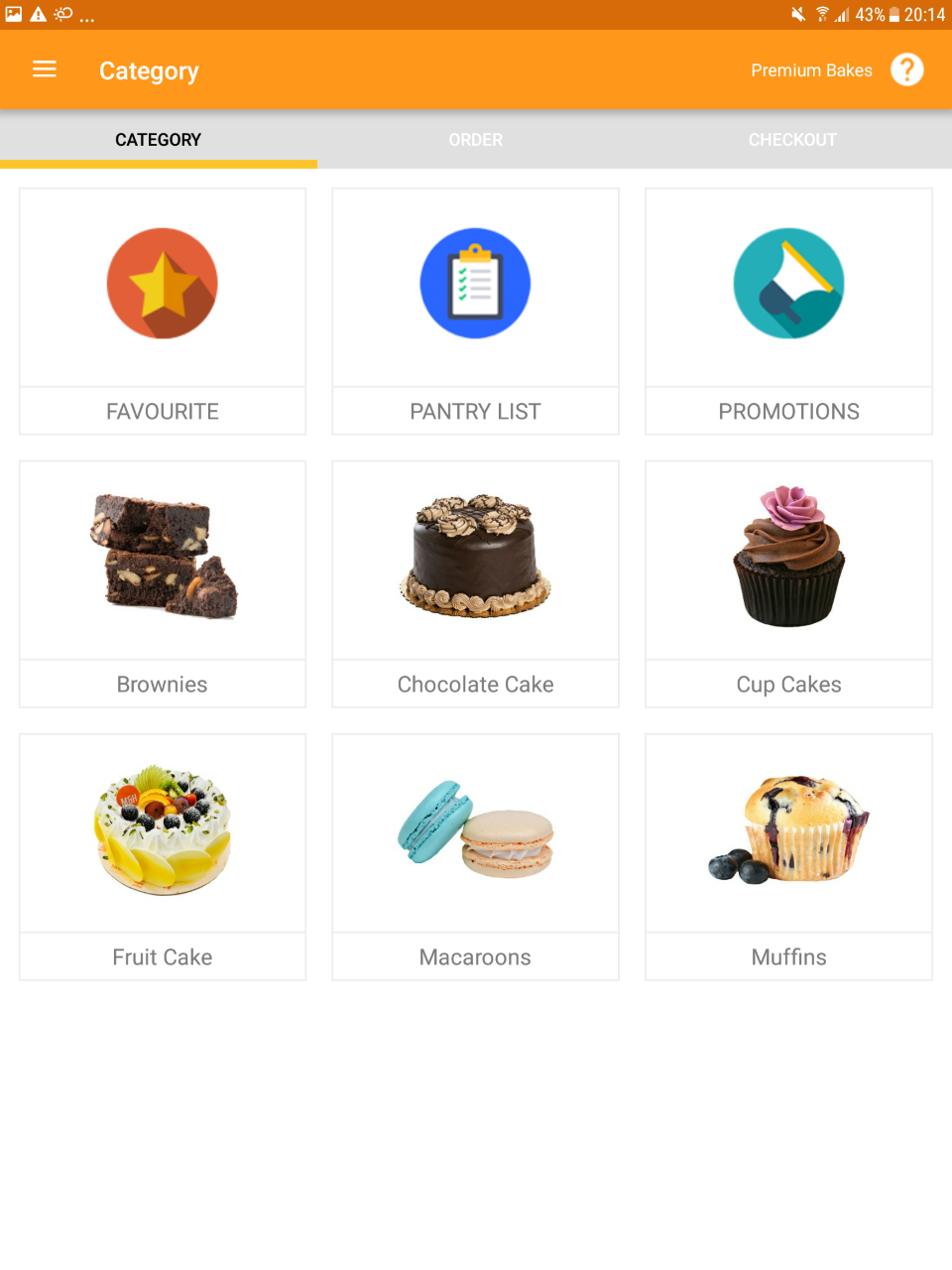
Screenshot of DashboardScreenshot of Product CategoriesScreenshot of Google Leads

Salesforce Sales Cloud Screenshots

Screenshot of Screenshot of Screenshot of Screenshot of Screenshot of Screenshot of

Zendesk Suite Screenshots

Screenshot of the Zendesk Agent WorkspaceScreenshot of Omnichannel MessagingScreenshot of Zendesk TicketingScreenshot of Bots powered by Zendesk AIScreenshot of Tone shift with Zendesk AIScreenshot of Zendesk ticketing side conversations