Parse.ly is a content optimization platform for online publishers. It provides in-depth analytics and helps maximize the performance of the digital content. It features a dashboard geared for editorial and business staff and an API that can be used by a product team to create personalized or contextual experiences on a website.
N/A
Smartlook
Score 8.8 out of 10
Mid-Size Companies (51-1,000 employees)
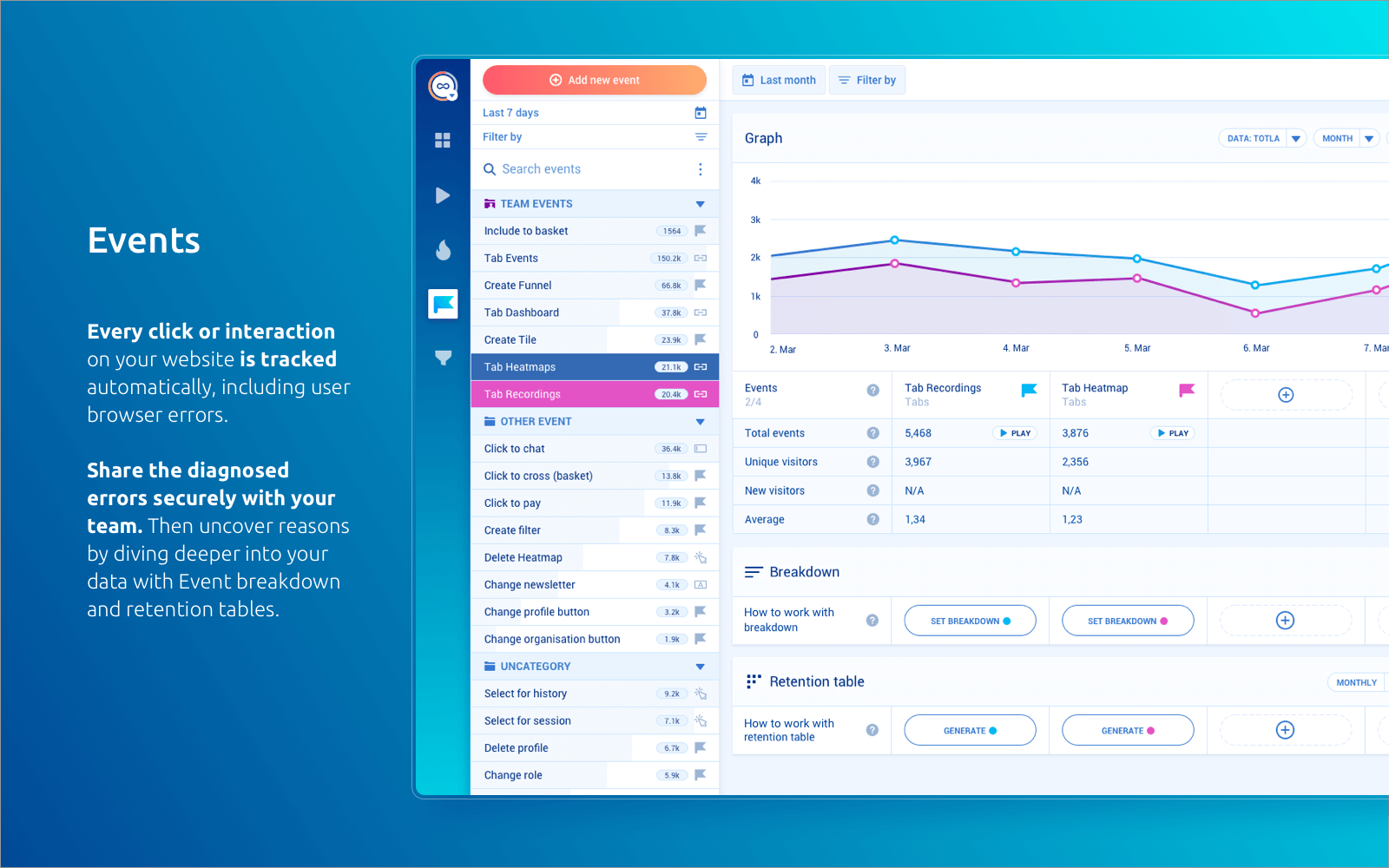
Smartlook is an analytics solution tool for websites, iOS/Android apps, and various app frameworks, that answers the "whys" behind users' actions. It helps users understand precisely how customers interact with website and app — watch recordings, create heatmaps, use automatic tracked events, and build conversion funnels. Data is seen on one central dashboard, which enables sharing and collaborating with colleagues. This is to support clear, data-driven decision-making for product managers,…
$55
per month 5000 sessions
Pricing
Parse.ly
Smartlook
Editions & Modules
No answers on this topic
Pro
$55
per month 5000 sessions
Free
Free forever
per month 3000 sessions
Enterprise
Custom pricing
Offerings
Pricing Offerings
Parse.ly
Smartlook
Free Trial
Yes
Yes
Free/Freemium Version
No
Yes
Premium Consulting/Integration Services
No
No
Entry-level Setup Fee
Required
Optional
Additional Details
—
All Smartlook packages support both web and mobile app platforms.
More Pricing Information
Community Pulse
Parse.ly
Smartlook
Considered Both Products
Parse.ly
Verified User
Anonymous
Chose Parse.ly
Parse.ly provides clearer insights into what stories are performing strongly in real time. Its interface is more user-friendly and it is easy to compare different time periods, titles or author statistics. Chartbeat had a website overlay to show where readers are going on site, …
Parse.ly excels in providing detailed insights into how users are interacting with specific pieces of content, allowing us to make data-driven decisions about content strategy and optimization. Its real-time reporting also provides us with immediate feedback on the …
Doesn't come with an integrated overlay like Chartbeat, but is more intuitive (just) than GA. Seems more accurate and detailed than Chartbeat but less than GA. It's my go-to for day-to-day traffic engagement but monthly I'm more likely to look at in-house GA-generated reports.
Firstly, I didn't make the business decision to use Parse.ly. I'm just an employee using it. However, the first thing you notice is the change in appearance. Parse.ly's dashboard looks far more complicated than Chartbeat's and the black, white, and green theme [are] not as …
Parse.ly has very rich products and market use in media for content analytics. [The] dashboard provides [a] holistic view on the overall site visitor's information and what needs improvements. [The] dashboard is divided based on sections, author, posts, pages, etc., on the site …
Adobe Analytics is our organization's "official" data source and provides a much more in-depth feature set and customizable reporting tool. It's much less user-friendly than Parse.ly but can provide more detailed reporting. Google Analytics is used by my organization as a …
I used Google Analytics for years. I loved it and still love it. Google Analytics isn't as robust as Parse.ly and doesn't have some of the same capabilities, nor do I trust the data as much. But Google Analytics is still really good, and it's free. If I were at a …
Parse.ly is far more user-friendly than Google Analytics, which feels like a developer's tool by comparison. Parse.ly feels like it is designed for ease of access and use. While analyzing trends is more difficult in Google Analytics, it is straightforward in Parse.ly. Google …
I use then in tandem; where Parse.ly lacks, I go over to Google Analytics and vice versa. Sometimes I need to look deeper at referral sources and that is where Parse.ly isn't as strong, especially if I am looking at a bigger set of content.
Parse.ly works better than Google Analytics. This is mainly due to its simplicity whereas Google Analytics can quickly become quite complicated with a lot of moving parts. Parse.ly, on the other hand, is quick to learn and understand while also providing a lot of information.
Parse.ly is easier to use and more self-explanatory than Google Analytics. The site essentially explains itself upon visiting it. Chartbeat was quite good but I believe Parse.ly provides more granular details on web traffic and gives the user more insights into how and why …
Parse.ly is easier to track and to understand for me than the features that Google Analytics offers. Nonetheless, graphics seems to be more complex in Google's environment, which [I feel] can be a weakness for Parse.ly in the case of Data Analysts. Although, both are used in …
I like it more in different aspects such as pricing, capabilities, UI, etc. When it comes to the pricing, I have been using it for many years, and always was easy to use and to see what was happening with conversions. It's the most undervaluable tool these days. When I was …
FullStory is more complex, detailed, better-looking and way more expensive. Therefore I think it makes sense to start with Smartlook at least. FullStory also has yearly plans which is really annoying. Hotjar doesn't have browser error logging which is a huge disadvantage for …
Smartlook is the better overall value of all the solutions we've tried. Hotjar was overpriced, Lucky Orange seems more like an experimental project than a full-fledged product and Mouselflow seems to have some problems dealing with some types of browsers that we did not …
Like I mentioned, Smartlook is younger than FullStory and it seems like they're trying to improve. The dashboards are lacking. I wish I had more control over what I see there instead of the standard. We use the API to determine customer name and company and I'd like to see some …
We use both intensively in our agency. Google Analytics is our first go-to analytics suite, but we often combine it with Smartlook to prove or disprove our hypotheses. Both our web design and marketing projects benefit greatly from this synergy. Google Analytics offers better …
For me, Smartlook gathers everything a product designer or even a product manager needs. We have everything gathered in a single platform, and it's very powerful we can analyze everything we need. It's the only product where recordings are as well done. The UX/UI of the …
Compared to Hotjar, the first, and most important criteria for us is the performance impact on our customers. We've always had problems with Hotjar's rather resource-intensive script, which causes a noticeable degradation even on medium to high-performance client devices. In …
Smartlook is better in tracking events, building advanced funnels, and filtering out the sessions than Hotjar. It's definitely cheaper and more user-friendly than Fullstory.
The thing about Hotjar is they became too big too fast. They forgot what their product was all about and then started to charge an exorbitant amount for what is a glorified heat map. Smartlook has taken into account new features but always kept the essence of what they're …
In terms of analytics, we are still using other products, which are more suited to our needs and more complex. In terms of user behavior and session recording, this is by far the best tool there is!
For people working in online media, or digital content creators, the platform could help them understand their audience and allow them to interact with them in a user-friendly way. Since the digital media industry is booming, Parse.ly can allow the user and the content creators to meet each other's demands and reduce redundancies and bombard the users with unnecessary content.
Smartlook is best for screen recordings. Especially when you are running MVPs. However, its pricing is very high. If your daily visitors are too much then either you will have to lose many of your recordings or you will have to pay too much money.
Real-time metrics are great and help us decide what content to follow up on.
Audience segmenting is key, helps us determine where we're strong and where we're not.
Historical metrics are also helpful in helping us see what readers come back to overtime, which drives decisions about what content to devote more resources to producing.
Events -- but I think this is something that we could improve ourselves in our system.
Create some suggestions for funnels and heatmaps.
Give general insights for a certain period of time, e.g. from Oct. 7th to 12th, 75 users left the checkout step and 60% of them left due to a payment issue. IDK just bringing some ideas!
Cost is always a factor when considering any renewal, so we will always see how that compares to other offerings, but we have been pleased with the functionality from Parse.ly. Importantly, it has engaged news teams, and writers can easily assess their own performance--it is not just a management tool. This wider take-up makes it more likely that we would renew.
As my ratings show, I have been absolutely delighted with Smartlook in terms of usability, cost, support, and its benefit to our organization. I have given it such high ratings because I think it has really benefitted our organization and I think it could do the same for other companies too.
The Parse.ly platform is very user-friendly and easy to use. User management is simple, and reporting setup only takes a few minutes. They provide very helpful documentation for implementing the scripts on your site and have great customer support to help with custom development such as implementing their content recommendation engine.
Smartlook is very intuitive and simple for an average programmer (I don't know if it will be as simple for a normal user). We have never had to resort to looking for information on the web or ask for help for something we didn't understand or didn't work as expected.
Seems to be more bugs than I encounter in Google Analytics, but Parse.ly is always very quick to answer my questions or fix something. It seems like most of my issues are due to communications around my requests being outside of the package we pay for with this tool (i.e., only two years of data).
I am always very happy when a company offers the option to use online chat, as I do not like to call customer support and writing an email is just too slow and cumbersome. I did not even expect a reply right away, yet it took the customer support team less than a minute to respond to my problem.
Parse.ly excels in providing detailed insights into how users are interacting with specific pieces of content, allowing us to make data-driven decisions about content strategy and optimization. Its real-time reporting also provides us with immediate feedback on the effectiveness of content changes, which is particularly important for content-heavy sites that need to iterate quickly.
Like I mentioned, Smartlook is younger than FullStory and it seems like they're trying to improve. The dashboards are lacking. I wish I had more control over what I see there instead of the standard. We use the API to determine customer name and company and I'd like to see some custom dashboards.
Sometimes in meetings our editorial director will point out stories that didn't perform well. To us, that means readers don't really care about the topic, so we'll pivot away from writing about that in the future. That might not be "business objectives" though.
We have increased the conversion rate from the beginning till now with 120%.
We redesigned our landing pages and decreased the bounce rate by 41%.
We rethinked and redesigned our menu structure and internal site linking to increase the time users spent on our site based on the data we got from Smartlook analysis.