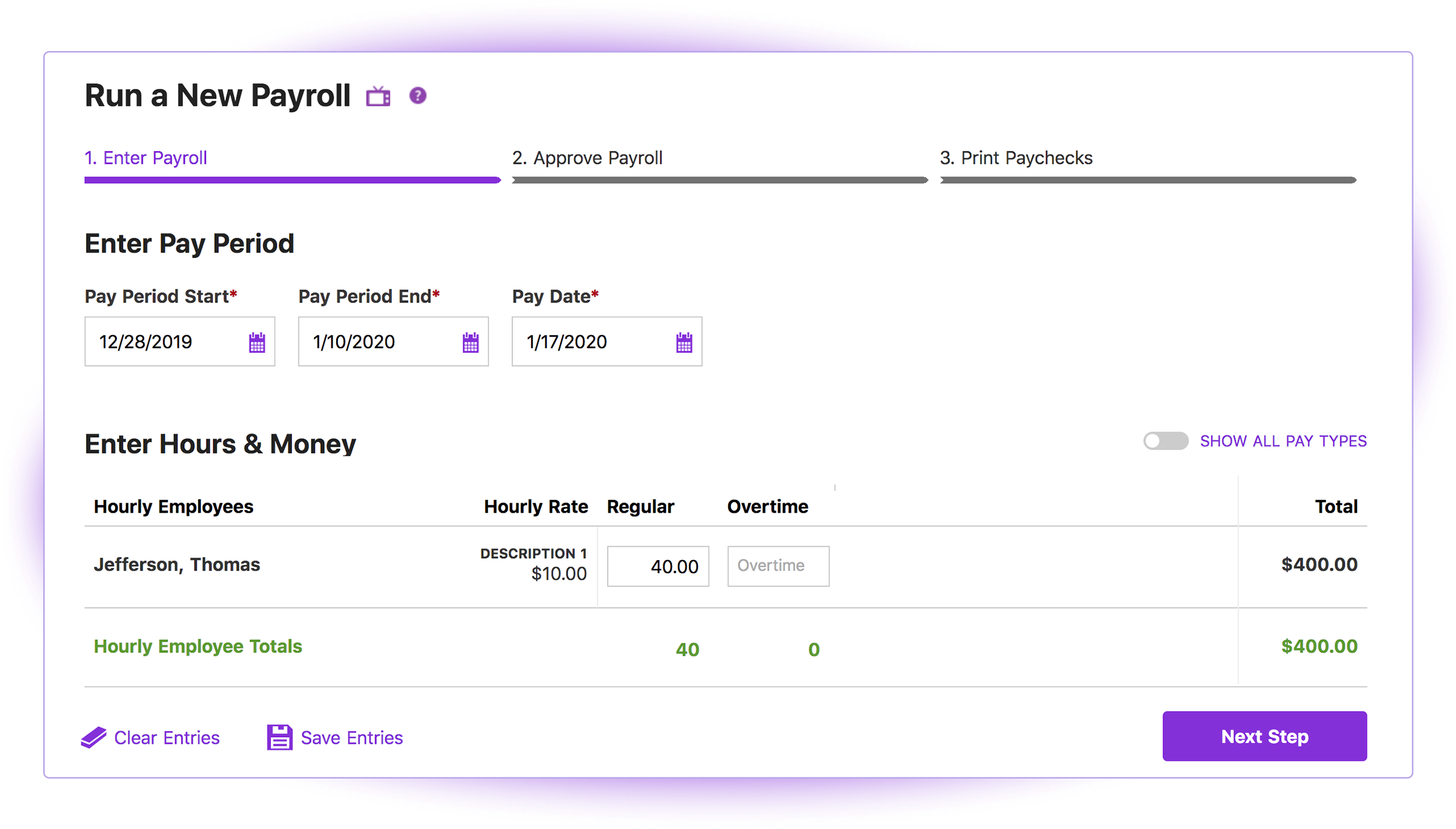
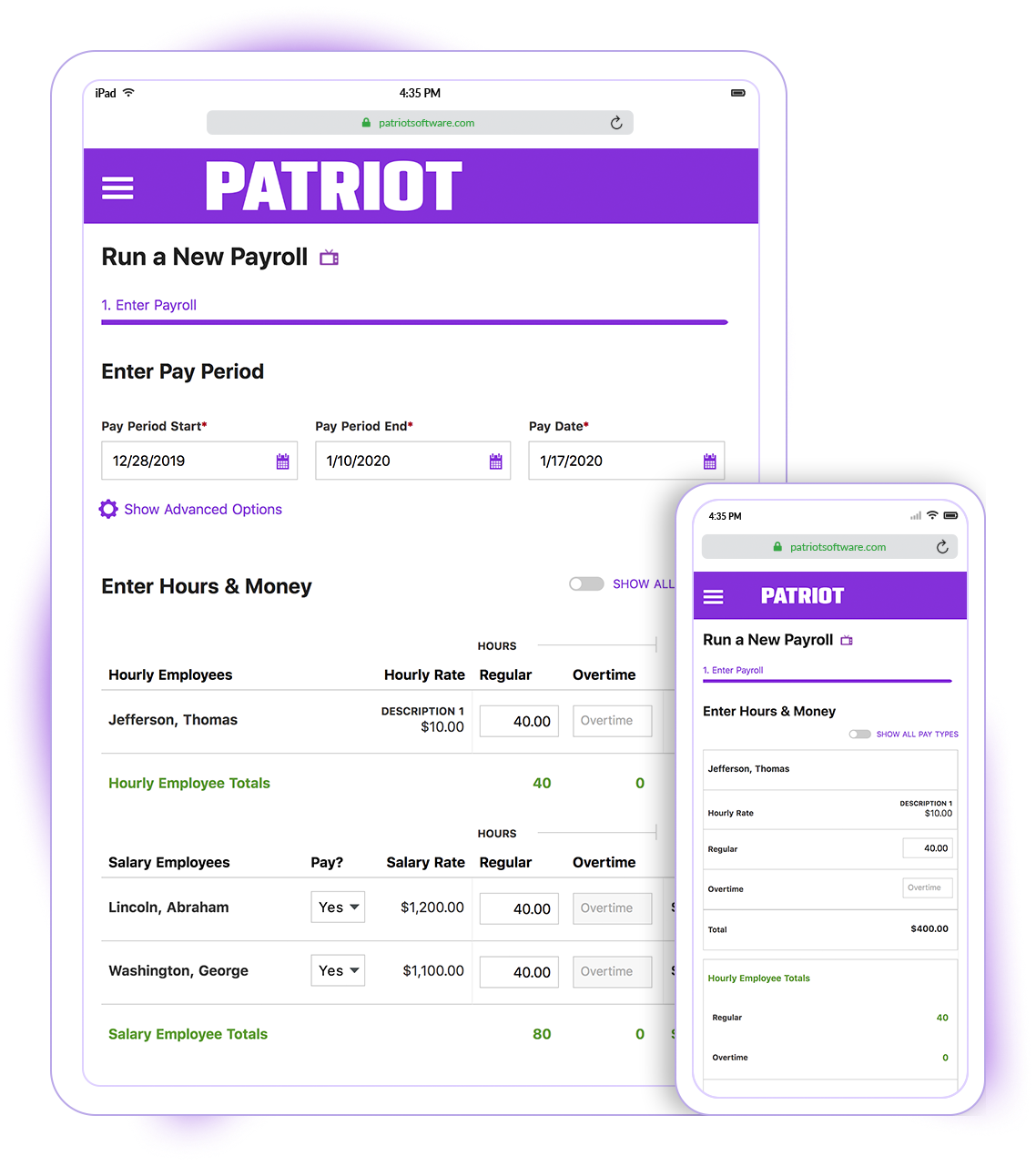
Patriot Software headquartered in Canton, Ohio offers Patriot PAY, their benefits administration and payroll software.
$17
per month
Paychex
Score6.9 out of 10
N/A
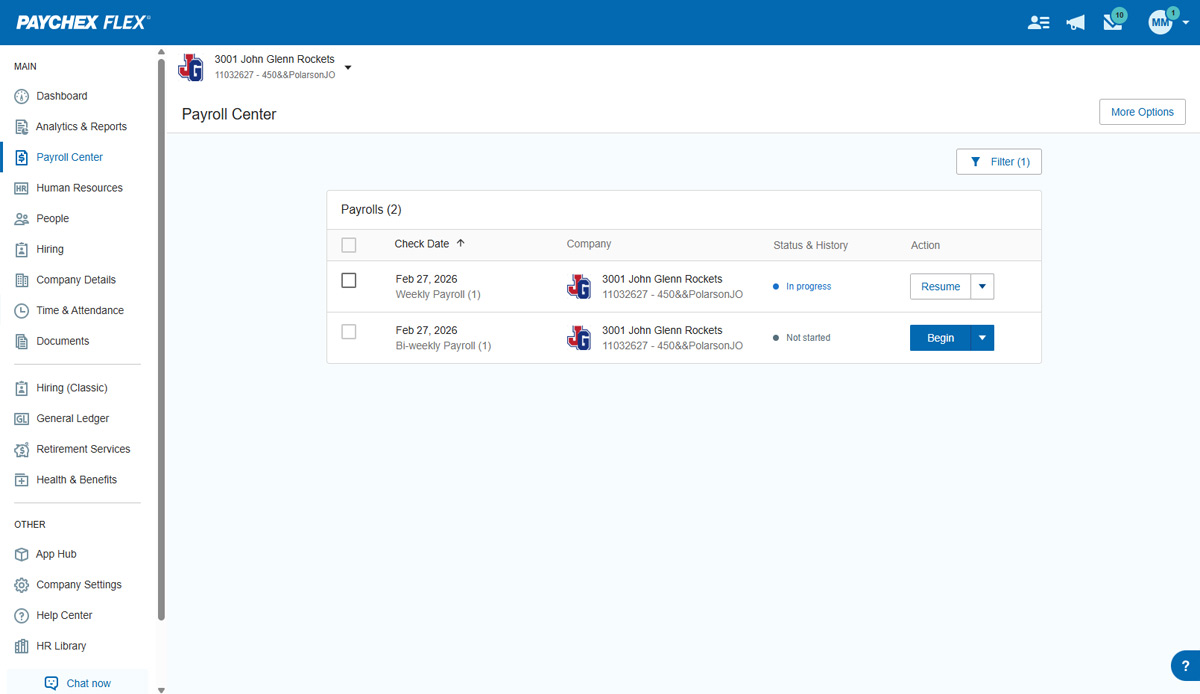
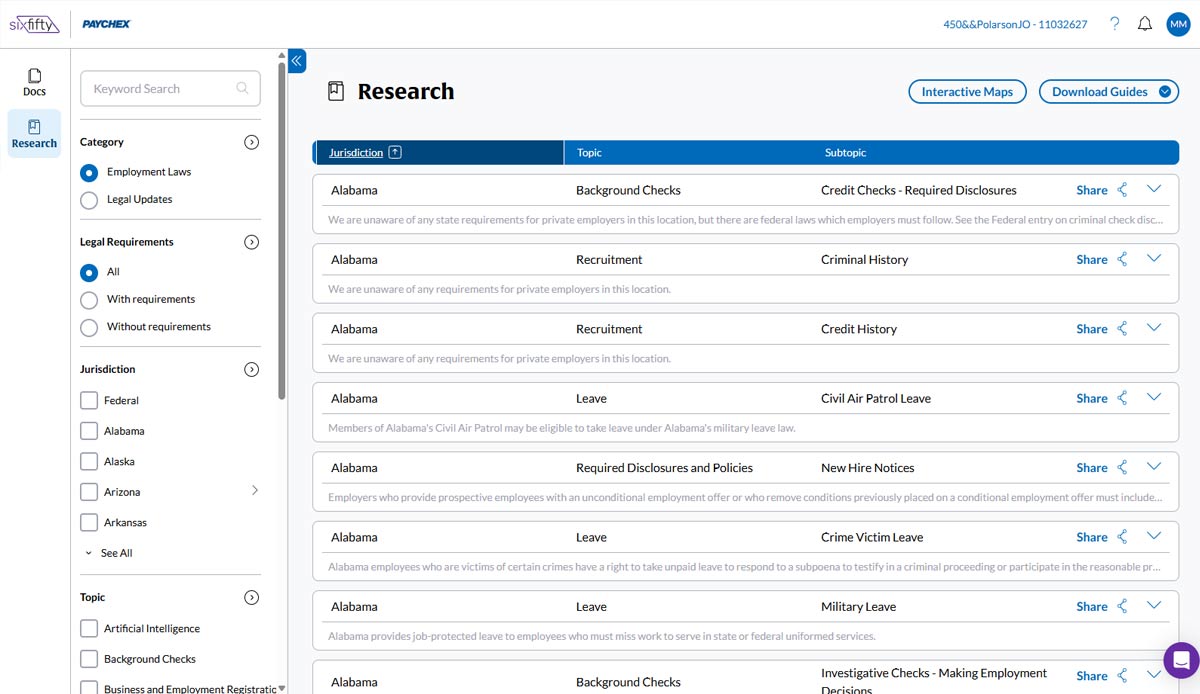
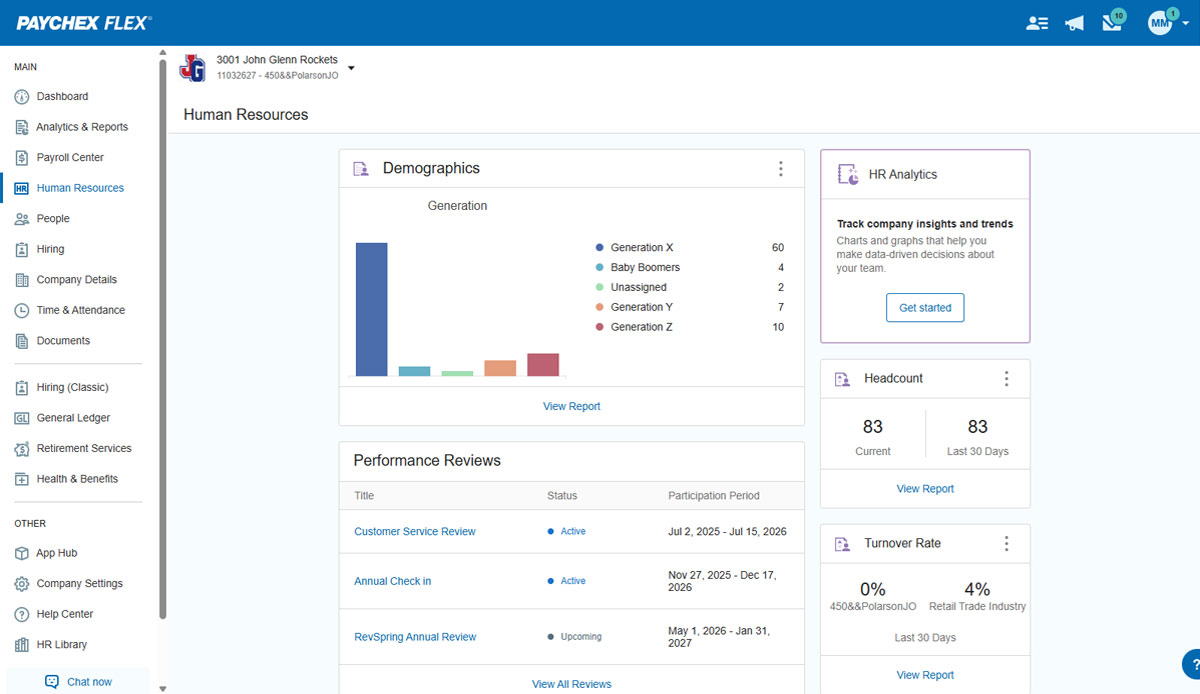
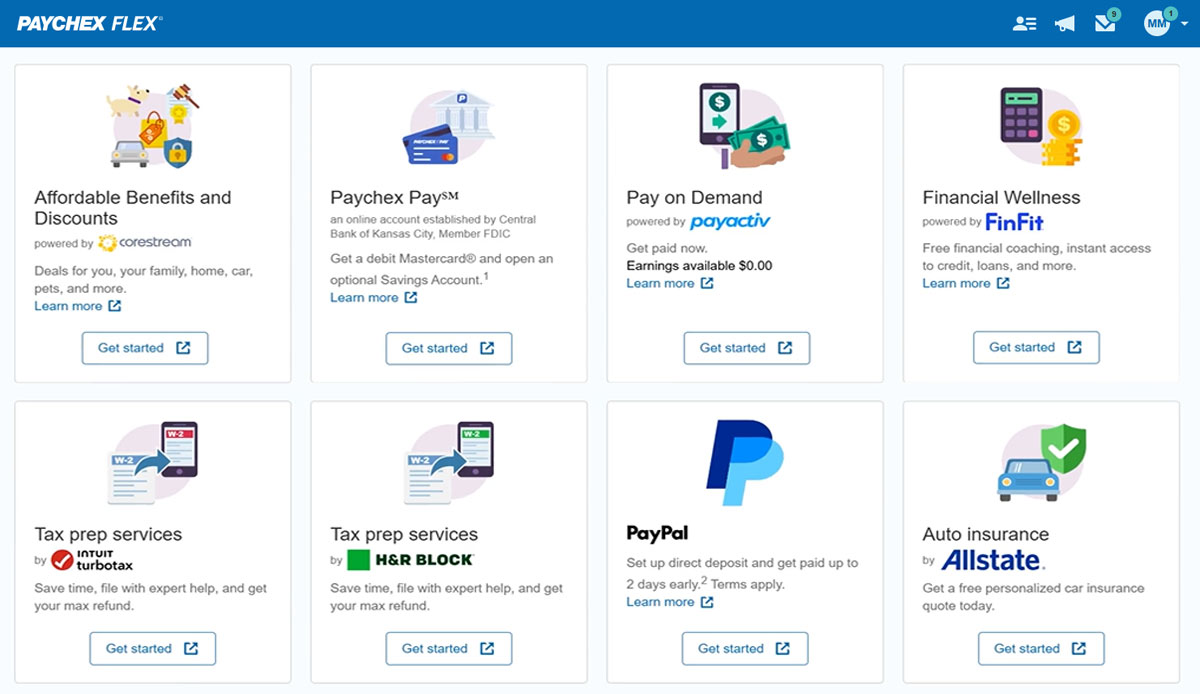
Paychex Flex, of Paychex' Online Payroll Services, is a cloud-based human resource management and payroll platform. Paychex offers core and specialized services, and scales to meet the needs of small businesses, SMBs, and large enterprises.
N/A
Pricing
Patriot Payroll
Paychex
Editions & Modules
Basic Payroll
$17/mo + $4 per employee/contractor
Accounting Basic
$20/mo (unlimited use)
Accounting Premium
$30/mo (unlimited use)
Full Service Payroll
$37/mo + $4 per employee/contractor
Paychex Flex Pro
Custom Pricing
per month/+$4 per employee
HR Pro
Custom Pricing
HR PEO
Custom Pricing
Paychex Flex Select
Custom Pricing
Paychex Flex Enterprise
Custom Pricing
Offerings
Pricing Offerings
Patriot Payroll
Paychex
Free Trial
Yes
No
Free/Freemium Version
No
No
Premium Consulting/Integration Services
No
No
Entry-level Setup Fee
No setup fee
Required
Additional Details
Patriot Software has two payroll options to choose from: Basic Payroll, and Full Service payroll software. Both start with a simple three-step payroll process. With the Full Service Payroll, Patriot will collect, deposit, and file federal, state, and local payroll taxes on the customer's behalf; end-of-the-year payroll tax filing is included at no extra charge.
Print W2s on 8 x 1/2 x 11 plain white office paper to hand to employees, or post to the free employee portal. Also, Patriot Software offers free direct deposit.
Paralegal and Office Manager in Finance and Accounting at Hogan & Vandenberg LLC (Law Practice, 1-10 employees)
Chose Patriot Payroll
I prefer Patriot to Paychex for several reasons. First of all, for a small business with less than 10 employees, the fees charged by Paychex are unnecessary overhead when Patriot offers high quality and more than sufficient tools to perform the same tasks. Paychex also does not …
A de minimis incentive was given to thank the reviewer for their time. The incentive was not used to bias or drive a particular response, nor was the incentive contingent on a positive endorsement. More Info
Owner in Marketing at Prime Marketing Experts (Marketing & Advertising, 1-10 employees)
Chose Patriot Payroll
Paychex is considerably more expensive software granted they have services and analytics that are not available in Patriot. I am a small business with a tight budget, and that's why I ultimately selected Patriot Software because I can reinvest the savings in so many ways.
A de minimis incentive was given to thank the reviewer for their time. The incentive was not used to bias or drive a particular response, nor was the incentive contingent on a positive endorsement. More Info
Owner in Manufacturing at Grandma's Gourmets (Food Production, 1-10 employees)
Chose Paychex
Paychex is light years ahead. They are so much more client oriented and pleasant to work with. For about the same money I would pick Paychex every time.
A de minimis incentive was given to thank the reviewer for their time. The incentive was not used to bias or drive a particular response, nor was the incentive contingent on a positive endorsement. More Info
Patriot PAY is well-suited to a company that has a 10-day window between the end of the pay period and the payday. The company size makes very little difference and it is easy to use for any company. It is also very progressive in development and improvement. If a company has a small window for turn-around, but fairly consistent payroll amounts (such as a lot of salary workers), Patriot PAY might also be a good fit for them.
Companies with tight turn-around times or payrolls that vary significantly in direct deposit amounts might have difficulty using Patriot PAY.
A de minimis incentive was given to thank the reviewer for their time. The incentive was not used to bias or drive a particular response, nor was the incentive contingent on a positive endorsement. More Info
It is best suited for payrolls from 1 to 150 employees, because their constant attention and flex system are easy to use. Any problem is taking care by your Paychex Agent, and they always listen to you. Better yet, when you become a client with more than 5 years, you get special discount on your renewal. Honestly, I can't not think on nothing that will be less appropriate.
A de minimis incentive was given to thank the reviewer for their time. The incentive was not used to bias or drive a particular response, nor was the incentive contingent on a positive endorsement. TR verified that a representative sample of customers was invited. More Info
It is simple, intuitive and straightforward in its design. Someone with little experience with roles in human resources roles, bookkeeping or payroll can quickly learn how to set-up the software and run payroll regularly by reading through the support portion of the site, or by contacting the helpful staff at Patriot. Patriot staff have walked me through issues or guided me on the phone as I learned how to use a function of the software.
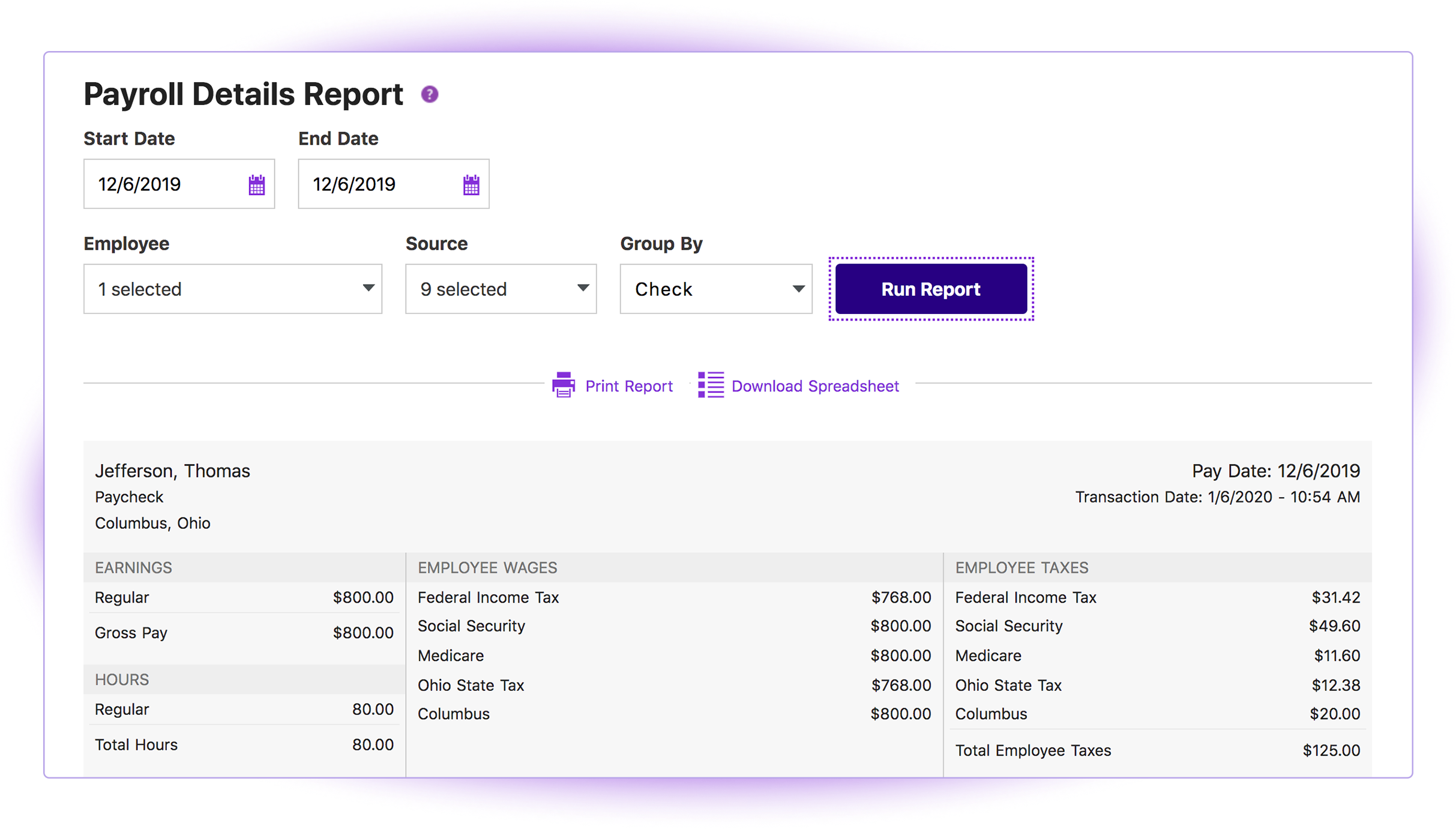
Patriot provides comprehensive quarterly tax filing records, including 941s, state unemployment compensation tax payments, state employer's tax and local employer's tax filings. You can also generate payroll or tax deposit reports over a specific time period or per employee.
The support and FAQ pages available on Patriot are very practical and written in an easy to understand manner. Using the information provided there, I was able to properly set up new employees according to local and state filing requirements.
A de minimis incentive was given to thank the reviewer for their time. The incentive was not used to bias or drive a particular response, nor was the incentive contingent on a positive endorsement. More Info
A de minimis incentive was given to thank the reviewer for their time. The incentive was not used to bias or drive a particular response, nor was the incentive contingent on a positive endorsement. TR verified that a representative sample of customers was invited. More Info
Connecting with outside software - we have an issue of Patriot not recognizing donors when connected to other websites when all the information is the same minus a middle initial
Giving an error page when something small is off. Instead of giving an easy to fix error notification, Patriot brings the user to an error page and they have to reenter everything.
Fixing dates easily. If a date is entered incorrectly, 8/13/21 instead of 2021, an error pop up appears but the user has to click enter/okay many times or refresh the page in order to fix this issue.
Enter vs Tab key - Patriot loves the tab key but if the user clicks enter instead, many times it brings them to the home page.
A de minimis incentive was given to thank the reviewer for their time. The incentive was not used to bias or drive a particular response, nor was the incentive contingent on a positive endorsement. More Info
I understand logging you out is a security function, but I'd prefer it not to log you out so soon.
The training we received for the team's meeting was subpar, in my opinion. Probably better geared for people with little to no computer experience. Very slow pace; we could have easily received all of this from some tutorials in a few minutes.
A de minimis incentive was given to thank the reviewer for their time. The incentive was not used to bias or drive a particular response, nor was the incentive contingent on a positive endorsement. TR verified that a representative sample of customers was invited. More Info
A de minimis incentive was given to thank the reviewer for their time. The incentive was not used to bias or drive a particular response, nor was the incentive contingent on a positive endorsement. More Info
Overall I like the features that Paychex Flex offers. I am sure that there are other features that I am unaware of, so I am excited to see if there is more that Flex is capable of to make my job easier. The basic features are really user friendly and easy to access. If there ever is an issue customer service is great
A de minimis incentive was given to thank the reviewer for their time. The incentive was not used to bias or drive a particular response, nor was the incentive contingent on a positive endorsement. More Info
I think it is great once things are setup as for general user looking to look for simple things like a copy of a paystub or a current pay rate for an employee. However, to find specialized things like a state withholding number or payroll integration settings those do require a bit more digging to find or possibly a call to customer service for help.
A de minimis incentive was given to thank the reviewer for their time. The incentive was not used to bias or drive a particular response, nor was the incentive contingent on a positive endorsement. More Info
Once you are set up in the system, it is very user-friendly and usability is on par with my expectations. Onboarding new employees is simple, employee access is simple and easy for them to use. Tax documentation, reporting, and entering payroll is easy and user-friendly. Running reports and finding information necessary to keep the flow moving foward is easy to do
A de minimis incentive was given to thank the reviewer for their time. The incentive was not used to bias or drive a particular response, nor was the incentive contingent on a positive endorsement. More Info
We have not experienced any difficulties with unplanned outages. Notifications are always made for outages, and they do not effect normal business operations.
A de minimis incentive was given to thank the reviewer for their time. The incentive was not used to bias or drive a particular response, nor was the incentive contingent on a positive endorsement. More Info
Unless there is lag time within the internet, the Paychex Flex website loads exceptional fast, pages load quickly and reports that I need to print or download load quickly. If I need to create a specialized report, once I complete it I receive an e-mail telling me my report is ready to be downloaded. Changing between web pages is fast as well.
A de minimis incentive was given to thank the reviewer for their time. The incentive was not used to bias or drive a particular response, nor was the incentive contingent on a positive endorsement. More Info
Generally speaking it is pretty good that when I need to call somebody up for a payroll question I can generally within five minutes get somebody on the phone and they can help me resolve the problem or specify where specifically I need to go or contact to find my answers. However, that being said, for my specific situation as a partner my assigned contact has not always been very responsive.
A de minimis incentive was given to thank the reviewer for their time. The incentive was not used to bias or drive a particular response, nor was the incentive contingent on a positive endorsement. More Info
The dedicated support we are given is good and very responsive. If there is a change to the dedicated support, we are notified quickly and have temporary support in place while we wait for our new rep. The phone support is knowledgeable and quick to help if there is an immediate need. However, the chat support can be the slowest option and doesn't always launch so I rarely use it.
A de minimis incentive was given to thank the reviewer for their time. The incentive was not used to bias or drive a particular response, nor was the incentive contingent on a positive endorsement. TR verified that a representative sample of customers was invited. More Info
A de minimis incentive was given to thank the reviewer for their time. The incentive was not used to bias or drive a particular response, nor was the incentive contingent on a positive endorsement. More Info
It was easy to understand and follow along. I do like the informational videos that we can utilize before we opt to call in for customer service support. It has made a difference since sometimes that resolves the issue I may have had and saved myself a phone call to Paychex support.
A de minimis incentive was given to thank the reviewer for their time. The incentive was not used to bias or drive a particular response, nor was the incentive contingent on a positive endorsement. More Info
Implementation was very smooth. The most cumbersome task was entering the current employees into the system during initial set up, but Paychex staff handled most of that and verified against prior system reports as well as internal reports provided to ensure 100% accuracy.
A de minimis incentive was given to thank the reviewer for their time. The incentive was not used to bias or drive a particular response, nor was the incentive contingent on a positive endorsement. More Info
I briefly used Intuit Online Payroll, and it was expensive, had no support, and was very frustrating to use. I also used 3 local tax companies for payroll - they were extremely expensive and messed up all of the time. Their employee turnover was very annoying (and it seemed to happen every other month) and each employee did things differently. When I let one of my employees go, the last company paid them after termination (2 weeks of salary), and had to get into a legal battle because the employee would not give the money back.
A de minimis incentive was given to thank the reviewer for their time. The incentive was not used to bias or drive a particular response, nor was the incentive contingent on a positive endorsement. More Info
In addition to the ones listed above, we also used BenePay, a local payroll company. We found Paychex Flex priced in the middle, with ADP the most expensive and too complicated, with many features that were unnecessary for us. We found that Paychex Flex's features and reporting to be sized right for our size (around 30 employees). Paychex Flex also offered a very reasonable service to apply for the ERTC
A de minimis incentive was given to thank the reviewer for their time. The incentive was not used to bias or drive a particular response, nor was the incentive contingent on a positive endorsement. TR verified that a representative sample of customers was invited. More Info
I generally do payroll at the office, however I have had to go remote due to internet issues and also had to take payroll on vacation with me. Very easy to log in wherever you are and manage your TAA and payroll
A de minimis incentive was given to thank the reviewer for their time. The incentive was not used to bias or drive a particular response, nor was the incentive contingent on a positive endorsement. More Info
A de minimis incentive was given to thank the reviewer for their time. The incentive was not used to bias or drive a particular response, nor was the incentive contingent on a positive endorsement. More Info
A de minimis incentive was given to thank the reviewer for their time. The incentive was not used to bias or drive a particular response, nor was the incentive contingent on a positive endorsement. More Info