
Sage 300 vs. Webexpenses
Sage 300 vs. Webexpenses
| Product | Rating | Most Used By | Product Summary | Starting Price |
|---|---|---|---|---|
 Sage 300 | N/A | Sage 300 (formerly Sage 300 ERP) is a business management solution that includes strong accounting and financials, as well as multi-currency and multi-language capabilities. Built on accounting best practices, users will be able to track, control, and plan the financial health of their business. | $1,655 Lifetime License per Seat | |
 Webexpenses | N/A | Webexpenses is a global provider of spend management solutions, combining integrated Expense Cards with cloud-based software for businesses of all sizes across 70+ countries. Serving industries such as retail, finance, technology, construction, and not-for-profit, Webexpenses gives businesses control over company spending by automating processes, proactively enforcing policies, and controlling costs. Features The Webexpenses platform includes both desktop… | $10.13 per month per user |
| Sage 300 | Webexpenses | |||||||||||||||
|---|---|---|---|---|---|---|---|---|---|---|---|---|---|---|---|---|
| Editions & Modules |
|
| ||||||||||||||
| Offerings |
| |||||||||||||||
| Entry-level Setup Fee | No setup fee | $250 one-time fee per installation | ||||||||||||||
| Additional Details | Our pricing is by module and by license and can range depending on what the customers requirements are. Most of our financial and operational modules are $1655.00 each, plus user license, plus an annual business care of 24%. | These USD amounts are approximate and provided for guidance only. As exchange rates fluctuate daily with market movements, the actual USD equivalent will vary over time and may differ at the point of transaction or when a formal USD price list is established. | ||||||||||||||
| More Pricing Information | ||||||||||||||||
| Sage 300 | Webexpenses |
|---|
| Sage 300 | Webexpenses | ||||||||||||||||||||||||||||||||||||||||||||||||||||||||||||||||||
|---|---|---|---|---|---|---|---|---|---|---|---|---|---|---|---|---|---|---|---|---|---|---|---|---|---|---|---|---|---|---|---|---|---|---|---|---|---|---|---|---|---|---|---|---|---|---|---|---|---|---|---|---|---|---|---|---|---|---|---|---|---|---|---|---|---|---|---|
| Payroll Management |
| ||||||||||||||||||||||||||||||||||||||||||||||||||||||||||||||||||
| Customization |
| ||||||||||||||||||||||||||||||||||||||||||||||||||||||||||||||||||
| Security |
| ||||||||||||||||||||||||||||||||||||||||||||||||||||||||||||||||||
| Reporting & Analytics |
| ||||||||||||||||||||||||||||||||||||||||||||||||||||||||||||||||||
| General Ledger and Configurable Accounting |
| ||||||||||||||||||||||||||||||||||||||||||||||||||||||||||||||||||
| Inventory Management |
| ||||||||||||||||||||||||||||||||||||||||||||||||||||||||||||||||||
| Order Management |
| ||||||||||||||||||||||||||||||||||||||||||||||||||||||||||||||||||
| Expense Management |
| ||||||||||||||||||||||||||||||||||||||||||||||||||||||||||||||||||
| Payment Management |
|
| Sage 300 | Webexpenses | |
|---|---|---|
| Small Businesses |  QuickBooks Self-Employed (discontinued) Score 4.7 out of 10 |  Dext Score 9.5 out of 10 |
| Medium-sized Companies |  Intuit Enterprise Suite Score 9.2 out of 10 |  Expensify Score 9.1 out of 10 |
| Enterprises |  SAP Cloud ERP (SAP S/4HANA Cloud) Score 8.6 out of 10 |  Darwinbox Score 8.7 out of 10 |
| All Alternatives | View all alternatives | View all alternatives |
| Sage 300 | Webexpenses | |
|---|---|---|
| Likelihood to Recommend | 7.6 (21 ratings) | 8.6 (824 ratings) |
| Likelihood to Renew | 8.4 (2 ratings) | 9.3 (50 ratings) |
| Usability | 8.0 (5 ratings) | 8.6 (824 ratings) |
| Availability | - (0 ratings) | 9.8 (11 ratings) |
| Performance | - (0 ratings) | 9.9 (10 ratings) |
| Support Rating | 8.6 (3 ratings) | 8.5 (377 ratings) |
| In-Person Training | - (0 ratings) | 9.5 (5 ratings) |
| Online Training | - (0 ratings) | 9.8 (6 ratings) |
| Implementation Rating | - (0 ratings) | 8.4 (20 ratings) |
| Configurability | - (0 ratings) | 6.4 (9 ratings) |
| Ease of integration | - (0 ratings) | 7.3 (3 ratings) |
| Product Scalability | - (0 ratings) | 9.8 (11 ratings) |
| Vendor post-sale | - (0 ratings) | 8.7 (4 ratings) |
| Vendor pre-sale | - (0 ratings) | 9.1 (4 ratings) |
| Sage 300 | Webexpenses | |
|---|---|---|
| Likelihood to Recommend |  Sage
| Webexpenses
|
| Pros | Sage
| Webexpenses
 Perry Amadon, CPA Controller |
| Cons | Sage
 iain Stephen Information Systems Manager | Webexpenses
|
| Likelihood to Renew | Sage
| Webexpenses
|
| Usability | Sage
| Webexpenses
|
| Reliability and Availability | Sage No answers on this topic | Webexpenses
|
| Performance | Sage No answers on this topic | Webexpenses
|
| Support Rating | Sage
| Webexpenses
|
| In-Person Training | Sage No answers on this topic | Webexpenses
|
| Online Training | Sage No answers on this topic | Webexpenses
|
| Implementation Rating | Sage No answers on this topic | Webexpenses
|
| Alternatives Considered | Sage
| Webexpenses |
| Scalability | Sage No answers on this topic | Webexpenses
|
| Return on Investment | Sage
| Webexpenses
|
| ScreenShots | Webexpenses Screenshots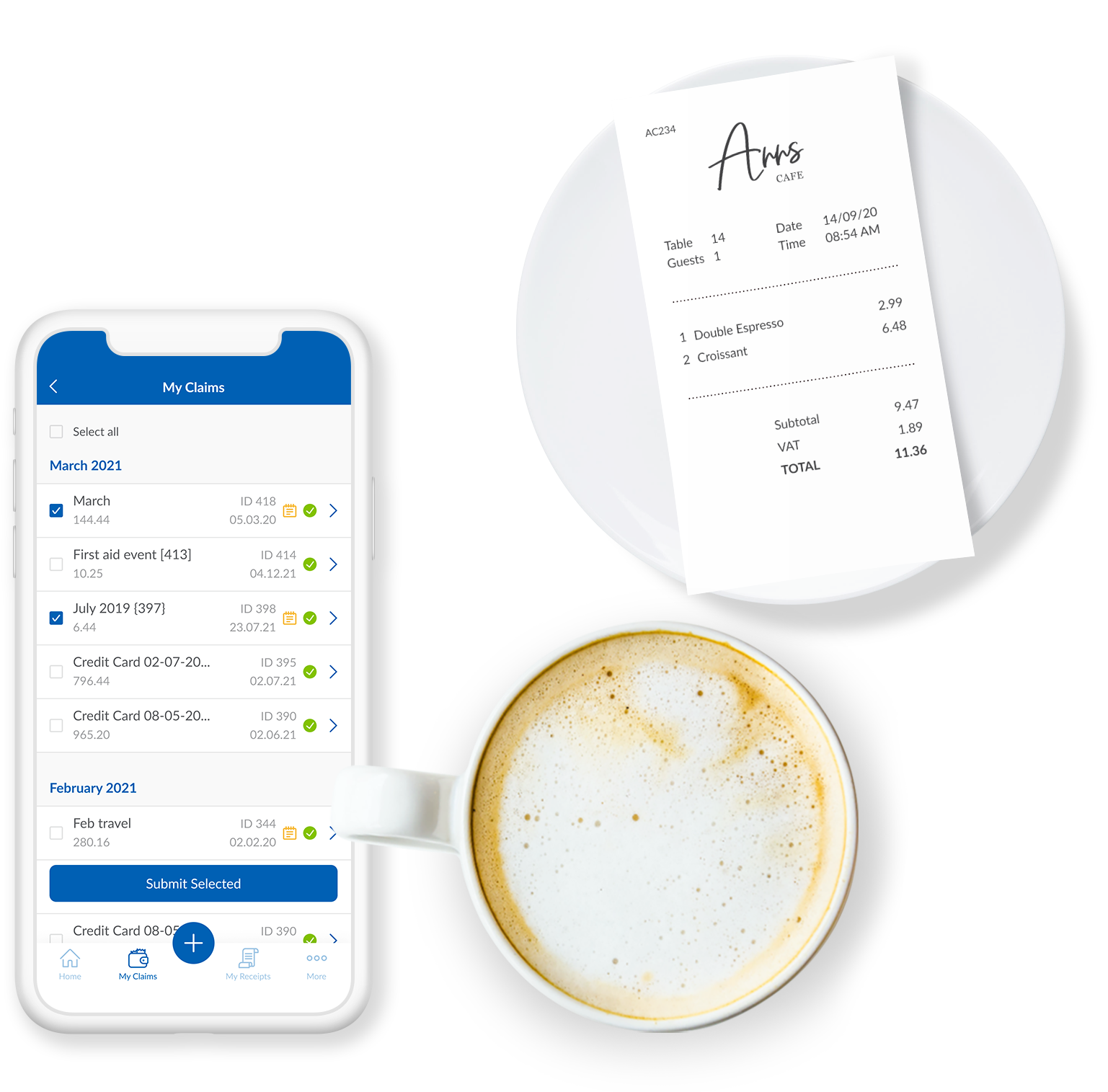      |