SurveyMonkey provides free, customizable surveys, and a suite of paid, back-end programs that include data analysis, sample selection, bias elimination, and data representation tools. SurveyMonkey also offers large-scale, enterprise options for companies interested in data analysis, brand management, and consumer focused marketing.
$99
per month
UserVoice
Score9.5 out of 10
N/A
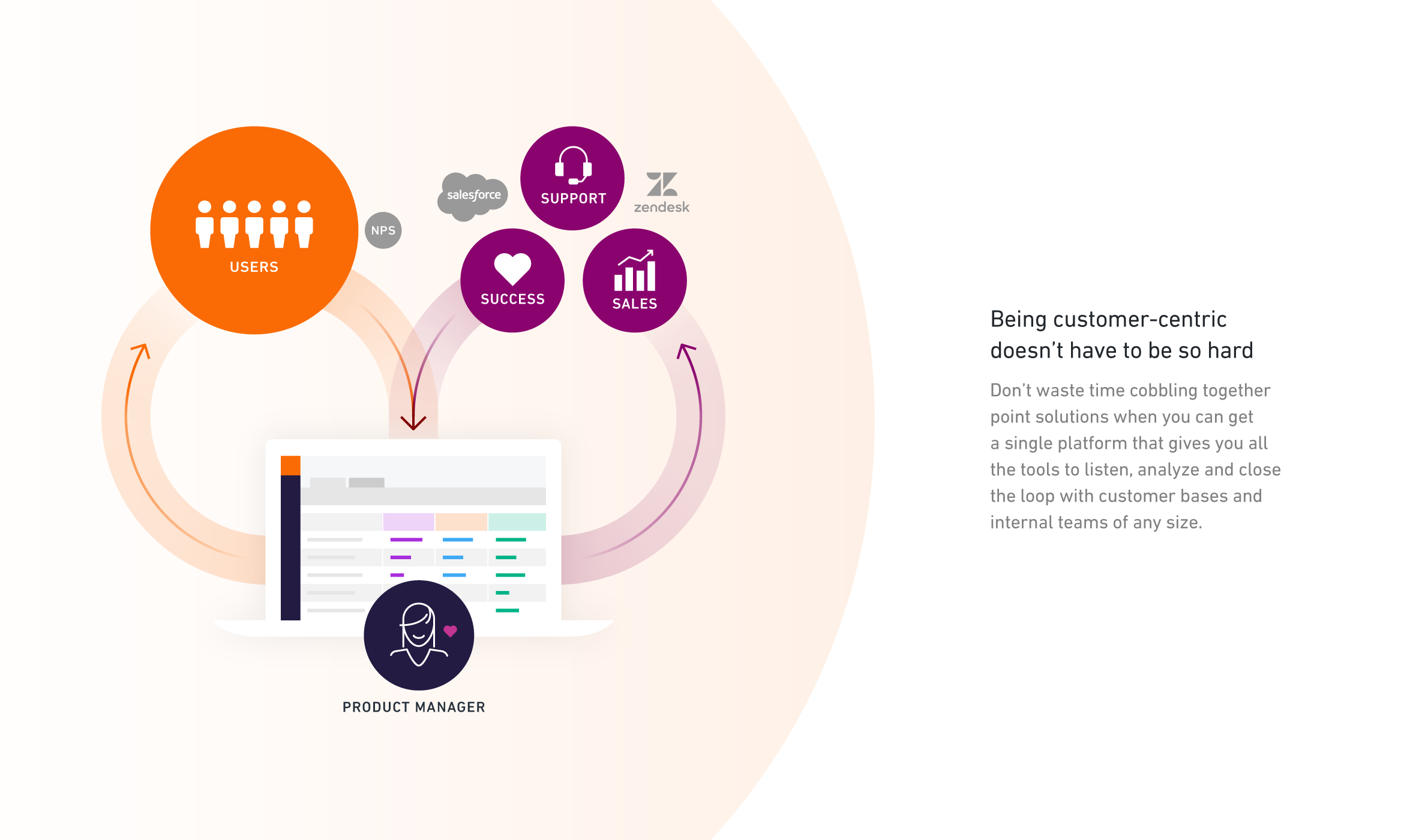
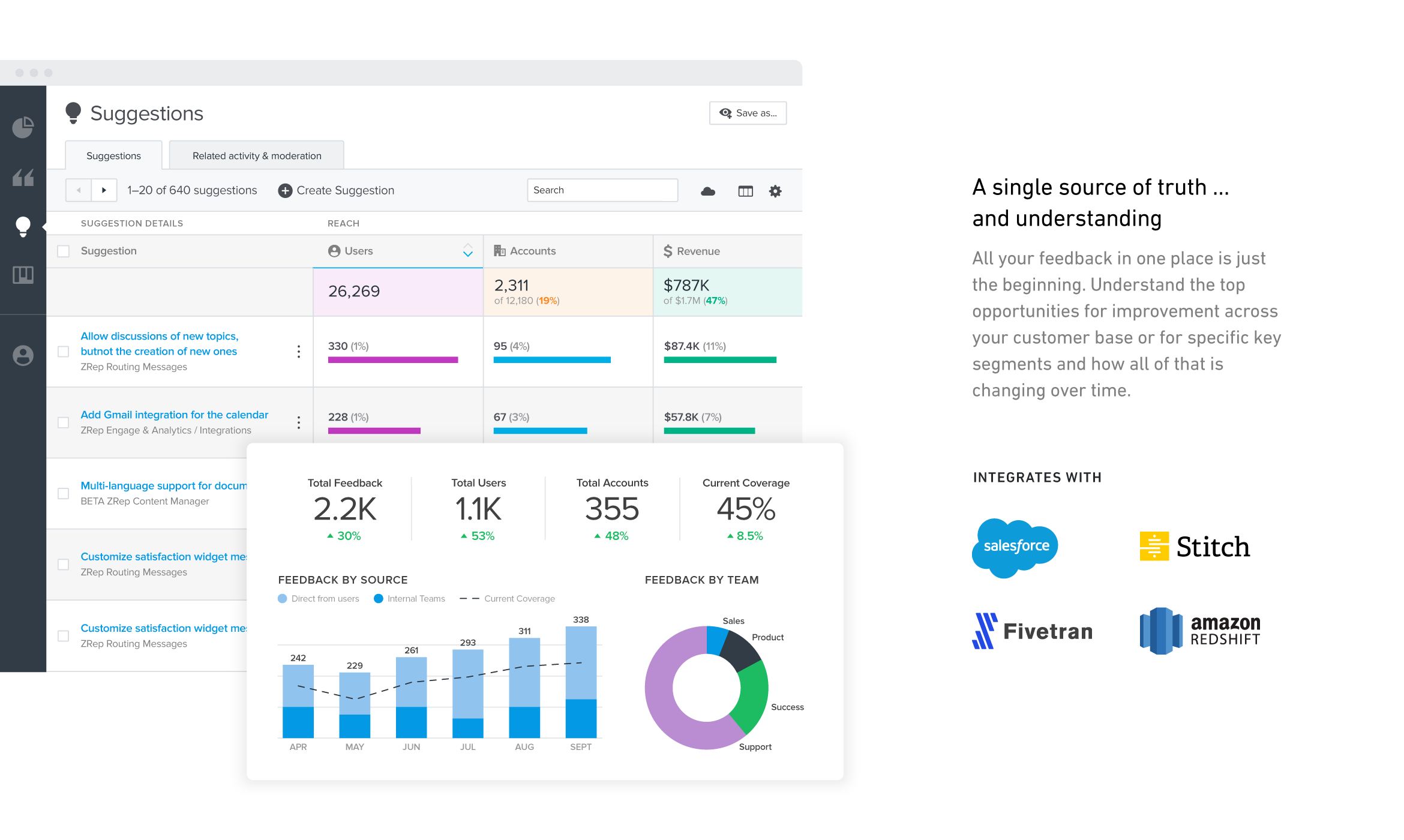
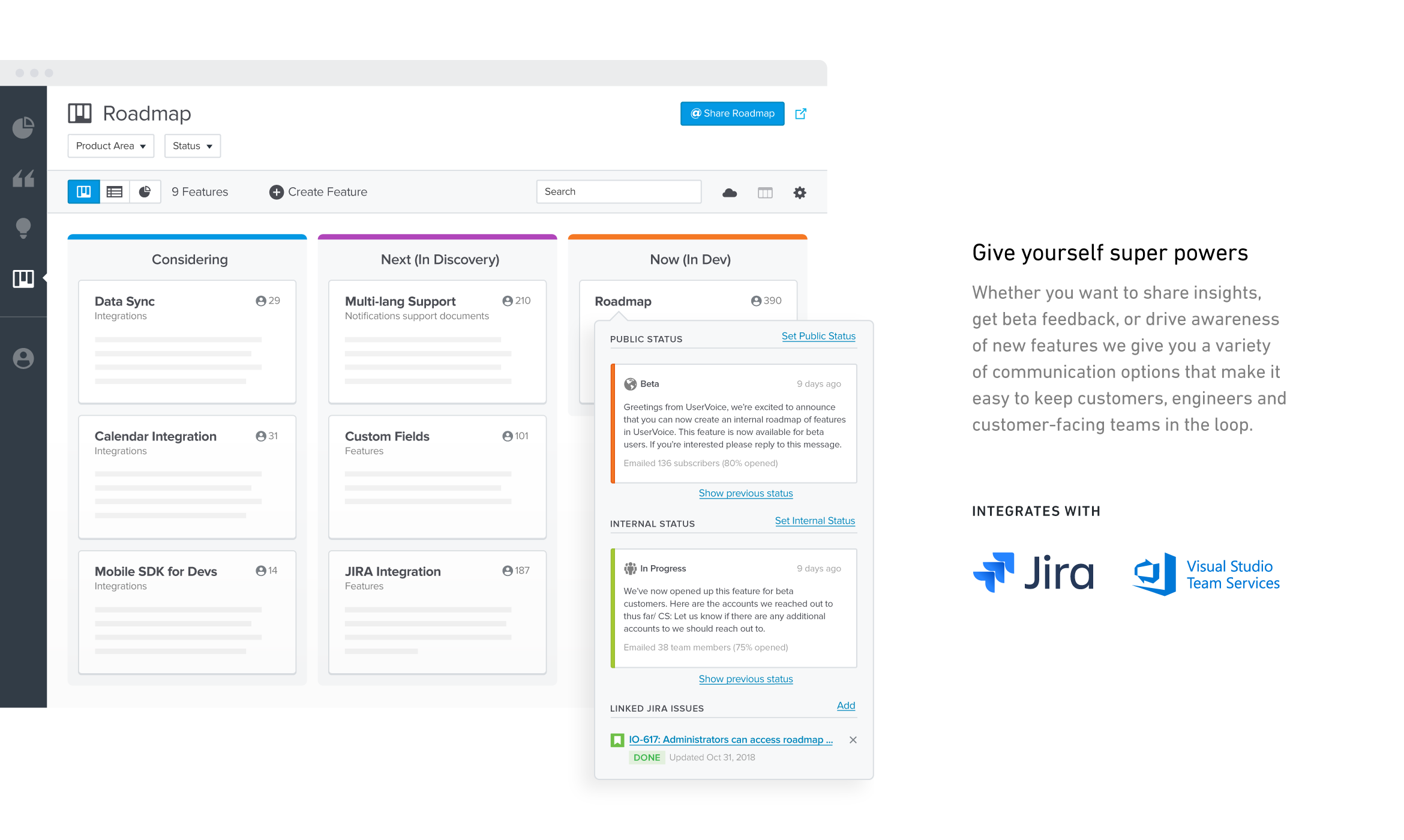
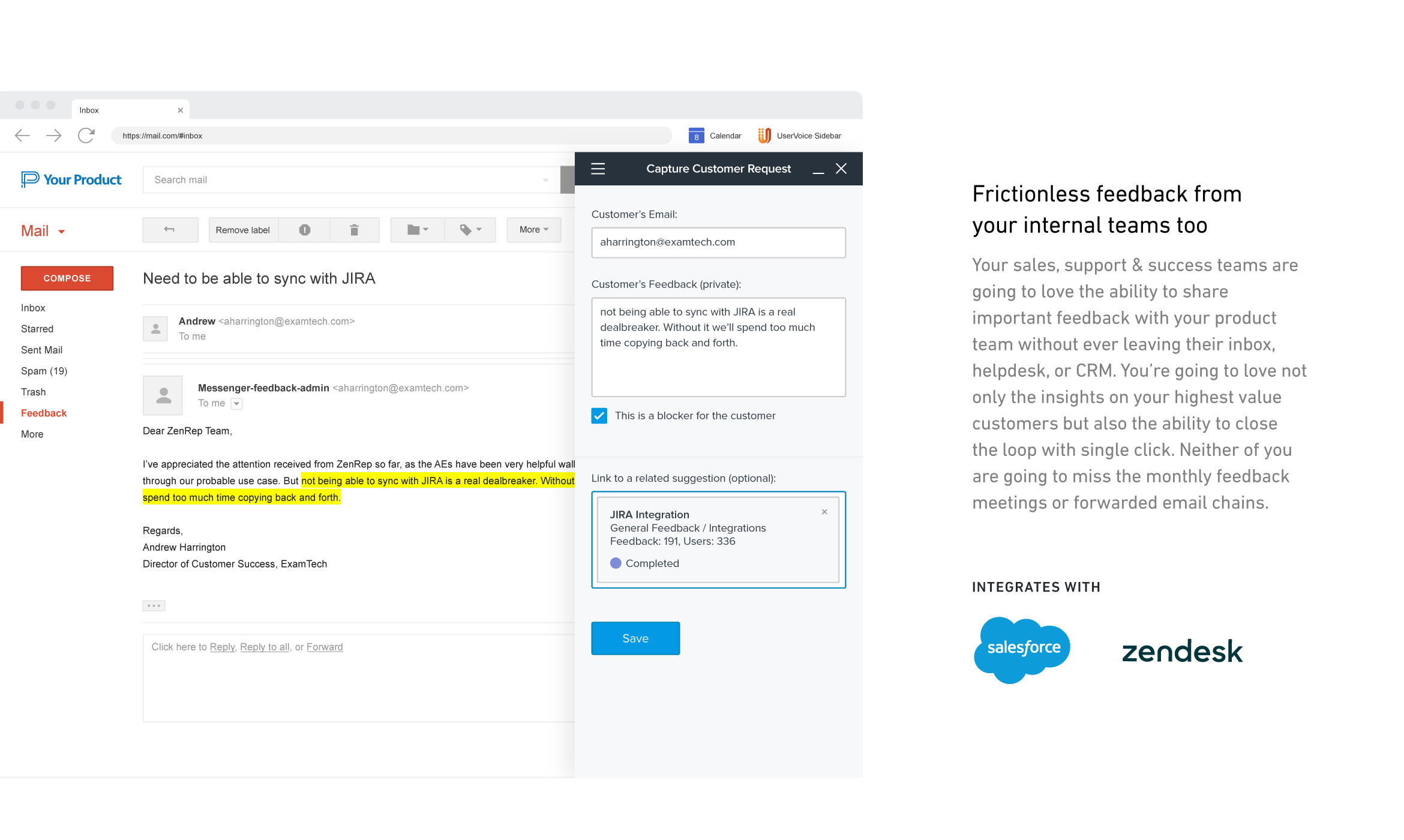
UserVoice collects and organizes feedback from multiple sources to provide a clear, actionable view of user feedback for product teams. With a customizable feedback portal, in-app widget, and direct integrations with your email client, CRM or support tool, it’s easy for your customers and internal team members to share feedback at anytime. The UserVoice platform allows you to manage all this feedback in a single view, analyze your data to make product decisions based on customer…
$15
per month
Pricing
SurveyMonkey
UserVoice
Editions & Modules
Team Advantage
$25
per month (billed annually) per user (starting at 3 users)
Team Premier
$75
per month (billed annually) per user (starting at 3 users)
SurveyMonkey is well suited for external, professional, client-facing forms and complex question types. I've tried generating forms on HubSpot, and it's not nearly as intuitive or clean-looking, and not all question types are supported (e.g. Likert scales). For quick, internal forms that don't need to be as pretty or professional, I find that Google Forms is the quickest and easiest to pull together, especially since it has a single, universal respondent link. If I wanted to embed a link in a mass email, SurveyMonkey doesn't allow multiple respondents to use the same link on my plan.
A de minimis incentive was given to thank the reviewer for their time. The incentive was not used to bias or drive a particular response, nor was the incentive contingent on a positive endorsement. More Info
UserVoice can be an affordable and powerful tool to start engaging customers and employees. It can help manage the entire feedback loop process. But your product management and development teams still need to do their jobs. Remember to have a response SLA in place and ownership for prioritizing and responding to the feedback.
Being able to close the survey at a set time without having to remember to do so.
Takes the guess work out of response collecting.
Makes it easy to categorize responses within the same survey. Being able to add tags to open-ended questions makes it easy for us to identify patterns in responses.
An array of survey options and questions.
An all around great product that meets multiple needs.
Can have multiple collectors for the same survey to included manual input.
User interface is very simple. Learning the product and teaching the team how to use the product took hardly any time at all.
Gives visibility into what others are logging. We are able to append 'votes' to certain ideas, rather than having to create an existing idea from scratch.
Reporting. Tags allow to easily filter through ideas for roadmap planning.
A de minimis incentive was given to thank the reviewer for their time. The incentive was not used to bias or drive a particular response, nor was the incentive contingent on a positive endorsement. More Info
I would like to have more customizable options for branding it to our hospital colors. Some survey options allow you to enter html color codes. SurveyMonkey allows you to change colors and you have to pick from selected options.
Embedding the surveys into a webpage, like WordPress is not as seamless as other services.
A de minimis incentive was given to thank the reviewer for their time. The incentive was not used to bias or drive a particular response, nor was the incentive contingent on a positive endorsement. More Info
A de minimis incentive was given to thank the reviewer for their time. The incentive was not used to bias or drive a particular response, nor was the incentive contingent on a positive endorsement. More Info
Compared to other competitors in the market (including a few I've used internally), if you're looking for a survey application, this one does the job and it's quite inexpensive too. Considering the fact that it comes with a handy mobile application too (on iOS and Android), you also get flexibility thrown in the deal too.
It does everything a survey software should do, and it does it very well. I can't speak for how well it would work for a business that was surveying tens of thousands of people - but for a small business of 50 employees with a couple of thousand clients, it does everything it needs to do.
A de minimis incentive was given to thank the reviewer for their time. The incentive was not used to bias or drive a particular response, nor was the incentive contingent on a positive endorsement. More Info
I've never had to contact the SurveyMonkey customer care team directly, but they have a pretty good library of help articles on their website. Everything from designing and executing your survey to account and billing questions. I never had a need for further support from Survey Monkey.
A de minimis incentive was given to thank the reviewer for their time. The incentive was not used to bias or drive a particular response, nor was the incentive contingent on a positive endorsement. More Info
Have clear goals and owners established before you start using any tool like this. Very important to get accounts and rights setup so that there's no lag time in customer response once things go live. Make sure IT is involved if you plan to use the Single-Sign On (SSO) or any of the access control tools.
SurveyMonkey is easier to customize and provides much more in depth analytics. SurveyMonkey also provides better templates providing us with a better presentation to our employees. SurveyMonkey also comes with a more trustworthy platform that ensures confidentiality, which is incredibly important to our employees and means we're getting more reliable results from the surveys.
A de minimis incentive was given to thank the reviewer for their time. The incentive was not used to bias or drive a particular response, nor was the incentive contingent on a positive endorsement. More Info
I like the ease of integration into web and mobile apps for UserVoice. It's also a comprehensive bug reporting, user feedback, and knowledge base tool.
A de minimis incentive was given to thank the reviewer for their time. The incentive was not used to bias or drive a particular response, nor was the incentive contingent on a positive endorsement. More Info
The speed at which we can develop, program, execute and generate actual usable results provides significant value, particularly when we need fresh numbers to illustrate a point.
The fact that we can execute a research project so quickly means that new research is always a primary option when we're developing campaigns. That's a huge value proposition.
A de minimis incentive was given to thank the reviewer for their time. The incentive was not used to bias or drive a particular response, nor was the incentive contingent on a positive endorsement. More Info
A de minimis incentive was given to thank the reviewer for their time. The incentive was not used to bias or drive a particular response, nor was the incentive contingent on a positive endorsement. More Info