AgileBits in Toronto offers 1Password, a password manager available to both private individuals and businesses, touting a unique approach to multi-factor authentication to improve security.
$2.99
per month
Dashlane Password Manager
Score 8.9 out of 10
N/A
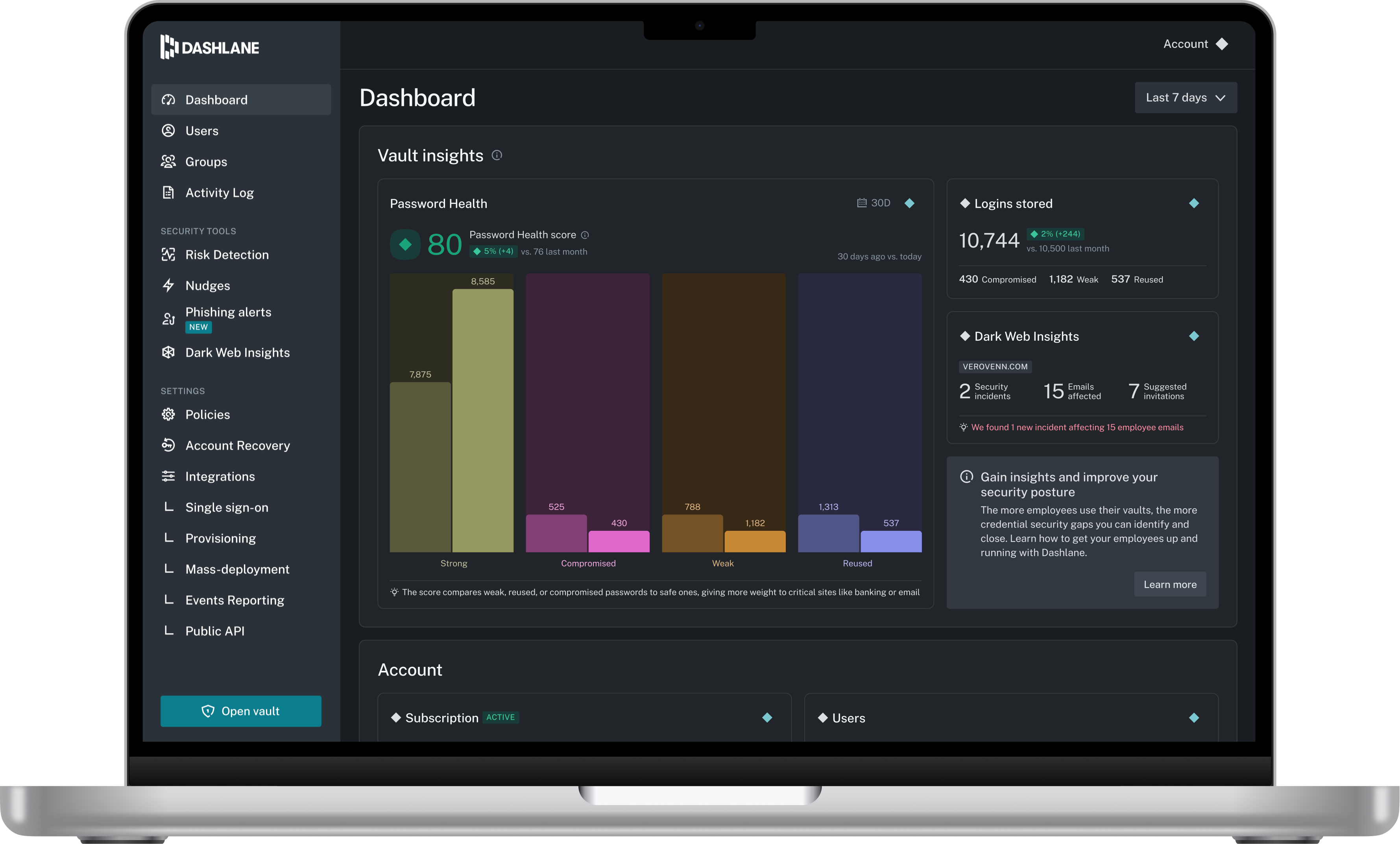
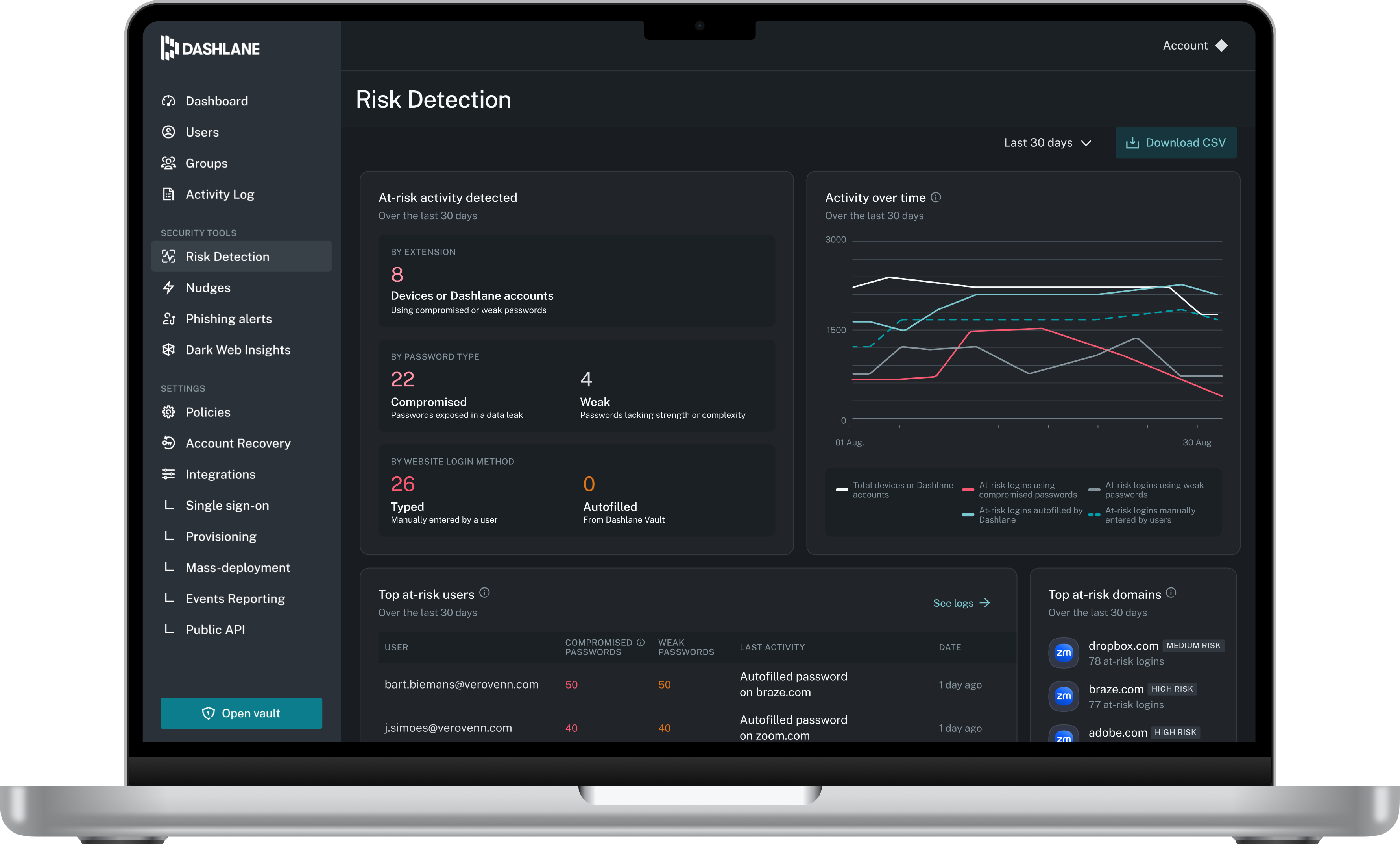
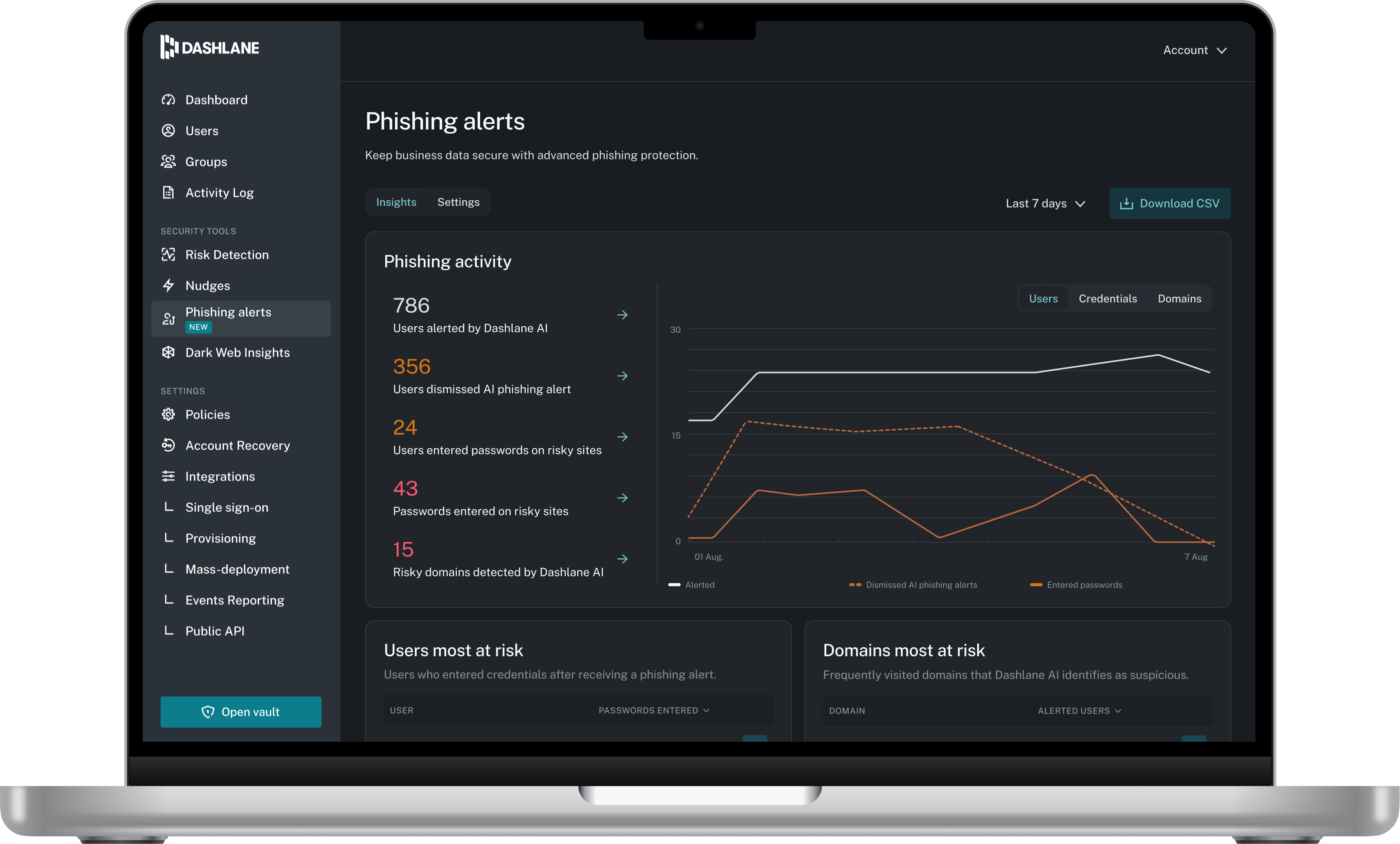
Dashlane is a credential manager that secures every credential, every user, and every employee device to proactively protect against breaches. Brands worldwide can use Dashlane to stay ahead of evolving threats.
$240
per year 10 employees
LastPass for Business
Score 8.1 out of 10
N/A
LastPass is a password management application to simplify access to enterprise applications for users but also increase centrality and ease of management of access for administrators with task automation, convenient and secure password sharing, and other features.
1Password is a better solution than LastPass and Dashlane. The Watchtower feature monitors your accounts for possible breaches, leaks, and weak passwords. 1Password is more affordable, has a great set of tools, and works seamlessly to help teams manage credentials. Unlinke LastP…
A chief marketplace competitor to 1Password is LastPass. While it is highly regarded and includes some features that 1Password currently doesn't (such as secure sharing), it fell victim to a substantial security breach in 2015, which has made me loathe to reconsider it.
Front-End Web Developer, Office of Mediated Education
Chose 1Password
The only other password manager that I have actually tried myself if LastPass, and it was quite a while ago. At the time, I was very unimpressed with the design of the app and the website. 1Password has always impressed me with their design. Also, LastPass only offered one way …
1Password and LastPass are presently quite comparable in terms of the feature set they offer to their users. Unfortunately, it is their pricing models that differ, and is the only reason we felt the need to switch to LastPass from 1Password. LastPass simply offered better …
We tried LastPass and Keypass. The thing is though, 1Password has a nice UI/UX and is very polished. Further, it has a nice mobile app which makes it very consistent for users to use. Keypass and LastPass are great solutions too, but they just didn't fit us as well as …
Initially, we did use LastPass. It is a good solution if the organization has solely Google based applications. 1Password integrates with multiple platforms, because of which it has a high level advantage over LastPass. Also, the encryption provided by 1Password is far better …
1Password, like LastPass, is a closed-source password manager that works with a subscription model. 1Password stands out against the others for its Watchtower feature that will automatically warn you if a password you're using has been leaked somewhere, if you're re-using a …
Prior to signing on to 1Password, I had only use Google Password Manager for SOME of my passwords. But it never provided an all-encompassing solution. I compared 1Password to LastPass when doing my initial research. I found the platforms to be comparable. LastPass, at least on …
I used LastPass many years ago, and not as an individual, and I found it a bit cumbersome and not intuitive (I was also on a PC with Windows at the time). 1Password feels like a professional program with small businesses in mind. I've also used Chrome and Safari's password …
[1Password] surpassed LastPass everywhere we tested. The autofilling of MFA codes was a big upside to our decision. We have a long track record with [1Password] and trust them for our password needs. We are trying to avoid Logmein products for a few reasons I will not share in …
1Password was ultimately selected due to the multiple security issues we have seen effect LastPass. We ended up not even evaluating LastPass due to the perception of them not being as secure as the alternatives.
I Would like to add Bitwarden as a comparison, but it's not listed on Trust Radius. We already trying another password manager too like Keeper (https://www.keepersecurity.com/) or Dashlane (https://www.dashlane.com/) . But based on its feature, ease of access, and pricing we …
LastPass had issues around shared logins, with users who were admins previously having edit only access to accounts, leaving our team with login access but no ability to change passwords or to assign a new admin. 1Password has easier work arounds for that issue and makes it …
1Password has more intuitive UX design when it comes to both online and desktop version of the application. All of these tools are similar when it comes to their core but for us 1Password has a slight user experience advantage (even though it can be a subjective feeling and …
I have been using 1Password for nearly 10 years now, so my experience with the competition is somewhat limited. However, I do use KeePass for a couple of clients who prefer not to pay for a password management solutions. KeePass has one major benefit over 1Password, in that it …
1Password is a far more mature and polished product than either of the main competitors. I tested both for ease of integration, features and usability and 1Password is the winner hands down. The ability to store family social security numbers and shared passwords has come in …
1Password had a stronger roster of companies that trusted them and a history of no security breaches. Additionally, we trust their security culture the most.
LastPass is a very similar app and we also recommend it as a second option. 1Password has more features, a better interface (in my opinion), and has been around longer. 1P knows the game better than any company out there.
I’ve used LastPass as a Chrome extension and the user interface was terrible. 1Password is more user-friendly and has a way better integration with the Apple ecosystem (they even provide an Apple Watch app).
There are a number of alternatives. In particular, I believe LastPass is its closest competitor, then you also have the built in browser password savers. Those are not, to me, a viable alternative, however, because they are not easy to port between machines (mobile or desktop). …
LastPass is a good free password manager for those just getting started. Its simple ability to share and manage passwords all in the cloud makes it an obvious alternative to 1Password. The only challenge is that it is browser based. For us, we needed a setup that allowed an app …
Dashlane Password Manager
Verified User
Administrator
Chose Dashlane Password Manager
LastPass is more secure, easier to use with colleagues, and provides better functionality for saving and sharing payment methods.
This was about 3 or 4 years ago, so I can't recall the exact details, but I remember that using 1Password was clunky and iffy. Sometimes it would work great, other times not so much. Password sharing and managing your team wasn't as simple. Dashlane seems to be built for …
I selected Dashlane based on the recommendation from a friend who works in IT. I had already committed to Dashlane when someone recommended LastPass and I didn't feel like exploring/changing.
I chose Dashlane Password Manager over LastPass due to cost and their prior history of data breaches. I felt more comfortable with Dashlane Password Manager hoping I wouldn't have to deal with downtime or stolen credentials. Dashlane Password Manager to me felt more compact and …
I use Proton Pass in my personal life as part of the Proton suite of products, and it's a fantastic, lightweight, and robust service. I personally prefer supporting a solid, privacy, freedom focused company with my personal money, but as far as comparing goes, I'd say Dashlane …
As previously mentioned, NetworkChuck on YouTube played a big part in my final decision. The security concerns of what I used at previous employers (LastPass) left a really bad taste in my mouth.
Preferred Dashlane Password Manager due to health monitoring, encryption and dark web monitoring
Verified User
Manager
Chose Dashlane Password Manager
Better useability, ability to share notes and codes, easy to toggle between organisation and personal logins, ability to share to other users and revoke that access as needed, able to get updates on password health and how many passwords other people are storing, user friendly …
It has been quite some time since we selected Dashlane, but it was a combination of features and price - it offered the greatest value with user sharing and cross-platform capabilities.
The usability for Dashlane was better than the other options we tested before making our decision. Specifically, Dashlane makes sharing passwords and updating shared passwords very simple.
We can get a discount on Dashlane Password Manager through TechSoup, so cost was the deciding factor, as all other elements were about equal for us in our evaluation.
I have used LastPass for the last 8 years and have no complaints. Currently, my company uses Dashlane, but I haven't gotten enough experience with it yet to review it. I love the ability to share passwords and secure notes with my coworkers, and then I can disable access …
Both are very comparable products. LastPass has more granular policy settings and controls, which is why we picked it. But Dashlane, in my opinion, was easier to set up and easier to use.
I've used 1Password for business, albeit in a limited capacity compared to LastPass. They seem pretty comparable, but this seems like a game of firsts. Whomever you start with, you stick with. All I can say is you need password management as a business and LastPass works for …
LastPass provides better customizability than Dashlane. With more features, we can customize LastPass as per our requirements. The wide array of security feature keeps passwords secure in one database and protected like a vault. Better protection keeps passwords secure than Dash…
As I alluded to, I personally prefer 1Password's UI/UX, though it is about twice as expensive as LP ($7/month/user vs $3). However, it's hard to put a price on security. I always believe the less obtrusive/confusing security is to implement, the more likely that security won't …
1Password is overall less enterprise ready, in my limited experience with their product. LastPass also offers more than 1Password in terms of related functionality, like their MFA & SSO options. LastPass is also less expensive than 1Password when comparing apples to apple, but …
LastPass [for Business] is very similar to 1Password in terms of its scope, safety measures, and password management. If you have the funds, investing in LastPass for Business is very much worth it because of the on demand customer support, pre-recorded trainings and ease of …
Dashlane is a great product itself, but in my experience using them both, LastPass is faster and more consistent. There were times using Dashlane that it took 5 to 6 seconds to autofill a password and by that time I could have already copied and pasted from LastPass, but I have …
Before using LastPass for Business, I checked out 1Password to research its capabilities, but I didn't use it. I have to use Avira Password Manager for small-business certification and re-certification purposes because a small-business certifying entity requires it; Avira is …
LastPass has a CLI, which was a must for us. Also, it was cheaper than 1Password and met our requirements. 1Password might be better, and maybe would've even been better for us in retrospect, but we were already familiar with LastPass from personal experience so it also made …
1Password, from my previous experience, can be used in a business environment. However, it really is geared from an interface point of view for consumers, and not for business users. Also, the interface itself is not as robust as LastPass for Business, and when you are …
1Password's UI is much better than LastPass, but the organization ability and share-ability are more complicated. Personally, I prefer 1Password. But for a business setting where sharing and security matter more, LastPass wins out. It's also less expensive.
The combination of end-user experience, ease of use, and reporting features are what really set LastPass apart from the competition. Most other offerings have only a subset of features that LastPass offers. While big fish like Dashlane have feature parity, convenience for the …
Both of the other options were more consumer-focused. LastPass seems meant for business, with better sharing and MFA functions, which we need to make suitable for our remote business, with people around the world.
LastPass for Business is definitely a much better solution for our company's needs than the solutions provided by other password management software competitors. It is easy to use, and easy to log into to securely store important data. It is also nice that the entire ecosystem …
We originally choose last pass for business due to its ease of use, simplicity, and its scalability. We eventually moved away from this software to Bitwarden for its higher customization levels and its also having everything we needed to get the job done at a cheaper price to …
Easy to use and intuitive UI and experience. Feels trusted and secured seeing the company's motto and reputation with global clients. Tons of features and ease of accessing it with a large team. Device constraints are very limited as compared to any other password manager. …
With the whole amount of features and options to save and remember your passwords, notes, emails addresses, card information, and others, LastPass for Business has become a nice partner on our daily and inevitable log ins in websites, apps and more, if you are looking for a …
LastPass for Business just had a better overall package. They are well known for what they do and they were able to tailor a package to suit our needs better than the competitors. While I believe we would have been OK going with any of these competitors, LastPass ended up …
In my opinion, LastPass for Business is the best of breed. Other plugins are either bloated or not as robust as LastPass for Business on both desktop and mobile platforms.
At the time of our evaluation, LastPass had the best integration with Active Directory and the most flexibility with enterprise security policies. In addition to these features, several employees had positive experiences with LastPass personal accounts. We did an extended >1mont…
Many of the alternatives we reviewed featured similar functions and features but LastPass for Business kept outscoring those alternatives, especially due to its familiarity with our employees who already use LastPass for Personal use. LastPass for Business also seemed to have …
1Password is a great tool when it comes to data security and managing your passwords. It is perfect for daily work that requires accessing a lot of different login credentials to different softwares, servers etc., so it is a great tool for all web developers and programmers, but also to project managers and other employees that have to login to multiple different services regularly.
I think Dashlane is a great service for anyone who uses the internet. We need to create accounts on almost every website, and Dashlane helps generate secure passwords and store them safely, but easily accessible through its seamless browser extension. Any business or personal lifestyle can benefit from Dashlane when you go online
Honestly, I cannot think of a scenario where LastPass is less appropriate for business use. LastPass has done nothing but help me complete my day to day work in a much more efficient manner. Due to LastPass I no longer have to try and remember my user IDs and password and I save time by not having to type the data into the user ID and password fields. This is exceptionally helpful for me as I work in IT/Software Support and I am logging in and out of the same websites numerous times a day.
1Password is so secure, that it lacks a self-managed "forget your password" functionality which means that as a manager, I have to approve password resets which may slow down some users.
On Chrome, the extension sometimes stops working when the browser is updated.
The mobile app works fine for quick access, but autofill across different apps can be inconsistent. Sometimes it doesn’t recognize the login field, which slows people down when they’re on the go.
Occasionally the browser extension logs users out or doesn’t sync immediately with the desktop app, which causes frustration if someone just updated a password.
1Password is a great password manager and it helps us a lot in our every day duties at the company. Since implementing this solution we also feel way more secure when it comes to our own data or the data of our Clients.
LastPass has been a game changer for me. I keep more than 100 passwords for financial sites for my company and many of those sites will automatically log you out if you've been idle for 10 or 15 minutes. Typing and re-typing credentials is not only extremely inefficient, but it also adds the risk that you could type them incorrectly and have your account locked. LastPass fills in all my credentials automatically and helps me to generate secure passwords for new sites. I will always want this software on my machine because it makes my life so much easier.
The 1Password app design is top notch, much better than a couple other password managers I've looked at. The app and service are very flexible, allowing for many different types of data storage. The browser extensions generally work very well, allowing for easy access to login information while using pretty much any modern web browser.
Dashlane is usable, but there are 2 key issues that annoy me. 1. The mobile app and the browser extension are not synced and i cannot find passwords in the app that are clearly in the extension. 2. The system doe snot make it easy to assign a password to a specific subdomain. I get hundreds of passwords that i have to go through any time i go to any subdomain on my main site because of the nature of my business. I need the option back to assign a password to only work with a specific subdomain (and all related paged on that subdomain) note: The search features have been annoying in the past. I just went to test them to verify my issues and found that notes inside of a password are finally searchable. This helps
I login to LastPass when I turn on my computer in the morning and I use it throughout the day. I cannot express how much easier, quicker, smoother (running out of adjectives) this is than our old Excel spreadsheet. I don't bookmark pages anymore, I put them in last pass as all I have to do is search for the site name, press launch and because I have auto signin for most of the sites, I'm in and doing my business in seconds. Truly a blessing!
I have never had any issues with 1Password and they have always been able to answer my questions adequately resolve my issues. Furthermore, they have a robust peer forum that can be accessed. They have helpful "Get to know Apps", videos and many articles to assist in the process of using the product.
We've had no issues with Dashlane. I can't speak to their customer service because I have not personally needed to contact them. I guess that speaks about their product if we've not had any issues to reach out about. Great for supporting data/information on multiple platforms that are shared among team members.
Haven't had to directly contact support all that much (at least not me personally, I don't know that anyone else on the team has needed to) but the Help Desk options/resources and documentation available are enough to answer any questions, although for what it's worth, the contact support options are not hard to find, and aren't hidden like some sites have it. Additionally, free new user training is offered for those who want it.
Educating users on password management and the basics of the solution is key to then have them successfully start using it themselves. Many have taken it further and now use it for personal passwords as well.
1Password and LastPass are presently quite comparable in terms of the feature set they offer to their users. Unfortunately, it is their pricing models that differ, and is the only reason we felt the need to switch to LastPass from 1Password. LastPass simply offered better pricing for their business tier k(cheaper by $1/user/month.)
Dashlane’s customer support is often rated higher, providing more responsive and helpful assistance. LastPass has a slightly steeper learning curve than Dashlane, but it offers more flexibility with user permissions, which can benefit teams. Dashlane includes unlimited passkey support and a clean breach history, while LastPass is more accommodating for smaller teams.
I use LastPass for Business has a user as it has been chosen by my company. If I have to compare with other tools that I use for personal reasons like KeePassXC I consider LastPass well integrated, I don;t find the same good way with the other tool I just mentioned.
Access levels and the organization features in LastPass are so flexible that you can set up your structure to work for virtually any scenario. You can also prevent employees from being able to see the actual credentials, which is huge for security, especially in large companies.