Email automation software with optimized personalization to drive engagement.
N/A
Campaign Monitor by Marigold
Score 8.8 out of 10
Mid-Size Companies (51-1,000 employees)
Campaign Monitor by Marigold enables users to create, send, and optimize email marketing campaigns.
$11
per month
Emma by Marigold
Score 9.3 out of 10
N/A
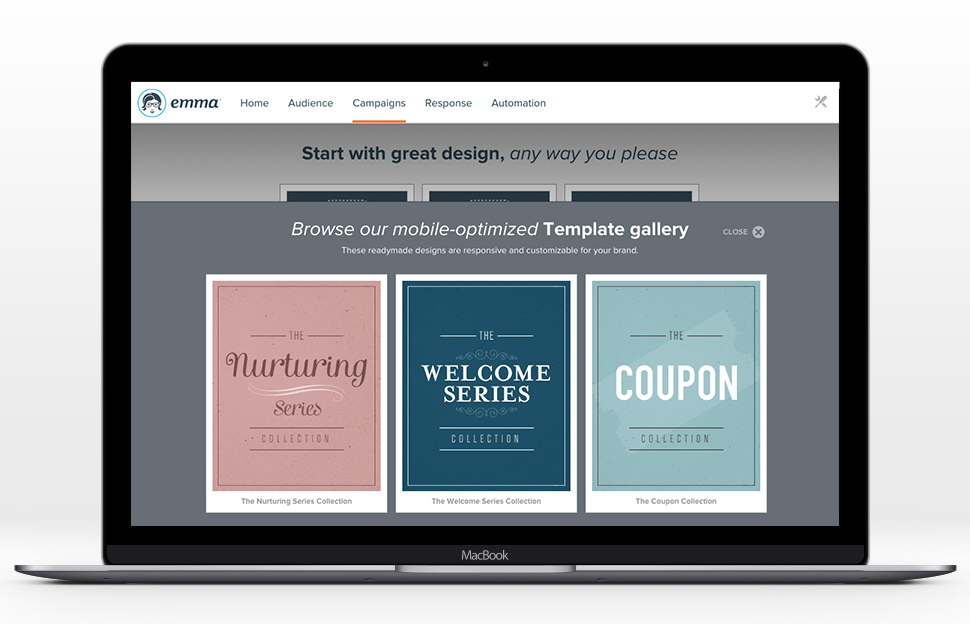
Emma by Marigold is an email marketing solution. Its key features include mobile-ready design templates, email automation, audience segmentation, and dynamic content. The software includes integration with third-party CRM solutions, ecommerce platforms, and social networks.
$500
per year per user
Pricing
Adestra
Campaign Monitor by Marigold
Emma by Marigold
Editions & Modules
No answers on this topic
Lite
$11
per month
Essentials
$19
per month
Premier
$149
per month
Basic
$500
per year per user
Offerings
Pricing Offerings
Adestra
Campaign Monitor by Marigold
Emma by Marigold
Free Trial
No
Yes
Yes
Free/Freemium Version
No
Yes
No
Premium Consulting/Integration Services
No
No
Yes
Entry-level Setup Fee
No setup fee
No setup fee
No setup fee
Additional Details
—
—
—
More Pricing Information
Community Pulse
Adestra
Campaign Monitor by Marigold
Emma by Marigold
Features
Adestra
Campaign Monitor by Marigold
Emma by Marigold
Email & Online Marketing
Comparison of Email & Online Marketing features of Product A and Product B
Adestra
10.0
1 Ratings
23% above category average
Campaign Monitor by Marigold
8.2
27 Ratings
3% above category average
Emma by Marigold
9.1
31 Ratings
14% above category average
WYSIWYG email editor
10.01 Ratings
9.812 Ratings
8.024 Ratings
Dynamic content
10.01 Ratings
8.424 Ratings
9.025 Ratings
Ability to test dynamic content
10.01 Ratings
8.01 Ratings
9.024 Ratings
Landing pages
10.01 Ratings
5.22 Ratings
00 Ratings
A/B testing
10.01 Ratings
8.024 Ratings
9.024 Ratings
Email deliverability reporting
10.01 Ratings
10.01 Ratings
10.031 Ratings
List management
10.01 Ratings
8.54 Ratings
10.031 Ratings
Triggered drip sequences
10.01 Ratings
8.04 Ratings
9.021 Ratings
Mobile optimization
00 Ratings
7.84 Ratings
9.029 Ratings
Reporting & Analytics
Comparison of Reporting & Analytics features of Product A and Product B
Adestra
10.0
1 Ratings
27% above category average
Campaign Monitor by Marigold
10.0
5 Ratings
27% above category average
Emma by Marigold
10.0
31 Ratings
27% above category average
Dashboards
10.01 Ratings
10.02 Ratings
10.030 Ratings
Standard reports
10.01 Ratings
10.05 Ratings
9.931 Ratings
Custom reports
00 Ratings
00 Ratings
10.019 Ratings
Pre-Send Testing
Comparison of Pre-Send Testing features of Product A and Product B
Adestra
-
Ratings
Campaign Monitor by Marigold
8.4
7 Ratings
6% above category average
Emma by Marigold
-
Ratings
URL Validation
00 Ratings
9.73 Ratings
00 Ratings
Link Tracking
00 Ratings
8.34 Ratings
00 Ratings
Spam Testing
00 Ratings
7.36 Ratings
00 Ratings
Best Alternatives
Adestra
Campaign Monitor by Marigold
Emma by Marigold
Small Businesses
Mad Mimi
Score 10.0 out of 10
Mad Mimi
Score 10.0 out of 10
Mad Mimi
Score 10.0 out of 10
Medium-sized Companies
VerticalResponse
Score 10.0 out of 10
VerticalResponse
Score 10.0 out of 10
VerticalResponse
Score 10.0 out of 10
Enterprises
Emma by Marigold
Score 9.3 out of 10
Emma by Marigold
Score 9.3 out of 10
Bloomreach - The Agentic Platform for Personalization
Small businesses with even smaller marketing budgets and no email marketing experience would be better off selecting a lower-end email marketing provider. However, Adestra will provide a growing company with every email marketing tool along the way.
Campaign Monitor by Marigold is great at both scaling up as you grow (i.e. for a startup or if you're starting fresh on building a subscriber list) and providing more than just basic templates and tooling. We vetted across a lot of different options to account for where we were starting and where we hope to grow into with our opt-in email marketing, and Campaign Monitor stood out.
Using Emma for weekly templated email use with minimal changes is awesome. If you want you can create a master and make minor graphic edits quickly and easily from your smartphone. Any edit is possible as long as the artwork is on the online server. Only time I hit a bump in the road is when I was asked to change the style sheet and did not know that the pricing plan I was on did not include this feature. Client had to wait to send new format until Emma performed the requested changes.
Adestra's "dynamic" list allows users to consolidate multiple lists in combination with data filters and exclusion lists. This implements segmentation and is a powerful marketing tool.
Adestra's MessageFocus API integration provides developer-tools for list, campaign or transactional automated requirements.
Campaigns can be sorted into project folders. This allows marketers to group campaigns together for management or reporting requirements. Moving or copying campaigns from one project to another is a simple process.
Data downloads via Reporting is available at every level, from overview to individual KPI.
Creating "core" tables helps marketers develop lists with similar attributes. Whether a list has many fields or simply the one required email address field, a "core" table helps to quickly map data labels from spreadsheet to online database. Creating data labels on the fly is a simple process, as well. The "core" table also groups similar contacts into one core database.
Any list can be quickly "emptied" for to manage refreshed data. The contacts within the "emptied" list would still be members of the "core" table and so the process does not negatively impact reporting.
Unsubscribes can be managed in one list (as a default) or individual lists. Creating individual unsubscribe lists -- dependent on business requirements -- would allow for a preference center, whereby recipients could be given a choice as to which campaigns they receive.
The Form tool creates signup forms, simple surveys and landing pages. These can be hosted via Adestra or otherwise on the web. The tool provides for branding and proprietary cascading stylesheets, with a number of actions available through a drag-and-drop interface.
Campaign Monitor’s support is great. They have a great help page built out to help answer all your questions, and if you do have a question or issue that needs extra support, their support team responds within a couple hours to help resolve the issue.
The email builder is very clean and easy to use. It makes A/B testing, personalization, and dynamic content easy to implement.
I appreciate the insights reporting that Campaign Monitor provides. We use that regularly for our quarterly reporting to track list growth, as well as campaign performance from a high level.
The automation is very straight forward and has truly transformed our marketing. The learning curve is pretty low, so my entire team knows how to use it to create and edit automated email journeys.
Enterprise-level email marketing with multi-level account structure allowing for multiple users at different levels to send campaigns
Easy-to-use WYSIWYG email template editors to create dynamic emails with enhanced personalization through merge-fields
A large API index that connects to many different platforms and the ability to work with Emma support to create new connections to new platforms as needed
As of this writing, there are at least 3 different editors available (a drag-and-drop, a WYSIWYG and HTML). However, only a small template library is available if requested through support. Those expecting to find ready-built templates for re-branding would find them through the third-party EDM Designer drag-and-drop editor.
I'd prefer a central contact list with tags, rather than multiple lists. I can have one person on 5 lists and that counts as 5 subscribers.
While the email builder is very good, I'd prefer more customisation options.
Updates they make are good, but are perhaps a little slow.
I'd like better mobile compatibility. I get that might not be possible for the email builder (although aiming for that would be great) but for lists, reports etc there's no reason that shouldn't be mobile-compatible or have a mobile app.
Their customer service leaves something to be desired. We ran into an issue with one of our campaigns, and we decided to reach out to support, but they didn't get back with us until 3 hours later! Time is money!!
We don't like that their photo editing capabilities are limited, you can only choose small, medium or large photos with no way to resize to exact dimensions. Makes emails a bit of a pain
The upgraded premium tools are buggy and leave something to be desired as well – it's a shame.
It flexes with us both because of the tiered pricing, and due to the comprehensive tools available. We're able to go from one newsletter to many, and few automations to many very easily while not paying for a Cadillac when what we need is a sturdy crossover.
Emma has been a great tool for our marketing. It's easy to use and I've had no issues in the almost two years we've been with them. It's really been a great way for us to stay connected with customers that takes no time to setup and send
I have been self-trained on different ESPs for over 10 years, so my experience isn't comparable to most users. However, I've trained people on various email marketing platforms, and with some training, clients have a positive user-experience with Adestra.
It's a very user friendly tool and a highly intuitive interface. It's really clearly thought out, so from a users perspective it feels very simple. By comparison, we've also used Mailchimp, and when comparing one to the other, the Mailchimp dashboard is far less logical and intuitive.
While every WYSIWYG software will experience glitches, Emma handles them well. Keep in mind they rarely happen, but they do, it can be of annoyance. Regardless, Emma allows my organization to create seamless email campaigns using fresh data. Emma makes coming up with strategic decisions very easy. The list segmentation that Emma feature allows us to easily manage a large list without issues. Overall, Emma is extremely usable with nearly no learning curve!
There have only been a couple of instances where it's been down and this has typically been middle of the night type situations that were planned downtime so they could work on maintenance. They provide notice well ahead of these instances. I've never noticed a surprise outage.
I have noticed no slow page loads within the design interface or reports. It's all quick, even with list uploads which are notorious for being clunky in other systems. It's all been quick and easy for us.
I have had campaign related issues solved very quickly. When there are technical issues, that involve more than one departmental, it may involve a longer turn-around and management.
I hate that to get support I have to submit a question to a public forum and wait for a response. I just want the ability for a quick live chat to answer my simple help questions quickly or at the very least submit a ticket via email and get a status update.
For medium and large sized businesses, Adestra competes well with dotMailer. While many of the functions are available through either provider, creating campaigns, managing lists and reviewing metrics are somewhat different. As of this writing, dotMailer's drag-and-drop editor dominates that platform and performs well for low-end users with little-to-no HTML experience. Even high-end users will appreciate how quickly campaigns can be built via the drag-and-drop editor. While Adestra utilizes the EDM Designer drag-and-drop, the third-party functionality is not completely cohesive and lack of a template library gives dotMailer a bit of an advantage.
The ability to track the effectiveness of email marketing campaigns in real-time is what makes Campaign Monitor interesting to use. All the vital features that we need to run professionally designed email campaigns that look wonderful on any device so that we boost our business are included in this platform.
At the time we made the decision to move to Emma, my organization was using both MailChimp and Constant Contact. Emma's drag-and-drop template editor surpassed both, and even editing the pre-made template HTML in Emma was easier. List management was much smoother than the clunky Constant Contact and MailChimp lists we had. From a design perspective, we chose Emma for its ease of use in creating templates and modifying existing ones, as well as the ability to push out branded templates and brand assets through its master admin/subaccount capabilities. Emma's analytics and reporting were much less frustrating to navigate and understand, such that, rather than spending all of our time trying to make sense of the metrics from a campaign (which we were definitely doing), we were attracted to being able to report easily and then move on to determining how to make real improvements
It is so easy to use, and the things you'd want to have as you scale and get to a more complex email marketing approach are all there. From automations to lots of mobile responsive templates, it's easy to set up what you need and then customize for your brand.
Private-label reports that are visually appealing and easy for clients to understand
The 'Worldview' map feature is a MAJOR setting point and hit with clients, as they can watch a realtime map of their emails being opened in specific locations across the world, and instantly see when a recipient clicks a link in their email.
Stores using the platform have seen good deliverability stats. Open rates and click-through rates are high with the templates that Emma creates. We still face the challenge of getting more users on the platform.
User satisfaction is high for our users who are regularly using the platform.