Adobe Marketo Engage (acquired by Adobe in 2018) is a marketing automation platform whose basic features include email marketing, drip nurturing, landing pages, and lead scoring, but other editions offer additional advanced features. Typical customers are B2B firms with complex sales cycles.
N/A
Infor CRM
Score 6.0 out of 10
N/A
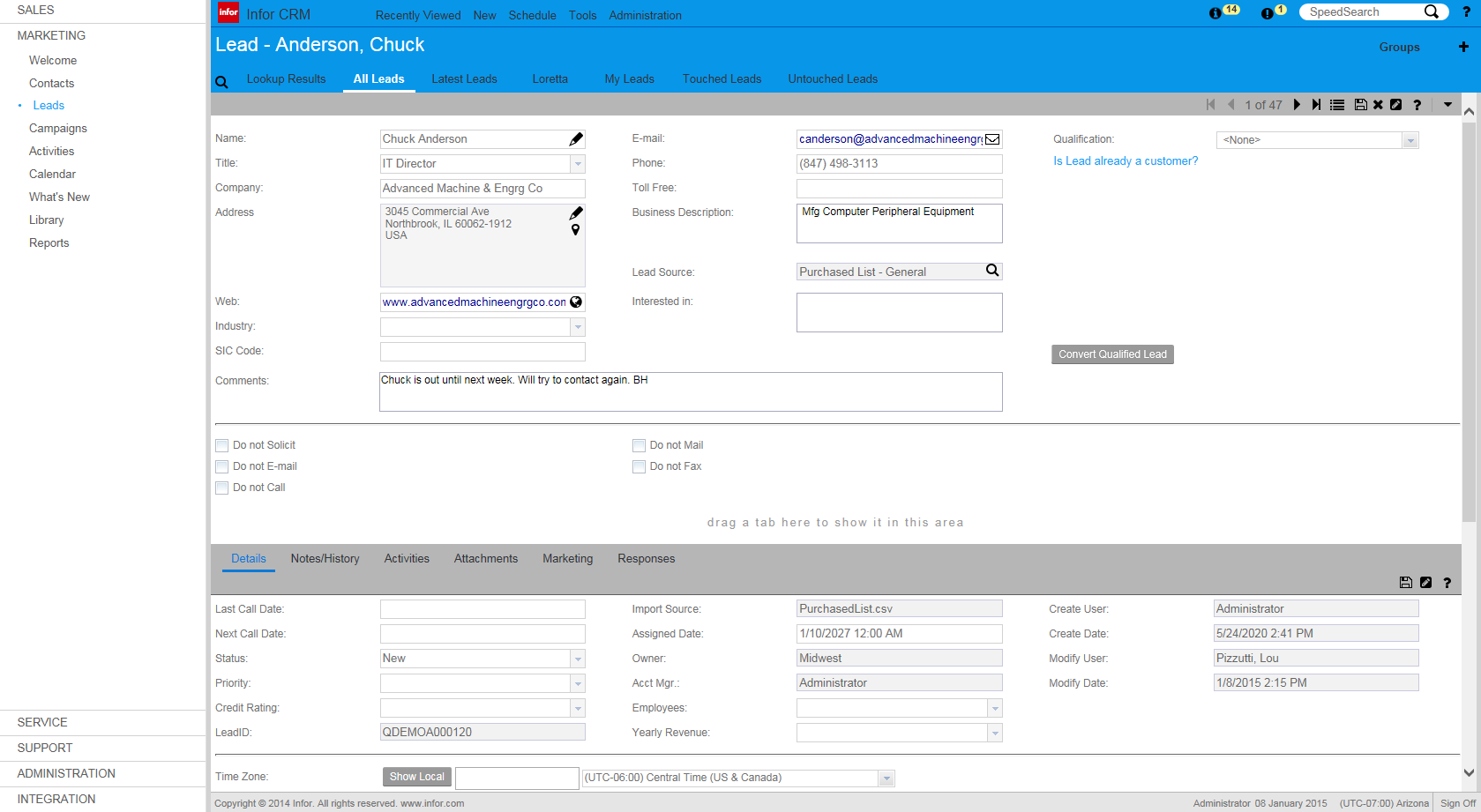
Infor CRM delivers tools for individuals, teams, and companies focused on increasing sales performance and the insights to optimize sales, marketing, and service strategy and execution. Infor CRM provides sales teams with rich customer information from interactions and transactions across the business and accommodates the modern flexible workforce with multiple access methods. Robust process automation capabilities enable efficiencies and the application of best practices across sales…
We evaluated many other solutions before selecting Marketo such as SalesFusion, ACT-ON. For us the primary drivers were the strategic alliance with Infor, dynamic content creation, and the user interface. While other solutions had excellent features and were good in their own …
We did a significant review and evaluation of the top providers, including looking at the Gartner reviews. As a mid-market user, we were looking for a tool that integrated well with Salesforce and was relatively easy for our marketing team members to use for our key needs. We …
Adobe Marketo Engage is an excellent tool for hosting registration forms and sending out tokenized emails based on a particular person's information within your database. For example, if someone attends an event or webinar and indicates that they'd like to learn more about your product, then Adobe Marketo Engage can easily trigger a specific email template to that person that will be personalized with tokens about them. The pixel tracking that can be applied to any web page is also very helpful. If you want to focus on a more 1:1 type of follow up with a Lead, then the automated emails are not going to be as useful.
If you have a mobile workforce, it likely wouldn't be as appropriate (keep in mind we're using the desktop client, and have very limited experience with the web app). It is well suited if your business needs lots of custom processes- find a good vendor. We utilize SimpleSoft out of Ohio, and they have been excellent. Key question: think about where your business is going to be in 5-10 years, and will this CRM solution be able to grow with us?
It keeps all of our very important lead data in one place. It's very flexible, allows us to do a lot of different things around list building and segmentation. It deploys our email campaigns for us and it's also where our landing pages are built. So it does a lot of the things that we need to do from a data and deployment perspective.
Saleslogix functionality can be managed to a very granular level for each individual using it. Within the users profile you can restrict access to modules, remove write permission, remove export privileges, etc.
Saleslogix has one of the best sync engines I have ever seen. If you allow your outside sales reps to have their own database, they can modify customer record while off line and when they do have internet access they can sync changes in both directions. This functionality works great when you have inside and outside sales staff covering the same territory.
Saleslogix can be customized using Visual Basic Code syntax. This is a positive aspect as well as a negative. Our existing Saleslogix is so customized that if we were to upgrade to 8.0 it would cost us over $20k to redo some of the customizations. Upgrades are frequently incompatible with customizations.
Adobe Marketo Engage crashes a lot or freezes. We don't have many users and less than 300k contacts so there's no reason it should ever crash.
It's really expensive! It would be nice to pick which features we want a la cart versus being stuck paying more for a feature and not using the others in the package.
Because of our integration with Dynamics, we had to use a 3rd party tool called Scribe for field matching. No one at Adobe will help us now that we have a 3rd party tool
InforCRM has made dramatic improvements in the web client though in some cases it has been painfully slow to get the most needed things updated. An example is the slow speed of the web client. The newest update is supposed to fix this.
The web client does not autosave, so users have to remember to hit the 'save' button at each screen. This is the biggest complaint of users going from the desktop client to the web client.
I personally would like to see data panes (account, contact, etc.) with the capability to set up a different view for each team and/or security level that would access the data.
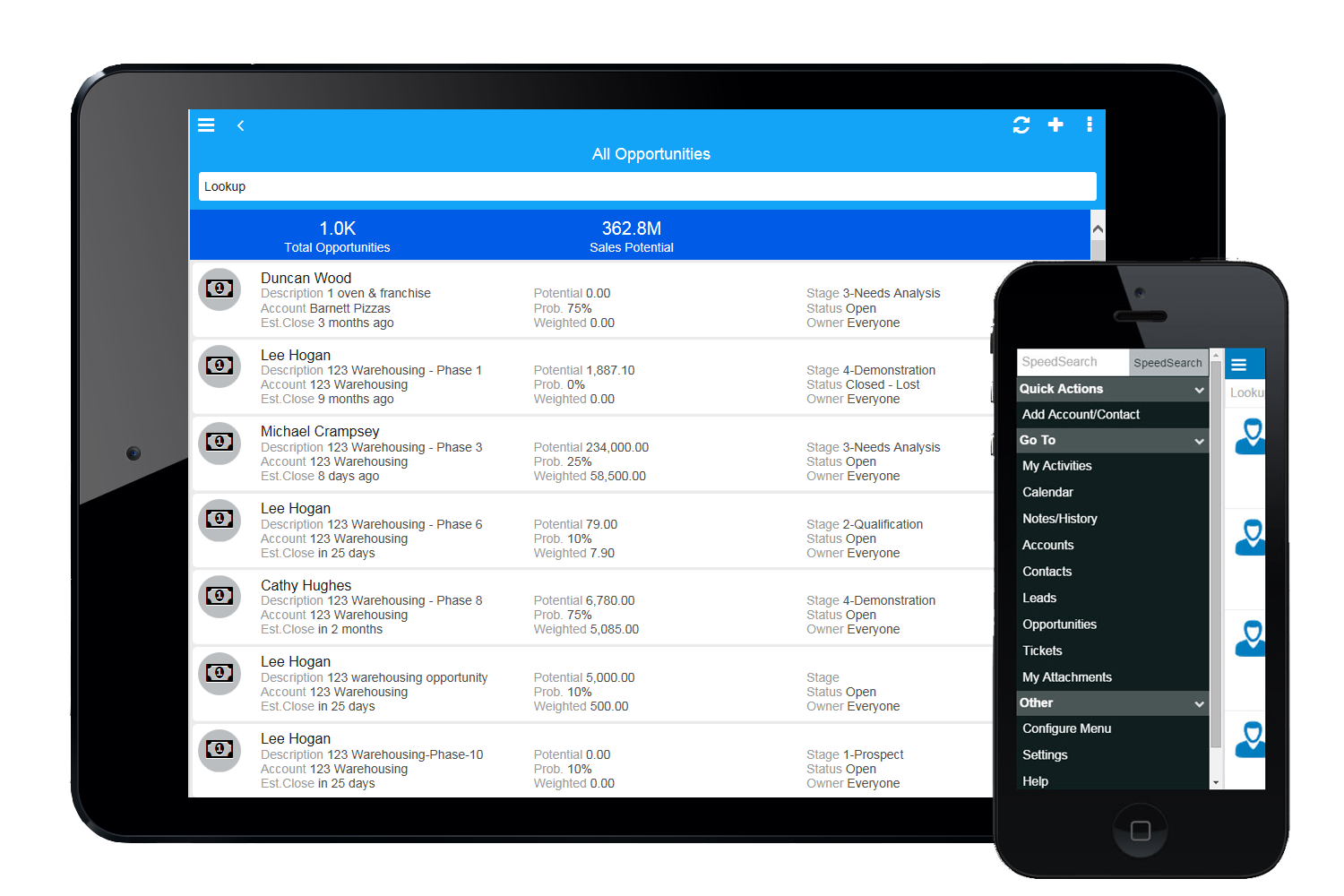
Because we've already made the investment in the original on-premise version, the cost per user is relatively low. The product has grown with us and we can now choose a LAN or Web client version and host the site internally, giving us total control of our data. The iPhone and iPad versions allow the sales team quick access in the field and the voice-to-text option is quite handy. SalesLogix doesn't require that our technology stack be constantly up to date which again, keeps our cost down. They are always making enhancements to the product and we can choose to update/upgrade when those enhancements appeal to us enough to justify adding the service pack.
In some aspects, the tool can feel quite clunky in parts. But with the rich feature set it has, it's understandable. There is a lot of room for improvement for the user interface. The system itself doesn't have a slick or modern feel, so the usability could feel nicer to use with these areas considered.
Marketo provides different way and abilities to connect. If you are having product support or unexplained errors you can get someone on Marketo support 24 hours a day. One of Marketo's greatest assets in my opinion however would be the community. Often times our company is just looking for case success stories from someone else. In the community you can search for problems you are currently facing and see others having the same issue and solutions for those issues. If not, you can pose a question to the whole community and champions of the product and others can chime in to provide suggestions to fix your needs. The community is truly a 24/7 place to get your answers quickly.
There are times when it is slightly slow for us, where we sit on a screen waiting for it to load. This could be our internet since we have had the same issue occasionally with other systems, but it is enough to make you crazy.
On multiple occasions we've had Marketo support (technical and license based) issues. Technical issues were minor and resolved within a day. License based issues (even things encouraged by Marketo for partners, like provisioning another license) took WEEKS. They actually took so long to respond that the client we were working with withdrew from the contract because they were no longer convinced Marketo was capable of supporting their business. As an agency trying to sell the software, you can only explain away so much before they just made us look silly.
Our account rep stopped out in Lincoln, NE to ensure we were properly set up and running. This was very much appreciated. I was very, very new at this point, so I can't comment very much on the extent of what was taught because I was still brand new to the company and the system
I had never used Marketo prior to taking this job so online training was my starting point. I was able to follow along, it was interesting and quickly and efficiently taught me what I needed to know without a lot of fluff. It was far from boring and really helped me get my hands dirty with Marketo.
1. Have a content marketing plan to run in parallel with the marketing automation installation--you'll need a lot of content to make full use of Marketo's capabilities. 2. Work with sales (and ISRs) to define and document a workflow--build your Marketo installation around how you do business--not figure out how to apply your business to the tools 3. Spend time of data cleaning--both an initial project as well as a strategy for ongoing data management. We found some change manaement issues (no more appending ZZZ to the first name to identify contacts who have left the company, for example, or prohibiting the entry of "info@company.com" email addresses). 4. Find some champions in the sales and ISR teams. You'll have both fans and detractors--work with the fans to build some success stories
Adobe Marketo Engage is one of the best email sending platforms I have worked with, because there is so much you can do on a lead scoring area and also then connect this to other platforms such as Salesforce. It allows for seamless reporting and working alongside sales colleagues. We chose Adobe Marketo Engage because it allows for more sophisticated audience segmentation and management of ongoing large scale nurture flows across a number of complex criteria.
We selected INFOR CRM over Salesforce simply because it was affordable and didn't have so many 'bells & whistles' that Salesforce has that we were not using. We didn't realize that the compatibility with upgrades were going to be such an issue.
We look at scaleability in a few different ways. First, the speed while using Marketo has remained relatively the same as our database has grown. Though I would say Marketo is slow at times, it has not gotten slower over the last few years. If anything, it has improved, and they are working to improve it. Second, the amount of programs we have developed in Marketo has exponentially grown as well. Marketo has allowed us to drastically increase our output without having to drastically increase our headcount.