Agile CRM is a customer relationship management (CRM) software built to make the entire marketing and sales lifecycles more efficient, built around features like sales enablement, marketing automation, social suite, and web engagement.
$14.99
per month per user
Keap
Score6.2 out of 10
N/A
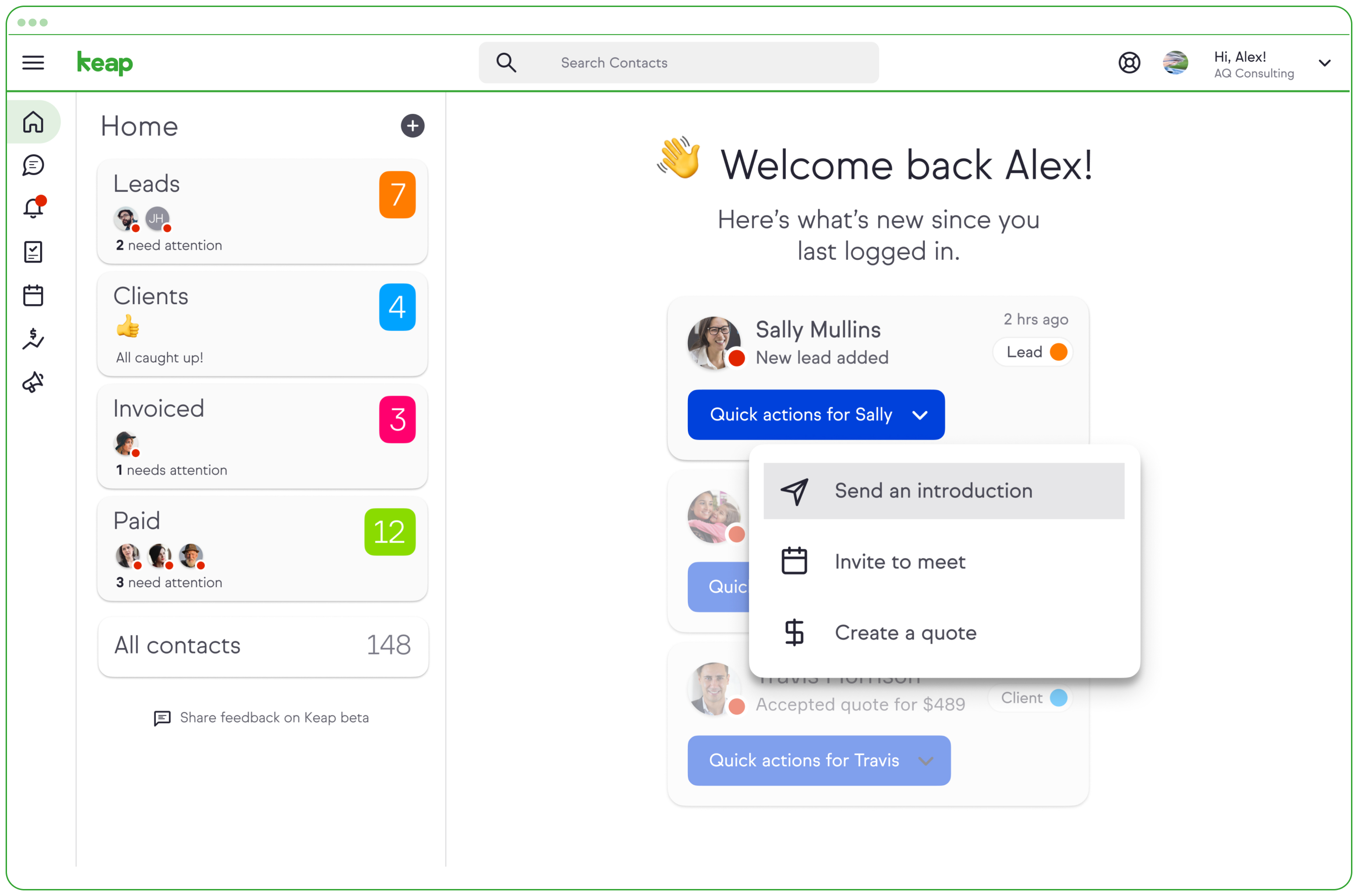
Keap is a small business-focused, comprehensive sales and marketing platform which combines basic contact management, CRM, marketing automation, and e-commerce capabilities into a single, subscription-based SaaS product.
$199
per month
Pricing
Agile CRM
Keap
Editions & Modules
Starter
$14.99
per month per user
Regular
$49.99
per month per user
Enterprise
$79.99
per month per user
Pro
$199.00
per month
Max
$289.00
per month
Max Classic
Contact Us
per year
Offerings
Pricing Offerings
Agile CRM
Keap
Free Trial
No
Yes
Free/Freemium Version
Yes
No
Premium Consulting/Integration Services
No
Yes
Entry-level Setup Fee
No setup fee
Optional
Additional Details
Discount available for annual billing (34%), and additional discounts available for 2-year plans (40%).
All plans with 1 user and 500 contacts. The price is $30.00 for each additional user.
More Pricing Information
Community Pulse
Agile CRM
Keap
Considered Both Products
Agile CRM
Verified User
Chose Agile CRM
Agile is more user-friendly and better sits our needs due to tagging, workflows, and its campaign structures. However, we are considering moving away due to support and email issues.
A de minimis incentive was given to thank the reviewer for their time. The incentive was not used to bias or drive a particular response, nor was the incentive contingent on a positive endorsement. More Info
A de minimis incentive was given to thank the reviewer for their time. The incentive was not used to bias or drive a particular response, nor was the incentive contingent on a positive endorsement. More Info
Thryv
Verified User
Chose Keap
(caveat: I didn't choose Keap; it was already used in the organization in question) Keap is a great value for money for how much automation you can do.
A de minimis incentive was given to thank the reviewer for their time. The incentive was not used to bias or drive a particular response, nor was the incentive contingent on a positive endorsement. TR verified that a representative sample of customers was invited. More Info
Verified User
Chose Keap
In the end, the difference between the software down to cost and versatility. Infusionsoft is priced closer to our budget with more options while some of these other ones is more expensive. We went with Infusionsoft just to get started and it was easier to learn how to use. As …
A de minimis incentive was given to thank the reviewer for their time. The incentive was not used to bias or drive a particular response, nor was the incentive contingent on a positive endorsement. More Info
Verified User
Chose Keap
For SMBs, here's what I'd rank higher than Infusionsoft For CRM: Salesforce, AgileCRM, Zoho For Marketing Automation: Marketo, Eloqua, Pardot - Hey, even MailChimp has a lot of campaign features now, with Mandrill for transactional email...
A de minimis incentive was given to thank the reviewer for their time. The incentive was not used to bias or drive a particular response, nor was the incentive contingent on a positive endorsement. More Info
Agile CRM is well suited if an existing customer business process is defined or drafted thoroughly. Agile allowed automating workflows and marketing to improve lead management and suppress tedious tasks so users can focus on more important matters. However, Agile CRM costs can increase significantly if you want additional features and customizations. If you know what you're doing with CRMs and marketing automation or customer contracts and management then AgileCRM is worth a try.
A de minimis incentive was given to thank the reviewer for their time. The incentive was not used to bias or drive a particular response, nor was the incentive contingent on a positive endorsement. More Info
Keap is very good at contact management and automation creation but weaker at email campaign creation. I was particularly interested in a function where when manually entering a new contact, you are then able to email that contact using a premade HTML template. It will currently not do this. There is a workaround, but it is unnecessarily ponderous.
A de minimis incentive was given to thank the reviewer for their time. The incentive was not used to bias or drive a particular response, nor was the incentive contingent on a positive endorsement. More Info
A de minimis incentive was given to thank the reviewer for their time. The incentive was not used to bias or drive a particular response, nor was the incentive contingent on a positive endorsement. More Info
A de minimis incentive was given to thank the reviewer for their time. The incentive was not used to bias or drive a particular response, nor was the incentive contingent on a positive endorsement. More Info
The email template building tool is inflexible although it is simple to use and looks nice if you can work within its parameters.
Customer Support is not committed to finding answers and providing the best solutions. Many times each support person has a different answer or fixing a bug will take up to 2 weeks to address. They do not seem to understand that they are an online marketing platform that requires solutions within hours (or maybe days) and not weeks.
At some point in mid-2021, the process for sending out emails to 10s of thousands of contacts stopped functioning as simply and effectively as it had in the past. My staff (which I use as test cases) was no longer receiving emails, even though it showed in the system that they had received it (and no, it wasn't in spam). The bandaids that they provided me would work for one or two mailings and then stop working again. I was regularly trying to get customer support to find my answers but they were never able to solve my problem. The basic functionality that I appreciated - sending out nicely formatted email newsletters - is now completely gone and the platform is useless for our needs.
The reporting tools are awful and poorly configured. Querying on groups of people is inconsistent and inaccurate. There is no segmentation feature that I found that was actually effective.
More articles and videos on how to use the various functions of Keap
Having representatives designated to certain regions or companies for a point of contact when help is needed
More options when building the emails. While the click and drop options can be a plus, they can also be negative because you are limited to image and text sizing and positions
There was a little bit of a learning curve and some bumps along the way to managing this platform, but AgileCRM appears to be responsive to any challenges that arise, which I consider to be of vital importance.
A de minimis incentive was given to thank the reviewer for their time. The incentive was not used to bias or drive a particular response, nor was the incentive contingent on a positive endorsement. More Info
We have invested a lot into Infusionsoft and are using it to automate our processes and marketing. Changing CRMs would have a HUGE cost for us and based on our evaluations, the grass isn't greener elsewhere. Infusiosoft fits most of our needs and is slowly getting better each year. Their support is great and we will continue to use them until something much better comes around or our company outgrows a small business CRM.
Until the email issues are resolved I cannot recommend agile for any function. The email delivery rate has halved in the last six months and halved again in the last two with no resolution in sight. The customer service discussions start from zero information anytime suggesting agile are not writing notes or using a ticketing system to track customers' complaints. This results in our staff having to send emails manually and defeating the purpose of the system.
You do need to spend some time on-boarding and implementing the software in order to have full functionality. We were lucky - we had colleagues at the university with experience with Keap and then hired an intern familiar with the software to get us set up and ready to use it. We've had some functionality issues with it along the way and that has frustrated myself and the other uses in our department.
A de minimis incentive was given to thank the reviewer for their time. The incentive was not used to bias or drive a particular response, nor was the incentive contingent on a positive endorsement. TR verified that a representative sample of customers was invited. More Info
The training sessions are very helpful, because you have specialist that is available to answer any questions, guide you and coach you on how to dominate a certain feature of the platform. That being said,Whenever I have an issue that needs to be resolved, I can send email or call a support line. I usually use the support line.
A de minimis incentive was given to thank the reviewer for their time. The incentive was not used to bias or drive a particular response, nor was the incentive contingent on a positive endorsement. More Info
The performance of AgileCRM has been acceptable to date. I'm pleased with the ability to modify leads in the system and search for them and add groups to campaigns.
A de minimis incentive was given to thank the reviewer for their time. The incentive was not used to bias or drive a particular response, nor was the incentive contingent on a positive endorsement. More Info
OMG, it's all in one and that compromises everything, fundamentally. If you want a race car, invest in a race car. If you want a dune buggy, get that. If you want a boat that floats, go for it.
The technical support of this software I liked a lot because whenever we need help to solve any problem or even to answer any questions about the software, Agile CRM's support was quick and efficient and guided us on the best solution to solve the problem. I admire and respect that a lot.
A de minimis incentive was given to thank the reviewer for their time. The incentive was not used to bias or drive a particular response, nor was the incentive contingent on a positive endorsement. More Info
Generally, very responsive support for even our more complicated issues. We do have some open issues that we need resolutions on and that I understand are complicated and will take longer to resolve but the open issues are significantly impacting to our business.
A de minimis incentive was given to thank the reviewer for their time. The incentive was not used to bias or drive a particular response, nor was the incentive contingent on a positive endorsement. TR verified that a representative sample of customers was invited. More Info
I have been to a number of in-person training sessions over the years with Keap and all of them have been FANTASTIC. They really put a lot of time and effort into these sessions. Staff and facilitators go out of their way to ensure that participants are getting what they need.
A de minimis incentive was given to thank the reviewer for their time. The incentive was not used to bias or drive a particular response, nor was the incentive contingent on a positive endorsement. More Info
Each section of the AgileCRM platform has an instructional video that describes in detail all of the features of that section. I found this to be very instructional way to learn about each section. Whenever I had more questions, I could always schedule a conference call with a tutor..
A de minimis incentive was given to thank the reviewer for their time. The incentive was not used to bias or drive a particular response, nor was the incentive contingent on a positive endorsement. More Info
The results of training online are often based on how people learn. The training was great but with feature updates, you just have to get in there sometimes and do it! The training definitely lays a firm enough foundation for you to be successful even if its can't be updated with every feature update.
A de minimis incentive was given to thank the reviewer for their time. The incentive was not used to bias or drive a particular response, nor was the incentive contingent on a positive endorsement. More Info
Don't let the fear of implementing a new software solution keep you from unleashing the power of automation that Infusionsoft provides. With the right implementation partner, the process can not only be smooth and painless, it can actually help you get a better understanding for how your current communication process can be improved upon.
It was able to do most of the functions needed but was the most cost-effective to get us started. If you are a new company and looking to get started with a CRM start here for a year or two and when you have the money you can pay for one of the bigger players. This platform will give you all you need to be successful. We have been using it for 2 years and we profited more each year.
A de minimis incentive was given to thank the reviewer for their time. The incentive was not used to bias or drive a particular response, nor was the incentive contingent on a positive endorsement. More Info
Keap is fast. The learning curve is shorter and they have an academy for learning with videos quite extensive that explain a lot of different scenarios, specially when you need to customize scenarios of automations and segments. Is cheaper if you consider that this services CRM + Mailing don´t come often in one package and the realiability to send mails is quite good.
A de minimis incentive was given to thank the reviewer for their time. The incentive was not used to bias or drive a particular response, nor was the incentive contingent on a positive endorsement. More Info
This products Starts with a free Limited version. You can upgradeTo an affordable paid version with minimal features. There's also an enterprise version which is what I have. It's much more expensive, however it allows me to access the full range of features available.
A de minimis incentive was given to thank the reviewer for their time. The incentive was not used to bias or drive a particular response, nor was the incentive contingent on a positive endorsement. More Info
You get a lot of features included, but you don't need to use them all at once to start seeing an effect. When you are ready to use them, they are there. It also scales without costing too much money.
It may be me but I spent a disproportionate amount of time figuring out how to derive more ROI from Agile CRM. The functionality and facilities were there but I eventually gave up as it was taking too much time and attention.
A de minimis incentive was given to thank the reviewer for their time. The incentive was not used to bias or drive a particular response, nor was the incentive contingent on a positive endorsement. More Info
Automation has allowed us to be more engaged and invested in our customers by reminding us about birthdays and other important events in their lives so that we can celebrate with them.
We lacked the manpower to sell and distribute orders online before setting up the payments and automation features. We now collect $5k+ a week in lost sales through online ordering.
List cleaning functionality and engagment settings have allowed us to run a 40-50% email open rate that allows us to create an engaged community around local events and opportunities as well as sales and special offerings.
A de minimis incentive was given to thank the reviewer for their time. The incentive was not used to bias or drive a particular response, nor was the incentive contingent on a positive endorsement. More Info